Let’s gut the marketing fluff. Automating your firm’s calendar is not about convenience or getting a slick booking page for clients. That’s the surface-level pitch sold by subscription-based tools that treat a multi-party federal court deposition with the same logic as a haircut appointment. The real project is about forging a centralized, rules-driven system that eliminates the constant, low-grade operational chaos caused by manual scheduling and its inevitable human error.
Most firms believe they have a scheduling problem. They don’t. They have a data consistency and state management problem that manifests as scheduling conflicts. Every double-booked meeting or missed deadline is a symptom of a deeper failure: your calendar, your case management system, and your communication platforms are disconnected data silos. Fixing this requires more than a Calendly subscription; it requires architectural thinking.
The Deceptive Simplicity of Off-the-Shelf Tools
Public-facing scheduling tools are designed for a simple, linear workflow. A person picks a slot, enters their details, and an event appears. This model fails immediately when faced with the procedural realities of legal work. It cannot handle conditional availability based on case type, buffer time requirements for travel between court appearances, or the complex coordination required for a multi-attorney strategy session.
These platforms offer integrations, but they are notoriously shallow. They typically perform a one-way data push, creating a basic event on a calendar. They don’t pull critical context from your Case Management System (CMS), like the matter ID, the client’s contact record, or associated billing codes. This forces paralegals into a new form of manual labor: data reconciliation. They have to find the new event and manually inject the missing case data, defeating the entire purpose.
The result is a brittle system that adds a new point of failure without removing the original one. You are still manually verifying information, but now you’re doing it in response to an automated trigger you don’t fully control.
Synchronization is a Two-Way Street
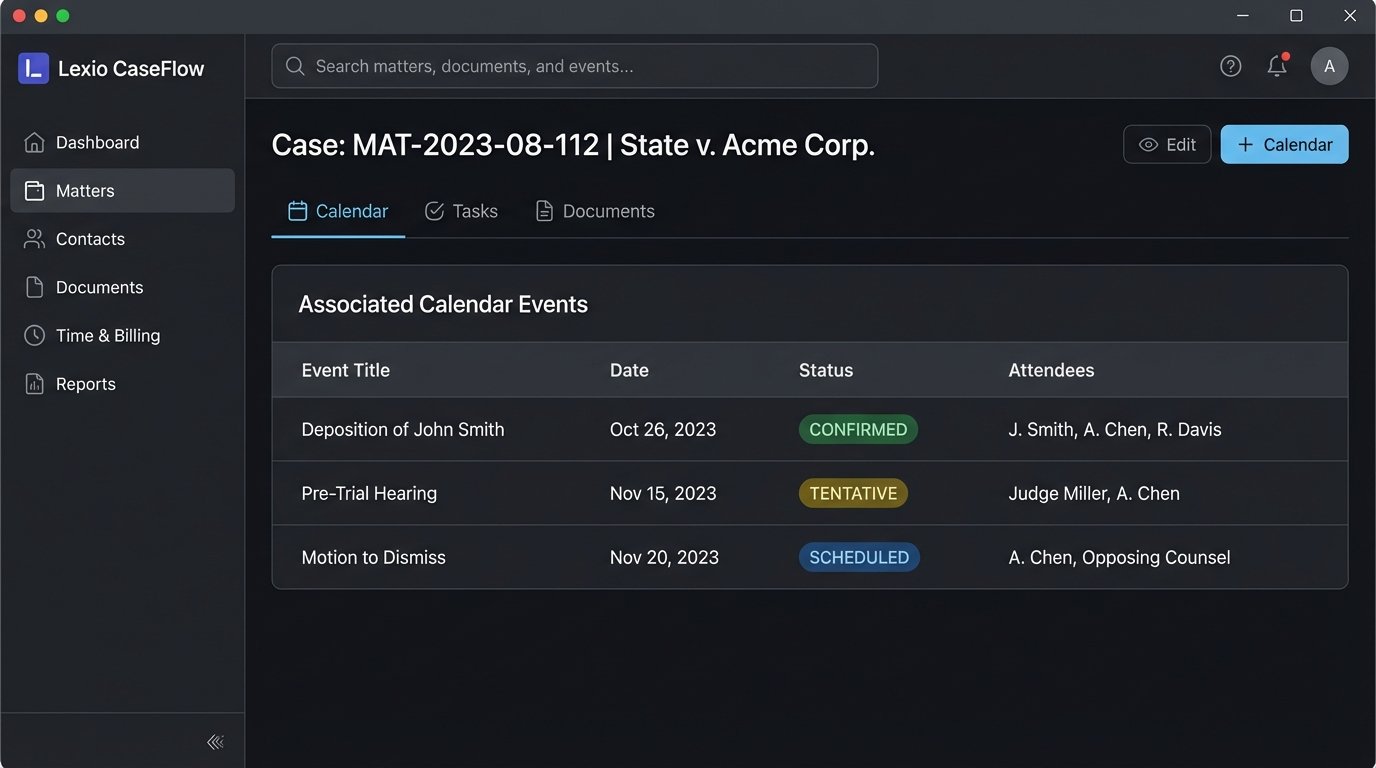
A calendar event in a legal context is not a standalone object. It is a child record of a specific matter. The fatal flaw of most scheduling widgets is their inability to enforce this parent-child relationship. An effective system requires a persistent, bi-directional sync between the calendar and the CMS. When a court clerk calls to reschedule a hearing, updating the calendar event must trigger a corresponding update on the matter record in the CMS. This includes logging the change, notifying the case team, and potentially adjusting subsequent deadlines.
Without this deep integration, your firm’s calendar becomes a source of unreliable data. It reflects a possible state of events, not the authoritative record. Relying on it is a gamble. Trying to bridge this gap with manual processes is like trying to fill a swimming pool with a leaking bucket. You’re constantly losing data integrity and expending energy just to maintain a baseline.
Building a Proper Legal Calendaring Engine
A serious solution treats scheduling as an application of a rules engine, not just a time slot picker. The goal is to build a system that understands the constraints of your practice. This isn’t a single piece of software but a composite of interconnected services that enforce business logic before an event is ever created.
The core components are straightforward to conceptualize but require rigorous implementation.
- Rules Engine: This is the brain. It contains the logic that governs availability. Rules are not just about being “free” or “busy.” They are complex and conditional. For example, a rule might state: “Partner A is available for new client consultations only on Tuesdays and Thursdays from 2-4 PM, but this rule is void during the last week of the quarter. Also, block 30 minutes of prep time before and 15 minutes of follow-up time after each consultation.”
- State Machine: Every calendar event has a lifecycle. A deposition is not just “scheduled.” It is `PROPOSED`, `TENTATIVE` once a time is suggested, `PENDING_CONFIRMATION` while waiting on opposing counsel, `CONFIRMED` when all parties agree, and `COMPLETED` after it occurs. Each state change must be an auditable event that can trigger other workflows, like sending confirmation letters or assigning a court reporter.
- API Connectors: These are the hardened pipes that connect your rules engine and calendar to your other critical systems, primarily the CMS and Document Management System (DMS). These connectors must be built to handle API failures, latency, and the often-bizarre data structures of legacy legal tech platforms.
The Logic of Conflict Checking
True conflict checking goes beyond looking for overlapping time blocks on a single calendar. A robust system checks multiple dimensions. It checks the assigned attorney’s calendar. It checks the calendars of all required paralegals and support staff. It checks a master calendar for court holidays and firm-wide events. Most importantly, it checks for case-specific conflicts, preventing an attorney from being booked for a hearing in one case at the same time as a deposition in another.
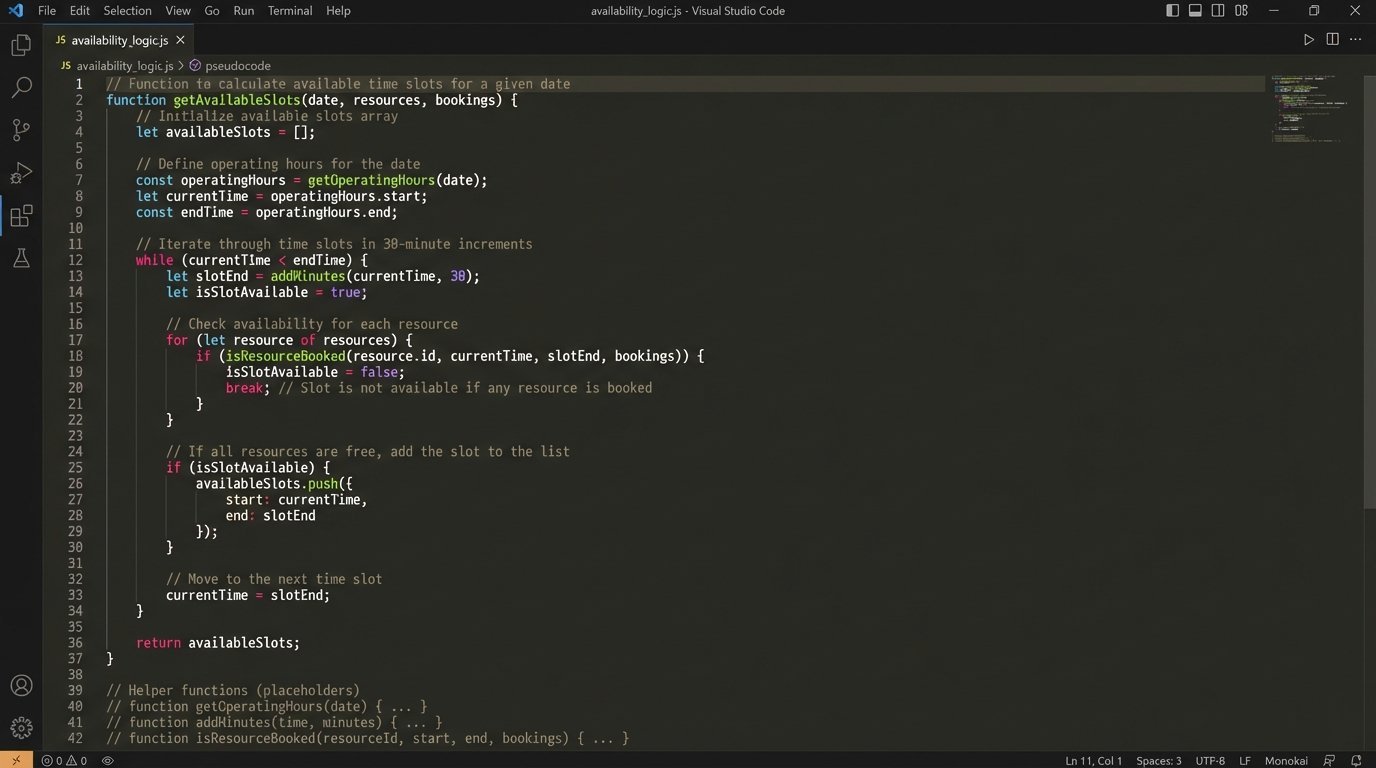
This requires querying multiple data sources in real-time before presenting available slots to the user. The logic might look something like this in pseudocode:
function getAvailableSlots(attorneyId, duration, dateRange, matterId) {

  // 1. Fetch attorney's base availability rules

  let baseSlots = queryRulesEngine(attorneyId, dateRange);
// 2. Fetch existing events from primary calendar
let calendarEvents = queryCalendarAPI(attorneyId, dateRange);
let unavailableSlots = stripSlots(baseSlots, calendarEvents);
// 3. Check for conflicts on the specific matter
let matterEvents = queryCmsAPI(matterId, 'events');
unavailableSlots = stripSlots(unavailableSlots, matterEvents);
// 4. Check firm-wide blackout dates
let firmEvents = queryFirmCalendar('blackouts');
let finalSlots = stripSlots(unavailableSlots, firmEvents);
// 5. Filter slots that don't fit the required duration
return filterByDuration(finalSlots, duration);
}
This is a simplified model. A production system would also have to account for time zones, buffer time, and priority levels. The key is that the system makes a decision based on multiple, verified data sources, not just one person’s Outlook calendar.
The API: A Bridge Over Troubled Water
Everything hinges on the quality of the API connections to your existing systems. This is where most projects get bogged down. Legal tech is notorious for its ancient, poorly documented APIs. You will spend an inordinate amount of time reverse-engineering endpoints and building resilient connectors that can handle unexpected `500` errors and sluggish response times.
A calendar event created through this system should not be a simple text entry. It should be a structured data object pushed to the CMS API. Pushing data through a poorly documented, 10-year-old SOAP API is like shoving a firehose through a needle. You have to strip down your clean JSON object, reformat it into whatever twisted XML the legacy system demands, and pray its servers are not down for maintenance.
A properly structured API call would carry a payload like this:
{

  "eventType": "DEPOSITION",

  "matterId": "MAT-2023-08-112",

  "title": "Deposition of John Smith",

  "startTime": "2024-09-15T10:00:00-05:00",

  "endTime": "2024-09-15T12:00:00-05:00",

  "attendees": [

    {"role": "Lead Attorney", "contactId": "EMP-007"},

    {"role": "Paralegal", "contactId": "EMP-021"},

    {"role": "Opposing Counsel", "contactId": "EXT-451"}

  ],

  "location": "123 Main St, Conference Room A",

  "status": "TENTATIVE"

}
This payload contains all the necessary metadata to link the event directly to the case file, the involved personnel, and its current state. The CMS can then ingest this object and update the matter record accordingly. This single API call bypasses the need for any manual data entry by a paralegal.
Triggering Downstream Automation
Once you have a reliable, data-rich calendaring system, it stops being a passive record of events and becomes an active automation trigger. The state changes of an event can kick off entire workflows.
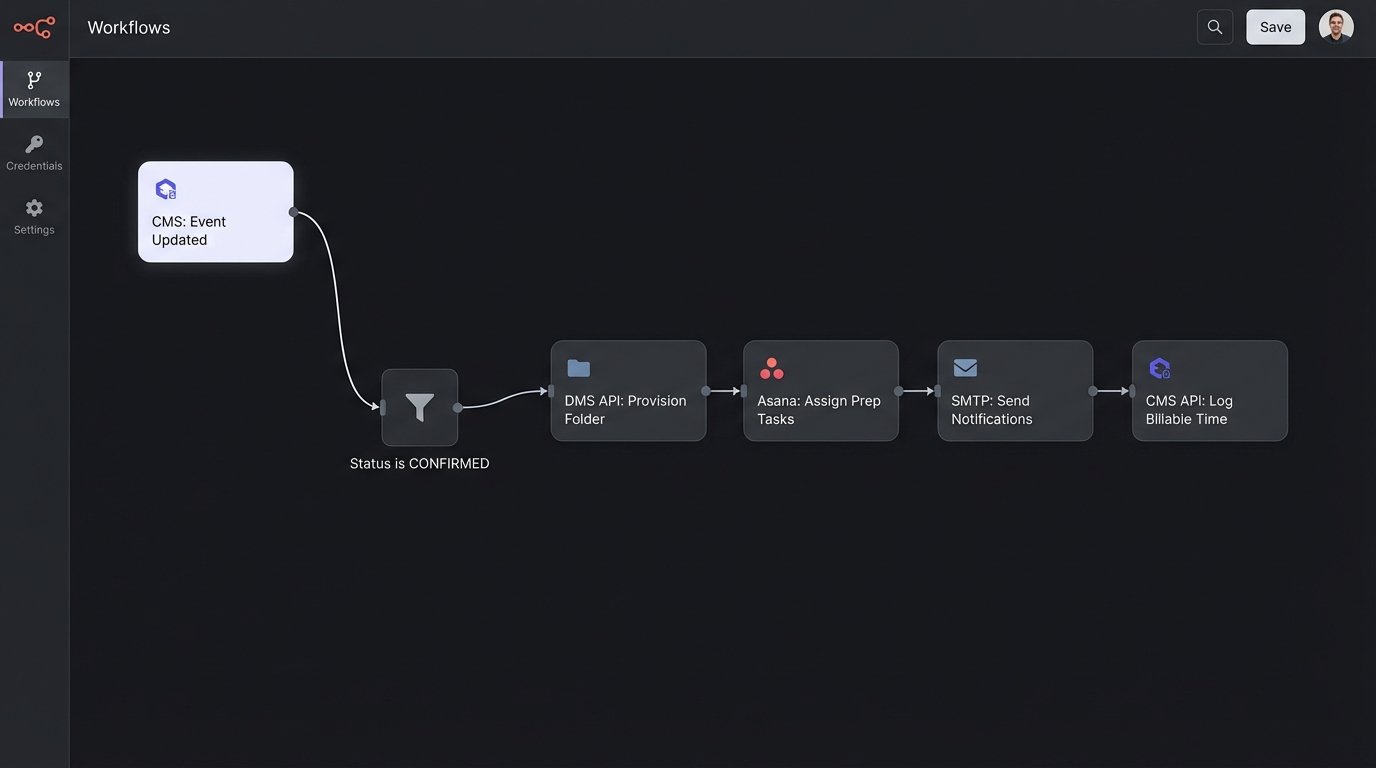
Consider the deposition workflow. When the event status changes from `TENTATIVE` to `CONFIRMED` via an API update, the system can automatically:
- Provision a Document Folder: Create a new subfolder in the DMS under the correct matter titled “Deposition – John Smith – 2024-09-15.”
- Assign Preparation Tasks: Generate tasks in your project management tool for the assigned paralegal: “Prepare deposition binder,” “Coordinate with court reporter,” and “Draft deposition notice,” all with preset deadlines relative to the event date.
- Send Templated Notifications: Dispatch a confirmation email to all internal attendees with calendar invites and a separate, more formal notification to opposing counsel’s office.
- Log Billable Time: Automatically create a 0.1-hour time entry for the paralegal for “scheduling and coordinating deposition.”
This chain of events turns a simple calendar update into a cascade of productive, automated work. It enforces process compliance and eliminates the mental overhead and potential for error associated with performing these tasks manually.
The Reality of Implementation
Building this is not simple. It’s a significant internal project that requires development resources. You are building a piece of core infrastructure. It involves wrestling with legacy systems, designing a rigid data schema, and enforcing strict process adherence. This isn’t a wallet-drainer because of software licenses but because of the developer and legal ops hours required to architect it correctly.
Error handling becomes critical. What happens if the CMS API is down when a new event is confirmed? The system can’t just fail silently. It needs a retry mechanism with exponential backoff. If the call repeatedly fails, it must be shunted to a dead-letter queue for manual review by an administrator. You must build monitoring and alerting to know when these automated systems run into trouble.
The choice is stark. You can continue to use cheap, simple tools that create hidden costs in the form of constant manual reconciliation and the risk of catastrophic scheduling errors. Or you can invest the resources to build a central nervous system for your firm’s operations. One approach puts a bandage on the problem. The other performs the necessary surgery.