
The manual assembly of litigation materials is an engineering failure masquerading as legal tradition. We accept the “war room” scramble as a rite of passage, a chaotic process of printing, collating, and three-hole punching thousands of pages on the eve of a deadline. This isn’t rigor. It’s a systemic breakdown caused by data silos and a brute-force approach to a solvable data aggregation problem. The core issue is that critical information lives in disconnected systems, a Document Management System (DMS), a case management platform, and countless email inboxes, and our only bridge between them is a sleep-deprived junior associate with a stack of post-it notes.
That scramble is a symptom of a deeper poison: data fragmentation. The final output, a set of physical binders, is a static snapshot of information that was likely obsolete the moment it left the printer. This method guarantees version control conflicts and last-minute fire drills when a key document is updated or a new piece of evidence surfaces. We treat data retrieval as a manual, artisanal task instead of what it is, a repeatable, scriptable process.
Gutting the Manual Data Pull
The first step is to stop treating document retrieval like a scavenger hunt. The standard procedure involves manually navigating complex folder trees in the DMS, running saved searches in an e-discovery platform, and flagging emails. Each step introduces the potential for human error. An incorrect filter, a misremembered folder name, or a missed email attachment can have catastrophic consequences. This is not a scalable or defensible process. It is a liability.
Automation bypasses this manual fragility. The architecture involves creating a centralized script or integration layer that directly queries these data sources via their Application Programming Interfaces (APIs). A single execution can poll the DMS for all documents tagged “Exhibit,” query the case management system for key deposition dates, and pull relevant attachments from a target custodian’s mailbox. This isn’t about saving a few clicks. It’s about forcing consistency and creating an auditable trail of how the trial package was assembled.
Of course, this is not a simple fix. The initial setup is a heavy technical lift. You will spend weeks mapping metadata fields from a legacy CMS whose API documentation was last updated during the Bush administration. The trade-off is stark: a high upfront cost in engineering hours versus a perpetual, recurring cost in paralegal overtime and the ever-present risk of critical errors. One is a capital investment, the other is an operational leak.
The API Realities
Connecting to these systems is where the real fight begins. Many legal tech platforms offer APIs that are, charitably, an afterthought. You will encounter poorly documented endpoints, draconian rate limits that throttle any meaningful data transfer, and authentication methods that seem designed to fail. Success often depends on your team’s ability to reverse-engineer API behavior because the official documentation is a work of fiction.
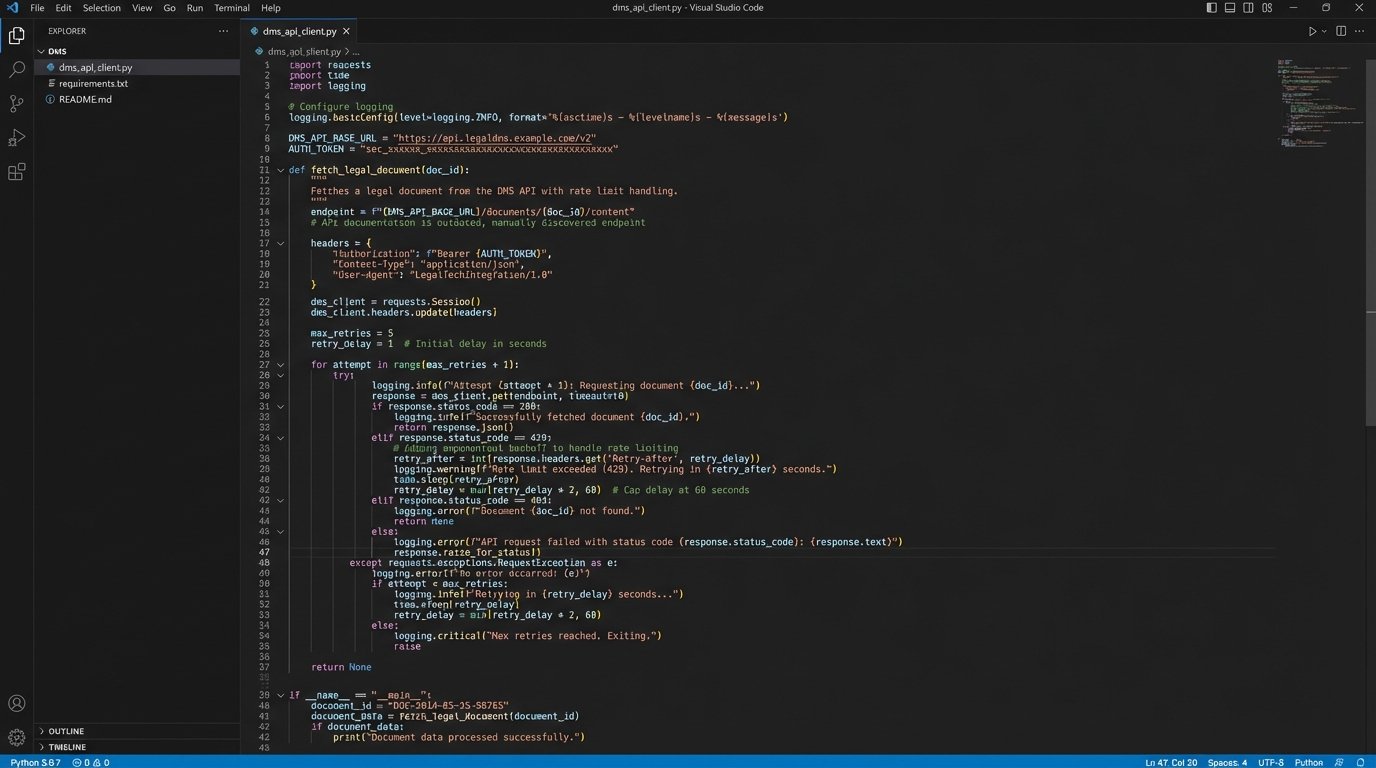
For systems with no viable API, the solution is even uglier. Robotic Process Automation (RPA) can be used to simulate user actions, a brittle but necessary bridge to legacy platforms. This involves writing a bot that logs into the user interface, navigates menus, and downloads files. It is the technical equivalent of using duct tape to fix a leaking pipe. It’s messy and prone to breaking if the UI changes, but sometimes it is the only option.
The goal is to abstract this complexity away from the legal team. They should not need to know which system holds a document. They define the criteria, the automation layer handles the retrieval. The logic-check happens in code, not in a stressed associate’s memory at 2 AM.
Building the Dynamic Trial Binder
The concept of a static, printed trial binder needs to be retired. It is an artifact from an era of paper-based discovery. The modern alternative is a dynamic trial binder, a system that programmatically rebuilds the entire case file on a set schedule, for example, every night at midnight. This ensures that the entire team is always working from the most current set of documents, exhibits, and transcripts.
This is not a single piece of software but an orchestrated process. A master script executes a sequence of tasks. First, it pulls the latest document versions from the source systems. Second, it cross-references them against a master exhibit list, which itself is managed in a central database or even a structured file like a JSON or YAML manifest. It then generates a hyperlinked index, typically a PDF or a simple internal web page, that serves as the main navigation for the case.
Here is a simplified example of how a document might be represented in a JSON manifest. This structured data is what automation thrives on. It is unambiguous and machine-readable.
{

  "case_id": "CIV-2024-1138",

  "exhibits": [

    {

      "exhibit_number": "PX-001",

      "bates_range": "ACME_000001-ACME_000015",

      "document_title": "Q3 2023 Financial Projections",

      "source_dms_id": "doc_7a9f3b_v3",

      "tags": ["finance", "expert_report_jones"],

      "ready_for_trial": true

    },

    {

      "exhibit_number": "PX-002",

      "bates_range": "ACME_000016-ACME_000017",

      "document_title": "Email from Smith to Jones re: Project Condor",

      "source_dms_id": "doc_8c1d4e_v1",

      "tags": ["key_communication", "smith_custodian"],

      "ready_for_trial": true

    }

  ]

}
The power of this model is its flexibility. If an exhibit is updated in the DMS, the change is automatically reflected in the next build. If a document needs to be removed, its `ready_for_trial` flag is set to false, and it disappears from the next generated binder without manual intervention. This transforms the binder from a static artifact into a living system.
Trying to unify these legacy systems is like welding together three different car frames from three different decades. It is not elegant, but you can make it hold if you use enough bolts and ignore the screaming metal. The end result is a vehicle that moves, which is better than three separate piles of parts.
From Document Management to Case Strategy
True automation transcends mere document logistics. Once your case data is centralized and structured, you can begin to analyze it in ways that are impossible when it is trapped in thousands of individual files. This is where automation provides a genuine strategic advantage, moving beyond efficiency to generate actual insights.
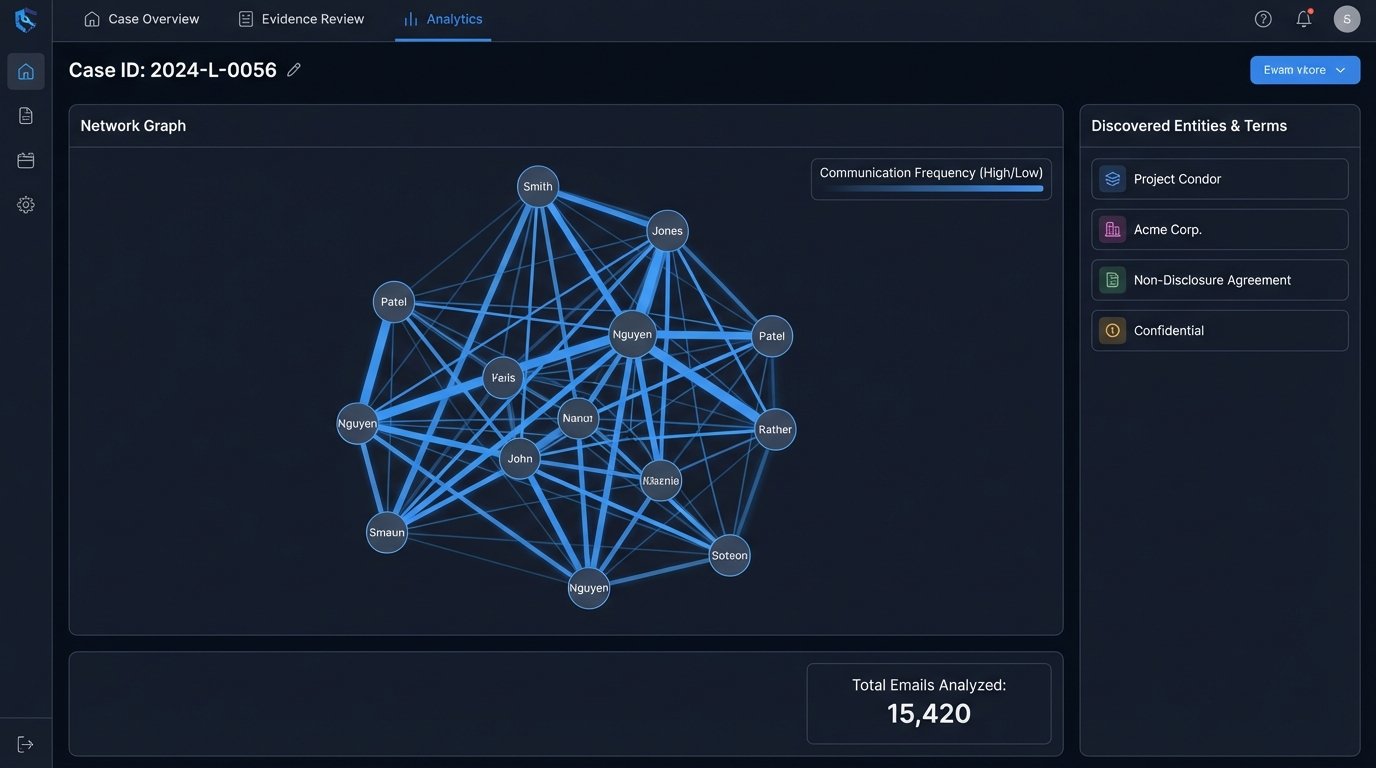
Simple analytical scripts can produce powerful results. You can run frequency analyses to identify key terms or code names across an entire production set, revealing patterns that a human reviewer might miss. Timelines of key events can be automatically generated by extracting dates from document metadata, providing a clear chronology of the case without weeks of manual effort. Communication patterns can be mapped by analyzing email headers, showing who was talking to whom about critical subjects and when.
This approach forces a shift from relying on attorney recall to trusting validated data. It does not replace legal expertise. It augments it. The attorney’s gut instinct can be tested against the data. A hypothesis about a communication breakdown can be quickly confirmed or refuted by running a query that visualizes email traffic between two custodians during a specific timeframe.
The trade-off here is cultural. It requires lawyers to trust the output of the data pipeline. This trust can only be earned if the Legal Ops team maintains obsessive data hygiene. The “garbage in, garbage out” principle applies with a vengeance. A poorly configured data pipeline will produce misleading analytics, eroding trust and potentially derailing case strategy. Validation and exception handling are not optional, they are the foundation of the entire system.
A Practical First Project: The Exhibit List
Attempting to automate the entire litigation prep process at once is a guaranteed failure. The scope is too large, and the resistance from entrenched workflows will be too strong. The correct approach is to select a small, high-visibility, and notoriously painful process to automate first. The creation and maintenance of the exhibit list is a perfect candidate.
This process is a recurring source of errors and consumes an enormous number of paralegal hours. Automating it provides a clear, measurable win that can be used to build support for larger projects. The architecture is straightforward and serves as an ideal pilot program.
The Four-Step Pilot
- Step 1: Standardize Tagging. The process starts with people, not code. You must first enforce a consistent metadata tagging schema within the DMS. A document designated as a plaintiff’s exhibit must be tagged exactly the same way every single time. This is the most critical and non-technical part of the project.
- Step 2: Build the Connector. Write a script, likely in Python, that uses the DMS API to query for all documents associated with a specific matter ID that also carry the “Exhibit” tag. The script should pull key metadata fields: document title, author, date, and any custom fields like Bates number or confidentiality designation.
- Step 3: Transform the Data. The raw data from the API needs to be cleaned and formatted. The script should sort the results numerically by exhibit number and structure the output into a clean, readable format.
- Step 4: Generate the Output. The final step is to write the structured data to a file. This could be a simple CSV for easy review in Excel or a more polished Word document using a predefined template. This file is now the firm’s official exhibit list, generated in seconds, free of copy-paste errors.
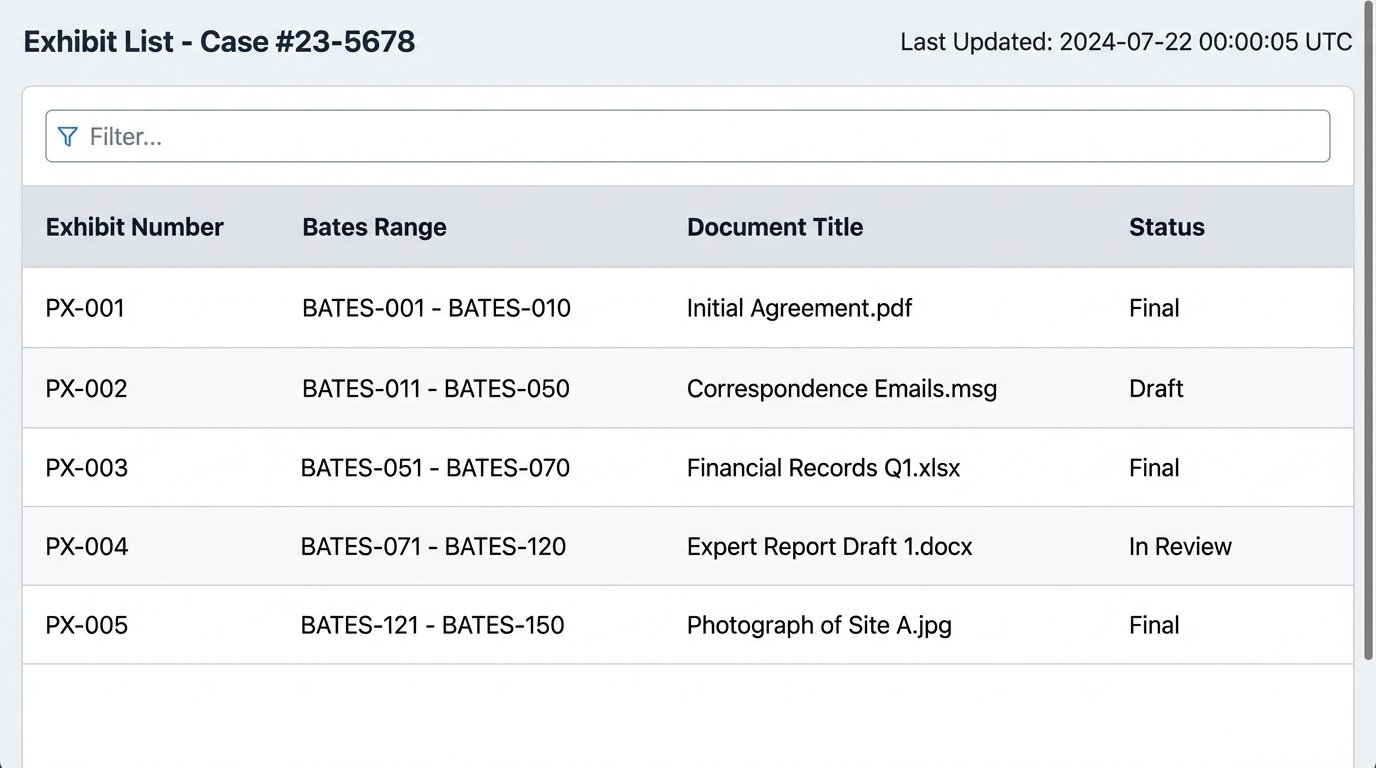
Executing this pilot project successfully demonstrates tangible value. You have taken a multi-hour, error-prone task and reduced it to a single command execution. This is how you overcome institutional inertia. You do not sell a grand vision. You deliver a working tool that solves a real, immediate pain point.
The firm that clings to manual preparation is actively choosing to be less efficient and more prone to error. In a competitive environment, this is not a sustainable position. Automating these workflows is not a matter of technological novelty. It is a fundamental requirement for operating a modern litigation practice effectively. The other side is already building these systems. Failing to do so is a self-imposed disadvantage.