
Most legal CRMs are digital graveyards. They hold static contact information, manually entered with typos and missing fields, decaying from the moment a paralegal clicks save. This isn’t a data management problem. It’s a structural failure in how law firms perceive and handle client relationships, turning a dynamic asset into a static liability.
The core issue is human intervention at the point of data entry. Manual input is slow, error prone, and fundamentally unscalable. An attorney meets a potential client, gets an email, and tasks someone to “add them to the system.” That simple act introduces dozens of failure points. The name could be misspelled, the company name could be entered inconsistently, and the “source” field is almost always a guess.
This broken data poisons every subsequent marketing and client experience effort. You can’t run a targeted email campaign if your industry data is a mess. You can’t track referral sources accurately if the data entry is inconsistent. Your expensive CRM becomes a high-maintenance address book.
Deconstructing the Manual Process Failure
The manual data entry process is a direct tax on billable hours and operational efficiency. Every minute an attorney or paralegal spends keying in contact details is a minute not spent on case strategy or client communication. This administrative drag is compounded by the high cost of correcting the inevitable errors that manual entry creates. Fixing a single bad record is trivial. Fixing a thousand is a project.
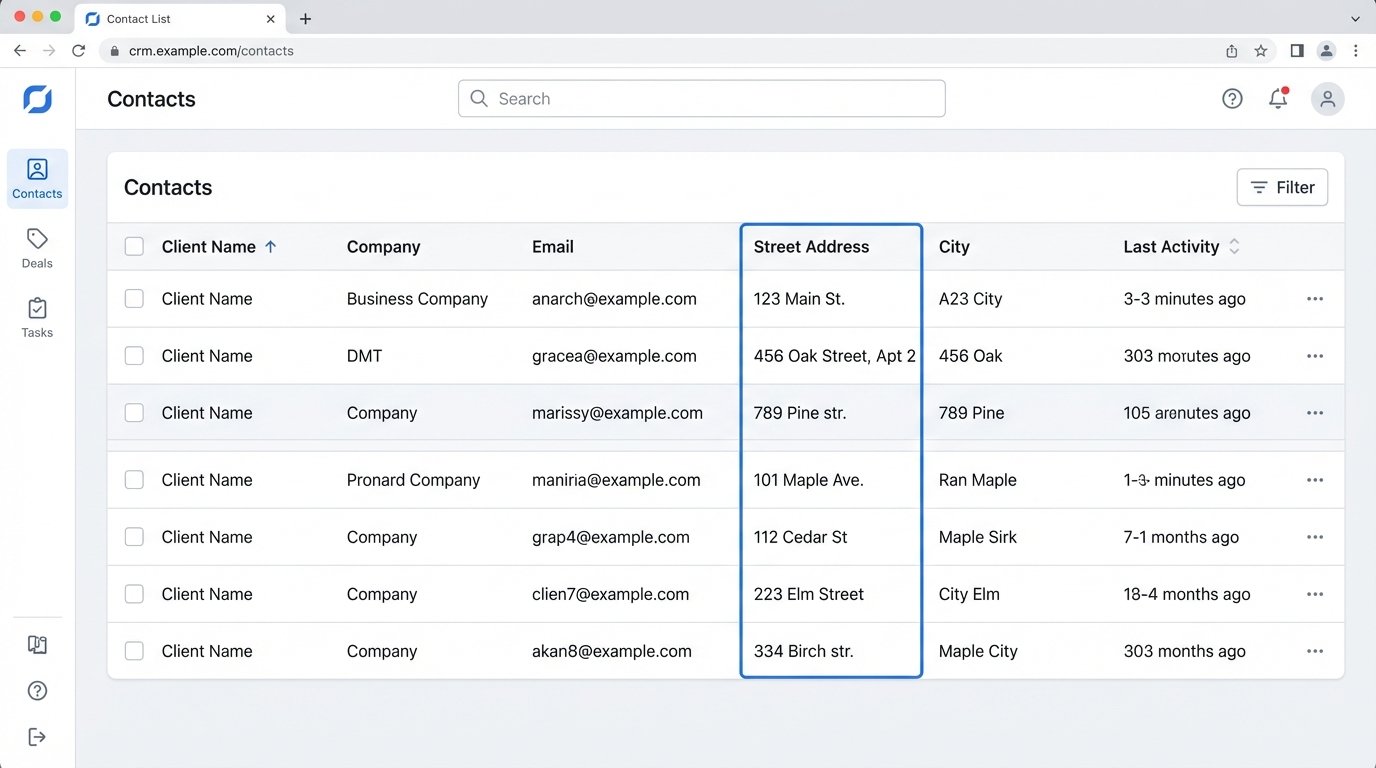
Consider the data validation gap. A human enters “St.” for “Street” in one record and “Street” in another. To the CRM, these are two different values, fragmenting your ability to segment clients geographically. An automation script, however, can be configured to force a standardized format for all address fields upon ingestion. This isn’t a minor tweak. It’s the difference between having usable data and having a digital junk drawer.
The most significant failure, however, is the missed opportunity for immediate engagement. The time lag between a first contact and that contact being properly entered and actioned in the CRM can be hours or days. In that window, a potential client’s intent cools. A properly automated system triggers engagement sequences the moment a contact is identified, creating a perception of responsiveness that manual processes can never match.
The Automation Architecture: Ingestion, Enrichment, Action
A functional automated CRM system is not a single piece of software. It is a purpose-built pipeline with three distinct stages. Ignoring any one of these stages results in a system that either ingests garbage data or fails to act on good data.
Stage 1: Automated Data Ingestion
The first step is to cut the human out of the data entry loop. The goal is to capture contact information directly from the source with zero manual keying. This typically involves hooking into digital communication channels your firm already uses.
One primary vector is the firm’s email server. Using an API like Microsoft Graph for Office 365 or the Gmail API, a service can be built to parse email signatures from incoming messages. The service looks for patterns that identify names, titles, companies, phone numbers, and addresses. This raw, unstructured text is then converted into a structured JSON object.
{

  "source": "email_signature_parser",

  "timestamp": "2023-10-27T10:00:00Z",

  "data": {

    "fullName": "Jane Doe",

    "title": "General Counsel",

    "company": "Acme Innovations Inc.",

    "email": "jane.doe@acmeinnovations.com",

    "phone": "555-123-4567",

    "raw_signature": "Jane Doe\nGeneral Counsel\nAcme Innovations Inc.\n..."

  }

}
This approach bypasses the fallibility of manual transcription entirely. Another common ingestion point is the “Contact Us” form on your firm’s website. When a user submits the form, the data shouldn’t just trigger an email notification. It should be posted directly to an API endpoint that feeds it into the processing pipeline. This ensures the data is captured instantly and accurately, exactly as the potential client entered it.
This is about building an intake system that treats every digital interaction as a potential data source, not as another task for your support staff. It’s about shoving a firehose of raw data through a needle of structured processing.
Stage 2: Data Processing and Enrichment
Raw data from ingestion is often incomplete or unverified. This stage cleans, validates, and enhances the data before it ever touches your core CRM database. The first logic check is for duplicates. Before creating a new contact, the system must query the CRM via its API to see if a contact with that email address or phone number already exists. If it does, the system should append the new information to the existing record, not create a duplicate.
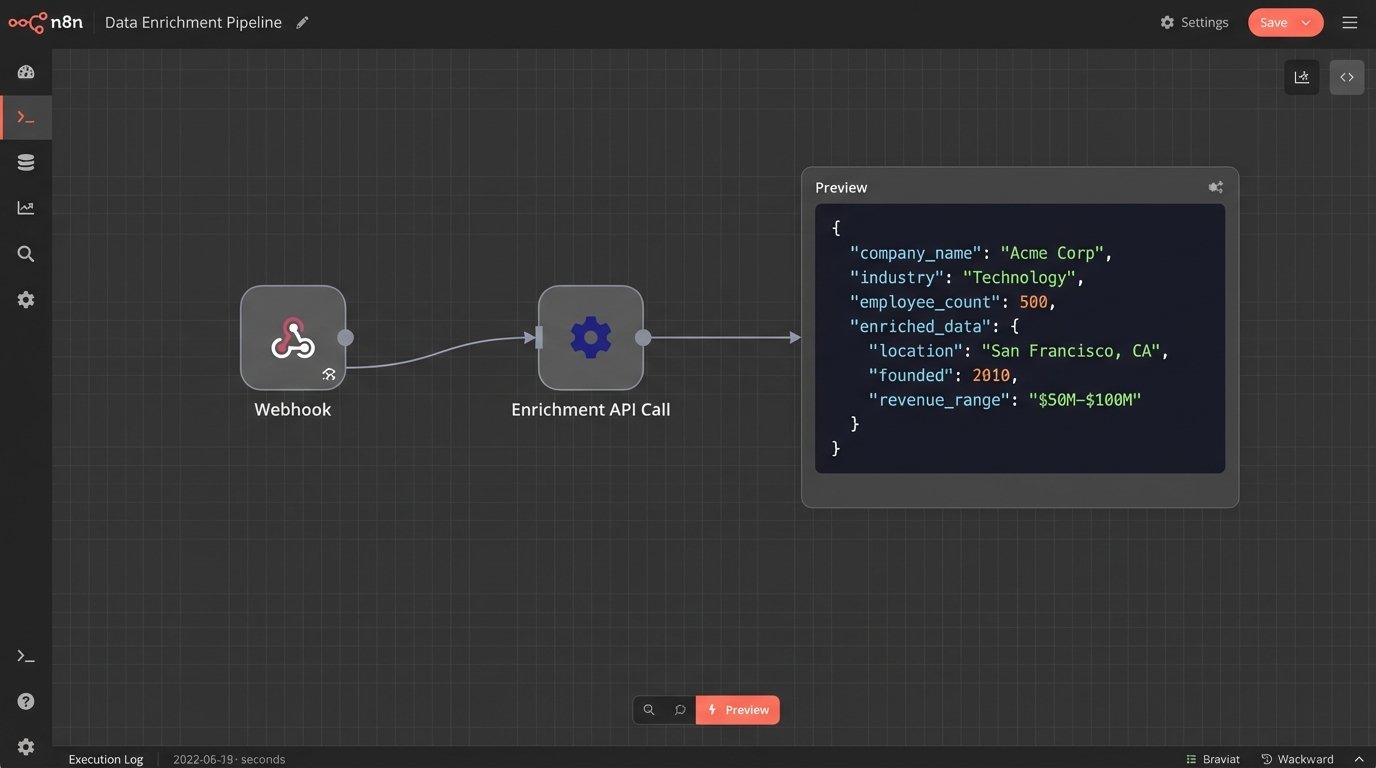
Next comes enrichment. The ingested data, like an email address, is used to call a third-party data enrichment service. These services maintain massive databases of professional information. You send them an email address, and they return a payload with validated company names, employee counts, industry classifications, and sometimes even social media profiles. This turns a simple email address into a rich client profile without any human research.
This step can be a wallet-drainer. Enrichment providers charge per API call, so you must build rules to control costs. For example, you might only enrich contacts that come from a corporate domain, ignoring those from public domains like gmail.com. You must also handle data standardization here. All state and country fields should be converted to a consistent format, like two-letter ISO codes. This data hygiene is non-negotiable for building a system that can be reliably queried and segmented.
Stage 3: Triggering Automated Actions
Clean, enriched data is useless until you act on it. This final stage connects the CRM to the rest of your firm’s technology stack to trigger specific, rule-based workflows. The possibilities are dictated by the quality of your APIs and your imagination.
A new, enriched contact identified as a potential corporate client could trigger the following sequence automatically:
- Create a contact record in the CRM.
- Create an associated “opportunity” record linked to that contact.
- Assign the opportunity to the head of the corporate practice group.
- Add a task to that attorney’s calendar to follow up within 24 hours.
- Add the contact to a “Corporate Law Newsletter” marketing list in Mailchimp.
- Send a personalized “welcome” email from the practice group head.
This entire chain of events can execute within seconds of the original email being received. It projects a level of organizational competence that is impossible to replicate with a manual process. The key is to map your firm’s ideal client intake process and then codify it into a series of conditional API calls. If the contact’s industry is “Technology,” route them to Attorney A. If it’s “Manufacturing,” route them to Attorney B.
This isn’t about just sending emails. It’s about orchestrating the firm’s response mechanism. You can trigger notifications in Slack or Microsoft Teams, create folders in your document management system, or even pre-populate client intake forms. The CRM stops being a passive database and becomes the central nervous system for your firm’s business development.
Extending Automation Beyond Client Intake
The real power of this architecture reveals itself when you integrate it with your practice management system. A CRM should manage the entire client lifecycle, not just the acquisition phase. This requires bi-directional data flow between your marketing and operational systems.
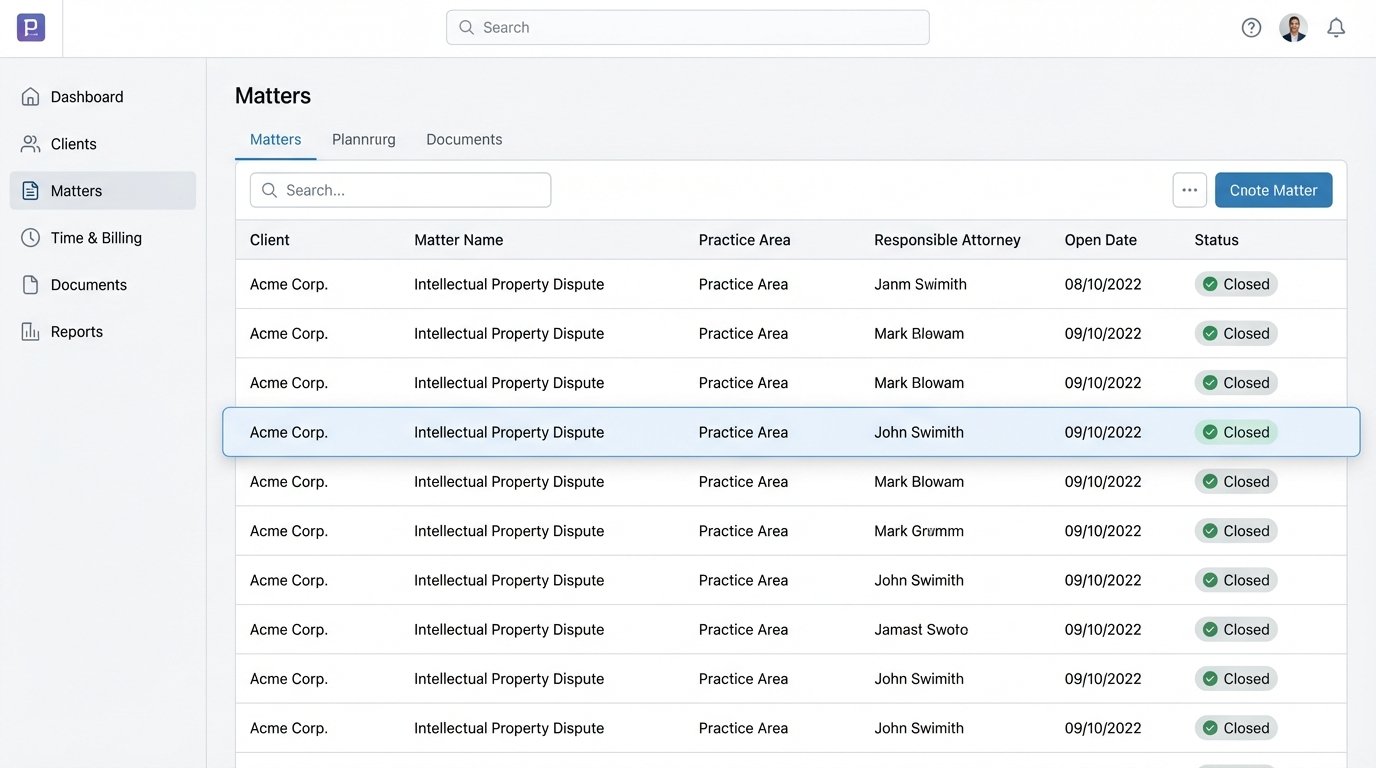
Consider a case status change. When an attorney marks a matter as “Closed” in your case management software, it should trigger an event. A webhook can fire from the case management system to your automation platform. This event can initiate a post-engagement workflow.
The workflow could automatically send the client a “Thank You” email that includes a link to a satisfaction survey. Two weeks later, another automated email could follow up with a request for a review on a legal directory. The client is also automatically moved from a “Current Client” list to an “Alumni Client” list in your marketing platform, ensuring they receive the appropriate long-term nurturing content.
This closes the loop. It connects the delivery of legal services back to the marketing and business development engine. It systemizes the process of generating social proof and maintaining long-term relationships, tasks that are often handled haphazardly or not at all. You can also use this integration for internal alerting. When a client’s billables cross a certain threshold, a notification can be sent to the responsible partner, prompting a check-in call.
The Inescapable Realities of Implementation
Building this kind of system is not a weekend project. It requires technical expertise and a budget. The all-in-one legal tech platforms that promise this functionality out of the box often deliver a rigid, closed ecosystem with sluggish APIs that limit what you can actually build. They sell a dream of push-button simplicity, but the reality is a frustrating lack of control.
The more robust solution often involves a best-of-breed approach, using a flexible CRM, a dedicated automation platform like Zapier or a custom-built service, and direct API integrations. This provides more control but carries a higher maintenance burden. API versions change. Endpoints get deprecated. Your automation workflows will break, and you need someone who can read the error logs and fix them at 8 PM on a Friday.
Security is another critical factor. Granting a service permission to read your firm’s email inbox is a significant risk. You must vet the security protocols of any vendor involved and implement the principle of least privilege, giving the service the absolute minimum access required to perform its function. You are creating a powerful system, and with that power comes a responsibility to protect client data stringently.
The question is not whether your firm can afford to build this. The question is how long it can afford to operate without it, leaking potential clients and wasting billable hours on administrative work that a machine can do better. The firms that build this automated engine will have a structural advantage that is nearly impossible to compete with. The rest will be stuck maintaining their digital graveyards.