
10 Collaboration Tools That Automate Real Estate Workflows
The median real estate transaction requires juggling data across a half-dozen disconnected platforms. Your CRM holds the contacts, your email holds the conversations, and a mess of spreadsheets holds the critical dates. This isn’t collaboration. It’s a distributed system with zero error handling, and the agent is the single, overloaded point of failure.
Automation isn’t about replacing people. It’s about building a digital assembly line that handles the repetitive, low-value tasks that burn out your best agents and transaction coordinators. The goal is a workflow that triggers actions based on data changes, not manual intervention. Below are the tools that actually get this done, assuming you know how to connect them.
1. Make (Formerly Integromat)
Make serves as the central nervous system for your independent applications. It’s an integration platform that lets you visually build workflows to shuttle data between APIs. We choose it over competitors for its superior error handling, complex branching logic, and the ability to process large arrays of data in a single run. You get granular control over the execution flow.
This isn’t a toy for simple IFTTT-style connections. It’s for multi-step scenarios that require data transformation and conditional logic before pushing the final payload.
Specific Use Case: A new lead from a Zillow integration triggers a workflow. Make first checks your Airtable database for a duplicate contact based on email. If a duplicate exists, it appends the new inquiry details to the existing record. If not, it creates a new contact in Follow Up Boss, adds a task for the assigned agent, and sends a notification to a specific Slack channel. This logic-check prevents data fragmentation.
2. Airtable
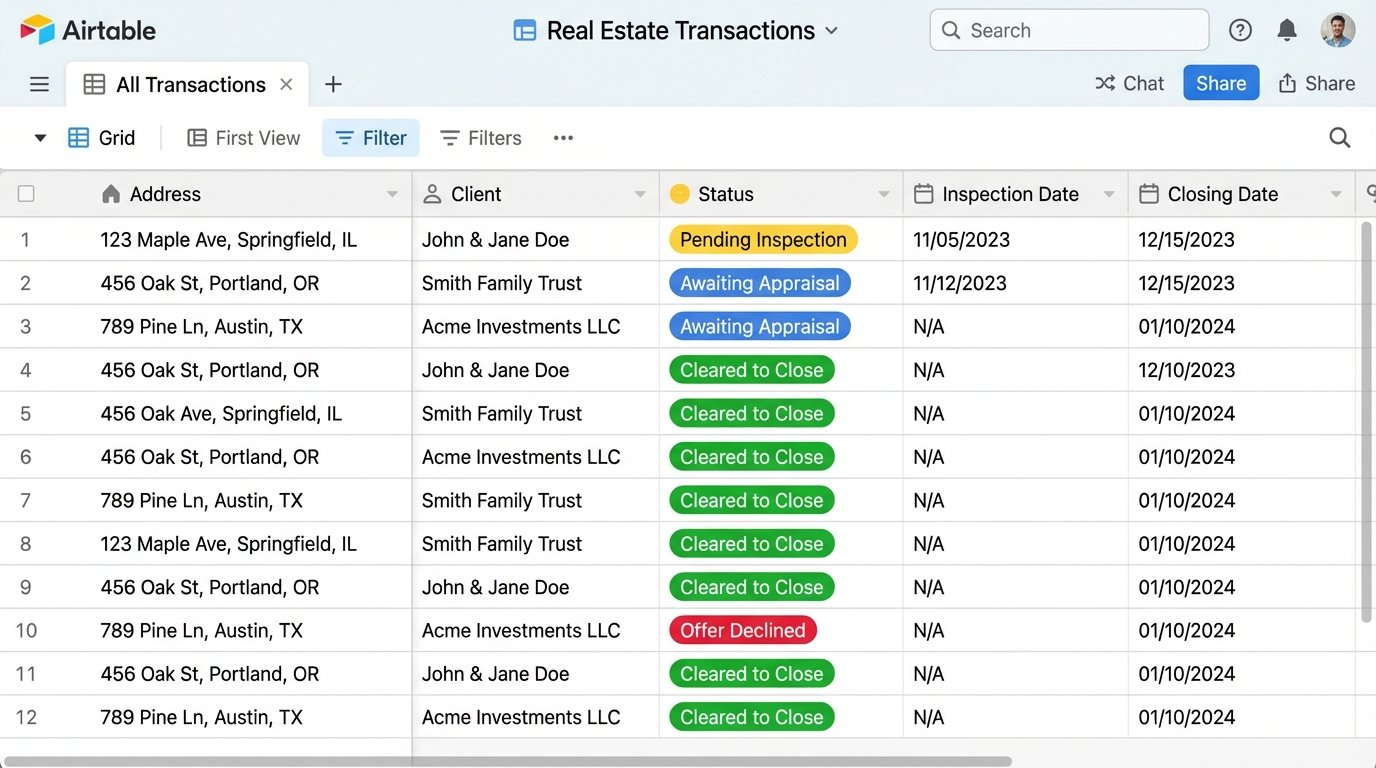
Calling Airtable a spreadsheet is an insult. It’s a relational database that wears a spreadsheet’s skin. You get structured data types, API access for every table, and automation scripts you can run directly inside a base. It bypasses the un-structured hell of managing a pipeline in Google Sheets, where a typo in a status column can break your entire Z-lookup formula.
The real power is in using it as a central source of truth for properties and transactions.
Specific Use Case: Create an “Transactions” base. Each record is a property under contract. Fields include Address, Client Name, Key Dates (Inspection, Appraisal, Closing), and a “Status” field linked to an “Agents” table. When a transaction coordinator updates the status from “Pending Inspection” to “Awaiting Appraisal,” an Airtable automation triggers a webhook. That webhook fires a Make scenario that drafts an email to the client and lender with the update. You’ve just eliminated a manual email.
3. Trello
Trello provides a visual representation of a state machine. Each list is a stage in your workflow, and each card is a task or transaction. The native Butler automation engine is surprisingly capable for its simplicity. You can create rules that react to card movements, due date changes, or checklist completions. It’s the ideal interface for transaction coordinators who need to see an entire pipeline at a glance.
Stop using it as a simple to-do list and start using it as a user interface for your backend automation.
Specific Use Case: A “Closing Pipeline” board has lists for “New Contract,” “Inspection Period,” “Appraisal,” and “Cleared to Close.” When a card representing 123 Main St is moved from “Inspection Period” to “Appraisal,” a Butler rule triggers. This rule adds the appraiser’s contact information from a stored variable, assigns the listing agent to the card, and sets a due date 14 days out. A second rule posts a comment to the card tagging the agent for confirmation.
4. DocuSign API
The web interface for DocuSign is for one-off documents. The API is for systemizing your entire document workflow. You can programmatically generate envelopes, pre-fill templates with data from your CRM or Airtable, and route them to the correct signatories in the correct order. This is how you stop wasting an hour manually preparing a standard purchase agreement.
This requires a developer or a technically minded person. The authentication can be tricky, and you need to understand how to structure the JSON payload to map your data to the right fields. Orchestrating these API calls without a central hub is like trying to direct traffic with a blindfold and a megaphone.
Specific Use Case: An agent clicks a “Generate Offer” button in a custom Retool dashboard. This action fires an API call to a backend script. The script pulls the buyer’s name, offer price, and property details from an Airtable record. It then injects this data into a DocuSign template for a purchase agreement and sends it to the buyer for signature. Once signed, a webhook from DocuSign notifies your system, which then forwards the executed document to the listing agent and updates the transaction status in Airtable to “Offer Sent.”
Here is a basic Python snippet showing how you might structure the signer and document data. This is a conceptual example, not a production-ready script.
def create_docusign_envelope(api_client, account_id, template_id, signer_data, document_data):

    envelope_definition = {

        "templateId": template_id,

        "templateRoles": [

            {

                "email": signer_data["email"],

                "name": signer_data["name"],

                "roleName": "Buyer1",

                "tabs": {

                    "textTabs": [

                        {"tabLabel": "OfferPrice", "value": document_data["price"]},

                        {"tabLabel": "PropertyAddress", "value": document_data["address"]}

                    ]

                }

            }

        ],

        "status": "sent"

    }
envelopes_api = EnvelopesApi(api_client)
results = envelopes_api.create_envelope(account_id, envelope_definition=envelope_definition)
return results
5. Follow Up Boss
A CRM is only as good as the data inside it. Follow Up Boss is purpose-built for real estate teams and, critically, has a well-documented API and strong integration support. We don’t care about its UI. We care about its function as a reliable data source and destination for lead and contact information. The goal is to programmatically push and pull data so agents live in one system, not five.
Its strength is its event-driven data. You can trigger workflows based on new inquiries, stage changes, or email opens.
Specific Use Case: A new lead from your website hits a dedicated email inbox that Make is monitoring. Make parses the email content to strip out the name, phone, and property of interest. It then pushes this data to the Follow Up Boss API to create a new contact and assign it to an agent based on a round-robin rule. The agent gets an instant SMS notification via Twilio with the lead’s details, all before they’ve even opened their email.
6. Twilio API
Email notifications get lost. Phone calls don’t scale. The Twilio API gives you direct, programmatic access to SMS and voice. For time-sensitive alerts like showing confirmations, offer submissions, or closing reminders, an SMS is far more effective than an email. It’s a low-cost, high-impact way to keep clients, agents, and partners in the loop.
This is a pure utility. It does one thing, sending and receiving messages, and does it reliably.
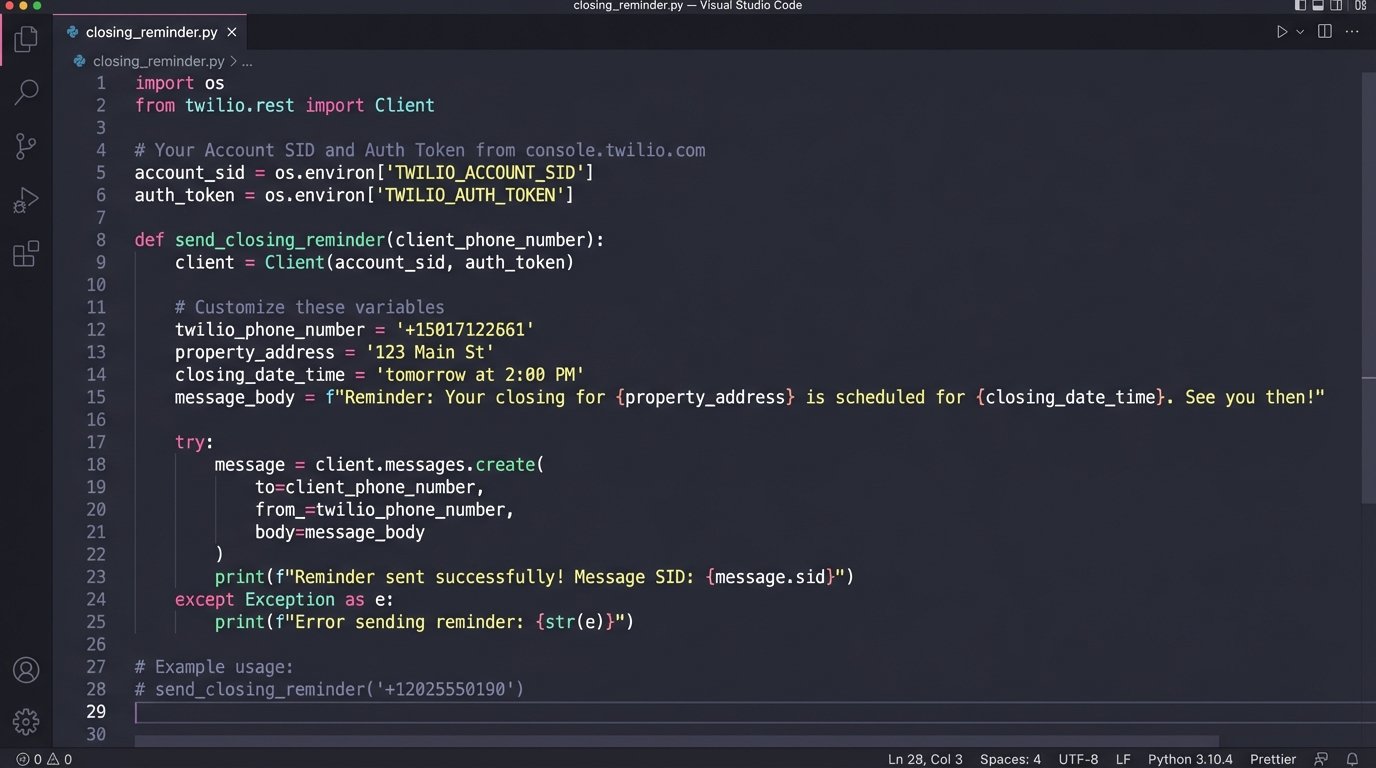
Specific Use Case: Your transaction management system in Airtable has a “Closing Date” field. A script runs daily, checking for closings scheduled in the next 48 hours. For each one, it triggers a Twilio workflow that sends a customized SMS reminder to the buyer’s agent and the client. The message confirms the time, location, and a reminder to bring a valid ID. This small automation prevents last-minute panics.
7. Calendly
The back-and-forth of scheduling showings is a colossal time sink. Calendly automates this by exposing an agent’s real-time availability and letting clients book directly. The key is to integrate it into the rest of your stack. When a meeting is booked, Calendly should do more than just add it to a calendar. It should update your systems.
Use its webhook functionality. A “meeting booked” event is a valuable trigger for other automations.
Specific Use Case: An agent includes their Calendly link for “Property Showings” in an email. A prospective buyer books a showing for 123 Main St. The Calendly “Invitee Created” webhook fires. A Make scenario catches this webhook, extracts the invitee’s name, email, and the property they booked for. It then creates a calendar event for the agent, sends a confirmation SMS to the buyer via Twilio, and adds a note to the contact’s record in the CRM that a showing has been scheduled.
8. Typeform
Generic “Contact Us” forms are useless. Typeform lets you build intelligent, multi-page forms that guide users through a series of questions. You can use it for buyer intake, seller property information sheets, or feedback surveys. Its strength lies in its ability to pipe structured data directly into your other systems upon submission, bypassing manual data entry.
The form’s purpose is to be the front door for structured data collection.
Specific Use Case: A “New Seller Inquiry” Typeform is embedded on your website. It asks for the property address, condition, desired timeline, and contact information. On submission, the data is sent to a Make webhook. The workflow takes the property address and hits the Google Maps API to validate it. It then creates a new opportunity in your CRM, creates a folder in Google Drive for the property documents, and generates a Trello card on the “New Leads” board for the listing team to review.
9. Slack
Slack is more than a chat tool. It’s a real-time event bus for your team. By creating dedicated channels and using webhooks, you can push notifications from all your other systems into one place. This creates a centralized audit log of your automated workflows and gives your team immediate visibility into important events without having to check ten different apps.
This is about creating high-signal, low-noise information feeds. Don’t just dump every log message into a channel.
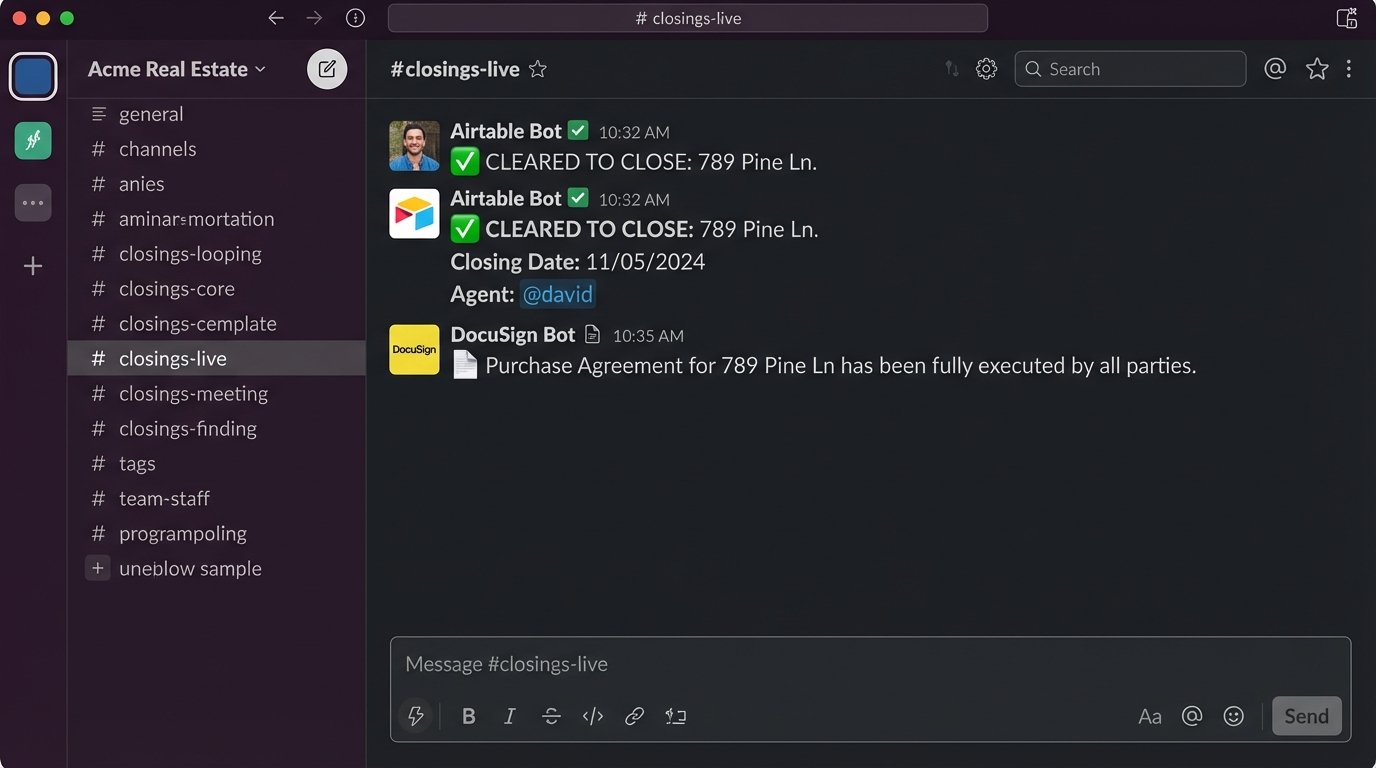
Specific Use Case: Create a channel called #closings-live. When a transaction status in your Airtable base is updated to “Cleared to Close,” an automation sends a message to this channel: “✅ CLEARED TO CLOSE: 123 Main St. Closing Date: 10/26. Agent: @jane.doe.” Similarly, when the DocuSign webhook reports a purchase agreement has been fully executed, it posts a message with a link to the document. This keeps the entire team synchronized on deal flow milestones.
10. Retool
Eventually, you’ll hit the limits of off-the-shelf software. Retool is a low-code platform for building internal tools. It allows you to drag-and-drop UI components (tables, buttons, forms) and connect them to your APIs and databases. You can build a unified dashboard that pulls data from Follow Up Boss, Airtable, and your MLS, and allows agents to perform actions that trigger your backend workflows.
This is the endgame. You stop forcing your team to work across five browser tabs and give them one interface built for their exact process. It’s a significant investment in time, but it pays off by reducing friction to near zero.
Specific Use Case: Build a “Transaction Command Center.” It displays a table of all active transactions from your Airtable base. An agent can select a transaction, see all associated contacts from the CRM, view key dates, and see a list of generated documents. There are buttons for “Generate Offer” or “Request Repairs Addendum,” which trigger the DocuSign API automations you built. You’ve effectively created a custom application tailored to your brokerage’s workflow, powered by all the other tools in this list.
These tools are just components. They don’t magically automate a broken process. The real work is in mapping your existing workflows, identifying the failure points, and then architecting a system that forces consistency and eliminates manual steps. The technology is just the plumbing that carries the data.