Building Bulletproof Appointment Confirmations: 5 Hard Rules
A failed appointment confirmation is not a minor glitch. It is a direct revenue leak. When a message fails to send because of a null field, a timeout from a third-party API, or a timezone miscalculation, you get a no-show. That no-show represents lost time, a dead spot in a schedule, and a customer who thinks your operation is amateur. We are not here to discuss pretty templates. We are here to discuss the backend architecture required to prevent these failures before they happen.
The standard approach involves a monolithic application making a direct, blocking API call to an SMS or email provider immediately after a booking is confirmed in the database. This is a fragile design. A momentary network partition or a slow response from the provider’s API hangs the entire transaction, degrading user experience and creating race conditions. The solution is not to add more `try-catch` blocks. The solution is to re-architect the notification flow for resilience and auditability.
1. Force Idempotency on Every Confirmation Request
Duplicate confirmations tell a customer your system is unreliable. They also drain your wallet if you are paying per SMS segment. The root cause is almost always a non-idempotent endpoint being hit multiple times by a client performing an optimistic retry after a network blip. You cannot trust the client to behave. You must build a defensive backend that can absorb duplicate requests without causing side effects.
The mechanism is straightforward. Generate a unique, client-side key for every booking attempt, a `request_uuid` or similar identifier. This key must be passed with the API call to create the appointment. Your backend logic must then use this key as an idempotency token. Before inserting a new appointment record or triggering a confirmation, the system must check if a record associated with that `request_uuid` already exists. If it does, the system should return the original success response without re-processing the request.
A simplified check in your controller logic might look like this:
// Pseudocode for an idempotent endpoint check
function create_appointment(request) {
    idempotency_key = request.headers['X-Idempotency-Key'];

    // Check cache or a dedicated table first
    existing_response = check_idempotency_cache(idempotency_key);
    if (existing_response) {
        return existing_response; // Return the saved response
    }

    // If not found, proceed with the operation
    appointment = process_new_booking(request.body);
    database.save(appointment);

    // Trigger confirmation, but critically, do this AFTER the DB commit
    trigger_confirmation_event(appointment.id, idempotency_key);

    // Store the result before returning
    response = build_success_response(appointment);
    store_in_idempotency_cache(idempotency_key, response);

    return response;
}
This forces the responsibility of retry management onto the server, where it belongs. The client can hammer the endpoint five times, but the confirmation event is only fired once.
2. Decouple Notification Logic from Core Business Logic
Tightly coupling your primary booking function with third-party communication services is an architectural sin. When a user submits an appointment request, your API’s job is to validate the data, write it to the database, and return a success message as quickly as possible. Waiting for a response from an external SMS gateway inside that primary transaction loop introduces unacceptable latency and a massive single point of failure. If their service is down, your service is down.
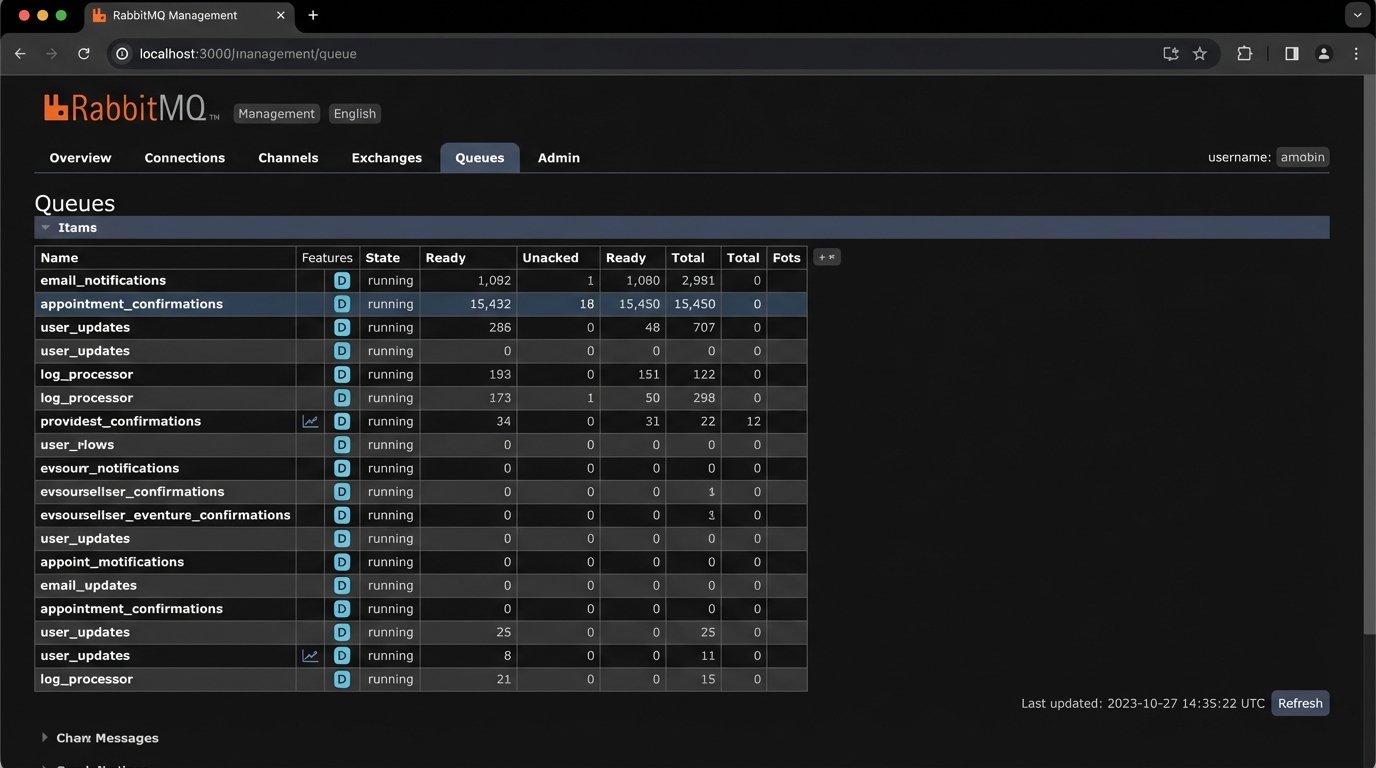
The correct pattern is to decouple these processes using a message queue. When an appointment is successfully saved, the core application does not call the SMS provider directly. Instead, it publishes a small message containing the necessary details (e.g., `appointment_id`, `recipient_phone_number`) to a queue like RabbitMQ or AWS SQS. A completely separate, independently scalable worker process consumes messages from this queue. This worker is the only part of your system that needs to know how to talk to the communication provider.
This architecture buys you several critical advantages. First, your main booking API becomes much faster and more reliable because it is no longer making blocking network calls. Second, it builds in fault tolerance. If the SMS provider is down, messages simply accumulate in the queue. The worker will process them once the provider is back online. You have not lost any confirmations. Trying to manage this level of retry logic inside a web server process is like shoving a firehose through a needle; it’s the wrong tool and creates a mess.
This separation also simplifies maintenance and swapping providers. If you decide to switch from one SMS gateway to another, you only modify the isolated worker service. The core business logic remains untouched. It has no idea, and should have no idea, how the messages are actually sent.
3. Validate and Sanitize All Dynamic Fields Pre-Injection
Message templates are littered with dynamic fields: `{{customer_first_name}}`, `{{appointment_date}}`, `{{service_name}}`. These are gaping holes waiting for bad data to pour through. Sending a message that reads, “Hello null, your appointment for a is confirmed for 1970-01-01” is worse than sending no message at all. It signals incompetence. Every single piece of dynamic data must be rigorously validated before you attempt to inject it into a template.
This validation must happen in the worker service that processes the notification job, just before the API call to the communication provider. The worker should fetch the full appointment record from the database using the ID it received from the queue. It then must perform a pre-flight check on every field destined for the template. Is the name string empty? Is the date object valid? Does the service name exist? If any check fails, the job should not proceed. Instead, it should be shunted to an error queue for manual inspection.
Consider a simple pre-flight validation function:
function preflight_check(data) {
    const required_fields = ['customer_name', 'appointment_time_utc', 'timezone', 'service_name'];
    let errors = [];

    for (const field of required_fields) {
        if (!data[field] || String(data[field]).trim() === '') {
            errors.push(`Missing or empty required field: ${field}`);
        }
    }

    // Specific validation for data types
    if (isNaN(Date.parse(data['appointment_time_utc']))) {
        errors.push('Invalid appointment_time_utc format.');
    }

    if (errors.length > 0) {
        // Throw an exception to force a retry or move to dead-letter queue
        throw new Error(`Pre-flight validation failed: ${errors.join(', ')}`);
    }

    // If all checks pass, we can proceed
    return true;
}
This kind of defensive programming prevents garbage data from ever reaching the customer. It treats customer-facing messages with the same seriousness as database writes.
4. Standardize on UTC and Convert at the Edge
Timezone handling is not an edge case; it is a central failure point for any scheduling system. Storing timestamps in your database with random local offsets is a recipe for disaster. The only sane approach is to standardize your entire backend on Coordinated Universal Time (UTC). All timestamps in your database, in your logs, and in your internal API payloads must be in UTC. There are no exceptions to this rule.
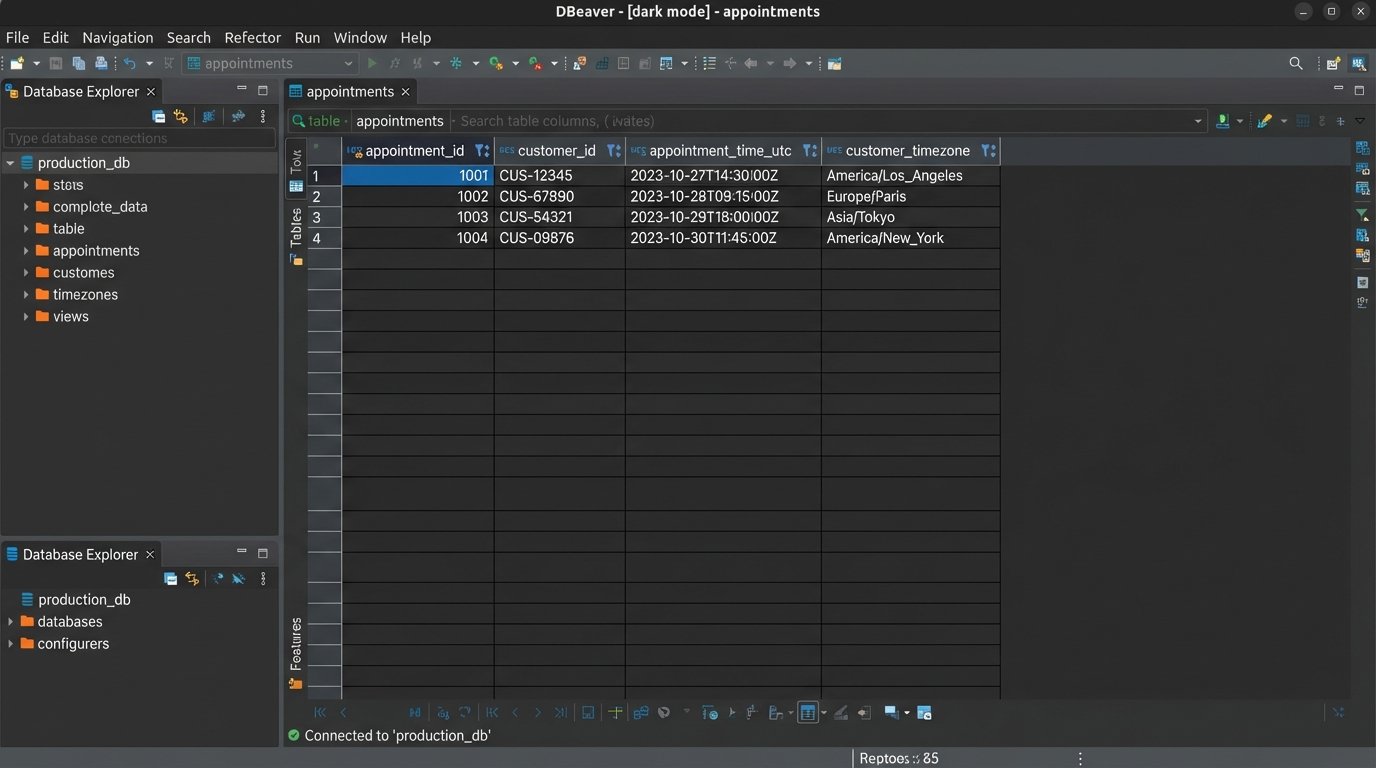
The conversion to the user’s local time must happen at the last possible moment, inside the notification worker, right before the message is sent. To do this correctly, you must capture and store the user’s IANA timezone name (e.g., `America/Los_Angeles`) during the booking process, not just their current UTC offset (e.g., `-07:00`). Offsets are unreliable because they change with daylight saving time, whereas IANA names account for these shifts automatically. Your system must use a robust date and time library that understands IANA timezones to perform the conversion.
The process is clear: the worker fetches the `appointment_time_utc` and the `customer_timezone` (e.g., `Europe/London`) from the database. It then uses a library to convert the UTC time into a localized, human-readable string. This formatted string is what gets injected into the message template. A confirmation message that says “Your appointment is at 15:00 UTC” is useless. One that says “Your appointment is at 4:00 PM BST” is correct and actionable.
5. Implement a Dead-Letter Queue for Failed Messages
Even with perfect code, external systems fail. SMS gateways reject messages to invalid numbers. Email providers hit rate limits. API keys expire. If your notification worker fails to send a message after a reasonable number of retries (e.g., 3-5 attempts with exponential backoff), what happens to that message? If the answer is “it gets dropped,” your system is broken.
The solution is a Dead-Letter Queue (DLQ). A DLQ is a secondary queue where messages are sent after they have failed processing in the primary queue a specified number of times. Sending a message to the DLQ is an explicit acknowledgment of failure. This is not an error log; it is a queue of failed jobs that require human intervention or a separate, automated analysis process. Your worker’s error handling logic must be configured to automatically route these poison pills to the DLQ.
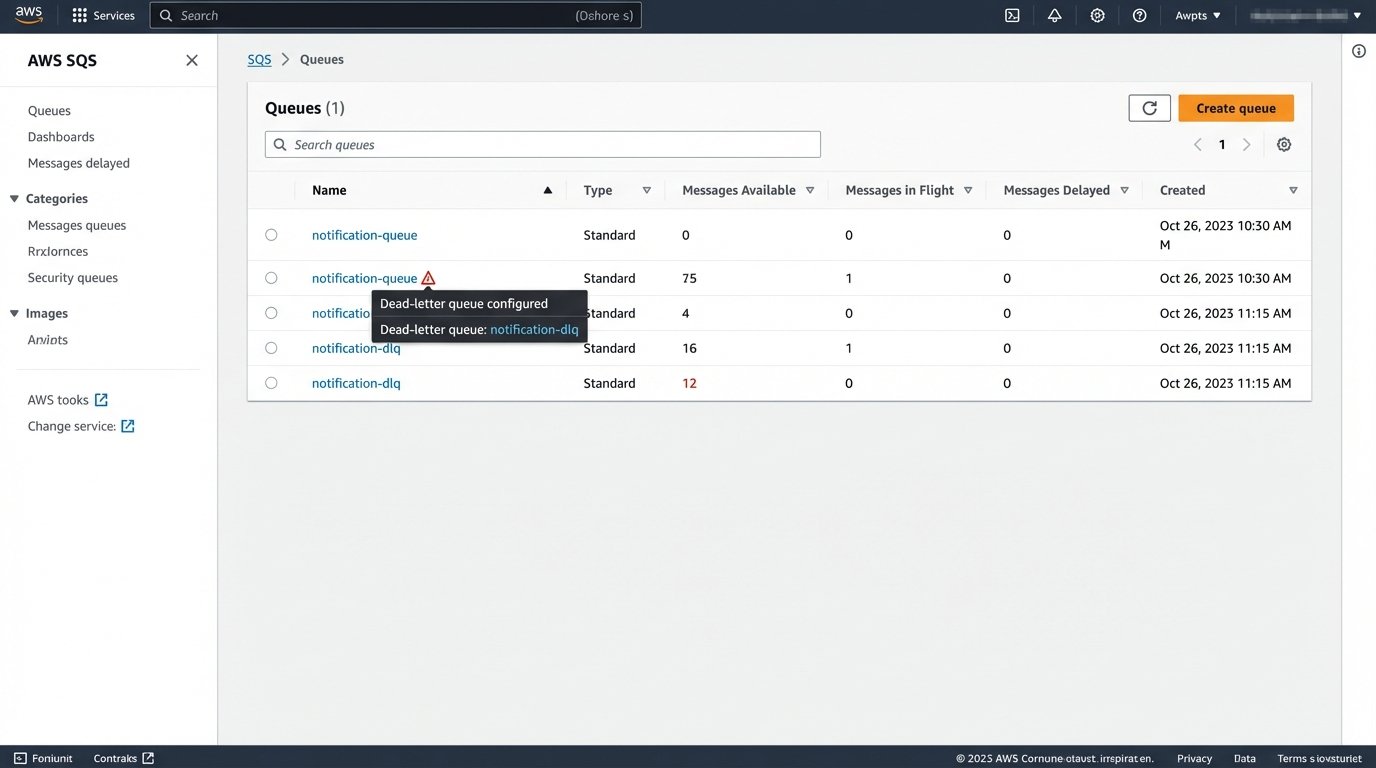
The DLQ itself is useless without monitoring. You must have alerts configured to fire when the number of messages in the DLQ exceeds a certain threshold (e.g., more than 10 messages in an hour). This alert is your early warning system. It tells you that there is a systemic problem, either with your own code, your data, or the third-party provider. Ignoring failed messages is choosing to be blind. A DLQ with proper monitoring forces you to confront and fix the root cause of your delivery failures.