Most transaction management platforms are glorified digital filing cabinets. They hold documents, track dates, and generate compliance reports. The built-in automation is often just a checklist with date-based email reminders. This is not automation. It is a calendar with an SMTP connection.
True automation requires event-driven triggers, accessible APIs, and the ability to logic-check data without human intervention. We need systems that can ingest a new contract, parse key dates, open tasks for the right people, and flag discrepancies before they become a fire drill at closing. The following platforms claim to offer this. We will dissect those claims.
1. SkySlope
What It Is
SkySlope is a compliance engine at its core. It is built to keep brokers out of legal trouble by forcing a rigid document submission and review process. Agents upload contracts, addenda, and disclosures into a transaction “file,” which is then routed to an administrator or broker for approval. Its user interface is straightforward, designed to minimize agent training time.
The entire system is structured around the checklist. Every action is tied to a checklist item, and every checklist item has a status. This rigidity is its primary strength and its biggest weakness.
The Automation Angle
SkySlope’s automation is based on pre-built checklist templates and email notifications. When an agent creates a new transaction and applies a “Residential Purchase” template, the system automatically populates a list of required documents and critical deadlines. The automation triggers are primitive. An upcoming deadline triggers an email. A document rejection triggers an email.
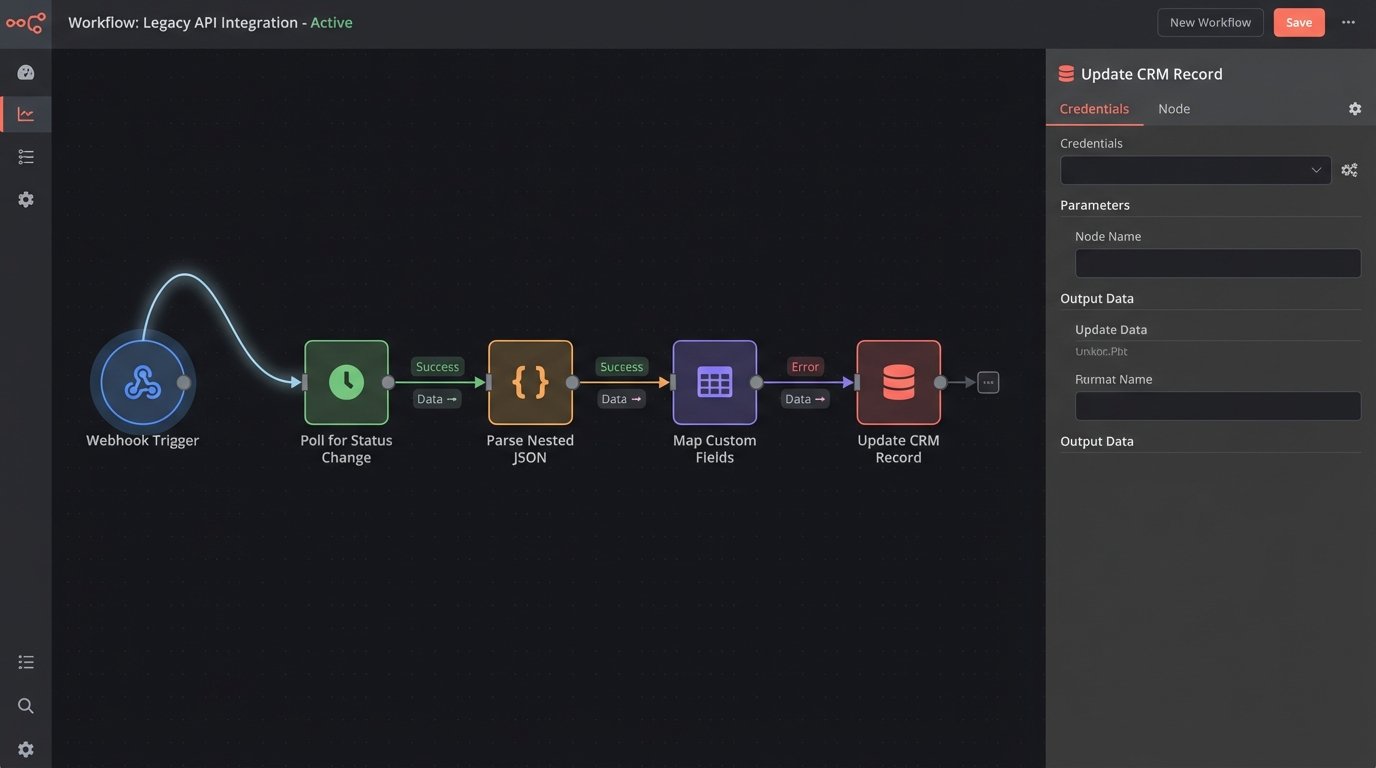
Their API offers more potential. You can programmatically create transactions, pull document lists, and check compliance statuses. This lets you bridge SkySlope with a CRM. For example, when a deal in your CRM stage moves to “Under Contract,” a webhook can hit your own middleware, which then makes a POST request to SkySlope’s API to build the initial transaction file. This bypasses the need for manual file creation by the agent.
Getting useful data out of it requires stringing together multiple calls. Trying to sync contacts between SkySlope and an external system feels like trying to pour concrete through a garden hose. It works, but it’s slow, messy, and you need to build a lot of plumbing to handle it.
The Catch
The API is not a first-class citizen. It feels like an afterthought bolted onto a legacy system. Rate limits are poorly documented, and getting write-access to certain endpoints requires a prayer and a patient account representative. Custom fields are a nightmare to work with via the API, often returned as a nondescript array of key-value pairs that you have to map manually. You will spend more time parsing their data structures than building your actual logic.
Do not expect real-time webhooks for granular events like document signatures. You will be polling endpoints to check for status changes. This is inefficient and prone to hitting those rate limits.
2. dotloop
What It Is
dotloop’s architecture centers on the “loop,” a collaborative workspace for a single transaction. It combines e-signatures, document storage, and compliance workflows into one platform. Its main selling point is the shared environment where the agent, client, lender, and title company can all view and act on documents. This reduces the email tennis that plagues most deals.
The platform is more document-centric than compliance-centric. The focus is on getting forms filled out and signed efficiently.
The Automation Angle
Automation in dotloop is driven by “Workflows.” These are task lists that can be chained together. A task completion can trigger the next task’s assignment. You can create templates that automatically apply a specific workflow to a new loop based on the transaction type. It also has field mapping, where data entered in one place (like the buyer’s name on a purchase agreement) can auto-populate to other documents in the loop.
The API is more mature than SkySlope’s. It provides access to loops, participants, documents, and task lists. Their webhooks are more useful, providing notifications for events like a loop’s status change or a document being signed. This allows for more responsive integrations.
You can construct a fairly solid integration that syncs transaction status and contacts with an external system. For example, a webhook payload for a signed listing agreement can trigger a function to update the property status in your CRM and notify your marketing team.
{

  "event": "document_signed",

  "loop_id": 12345,

  "document_id": 67890,

  "participant_id": 54321,

  "signed_at": "2023-10-27T10:00:00Z"

}
This kind of payload is direct. You can immediately act on it without needing to make three subsequent API calls to figure out what just happened.
The Catch
dotloop is a walled garden. While the API lets you interact with the data, the core experience is designed to keep users inside the platform. Customizing the user interface or embedding its functionality into your own application is basically impossible. The workflow engine is also limited. You cannot inject complex conditional logic, like “if the loan type is FHA, add these three specific tasks and assign them to the compliance officer.” You get a linear sequence of tasks and that is it.
It is also a wallet-drainer. The pricing model for their API and premium features is opaque, and they push their “all-in-one” solution hard, making it expensive if you only need a fraction of its functionality.
3. Brokermint
What It Is
Brokermint aims to be a back-office operating system. It handles transaction management, but it also integrates commission calculations, agent billing, and basic accounting. It is designed for brokers who want to manage the entire agent and transaction lifecycle, from onboarding to commission disbursement.
Its data model is more complex than a simple document manager. It tracks commission plans, fees, and payouts for each transaction, linking them to agent profiles.
The Automation Angle
The automation here is checklist-driven, similar to SkySlope, but with a financial twist. Checklist templates can be tied to specific commission plans. You can set up rules where a transaction cannot be closed or paid out until the compliance checklist is fully approved. This forces a hard stop on non-compliant files, which accounting departments appreciate.
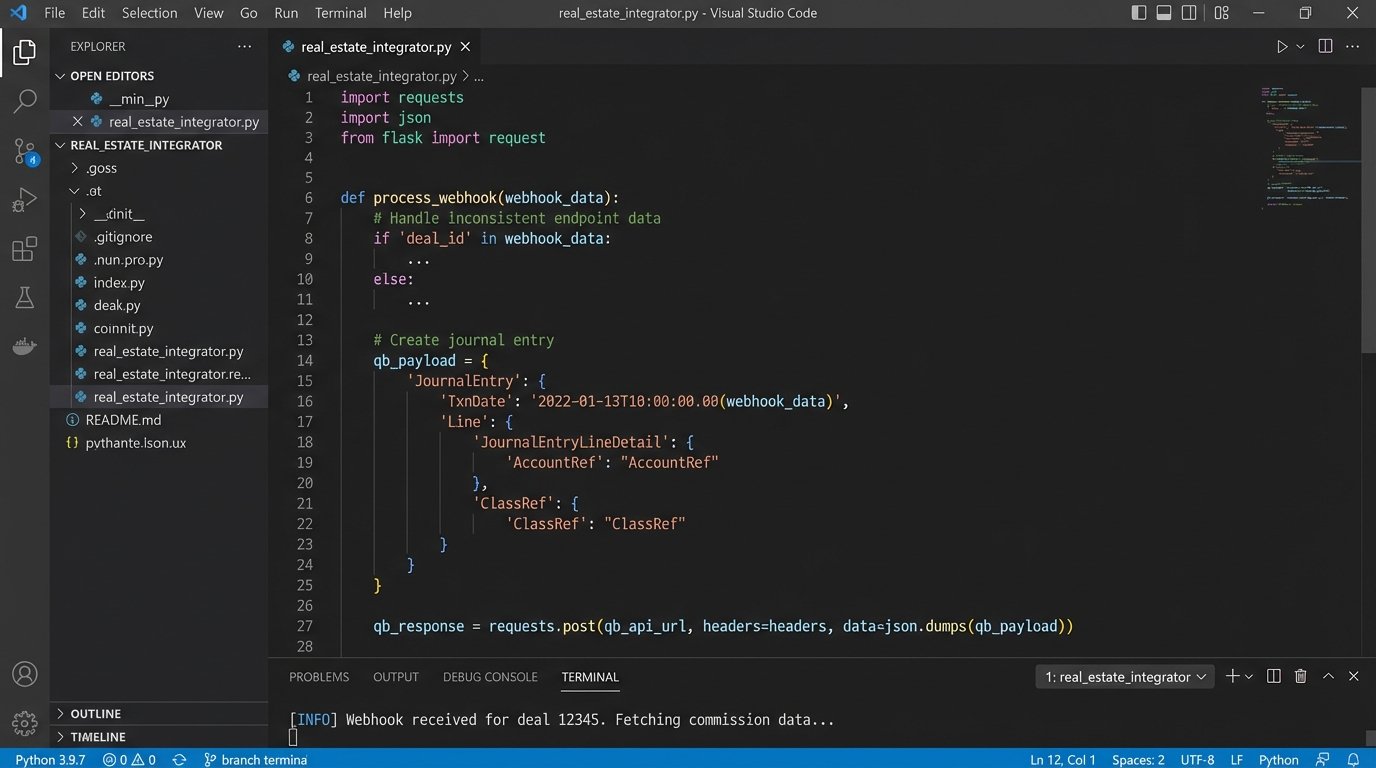
Its API is extensive because it has to expose endpoints for transactions, users, commissions, and reporting. This is where you can build powerful automations. A common use case is bridging Brokermint with an accounting system like QuickBooks. When a transaction is marked as “Closed” in Brokermint, a webhook can fire. Your custom script then pulls the final commission data via the API, formats it, and injects it as a journal entry in QuickBooks. This removes the need for manual data entry.
You have to strip the junk data from their webhook payloads before it hits your database. It’s like de-boning a fish with a butter knife. You get what you need, but the process is tedious and requires careful handling.
The Catch
Brokermint is a heavy system. The user interface can be sluggish, and the sheer number of features can be overwhelming for agents who just want to upload their contracts. The learning curve is steep. Because it tries to do everything, it does not do any one thing perfectly. Its e-signature functionality is not as smooth as dedicated tools, and its document editor is clunky.
The API, while broad, has inconsistent design. Some endpoints follow standard REST principles, while others feel like they were written by a different team on a different decade. You will find yourself writing custom logic to handle different response formats and authentication schemes depending on which part of the system you are talking to.
4. DocuSign Rooms for Real Estate
What It Is
This is DocuSign’s attempt to build a transaction management layer on top of its dominant e-signature platform. It organizes signature envelopes and documents into “Rooms,” which function as transaction workspaces. Its core strength is its native integration with the DocuSign eSignature API, which is the industry standard.
The platform is built for organizations already heavily invested in the DocuSign ecosystem. It feels less like a standalone product and more like a necessary extension.
The Automation Angle
Automation is managed through task lists and document templates. You can define templates that automatically pull in the correct forms for a given transaction type and apply pre-tagged signature and initial fields. The real power comes from the DocuSign Connect API, which provides detailed, real-time webhooks for every stage of the signature process.
You can build very granular automations. A webhook can tell you the instant an envelope is sent, viewed, or signed by a specific recipient. This allows you to trigger precise downstream actions. For example, once the “Buyer’s Signature” is complete on the purchase agreement, you can automatically send a notification to the lender with a copy of the partially signed document to get their process started.
The Catch
Outside of its signature workflow, the transaction management features feel thin. The compliance and reporting tools are not as developed as dedicated platforms like SkySlope or Brokermint. It is a signature platform first and a transaction manager second.
The API is also fragmented. You have the Rooms API for managing transactions and the eSignature API for managing signing. They are not perfectly unified. Authenticating and passing data between them often requires managing two separate contexts in your code, which complicates development. You need a solid understanding of both to build anything meaningful.
5. Paperless Pipeline
What It Is
Paperless Pipeline is a stripped-down, no-frills transaction coordinator. It focuses on one job: managing documents and checklists for compliance. The interface looks dated, but it is fast and brutally efficient. It avoids the feature bloat of other systems.
It is designed for speed and simplicity, targeting brokerages that value function over form and do not want to force their agents to learn a complex new system.
The Automation Angle
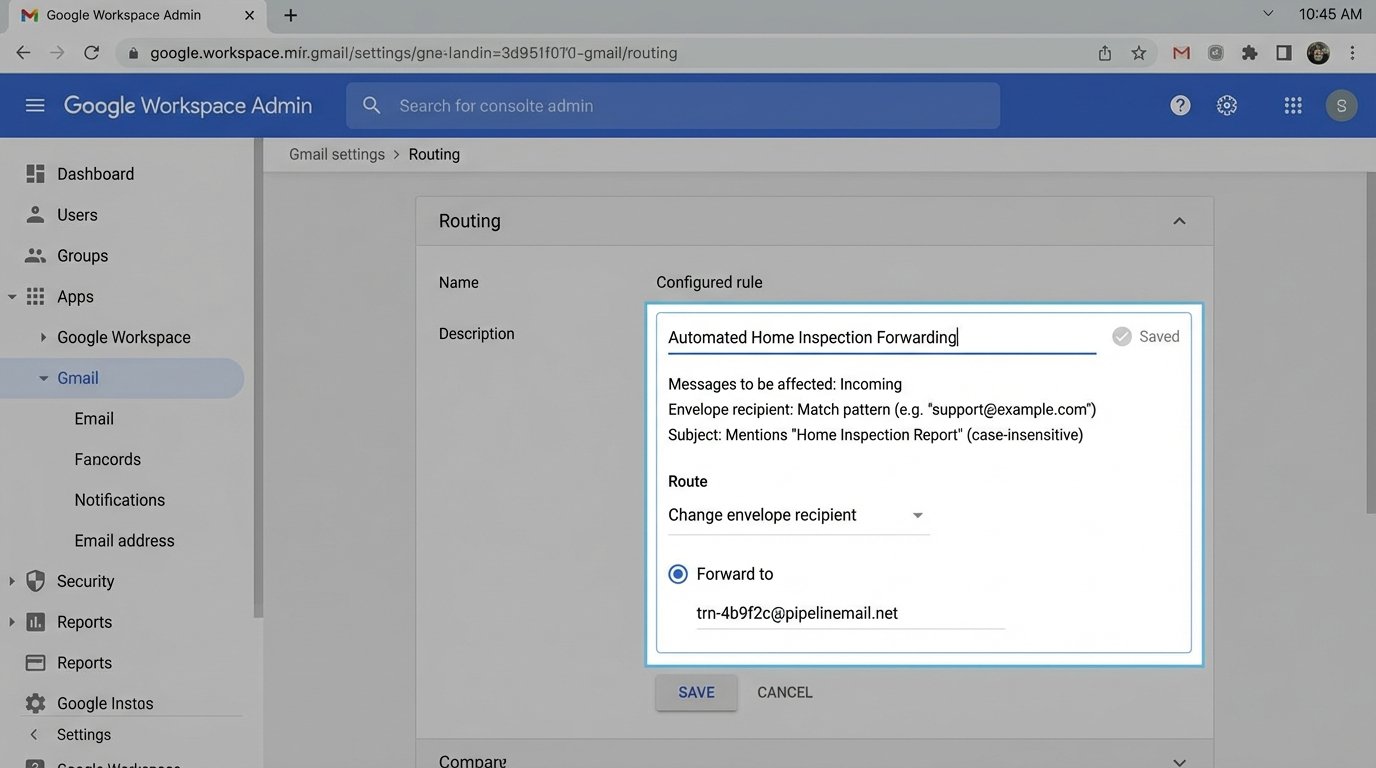
The built-in automation is minimal. It has checklist templates, deadline reminders, and that is about it. The system’s value for automation comes from its email ingestion feature. You can assign a unique email address to each transaction. Any documents emailed to that address are automatically added to the transaction’s document list.
This simple mechanism can be exploited for powerful automations. You can set up rules in other systems to automatically forward documents to the correct transaction address. For example, a home inspection report received in a shared inbox can be automatically forwarded by a mail rule, landing it in the correct file without anyone touching it. You can write scripts that generate and email documents directly into the system, bypassing the UI entirely.
Extracting your data if you decide to leave some of these platforms is like trying to unscramble an egg. Paperless Pipeline, for all its faults, makes this part simple.
The Catch
There is no public API. The entire system runs on a closed architecture. Email ingestion is your only real integration point for injecting documents. To get data out, you are limited to CSV exports. This is a major limitation for building real-time, two-way syncs with other platforms.
If you need to check the status of a transaction programmatically or update a checklist item from an external system, you are out of luck. The system is a black box. It is cheap and fast, but it does not play well with others.
Choosing a platform depends on where you need to force control. Some systems lock down compliance, others lock down the signing workflow. None of them offer a truly open, logic-driven automation engine out of the box. You will always end up building your own logic layer to bridge the gaps their product teams ignored.