6 CRM Integrations That Hammer Manual Data Entry Into Oblivion
Manual data entry is not just a productivity drain. It’s a silent assassin of data integrity. Every copy-paste action from a spreadsheet to your CRM introduces a potential point of failure, a typo that cascades into bad reports and worse business decisions. The goal is to build a system where the data flows from its source of truth directly into the CRM without a human hand touching it.
This is not about finding one magic tool. It’s about building a logical, automated nervous system for your business. Here are six architectures we build to gut manual work from the process.
1. Web Forms Directly to CRM Leads
This is the ground floor of sales automation. Your website’s contact form, demo request form, or lead magnet download form is the front door for new business. Having a human manually transcribe that information into your CRM is an antique process. The correct approach is a direct pipe.
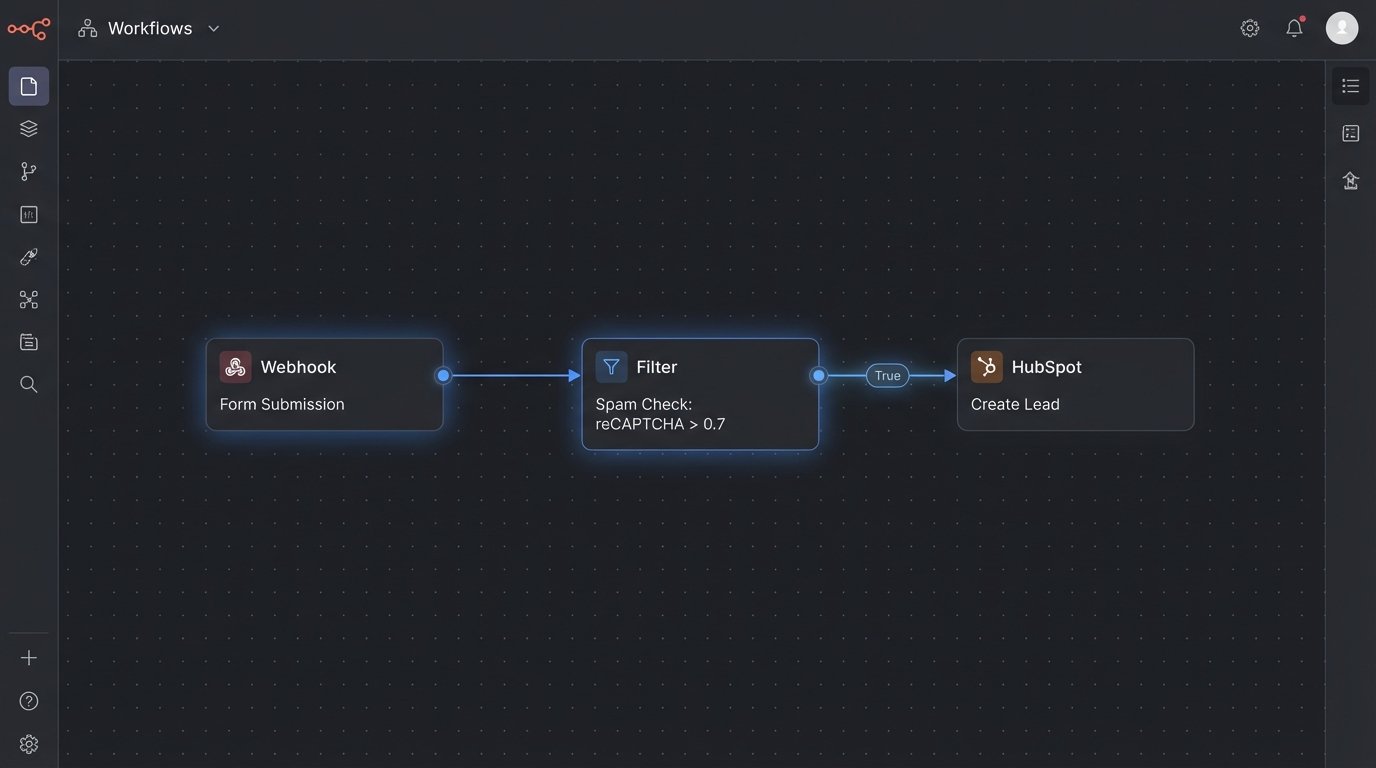
The Architecture: Most modern form builders (Gravity Forms, Typeform, Jotform) support webhooks. On form submission, the builder fires a webhook containing the submitted data as a JSON payload to a specific URL. Your automation platform (like Make, n8n, or a custom-built endpoint) catches this payload, transforms the data to match your CRM’s schema, and then makes an API call to create a new Lead or Contact.
The Gotcha: You will get spam. Unprotected forms are magnets for bots. Your automation workflow must include a logic-check step. This could involve a honeypot field, a Google reCAPTCHA score check, or a simple keyword filter that discards submissions containing common spam phrases before they ever reach your CRM. Fail to do this, and you’ll spend more time cleaning your CRM than you saved by automating it.
{
  "form_name": "Demo Request Form",
  "submission_id": "sub_1a2b3c4d5e",
  "fields": {
    "first_name": "Jane",
    "last_name": "Doe",
    "business_email": "jane.doe@examplecorp.com",
    "company_name": "ExampleCorp",
    "company_size": "50-100"
  },
  "recaptcha_score": 0.9
}
2. Calendar Bookings to Client Activity Logs
Your sales team lives on its calendar. Each scheduled meeting is a critical event in the sales cycle. Logging these events manually is redundant. The calendar already has all the data: who, what, when, where.
The Architecture: Tools like Calendly or HubSpot Meetings have native integrations, but a more flexible method uses webhooks. A “New Invitee Created” event triggers a workflow. The workflow’s job is to parse the invitee’s email, find the corresponding Contact in the CRM, and create a new Meeting activity associated with that record. It should also log the meeting type (e.g., “Discovery Call,” “Technical Demo”) and set the meeting outcome to “Scheduled.”
The Gotcha: Cancellations and reschedules create noise. Your workflow needs to handle these events, too. A “Booking Cancelled” trigger must find the original meeting in the CRM and update its status. Without this logic, your CRM will show a history of scheduled meetings that never happened, rendering your activity reports useless.
3. Payment Processor Data to Closed-Won Deals
The moment a customer pays is the ultimate source of truth for a sale. There is zero ambiguity. Relying on a sales rep to update the deal stage from “Proposal Sent” to “Closed-Won” introduces lag and potential error.
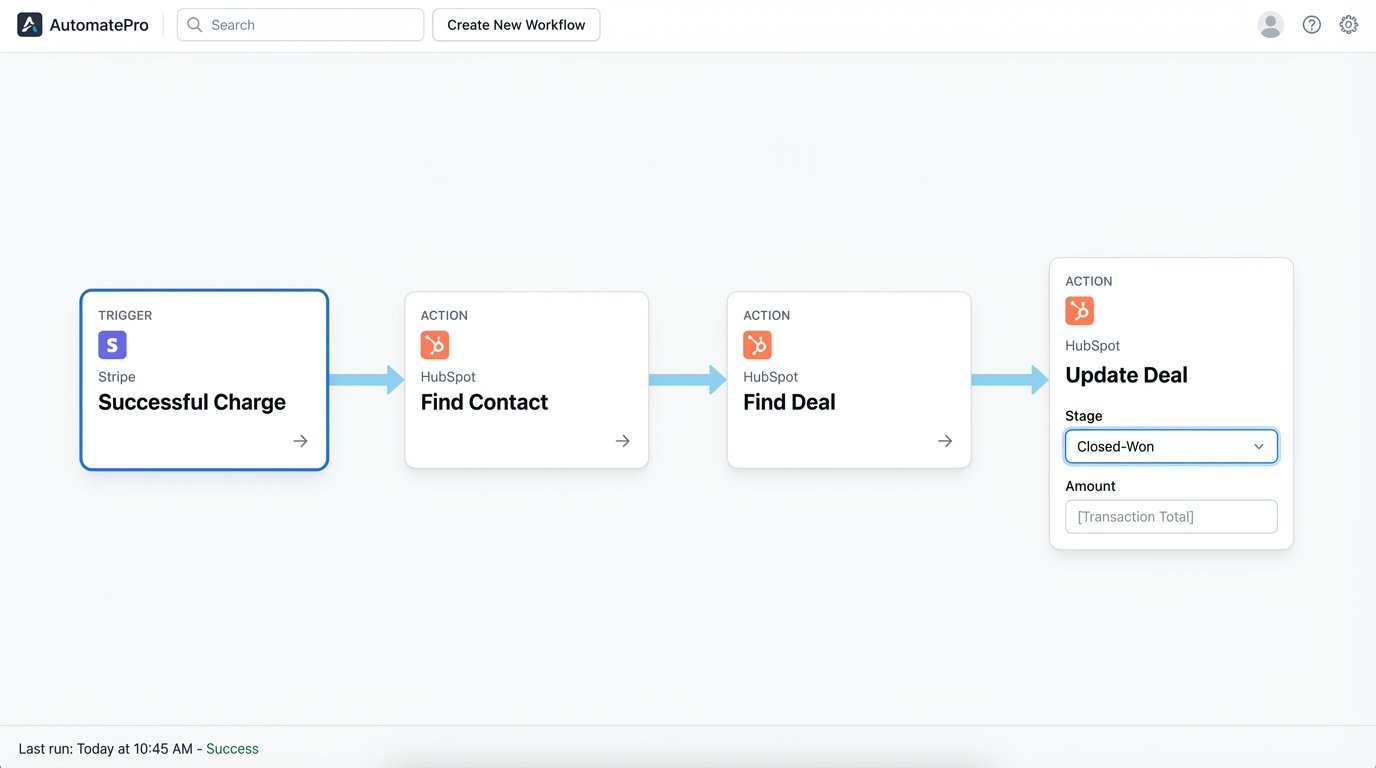
The Architecture: Payment gateways like Stripe and PayPal offer robust APIs and webhook events. You subscribe to a “charge.succeeded” or similar event. When a payment is processed, the webhook fires. Your automation layer ingests this, extracts the customer email and the amount, finds the open Deal associated with that customer, and flips the stage to “Closed-Won.” It also populates the final deal amount with the actual charged value, not the proposed value.
Trying to reconcile financial records with manually updated CRM data is like trying to assemble a Swiss watch with a hammer. It’s the wrong tool for the job, and the result is a mess. This integration bridges that gap.
- Trigger: Successful charge in Stripe.
- Action 1: Find Contact in HubSpot via customer email from Stripe payload.
- Action 2: Find associated open Deal for that Contact.
- Action 3: Update Deal stage to ‘Closed-Won’.
- Action 4: Update ‘Deal Amount’ property with the transaction total.
4. Support Tickets to a Unified Customer Timeline
A customer’s support history is a goldmine of information about their health, their pain points, and potential upsell opportunities. Hiding this data in a separate platform like Zendesk or Freshdesk handicaps your account managers.
The Architecture: This integration pulls key support ticket events into the CRM’s activity timeline. A “New Ticket Created” or “Ticket Solved” event in your helpdesk system triggers a workflow. The workflow finds the relevant Contact in the CRM and creates a custom timeline event or a note. The note should contain the ticket title, the priority, and a direct link back to the ticket in the helpdesk platform. This gives anyone looking at the CRM record a complete, at-a-glance view of the customer’s interactions.
The Gotcha: Data mapping is the primary obstacle. A customer might submit a ticket using `help@company.com` but be registered in your CRM as `john.smith@company.com`. Your automation must have fallback logic, first attempting to match by email and then, if that fails, matching by a secondary identifier like a company domain. You need a clear process for handling unmatched tickets.
5. Project Management Tasks to Account Records
For service-based businesses, the real work happens after the deal is closed. Linking project management tools like Asana or Jira to the CRM provides visibility into project progress for account managers and sales teams.
The Architecture: This is less about individual tasks and more about major milestones. When a key project phase is completed in your PM tool (e.g., a Jira epic is moved to “Done”), a webhook fires. The automation logic identifies the client associated with that project and updates a custom property on the Company record in the CRM, such as “Project Status” or “Onboarding Stage.” This prevents account managers from having to badger the delivery team for status updates.
The Gotcha: Information overload is a real danger. Piping every single task update and comment from Jira into your CRM would make the timeline unusable. Sending this much data into a single CRM record is like trying to shove a firehose through a needle. The key is to be selective. Trigger automations only on the most critical, high-level events. Use filter conditions in your workflow to ignore the noise.
// Example n8n Expression to filter for only high-priority tasks
{{ $json.body.issue.fields.priority.name == "High" || $json.body.issue.fields.priority.name == "Highest" }}
6. Data Warehouse Enrichment to CRM Records
This is the heavy-duty solution. Your CRM is often not the ultimate source of truth for customer data. That title belongs to your production database or data warehouse (like Snowflake, BigQuery, or Redshift). A reverse ETL process bridges this gap, turning the warehouse into the master record that actively corrects and enriches your CRM.
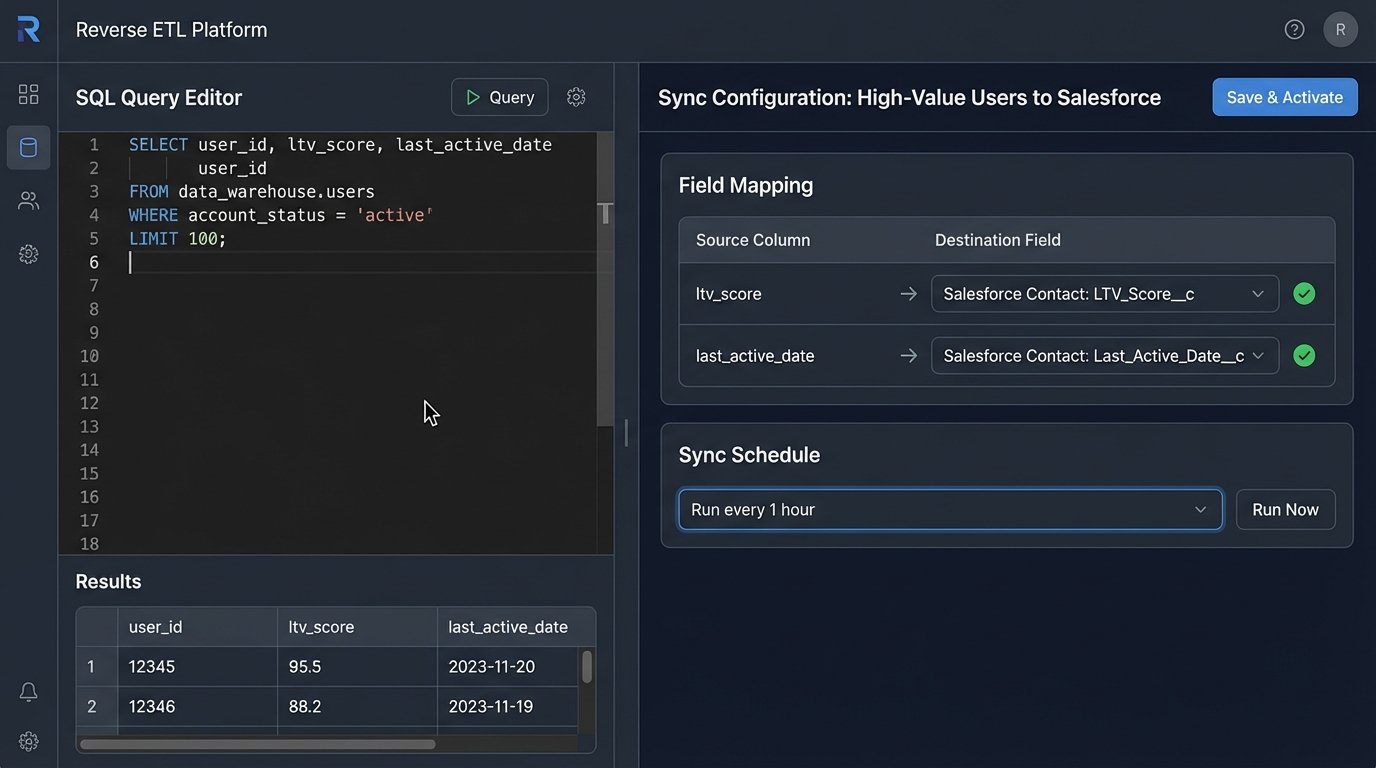
The Architecture: You use a Reverse ETL platform like Hightouch or Census. You write a SQL query to define a “model” of your customer, pulling together product usage metrics, LTV calculations, or other proprietary data points from the warehouse. The platform then syncs this data to your CRM on a set schedule (e.g., every hour), updating or creating records and mapping the warehouse columns to CRM properties.
This bypasses brittle, point-to-point integrations entirely. It ensures that the rich, calculated data from your warehouse is always available to your customer-facing teams in their primary tool.
The Gotcha: This is a wallet-drainer and requires engineering resources. It’s not a simple point-and-click setup. You need people who can write clean SQL and understand your data models. It’s the most powerful solution on this list, but it’s also the most complex and expensive to implement and maintain.
Eliminating manual data entry is a methodical process of identifying the true source of data for a given event and building a resilient, automated bridge to your CRM. Each bridge you build removes a potential point of human error and frees up your team to do the work that actually requires a brain.