7 Document Automation Solutions for Realtors That Aren’t Just Glorified E-Signatures
Every real estate transaction generates a mountain of paperwork. Purchase agreements, addendums, disclosures, closing statements. The process is a predictable sequence of data entry errors and wasted hours. Most solutions pitch digital signatures as the fix, but that only addresses the final step. The real bottleneck is document generation and data propagation. The goal is to enter client data once and have it populate every required form, track its status, and file it without human intervention.
The following is a breakdown of seven approaches to this problem. Some are polished, off-the-shelf systems. Others are collections of tools you chain together. None are perfect.
1. DocuSign Rooms for Real Estate
DocuSign is the default for e-signatures, but its Rooms for Real Estate product attempts to create a unified transaction workspace. It provides pre-built templates for standard real estate forms, workflow management, and a centralized location for all transaction documents. The automation hook is its API, which lets you programmatically create rooms, add documents, and apply templates.
The core function is to pull agent and transaction data from a CRM or other system of record and inject it into a new Room. This pre-fills the necessary forms, which can then be routed for signature. Its strength lies in its tight integration with the NAR (National Association of Realtors) library of forms, saving you the headache of managing templates for every state and local association.
The API is RESTful and documented, but it has its quirks. Rate limiting can be an issue for high-volume brokerages trying to run batch operations. The object model for Rooms, Roles, and Documents requires careful mapping to avoid creating malformed transactions that agents have to fix manually.
Use Case: A brokerage wants to automate the creation of a transaction packet the moment a new deal is marked as “Under Contract” in their CRM. A webhook from the CRM triggers a cloud function that calls the DocuSign API, creates a Room, pulls in the relevant buyer, seller, and property details, and applies the standard set of state-mandated disclosure forms.
The agent gets a notification with a link to a pre-filled room, ready for review. No more copy-pasting addresses 15 times.
2. SkySlope
SkySlope positions itself as a compliance-first platform. Its primary function is to enforce brokerage-specific rules and checklists for document submission. While it also handles e-signatures through its DigiSign tool, its automation value is in its rigid, auditable workflows. You define the required documents for a given transaction type, and the system hounds the agent until they are all submitted and approved by a broker.
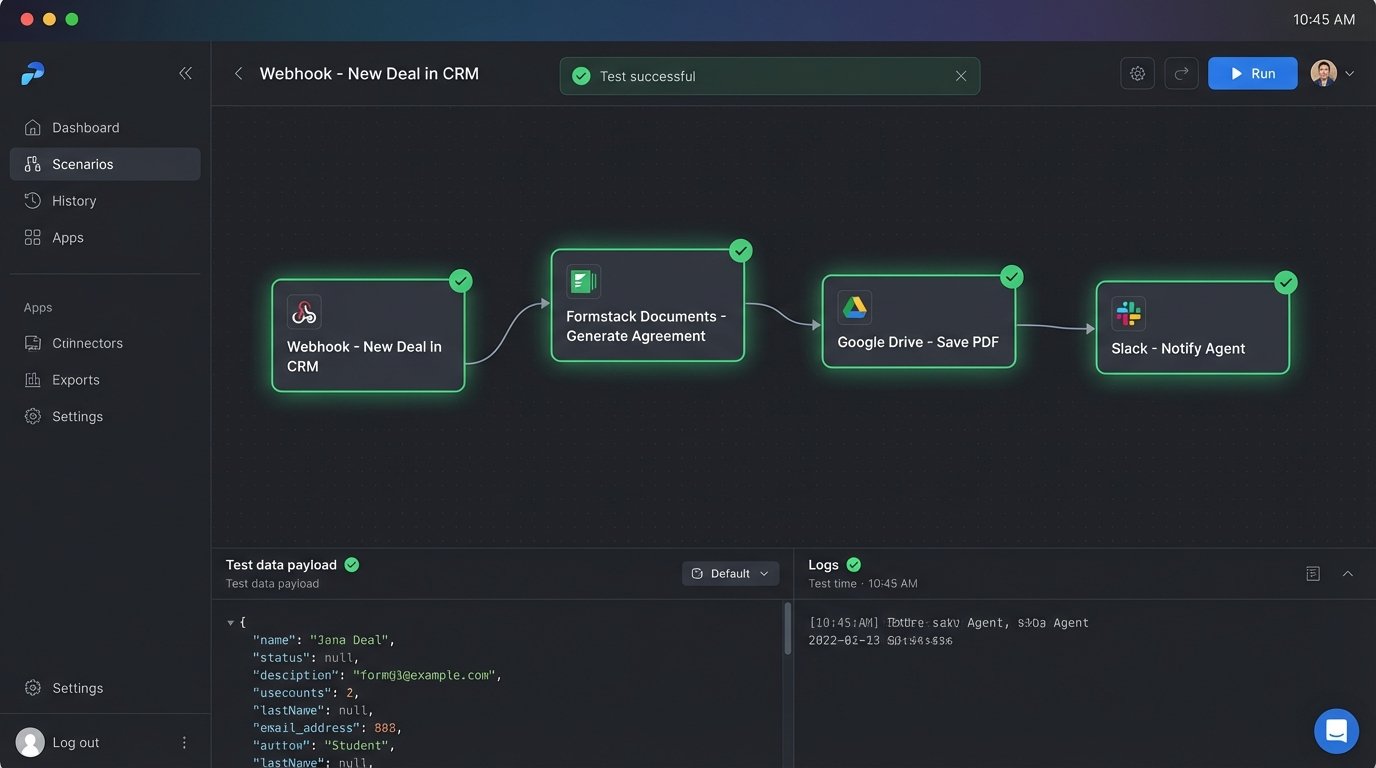
Technically, its automation is driven heavily by webhooks and email parsing. SkySlope can ingest documents sent to a unique transaction-specific email address. This allows for a primitive form of automation where other systems can “email” documents directly into a transaction file. Its API is more focused on reporting and data extraction than on programmatic document generation, making it more of a system of record than a document creation engine.
This is where you might set up a listener to react to compliance events.
import falcon

import json
class SkySlopeWebhookListener:
def on_post(self, req, resp):
"""Handles POST requests from SkySlope webhooks"""
try:
payload = json.load(req.stream)
event_type = payload.get('event_type')
transaction_id = payload.get('data', {}).get('guid')
if event_type == 'checklist_item_approved':
# Trigger a notification to the accounting system
print(f"Compliance item approved for {transaction_id}. Triggering payout logic.")
resp.status = falcon.HTTP_200
resp.text = json.dumps({'status': 'received'})
except Exception as e:
print(f"Error processing webhook: {e}")
resp.status = falcon.HTTP_500
resp.text = json.dumps({'status': 'error'})
# Falcon API instance
api = falcon.App()
api.add_route('/webhook/skyslope', SkySlopeWebhookListener())
This approach forces compliance by design. Its weakness is a lack of flexibility. If your brokerage has a non-standard workflow, fitting it into SkySlope’s model can be a fight.
3. Formstack Documents (formerly WebMerge)
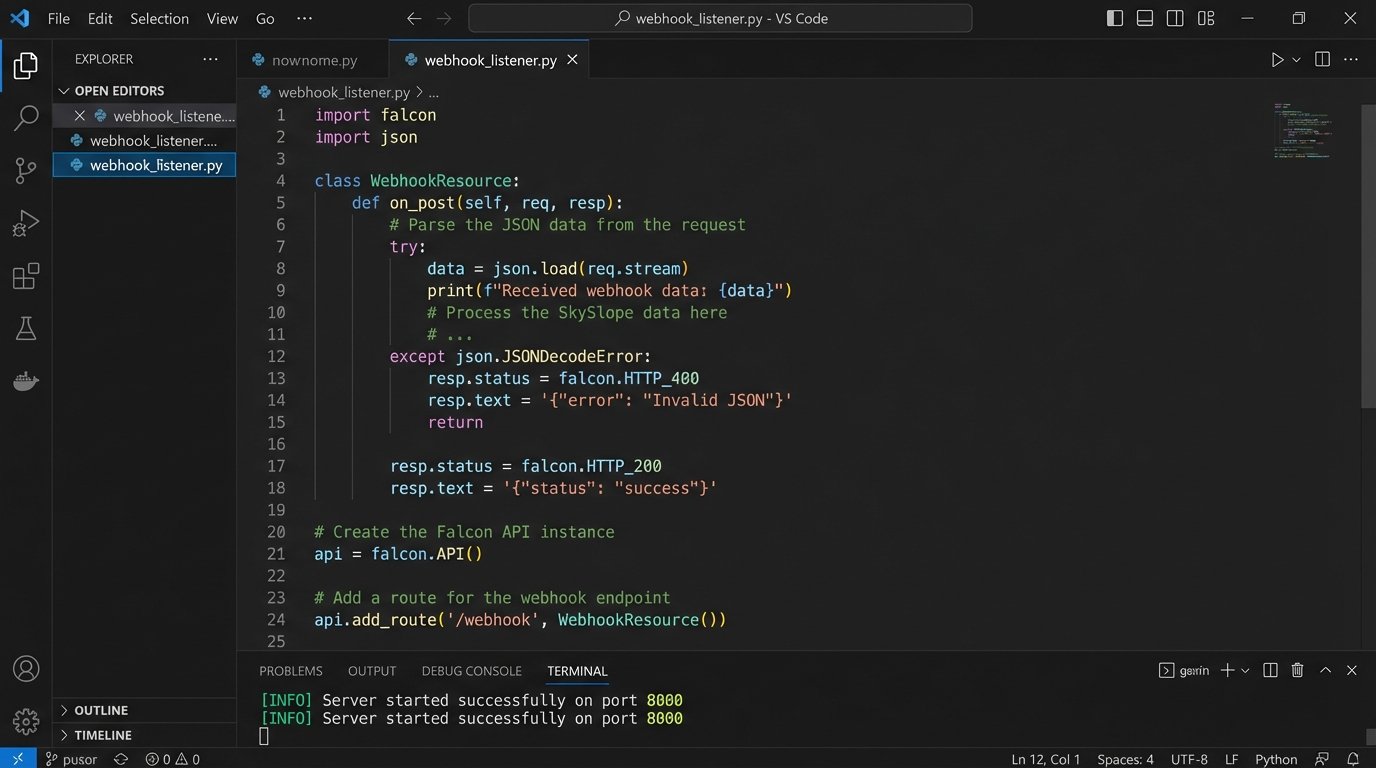
Formstack Documents is a pure document generation engine. It does one thing: it takes data from a source and merges it into a template to produce a document (PDF, Word doc, etc.). It doesn’t care about real estate transactions. It just cares about data mapping. This makes it incredibly flexible but also means it has zero built-in knowledge of real estate forms or compliance.
The workflow involves creating a template. This can be a fillable PDF you upload or a document you build in their editor. You then map fields in the template to data fields you expect to receive. The data source can be a JSON payload sent to a webhook, a row from a Google Sheet, or data pulled from a CRM like Salesforce via a native integration. The result is a pixel-perfect, populated document delivered via email, sent to a cloud storage provider, or routed to a signature platform like DocuSign.
This is the tool for generating complex, non-standard documents like custom addendums or detailed commission disbursement authorizations. You control the template entirely. The cost is the setup time. Mapping dozens of fields for a 12-page purchase agreement is tedious and error-prone.
Its dependency on other systems is total. Without a reliable data source, it’s useless.
4. Zapier or Make as the Logic Bridge
These are not document platforms. They are integration platforms as a service (iPaaS). Their job is to connect the APIs of other applications. For real estate, their value is in bridging a CRM, a document generation tool, and a storage service without writing a single line of server-side code. You create a visual workflow: “When a new contact is created in Follow Up Boss, take that data, send it to Formstack Documents to generate a buyer representation agreement, then save the finished PDF in a Google Drive folder named after the client.”
The benefit is speed of implementation. You can build a multi-step automation in an afternoon. You are not managing servers, authentication tokens, or API client libraries. The platform handles that.
The downside is that you are building on a tower of abstractions. If one API in the chain changes, or if the iPaas platform has an outage, your entire workflow breaks. Debugging can be a nightmare of checking execution logs across three different services to find the point of failure. It is also a wallet-drainer at scale, as most plans charge per task or operation.
This is for rapid prototyping and low-volume workflows, not for mission-critical, high-throughput brokerage operations.
5. A Custom Python Script with a PDF Library
Sometimes the off-the-shelf solutions are too rigid or too expensive. The alternative is to build your own document generation service. Using a language like Python and a library like ReportLab (for generation) or PyPDF2/pdfrw (for filling existing forms), you can create a script that pulls data from any source and populates a PDF template.
This approach gives you absolute control. You are not bound by any platform’s limitations on logic, data sources, or delivery methods. You can implement complex conditional logic, like adding or removing entire clauses from a contract based on transaction parameters. You own the code and the process from end to end.
The maintenance is the killer. PDF as a format is notoriously hostile to programmatic manipulation. Fields can be mislabeled, coordinates can be off, and fonts can fail to render. Trying to inject a block of JSON data into a complex, multi-page government form using a low-level library feels like shoving a firehose through the eye of a needle. You will spend more time debugging template issues than you will writing business logic.
This path makes sense only when you have a unique document requirement that no other service can meet and an engineering team to support it.
6. PandaDoc
PandaDoc is focused on the front-end of the deal: proposals, quotes, and contracts. Its strength is in creating rich, interactive documents that go beyond static PDFs. You can embed videos, pricing tables, and form fields directly into a document. For real estate, this could mean creating a beautiful, modern listing presentation or a buyer offer that is easier to navigate than a dense legal form.
From an automation perspective, its API allows you to create documents from templates and pre-fill them with data, similar to Formstack. Its key differentiator is document analytics. The API can tell you when a client opened the document, how long they viewed each page, and when they signed. A webhook can notify your system the instant a listing agreement is viewed, allowing an agent to follow up at the perfect moment.
The challenge is integrating this engagement data back into your primary system. You need to build a mechanism to pull analytics from PandaDoc and attach them to the correct contact or transaction record in your CRM. The platform is also less focused on the long tail of compliance and closing documents that follow an executed contract.
It excels at the sales part of the process, not the administrative back-end.
7. Airtable as a Central Hub
Airtable is a hybrid between a spreadsheet and a database. You can use it to build a flexible, custom transaction management system without writing code. By creating tables for Transactions, Contacts, and Documents, you can build a relational data structure that acts as the single source of truth for a deal.
The automation comes from Airtable’s own Automations feature and its integration with third-party document services. You can create a rule: “When a transaction’s status field is changed to ‘Closing’, trigger a script that sends the transaction record data to Formstack to generate the final closing statement.”
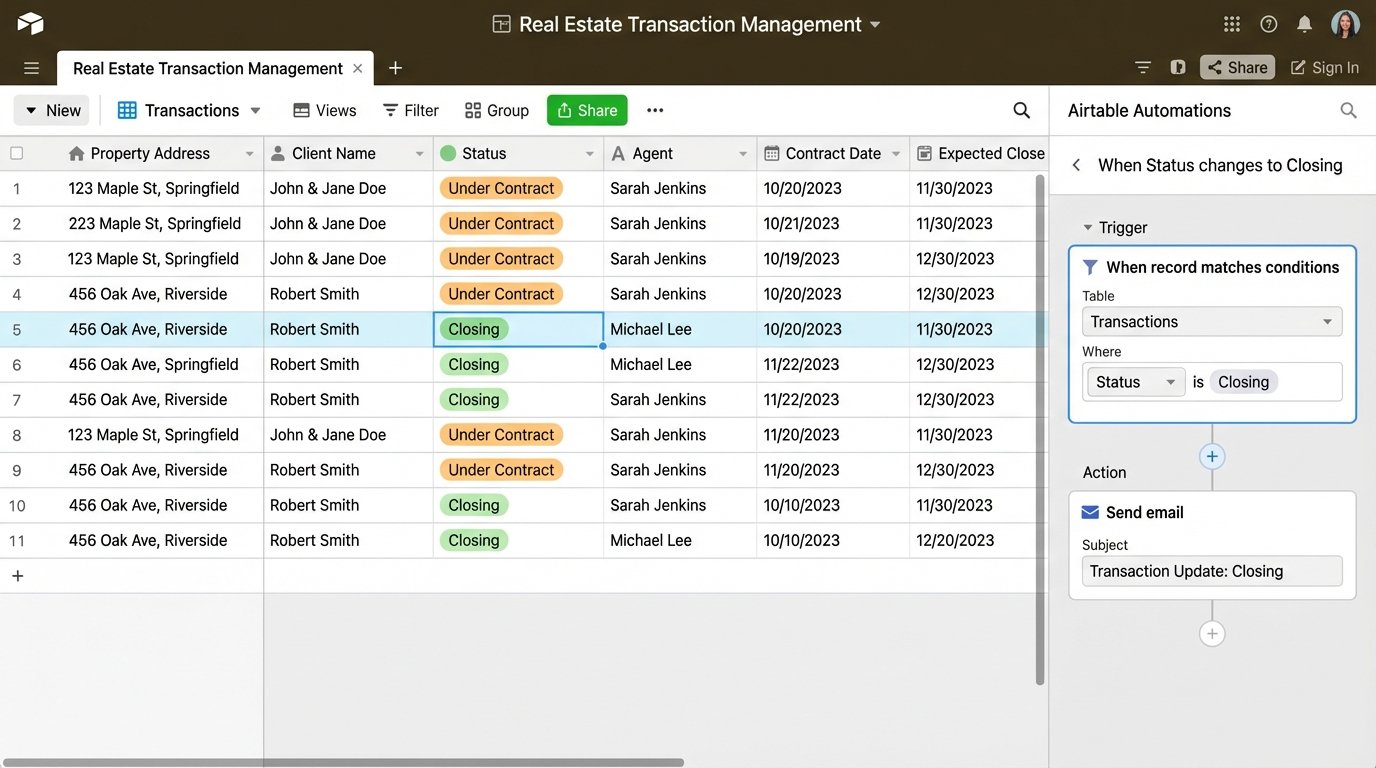
This architecture is powerful because it centralizes all the deal data in one clean, API-accessible location. Instead of trying to sync data between a half-dozen different apps, everything reads from and writes to Airtable. It becomes the brain of your operation.
The failure point is data integrity. Since Airtable is so flexible, there’s nothing stopping an agent from entering a property address in three different formats. You have to be militant about setting up data validation rules, field types, and user permissions to prevent the database from becoming a mess of inconsistent data, which would break all downstream automations.
It requires serious discipline to maintain.