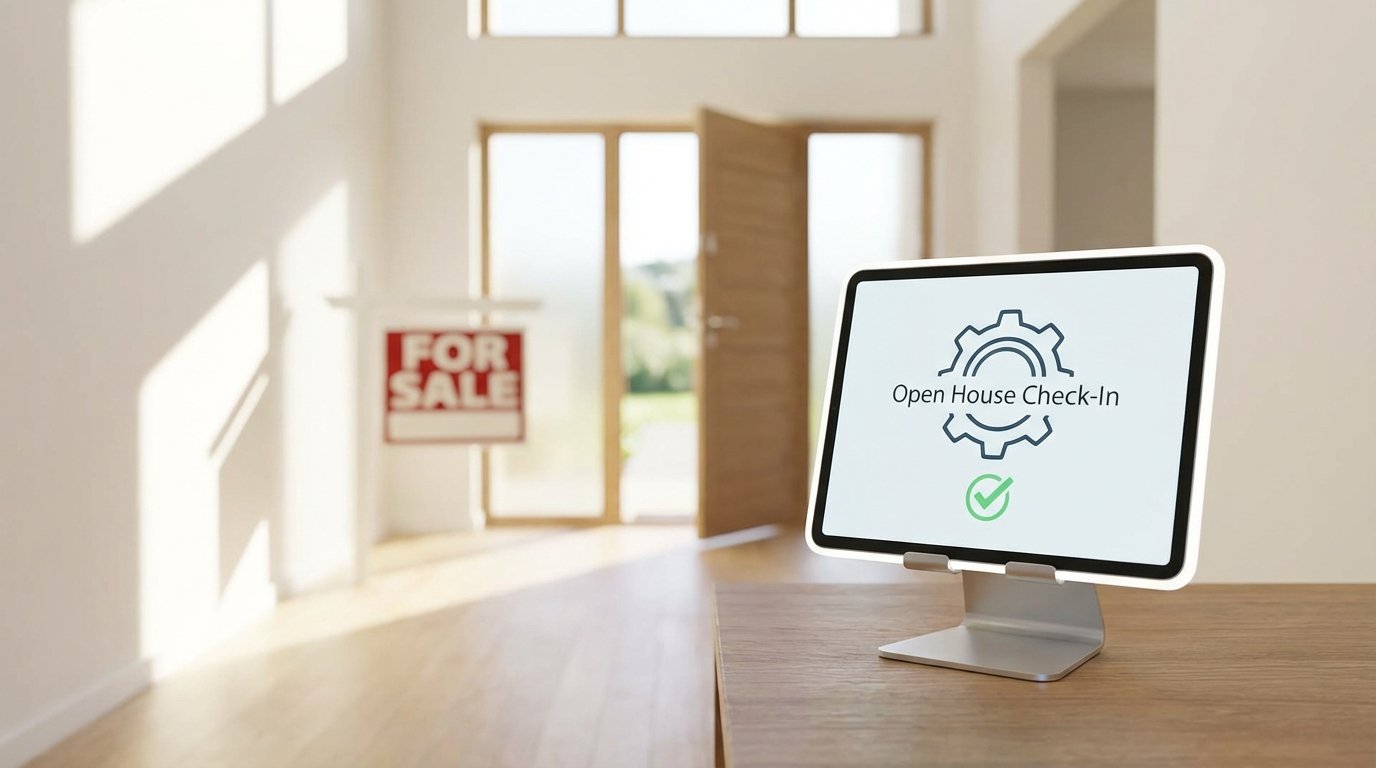
Seven Ways to Automate Your Open House Registrations
The clipboard sign-in sheet is a data graveyard. Illegible handwriting, fake email addresses, and the hours spent manually transcribing that mess into a CRM represent a colossal failure of process. The goal is not just to collect names. It is to inject clean, structured data into a follow-up sequence with zero latency. Anything less is a waste of time and opportunity. The following methods move from simple, low-cost setups to more complex, integrated architectures.
1. QR Code Linked to a Standard Web Form
This is the ground-floor approach. You use a service like Google Forms, Typeform, or Jotform to build a simple registration form. The fields should be minimal: First Name, Last Name, Email, Phone. You then generate a QR code that points directly to the form’s URL and print it on your sign-in displays. The user scans the code with their phone and fills out the form.
The immediate benefit is data legibility. You eliminate the guesswork of deciphering sloppy handwriting. These services also timestamp every entry, giving you a clear record of when prospects arrived. The barrier to entry is effectively zero; anyone with a Google account can have this running in under ten minutes.
This method only solves the data capture problem. The data itself sits isolated in the form provider’s backend, waiting for you to act. You still have to manually export a CSV and import it into your CRM, which introduces a delay where leads go cold. It is a digital clipboard, not a true automation pipeline.
2. Landing Page with Native CRM Integration
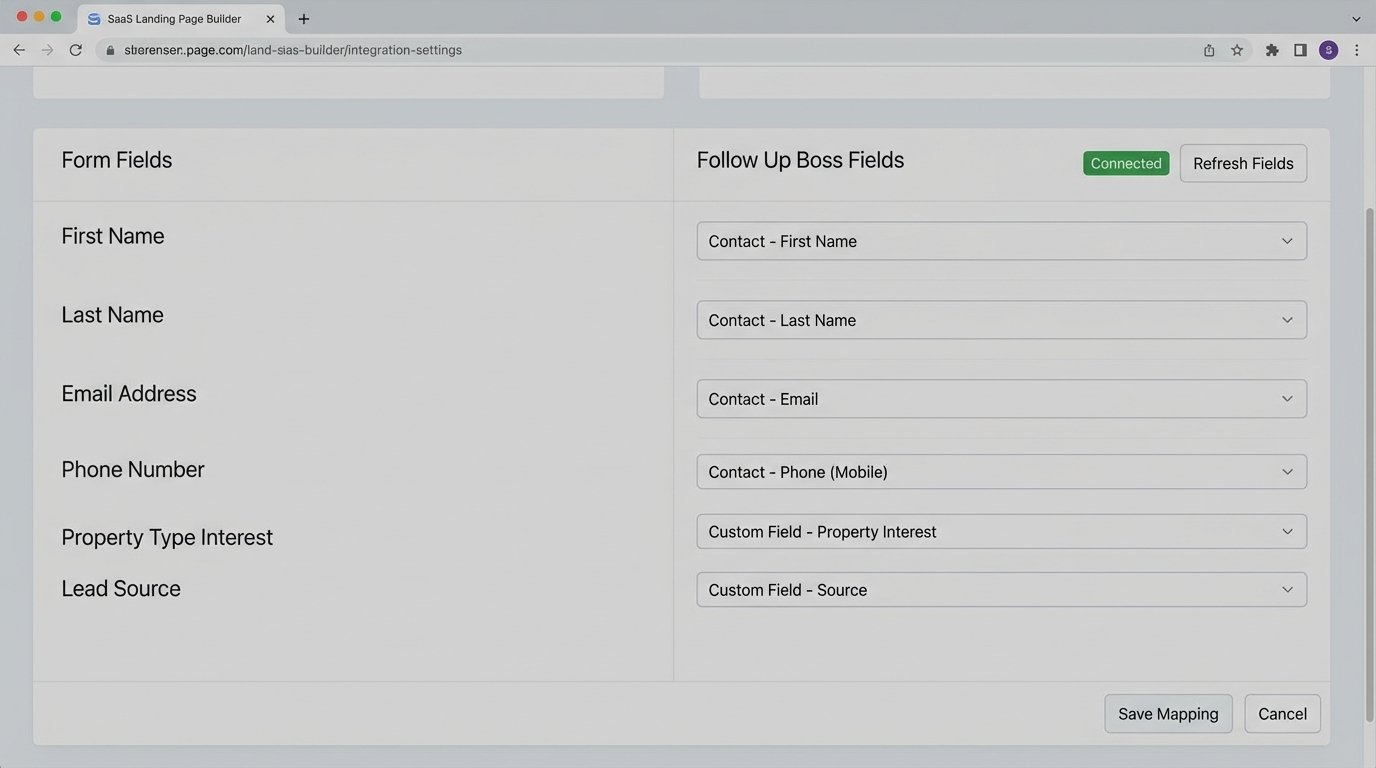
A significant step up involves using a dedicated landing page builder like Unbounce, Leadpages, or Instapage. These platforms are engineered for conversion and, more importantly, offer native integrations with dozens of real estate CRMs like Follow Up Boss, LionDesk, or Top Producer. You build a branded page for the specific property, embed a form, and map its fields directly to the corresponding fields in your CRM.
When a prospect submits the form, the data is pushed directly into the CRM via a pre-built API connection. This action can instantly trigger your CRM’s automated follow-up campaigns, such as a “Thanks for visiting” email or a task for the agent to call them. There is no manual data transfer. The lead is live in your system the second they hit submit.
Native integrations are convenient but rigid. They offer a fixed set of mappable fields and limited logic. If you need to reformat data, like capitalizing names or validating a phone number’s format before it hits the CRM, you are out of luck. You are dependent on the integration that the landing page and CRM providers decided to build.
3. iPad Kiosk with Offline Synchronization
Open houses often happen in locations with terrible connectivity, from new construction sites with no active internet to basements with thick concrete walls. A web form is useless if it cannot load. The solution here is a dedicated kiosk app, like Zuant or OnSpot Social, running on an iPad. These apps are designed to capture data locally on the device.
The core function is offline caching. The app stores every form submission securely in its local storage. Once the iPad reconnects to a stable Wi-Fi or cellular network, it syncs the cached data, pushing all the captured registrations to the cloud and into your integrated systems. This provides a professional, reliable capture method that is immune to network failures during the event.
The trade-off is cost and a new point of failure. You have the hardware expense of the iPad itself, plus a monthly subscription for the kiosk software, which is often priced per device. A failed sync can also be a nightmare. If the app crashes before a successful sync, you risk losing all the data from that event. It requires a manual check to confirm the data has actually been transmitted.
4. Webhook-Triggered Automation Workflows
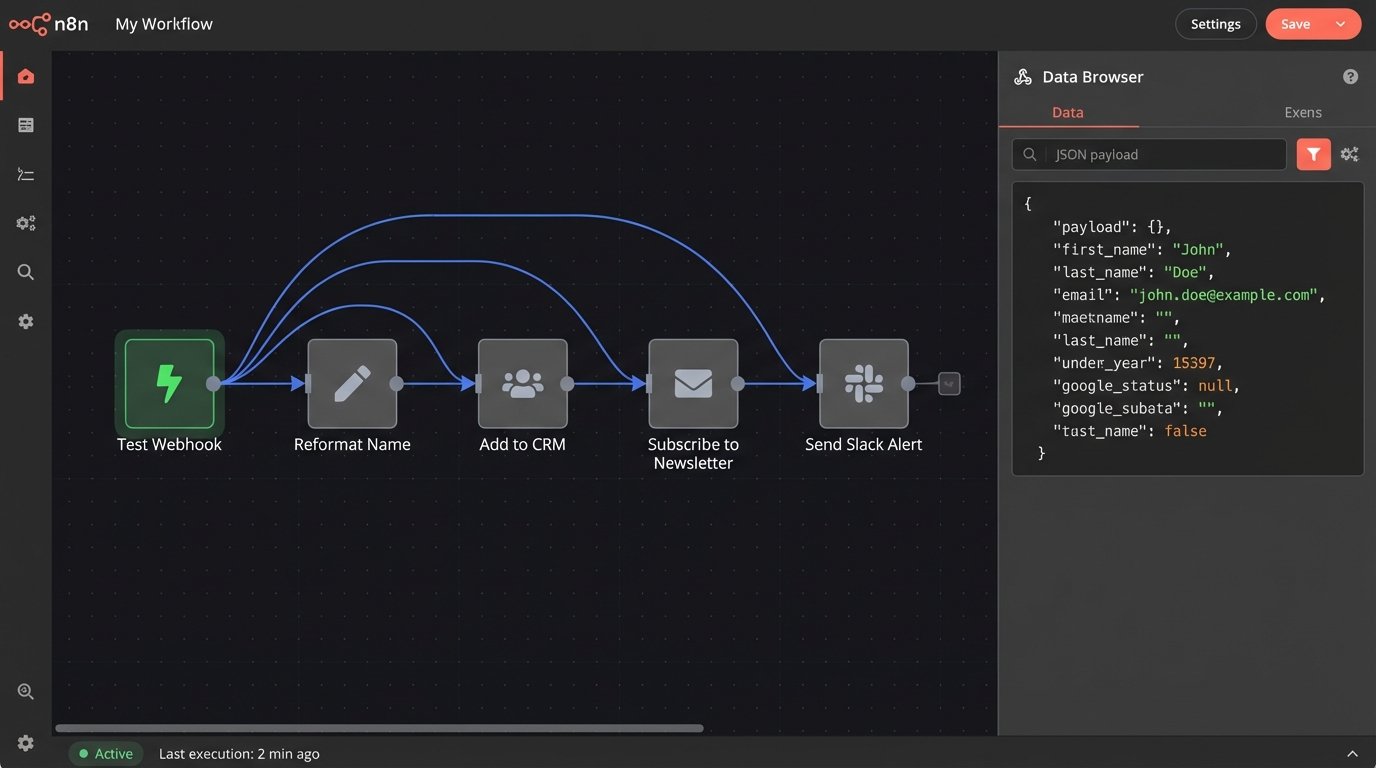
For maximum control, you bypass native integrations entirely and use webhooks. A webhook is a simple HTTP POST request that one system sends to another when an event occurs. In this case, the form submission is the event. You can use a form builder that supports webhooks, like Gravity Forms for WordPress, and point it to an automation platform like Zapier or Make.
This approach transforms the registration from a simple data entry task into a trigger for a complex, multi-step workflow. The automation platform acts as a bridge. It catches the data payload from the form, allows you to strip and reformat it, and then inject it into multiple systems simultaneously. You can add the contact to your CRM, subscribe them to a specific email list in Mailchimp, and send a Slack notification to the agent all from a single submission.
Trying to push raw, unsanitized data from a form into three different systems is like trying to force a firehose through a needle. The pressure of mismatched data formats and API rules will cause the entire workflow to fail. The webhook bridge lets you resize and shape that data stream so it fits perfectly into each destination system’s API.
The power here is immense, but so is the fragility. You are now responsible for maintaining this custom-built bridge. If an API on one of the destination services changes, your workflow breaks. Debugging requires an understanding of JSON payloads and API error codes. This is not a set-it-and-forget-it solution. It demands active monitoring.
{

  "event_type": "open_house_registration",

  "property_id": "MLS12345",

  "timestamp": "2023-10-27T14:30:00Z",

  "lead_data": {

    "first_name": "John",

    "last_name": "Doe",

    "email": "j.doe@email.com",

    "phone": "555-123-4567",

    "source": "Open House Sign-in"

  }

}
This structured JSON payload is what a webhook delivers. It is clean, predictable, and ready for processing by your automation logic.
5. SMS Keyword Registration Funnels
This method shifts the initial point of contact from a visual QR code to a text message. You use a platform like Twilio, SimpleTexting, or CallRail to provision a phone number or short code. On your marketing materials, you instruct prospects to text a unique keyword, such as the property address number, to that number.
Upon receiving the keyword, the SMS platform automatically replies with a message containing a link to your registration landing page. The primary advantage is capturing a valid mobile number before anything else happens. Even if the user never clicks the link to fill out the form, you have a valuable piece of contact information you did not have before. It also works in situations where scanning a QR code is difficult or awkward.
This is a wallet-drainer if not managed properly. You pay for every inbound and outbound text message. Many users will text the keyword out of curiosity and never complete the form, leaving you with a list of phone numbers with no names or emails attached. The conversion rate from text-to-form-completion is a critical metric to watch. If it is too low, you are just burning money.
6. Geo-fenced Mobile App Check-ins
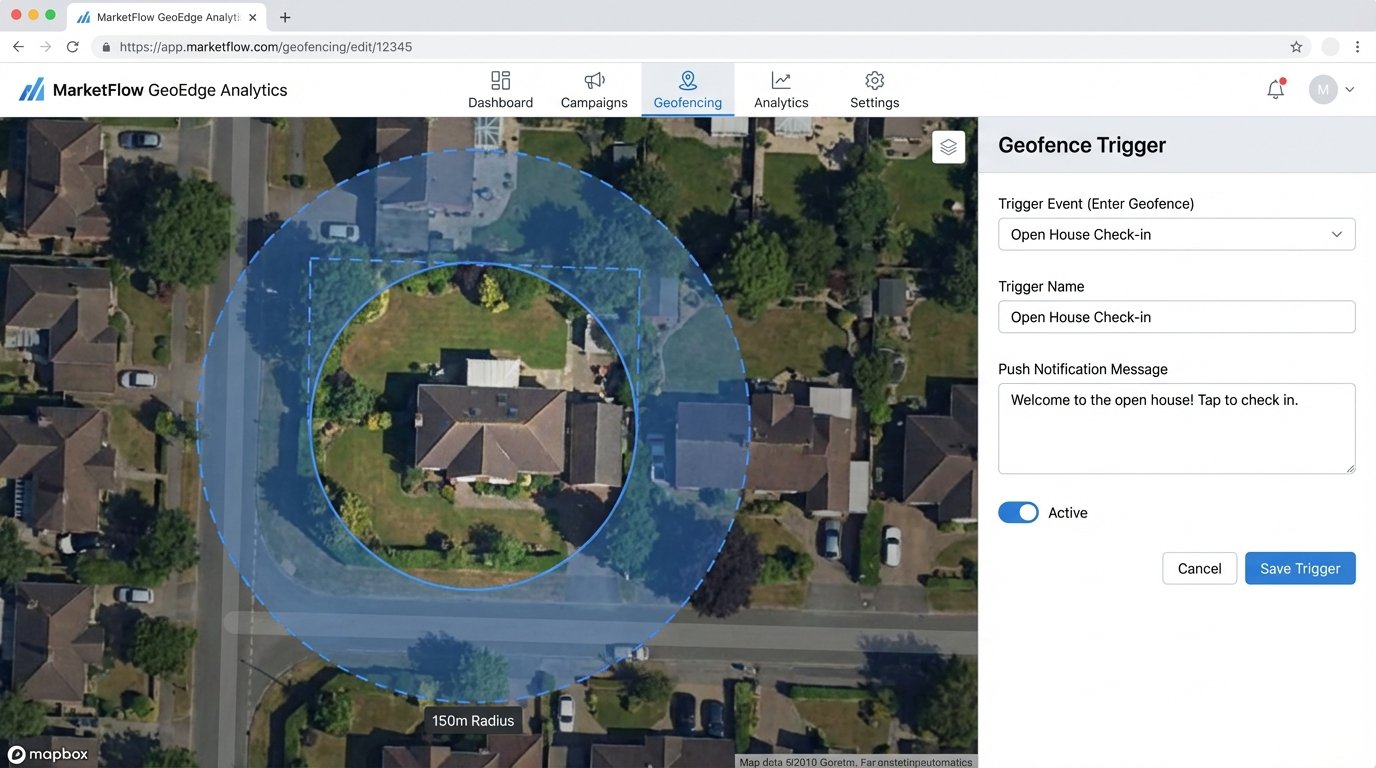
This is an advanced tactic for large brokerages that have their own consumer-facing property search app. You define a geofence, a virtual perimeter, around the open house property address using GPS coordinates. When a user who has your app installed on their phone physically enters this geofence, their device can trigger an action.
The action is a push notification delivered directly to their phone, prompting them to check in to the open house with a single tap. Because they are already logged into the app, their contact information can be used to pre-populate the registration form, creating a nearly frictionless sign-in process. This is the fastest method from the user’s perspective.
The list of dependencies here is long and expensive. It requires developing, launching, and maintaining a mobile app. It requires a significant marketing effort to get your clients to even download it. The user must grant the app permission for both push notifications and “always on” location tracking, which is a significant privacy hurdle. It is a powerful tool, but only feasible for a tiny fraction of the market.
7. Smart Lock API and Calendar Integration
This final method redefines “registration” for private showings rather than public open houses. It connects the scheduling process directly to physical access control. You use a scheduling tool like Calendly and a smart lock with an accessible API, such as those from August, Schlage, or Igloohome. An automation platform like Make sits in the middle.
When a buyer’s agent books a showing through your Calendly link, the event triggers a workflow. The workflow calls the smart lock’s API to generate a unique, single-use access code that is only valid for the duration of the scheduled appointment. It then sends an email or SMS to the agent with the code and access instructions. The “registration” is the booking, and the “check-in” is the log entry created when the code is used on the lock.
This creates a secure, fully automated system for unattended showings, providing a precise audit trail of who entered the property and when. The implementation, however, is complex. It requires custom development to bridge the APIs, robust error handling for when the lock is offline or the battery dies, and a bulletproof process for revoking access. This is where automation meets the physical world, and the potential for failure becomes very real.