
7 Ways to Automate Your Real Estate Content Marketing
Most real estate content is a carbon copy of other content. Agents get sold a marketing package that generates generic blog posts about “curb appeal” and “staging your home.” This is low-value noise that search engines are getting better at ignoring. The actual valuable data, the MLS listings, market trends, and neighborhood stats, sits locked behind APIs and manual processes. We are going to fix that.
This is not a list of SaaS platforms that promise a one-click solution. This is a technical breakdown of seven automation pipelines you can build to generate specific, high-intent content that actually works. Each has its own failure points and operational costs. None of them are easy.
1. Generate Hyper-Local Listing Posts from MLS Data
The most valuable content you have is new inventory. Manually creating a blog post or social update for every new listing is a time sink. We can automate the core of this by tapping directly into the Multiple Listing Service feed. The goal is to create a templated but data-rich post the second a property goes live.
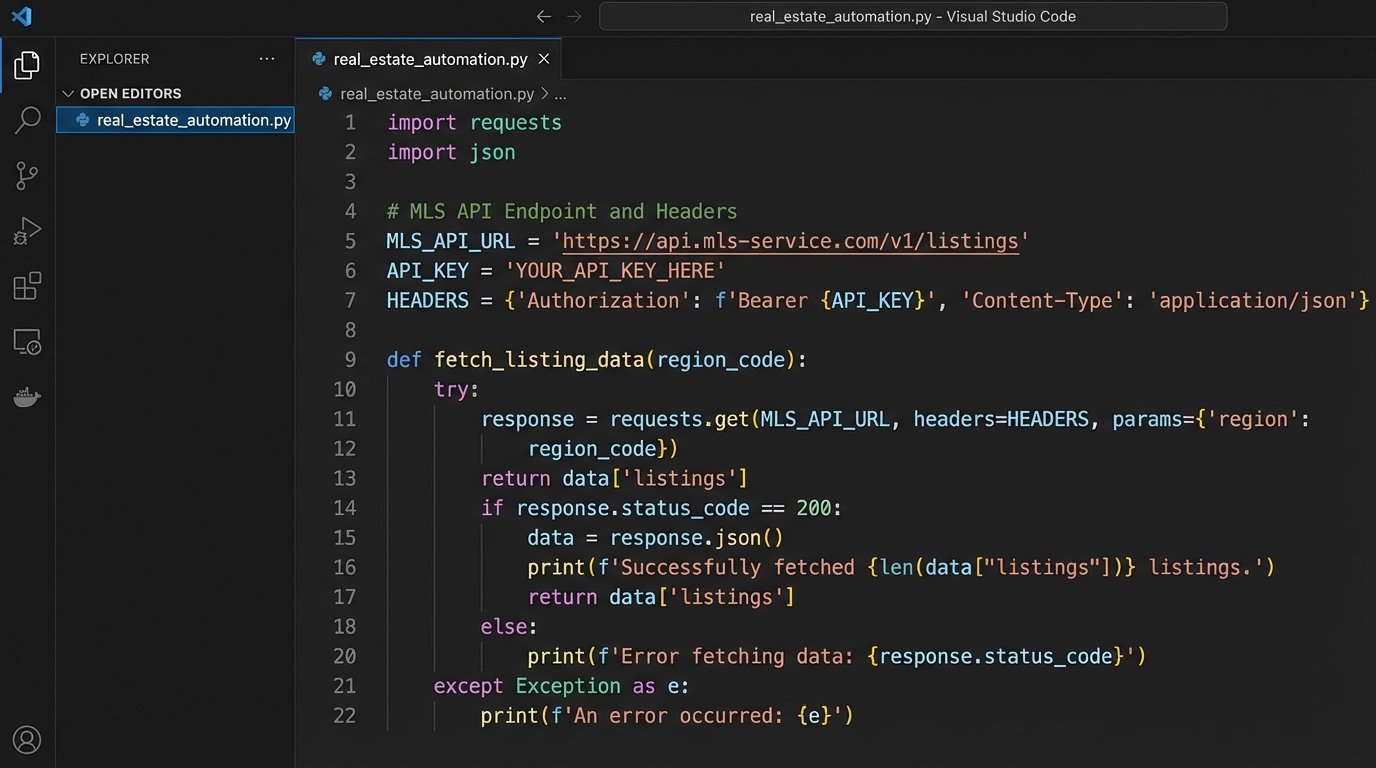
Your first step is getting access to the RESO Web API or a similar feed from your local MLS. This is your data source. Once you have credentials, you can schedule a script, likely Python running on a cron job, to poll for new listings associated with your brokerage ID. The script pulls key data fields: address, price, beds, baths, square footage, and the primary image URL.
This script then injects this data into a pre-defined content template. Using a templating engine like Jinja2, you can create a structure like, “Just Listed: A [Beds]-Bed, [Baths]-Bath Home in [Neighborhood].” The body contains the property description, and the image URL is used to set the featured image. The final output can be pushed directly to your CMS via its API, for example, the WordPress REST API.
import requests

import json
# WARNING: This is a simplified example. Do not use in production without proper error handling and auth.
MLS_API_ENDPOINT = "https://api.reso.org/v1/listings"
API_KEY = "YOUR_SECRET_KEY"
BROKERAGE_ID = "YOUR_BROKERAGE_ID"
headers = {
"Authorization": f"Bearer {API_KEY}"
}
params = {
"filter": f"BrokerageId eq '{BROKERAGE_ID}' and Status eq 'Active'",
"top": 1
}
response = requests.get(MLS_API_ENDPOINT, headers=headers, params=params)
if response.status_code == 200:
listing_data = response.json()['value'][0]
# Now, map listing_data fields (e.g., listing_data['BedroomsTotal']) to your CMS post template.
# ... logic to post to WordPress API ...
print("New listing processed.")
else:
print(f"Failed to fetch listings. Status: {response.status_code}")
The friction here is data integrity. MLS data fields are notoriously inconsistent. You might find a price field formatted as a string with a dollar sign, or an empty field for a key feature. Your script must aggressively sanitize and logic-check every piece of data before attempting to publish it. Otherwise, you end up with posts that say “New home with null beds.”
2. Build Automated Neighborhood Guides from Multiple APIs
Buyers are not just buying a house. They are buying a location. Generic neighborhood guides are useless. A real guide requires layered data: local businesses, school ratings, transit scores, and crime rates. Manually compiling this for every neighborhood you service is impossible. So, we automate the data aggregation.
The architecture involves chaining several API calls. You start with a target neighborhood or zip code. Your orchestrator script first hits an API like Yelp for top-rated restaurants and shops. Then it hits the Walk Score API for transit and walkability data. Next, it queries a service like CrimeMapping.com for recent incident data. Each of these returns a JSON object.
Your script’s job is to strip the relevant information from each source and structure it into a single, cohesive JSON object for that neighborhood. This structured data is the real asset. You can then use it to populate a page template. A generative AI model can be used to write a summary paragraph, but you must force it to use only the data you provide in the prompt to prevent it from inventing nonsense.
This process is a wallet-drainer. Every API call costs money. It is also slow. Aggregating data from three or four external services for a single neighborhood can take several seconds. This is not for generating content on the fly. It is a backend process you run periodically to build a static library of high-value neighborhood pages.
3. Create “Just Sold” Social Proof from Closed Deals
Nothing builds trust like results. A “Just Sold” post is one of the most effective pieces of marketing content for an agent. Automating this reinforces that image of success without the manual effort of creating graphics and copy for every single closed deal.
This workflow is event-driven. It triggers when a property’s status in your CRM or the MLS changes from “Pending” to “Sold.” A webhook from your CRM can fire a serverless function, like an AWS Lambda function. This function receives a payload with the property ID. The function then uses that ID to query the MLS for the final sale price, address, and primary photo.
The function then takes this data and uses an image generation library like Pillow (Python) or a service like Cloudinary’s API to dynamically generate a graphic. It overlays the text “Just Sold” along with the property address onto the primary photo. The final step is to post this newly generated image to your social media accounts via their respective APIs, like the Facebook Graph API or the Twitter API.
Authentication will be your biggest problem. Managing API keys, access tokens, and refresh tokens for multiple social media platforms is a constant pain. They expire, permissions get revoked, and the platform can change its authentication flow with little warning, breaking your entire pipeline until you manually fix it.
4. Assemble Video Walkthroughs from Property Photos
Video gets preferential treatment from every social algorithm, but producing it is resource-intensive. For properties without a full video shoot, a simple slideshow video is better than nothing. You can automate the creation of these videos from the existing property photos.
This pipeline starts when a new set of photos for a listing is uploaded to your storage, like an S3 bucket. An event notification can trigger a process. The script pulls the image files in a specific order. It also pulls the property description text and feeds it to a text-to-speech API to generate a narration audio file.
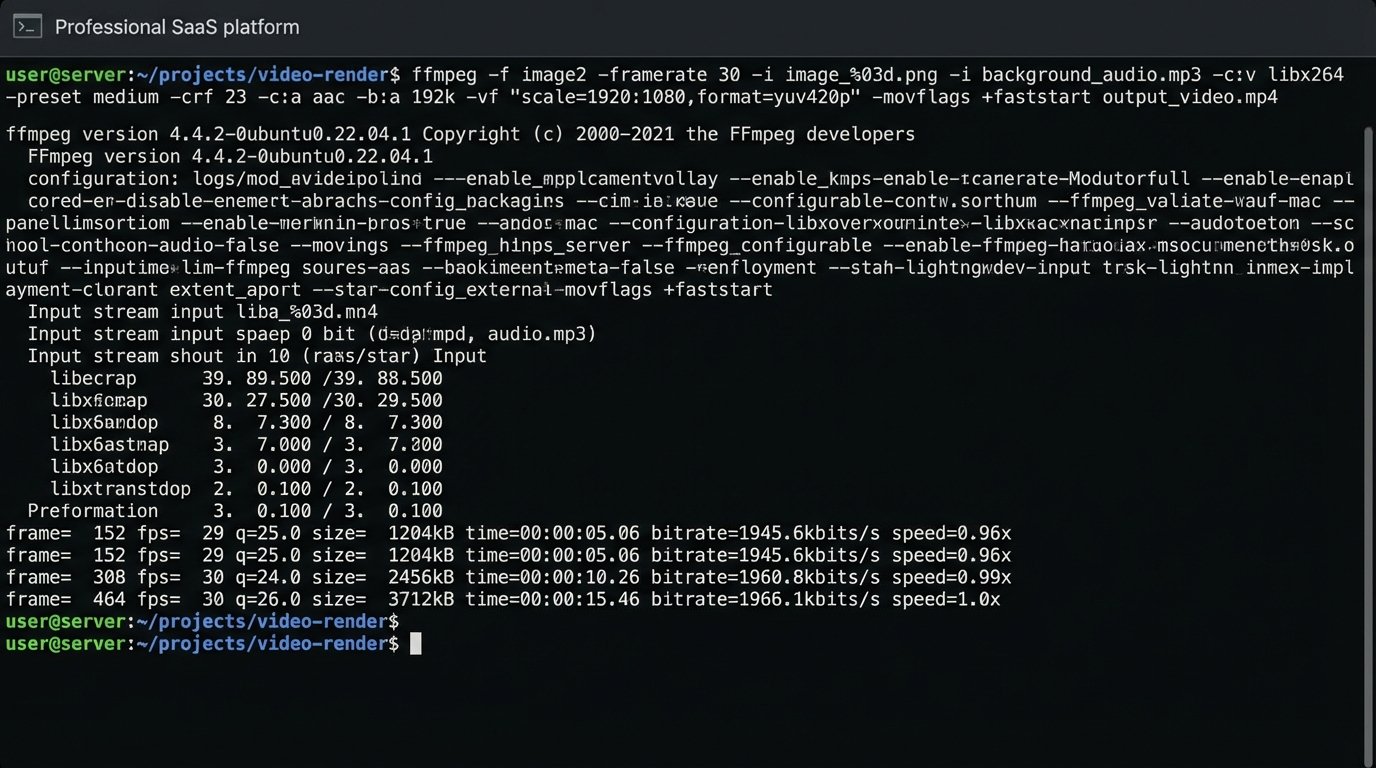
The core of this is a command-line tool like FFmpeg. Your script constructs and executes a complex FFmpeg command that stitches the images together with a crossfade effect, lays the narration audio track over it, adds a background music track at low volume, and appends a branded intro and outro clip. The final rendered MP4 file is then saved back to your storage or pushed to YouTube.
Trying to manage all the different data sources, like photos from one system, text from another, and branding assets from a third, is like trying to build a car with parts delivered from three different factories with no shared blueprint. The integration work to get all the assets in one place for FFmpeg to use is where most of this project’s time is spent.
5. Generate Dynamic Ad Copy Based on CRM Triggers
Ad copy should not be static. It should adapt to where a lead is in the sales funnel. A person who just signed up for your newsletter needs to see a different ad than someone who just scheduled a property viewing. This automation adjusts ad creative based on CRM data.
You need a CRM that supports webhooks, like HubSpot or Salesforce. You create triggers based on lead status changes. For example, when a lead’s “Lifecycle Stage” changes to “Opportunity,” a webhook fires. The payload contains the lead’s contact information and property interests. This data is sent to a script that identifies the target audience segment.
The script then constructs ad copy variations tailored to that segment. For a lead interested in a specific neighborhood, the copy might be, “Still looking for a home in [Neighborhood]? New properties were just listed.” This new copy is then pushed to the Google Ads or Facebook Ads API to update a specific ad set targeting that user or a lookalike audience.
The main risk is compliance. You are using user data to create personalized ads, which puts you directly in the crosshairs of GDPR, CCPA, and other privacy regulations. You must ensure your data handling is compliant and that you have the correct user consent. A mistake here can be expensive.
6. Automate Monthly Market Trend Reports
Agents are expected to be market experts. Manually pulling stats every month to write a market report is tedious. An automated report provides consistent, data-driven content for newsletters, blog posts, and social media, positioning you as an authority.
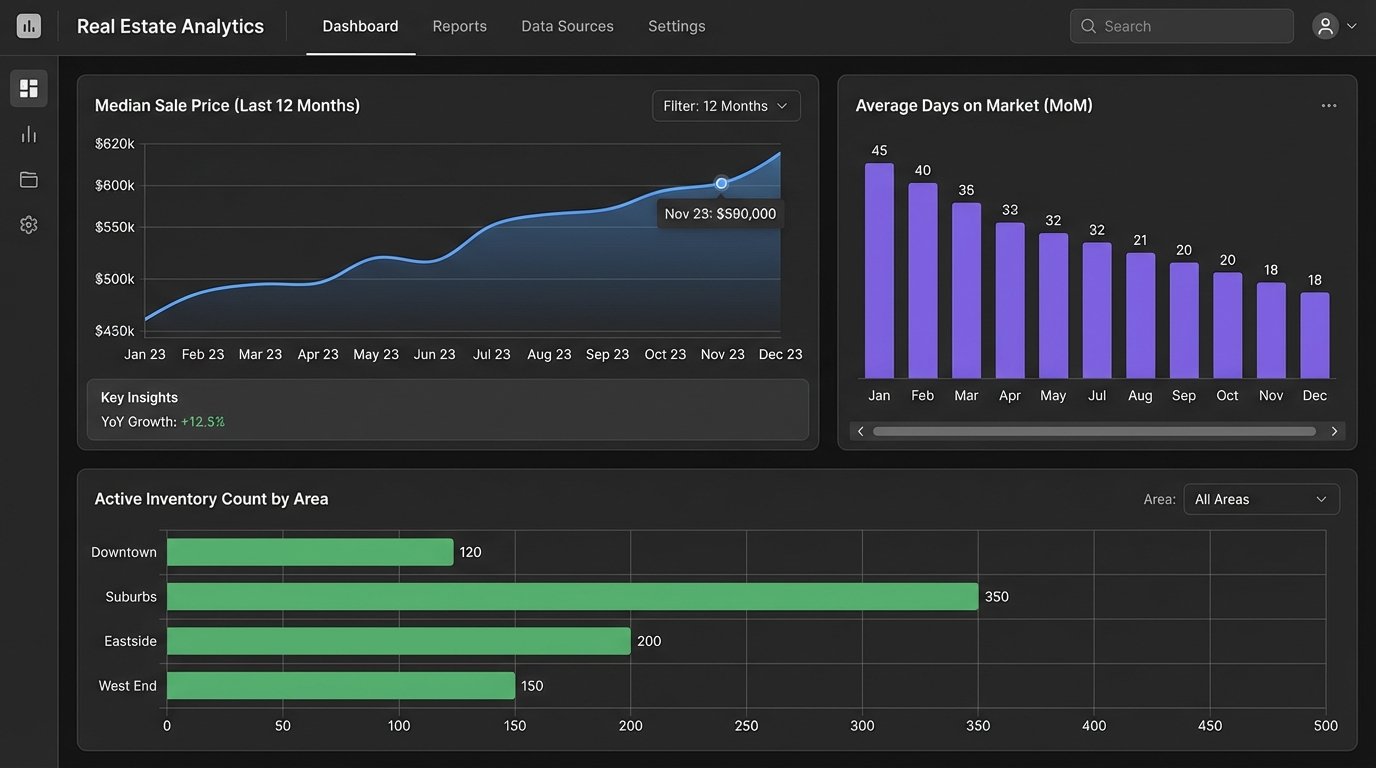
This is a scheduled task, a cron job that runs on the first of every month. The script makes API calls to a real estate data provider like Zillow’s data service or ATTOM Data Solutions. It requests metrics for specific zip codes you service: median sale price, days on market, inventory count, and price per square foot for the previous month.
Once it has the raw data, the script uses a data visualization library, like Matplotlib for Python, to generate simple bar charts or line graphs showing month-over-month or year-over-year changes. These image files, along with the key stats, are then injected into an email template or a blog post draft. The process creates a ready-to-publish report that just needs a quick human review and a concluding paragraph.
Data sources are brittle. An API you rely on might be deprecated, or it could start charging exorbitant fees. Your automation is entirely dependent on a third party for its core data. Always have a backup data source in mind, or your entire content strategy could evaporate overnight.
7. Discover FAQ Topics from Search Console Data
The best content answers a direct question. Your Google Search Console data is a goldmine of questions people are already asking about your market. You can automate the process of finding these questions and turning them into an FAQ content pipeline.
You need to use the Google Search Console API. Set up a script that runs weekly and pulls search query data for your site. Specifically, you want queries with high impression counts but low click-through rates. This signals that Google thinks your site is relevant, but your title tag or content is not compelling enough to earn the click.
The script then filters this list of queries. It looks for common question modifiers like “how,” “what,” “when,” “where,” “why,” and “is.” The output is a clean list of questions your audience is asking, for example, “how much are closing costs in Austin” or “is it a good time to buy a house in Denver.” This list is your content calendar. You can drop it into a project management tool like Jira or Trello automatically, creating a new task for each discovered question.
The signal-to-noise ratio is the challenge. For every great question you find, you will find 50 irrelevant or nonsensical queries. Your filtering logic has to be smart enough to discard the junk without throwing out valuable, long-tail keywords. This requires constant tuning of your filter rules.