Garbage In, Broken Contract Out
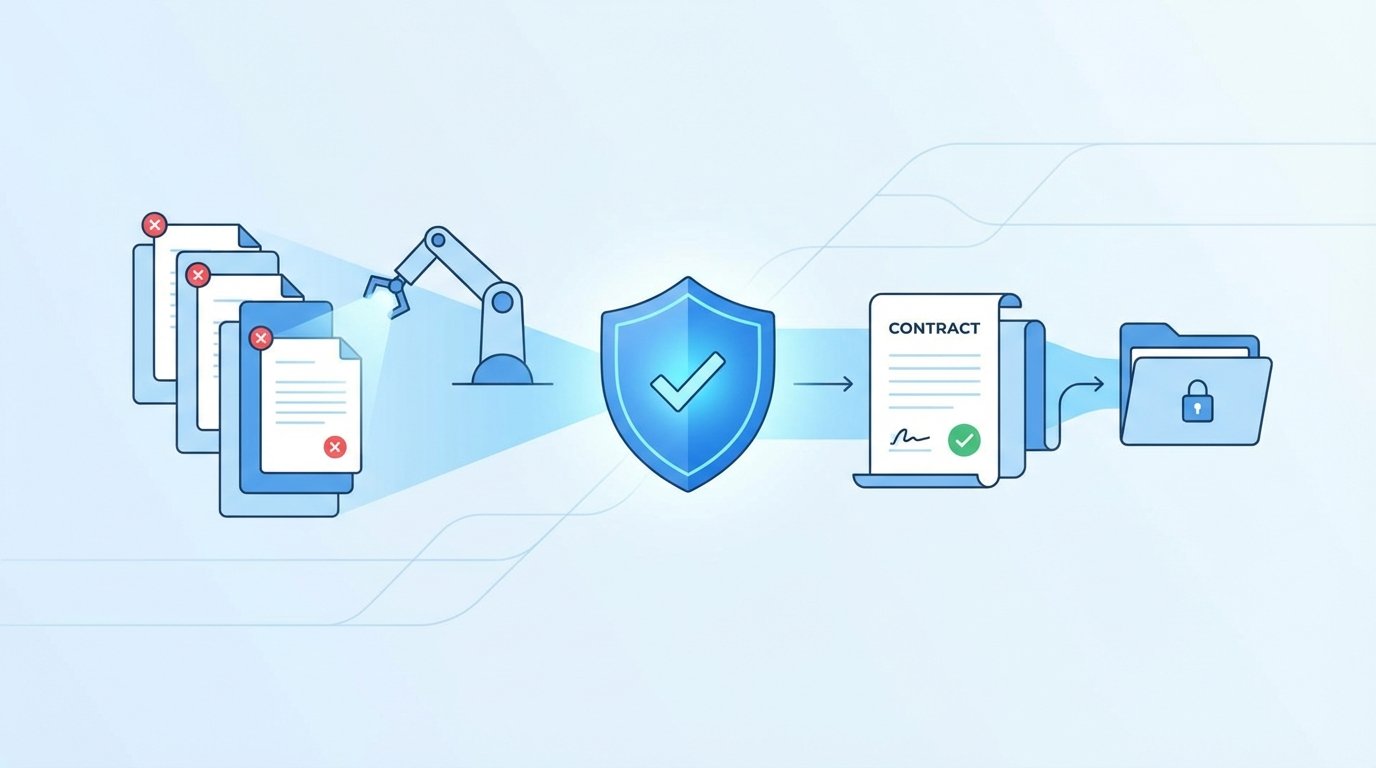
A contract automation workflow is a simple machine. It ingests data from a source system, injects it into a template, and routes it for signature. The entire process hinges on the integrity of that initial data payload. When a CRM sends a null value for the customer’s legal name or a malformed currency string for the total contract value, the machine doesn’t just stutter. It breaks. The downstream effects are always the same. Failed document generation, compliance flags, and an operations team manually fixing records instead of doing actual work.
This isn’t a theoretical problem. It’s the Tuesday morning firefight caused by a sales rep who entered “TBD” into a required date field. The automation dutifully passed it along until the e-signature platform rejected the API call because its date field expects an ISO 8601 format, not a placeholder string. The fix isn’t to build more resilient error handling in the final step. The fix is to kill the bad data at the source, or as close to it as possible.
Anatomy of a Data Failure
Data corruption isn’t a single event. It’s a series of missed checks across the workflow. We map out the typical failure points to understand where to build our defenses. The process starts long before your script ever runs.
The Source System: A Breeding Ground for Bad Data
The origin of most problems is the source of truth, usually a CRM or ERP. These systems are often configured for sales or finance usability, not for machine-to-machine communication. You find free-text fields where structured data should live, optional fields that are critical for your contract, and inconsistent formatting that reflects years of unmanaged data entry. Relying on an API to give you clean data is a rookie mistake.
You cannot expect a Salesforce admin to enforce the same data strictness that your automation requires. Their priority is closing deals, not perfecting API payloads. Your system must be designed with the assumption that the source data is fundamentally untrustworthy.
The Integration Layer: The Unforgiving Middleman
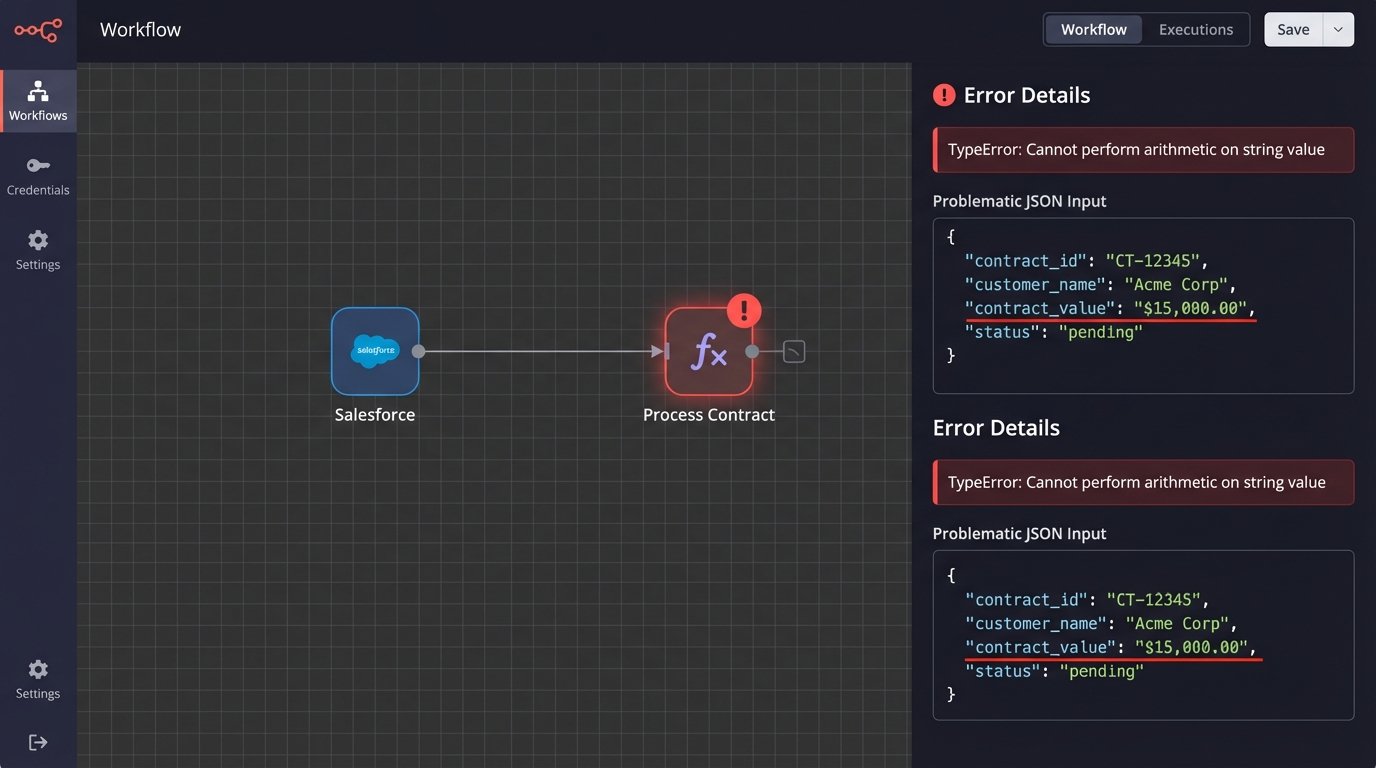
Between the CRM and the document generator lives the integration layer. This could be a Python script, an AWS Lambda function, or a workflow in a platform like Workato. This layer is where most developers focus their error handling, but it’s often too late. A script that attempts to perform a mathematical operation on a currency field formatted as “$1,000.00” will throw a type error. A naive script might crash the entire process. A slightly better one might log the error and quit.
The integration should not be the first line of defense. It should be the second, designed to sanitize and normalize data that has already passed an initial structure check.
Template Injection and Downstream Systems
The final failure points are the document generation engine and any subsequent systems like billing or provisioning. If a malformed payload gets this far, the damage is already done. The document template might render with blank spaces, incorrect calculations, or ugly error strings like `undefined`. Worse, the signed contract contains factually incorrect data, which gets pushed to the billing system. This triggers invoice errors, failed payments, and angry calls from new customers.
Fixing a data error after a contract is signed is a nightmare of amendments and manual overrides.
The Fix: A Multi-Layered Validation Architecture
A robust solution isn’t a single tool or a magical script. It’s a systematic, multi-layered approach to data validation. Each layer has a specific job and catches a different class of errors. The goal is to filter out bad data at the earliest and cheapest point possible.
Layer 1: Schema Enforcement at the Entrypoint
The very first thing your automation should do when it receives a payload is to check it against a predefined schema. This is a non-negotiable first step. A schema defines the contract of the data itself. It specifies required fields, data types (string, integer, boolean), and basic format patterns using regular expressions. If the incoming payload doesn’t match this structure, it is rejected immediately before any business logic is even attempted.
This catches the most common and blatant errors. Null values in required fields, text in a number field, or an email address without an “@” symbol are all stopped cold. For any system processing JSON, a JSON Schema is the standard tool for this job.
Consider this simple Python example using the `jsonschema` library. It’s not complex code, but it’s a powerful gatekeeper.
from jsonschema import validate, ValidationError

# Define the expected structure of the contract data
contract_schema = {
    "type": "object",
    "properties": {
        "customer_name": {"type": "string", "minLength": 1},
        "contract_value": {"type": "number", "minimum": 0},
        "start_date": {"type": "string", "format": "date"},
        "contact_email": {"type": "string", "pattern": "^\\\\S+@\\\\S+\\\\.\\\\S+$"}
    },
    "required": ["customer_name", "contract_value", "start_date", "contact_email"]
}

# An example of a bad payload from the CRM
bad_payload = {
    "customer_name": "Test Corp",
    "contract_value": "15000.00", # Wrong type, should be a number
    "start_date": "2024-10-01",
    # "contact_email" is missing
}

try:
    validate(instance=bad_payload, schema=contract_schema)
    print("Payload is valid.")
except ValidationError as e:
    print(f"Payload validation failed: {e.message}")
    # Logic to push to a dead-letter queue and alert operators
This code doesn’t try to fix anything. It simply enforces the rules. The payload is either perfectly formed or it’s rejected. There is no middle ground.
Layer 2: In-Flight Transformation and Sanitization
Data that passes the schema check isn’t necessarily clean. It’s just structurally sound. The next layer is responsible for cleaning, normalizing, and standardizing the data before it’s used. This is where you handle the real-world messiness of data entry.
This includes tasks like:
- Normalization: Forcing inconsistent data into a standard format. For example, converting “USA”, “U.S.A.”, and “United States” all to a standard “US” country code. Or stripping commas and currency symbols from a number string before casting it to a float.
- Sanitization: Removing potentially harmful or unwanted characters. If a customer name field is going to be rendered in an HTML-based document, you must strip any HTML tags to prevent layout breaks or injection attacks.
- Type Coercion: This is the careful process of converting data from one type to another. The schema check might have failed our previous example because `contract_value` was a string. Here, we can attempt to safely convert “15000.00” to the number 15000.00. If the conversion fails (e.g., the value was “fifteen thousand”), it’s treated as an error.
This layer is about preparing the data for the heavy lifting of business logic.
Layer 3: Cross-Field Business Logic Validation
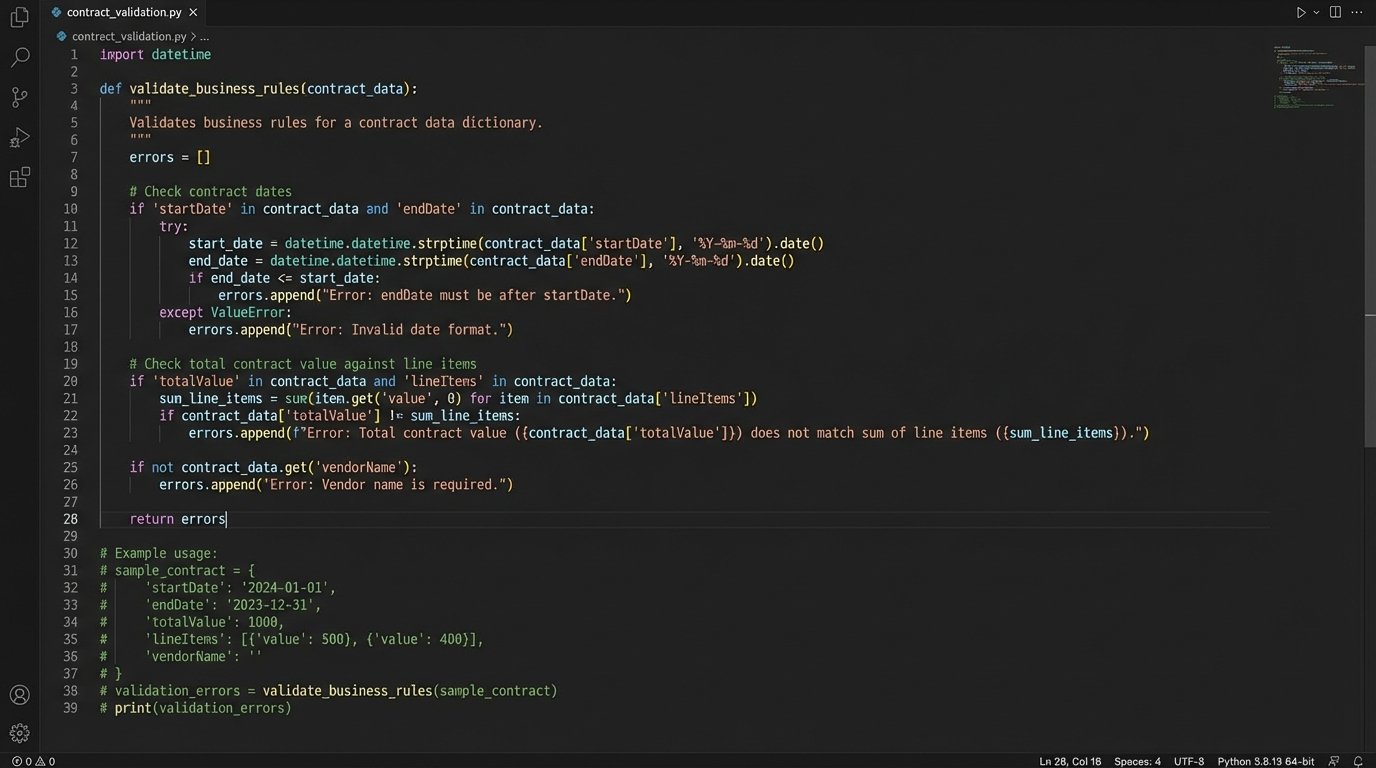
This is the most critical and most frequently overlooked layer. It answers the question: “Does this data make sense in the context of our business?” A schema can’t tell you if a contract’s end date is before its start date. It can’t verify that the sum of all line items actually equals the stated total contract value.
These checks require custom code that understands your specific business rules. This is where you build the functions that contain the real intelligence of your automation.
- Check if `endDate` is after `startDate`.
- Calculate the sum of all `lineItems[i].price` and force it to equal `totalValue`.
- Verify that if `contractType` is “Enterprise”, the `seatCount` must be greater than 100.
- Cross-reference the `customerID` with a billing system to ensure the customer is not on a credit hold.
Building this layer is like trying to shove a firehose through a needle. You are forcing the chaotic, free-form data from a sales-focused CRM into the rigid, structured logic required by finance and legal systems. These checks are the last line of defense before the data is committed to a legally binding document.
Implementation Strategy and Error Handling
The architecture is sound, but its implementation determines its effectiveness. You can build this using off-the-shelf integration platforms, custom code, or a hybrid approach. The choice depends on your team’s skills, budget, and tolerance for vendor lock-in.
Integration platforms like MuleSoft or Zapier are fast to set up and have built-in connectors and basic validation tools. They are excellent for simple workflows but can become expensive wallet-drainers. They also impose their own logic, which can be difficult to bypass when you need to implement complex, custom business rules.
Custom scripts, written in Python with libraries like Pydantic or Node.js with Zod, offer total control and flexibility. The upfront development is higher, but you are not constrained by a vendor’s feature set. You can build validation logic that is perfectly tailored to your business. This approach, however, requires disciplined engineering for logging, monitoring, and maintenance.
The Dead-Letter Queue: A Safety Net for Failures
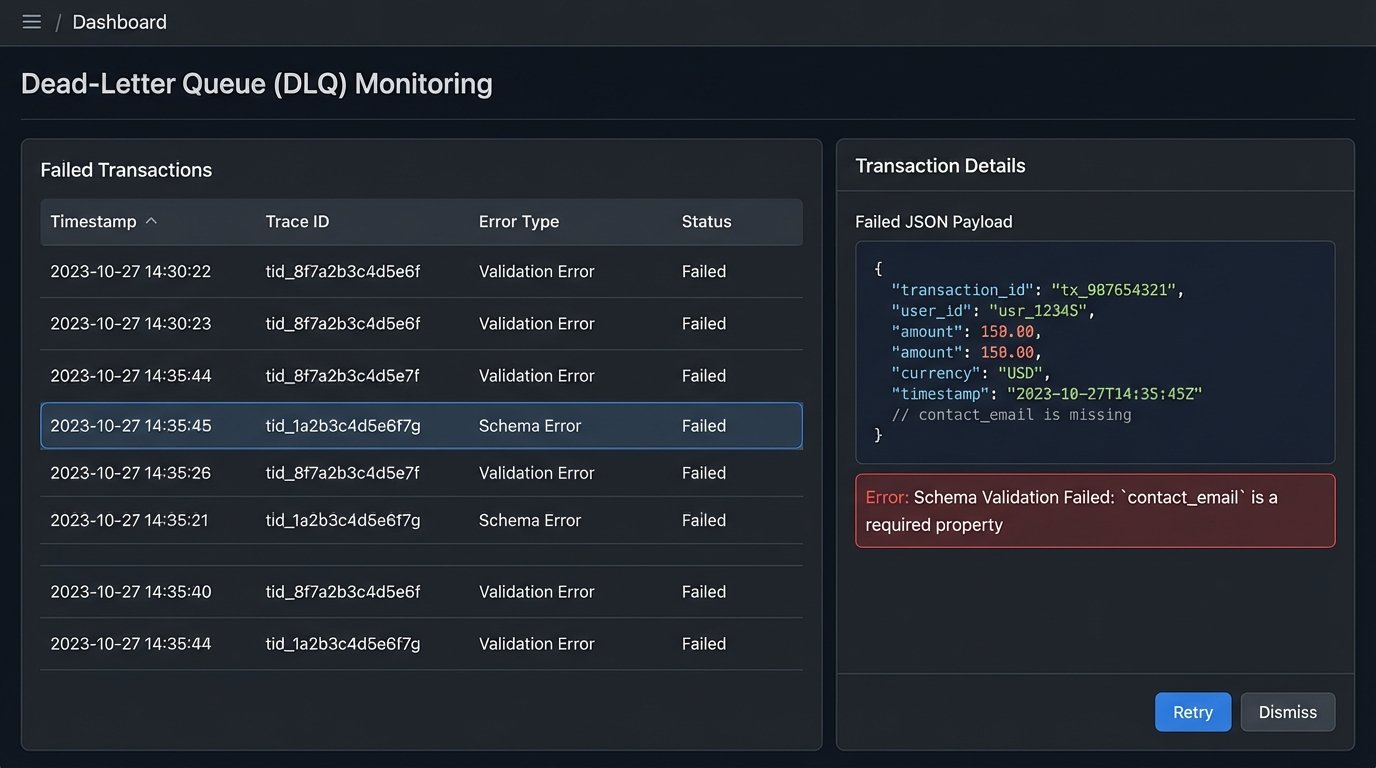
When a validation check fails at any layer, the workflow must not simply stop. A silent failure is the worst possible outcome. The failed payload, along with detailed error metadata, must be routed to a dead-letter queue (DLQ). A DLQ, often an SQS queue or a dedicated database table, holds failed transactions for manual review.
The error metadata is critical. It must include:
- The full original payload that failed.
- A timestamp of the failure.
- The specific validation layer and rule that failed (e.g., “Schema Validation Failed: ‘contact_email’ is a required property”).
- A transaction or trace ID to correlate logs.
Combined with an alerting system (a Slack notification or a PagerDuty ticket), the DLQ transforms a catastrophic failure into a manageable incident. An operator can inspect the bad data, understand why it failed, and either correct it in the source system and re-trigger the automation, or discard the transaction.
The Real Cost: Performance and Politics
Implementing a rigorous validation pipeline is not free. Each layer of validation adds latency to the overall process. For a high-volume system generating thousands of contracts an hour, an extra 200 milliseconds of validation logic per transaction adds up. You have to make conscious decisions about which checks are synchronous and critical, and which can be run asynchronously after the core process completes.
There is also a maintenance burden. Business rules are not static. When the finance department introduces a new pricing model, the validation logic must be updated to match. These validation rules become a form of executable documentation that must be kept in sync with the business itself. This requires a clear owner and a disciplined development process.
The hardest part is often political, not technical. Your validation system will inevitably find data quality issues originating in other departments’ systems. Presenting a dashboard to the sales operations team showing that 15% of their “Closed-Won” opportunities have bad data is a delicate conversation. The long-term solution is to push for better data hygiene at the point of entry, but that requires convincing other teams to change their processes. Your automation’s health depends on it.
Automated data validation is not an optional feature for contract workflows. It is the core component that separates a reliable, scalable system from a brittle script that constantly breaks. Building these layers of defense is an upfront investment, but it pays for itself every time it catches a bad payload before it becomes a signed, legally-binding mistake.