Your CRM is a Liability by Default
Every CRM starts as a clean slate and ends as a data swamp. The default state of any client database trends toward chaos, accelerated by every sales rep with a CSV to import and every marketing form with a free-text field. Automation is sold as the solution, but poorly implemented automation just makes the mess grow faster. The goal isn’t to add more processes; it’s to force a standard that resists entropy.
Forget the dashboards for a minute. The foundation of any scalable CRM operation is brutal, unapologetic data hygiene enforced by code, not policy.
1. Gatekeep All Data Ingress
Data should never be allowed to just wander into your CRM. Every single entry point, whether it’s a web form, a third-party API, or a manual list upload, must be forced through a validation layer. This isn’t a suggestion. This is the bedrock. Your CRM’s native validation rules are a good start, but they are often too permissive for serious data integrity.
We build external validation listeners for critical entry points. An API Gateway that catches a webhook payload, for instance, can logic-check the data before it’s even formatted for a CRM API call. We strip whitespace, force capitalization on proper nouns, and reject records missing key identifiers right at the door.
This approach treats your CRM not as a bucket, but as a vault. Nothing gets in without the right key.
Consider a simple webhook payload from a lead form. Before it ever touches Salesforce or HubSpot, a Python function app or Lambda can sanitize it using a schema definition library like Pydantic. This is non-negotiable for systems that receive data from multiple, untrusted sources.
from pydantic import BaseModel, EmailStr, constr, validator

import re
class LeadPayload(BaseModel):
first_name: constr(strip_whitespace=True, min_length=1)
last_name: constr(strip_whitespace=True, min_length=1)
email: EmailStr
company: constr(strip_whitespace=True, min_length=2)
country: constr(min_length=2, max_length=2) # Expect ISO 3166-1 alpha-2
@validator('first_name', 'last_name')
def force_title_case(cls, v):
return v.title()
@validator('country')
def validate_country_code(cls, v):
# In a real scenario, you'd check this against a known list of codes
if not re.match(r'^[A-Z]{2}$', v.upper()):
raise ValueError('Invalid country code format. Must be ISO 3166-1 alpha-2.')
return v.upper()
# Example usage:
raw_payload = {
'first_name': ' john ',
'last_name': 'DOE',
'email': 'johndoe@example.com',
'company': ' ACME Inc. ',
'country': 'us'
}
try:
validated_lead = LeadPayload(**raw_payload)
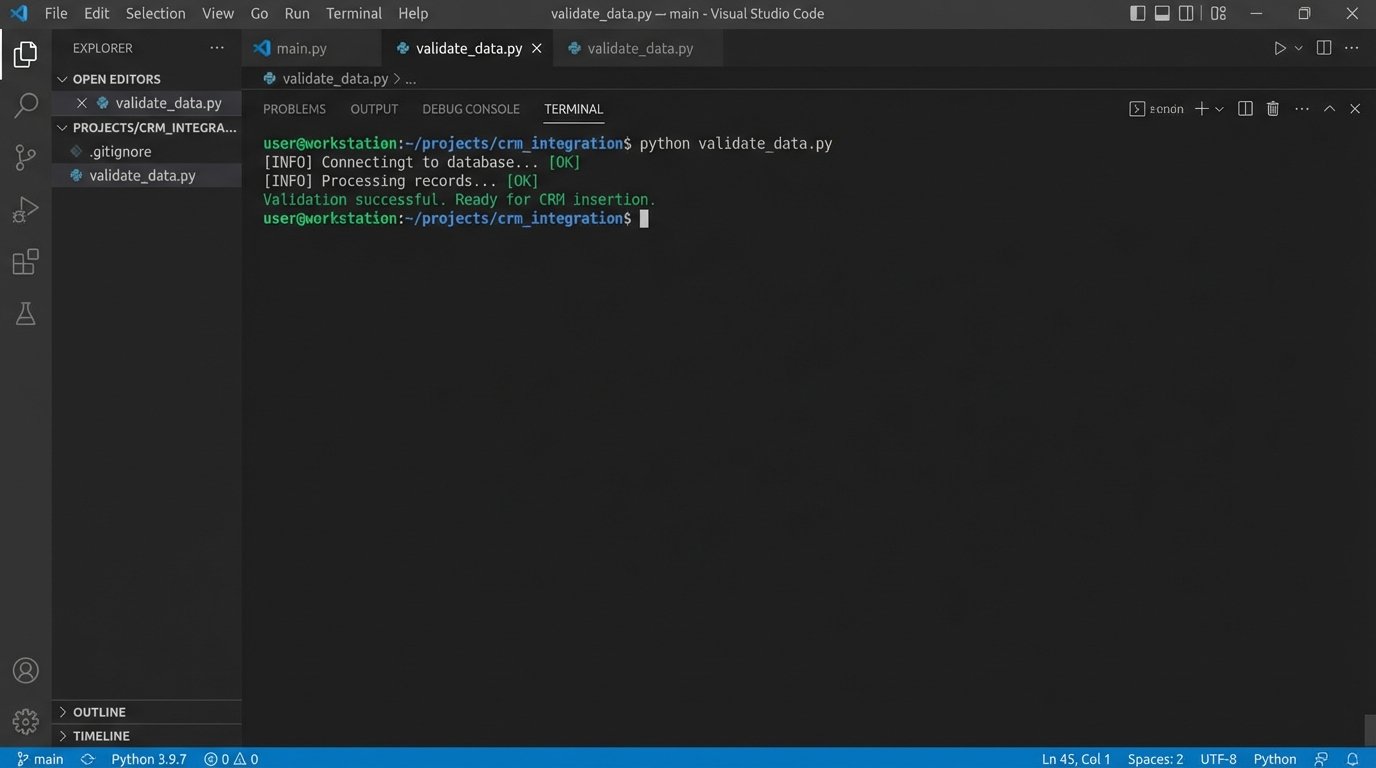
print("Validation successful. Ready for CRM insertion.")
# Now, proceed with the API call to the CRM
# crm_client.create_contact(validated_lead.dict())
except ValueError as e:
print(f"Validation failed: {e}")
# Log the error and the payload for review. Do not insert into CRM.
The code above rejects bad data before it has a chance to become a problem. The error logs from this script become your to-do list for fixing the source system, not your CRM.
2. Standardize Naming and State
Free-text fields are where data integrity goes to die. A sales team will invent fifty different ways to write “United States” in a country field if you let them. This absolutely demolishes your ability to segment, report, or automate based on geographic data. The solution is to eliminate ambiguity through strict picklists and enforced naming conventions.
This means going beyond just country codes. Standardize job titles by mapping variations to a smaller set of roles (e.g., “VP of Sales”, “Sales VP”, “Vice President, Sales” all become “Sales Leadership”). For lead sources, build a rigid taxonomy. “Website” is not a source. “Website – Demo Request Form” is.
This isn’t about control. It’s about creating a dataset that a machine can reliably parse and act upon.
3. The De-duplication Engine is a Dumb Mallet
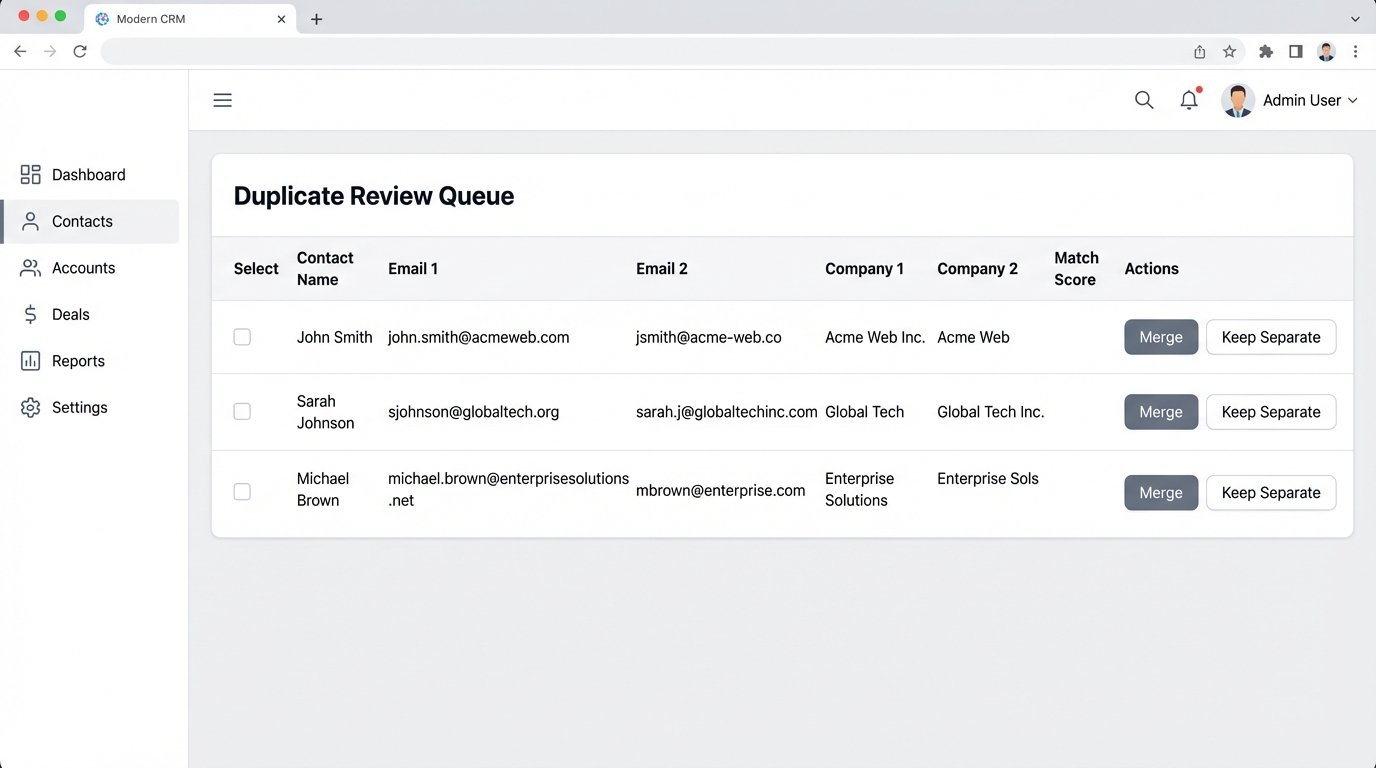
Most built-in CRM de-duplication tools are naive. They look for an exact match on an email address or a company name and call it a day. This fails to catch the most common duplicates: a person who changes jobs (new email, same person) or a company with multiple legal entity names (“IBM” vs. “International Business Machines Corp”).
Effective de-duplication requires custom logic. We build scheduled jobs that query the CRM for *potential* duplicates based on looser criteria. This could involve fuzzy string matching on company names combined with matching the email domain. It’s a slow, resource-heavy process, but it’s the only way to find sophisticated duplicates.
Trying to process millions of records with complex fuzzy matching in real-time is like shoving a firehose through a needle. You run these jobs during off-peak hours and feed the potential matches into a human review queue. It’s a balance between automation and manual verification.
A conceptual query to find these might look for contacts with different email addresses but the same first name, last name, and a similar company name using a string distance function.
-- This is pseudo-SQL to illustrate the logic, not for a specific CRM

SELECT

    c1.id AS contact1_id,

    c2.id AS contact2_id,

    c1.full_name,

    c1.email AS email1,

    c2.email AS email2,

    c1.company_name AS company1,

    c2.company_name AS company2

FROM

    Contacts c1

JOIN

    Contacts c2 ON c1.id < c2.id -- Avoid self-joins and duplicate pairs

WHERE

    c1.first_name = c2.first_name

    AND c1.last_name = c2.last_name

    AND c1.email <> c2.email

    AND LEVENSHTEIN(c1.company_name, c2.company_name) < 3; -- Levenshtein distance threshold
This logic is too heavy for a real-time trigger but perfect for a nightly batch job.
4. Isolate and Audit Your Automation User
Never, ever run your automation using a real employee’s API key or user account. When that employee leaves, your entire automation stack breaks. You create a dedicated, non-human “API User” or “Integration User” in your CRM. This user should have a permission set that grants it the minimum required access to do its job. It doesn’t need to see financial reports or export the entire user list.
This isolation has two primary benefits. First, it’s a security control. If the API key is compromised, the blast radius is limited. Second, it creates a perfect audit trail. When a record is updated unexpectedly, you can filter the activity log by this one user and see exactly which automated process was responsible. It turns a “who did this?” mystery into a five-minute debug session.
The logs are your ground truth.
5. Build Idempotent Routines
Network connections fail. APIs time out. A process will inevitably be triggered twice for the same event. If your automation isn’t built to handle this, you end up with duplicate records, multiple welcome emails, or incorrect state changes. The solution is to build idempotent operations. An idempotent action is one that has the same result whether it’s performed once or ten times.
In practice, this means your “create or update” logic must be robust. Before creating a new contact, query the CRM to see if a contact with that unique identifier (like an email address) already exists. If it does, you switch to an update operation. If it doesn’t, you proceed with the creation. This simple check prevents chaos when a webhook provider retries a failed delivery.
It’s a defensive posture that assumes failure is the default state.
6. Logging Is Not a Feature, It’s a Requirement
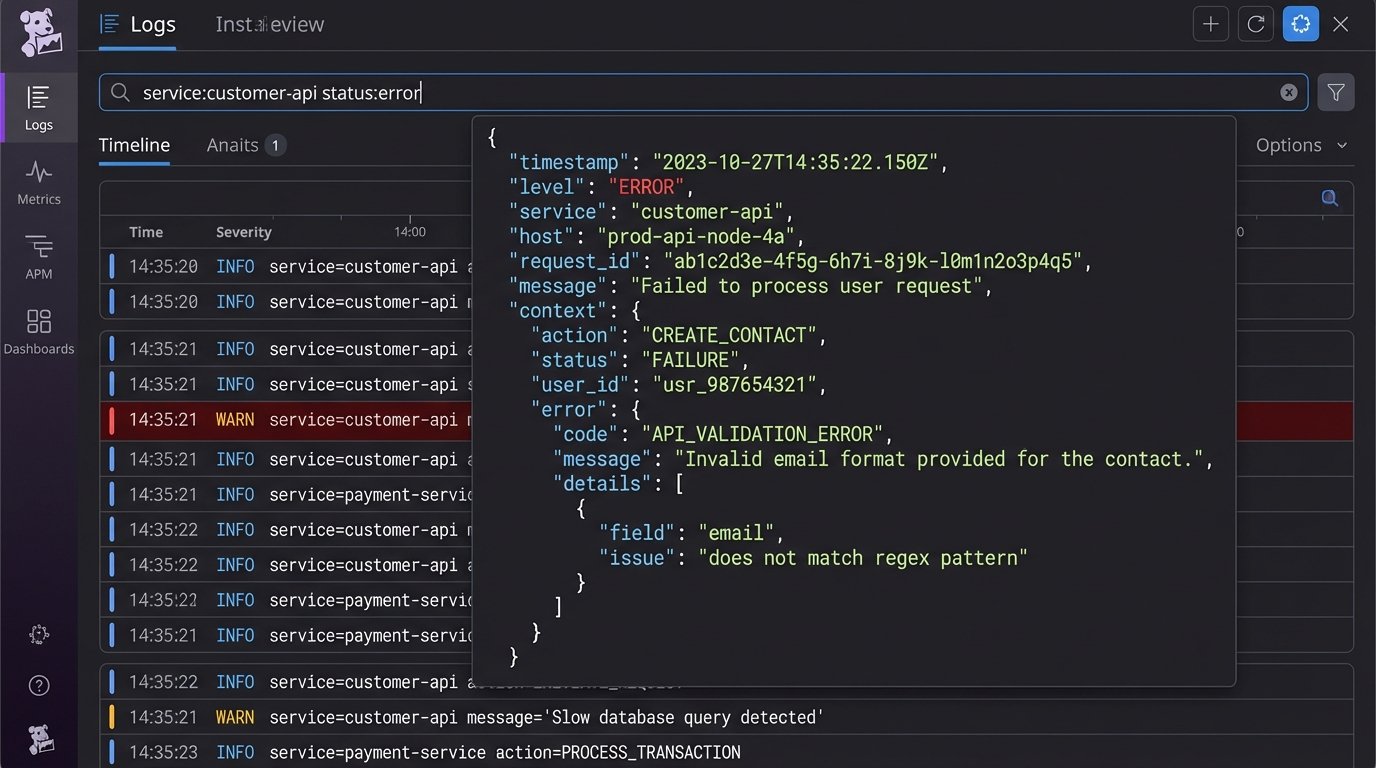
If your automation runs silently, it’s a black box. When something fails at 3 AM, you have zero visibility. Every significant action your automation takes, especially writes, updates, or deletes, must be logged externally. Don’t rely on the CRM’s internal audit log, which is often noisy and hard to parse programmatically.
We push structured JSON logs to a dedicated service like Datadog, New Relic, or even an Elasticsearch cluster. A good log entry contains the timestamp, the automation’s name, the primary record ID it operated on, the action taken, and the outcome (success or failure). If it failed, it must include the error message from the API.
This turns debugging from guesswork into a simple log query. You can build dashboards and alerts on top of these logs to catch systemic issues before a user reports them.
A useful log entry isn’t just a string. It’s a machine-readable object.
{

  "timestamp": "2023-10-27T03:15:42Z",

  "process_name": "WebhookLeadIngestion-Prod",

  "record_id": "0038d00000abcXYZ",

  "source_system": "WebsiteFormAPI",

  "action": "CREATE_CONTACT",

  "status": "FAILURE",

  "error": {

    "api_error_code": "INVALID_FIELD_FOR_INSERT_UPDATE",

    "message": "Attempted to de-reference a null object",

    "field": "custom_field__c"

  },

  "payload_hash": "a1b2c3d4e5f6..."

}
With logs like this, you can trace the lifecycle of every automated transaction.
7. The Data Enrichment Wallet-Drainer
Third-party data enrichment services promise to flesh out your records with firmographic data, social profiles, and job titles. They can be valuable, but they are also a huge operational risk and a potential wallet-drainer. Their data is not infallible; it decays over time as people change jobs and companies restructure. Blindly trusting and overwriting your existing data with enriched data is a recipe for disaster.
Implement enrichment with skepticism.
- Enrich on demand, not in bulk. Trigger enrichment only when a record is actively being worked, not on your entire database at once. This controls API costs.
- Store enriched data in separate fields. Do not overwrite a user-provided job title with one from an enrichment tool. Store the enriched data in parallel (e.g., `Job_Title_Enriched__c`) so you can compare and validate.
- Logic-check the output. If an enrichment tool returns a “C-Level” title for someone you know is an intern, your logic should be smart enough to flag it for review instead of blindly accepting it.
These tools supplement your data. They don’t replace the need for disciplined data gathering at the source.