
The success of a new software tool is not measured by its feature set. It is measured by the operational drag it removes or, more often, the new drag it introduces. Most training programs focus on user adoption, which is a vanity metric. The real goal is operational stability during and after the cutover. A team that “adopts” a tool but generates a firehose of support tickets and bad data has failed, and so has your training architecture.
Forget the slide decks and the vendor-supplied happy-talk PDFs. Effective training is about building a system that forces competence through structured, repeatable processes. It is an engineering problem, not an HR initiative. What follows are architectural patterns for deploying knowledge, designed to prevent the inevitable 3 AM page when a new tool poisons your production database.
Phase 1: Pre-Deployment Architecture
If you start training after the tool is configured, you have already lost. The groundwork for knowledge transfer is laid long before anyone gets a login.
Configuration as the Source of Truth
Your training documentation should not be a wiki page that goes stale in a week. The primary training artifact must be a version-controlled, heavily commented configuration file. Whether it is a YAML file for a CI/CD pipeline or a JSON settings file for a CRM, this is where the system’s behavior is defined. We force new team members to read this config, line by line, to understand the system’s guardrails. It is dense, it is boring, and it is non-negotiable.
This approach bypasses the risk of documentation drift. The config is the system, so it can never be out of date. It also teaches engineers to think about the tool as a modifiable system, not a black box handed down from a vendor. They learn the “why” behind the settings, not just the “what” of the UI. If a user does not understand the configuration, they are not qualified to use the tool in a production environment.
The Disposable Sandbox Environment
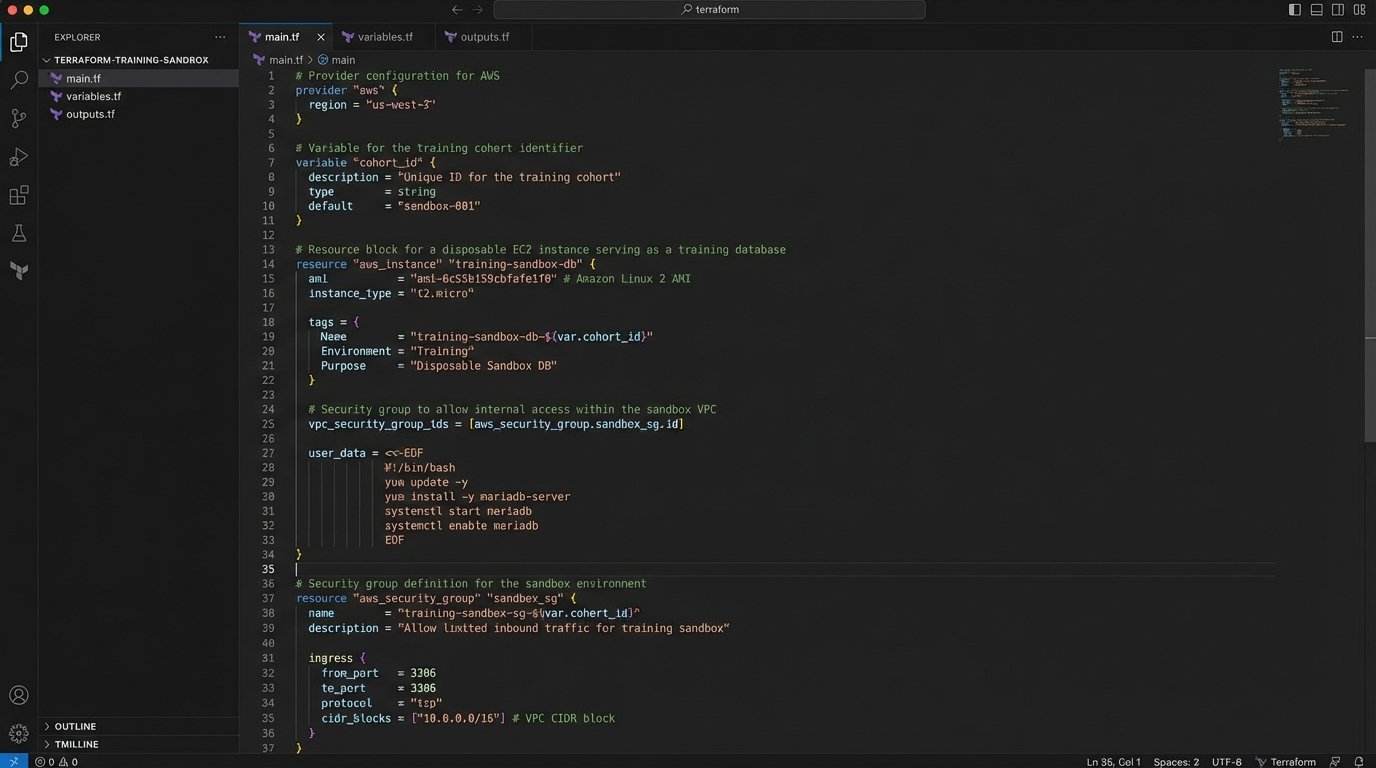
A “production-like” staging environment is useless for training. It is too fragile, and people are afraid to break it. You must provision a completely separate, disposable sandbox instance for every training cohort. This environment must be engineered for destruction and rapid redeployment. We use Terraform or CloudFormation scripts to spin up and tear down these sandboxes on a schedule. The key is to make failure free.
The data within this sandbox needs to be realistic but fully scrubbed of PII. We run nightly scripts that pull a subset of production data, anonymize critical fields, and inject it into the sandbox database. This gives trainees the correct data shape to work with, letting them encounter plausible edge cases without risking a data breach. If your team cannot confidently break things in the sandbox, they will eventually break things in production.
Map Access Tiers Before Announcing the Tool
Giving everyone admin access during training is lazy and dangerous. It builds bad habits and completely obscures the real-world user experience. Before a single user is created, you must map your corporate roles to the new tool’s permission sets. A junior real estate agent does not need access to the bulk export API, and a compliance officer does not need to configure webhooks.
This mapping exercise forces you to deeply understand the tool’s security model. It also becomes the blueprint for your training modules. You create separate training paths for each role: “Agent,” “Broker,” “Admin,” and “Marketing.” This prevents information overload and ensures that people only learn the functions they are explicitly authorized to perform. It is a security control masquerading as a training plan.
Phase 2: Training Execution Logic
The actual training sessions should be surgical. They are not about demonstrating every button and menu. They are about drilling core business processes into muscle memory.
Task-Oriented Drills, Not Feature Parades
Nobody needs a guided tour of the user interface. People learn by doing work, not by watching a demo. Structure every training module around a critical business task. For a real estate CRM, this would not be “Exploring the Contacts Screen.” It would be “Executing the ‘New Lead to First Contact’ Workflow.” This immediately grounds the tool in the team’s daily reality.
Each drill must have a clear start state, a series of defined steps, and a verifiable end state. For example: “Given a new lead email, create a contact record, log the initial outreach call, and set a follow-up task for two days from now.” This is a testable unit of work. A feature tour is just noise.
Injecting and Documenting Failure States
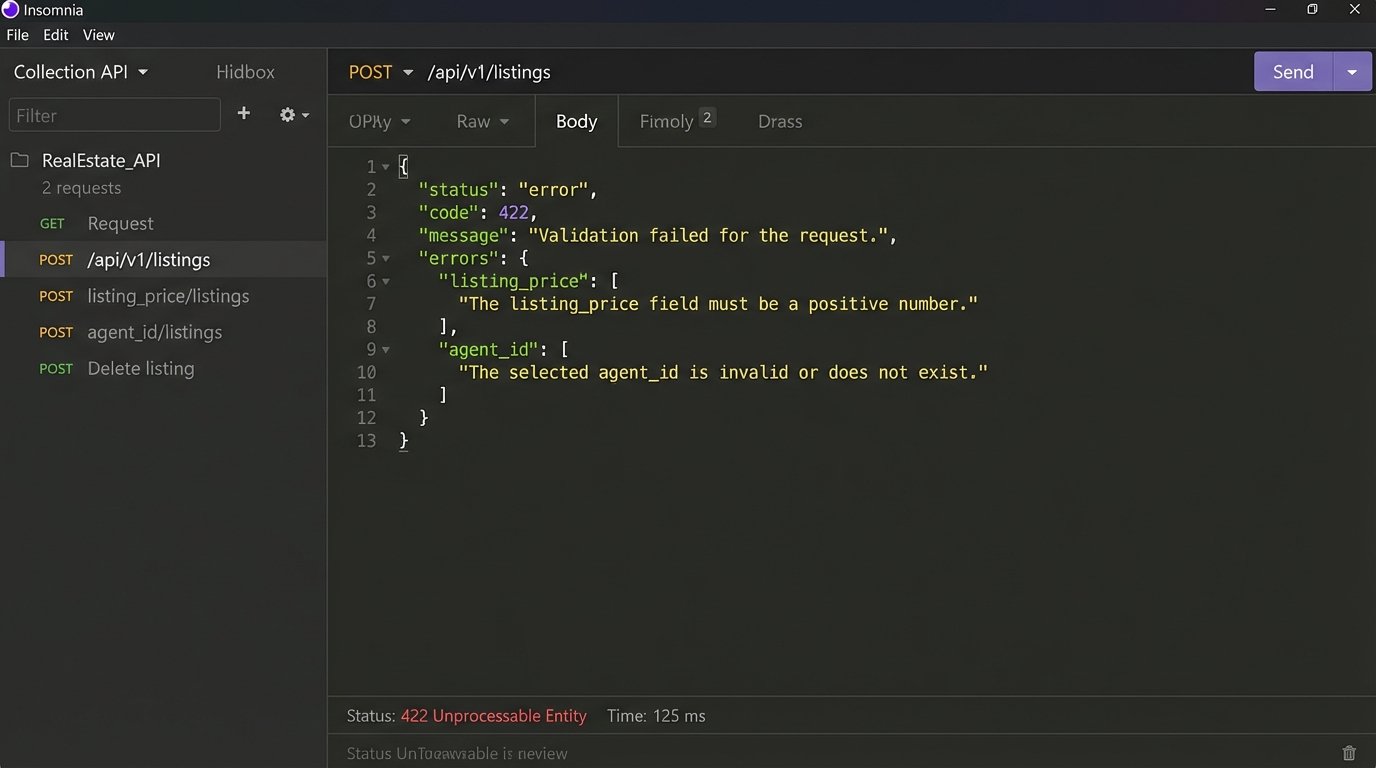
A system is defined by its error messages. Training that only covers the “happy path” is a complete failure of imagination because the happy path is where your team spends the least amount of their time. We design our training scripts to force users to trigger specific, common errors. We make them try to upload a listing with a missing address or close a deal with an invalid commission percentage.
The goal is to de-mystify failure. The user must see the error, read the payload, and learn how to correct the input. We require them to document the error response as part of the training exercise. This removes the panic associated with seeing an error message and replaces it with a calm, diagnostic process.
A typical task would be to force a validation error via an API call and analyze the result:
{

  "status": "error",

  "code": 422,

  "message": "Unprocessable Entity. Validation failed.",

  "errors": [

    {

      "field": "listing_price",

      "issue": "Value must be a positive integer greater than 10000."

    },

    {

      "field": "agent_id",

      "issue": "Provided ID does not correspond to an active agent."

    }

  ]

}
Having them parse this object is more valuable than ten UI demos.
The Reverse Demonstration
After you have demonstrated a workflow, do not ask, “Any questions?”. That is an invitation for silence. Instead, pick one person from the training group at random. Tell them to share their screen and perform the exact workflow you just showed, from memory. The rest of the team is not allowed to help.
This technique is brutal and effective. It exposes every ambiguous instruction, every confusing UI element, and every gap in understanding. The long, awkward pauses are where you get your most valuable feedback. It shifts the pressure from you to them and forces active listening instead of passive observation. The discomfort is the point.
Phase 3: Post-Training Validation and Infrastructure
Training does not end when the Zoom call is over. The next phase is about verification and building a support structure that scales.
Automated Competency Checks
Do not trust a survey to tell you if your training worked. Write simple, automated checks to validate that the core training tasks were completed in the sandbox. This can be a straightforward script that queries the tool’s API or the sandbox database. Did User X create a new listing? Did User Y update a client record? Was a document with the correct naming convention uploaded?
These checks give you binary, objective data. You get a simple pass or fail report for each user. It tells you who was just clicking through the motions and who actually performed the work. People who fail the check get a mandatory one on one session. We are not checking for understanding. We are logic-checking for task completion.
Build and Document the Kill Switch
Every new system, especially one that integrates with core business operations, must have a documented rollback plan. Training your team on the new tool must include training them on how to disengage from it. What is the process for switching back to the old system if the new one fails catastrophically during its first week? Who makes that call? Where are the old spreadsheets or legacy logins stored?
Documenting this kill switch does two things. It provides a critical safety net for the business. It also builds confidence in the team, because they know a failure is survivable. Without a rollback plan, a go-live is not an engineering decision, it is just a gamble.
Log Analysis as the Ultimate Training Metric
Your application logs are the final arbiter of training success. For the first two weeks after go-live, you should be watching the logs from the new tool like a hawk. A flood of 403 Forbidden errors from the sales team means your permissions training was a failure. A high rate of 400 Bad Request errors points to users feeding malformed data into the system, indicating a gap in your data entry modules.
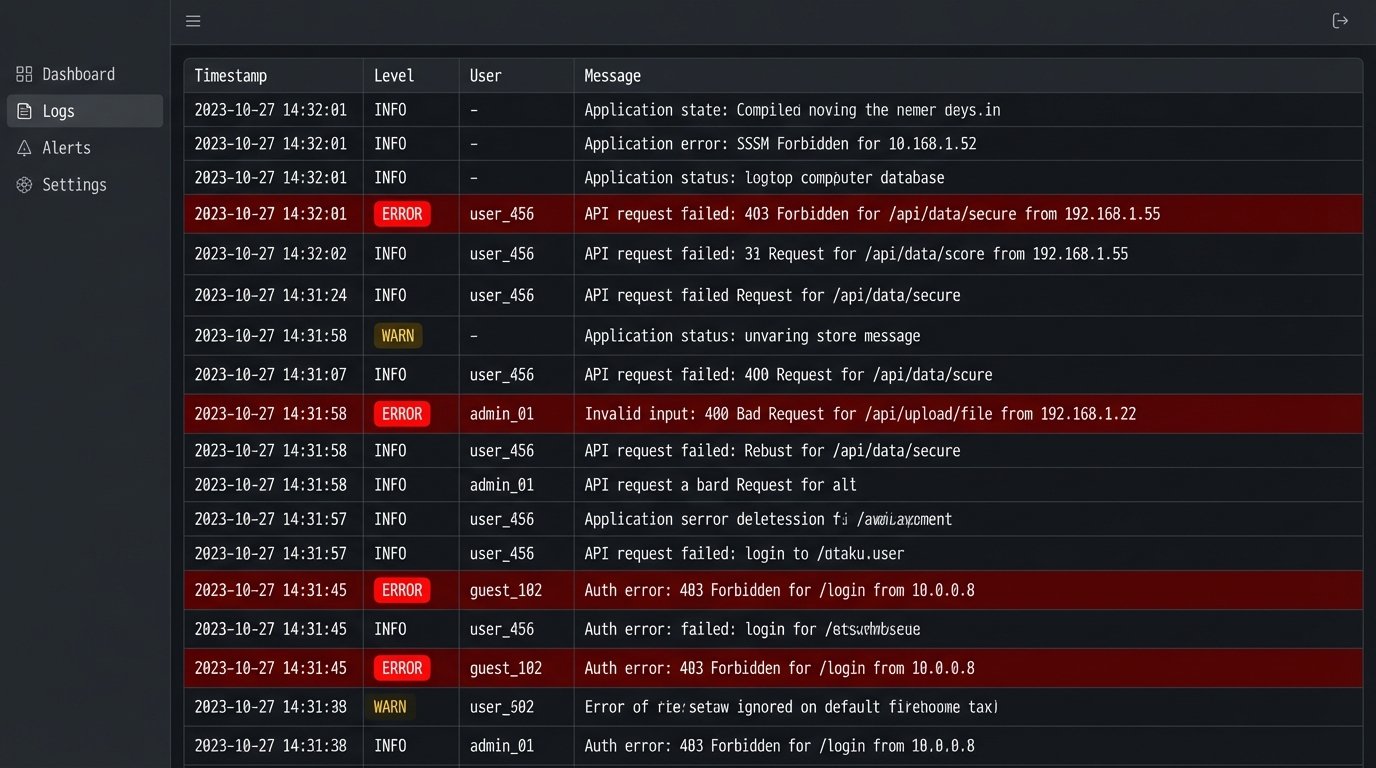
This is where the real data is. Monitoring logs is like diagnosing a patient by reading their bloodwork instead of just asking them how they feel. User feedback is subjective and often misleading. The system logs are the ground truth of user behavior. They tell you precisely which parts of your training were absorbed and which parts were ignored completely.
The goal is not tool adoption. The goal is a net reduction in operational complexity and an increase in system stability. If your training program is not architected to support that outcome, it is nothing more than a well-intentioned waste of company time.