
I spent most of last week rebuilding a lead intake workflow for a real estate team because their Zillow email format changed without warning. The whole n8n automation, which parses inbound HTML emails and dumps them into an Airtable base, just stopped working. Of course, the error handling I built was junk, so it failed silently for two days. This is the price of building custom systems instead of paying for some bloated, off-the-shelf real estate CRM that charges per seat.
Choosing the Right Tools (And Avoiding Expensive Garbage)
Forget the big all-in-one platforms. They lock you into their ecosystem and charge a fortune for features you never use. For 90% of real estate teams, a combination of Airtable, n8n, and a communications API is more powerful and a fraction of the cost. I built this entire system around that stack. Airtable is the central database, our single source of truth. I prefer it over something like Google Sheets because its API is cleaner and the relational data features are perfect for linking leads to properties and agents.
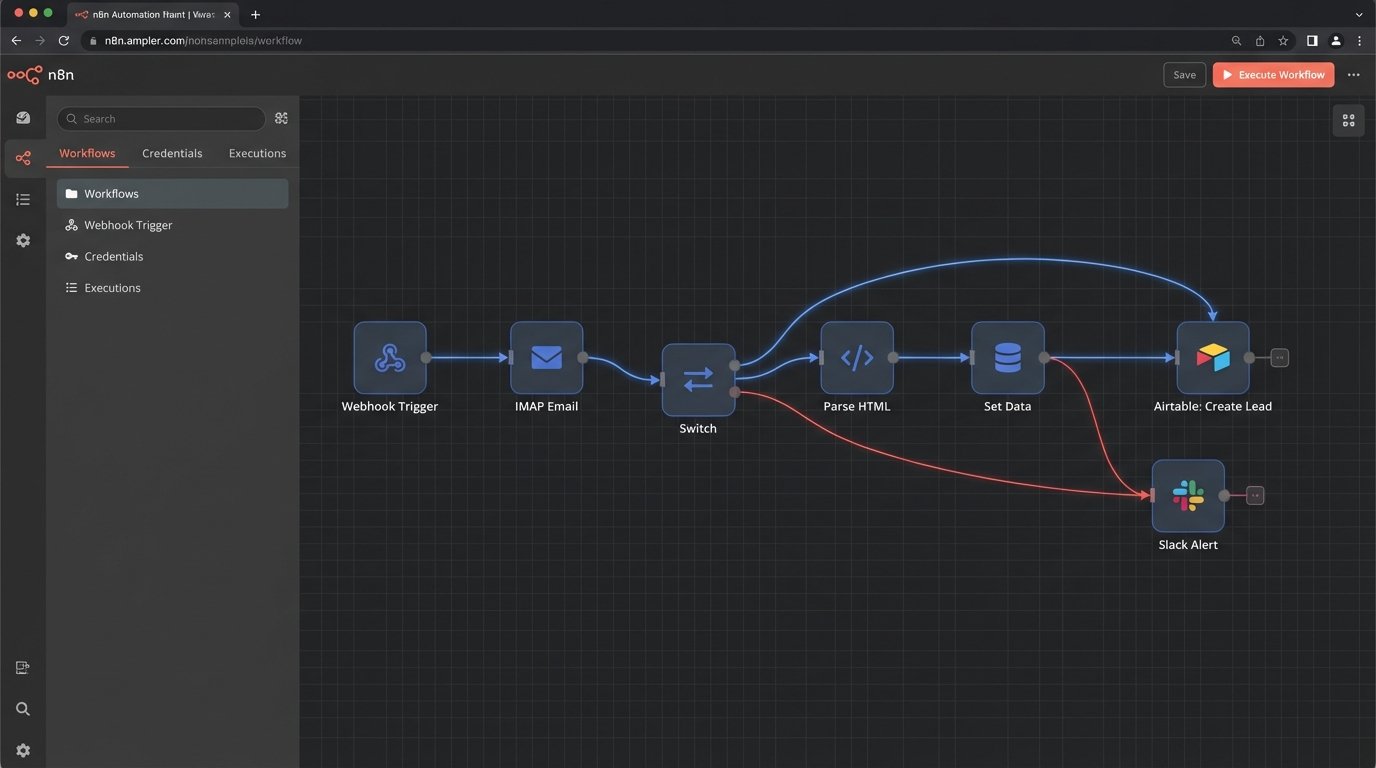
The brain of the operation is n8n. I run it on my own server, so I don’t have to deal with the task-based pricing from Zapier, which is a total scam for any workflow that involves looping or processing batches of data. n8n connects everything: it listens for webhooks from the website’s contact form, polls an inbox for new lead emails, and pushes all formatted data into Airtable. It also handles the outbound communication through Twilio for SMS and Postmark for emails.
Lead Ingestion: The Messy Entry Point
Leads come from everywhere. Website forms, Zillow emails, manual imports. The first job of the automation is to standardize this chaos into a clean JSON object before it ever touches the CRM.
Handling Webform Submissions
This is the easiest part. The website contact form fires a webhook directly to an n8n endpoint. The data arrives as a clean JSON payload. There is almost no transformation needed here, which is nice. The webhook trigger in n8n immediately gets a payload that looks something like this.
{
  "body": {
    "lead_name": "John Doe",
    "lead_email": "john.doe@example.com",
    "lead_phone": "555-123-4567",
    "property_inquiry": "123 Main St, Anytown, USA",
    "source": "Website Form"
  }
}
From there, the n8n workflow maps these fields directly to the columns in our Airtable `Leads` table. Simple.
Parsing Zillow Email Leads
This is where things get ugly. Zillow and other portals don’t offer nice APIs for small teams. They send formatted HTML emails. My solution is hacky but it works. I have a dedicated inbox just for these leads, and an n8n workflow that uses an IMAP node to fetch new emails every five minutes.
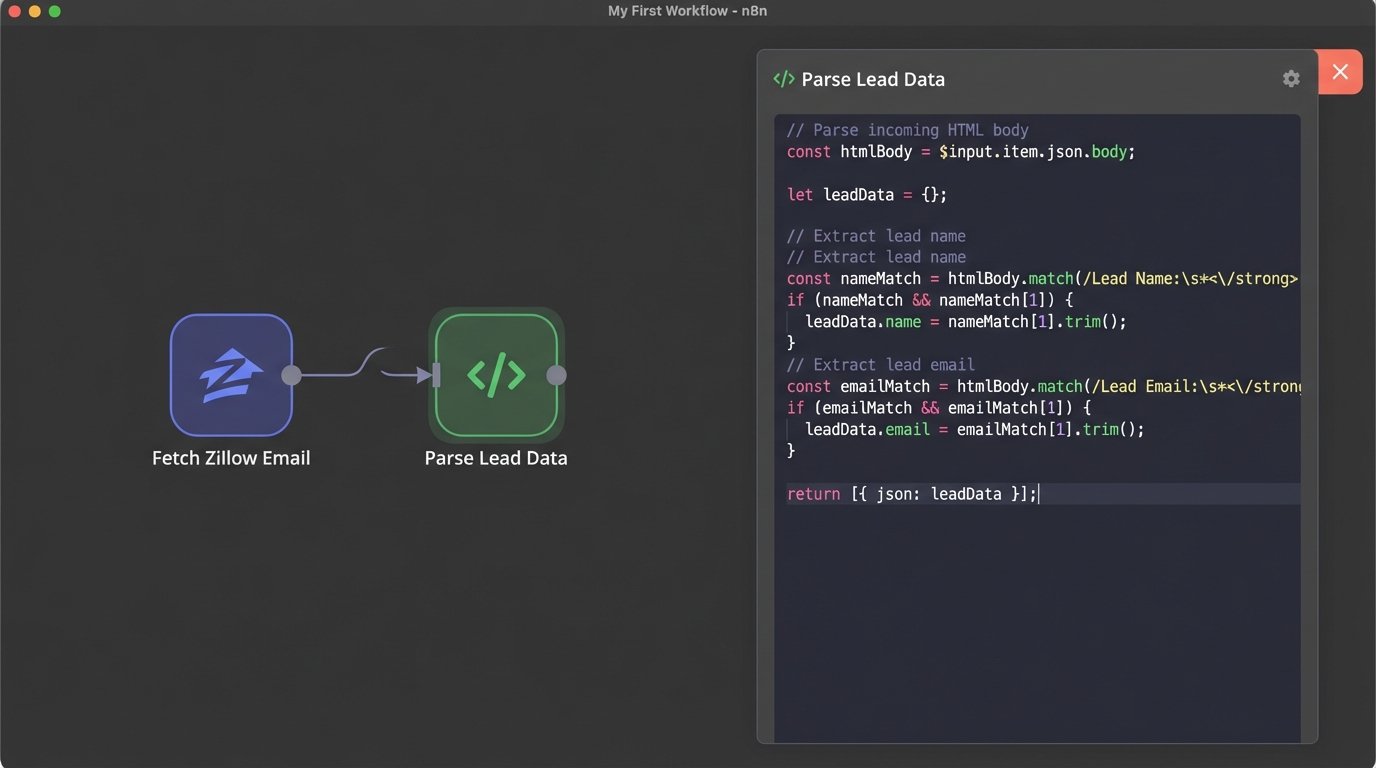
Once the email is fetched, a Function node with some JavaScript rips the HTML body apart to find the data. The structure of these emails is inconsistent, so I rely on finding anchor text and then grabbing the next bit of text. It is fragile and breaks whenever they change their template.
const htmlBody = $json.html;

// Basic string manipulation, not robust regex
const nameLine = htmlBody.split('Lead Name:')[1].split('</td>')[0];
const emailLine = htmlBody.split('mailto:')[1].split('"')[0];
const phoneLine = htmlBody.split('tel:')[1].split('"')[0];

const leadData = {
  name: nameLine.trim(),
  email: emailLine.trim(),
  phone: phoneLine.trim(),
  source: 'Zillow Email'
};

// Return the object for the next node
return leadData;
This code is brittle. A better solution involves a dedicated email parsing service, but that adds another subscription fee. For now, this JavaScript runs and transforms the messy email into the same standardized JSON object our webhook produces.
Workflow Logic: Routing and Initial Contact
Once a lead is ingested and standardized, the workflow needs to decide what to do with it. The first step is checking for duplicates. The Airtable node in n8n can search for a record before creating one. I use the “List” operation with a `filterByFormula` to check if an email or phone number already exists. If it does, the workflow updates the existing record with the new inquiry. If not, it creates a new lead.
Next, we assign the lead to an agent. This team uses a simple round-robin system. I store a counter variable in a static workflow data field in n8n. The workflow increments the counter with each new lead and uses a modulo operator to assign it to an agent from a list. It is a crude but effective load balancer.
Automating the First Touch
Speed is everything. The moment a lead is created and assigned in Airtable, the workflow fires an SMS via Twilio. The personalization is done with n8n expressions, which are fantastic for pulling data from previous nodes.
Hey {{$json["lead_name"]}}, this is {{ $json["assigned_agent_name"] }} from Awesome Realty. I got your inquiry about {{$json["property_inquiry"]}}. Are you free for a quick call in the next 15 minutes?
This single action, sending an SMS within 60 seconds of the inquiry, has had a massive impact. It feels personal and immediate. The workflow also creates a task in the Airtable `Tasks` table, links it to the lead and the agent, and sets a due date for 24 hours from now with the action “Follow-up call.”
Airtable as the Single Source of Truth
The Airtable base is the core of this system. It is not just a list of contacts. It is a relational database designed specifically for this team’s process.
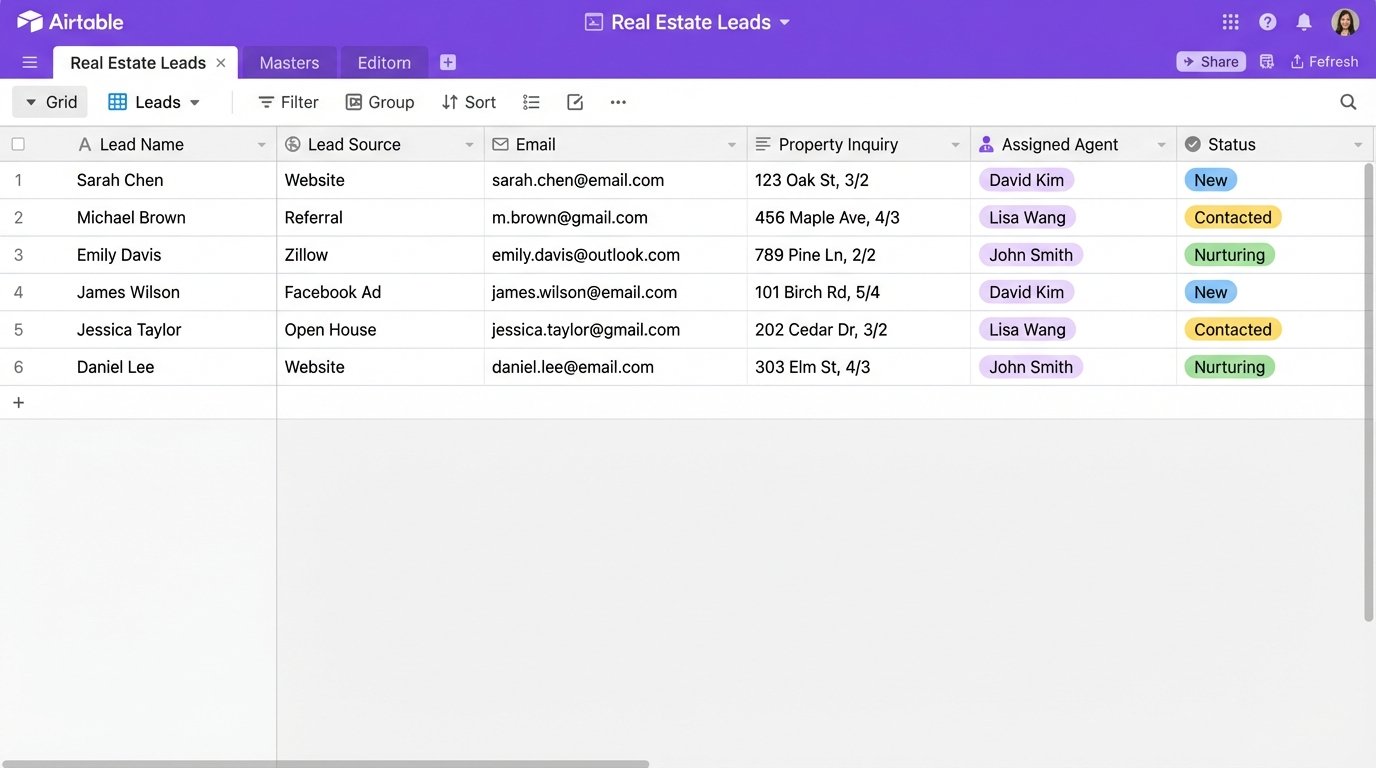
- Leads Table: Contains all contact info, lead source, status (New, Contacted, Nurturing, Closed), and a link to the assigned agent.
- Agents Table: A simple table with agent names, phone numbers, and emails. Used for assignments.
- Interactions Table: Every automated SMS, email, or manual note gets logged here and linked to a lead. This provides a complete chronological history of all communication.
- Properties Table: A list of properties the team is working with. Inquiries get linked to these records.
We also use Airtable’s own internal automations for notifications. When n8n assigns a lead to an agent, an Airtable Automation sees the new record and sends a message to the team’s Slack channel, tagging the specific agent. This keeps the external workflow in n8n focused on data processing, while the internal notifications are handled by the tool best suited for it.
Monitoring and Error Handling (Because It Will Break)
As I learned the hard way, this kind of custom system requires monitoring. An API key expires, a service changes its data format, a webhook endpoint goes down. My initial error handling was nonexistent. Now, every n8n workflow has a dedicated error route. If any node fails, the workflow execution is automatically rerouted to a final branch that sends a detailed error message to a dedicated Slack channel. It includes the name of the workflow, the node that failed, and the JSON data that caused the failure. It is noisy, but it is much better than silent failure.
This setup is not a “set it and forget it” solution. It is a living system that needs maintenance. But the control and flexibility it offers are worth the occasional headache. The entire stack costs them less than $50 a month to run, and it does more than the $500 per month CRM they were about to buy.