
You have seen the title before. Some marketing agency plugs in a new SaaS tool, and suddenly their numbers are perfect. The reality is never that clean. This is not one of those stories. This is about what happens when the off-the-shelf solution fails and you have to build the plumbing yourself because the alternative is drowning in spreadsheets.
The client was a mid-sized digital marketing agency. Their core problem was reporting. It was a manual, soul-crushing process that burned about 120 man-hours a month across their analytics team. This wasn’t just a time sink. It was a source of constant, embarrassing errors that eroded client trust.
The Anatomy of the Failure
The agency’s data lived in three hostile environments. Google Analytics provided web behavior. Google Ads held the performance metrics. The real monster was a proprietary CRM, whose API documentation was more of a historical document than a functional guide. Every client report required someone to manually pull CSVs from all three platforms.
These files were then forced into a master Excel template riddled with fragile VLOOKUPs and macros that broke if you looked at them sideways. The process took a junior analyst the first three days of every month. For urgent client requests, the process was a fire drill. Data was frequently misaligned, campaigns were attributed incorrectly, and the final PDF sent to the client was often outdated the moment it was generated. It was a system designed by good intentions and held together by caffeine and anxiety.
The First Botched Attempt
Before we were engaged, the agency tried to solve this the easy way. They bought a subscription to a popular, all-in-one reporting platform. It promised seamless integration with a few clicks. The platform connected to Google Analytics and Google Ads without issue. It produced clean, if generic, dashboards.
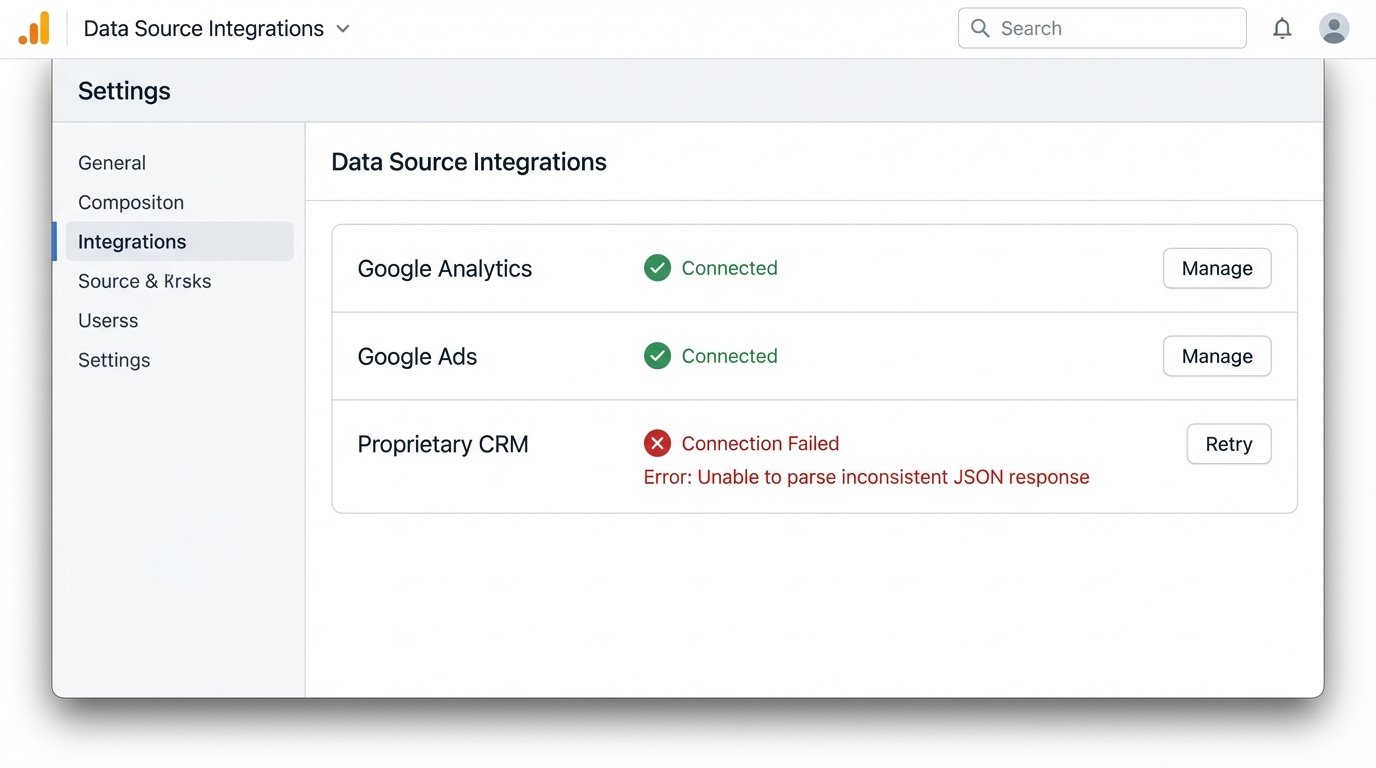
The entire project imploded when it met the CRM. The platform’s “custom” connector couldn’t handle the CRM’s bizarre authentication or its inconsistently structured JSON responses. The support tickets went into a black hole. After two months of fighting it, they were back to manually exporting CSVs from the CRM and trying to merge them with the data from the shiny new platform. They were paying for a tool that solved half the problem, which is the same as solving none of it.
Building the Actual Solution
Our approach was to bypass the limitations of a closed ecosystem. We decided to own the entire data pipeline, from extraction to visualization. This isn’t the cheapest path, but it is the only one that guarantees control. The architecture was broken into four distinct stages.
Stage 1: Raw Data Extraction
We built a set of Python scripts to pull data from the three sources. For Google Analytics and Ads, we used the official Google API Python Client. The key here was not just fetching the data, but aggressively handling API rate limits and pagination. You cannot just ask for “all the data.” You have to request it in chunks, respect the server’s limits, and build in logic to retry on failures.
The CRM was the main challenge. Its API would often return malformed JSON or just time out. Our script had to be built defensively. Every response was put through a validation function to check for expected keys and data types before it was accepted. We couldn’t trust the source, so we had to logic-check every payload.
Here is a simplified example of a function to handle pagination. The idea is to keep fetching pages until the `nextPageToken` is no longer present in the response, indicating you have reached the end of the data set.
import googleapiclient.discovery
def get_full_ga_report(analytics_service, view_id):
"""
Fetches all pages of a report from the Google Analytics Reporting API v4.
"""
all_rows = []
response = analytics_service.reports().batchGet(
body={
'reportRequests': [
{
'viewId': view_id,
'dateRanges': [{'startDate': '7daysAgo', 'endDate': 'today'}],
'metrics': [{'expression': 'ga:sessions'}],
'dimensions': [{'name': 'ga:date'}],
'pageSize': '10000'
}]
}
).execute()
# Initial data processing
report = response.get('reports', [])[0]
column_header = report.get('columnHeader', {})
dimension_headers = column_header.get('dimensions', [])
metric_headers = column_header.get('metricHeader', {}).get('metricHeaderEntries', [])
rows = report.get('data', {}).get('rows', [])
all_rows.extend(rows)
page_token = report.get('nextPageToken')
# Loop for subsequent pages
while page_token:
response = analytics_service.reports().batchGet(
body={
'reportRequests': [
{
'viewId': view_id,
'dateRanges': [{'startDate': '7daysAgo', 'endDate': 'today'}],
'metrics': [{'expression': 'ga:sessions'}],
'dimensions': [{'name': 'ga:date'}],
'pageSize': '10000',
'pageToken': page_token
}]
}
).execute()
report = response.get('reports', [])[0]
rows = report.get('data', {}).get('rows', [])
all_rows.extend(rows)
page_token = report.get('nextPageToken')
return all_rows
These scripts were containerized using Docker and scheduled to run on AWS Fargate every two hours. This serverless approach meant we only paid for compute time during the execution, which kept operational costs predictable.
Stage 2: Staging and Transformation
The raw data, in its messy JSON format, was dumped directly into a Google Cloud Storage bucket. We did not attempt to load it straight into a database. Trying to inject unstructured logs directly into a relational database is like shoving a firehose through a needle. You get a lot of pressure and very little throughput. A data lake, even a simple one like a GCS bucket, gives you a buffer to work with.
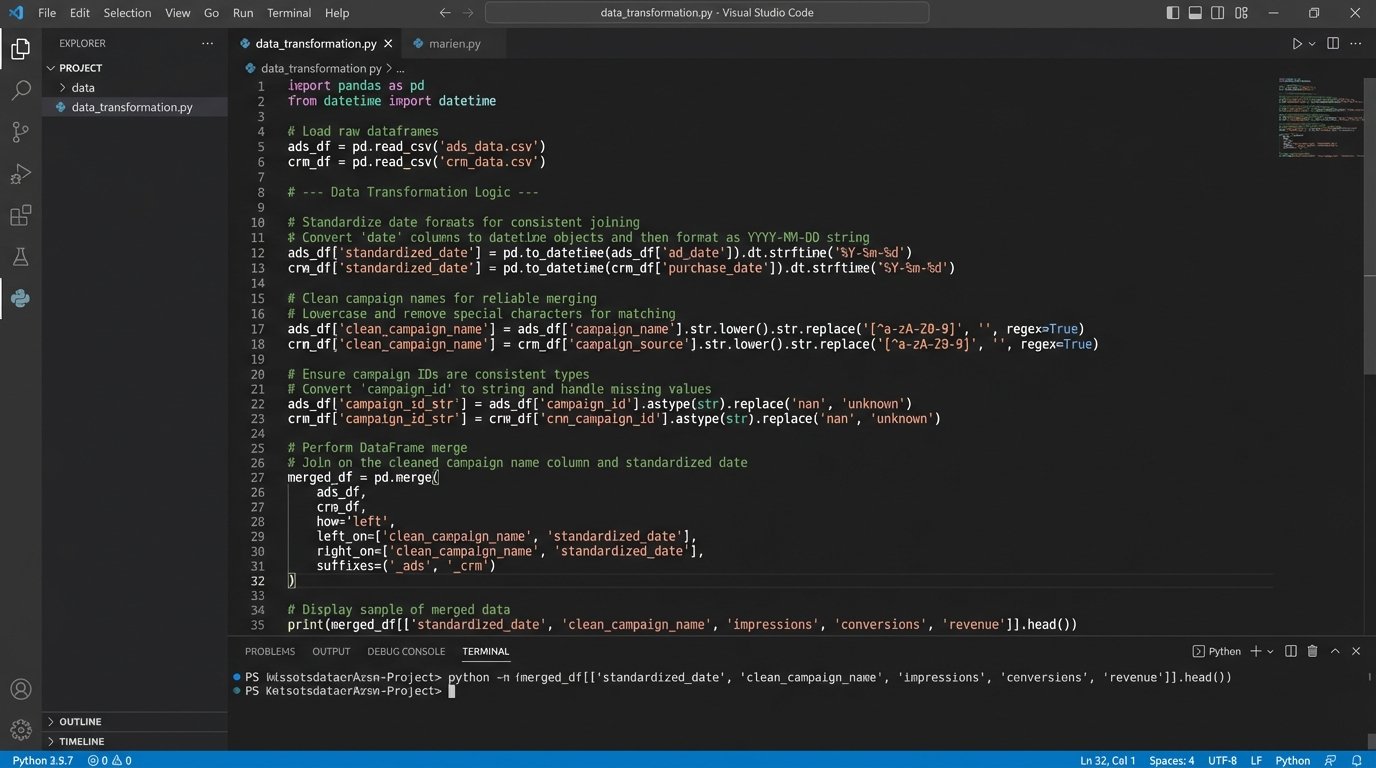
Another set of scheduled functions would then trigger. These transformation scripts would pick up the raw files, strip out irrelevant fields, standardize date formats, normalize campaign naming conventions, and join the disparate data sources. This was the most complex part of the build. We had to create a mapping logic that could reliably link a `campaignId` from Google Ads to a `campaign_name` from the CRM, which often had trailing spaces or different capitalization. We were essentially building the data integrity layer the agency never had.
Stage 3: Loading into a Warehouse
Once the data was cleaned and structured, it was ready for a proper home. We loaded the transformed data into Google BigQuery. We chose BigQuery for its low-maintenance nature and its pricing model, which separates storage and compute. Since the agency’s query patterns were predictable, we could estimate costs with high accuracy. The schema was designed for fast analytical queries, with tables for campaign performance, user behavior, and lead attribution.
This central warehouse became the single source of truth. No more conflicting spreadsheets. All reporting and analysis would now originate from this controlled, validated data source.
Stage 4: Visualization
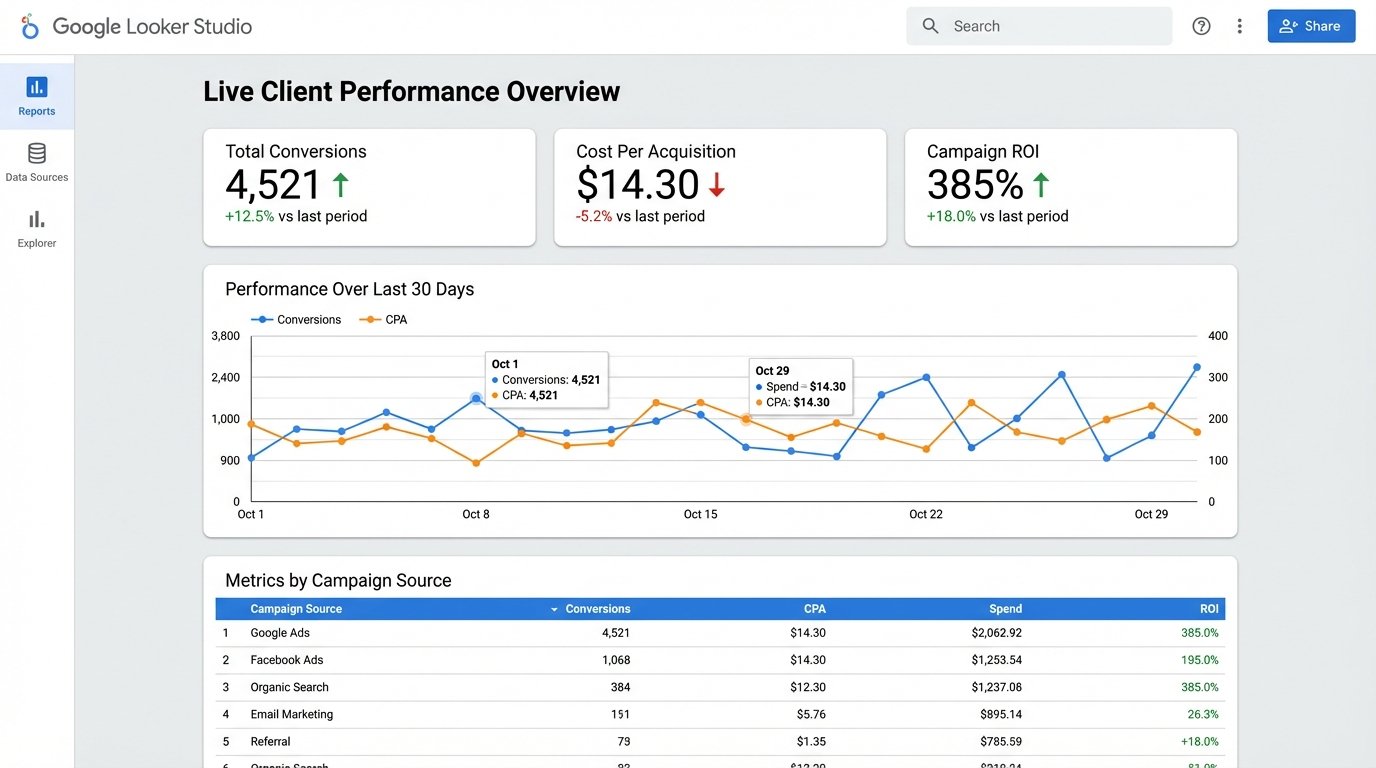
The final layer was visualization. With the data sitting cleanly in BigQuery, connecting a BI tool was trivial. We used Google Looker Studio. We built a master template dashboard that could be duplicated and filtered for each of the agency’s clients. The dashboards were interactive, allowing account managers to drill down into specific date ranges, campaigns, or demographics during client calls.
The key was that the data refreshed automatically every two hours. The reports were no longer a static snapshot from the first of the month. They were a near real-time view of performance.
The Results, In Numbers
The ROI conversation is simple when you have the right metrics. We measured the impact against the original pain points.
- Manual Labor Reduction: The 120 hours per month spent on manual reporting dropped to less than 5. This new time is spent on maintenance and monitoring the pipeline, not copying and pasting data. This single factor represented a cost savings of over $70,000 annually in analyst salary.
- Error Rate Collapse: We tracked reporting errors flagged by clients. In the six months prior to the project, there were 28 documented instances of incorrect data being sent. In the six months after, there were zero. The automated validation checks caught data inconsistencies before they ever reached a human.
- Reporting Velocity: The time to generate a custom report went from 2-3 days to about 30 seconds. An account manager could now answer a client’s data question live on a call by applying a filter to a dashboard.
The total cost for the cloud infrastructure (Fargate, GCS, BigQuery) averaged around $400 per month. Compared to the reclaimed salary cost, the project paid for its own development and implementation in under four months. That is the only kind of ROI that matters.
The Lingering Headaches
This system is not a magic box. It requires maintenance. API schemas change with little warning, and a minor update to the Google Ads API can break the extraction script. We implemented monitoring that triggers alerts on job failures or if the volume of processed data suddenly drops to zero, which usually indicates an upstream problem.
There is also the risk of cost overruns in the data warehouse. A poorly written query against a large table in BigQuery can be a wallet-drainer. Part of the handoff to the agency’s team was a firm education on query optimization and cost management. You cannot give someone the keys to a powerful engine without teaching them how the throttle works.
The solution is effective because it is tailored. It is not a product you can buy. It is an architecture you must build and maintain. It trades the high recurring cost and limitations of a SaaS platform for the control and specificity of a purpose-built system. For this agency, that was the correct path.