Case Study: Crushing No-Shows With a Logic-Driven Reminder Engine
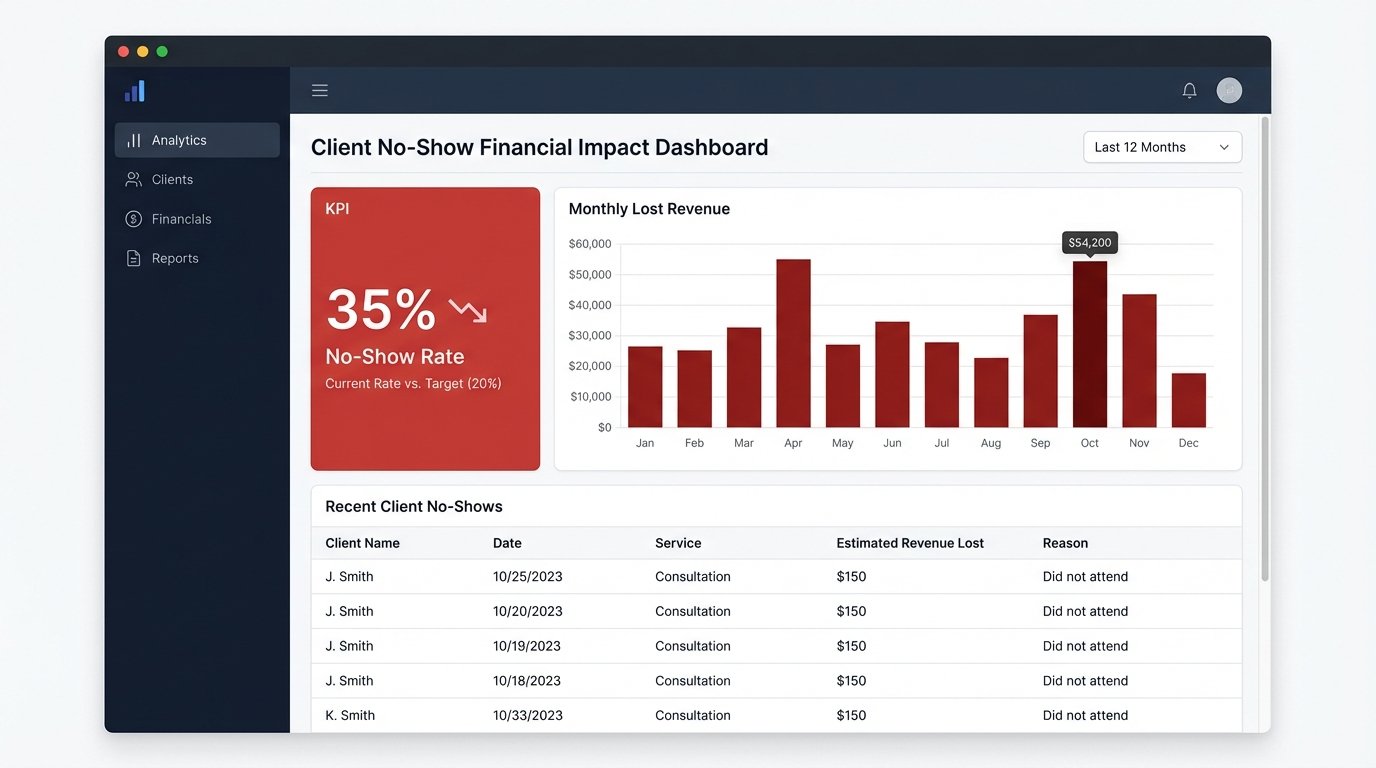
Revenue leakage from client no-shows is a known drag. At a mid-sized brokerage we worked with, the problem wasn’t a drag, it was an anchor. Their top-tier brokers were losing entire afternoons to empty meeting rooms. The official no-show rate hovered at a painful 35%, a number that directly translated to wasted hours and lost commission.
The existing process was a joke. An administrative assistant was tasked with manually sending reminder emails from a shared Outlook account the day before appointments. This system was dependent on one person’s diligence and a series of manually updated spreadsheets exported from a legacy CRM. Data integrity was non-existent. Phone numbers were frequently outdated, and canceled appointments often remained on the list, leading to reminder emails for meetings that were already dead.
The Bleeding Points: Quantifying the Damage
Before touching a single line of code, we had to map the failure points. The manual process was not just inefficient, it was actively corrosive. We identified three primary sources of loss.
- Data Desynchronization: Appointment data lived in three places. The broker’s personal calendar, the central CRM, and the admin’s daily export spreadsheet. An update in one place rarely propagated to the others. Trying to reconcile these sources was like trying to filter sand out of concrete after it had already set.
- Human Error Bottleneck: The entire reminder system hinged on one person. Sick days, vacations, or just a busy morning meant reminders were late or never sent at all. There was no redundancy or failure check.
- No Confirmation Loop: The manual emails were fire-and-forget. The brokerage had no way of knowing if a client actually saw the reminder or intended to show up. They were flying blind until the appointment time passed.
The financial impact was straightforward to calculate. We multiplied the average commission per successful appointment by the number of no-shows per month. The resulting figure got management’s attention fast.
Architecture of the Fix: A State Machine for Appointments
We rejected off-the-shelf scheduling tools. Most were either too simplistic or required a complete migration away from their existing CRM, which was a political non-starter. The goal was to build a lightweight, resilient service that could bridge the gap between their old database and modern communication APIs.
Our solution was a custom service, written in Python and deployed on a small AWS EC2 instance. This service acted as the central nervous system for appointment state. It didn’t replace the CRM, it augmented it by force.
The Core Components
The architecture was built on three pillars: a reliable data poller, a logic engine for sequencing reminders, and API connectors for execution.
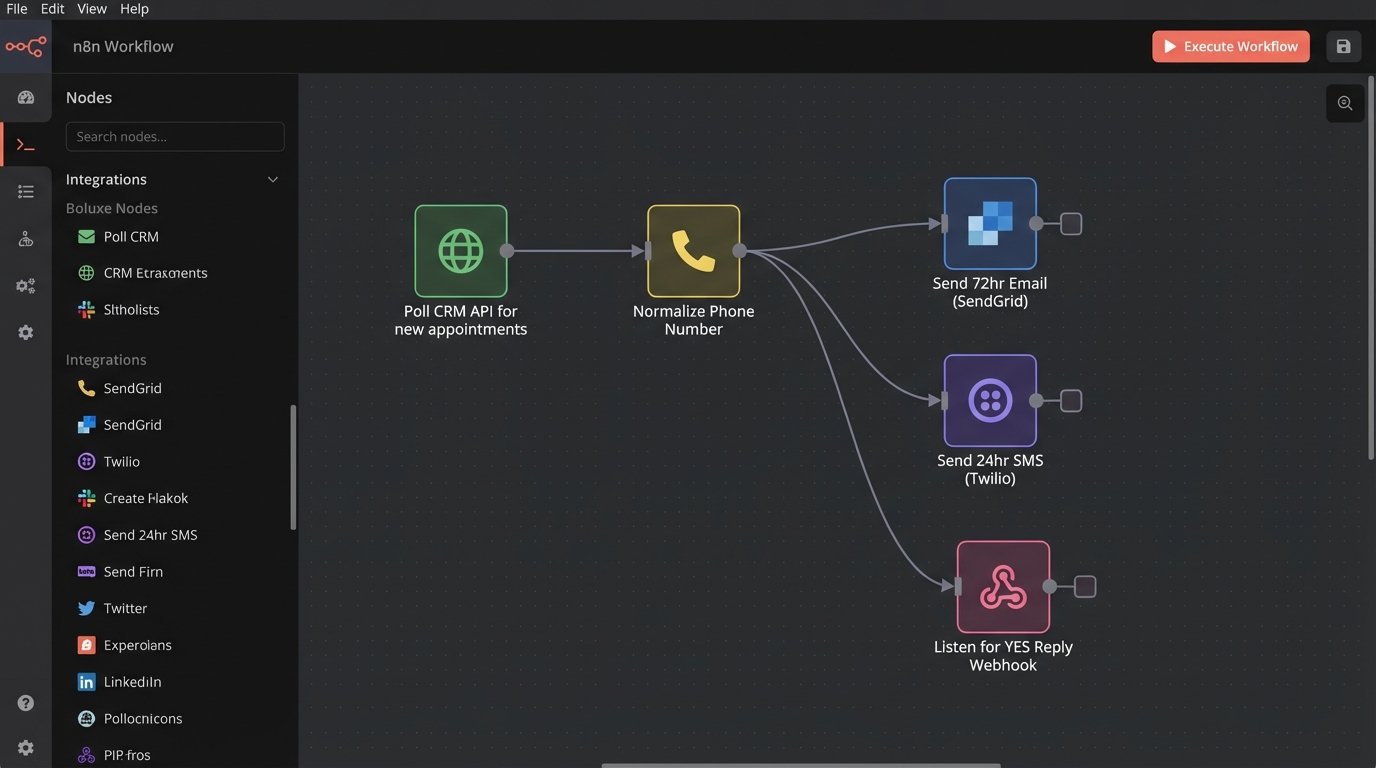
1. The CRM Poller: The legacy CRM had a barely documented REST API. Webhooks were not an option. We built a polling mechanism that queried the API every ten minutes for appointments scheduled within the next 72 hours. The initial script was a blunt instrument, a battering ram hitting the API endpoint and pulling raw data. The first job of this poller was to immediately normalize the garbage data coming out of the CRM. Dates were in inconsistent formats, and phone numbers were stored in free-text fields containing notes like “call after 5pm”.
We wrote specific regex patterns to strip non-numeric characters from phone numbers and standardized them to the E.164 format. This single step eliminated a huge percentage of future delivery failures.
import re
def normalize_phone_number(phone_str: str) -> str | None:
"""
Strips common formatting and text to extract a usable number.
Returns E.164 format or None if junk.
"""
if not phone_str:
return None
# Remove anything that is not a digit
just_digits = re.sub(r'\D', '', phone_str)
# Basic validation: must be at least 10 digits (e.g., US number)
if len(just_digits) < 10:
return None
# Assume US country code if not present, a common issue in the source data
if len(just_digits) == 10:
return f"+1{just_digits}"
if len(just_digits) == 11 and just_digits.startswith('1'):
return f"+{just_digits}"
# If it's longer and starts with a country code, assume it's okay
if len(just_digits) > 10:
return f"+{just_digits}"
return None # Failed to normalize
This function became the gatekeeper. If a number couldn’t be sanitized, the record was flagged for manual review instead of causing an API error downstream.
2. The Logic Engine: Once we had clean data, the service evaluated each appointment against a predefined timeline. This wasn’t a simple cron job. It was a state-based system. Each appointment was tracked with a status: `Pending`, `Notified_72hr`, `Notified_24hr`, `Confirmed`, `Notified_1hr`, `Completed`, `NoShow`.
- 72-Hour Email: An initial, detailed email was sent via SendGrid. It included the appointment details, location, and the broker’s contact information. This was a low-pressure touchpoint.
- 24-Hour SMS with Confirmation: This was the critical step. An SMS was sent via Twilio with a direct message: “Confirming your appt with [Broker Name] tomorrow at [Time]. Reply YES to confirm or call to reschedule.” This forced a response.
- 1-Hour SMS Reminder: For confirmed appointments, a final, brief SMS was sent one hour prior. “See you at [Time].”
3. The Response Handler: To close the confirmation loop, we exposed a small Flask API endpoint. This endpoint was registered as the webhook for incoming messages in our Twilio account. When a client replied “YES”, Twilio would POST the message content and source number to our endpoint. The service would then find the corresponding appointment in its local state and call the CRM’s API to update a custom field to `Client_Confirmed`. This was visible to the broker directly in their CRM interface. Connecting the Twilio reply webhook felt like performing open-heart surgery on the CRM through a keyhole.
Handling Edge Cases and Failures
A perfect system exists only in presentations. In reality, we had to build for failure. The CRM API would frequently time out. The Twilio API would reject poorly formatted international numbers we failed to normalize. We implemented a dead-letter queue for any reminder that failed to send three times. An alert would be piped into a specific Slack channel for the admin team to manually investigate. This prevented silent failures and provided a safety net.
We also had to logic-check for appointment status changes. The poller not only looked for new appointments but also for status changes on existing ones. If an appointment was marked `Canceled` in the CRM, our service would immediately halt any further reminders for that event. This stopped the embarrassing problem of reminding clients about meetings they had already canceled.
The Results: From Anchor to Asset
The metrics post-implementation were stark. We tracked the key performance indicators for three months to ensure the changes were stable and not a fluke.
KPI 1: No-Show Rate Reduction
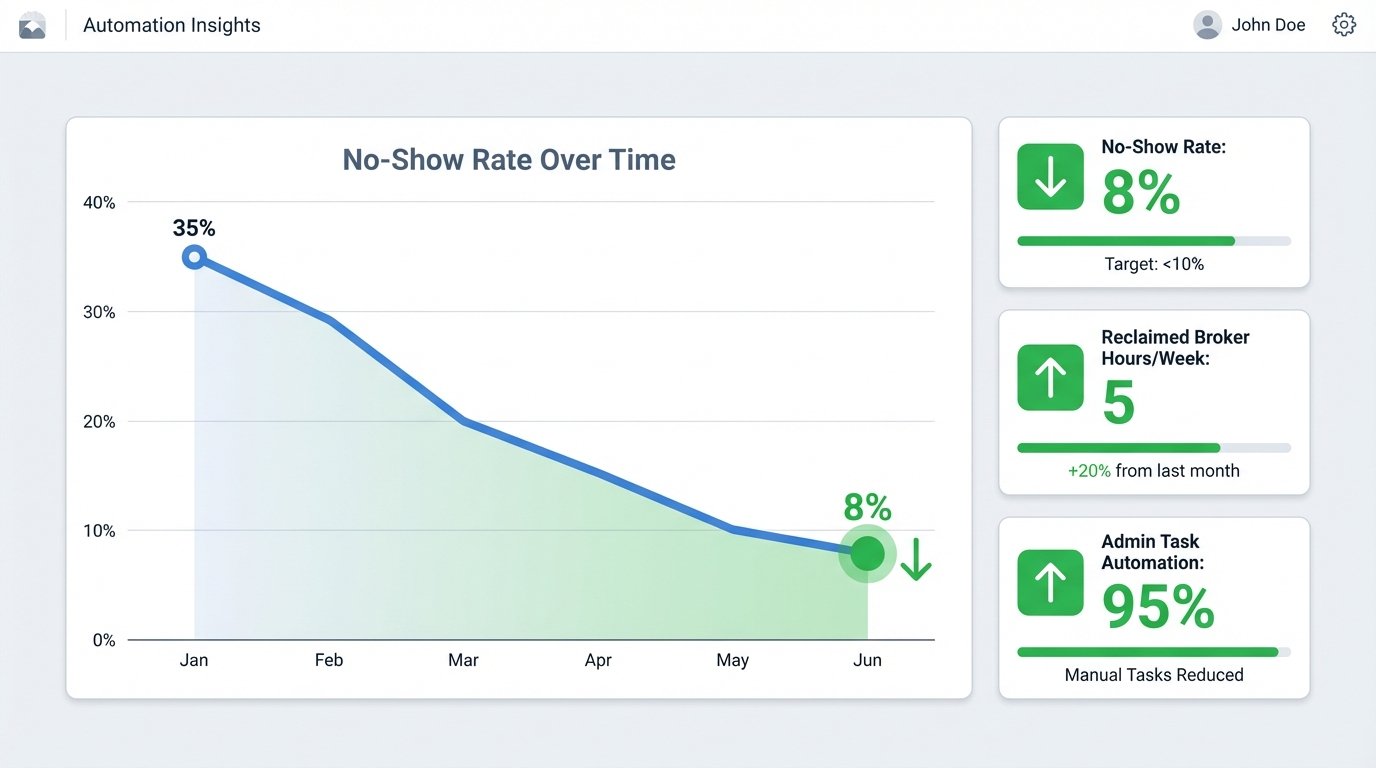
The primary target was the no-show rate. It dropped from an average of 35% to 8% within the first month. The 24-hour SMS confirmation was the biggest factor. It forced clients to either confirm their intent or proactively reschedule, giving brokers a clear view of their upcoming day.
KPI 2: Reclaimed Broker Hours
We calculated the time brokers spent waiting for no-shows. By nearly eliminating this wasted time, the firm reclaimed an average of 5 hours per broker, per week. This time was immediately reallocated to prospecting and client follow-up, activities that generate revenue.
KPI 3: Administrative Overhead
The administrative assistant was freed from the mind-numbing task of sending manual reminders. This role was repurposed to handle more valuable client service tasks and manage the exceptions flagged by the automation service. The cost of the Twilio, SendGrid, and AWS services was less than 20% of the salary cost previously dedicated to this manual work.
Unforeseen Complications and Second-Order Effects
The project wasn’t without its own set of problems. Early on, we discovered the CRM’s rate limiting was more aggressive than documented. The initial five-minute polling interval was tripping their firewall, forcing us to back off to a ten-minute interval and build in smarter caching to avoid redundant API calls. We were pulling the same full list of appointments every time, a hugely inefficient process.
To fix this, we modified the poller to query for records modified since the last successful poll. This reduced the payload size by over 90% and stopped the API timeouts. It was a necessary, painful evolution from the original brute-force approach.
A positive second-order effect was improved data quality. Because brokers knew that the client’s contact information in the CRM directly powered the reminders they relied on, they became far more diligent about entering correct, properly formatted phone numbers and email addresses. The automation forced better human behavior as a side effect.