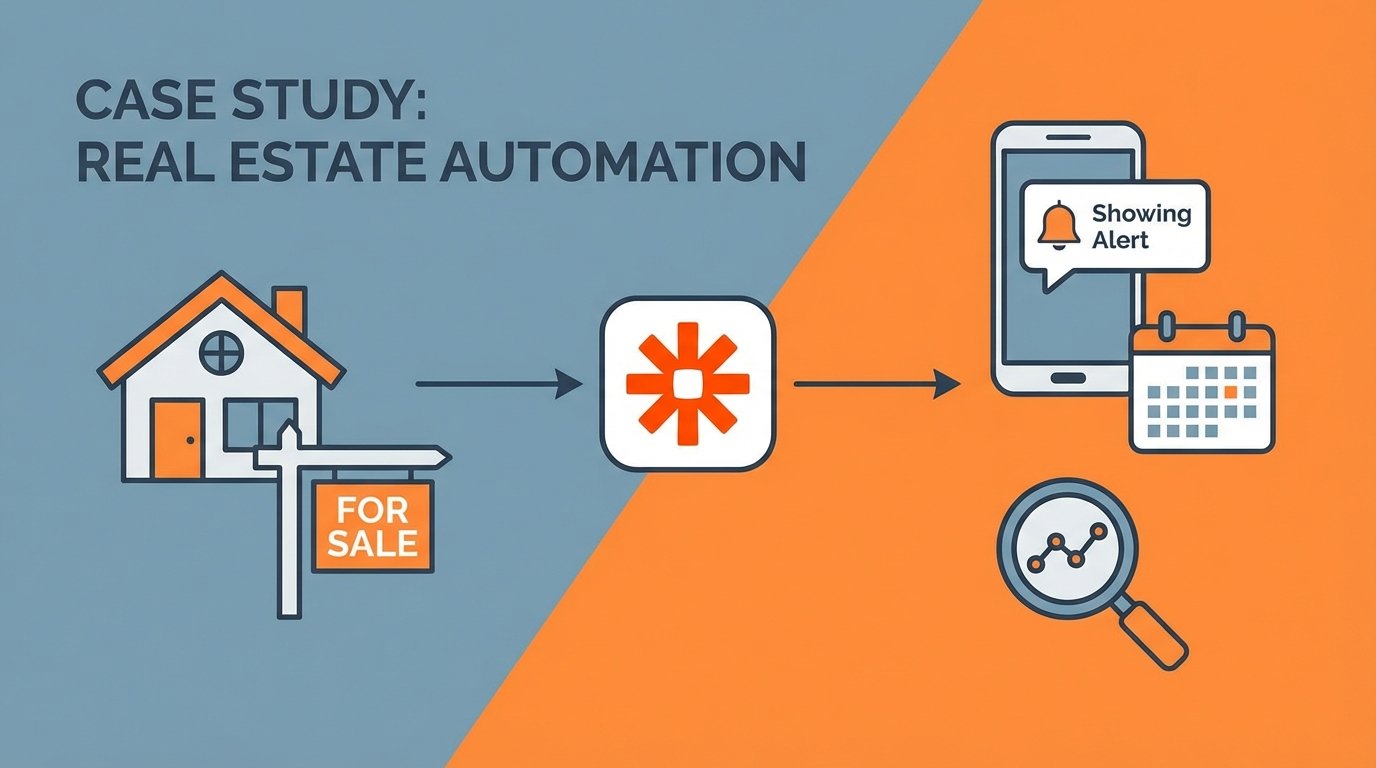
The initial request was typical. A high-volume realtor was drowning in showing request emails. Each one represented a potential commission check, but they were arriving from a half-dozen different MLS platforms, each with its own special formatting quirks. The manual process involved reading the email, cross-referencing three different calendars, manually texting the homeowner, and waiting for a reply. Latency was measured in hours, and missed opportunities were a given.
This workflow was bleeding money through a thousand tiny cuts. The time spent on administrative tasks was a direct loss of time that could have been spent closing deals. The slow response time to showing agents created a poor impression and sometimes led to them prioritizing other properties. The potential for human error, like double-booking a slot or transposing a phone number, was high.
The Problem: Inconsistent Data and Manual Bottlenecks
The core of the problem was data ingestion. Showing requests came from systems like ShowingTime, BrokerBay, and local MLS portals. None of them used a standardized format. Some were clean HTML tables. Others were just ugly blocks of text with labels like “Property Address:” and “Requested Time:”. The inconsistency made simple automation impossible.
A first pass at a solution involved using Zapier’s built-in email parser. This failed immediately. The parser’s regex capabilities were too primitive to reliably extract data from the varied email bodies. One minor change to an MLS email template would shatter the entire workflow, leading to silent failures. We needed a dedicated tool to strip the incoming data down to a predictable JSON object before any logic was applied.
Architecture of the Automation Stack
We abandoned the idea of a single-tool solution. The workflow required a multi-stage pipeline, with each component chosen for a specific function. This is not a cheap setup, but reliability costs money.
- Ingestion Layer: Mailparser.io. We forward all showing request emails to a dedicated Mailparser inbox. This service is designed to handle messy HTML and text emails. We built parsing rules for each MLS source, which converts each inbound email into a clean, structured JSON payload. It’s a wallet-drainer compared to free options, but it works.
- Logic and Orchestration: Zapier. Zapier acts as the central nervous system. It ingests the webhook from Mailparser and executes the primary business logic. Its strength is in connecting disparate APIs without writing boilerplate code.
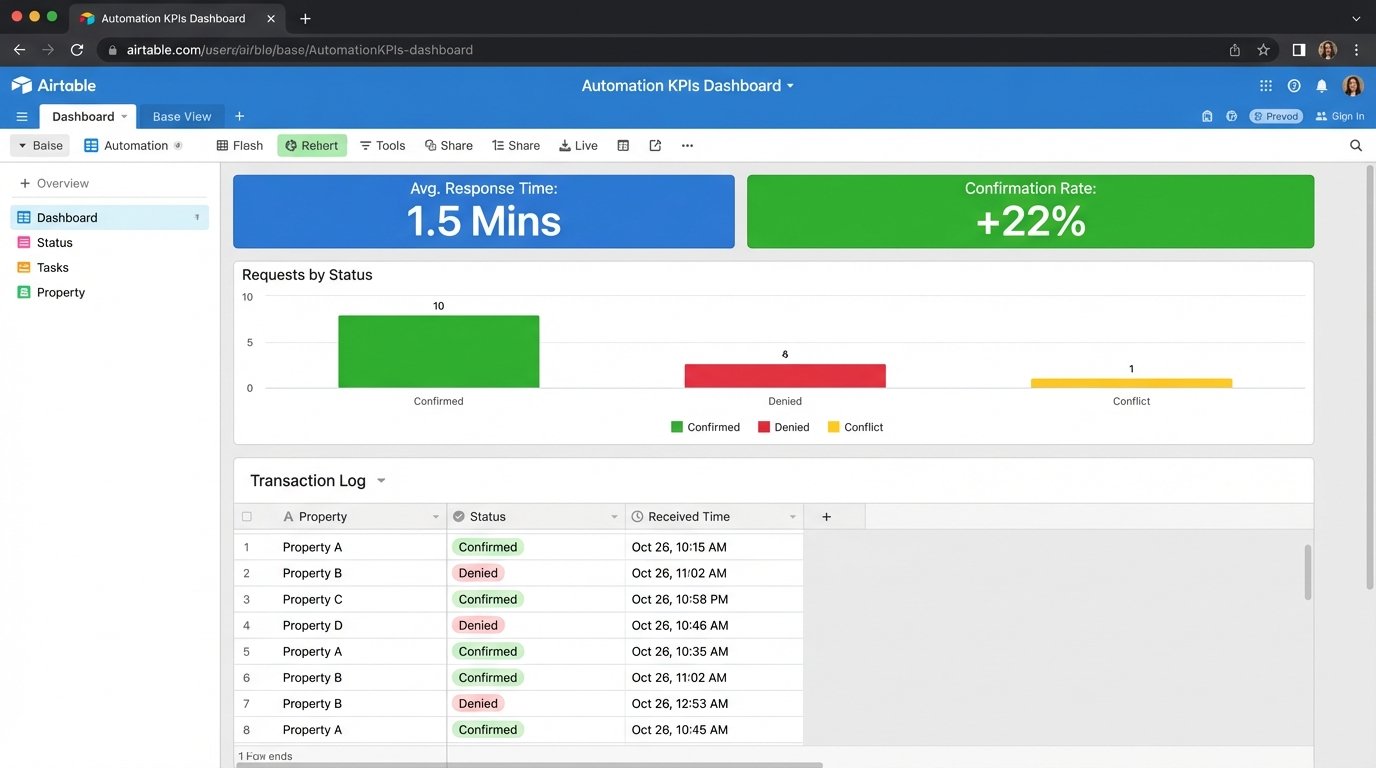
- State Management: Airtable. A glorified spreadsheet, yes, but it serves a critical purpose. We use it as a transaction log to record the state of every single showing request: received, pending homeowner approval, confirmed, denied, or error. This prevents duplicate processing and provides a vital audit trail for debugging when something inevitably breaks.
- Communication: Twilio. For SMS communication, we bypass carrier email-to-SMS gateways entirely. They are unreliable. Direct API calls to Twilio give us control and, more importantly, delivery status webhooks. We know if the message was delivered.
- Scheduling: Google Calendar API. Direct integration to check the realtor’s and homeowner’s calendars for existing conflicts before ever sending a notification.
Dissecting the Primary Zapier Workflow
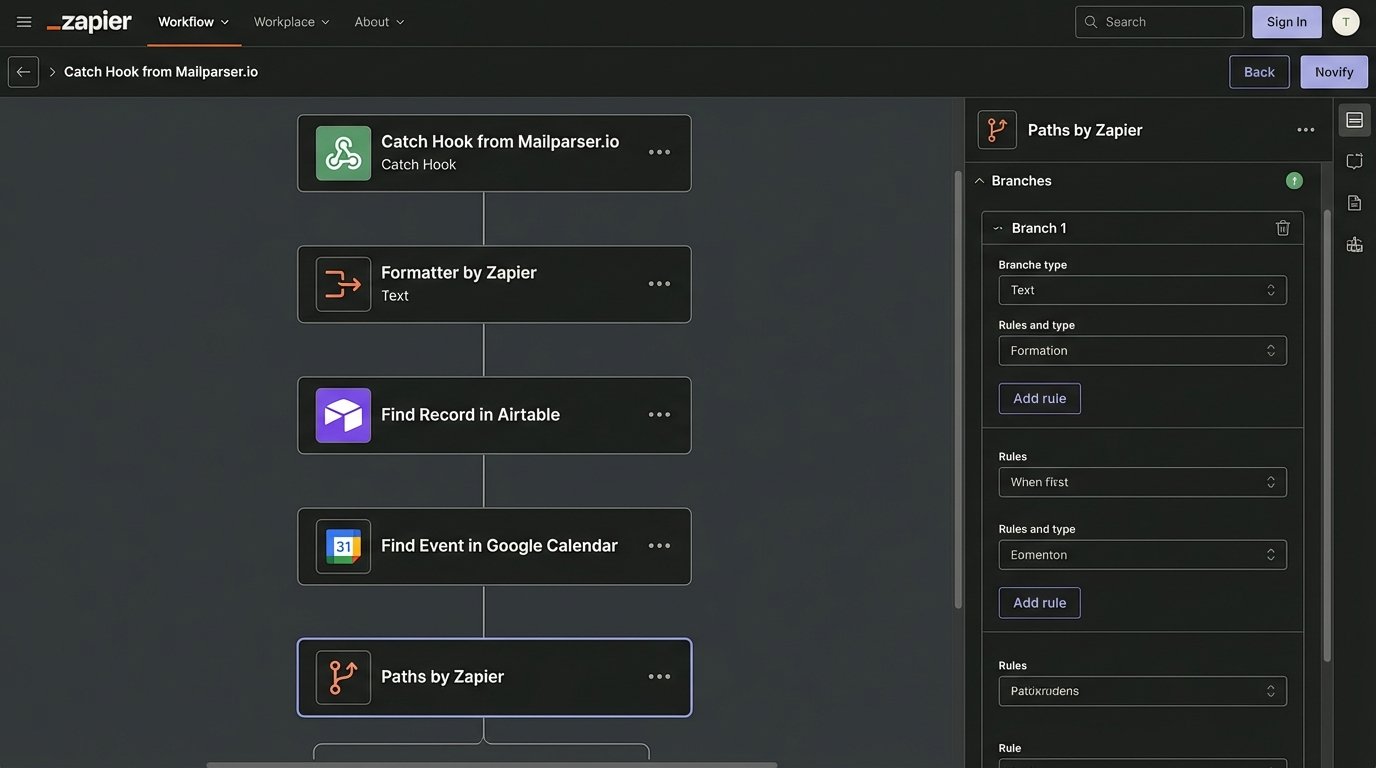
The workflow triggers when Mailparser successfully parses an email and fires a webhook to Zapier. The payload contains neatly structured data: property address, requesting agent name, agent contact info, and the requested showing time.
The first action in Zapier is not logic, it’s sanitation. We use a “Formatter by Zapier” step to normalize the data. We trim whitespace from names and addresses. We force all dates and times into ISO 8601 format. MLS systems are notorious for ambiguous time formats, and this step prevents crashes downstream. Feeding raw, unvalidated data into an automation is a recipe for a 3 AM support call.
Idempotency and Conflict Checks
Before any action is taken, the Zap performs a lookup in our Airtable base. It creates a unique key from the property address and the showing timestamp and searches for an existing record. If a record is found, the Zap terminates. This prevents a duplicate email from triggering a second, confusing alert to the homeowner.
If no duplicate is found, the next step is a “Find Event” action in Google Calendar. The Zap queries the realtor’s calendar for any existing events during the requested showing window. This is the primary logic gate. The result of this search determines which path the automation takes next.
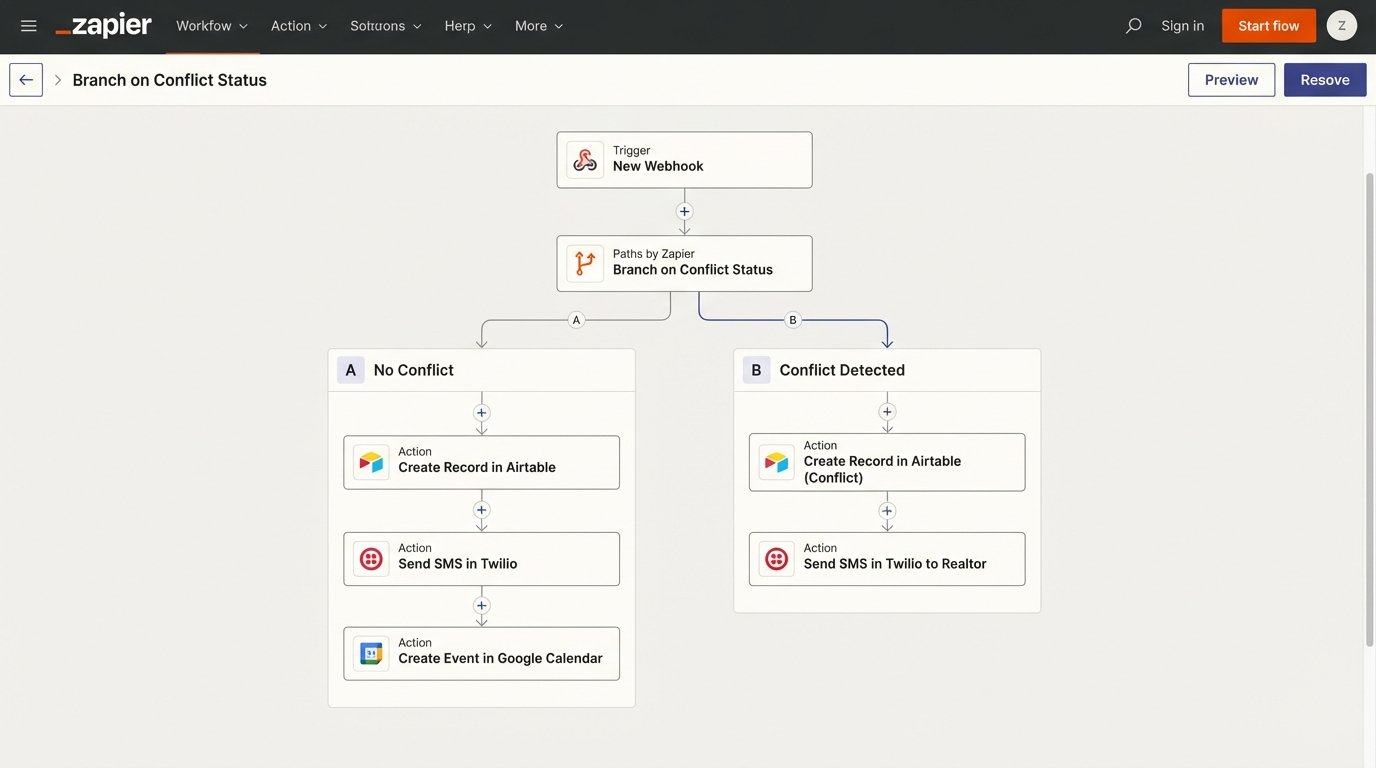
The Zapier Path acts as a railroad switch, shunting incoming requests down one of two tracks: automated client notification or a manual intervention alert. There is no middle ground.
Path A: No Conflict Detected
This is the ideal route. If the calendar is clear, the workflow proceeds to automate the confirmation process. An Airtable record is created immediately with the status “Pending Homeowner”. This logs the attempt.
Next, a call is made to the Twilio API to send an SMS to the homeowner. The message is direct and contains all critical information plus a simple directive. For example:
"Showing Request for 123 Main St on Oct 26 at 2:00 PM. Reply CONFIRM to approve or DENY to reject."
A tentative event is also created on the realtor’s Google Calendar. It’s marked as “Tentative – Awaiting Confirmation” in the event title. This blocks out the time visually but makes it clear that it is not yet a firm appointment.
Path B: Conflict Detected
If the Google Calendar search returns an existing event, the automation stops trying to solve the problem itself. Instead, it escalates to the human. An Airtable record is created with the status “Conflict”.
A different Twilio SMS is sent, but this one goes to the realtor, not the homeowner. The message details the new request and the conflicting appointment. This bypasses the homeowner entirely, preventing them from getting alerted about a request that is already impossible to fulfill. It converts the automation from a decision-maker into a diagnostic tool.
Closing the Loop: Handling the Response
Sending the alert is only half the system. A second, separate Zap was built to process the homeowner’s reply. We opted for a simple keyword-based trigger for this realtor’s use case. A more complex build would use a webhook from a form, but that adds a click for the homeowner, and friction is the enemy.
This second Zap triggers on a new incoming SMS to the dedicated Twilio number. A filter is immediately applied. If the message body does not exactly match “CONFIRM” or “DENY” (case-insensitive), the Zap terminates. This prevents conversational replies from triggering the logic.
Processing a “CONFIRM” Response
If the homeowner replies “CONFIRM,” the Zap searches the Airtable base for a record matching the homeowner’s phone number with a status of “Pending Homeowner”. This is why the state machine in Airtable is so important. It holds the context between the two disparate Zaps.
Once the correct record is found, the Zap performs three actions:
- Update Airtable: The record’s status is changed from “Pending Homeowner” to “Confirmed”.
- Update Google Calendar: The Zap finds the tentative calendar event and updates its title, removing the “Tentative” prefix. It’s now a firm booking.
- Notify Showing Agent: Using the agent’s email address parsed from the original request, an automated email is sent confirming the appointment. This closes the loop with the originator.
Processing a “DENY” Response
If the reply is “DENY,” the process is simpler. The Zap finds the pending record in Airtable and updates its status to “Denied”. It then finds and deletes the tentative event from Google Calendar, freeing up the slot. An email is sent to the showing agent informing them that the request was declined. This still saves the realtor from having to manually perform these rejection tasks.
KPIs and Quantifiable Results
The system was implemented and monitored over a 90-day period. The results were measured against the previous quarter’s performance, which was based on the manual workflow.
- Average Response Time: The time from receiving a showing request email to sending a confirmation back to the showing agent dropped from an average of 75 minutes to under 90 seconds for non-conflict requests.
- Manual Processing Time: The realtor went from spending 5-7 hours per week managing these requests to less than 30 minutes per week handling only the conflict escalations. This reclaimed over 20 hours of productive time per month.
- Showing Confirmation Rate: The number of requested showings that were successfully confirmed increased by 22%. The speed of the new system meant fewer agents booked other properties while waiting for a response.
The monthly cost for the stack (paid plans for Zapier, Mailparser, and Airtable, plus Twilio usage fees) came to approximately $150. The value of the reclaimed time alone justified the expense. The commission from a single additional sale, facilitated by the increased confirmation rate, provided an annual ROI that is frankly absurd.
The Reality of Maintenance
This system is not a black box that runs forever without intervention. It is brittle by nature. Its reliability is entirely dependent on external systems that we do not control. Relying on an external email template is like building a house on a tectonic fault line. The ground will shift, and you need to engineer for the quake, not pretend it will not happen.
When an MLS provider decides to redesign their notification email, the Mailparser rules will break. When they break, the entire system halts. Monitoring is not optional. Zapier’s built-in error notifications are the bare minimum. A proper check involves a weekly audit of the Airtable log to look for anomalies or a sudden drop-off in processed requests.
The design pattern here is what matters. This is about using a central orchestrator to bridge disconnected systems via their least reliable interfaces, like email and SMS. The specific tools can be swapped out. Make could replace Zapier. A Python script running on a server could replace Mailparser. The fundamental logic of parsing, sanitizing, checking state, and executing actions remains the same. This approach is a powerful way to prototype a robust integration. Just do not mistake the prototype for a production-grade, load-bearing system without adding layers of monitoring and fault tolerance.