
Case Study: De-Siloing a Real Estate Team with a Centralized Automation Hub
Every mid-sized real estate team eventually hits the same wall. Leads come in from Zillow, Realtor.com, their own IDX site, and a dozen other fragmented sources. Agents track them in spreadsheets. Follow-ups happen via personal Gmail accounts. The result is an operational black hole where leads go to die, and the team principal has zero visibility into who is working what, or why last quarter’s numbers were flat.
Our client, a 15-agent team in Austin, was drowning in this exact scenario. Their “tech stack” was a Frankenstein’s monster of disconnected tools held together with manual copy-pasting. The cost was palpable: a lead response time measured in hours, not minutes, and an inability to track a lead from first contact to closing. They didn’t need another app. They needed a central nervous system.
The Diagnosis: Data Fragmentation and Process Chaos
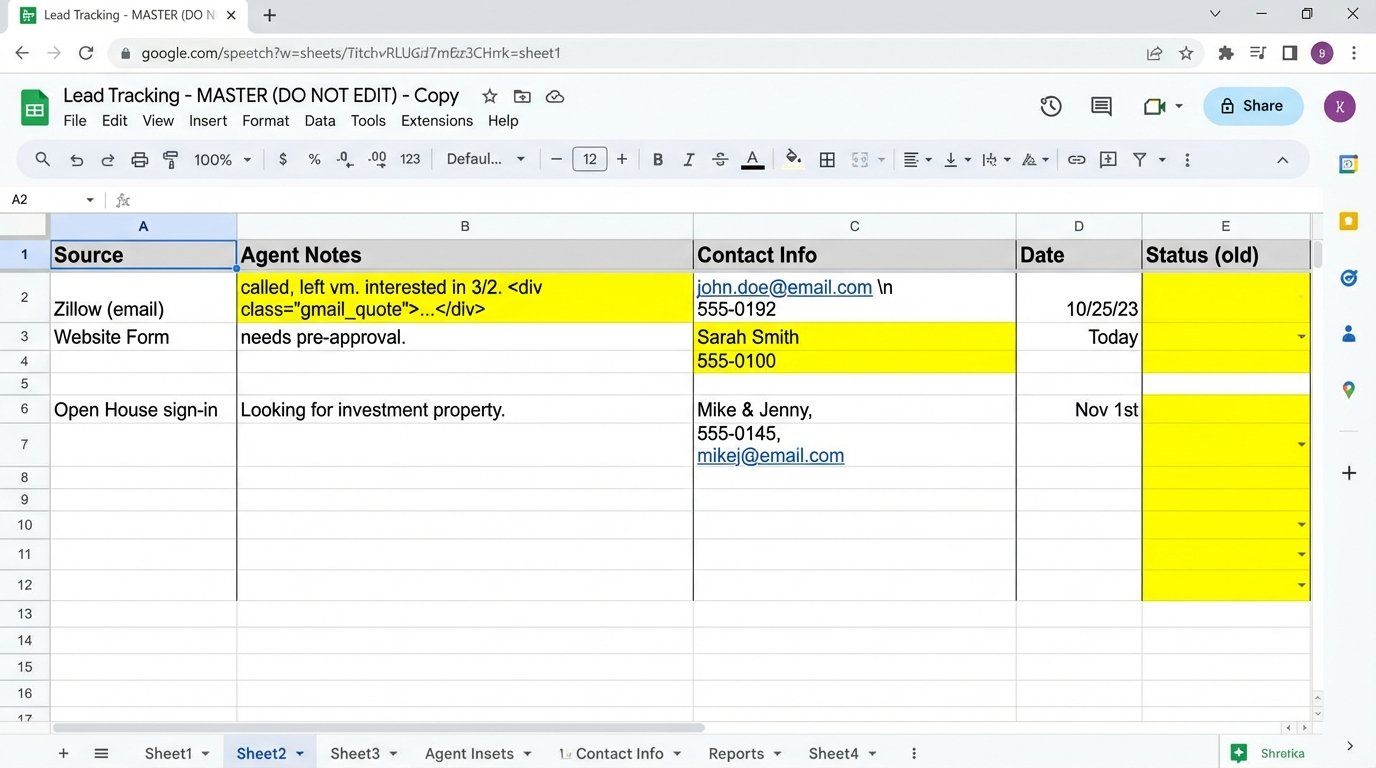
The first step was a full audit. We mapped every single source of inbound leads and every touchpoint an agent made. The picture was ugly. Zillow leads arrived as HTML-formatted emails, which an admin would manually parse to create a contact in a shared Google Sheet. Website leads from their Gravity Form went to a different spreadsheet. Open house sign-ins were on yet another.
This setup wasn’t just inefficient. It was a liability. There was no single source of truth. An agent might call a lead that a colleague had already disqualified. A hot lead from the website could sit untouched for half a day because the admin was at lunch. They were paying a fortune for lead generation and then letting the value evaporate through sheer operational neglect.
Their existing CRM was a glorified address book. It did nothing to automate the process or enforce a consistent workflow. It was a data graveyard.
Architecture of the Solution: Beyond a Simple CRM Migration
The team thought they needed a better CRM. What they actually needed was an automation architecture that treated the CRM as the central database, not the entire solution. We selected Follow Up Boss for its robust API and real estate-specific features, but the tool itself was secondary to the workflows we would build around it.
The architecture had three core pillars: Ingestion, Enrichment, and Action.
1. Unified Ingestion Logic
First, we had to funnel every lead, regardless of origin, into a single, standardized pipeline. The biggest offender was Zillow’s email notifications. We bypassed the manual data entry by routing those emails to Mailparser.io. We built a set of parsing rules to strip the lead’s name, email, phone, and property of interest from the email body and convert it into structured JSON.
That structured data was then fired via webhook to our automation platform, n8n. No more humans reading emails.
{
  "leadSource": "Zillow",
  "contact": {
    "firstName": "Jane",
    "lastName": "Doe",
    "email": "jane.doe@example.com",
    "phone": "555-123-4567"
  },
  "inquiry": {
    "propertyAddress": "123 Main St, Austin, TX 78701",
    "mlsId": "9876543"
  }
}
For web forms, we connected directly to the form’s webhook trigger. For spreadsheet imports from open houses, we built a simple Google Sheets trigger that fired when a new row was added. The goal was simple: no lead enters the ecosystem without being processed by the automation engine first. This put an end to data silos overnight.
2. Automated Enrichment
A lead with just a name and email is weak. A lead with context is powerful. Once a new contact was created in n8n, the workflow would trigger a series of enrichment steps before creating the record in the CRM.
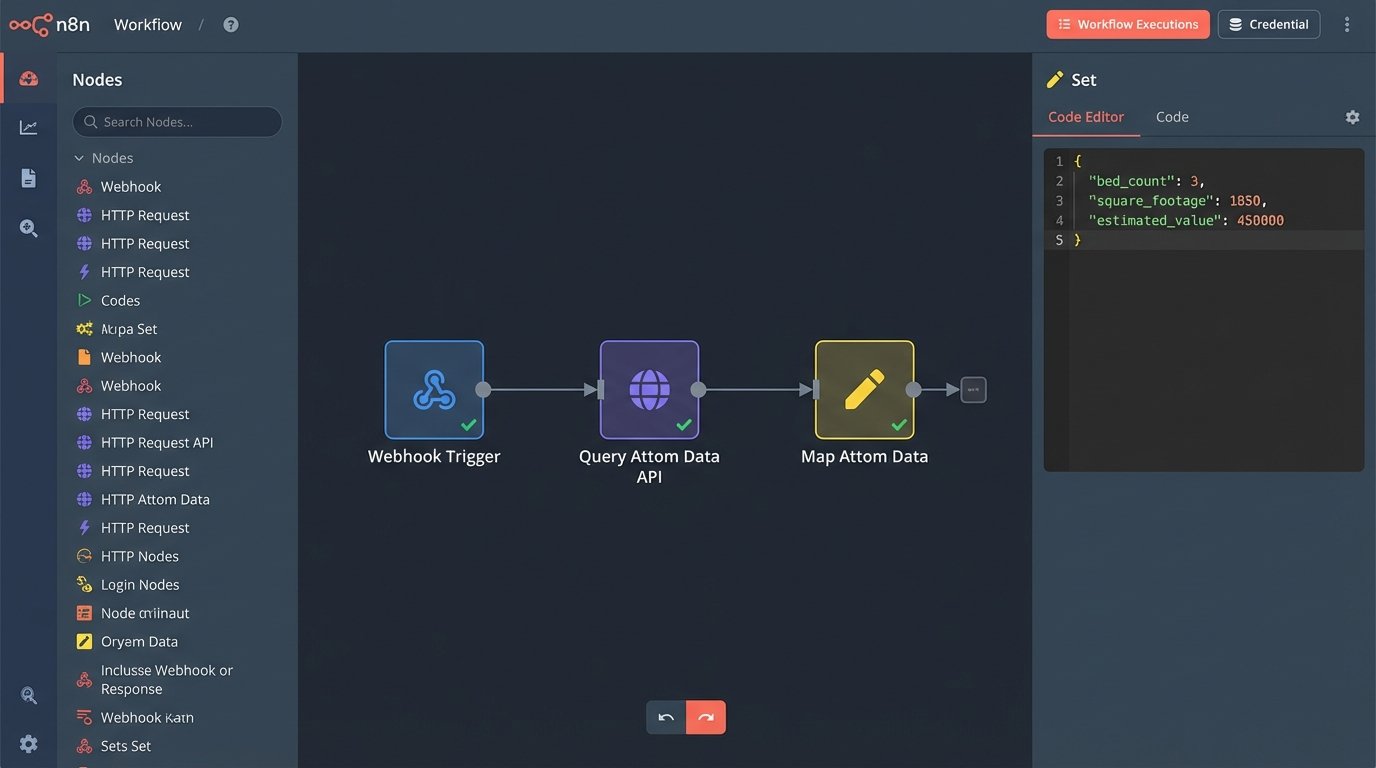
We hit the Attom Data API with the property address from the inquiry. This pulled back critical data like bed/bath count, square footage, last sale date, and estimated value. This information was appended to the lead’s record, giving the assigned agent immediate context for their first call. Trying to shove all this data into a single notes field is like trying to fit a shipping container in a mailbox. Instead, we mapped this data to custom fields in the CRM for clean, reportable storage.
This step had a direct cost per API call. The trade-off was clear: spend a few cents to arm an agent with intelligence, or waste ten minutes of that agent’s time while they manually look up the property. It was an easy calculation.
3. Intelligent Action and Routing
With a clean, enriched lead, the final step was to take action. We built a round-robin assignment system directly in n8n. The system logic-checked the lead source and price point to route it to the appropriate agent pool. For high-value leads over $1M, it would only cycle between the three senior agents. For rental leads, it went to the junior agents.
This simple expression handled the core distribution logic, ensuring a fair and balanced workload.
{{
  const agentIds = [101, 102, 103, 104]; // Agent IDs from the CRM
  const lastAgentIndex = parseInt($("Last Assigned Agent Index").item.json.value) || 0;
  const nextAgentIndex = (lastAgentIndex + 1) % agentIds.length;
  $("Set Agent Index").item.json.value = nextAgentIndex; // Store the new index
  return agentIds[nextAgentIndex];
}}
Once assigned, the automation fired a series of events. The agent received a text message with the lead’s key details. A task was created in their Follow Up Boss account to call within 5 minutes. The lead was automatically enrolled in a source-specific email drip campaign. The entire sequence, from lead submission to agent notification, now took less than 60 seconds.
The Measured Results: From Chaos to Conversion
The impact was not subtle. We tracked three key performance indicators before and after the implementation.
- Lead Response Time: Dropped from an average of 4 hours to under 3 minutes. This was the single biggest factor in improving initial contact rates.
- Agent Time Reclaimed: We calculated that agents saved a collective 40 hours per week previously spent on manual data entry, lead lookups, and administrative tasks. That’s an entire full-time employee’s worth of time, handed back to a team of 15 people to focus on selling.
- Lead Conversion Rate (Contact-to-Appointment): Increased by 22% in the first quarter. By enforcing a consistent, rapid follow-up process and providing agents with better data, more conversations were happening, and more appointments were being set.
The team principal could now pull up a dashboard and see the entire pipeline in real-time. The black hole was gone. In its place was a predictable, measurable system.
The Inevitable Hurdles
This project wasn’t a simple plug-and-play operation. The biggest challenge wasn’t technical. It was human. We had to break years of bad habits. Agents were used to their spreadsheets and personal systems. Forcing adoption of the central CRM required top-down enforcement and demonstrating clearly how the new system made their job easier, not harder.
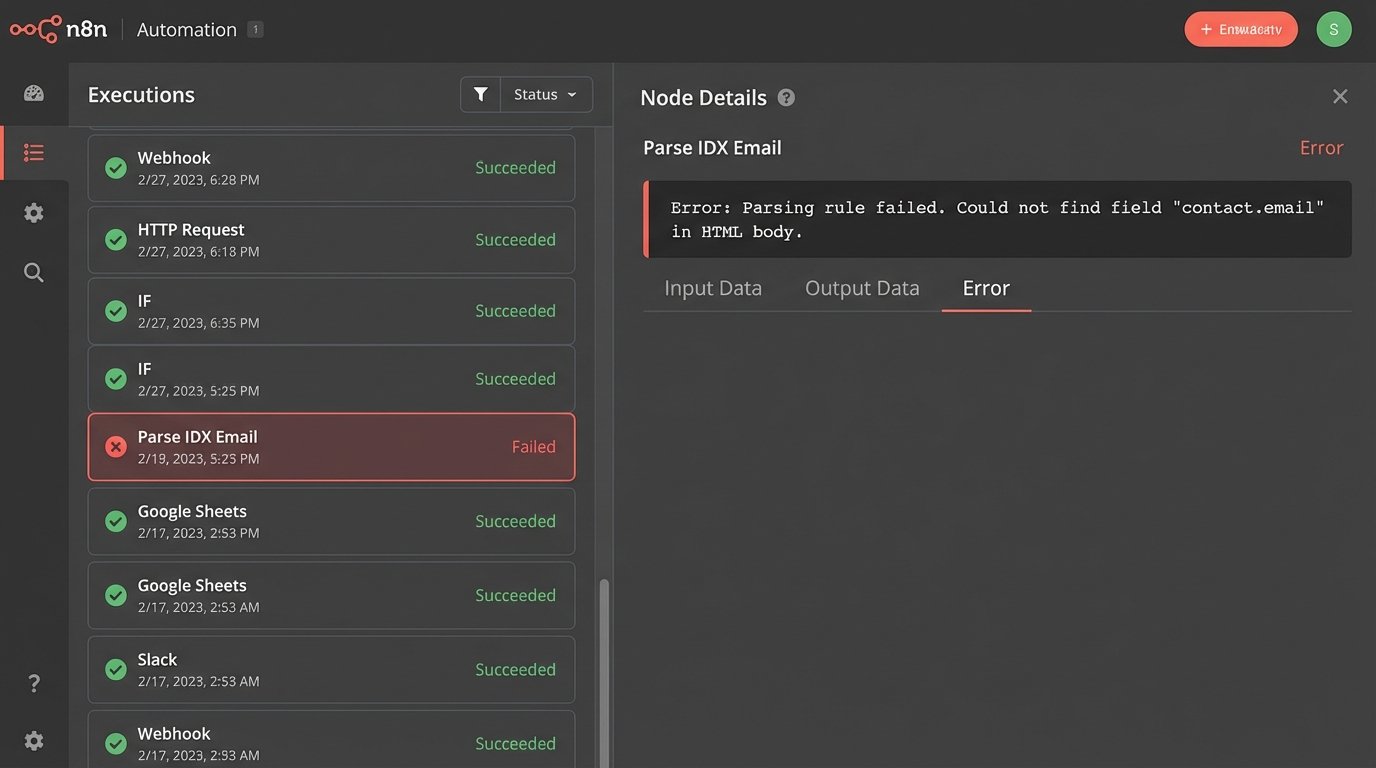
On the technical side, we had a scare when one of the smaller IDX providers changed their email notification format without warning, which broke our Mailparser rules. This forced us to build in better monitoring and error handling to catch parser failures before they resulted in lost leads. A system like this isn’t static. It’s a living thing that needs maintenance.
Ultimately, unifying the team’s operations wasn’t about the CRM. It was about building an automated engine around it. The CRM became the clean, reliable database it was always meant to be, fed by an intelligent workflow that stripped out manual work, enforced best practices, and gave the team a scalable platform for growth.