The Failure Point Was Manual Entry
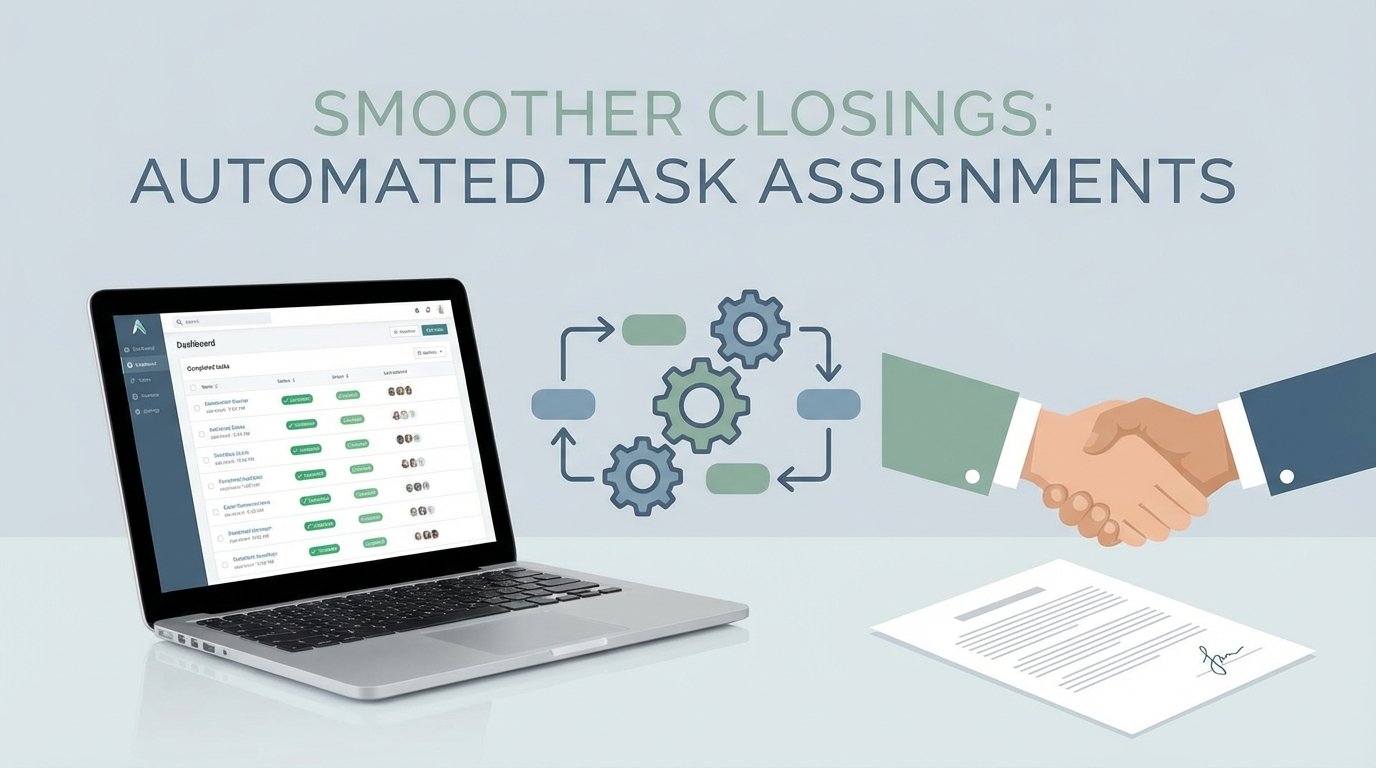
Every closing process at the firm began with a paralegal staring at two screens. On one, the client relationship management tool with a newly won deal. On the other, the project management system, empty. The next sixty minutes of their day involved transcribing dozens of fields to create a checklist of 47 rigidly defined tasks. Each task was manually assigned to a person on the closing, title, or survey team based on a mental model of who handled what.
This was the primary source of unforced errors. A transposed number in a parcel ID would send a surveyor to the wrong county. Assigning a title search to the junior associate instead of the senior specialist for a commercial property would trigger a compliance breach. The process was fragile, dependent entirely on human accuracy under pressure. The cost of one mistake was, on average, a 48-hour delay and several thousand dollars in rush fees. Multiplied across 200 closings a month, the financial drain was significant. The morale cost was worse.
Defining the Technical Debt
The problem wasn’t a lack of tools. The firm had a modern CRM and a subscription to a top-tier project management platform. The problem was the air gap between them. Data lived in one system and actions were required in another, with a stressed human acting as the biological API. This manual bridge was the single greatest point of failure and the source of our technical debt.
The core requirements for a fix were clear:
- Event-driven activation. The workflow must trigger automatically the moment a deal is moved to the “Closing” stage in the CRM. No polling, no daily batch jobs.
- Dynamic assignment logic. The system needed to assign tasks not just based on a static list, but on deal attributes. Commercial properties have different legal requirements than residential ones. The machine had to know the difference.
- Configuration over code. Paralegals and managers needed the ability to update task templates or assignment rules without submitting a development ticket. The logic had to be externalized from the execution code.
- Auditable and fault-tolerant. If an API call failed, it needed to retry. If a record was malformed, it needed to be logged and flagged for manual review. The automation could not be a black box.
We had to gut the manual process entirely.
Architecture of the Automated Bridge
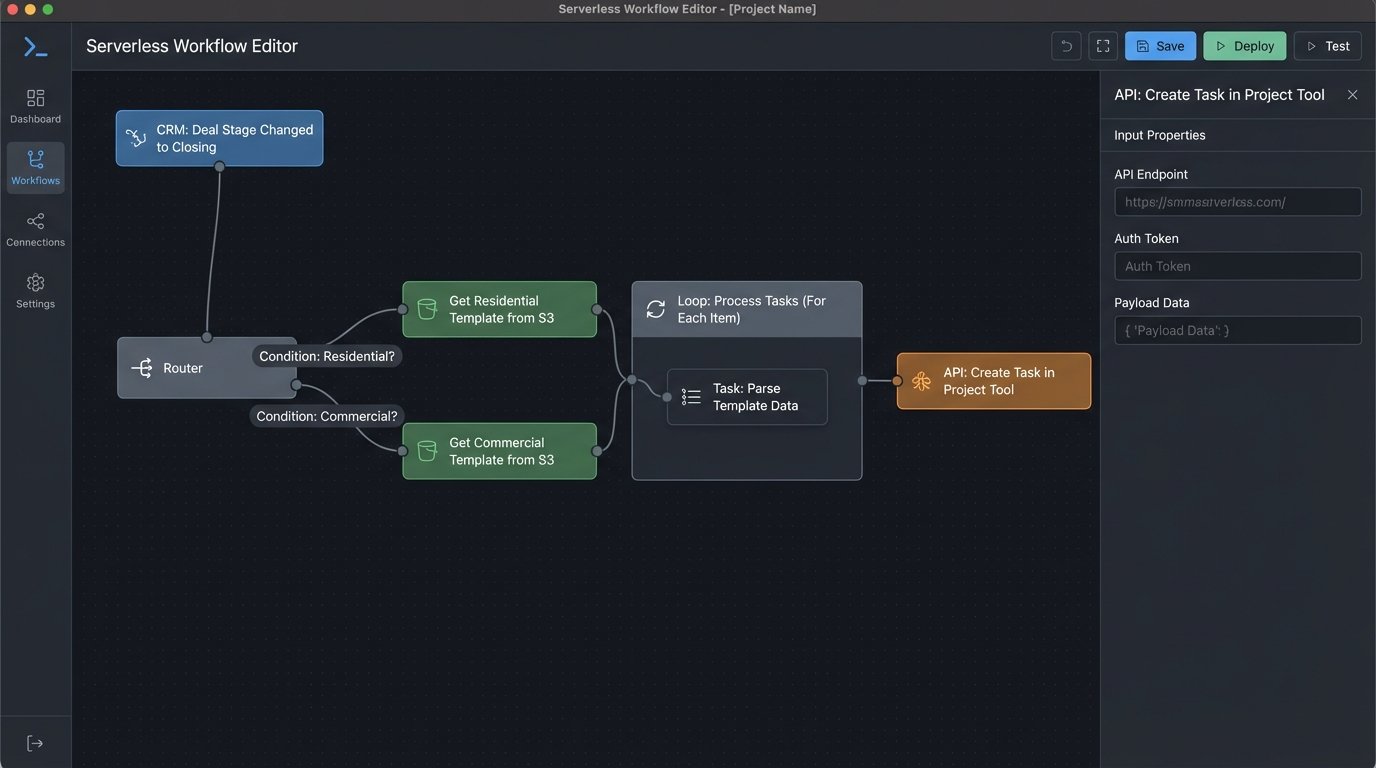
We chose a serverless architecture to bypass the need for provisioning and managing dedicated infrastructure. The entire workflow is a chain reaction kicked off by a single user action in the CRM. The cost is negligible, running only when a deal is processed.
The sequence is direct:
- CRM Webhook: A workflow rule in the CRM fires an outbound webhook when a deal’s `StageName` field is updated to ‘Closing Prep’. The webhook payload is a JSON object containing all relevant deal data: client info, property details, key dates, and assigned attorney.
- API Gateway: An AWS API Gateway endpoint receives the webhook. Its only job is to provide a stable HTTPs endpoint and trigger the correct Lambda function. It acts as the front door, authenticating the request and passing the payload onward.
- Lambda Function (Python): This is the core logic. A Python function ingests the JSON payload from the API Gateway event. It performs initial data validation and sanitization. It then fetches a corresponding task template.
- S3 for Task Templates: We stored our task lists as JSON files in an S3 bucket. A file named `residential_template.json` contains all tasks for a standard home closing, while `commercial_multifamily.json` has a more complex set. This lets the legal team edit these templates directly, updating task descriptions or adding new steps without us touching the code.
- Project Management API: The Lambda function iterates through the chosen template, dynamically injecting data from the CRM payload into each task’s name and description. It then makes a series of REST API calls to create and assign these tasks in the project management system.
The initial data validation step proved critical. Trying to map the unstructured text fields from the CRM to the rigid API schema of the project tool felt like shoving a firehose through a needle. We had to build a sanitation layer that would strip special characters, enforce character limits, and provide default values for optional fields that the API expected to be non-null.
Core Processing Logic
The Lambda function is where the system gets its intelligence. After validating the incoming payload, its first job is to select the correct template. A simple `if/elif/else` block checks the `DealType` field from the CRM data. If it’s ‘Residential’, it pulls that template from S3. If ‘Commercial’, it pulls another. This logic is basic but effective.
The real work happens inside the loop that processes the template. The template contains placeholders, like `{client_name}` or `{property_address}`. The function uses simple string replacement to inject the actual data from the CRM payload into these slots. The assignment logic is also handled here. A dictionary maps roles like ‘Primary Attorney’ to their specific user ID in the project management tool. The function looks up the correct user ID and includes it in the API request.
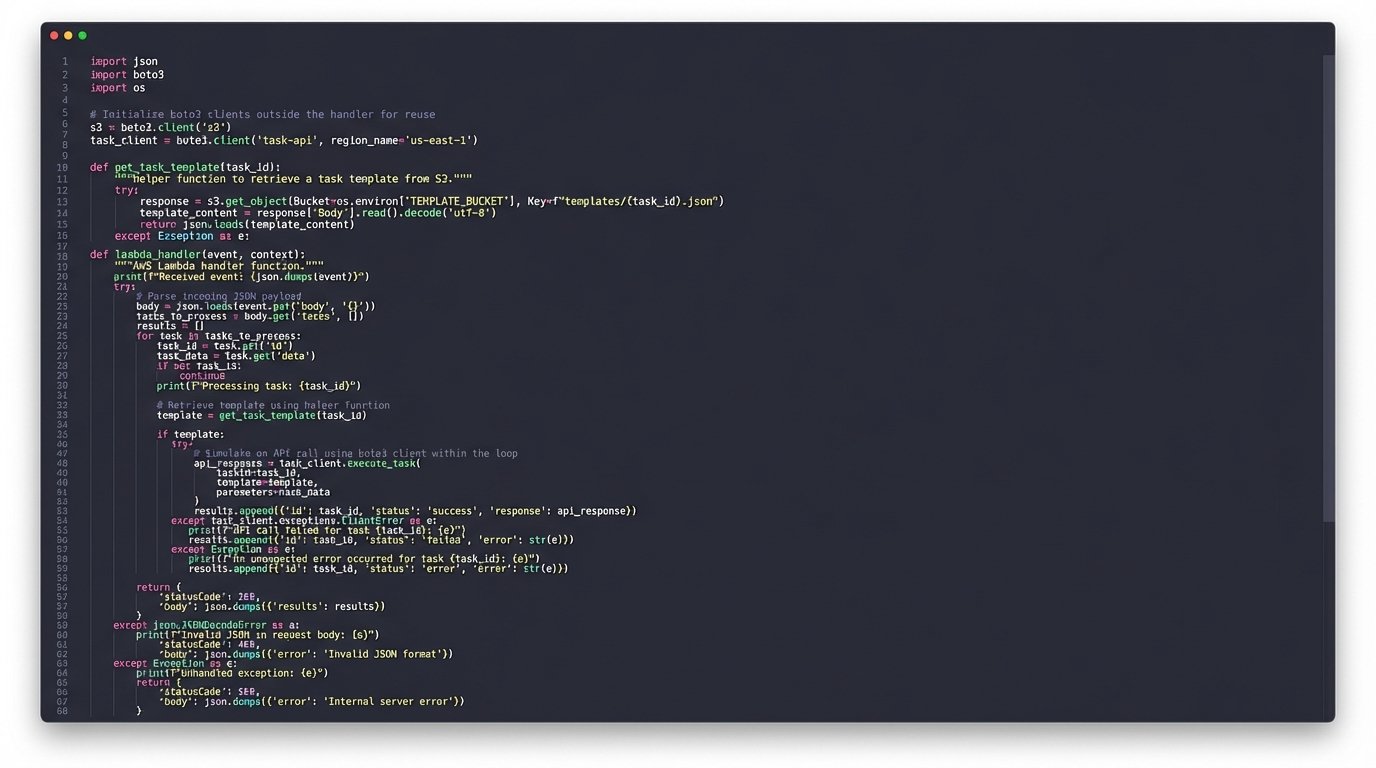
Here is a simplified block from the Python Lambda handler showing the general structure. This omits the full API client and error handling for clarity.
import json

import boto3
# Assume pm_client is a pre-configured client for the project management API
# Assume TEMPLATE_BUCKET is an environment variable with the S3 bucket name
s3 = boto3.client('s3')
def get_task_template(deal_type):
"""Fetches the correct JSON task template from S3."""
key = f"{deal_type.lower()}_template.json"
try:
response = s3.get_object(Bucket=TEMPLATE_BUCKET, Key=key)
template = json.loads(response['Body'].read().decode('utf-8'))
return template
except Exception as e:
# Log error and fall back to a default template or raise exception
print(f"Could not fetch template for {key}. Error: {e}")
raise
def lambda_handler(event, context):
"""Processes incoming deal from CRM webhook."""
try:
deal_data = json.loads(event['body'])
except json.JSONDecodeError:
return {'statusCode': 400, 'body': 'Invalid JSON payload'}
# Basic data validation
if 'deal_id' not in deal_data or 'deal_type' not in deal_data:
return {'statusCode': 400, 'body': 'Missing required deal fields'}
deal_type = deal_data.get('deal_type', 'default')
task_template = get_task_template(deal_type)
project_id = create_project_for_deal(deal_data) # Assumes a function to create a parent project
for task in task_template['tasks']:
# Inject dynamic data into task details
task_name = task['name'].format(**deal_data)
task_notes = task['notes'].format(**deal_data)
# Logic to determine assignee based on role
assignee_role = task['assignee_role']
assignee_id = get_user_id_from_role(deal_data, assignee_role)
try:
# Make the API call to create the task
pm_client.create_task(
project_id=project_id,
name=task_name,
notes=task_notes,
assignee=assignee_id,
due_date=calculate_due_date(deal_data['closing_date'], task['offset_days'])
)
except Exception as api_error:
# Important: Log the failure for this specific task but continue the loop
print(f"Failed to create task '{task_name}' for deal {deal_data['deal_id']}. Error: {api_error}")
return {'statusCode': 200, 'body': f"Successfully processed deal {deal_data['deal_id']}"}
The most important part of this code is the `try/except` block inside the loop. An API failure for one task should not terminate the entire process. It logs the failure and moves on, ensuring that the other 46 tasks are still created. A separate monitoring process checks these logs for failures that require manual intervention.
Results and Metrics
The system was rolled out over a two-week period, starting with a single closing team. We monitored the logs closely. After the initial tuning to account for edge cases in the CRM data, the results were immediate and quantifiable.
Quantitative Impact
We measured performance against the baseline from the three months prior to implementation.
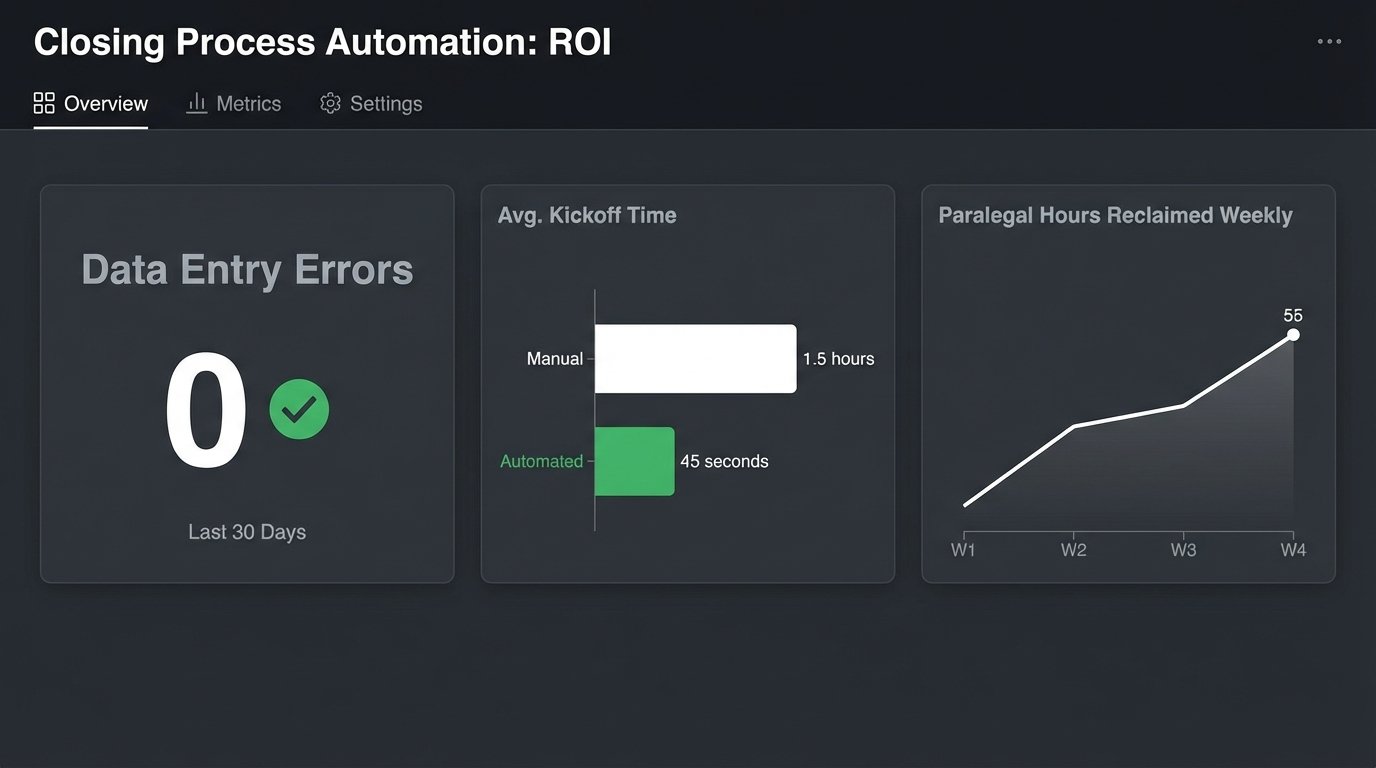
- Reduction in Manual Errors: Task assignment and data entry errors dropped from an average of 3.2 per closing to zero. The automation did not make typos. This metric alone justified the project.
- Time Savings: We reclaimed approximately 55 hours of paralegal time per week across the firm. This time was previously spent on monotonous data entry. Now it is redirected to client-facing communication and quality control.
- Faster Closing Kickoff: The time from a deal moving to “Closing Prep” to all initial tasks being assigned and visible to the team was reduced from an average of 1.5 hours (depending on paralegal availability) to 45 seconds.
The AWS cost for this entire workflow is less than $50 per month. The return on investment was realized within the first week of full deployment.
Qualitative Impact
The numbers do not tell the whole story. The biggest change was a reduction in operational friction. The closing teams started their work with a complete, accurate checklist every single time. They could trust the data in their project management tool. There were no more arguments about who was supposed to order the survey or why the title search was assigned to the wrong person.
This automation did not just make the process faster. It made it more reliable. By ripping out the most error-prone step, the manual transcription of data, we fortified the entire closing pipeline. The teams now focus on executing legal work, not correcting administrative mistakes. This system doesn’t remove the need for skilled people. It just gets the stupid stuff out of their way.