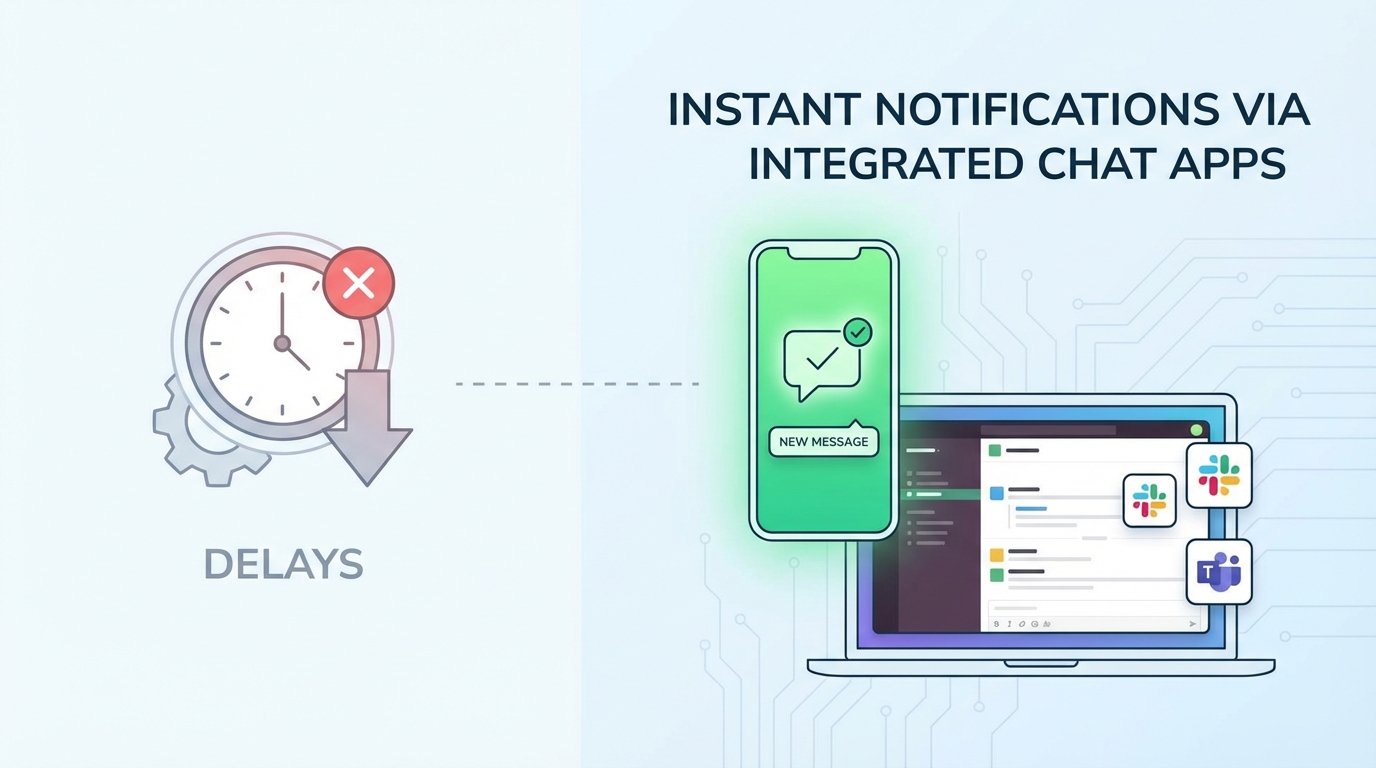
A production deployment fails at 2:17 AM. The CI/CD platform does exactly what it was configured to do. It dutifully sends an email notification detailing the failure, the commit hash, and the failed stage. That email lands in a shared engineering inbox, gets filtered into a subdirectory by a forgotten Outlook rule, and is seen at 8:45 AM when the day shift logs on. Six hours of production downtime because the alert mechanism was fundamentally broken.
This isn’t a hypothetical. It’s a standard failure mode. We spend weeks architecting resilient systems but bolt on a notification strategy built with 1990s technology. Email is not an alerting tool for immediate action. It is a low-priority, asynchronous message queue plagued by latency, aggressive spam filtering, and human inattention. Relying on it for critical system failures is professional negligence.
The Architectural Flaw in SMTP-Based Alerting
The standard process is simple. A Jenkins, GitLab, or Ansible runner executes a post-build action that connects to an SMTP server and sends a message. It’s built-in, cheap, and requires minimal configuration. That surface-level convenience hides a brittle chain of dependencies. Your automation server talks to a local mail relay. That relay negotiates with your corporate mail server. That server then has to negotiate with the recipient’s mail server. Any one of these links can introduce fatal delays or black-hole the message entirely.
We’ve seen corporate email gateways quarantine critical failure alerts for hours because a log snippet contained a string that matched a generic malware signature. The system worked perfectly, but the information delivery failed catastrophically. The core problem is that email was designed for person-to-person communication, not for the high-urgency, machine-to-person data bursts required for system monitoring. Using SMTP for critical alerts is like sending a fire alarm notification via the postal service. The message might get there eventually, but the building will already be a pile of ash.
The Fix: Direct API Injection into Chat Platforms
The solution is to surgically bypass the entire email infrastructure. We must inject alerts directly into the platforms where engineers and operations personnel spend their time: chat applications like Slack and Microsoft Teams. This isn’t just about forwarding an email to a channel. It’s about building a dedicated, low-latency pipeline from the event source straight to the operator’s screen. A true integration requires treating the chat platform as a first-class API endpoint, not an afterthought.
A proper architecture has four distinct stages. First, the Source, which is the CI/CD job, cron script, or monitoring agent that detects the event. Second, the Payload Constructor, a dedicated function that strips extraneous data and builds a structured JSON object tailored for the target chat API. Third, the Transport Layer, which is a direct, authenticated HTTPS call to the Slack or Teams API endpoint. Fourth, the Receiver, a specific channel or user group designated for these alerts. Each stage must be engineered, not just configured.
Dissecting the Payloads: Slack’s Block Kit vs. Teams’ Adaptive Cards
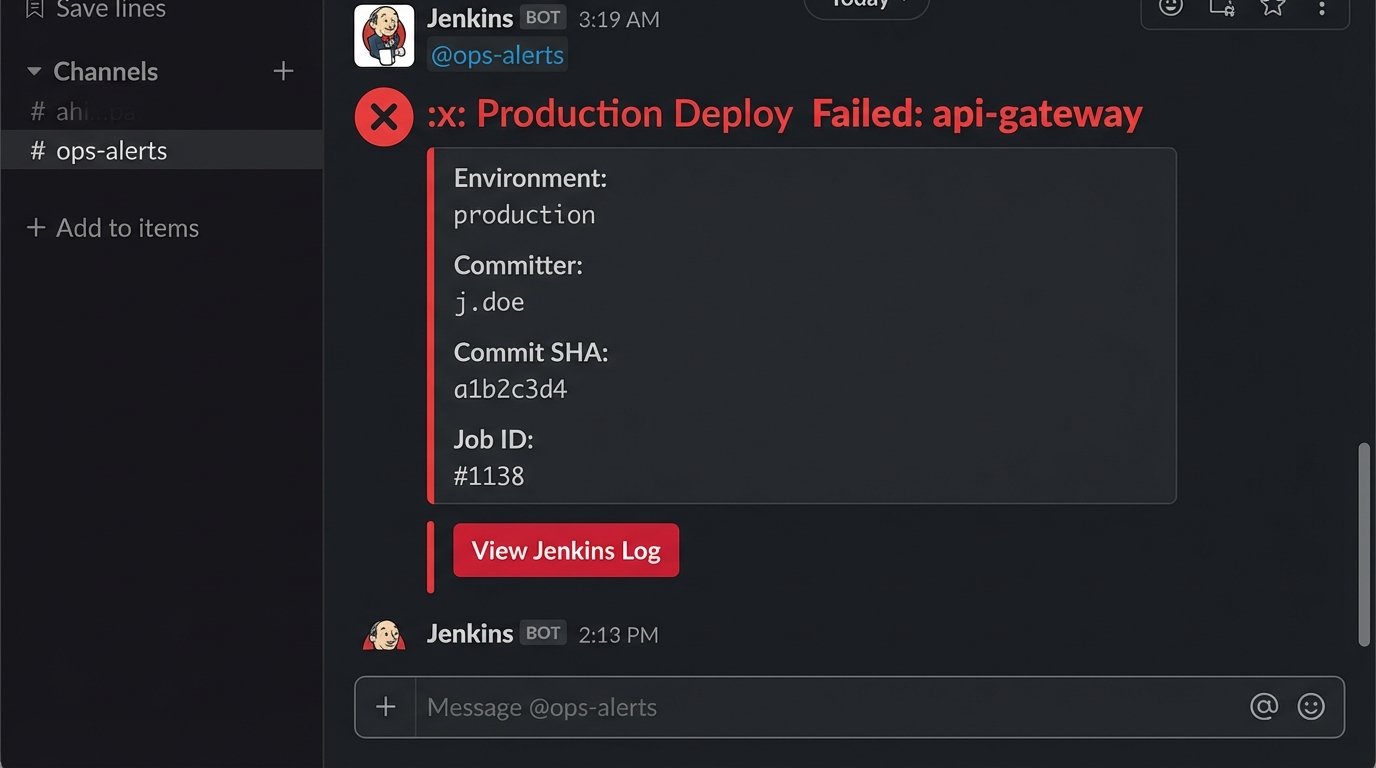
A simple text message is better than an email, but it’s still information-poor. To make notifications actionable, you must use the rich formatting capabilities of the target platform. This means structuring your data correctly. Sending a raw log dump is useless. You must extract the critical context: the service name, the environment, the commit ID, the author, and a direct link to the failed job.
Slack uses a JSON-based framework called Block Kit. It provides a set of layout blocks for creating messages with clear visual hierarchy, embedded data tables, and interactive components like buttons. The structure is relatively intuitive. You define sections, add text objects with markdown support, and can group related information into fields. It’s a powerful way to present dense technical information without overwhelming the reader.
Microsoft Teams uses a different standard called Adaptive Cards. It’s an open-source framework, but the JSON schema is more verbose and less forgiving than Slack’s Block Kit. While powerful, building a complex card often feels like writing boilerplate. The core concepts are similar: you have containers, text blocks, fact sets, and actions. The key is that the payload you build for Slack will not work for Teams, and vice versa. Your payload constructor must be logic-aware of its target destination.
Here is a bare-bones JSON payload for a failed build notification using Slack’s Block Kit. Notice the structure separates the main alert from the contextual details, making it immediately scannable.
{
    "channel": "C012AB3CD",
    "blocks": [
        {
            "type": "header",
            "text": {
                "type": "plain_text",
                "text": ":x: Production Deploy Failed: api-gateway"
            }
        },
        {
            "type": "section",
            "fields": [
                {
                    "type": "mrkdwn",
                    "text": "*Environment:*\n`production`"
                },
                {
                    "type": "mrkdwn",
                    "text": "*Committer:*\n`j.doe`"
                },
                {
                    "type": "mrkdwn",
                    "text": "*Commit SHA:*\n`a1b2c3d4`"
                },
                {
                    "type": "mrkdwn",
                    "text": "*Job ID:*\n`#1138`"
                }
            ]
        },
        {
            "type": "actions",
            "elements": [
                {
                    "type": "button",
                    "text": {
                        "type": "plain_text",
                        "text": "View Jenkins Log"
                    },
                    "style": "danger",
                    "url": "http://jenkins.example.com/job/api-gateway/1138/"
                }
            ]
        }
    ]
}
Implementation Patterns: From Dumb Webhooks to Logic-Driven Functions
The most common approach is the simple incoming webhook. You generate a secret URL in Slack or Teams and configure your CI tool to POST a JSON payload to it. This is the quick and dirty method. Its primary weakness is its lack of intelligence. The webhook URL is hardcoded to a specific channel. There’s no room for routing, retries, or error handling. It’s a fire-and-forget mechanism that works until it doesn’t.
A far superior pattern is to decouple the source from the destination using an intermediate serverless function, such as AWS Lambda or Google Cloud Functions. Your CI tool makes a simple, generic call to your function’s API Gateway endpoint. The function then contains all the business logic. It inspects the incoming payload, decides the alert’s severity, formats the message specifically for Slack or Teams, and routes it to the correct channel. This is the traffic cop for your notifications, preventing a pile-up of malformed or low-priority messages in your critical channels.
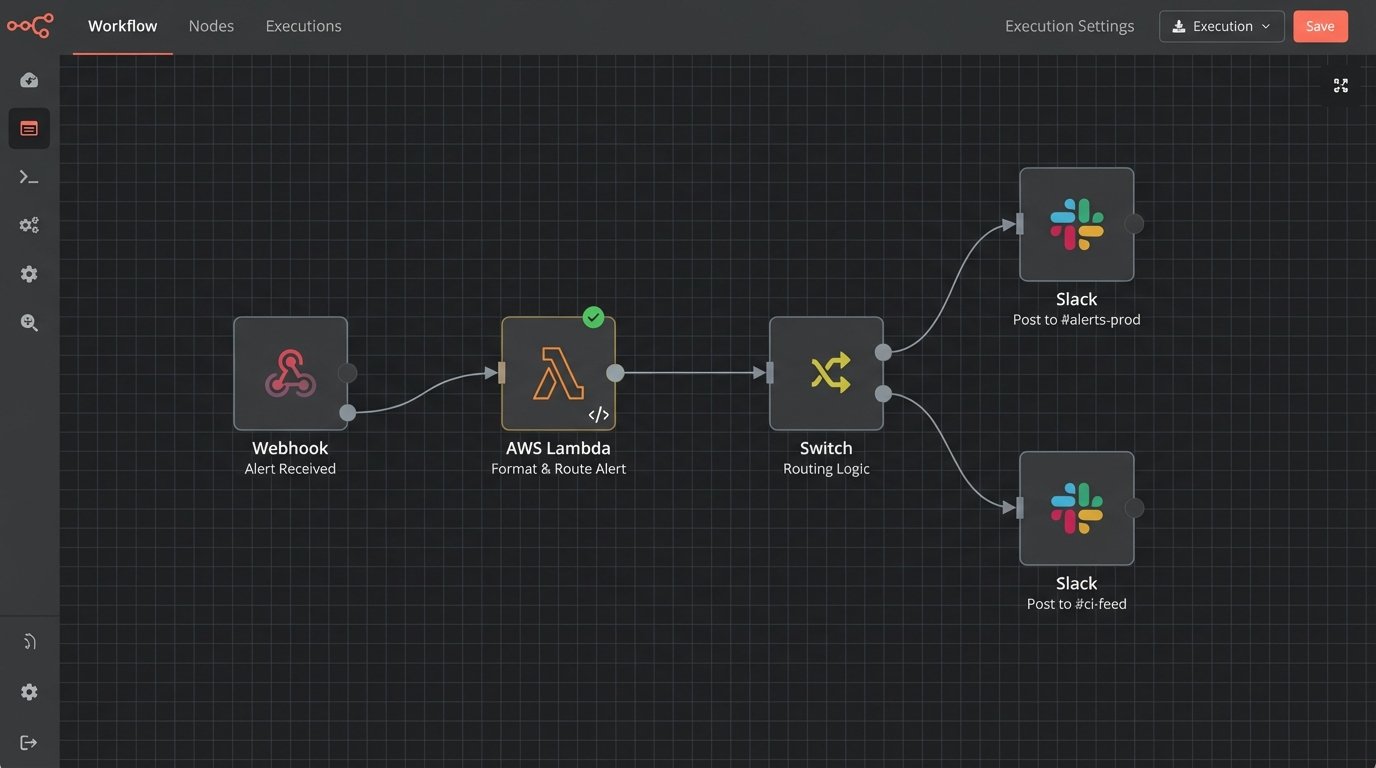
This approach gives you immense power. You can build logic to suppress noisy, flapping alerts. You can add a fallback mechanism to page a specific on-call engineer via another service if the initial Slack message fails to post. The CI tool’s configuration stays simple and stable, while all the complex notification logic is centralized, version-controlled, and testable within the function. This is how you build a resilient notification pipeline instead of just a webhook integration.
The Inevitable Gotchas and Operational Headaches
This approach is not without its own set of problems. Chat platforms aggressively rate-limit their APIs to prevent abuse. If a misconfigured deployment script triggers a dozen failures in a few seconds, your bot will get temporarily blocked. Your intermediate function needs to handle `429 Too Many Requests` responses with an intelligent backoff-and-retry strategy. Ignoring this guarantees your alerts will be dropped during the most critical, high-traffic failure events.
Authentication is another minefield. API tokens and webhook URLs are secrets. Hardcoding them into a Jenkinsfile or a public Git repository is a security incident waiting to happen. All credentials must be stored and retrieved from a proper secrets manager like HashiCorp Vault, AWS Secrets Manager, or Azure Key Vault. Your CI runners and serverless functions should be granted IAM roles that give them temporary, scoped access to only the specific secrets they need.
The most significant operational challenge is not technical. It’s alert fatigue. When you make it easy to send notifications, every team will want to pipe every log line into a channel. This quickly turns a high-signal channel into useless noise that everyone mutes. The solution requires strict governance. You must force a distinction between critical failures and informational logs. Critical, human-intervention-required alerts go into a protected, low-volume `#alerts-prod` channel. Verbose deployment logs go into a separate `#ci-feed` channel that people can check at their leisure. An unfiltered alert channel is like trying to hear a single conversation in a crowded stadium. It’s just noise.
Advanced Implementations: Two-Way Interaction
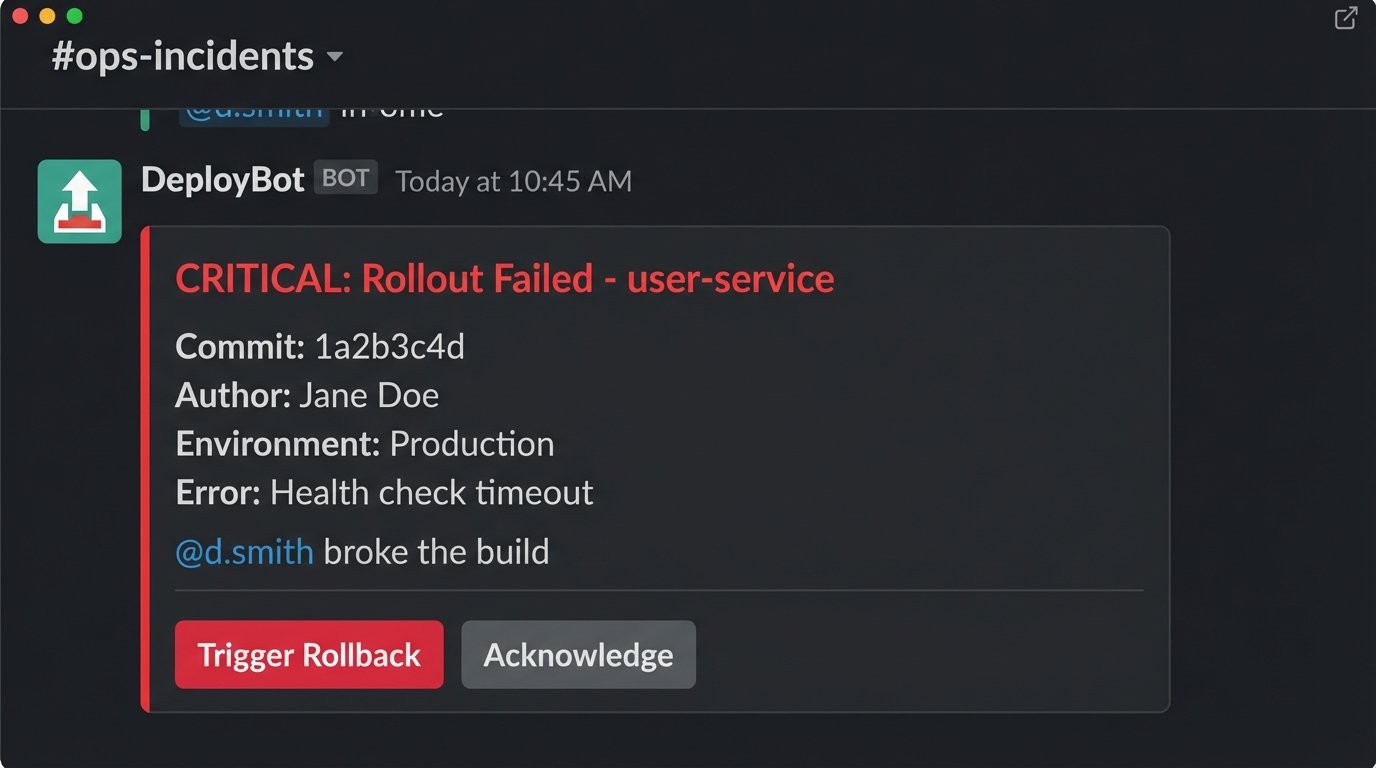
Once the notification pipeline is solid, you can evolve it from a simple alert system into an interactive ChatOps tool. Using Slack’s interactive components or Teams’ Action.Submit, you can add buttons to your notifications that trigger follow-up actions. A failed deployment alert can have a “Rollback to Previous” button that, when clicked, sends a request back to your intermediate function. The function then validates the user’s permission and triggers the rollback job in your CI platform.
This creates a powerful feedback loop. It allows operators to take immediate, corrective action directly from the chat client, shrinking the mean time to recovery (MTTR). Another powerful technique is dynamic user tagging. Your payload constructor can parse the Git log, identify the author of the breaking commit via their email, look up their Slack or Teams user ID from a directory, and inject an `@mention` directly into the failure notification. This forces accountability and ensures the right person sees the alert immediately.
Building these capabilities requires moving beyond simple webhooks and using the full chat platform APIs. It involves handling security scopes, user authentication, and maintaining state. It is a significant engineering investment. But it transforms your alerting system from a passive fire alarm into an active firefighting tool.
The latency between a critical system event and human awareness is a direct business risk. Every second that a production service is down costs money and erodes customer trust. Relying on email for these alerts is an obsolete practice rooted in convenience, not effectiveness. The engineering effort required to build a direct, logic-driven chat integration is not a luxury. It is a fundamental requirement for operating modern, distributed systems. The goal is to close the information gap, and this is the most direct way to force it shut.