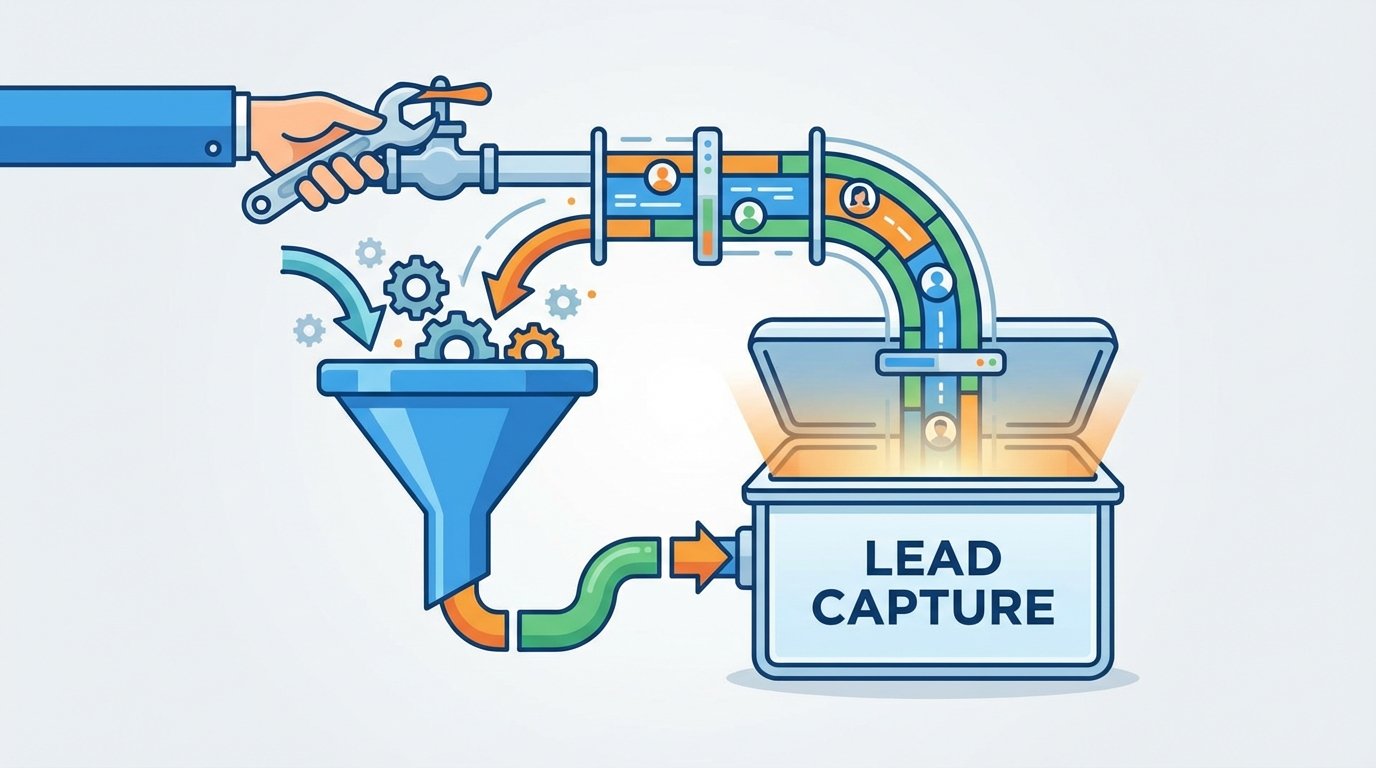
Your Lead Funnel Is Leaking. Stop Pretending It Is Not.
Every lead capture process built on manual exports and flimsy connectors is broken. Marketing teams celebrate a high volume of form submissions while engineering knows the truth. A significant percentage of those leads are either lost entirely or arrive in the CRM so late they are functionally useless. The latency between a user clicking “submit” and a sales rep seeing that contact is where revenue goes to die. It is a systemic failure we keep patching with more spreadsheets.
The core problem is the primitive architecture connecting a stateless web form to a stateful system of record. Most setups involve a direct, brittle pipe from a form plugin straight to a CRM API, or worse, a human downloading a CSV file. Both methods lack the resilience, validation, and monitoring required for a system that directly impacts revenue. When a single API key expires or a new field is added to a form, the entire thing shatters silently. No one notices for weeks.
We are going to diagnose these failure points and then architect a proper, decoupled ingestion layer. This is not about finding a better plugin. It is about building a durable system that treats leads like the critical assets they are.
Diagnosing the Failure Points
Before building a solution, we have to map the exact locations where data is dropped, corrupted, or delayed. These are not edge cases. They are guaranteed outcomes in any system that relies on hope as a strategy for data integrity.
Failure Point 1: The Manual CSV Shuffle
The most common and destructive process involves a marketing coordinator logging into a platform, be it WordPress, Unbounce, or some other landing page builder, to download a CSV of the day’s leads. This file is then manually imported into Salesforce, HubSpot, or another CRM. This workflow is a graveyard for data. Column headers get misinterpreted, character encoding mangles names, and human error during the import process assigns leads to the wrong campaigns or owners.
The delay is the most toxic part. A lead submitted on a Monday might not enter the CRM until a Wednesday import. By that time, the prospect’s intent has cooled, and a competitor has already made contact. This is not a process. It is a liability.
Failure Point 2: Brittle Point-to-Point Integrations
The next step up the evolutionary ladder is the direct plugin integration. A Gravity Forms or Contact Form 7 extension that promises a “seamless” connection to your CRM. These tools create a direct API link from the web server to the CRM. When they work, they are fast. When they fail, they provide zero visibility.
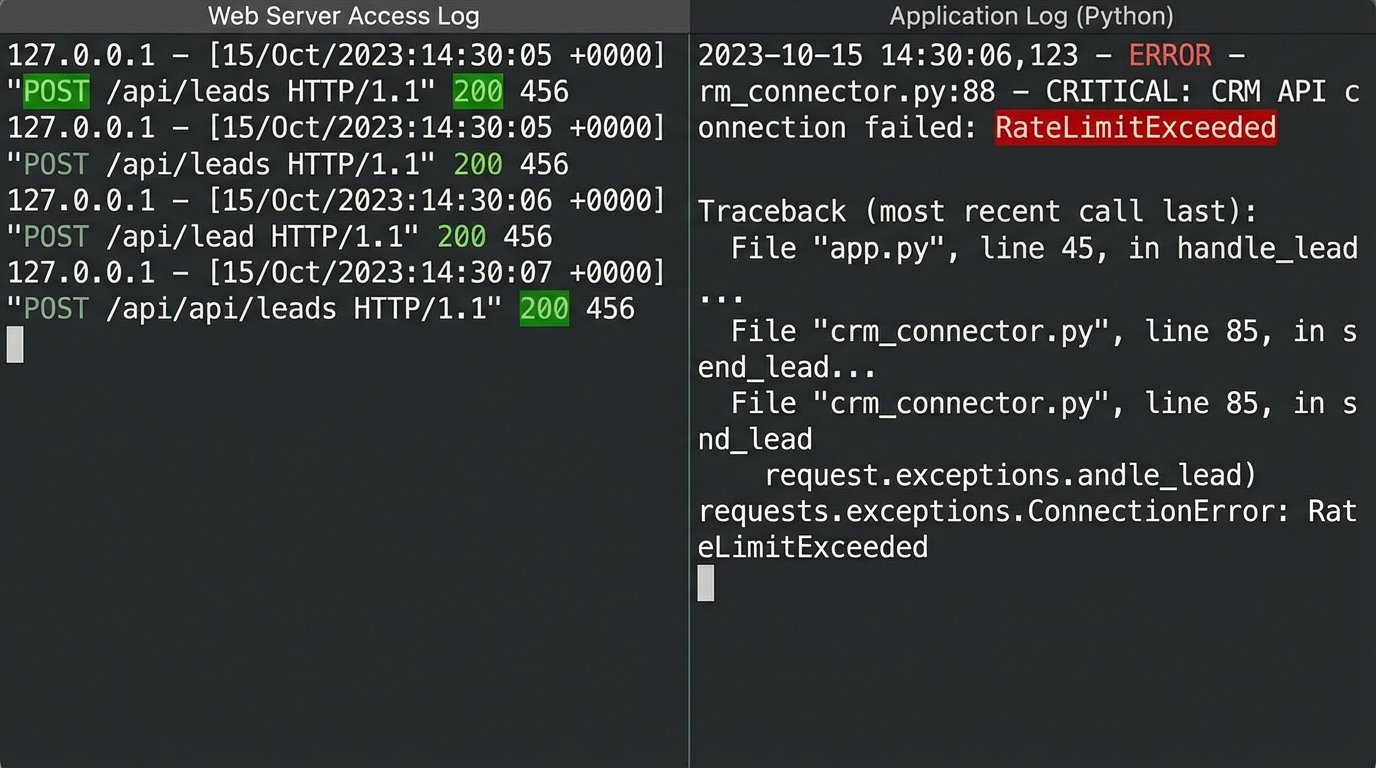
Consider what happens when the CRM’s API rate limits are hit during a high-traffic event. The connector might not have built-in retry logic with exponential backoff. It just fails. The lead vanishes. There is no alert, no dead-letter queue, just a void where a prospect used to be. You are entirely dependent on the plugin developer’s error handling, which is often an afterthought, assuming it exists at all.
Debugging these is a nightmare. You are left trying to correlate web server logs with CRM API logs to find a phantom submission. It is a slow, painful process that never ends well.
Failure Point 3: Data Validation Black Holes
Garbage in, garbage out. A standard web form does minimal client-side validation. A user can enter “asdf@asdf.com” with the phone number “12345” and the form happily accepts it. When this junk data is piped directly into the CRM, it pollutes the entire database. It skews reporting, bounces email campaigns, and wastes sales reps’ time chasing phantom contacts.
The validation needs to happen server-side, before the data ever attempts to enter the system of record. Relying on the CRM’s internal validation rules is too late. The faulty transaction has already occurred, and the system now has to deal with the fallout. Effective validation is about building a gate, not just a filter.
The Architectural Fix: A Decoupled Ingestion Layer
The solution is to stop thinking in terms of direct connections and start thinking in terms of an event-driven pipeline. We need to build a middle layer, an intelligent routing and processing hub that sits between all lead sources and all destinations. This layer’s only job is to catch, clean, and route data reliably.
Trying to validate and route data directly from a dozen different web forms into a single CRM instance is like trying to shove a firehose through a needle. The pressure builds, things break, and you end up with a mess. The ingestion layer acts as a pressure regulator and filter, breaking the firehose flow into manageable, clean streams.
This architecture is built around a central webhook listener. Every form, from every landing page or third-party tool, submits its payload as a simple POST request to this single, stable endpoint. This listener’s first job is to immediately respond with a `200 OK` status to the client. This confirms receipt and decouples the user experience from the backend processing. The actual work of cleaning the data and pushing it to the CRM happens asynchronously.
Step 1: The Webhook Listener and Initial Triage
This can be a serverless function, like an AWS Lambda function fronted by an API Gateway, or a dedicated endpoint on a small virtual server. Its logic is simple. It accepts the incoming JSON payload, checks for a valid security token or API key to prevent spam, and places the raw data onto a queue, like Amazon SQS or Google Pub/Sub. That is it. Its work is done in milliseconds.
This design is inherently scalable and resilient. If the CRM is down or its API is slow, it does not matter. The listener accepts the lead and the queue holds it safely until downstream systems are ready. This immediately solves the problem of dropped leads from transient API failures.
Step 2: The Processing Worker
A separate process, another serverless function or a containerized service, pulls messages from this queue. This is where the real work happens. This worker is responsible for normalization, validation, enrichment, and routing. It is a dedicated data janitor.
- Normalization: It forces data into standard formats. It strips “http://” from website URLs, formats phone numbers to E.164 standard, lowercases email addresses, and properly capitalizes names.
- Validation: It runs a series of checks. Is the email address syntactically valid? Does the domain have MX records? Does the provided phone number have the correct number of digits for its supposed country? Any lead failing these fundamental checks is shunted to an error queue for manual review, never touching the CRM.
- Enrichment (Optional but powerful): Before sending the data to the CRM, the worker can make a quick call to an enrichment service like Clearbit or ZoomInfo. Using just an email address, it can pull back company size, industry, location, and job title. This turns a weak lead with three fields into a rich, actionable profile.
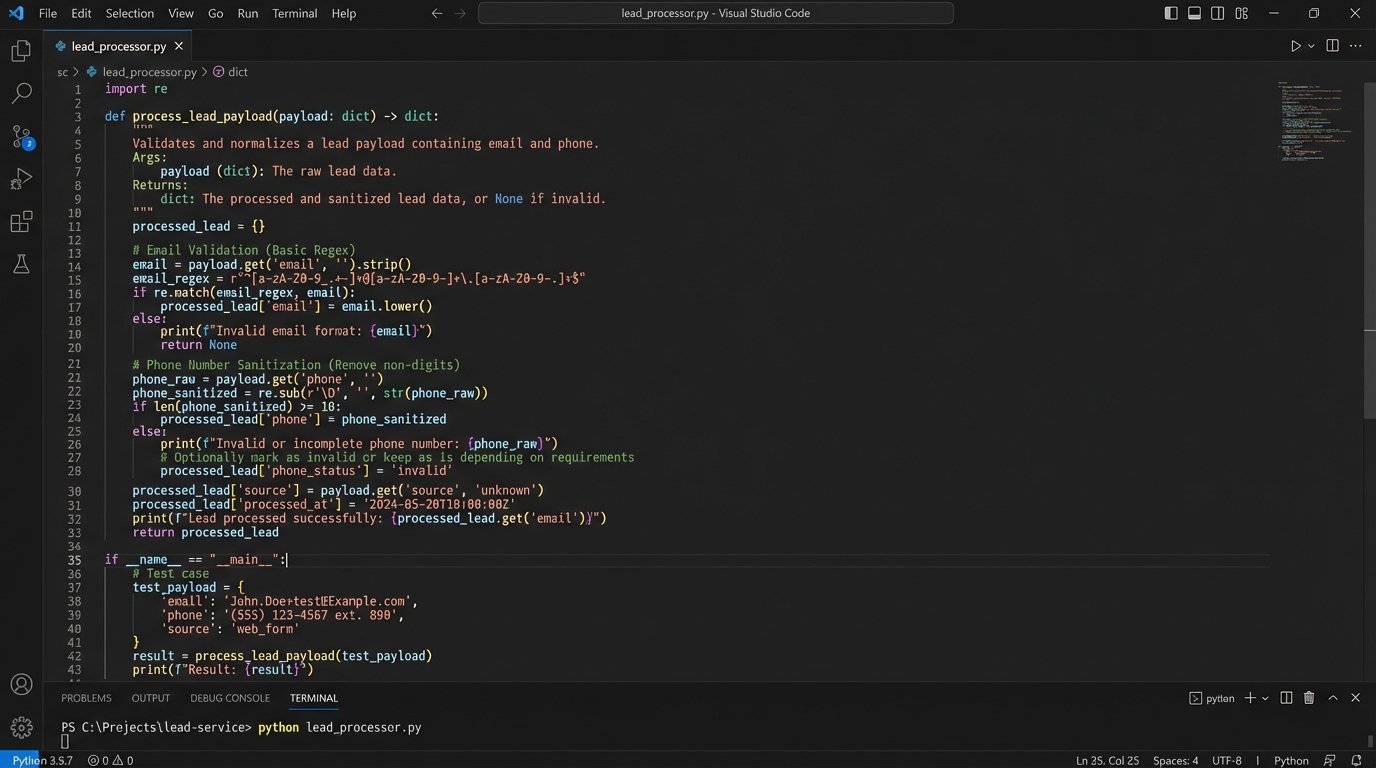
Here is a conceptual Python snippet of what a simple validation and normalization function inside a worker might look like. This is not production code, but it illustrates the logic.
import re
def process_lead_payload(payload):
# Basic email sanitization
email = payload.get('email', '').lower().strip()
if not re.match(r"[^@]+@[^@]+\.[^@]+", email):
raise ValueError(f"Invalid email format: {email}")
# Phone number normalization - strip non-digits
phone = payload.get('phone', '')
sanitized_phone = re.sub(r'\D', '', phone)
# Create a clean, structured output
clean_data = {
'email': email,
'phone': sanitized_phone,
'first_name': payload.get('first_name', '').capitalize(),
'last_name': payload.get('last_name', '').capitalize(),
'source_form': payload.get('form_id', 'unknown')
}
# Check for required fields before proceeding
if not clean_data['first_name'] or not clean_data['last_name']:
raise ValueError("Missing required name fields.")
return clean_data
This code enforces rules. It does not trust the input. It forces the data to conform to the system’s requirements before it is allowed to proceed.
Building the Pipeline: Tools and Tactics
You have two primary paths for building this ingestion layer. The choice depends on your team’s resources and the volume of leads you handle.
Option A: The Middleware Platform
Tools like Make or Zapier can act as this middle layer. You can create a workflow that starts with a generic webhook trigger, runs the data through a series of validation and formatting steps, and then pushes it to your CRM. This is fast to set up and requires no code. It is a solid choice for lower lead volumes or for teams without dedicated engineering support.
The downside is cost and control. These platforms price based on task execution volume. A high-traffic funnel can quickly turn into a wallet-drainer. You are also limited by the platform’s features and its own potential for latency. When something breaks inside that black box, debugging can be opaque and frustrating.
Option B: The Custom Serverless Approach
Building your own ingestion layer using services like AWS Lambda, SQS, and API Gateway gives you total control, massive scalability, and incredibly low cost per lead. A million lead submissions might cost you a few dollars in compute time. You can write custom validation logic that is perfectly tailored to your business rules.
The trade-off is the upfront investment. It requires an engineer who understands cloud architecture to design, build, and deploy it. You are responsible for your own logging, monitoring, and alerting. This is the professional-grade solution for any business that considers its sales funnel to be critical infrastructure.
Step 3: Intelligent Routing and Dead-Lettering
Once the data is clean, the worker needs to decide where it goes. This is where a custom ingestion layer demolishes simple connectors. You can implement sophisticated routing rules. Leads from a “Contact Sales” form can be pushed to Salesforce with a “High Priority” flag, while leads from a “Download Whitepaper” form are sent to a nurturing sequence in Marketo. Leads from enterprise domains can be routed directly to a senior sales executive’s queue.
Crucially, you must handle failures gracefully. What happens if the CRM API is down when your worker tries to create the contact? The worker should not just drop the data. It should attempt the API call a few times with exponential backoff. If it still fails, the message is moved to a Dead-Letter Queue (DLQ). The DLQ is just another queue that holds all the failed jobs. An alarm is triggered, an engineer can inspect the failed payload and the error message from the CRM, fix the underlying issue, and then replay the message from the DLQ. No lead is ever lost.

The Payoff: A System You Can Trust
Implementing a decoupled ingestion layer transforms your lead capture from a fragile, leaky bucket into a resilient, observable system. The immediate result is the elimination of lead loss due to technical failures. Every submission is captured and accounted for. Over time, the benefits compound. Your CRM data becomes dramatically cleaner and more reliable, which improves sales efficiency and marketing analytics.
The time-to-contact for new leads shrinks from days to seconds, directly increasing conversion rates. You gain a central point of control to manage, monitor, and adapt your entire lead flow architecture. This is not a quick fix or a simple project. But the cost of building it right is a rounding error compared to the revenue currently being lost in the gaps of your broken process.