Generic post-meeting follow-ups are digital noise. They get archived or deleted on sight because they offer zero value and reek of automation. The goal isn’t just to send an email after a meeting; it’s to send a targeted message that references the context of that specific conversation. Manually doing this is a time-sink. We will architect a pipeline that rips data from a scheduling event, processes it, and injects it into a personalized email template without human intervention.
Prerequisites: The Non-Negotiable Foundation
Before writing a single line of code, your data sources must be in order. The primary source is your scheduling tool, something like Calendly or HubSpot Meetings. You absolutely must use custom questions in your booking forms. These questions are the source of your personalization data. If you ask, “What’s your primary goal for this call?”, the answer becomes a variable you can inject directly into your follow-up message.
Relying on just the attendee’s name and email is lazy and produces generic output.
Next, you need a transactional email service with a reliable API. SendGrid, Postmark, or Mailgun are standard. Do not try to run this through a basic SMTP library on a server. You will spend your life fighting deliverability issues, spam filters, and arcane sending limits. These services handle the ugly parts of email delivery so you can focus on the API calls. Your processing layer will be a serverless function, like AWS Lambda or Google Cloud Functions. It’s cheap, scales automatically, and is purpose-built to react to events like webhooks.
Architecture: The Data Flow Blueprint
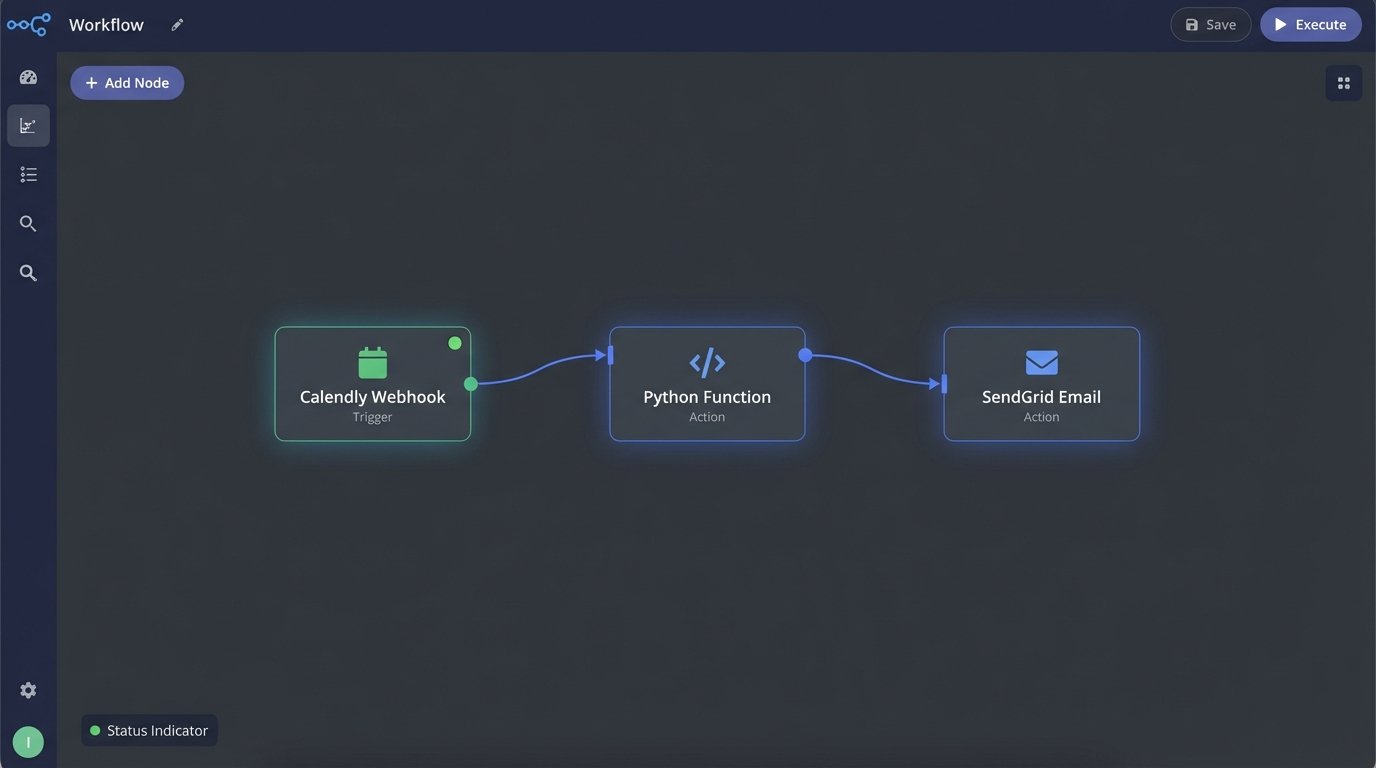
The system is a simple, linear chain of events. It starts with the scheduling tool firing a webhook when a meeting is booked. A webhook is just an HTTP POST request sent to a URL you specify. That URL points to our serverless function, which acts as the brains of the operation. The function receives the webhook payload, a JSON object containing all the meeting details. It then parses this data, applies business logic, and makes an API call to the email service to send the message.
Bypassing a direct, pre-built integration gives you total control over the logic. You are not constrained by the limited mapping options of a third-party connector. You own the code, so you can dictate exactly how the data is transformed and what conditions trigger different emails.
Step 1: Capturing the Event with a Webhook
Go into your scheduling tool’s developer or integration settings. You’re looking for the webhook configuration section. You will create a new webhook that triggers on a specific event. For Calendly, the event is `invitee.created`. For other tools, it might be `meeting.scheduled` or a similar term. The tool will ask for an endpoint URL. This is the trigger URL for the serverless function you’ll set up next. Once configured, every new meeting booking will send a detailed JSON payload to your function.
This payload is the raw material. It contains the attendee’s name, email, the meeting type, and, most importantly, the answers to your custom questions. Treat this JSON as the single source of truth for the automation. Never hardcode information that can be extracted from this payload.
Step 2: Processing the Payload and Building Logic
A serverless function is the ideal processor for this task. It’s stateless and event-driven. We’ll use a Python example for a Google Cloud Function, but the concept is identical for AWS Lambda or Azure Functions. The function’s job is to ingest the raw JSON from the webhook, validate it, extract the necessary fields, and build a new, clean data object for the email API.
The core of the function is conditional logic. You can use an `if/elif/else` block to check the meeting type. A “Technical Demo” meeting gets a different follow-up template than a “Project Kick-off” meeting. This is where you map specific inputs from the scheduling tool to specific outputs. You can also add logic to format data, like converting a UTC timestamp to the user’s local timezone if that information was captured.
Here is a stripped-down Python function that parses a Calendly webhook and prepares a payload for SendGrid.
import os
import json
from sendgrid import SendGridAPIClient
from sendgrid.helpers.mail import Mail

def process_meeting_webhook(request):
    # Load the JSON payload from the webhook request
    payload = request.get_json()

    # Extract key data points. Add error handling here for missing keys.
    try:
        invitee_name = payload['payload']['invitee']['name']
        invitee_email = payload['payload']['invitee']['email']
        event_type_name = payload['payload']['event_type']['name']
        # Extracting a custom question answer
        custom_answer_1 = next((q['answer'] for q in payload['payload']['questions_and_answers'] if q['question'] == 'What is your primary objective?'), 'your goals')
    except (KeyError, TypeError):
        # If payload is malformed, log it and exit.
        print("Error: Malformed payload.")
        return ('Bad Request', 400)

    # Logic to select the correct email template
    if 'Demo' in event_type_name:
        template_id = 'd-template_id_for_demo'
    elif 'Kick-off' in event_type_name:
        template_id = 'd-template_id_for_kickoff'
    else:
        template_id = 'd-default_template_id'

    # Construct the message object for the SendGrid API
    message = Mail(
        from_email='your_verified_sender@example.com',
        to_emails=invitee_email)

    # Use dynamic templates and pass the personalized data
    message.template_id = template_id
    message.dynamic_template_data = {
        'name': invitee_name,
        'meeting_topic': event_type_name,
        'user_objective': custom_answer_1
    }

    # Make the API call
    try:
        sendgrid_client = SendGridAPIClient(os.environ.get('SENDGRID_API_KEY'))
        response = sendgrid_client.send(message)
        print(f"Email sent with status code: {response.status_code}")
        return ('Success', 200)
    except Exception as e:
        print(f"Error sending email: {e}")
        return ('Internal Server Error', 500)
This code is the central gear in the machine. It connects the raw input to the desired output, transforming data and making decisions along the way. Without this custom logic layer, you’re stuck with whatever the native integration allows.

Step 3: Injecting Data into Email Templates
Your transactional email service is not just for sending. It’s for templating. Inside SendGrid (or your provider of choice), you will create dynamic templates. These templates are HTML files with placeholders, often called substitution tags. For instance, a tag might look like `{{name}}` or `{{user_objective}}`. The Python function we wrote populates these tags using the `dynamic_template_data` object.
This separation of concerns is critical. The code handles the logic; the email service handles the presentation. You don’t want to be building HTML strings inside your Python function. It’s messy and impossible to maintain. When marketing wants to change the email copy, they can edit the template in the SendGrid UI without ever needing to touch your production code.
Trying to personalize without structured data from custom fields is like trying to build a complex machine with a bucket of unlabeled, mismatched bolts. You’ll spend most of your time just trying to figure out what fits where. The custom fields in your booking form are the labeled bolts; they make assembly predictable.
Validation and Error Handling: Preparing for Failure
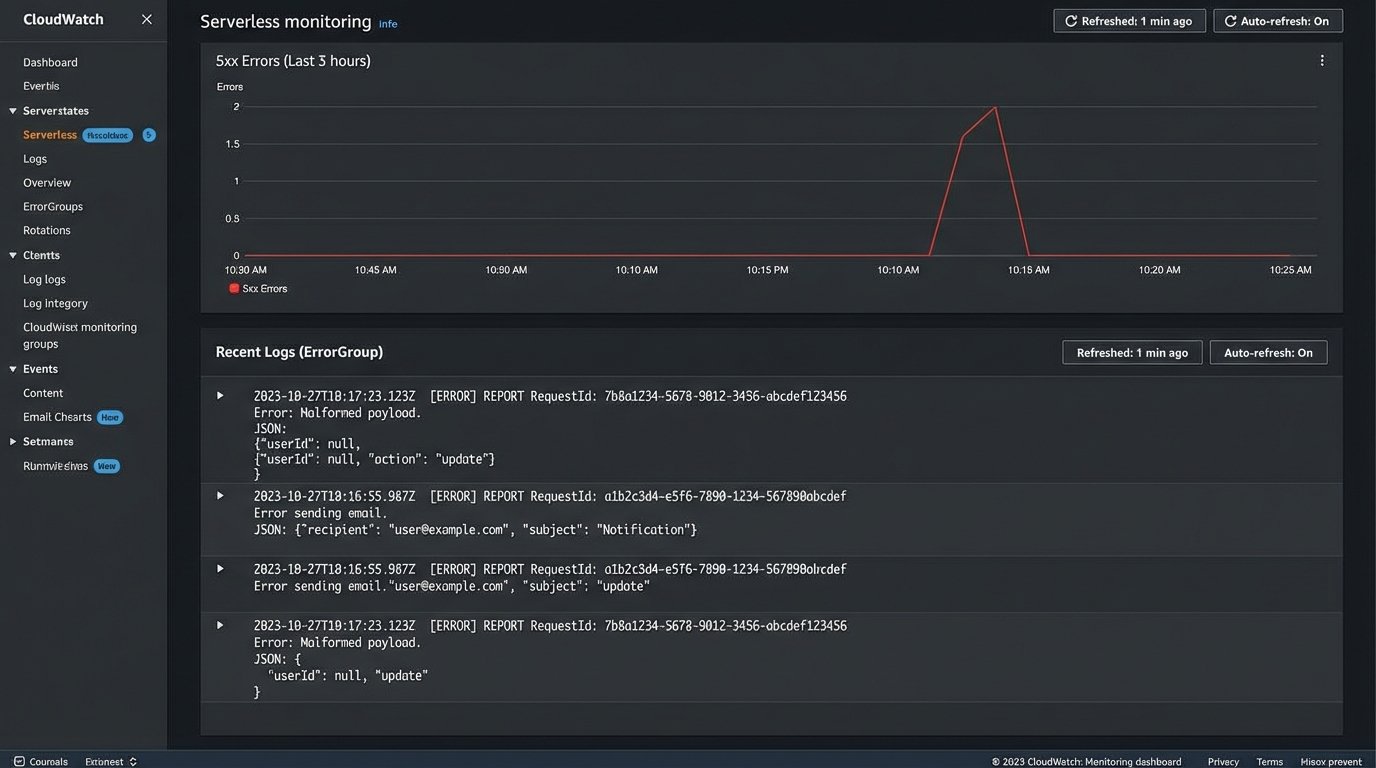
This pipeline will break. Not maybe, but will. The scheduling tool’s API could change its payload structure without warning. The email service could have an outage. Your function could encounter a malformed bit of data it doesn’t know how to handle. You must build for failure from day one. Your serverless function should have aggressive logging. Log the incoming payload, the variables you extract, and the response from the email API.
When something fails, these logs are your only map for debugging the problem. Configure alerts based on your function’s error rate. A sudden spike in 500 errors from your function means something is wrong and requires immediate attention. A more advanced setup involves a dead-letter queue. If your function fails to process a webhook, the payload is automatically shunted to a queue where it can be inspected and re-processed manually later. This prevents data loss when transient errors occur.
Scaling and Maintenance
Once the basic system works, you’ll inevitably be asked to add more meeting types, more complex logic, and more templates. Avoid the trap of endlessly expanding your `if/elif` block. A better approach is to use a dictionary or a configuration file to map event types to template IDs. This makes the code cleaner and allows you to add new meeting types without a full code deployment.
Your API keys and other secrets must not be hardcoded. The example code uses `os.environ.get()` to pull the SendGrid key from an environment variable. This is standard practice. It keeps your credentials out of your source code and allows you to use different keys for staging and production environments. This is not optional; it’s basic security hygiene.
Owning the automation logic inside a serverless function is more work upfront than clicking a few buttons in a no-code tool. The payoff is complete control, infinite flexibility, and the ability to build a system that is resilient and debuggable. You are not at the mercy of a third-party’s feature set or limitations. You are building an asset, not just configuring a feature.