
Forget consensus. Forget PowerPoint decks with ROI projections. The only way to get a technical team to adopt automation is to make their lives quantifiably less miserable. You don’t get buy-in by talking, you get it by shipping a tool that works and making the old way look stupid.
The process isn’t about a grand vision. It’s about a series of targeted, tactical strikes against operational drag. We are not building a platform. We are building wedges to pry engineers away from repetitive, soul-killing manual tasks. The objective is adoption, and the path is paved with solved problems, not strategic alignments.
Step 1: Identify the Bleeding Neck
Before you write a single line of code, you need to find the correct target. Do not pick the most complex or technically interesting problem. Pick the most chronically annoying one. Your first target must be something that everyone on the team hates, a task so mindless and frequent that its very existence is an insult.
Your search criteria are simple:
- High Frequency: Does this task surface daily? Hourly? Every time a specific alert fires? The more frequent the pain, the more relief your solution will provide.
- Low Cognitive Load: The ideal task is a fixed sequence of steps. If an engineer has to make a complex judgment call, it is a poor candidate for initial automation. We want to automate checklists, not thought processes.
- High Error Rate: Find the process that people mess up under pressure. The one where a typo in a command brings down a non-production environment or, worse, a production one. Human error is a powerful justification.
Dig through your ticketing system. Filter for the most common ticket type that gets resolved with the same five CLI commands. That’s your target. The goal is to find a wound that is bleeding constantly, not a deep one that requires major surgery. Fix the paper cuts that are driving everyone insane.
Step 2: The Prototype is a Surgical Strike, Not a Carpet Bomb
Resist the urge to build a framework. Frameworks are where good intentions go to die in committee meetings. Your first move is to build a single, self-contained script that does one thing perfectly. It should have zero external dependencies beyond a standard library and maybe a requests module. It needs to be runnable by a junior engineer with a clear README.
A classic first target is the “stuck service restart.” A service’s health check fails, the alert fires, and the on-call engineer logs in, checks for zombie processes, kills them, and restarts the service. This is a perfect candidate.
The prototype should be brutally simple. It connects, authenticates, executes a specific command, logs the output, and exits. Nothing more. It is not configurable. It does not have a plugin architecture. It solves exactly one problem for one service.
Example: A Minimal Viable Restart Script
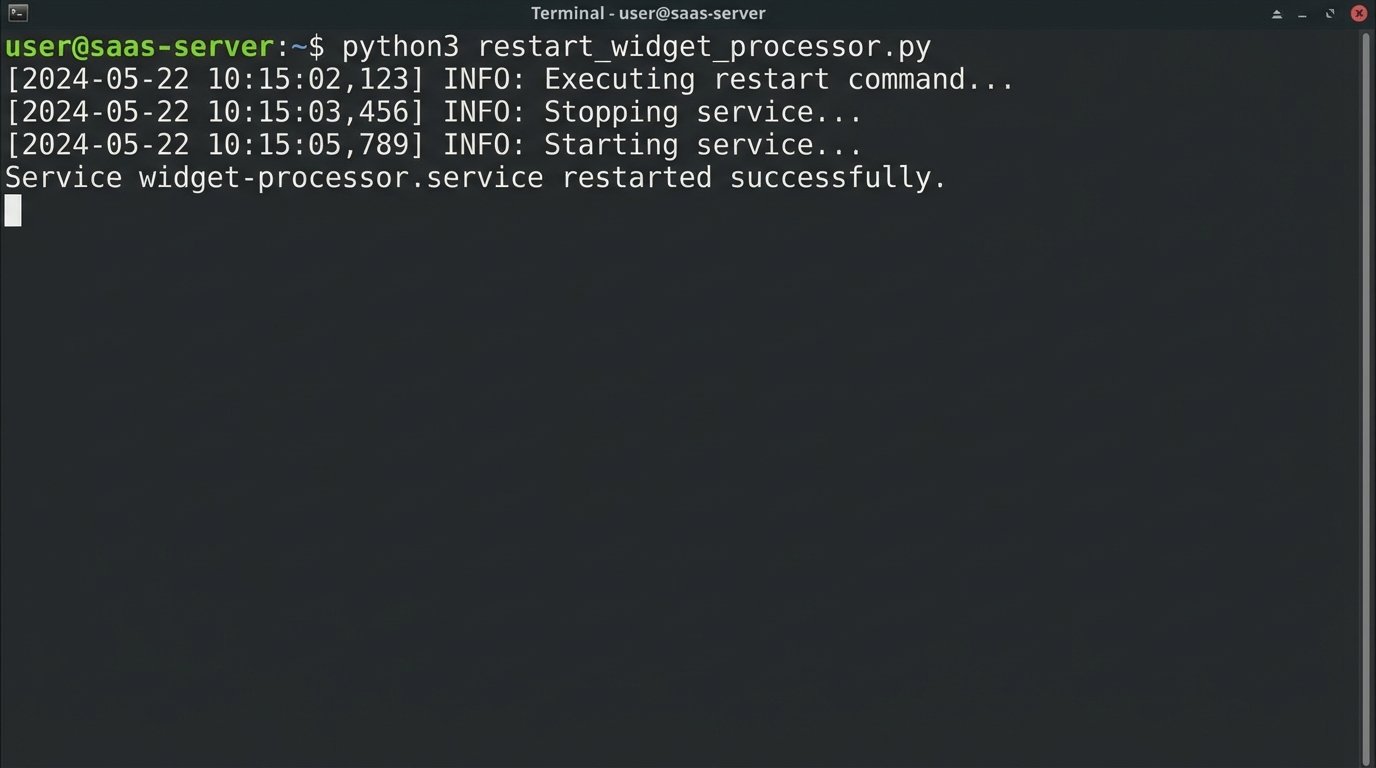
This script isn’t pretty. It’s not a generic tool. It is a weapon built for a single purpose: to restart the `widget-processor` service on `app-server-03` and stop the 3 AM pages. That’s it.
import subprocess
import logging
from datetime import datetime

# --- Configuration ---
SERVICE_NAME = "widget-processor.service"
REMOTE_HOST = "ops@app-server-03"
LOG_FILE = "/var/log/automation/restart_widget_processor.log"

# --- Setup basic logging ---
logging.basicConfig(
    filename=LOG_FILE,
    level=logging.INFO,
    format='%(asctime)s - %(levelname)s - %(message)s'
)

def run_remote_command(command):
    """Executes a command on the remote host via SSH and returns its output."""
    try:
        ssh_command = f"ssh {REMOTE_HOST} '{command}'"
        result = subprocess.run(
            ssh_command,
            shell=True,
            check=True,
            capture_output=True,
            text=True
        )
        logging.info(f"SUCCESS: Command '{command}' executed. Output: {result.stdout.strip()}")
        return result.stdout.strip()
    except subprocess.CalledProcessError as e:
        logging.error(f"FAIL: Command '{command}' failed. Stderr: {e.stderr.strip()}")
        raise

def main():
    """Main execution block to restart the service."""
    logging.info(f"--- Attempting restart for {SERVICE_NAME} on {REMOTE_HOST} ---")
    try:
        # Check status before
        logging.info("Checking pre-restart status...")
        run_remote_command(f"systemctl status {SERVICE_NAME}")

        # Execute restart
        logging.info(f"Executing restart command for {SERVICE_NAME}...")
        run_remote_command(f"sudo systemctl restart {SERVICE_NAME}")

        # Check status after
        logging.info("Checking post-restart status...")
        status_after = run_remote_command(f"systemctl is-active {SERVICE_NAME}")

        if status_after == "active":
            logging.info(f"VERIFIED: {SERVICE_NAME} is now active.")
            print(f"Service {SERVICE_NAME} restarted successfully.")
        else:
            logging.warning(f"UNVERIFIED: {SERVICE_NAME} is in state '{status_after}' post-restart.")
            print(f"Service {SERVICE_NAME} restart command sent, but service is not active.")

    except Exception as e:
        logging.critical(f"An unrecoverable error occurred: {e}")
        print("Script failed. Check logs for details.")

if __name__ == "__main__":
    main()
This script is a concrete demonstration of value. It’s ugly, but it works tonight. A working solution silences theoretical objections immediately.
Step 3: Instrument and Measure Everything
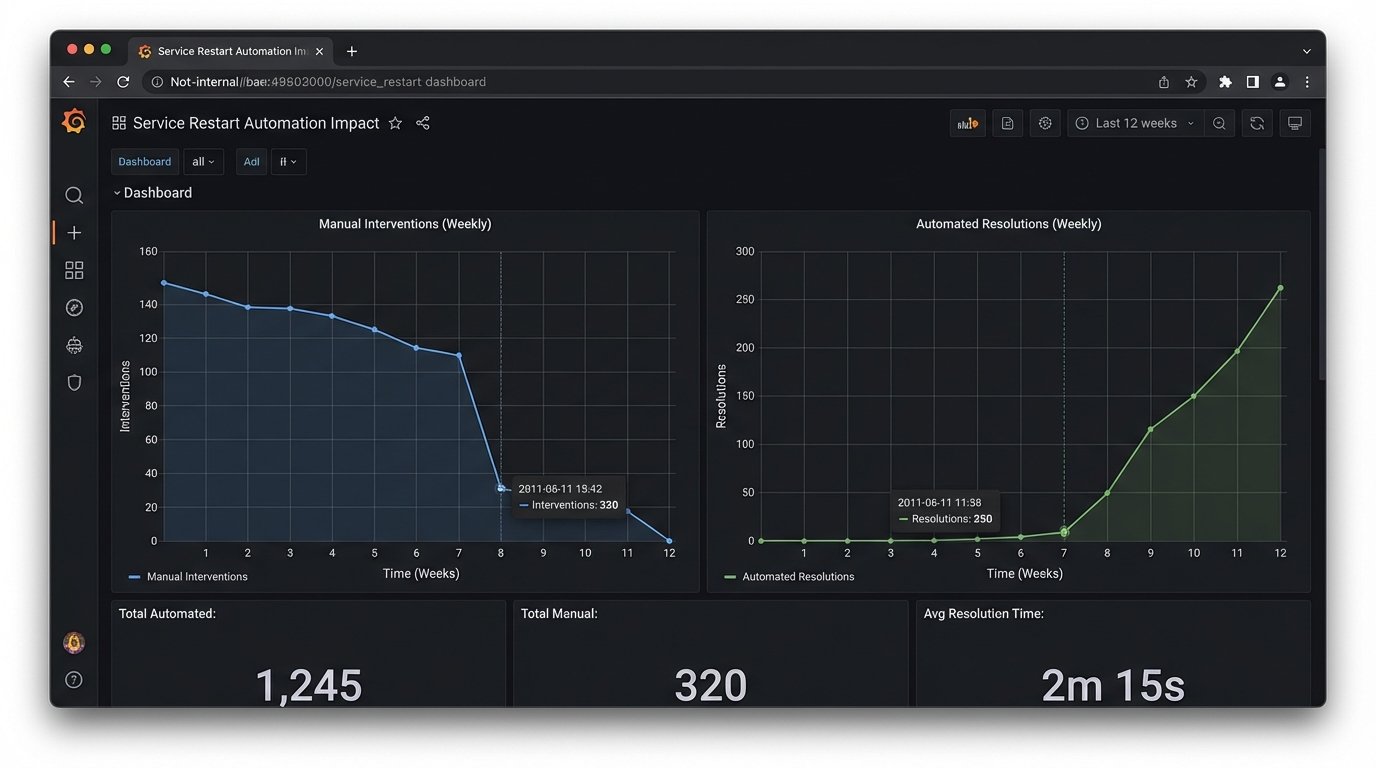
A successful automation that no one knows about is a failure. You must prove its worth with data. The script above has basic file logging, which is the absolute minimum. The next step is to push structured data out of the script to a place where it can be visualized.
Modify your script to emit JSON logs. This forces structure and makes parsing trivial. Each log entry should contain a timestamp, the action performed, the outcome (success/fail), and the duration. This data is gold. You can ship these logs to Elasticsearch, Datadog, or even a simple file that gets scraped by Prometheus.
The goal is to build a dashboard with two graphs. The first graph shows the number of manual interventions for the target problem over time. The second shows the number of automated resolutions. When you deploy your script, the first graph should flatline, and the second one should spike. This is an undeniable, visual representation of the work your tool has absorbed.
Trying to prove automation’s value without metrics is like trying to tune a database engine by listening to the server fans. You might feel like you’re doing something, but you have no actual data to back up your claims. Data ends arguments.
Step 4: Socialize the Tool, Not the Concept
Do not schedule a meeting titled “Our New Automation Initiative.” No one will come, and if they do, they will come armed with skepticism. Instead, wait for the problem to occur again. When someone asks in the team chat, “Is anyone looking at the widget-processor alerts?” you respond with a link to your dashboard.
Your message should be simple: “The automation handled the last three alerts. Looks like it’s stable. Here’s the dashboard showing the automated restarts.” This changes the entire dynamic. You are not pushing an idea on them. You are presenting a finished solution to a problem they are actively experiencing. You create pull, not push.
The next step is to publish the tool to a shared repository with an excellent README.md. The README is not documentation. It is a user manual for a weapon. It must specify:
- What it is: A script to restart the widget-processor service.
- How to run it: The exact command to execute.
- What it does: The sequence of commands it runs on the remote host.
- How to verify it worked: Where to check the logs.
Transparency is key. Engineers are more likely to trust a tool when they can see exactly how it works. Let them read the ten lines of bash or fifty lines of Python. The simplicity of the tool becomes its biggest feature.
Step 5: Abstract Only After Validation
After your first tool has been running successfully for a few weeks, someone will ask, “Can we use this for the `billing-ingestor` service too?” This is the moment you’ve been waiting for. This is the signal to start thinking about a shared library.
Do not rewrite the first script. Instead, identify the reusable components. In our Python example, the `run_remote_command` function is generic. The logic for handling SSH connections, credentials, and logging is also generic. Extract this logic into a separate `shared_library.py` file.
Your new structure might look like this:
- `automation_repo/`
- `tools/`
- `restart_widget_processor.py` (Now imports from `shared`)
- `restart_billing_ingestor.py` (Also imports from `shared`)
- `lib/`
- `remote_executor.py` (Contains the SSH logic)
- `log_setup.py` (Contains standardized logging config)
- `tools/`
The goal of this abstraction is to make the *next* automation script even easier to write. An engineer should only need to write the business logic specific to their problem, not the boilerplate for connecting, logging, and error handling. You are building paved roads. The first script was the dirt track you cut through the jungle. Now you are laying down asphalt to make the journey easier for the next person.
Step 6: Lower the Barrier to Contribution
The ultimate sign of success is when other engineers start contributing their own automation scripts to your repository without being asked. To achieve this, you must make contributing as frictionless as possible. Your job now shifts from being a builder to being an architect of a system that enables other builders.
Set up a basic CI pipeline. A simple GitHub Action or GitLab CI job that runs a linter (like `flake8` or `black` for Python) on every pull request is enough to start. This enforces a minimum quality standard and catches trivial errors before they require human review.
Create a “cookiecutter” template or a simple `bootstrap.sh` script. When an engineer wants to create a new automation, they run one command that generates a new file stub with the correct imports, basic argument parsing, and a `main` function block. They should be able to go from idea to a working script in minutes, because you have already solved all the boilerplate problems for them.
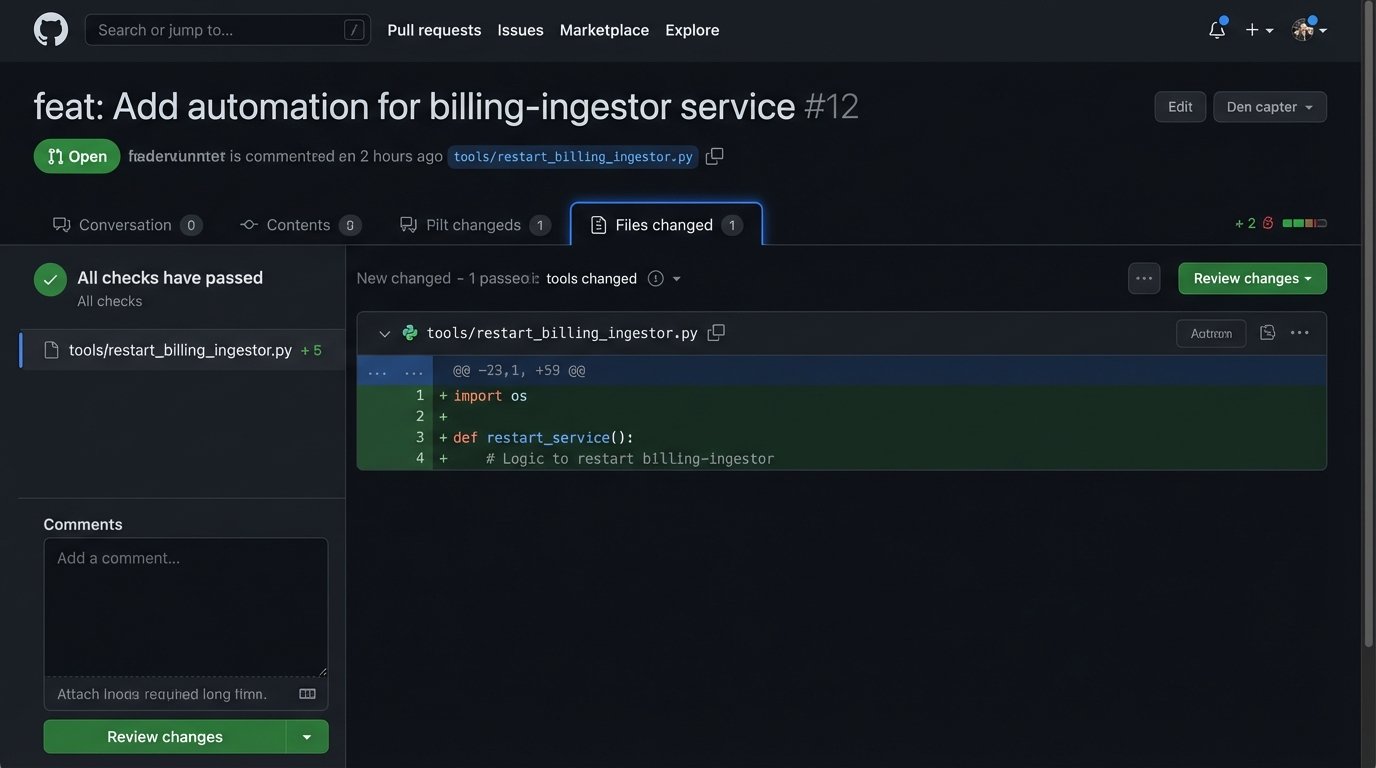
Your success is no longer measured by the automations you write. It is measured by the automations written by your team. If it is easier for an engineer to use your template and library than to write a one-off script from scratch, they will use your system. This is how you scale adoption.
Adoption is a Function of Utility
Getting a team on board with automation is not about persuasion. It is about demonstrating overwhelming utility. Start with a single, painful problem. Solve it with a simple, visible tool. Measure the result and show it to everyone. Use that success to justify building a small amount of shared infrastructure that makes the next solution even easier to build.
The process is iterative and relentless. You are not selling a vision. You are providing direct relief from operational pain. The tools will speak for themselves, and adoption will follow not because of a mandate, but because it is the logical choice. The objective is fewer alerts at night, and everything else is just a distraction.