Most real estate chatbots are useless. They are brittle, if-else trees masquerading as intelligence, ultimately funneling every query to a “please enter your email” prompt. They fail because they lack direct access to the one thing users care about: live property data. We are not building one of those. We are going to architect a system that directly queries an IDX feed, uses a vector database for semantic search, and leverages a Large Language Model for generating coherent responses.
This is not a drag-and-drop tutorial. This is a breakdown of the required architecture to build a tool that does not waste a potential lead’s time. Prepare for API authentication headaches and data normalization tasks.
Prerequisites: The Non-Negotiable Stack
Before you write a single function, you need to secure three components. Lacking any one of these makes the entire project a non-starter. Your job is to assemble these pieces and bridge the gaps between them. The core challenge is not the AI, it is the data plumbing.
1. IDX Feed Access
You need programmatic access to a Multiple Listing Service (MLS). This typically comes via an Internet Data Exchange (IDX) feed, preferably through a RESO Web API. A CSV dump updated nightly is a poor substitute; you need a live endpoint for filtering and querying. Get your API keys, read the documentation twice, and then assume half of it is outdated. Your first task is to authenticate and pull a test record. If you cannot do this, stop here.
2. A Vector Database
LLMs have no memory of your specific property listings. You must provide that information as context with every query. A vector database indexes your property data based on semantic meaning, not just keywords. When a user asks for “a quiet home near a park,” the vector DB can find listings with descriptions that mention “secluded,” “low traffic,” or “adjacent to green space.” We will use this to find relevant properties to inject into the LLM prompt. Options range from cloud-based services like Pinecone to self-hosted engines like ChromaDB.
3. LLM API Access
This is the brain of the operation. You will send it the user’s question along with the property data retrieved from the vector database. Its job is to synthesize a human-readable answer. OpenAI’s GPT series is the standard choice, but Anthropic’s Claude or other models are also viable. Your primary concerns here are API costs, rate limits, and response latency. Pick a provider, get your API key, and calculate the cost per 1,000 queries. Don’t be surprised when it adds up.
Step 1: Architecting the Backend Service
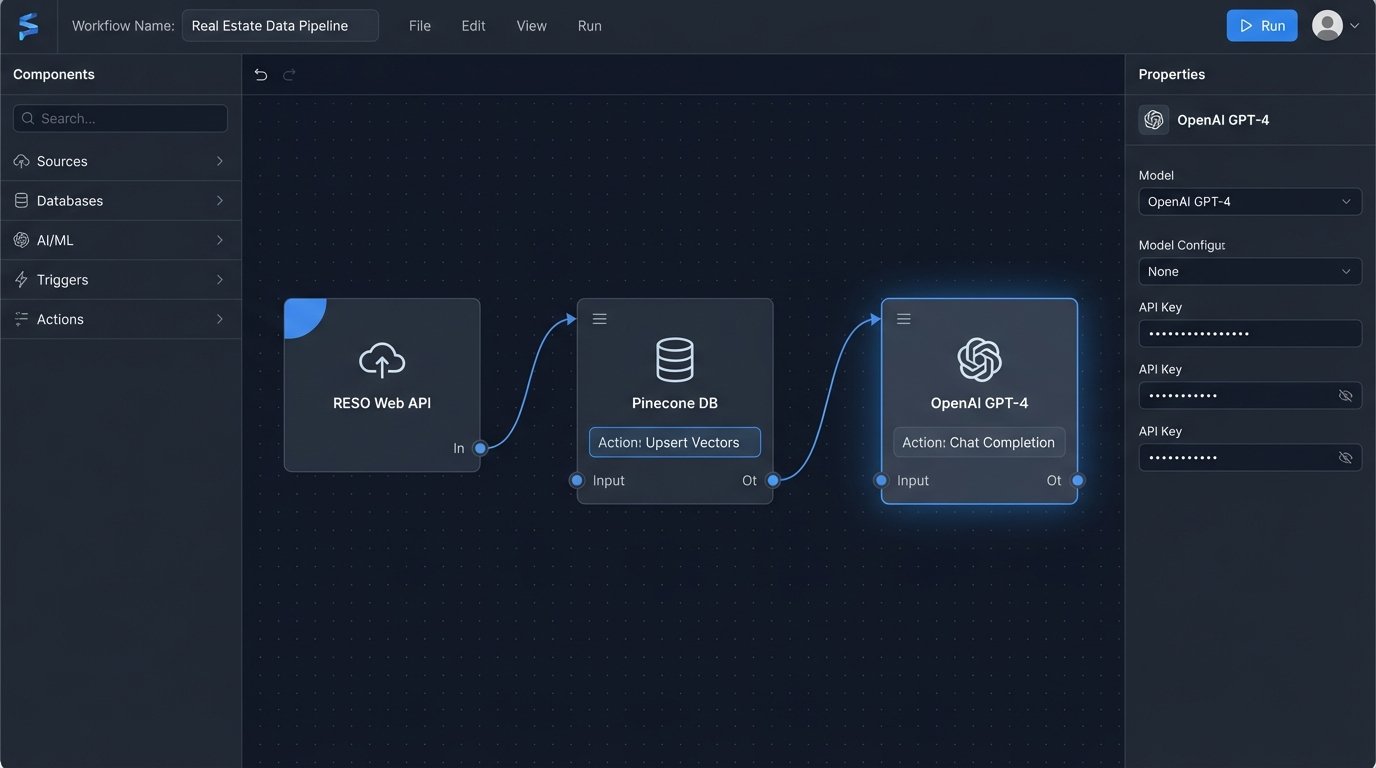
The entire system pivots on a backend service that orchestrates the flow of data. This service will expose an API endpoint for the frontend chat widget. It will handle the incoming user message, query the vector database, fetch full property details from the IDX, and then construct a final prompt for the LLM. We will use Node.js and Express for this example because it is straightforward for API development.
Your initial file structure needs a place for API routes, service logic, and configuration. Start by setting up a basic Express server that listens for POST requests on a `/chat` endpoint. This is the entry point for every user interaction with the bot.
const express = require('express');

const app = express();

app.use(express.json());
// A simple in-memory message history for context
// In production, this would be a database or Redis cache.
const conversationHistory = {};
app.post('/chat', async (req, res) => {
const { userId, message } = req.body;
if (!userId || !message) {
return res.status(400).json({ error: 'userId and message are required.' });
}
// 1. Placeholder for vector search logic
// const propertyContext = await findPropertiesInVectorDB(message);
// 2. Placeholder for LLM call
// const response = await generateLLMResponse(message, propertyContext);
// Dummy response for now
const response = `Received message: "${message}" from user ${userId}. System is operational.`;
res.json({ reply: response });
});
const PORT = process.env.PORT || 3000;
app.listen(PORT, () => {
console.log(`Server listening on port ${PORT}`);
});
This code does nothing intelligent yet. It merely confirms the server is running and can receive a message. This is the skeleton you will build upon.
Step 2: IDX Data Ingestion and Vectorization
This is the most critical and tedious part of the project. You need a separate script that runs periodically to pull data from your IDX feed, clean it up, and insert it into the vector database. This is not a real-time process. It is a batch operation you might run every hour or every day, depending on how frequently your listings change.
The process looks like this:
- Fetch Data: Connect to the RESO Web API and pull all active listings. You will likely need to handle pagination.
- Transform Data: The raw data is a mess. You need to combine fields into a single, coherent block of text for each property. Include the public remarks, property features, address, price, and square footage. This text block is what you will convert into a vector.
- Generate Embeddings: For each property’s text block, you make an API call to an embedding model (like OpenAI’s `text-embedding-3-small`). This call returns a vector, which is just an array of numbers that represents the text’s semantic meaning.
- Upsert to Database: You then insert this vector into your vector database along with a reference to the property’s unique ID (e.g., the MLS number). The verb is “upsert” because you will overwrite existing entries for properties that have been updated.
This ingestion pipeline is like trying to force a firehose of unstructured data through the needle-sized hole of a structured vector index. Expect data quality issues, missing fields, and weird formatting that will break your transformation logic.
Step 3: Implementing the Core Chat Logic
Now we modify the backend service to perform the actual work. When a message arrives at the `/chat` endpoint, the service must execute a precise sequence of operations. The goal is to give the LLM just enough relevant information to answer the user’s question accurately without overwhelming it or incurring massive token costs.
First, take the user’s message and generate an embedding for it using the same model you used for the property listings. This converts the question into a vector. Second, use this query vector to search your vector database. The database will return a list of property IDs that are semantically closest to the user’s query. You might ask for the top 5 or 10 results.
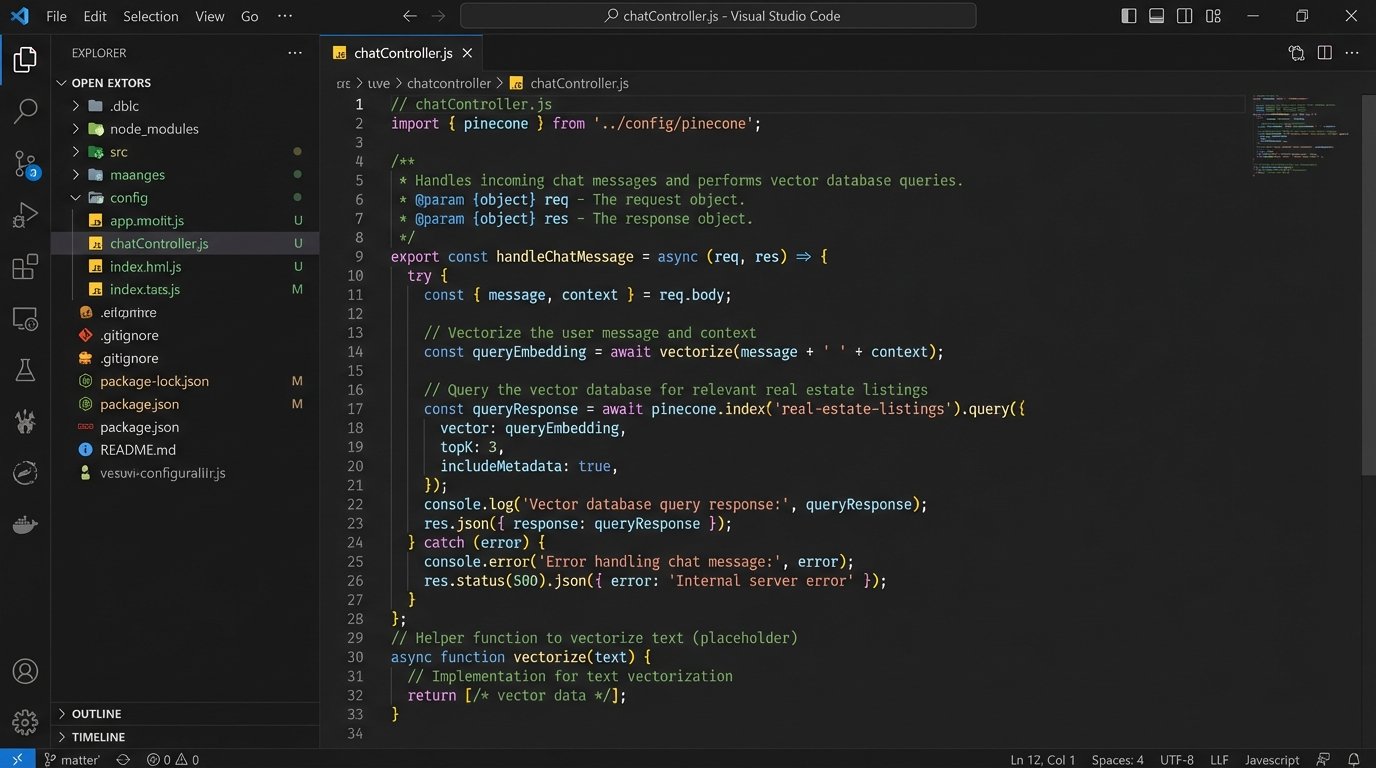
With these property IDs, you perform a final lookup against your IDX feed or a cached copy of it to get the full, up-to-date details. You must do this because your vector database only stores the text used for searching, not the complete, structured data. This fresh data is then formatted into a block of context. You append this context to a prompt that you send to the LLM.
The prompt engineering here is critical. A bad prompt results in hallucinations or generic answers. A good prompt forces the model to base its answer only on the data you provided.
// Inside your app.post('/chat', ...) function
// Assume 'openai' and 'pinecone' clients are initialized
async function handleChatMessage(userId, message) {
// 1. Create an embedding from the user's message
const queryEmbedding = await openai.embeddings.create({
model: "text-embedding-3-small",
input: message,
}).then(res => res.data[0].embedding);
// 2. Query the vector database to find relevant property IDs
const queryResponse = await pinecone.index('real-estate-listings').query({
vector: queryEmbedding,
topK: 5, // Get the top 5 most relevant properties
includeMetadata: true,
});
const propertyIds = queryResponse.matches.map(match => match.metadata.mlsId);
// 3. Fetch full, live data for these properties from the IDX/RESO API
// const properties = await getPropertiesFromIdx(propertyIds);
// 4. Construct the prompt for the LLM
const context = properties.map(p => `MLS ID: ${p.id}, Address: ${p.address}, Price: ${p.price}, Remarks: ${p.remarks}`).join('\n\n');
const systemPrompt = `You are a real estate assistant. Answer the user's question based *only* on the following property information. Do not invent details. If the information is not present, say you cannot find any matching properties.`;
const completion = await openai.chat.completions.create({
model: "gpt-4-turbo",
messages: [
{ role: "system", content: systemPrompt },
{ role: "user", content: `Context:\n${context}\n\nQuestion: ${message}` }
]
});
return completion.choices[0].message.content;
}
This logic is the engine. It bridges the user’s intent with your data, using the LLM as a natural language interface instead of a simple search box.
Step 4: Frontend Widget Integration
The final piece is the chat widget on your website. This is a simple combination of HTML, CSS, and JavaScript. The JavaScript component is responsible for capturing user input, sending it to your backend’s `/chat` endpoint, and displaying the response. It does not contain any complex logic itself. It is a dumb client.
You need a container for the chat messages and an input field. When the user submits a message, a `fetch` request is made to your backend. The backend’s JSON response is then parsed and a new message bubble is appended to the chat container. You also need to manage a unique ID for each user, which can be stored in `localStorage` to maintain a semblance of session history.
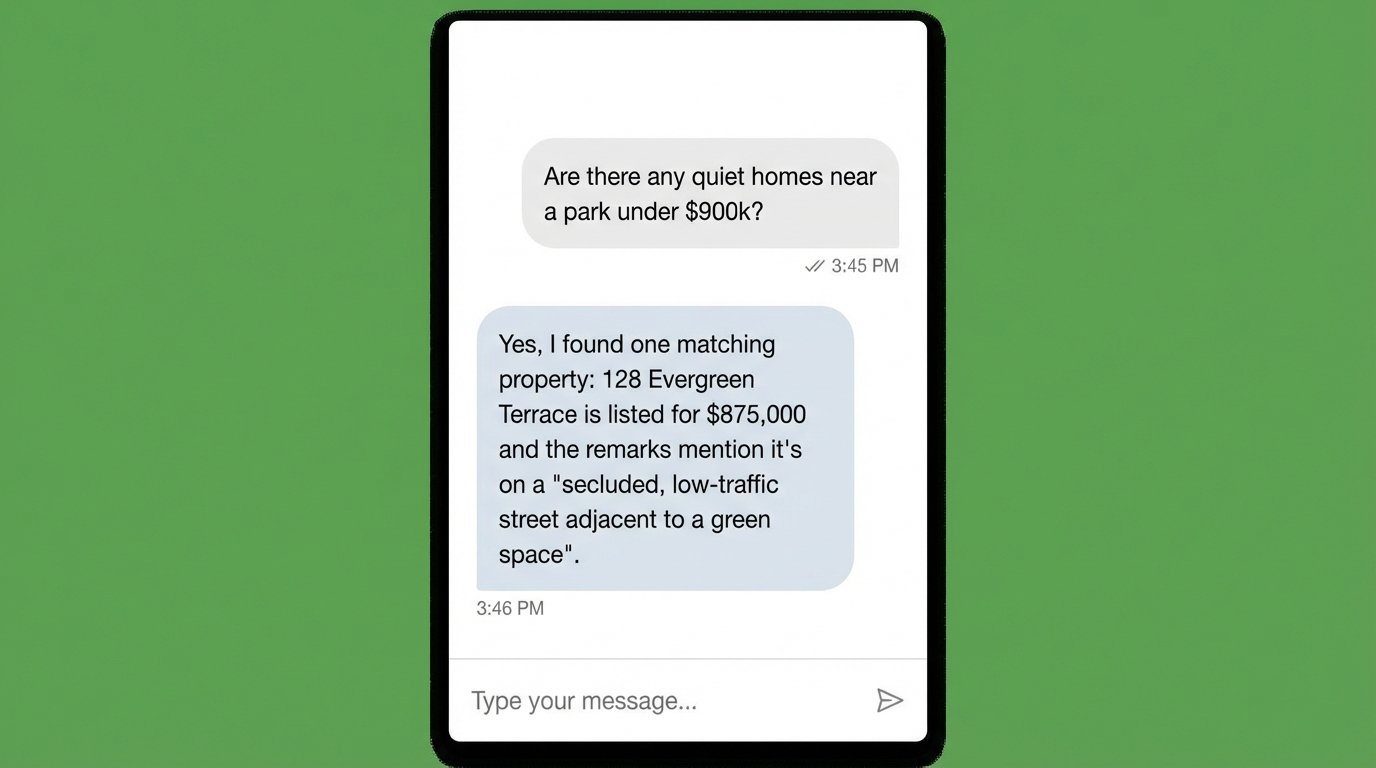
This is the minimal code needed to get a functional widget on the page. In a production environment, you would use a framework like React or Vue and build a much more polished component, but the underlying principle is identical: capture text, send to API, display response.
<!-- HTML Structure for the Chat Widget -->

<div id="chat-widget">

    <div id="chat-messages"></div>

    <input type="text" id="chat-input" placeholder="Ask about properties..." />

    <button id="chat-submit">Send</button>

</div>
<script>
document.addEventListener('DOMContentLoaded', () => {
const chatInput = document.getElementById('chat-input');
const chatSubmit = document.getElementById('chat-submit');
const messagesContainer = document.getElementById('chat-messages');
// Generate or retrieve a simple user ID
let userId = localStorage.getItem('chatUserId');
if (!userId) {
userId = 'user-' + Date.now();
localStorage.setItem('chatUserId', userId);
}
chatSubmit.addEventListener('click', sendMessage);
chatInput.addEventListener('keypress', (e) => {
if (e.key === 'Enter') {
sendMessage();
}
});
async function sendMessage() {
const message = chatInput.value.trim();
if (!message) return;
appendMessage('user', message);
chatInput.value = '';
try {
const response = await fetch('/chat', {
method: 'POST',
headers: { 'Content-Type': 'application/json' },
body: JSON.stringify({ userId, message }),
});
if (!response.ok) {
throw new Error('Network response was not ok.');
}
const data = await response.json();
appendMessage('bot', data.reply);
} catch (error) {
appendMessage('bot', 'Sorry, I am having trouble connecting.');
}
}
function appendMessage(sender, text) {
const messageElement = document.createElement('p');
messageElement.classList.add(sender); // 'user' or 'bot'
messageElement.textContent = text;
messagesContainer.appendChild(messageElement);
messagesContainer.scrollTop = messagesContainer.scrollHeight;
}
});
</script>
Styling this to look professional is a separate task. Functionally, this snippet closes the loop from the user’s browser back to your AI-powered backend.
Validation and Inevitable Failures
Deploying this system is the beginning, not the end. You must monitor its performance and outputs constantly. The LLM will occasionally “hallucinate” or invent property details that sound plausible but are incorrect. This happens when your prompt is not restrictive enough or the provided context is ambiguous. Your prompt must aggressively instruct the model to rely only on the supplied data.
API costs are another major concern. Every character a user types can trigger a cascade of expensive API calls to your embedding model, vector database, and LLM. Implement aggressive caching, especially for IDX data. Rate limiting on your own API endpoint is also mandatory to prevent abuse. A simple bot that becomes popular can quickly generate a four-figure monthly bill if left unchecked.