
Stop Manually Creating Real Estate Ads. It’s a Losing Game.
The core problem with real estate PPC is scale versus decay. You have a constant firehose of new listings, price changes, and status updates. Manually creating and pausing ads for hundreds of properties is a direct path to burnout and error. The only sane approach is to force the machines to do the tedious work by bridging a property data feed directly to the ad platform’s API.
This is not a simple Zapier connection. This is building a stateful system that can ingest, normalize, create, update, and destroy ad entities based on a single source of truth. Get it right, and you can manage campaigns for thousands of listings with minimal human intervention. Get it wrong, and you’ll burn through a client’s budget advertising sold properties.
Prerequisites: The Non-Negotiable Foundation
Before writing a single line of code, you must secure the core components. If any of these are weak, the entire system will be unreliable. There are no shortcuts here. The quality of your inputs dictates the quality of your automation.
- A Structured Data Feed: This is the absolute requirement. An MLS feed via a RETS server or a modern RESTful API is the gold standard. A daily CSV export dropped into an FTP server can work, but it introduces a point of failure. The feed must contain a unique identifier for each property, like an `MLS_ID`. Without it, you cannot reliably track state.
- Ad Platform API Access: You need approved developer tokens for the Google Ads API and the Facebook Marketing API. Navigating the OAuth 2.0 authentication flow is the first filter. If you can’t get your service account authorized to make API calls, the project is dead on arrival.
- A Staging Database: Raw data from the feed needs a home. A simple PostgreSQL or MySQL instance is sufficient. This database becomes your internal source of truth, where you store both the normalized property data and the corresponding ad platform IDs (`campaign_id`, `ad_group_id`) once they are created. Do not try to manage state in memory or flat files.
- An Execution Environment: A cron job on a VM is the classic approach. A more modern stack uses serverless functions like AWS Lambda or Google Cloud Functions, triggered on a schedule. This abstracts away server management and scales better if you need to ingest data more frequently.
Step 1: Ingest and Normalize the Feed Data
Property data feeds are notoriously messy. You cannot trust the input. The first job is to build a resilient ingestion script that pulls the data, strips it of garbage, and forces it into a consistent schema in your staging database. Expect inconsistent capitalization, varied abbreviations, and null values where you need data.
Your script must map chaotic inputs to a clean, predictable structure. For example, “3 bed,” “3 bdrm,” and “three-bedroom” all must be normalized to a consistent format, like an integer `3` in a `bedrooms` column. This sanitization step prevents your ad copy from looking unprofessional and broken.
A simple Python function can handle basic normalization logic before database insertion.
def normalize_property_data(property_record):

    """

    Strips and standardizes raw data from a feed.

    This is a simplified example. A production version would be far more extensive.

    """

    normalized = {}
# Force a unique ID. Fail if it's missing.
normalized['mls_id'] = property_record.get('MLS_ID')
if not normalized['mls_id']:
raise ValueError("Record is missing a unique MLS_ID.")
# Clean up pricing data
price_str = str(property_record.get('ListPrice', '0')).replace('$', '').replace(',', '')
normalized['price'] = int(float(price_str))
# Normalize status field
status_map = {
'active': 'ACTIVE',
'a': 'ACTIVE',
'pending': 'PENDING',
'p': 'PENDING',
'sold': 'SOLD',
's': 'SOLD'
}
raw_status = property_record.get('Status', '').lower()
normalized['status'] = status_map.get(raw_status, 'UNKNOWN')
# Store the raw record for debugging later if needed
normalized['raw_data'] = json.dumps(property_record)
return normalized
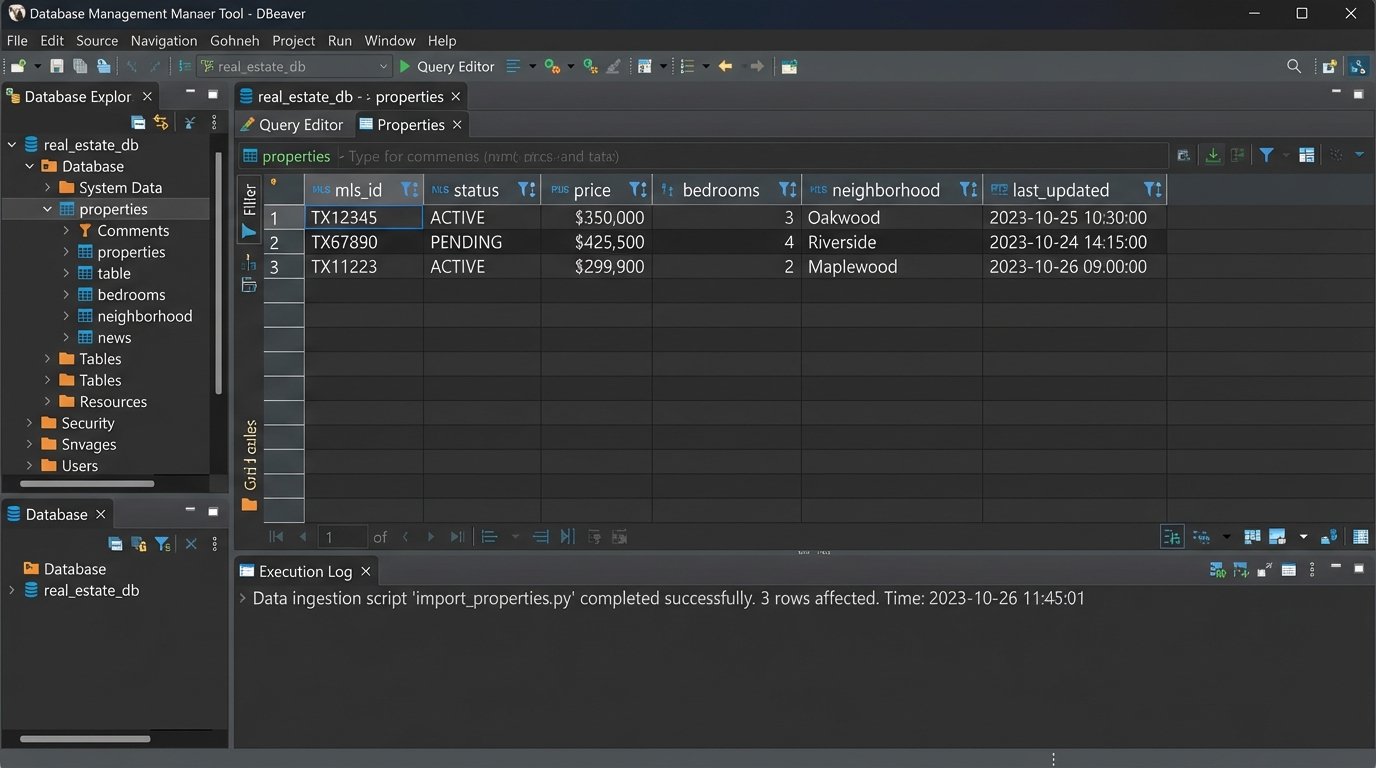
This script runs, pulls the latest data, normalizes each record, and then performs an “upsert” into your PostgreSQL table. You either insert a new row for a new `MLS_ID` or update the existing row if the `MLS_ID` is already there. Add a `last_updated` timestamp column to track data freshness.
Step 2: Logic for Dynamic Ad and Keyword Generation
With clean data in your database, you can now structure the ad components. The goal is to create a hierarchy: a single campaign for a large geographic area (e.g., “Chicago Homes for Sale”), with ad groups dynamically created for smaller segments like neighborhoods or zip codes. Each ad group will contain ads for individual properties within that segment.
This requires building templates. These are just formatted strings that your code will populate with data from your database. Create multiple variations to avoid ad fatigue and allow for A/B testing.
Ad Copy Templates
- Headline 1: {bedrooms} Bed Home in {neighborhood}
- Headline 2: Just Listed for ${price}
- Description: See photos of this beautiful {property_type} at {street_address}. Features include {feature_1} and {feature_2}. Schedule a showing today!
Keyword Generation Logic
Keywords should be generated based on the property’s attributes. You want a mix of broad and specific terms within each ad group. For a property in the “Wicker Park” neighborhood of Chicago:
wicker park homes for sale(Broad Match)"3 bedroom house wicker park"(Phrase Match)[123 N Damen Ave chicago il](Exact Match)
Trying to sync a live real estate feed with a PPC account without a unique property ID is like trying to assemble a car with a bucket of unlabeled bolts. It’s a mess waiting to happen, and you’ll waste hours trying to match parts that were never meant to fit.
Step 3: Interfacing with the Ad Platform API
This is where the automation script actually performs its work. The script queries your local database for properties marked as ‘ACTIVE’ that do not yet have an associated `ad_group_id`. For each of these properties, it will execute a sequence of API calls to build the necessary structures in Google Ads.
The process is strictly sequential: check for an existing campaign, check for an existing ad group for that neighborhood, and if they exist, use their IDs. If not, create them. Only then do you create the ad and keywords. After each creation call, you must capture the ID returned by the API and write it back to your own database. This links your internal record to the live ad entity, which is critical for future updates.
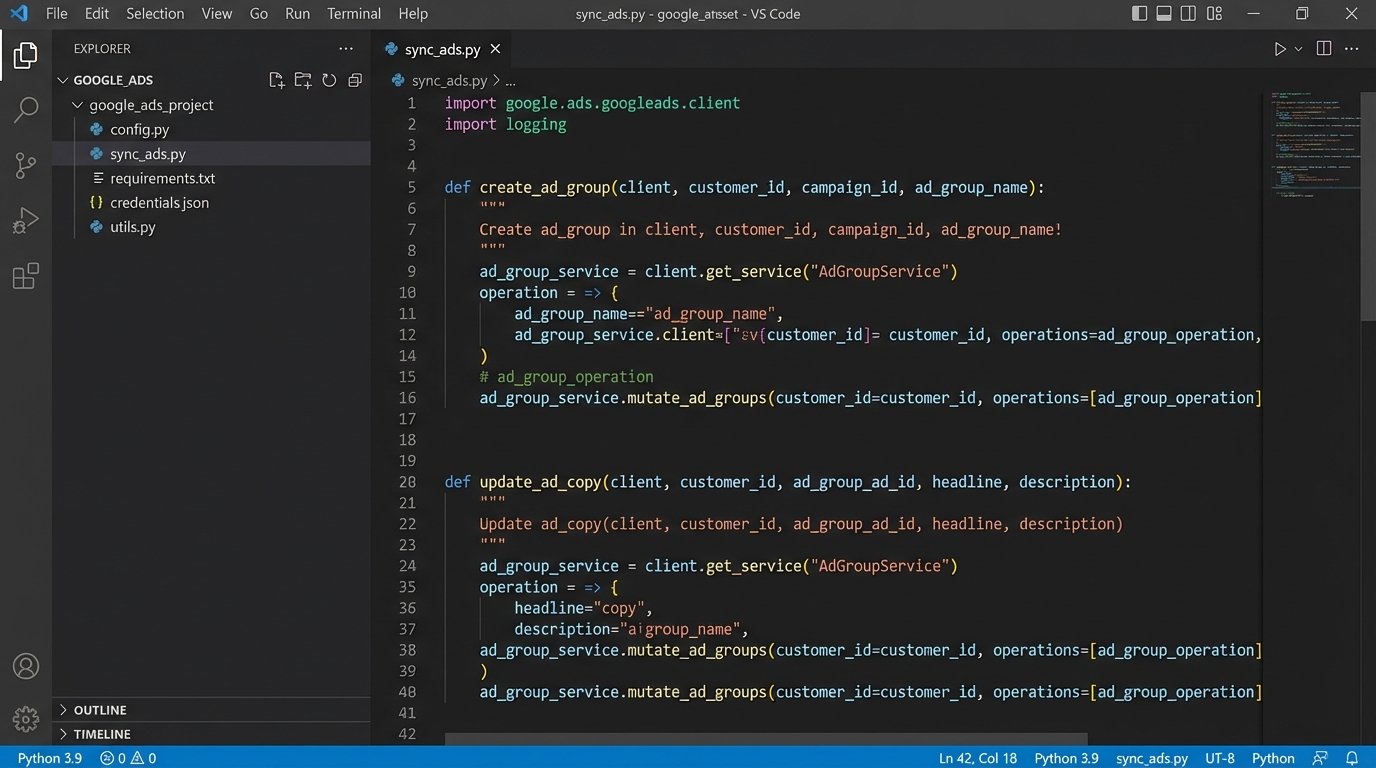
Here is a conceptual Python snippet using the Google Ads client library to create an ad group.
from google.ads.googleads.client import GoogleAdsClient
# Assume client is authenticated and customer_id is set
def create_ad_group(client, customer_id, campaign_id, ad_group_name):
ad_group_service = client.get_service("AdGroupService")
ad_group_operation = client.get_type("AdGroupOperation")
ad_group = ad_group_operation.create
ad_group.name = ad_group_name
ad_group.status = client.get_type("AdGroupStatusEnum").AdGroupStatus.ENABLED
ad_group.campaign = client.get_service("CampaignService").campaign_path(
customer_id, campaign_id
)
# Additional settings like bidding strategy would go here
try:
response = ad_group_service.mutate_ad_groups(
customer_id=customer_id, operations=[ad_group_operation]
)
ad_group_id = response.results[0].resource_name.split("/")[-1]
print(f"Created ad group with ID: {ad_group_id}")
return ad_group_id
except GoogleAdsException as ex:
# Handle API errors, log them, maybe retry
print(f"API request failed: {ex}")
return None
This logic must be idempotent. Running the script twice should not create duplicate ad groups. Your check against the local database (`WHERE ad_group_id IS NULL`) is what prevents this.
Step 4: Managing the Ad Lifecycle
Creating ads is only half the battle. The system’s real value is in its ability to manage change. Listings sell, prices drop, and new photos are added. The automation must reflect these changes in the live ads within minutes or hours, not days.
The main loop of your script should handle these different states:
- Price Changes: Query your database for properties where the price in the feed differs from the price stored in your table. For these, trigger an API call to update the ad copy of the associated ad.
- Status Changes (Sold/Pending): This is the most critical. When a property’s status in the feed changes to ‘SOLD’ or ‘PENDING’, the script must immediately find the corresponding `ad_group_id` and issue an API call to PAUSE it. You cannot afford to spend money advertising an unavailable property. Deleting is also an option, but pausing preserves historical data.
- New Listings: This is the creation logic from Step 3. The script finds active properties without an `ad_group_id` and builds them.
This sync logic is what separates a professional automation system from a simple ad-creation script. It requires careful state management and robust error handling.
Step 5: Validation, Logging, and Dry Runs
Things will break. The feed will become corrupted, the API will throw rate-limit errors, or a bug in your normalization logic will produce nonsensical ad copy. You must build for failure.
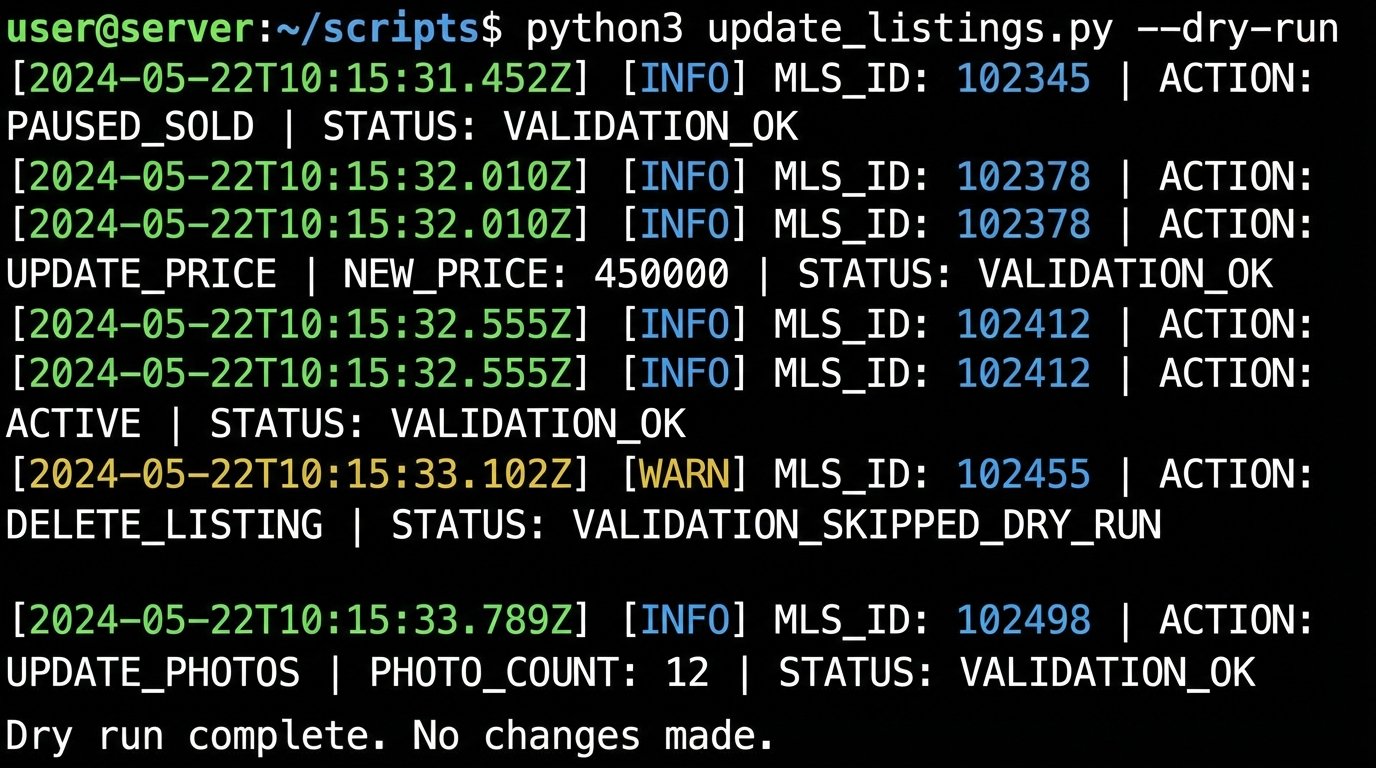
Implement a “dry run” mode from day one. Add a command-line flag (`–dry-run`) to your script that executes all the logic, queries the database, and generates the planned API calls, but instead of sending them, it just logs them to the console. This lets you validate your logic after a code change without risking damage to a live ad account.
Your logging must be detailed. For every property processed, log the `MLS_ID` and the action taken: `CREATED`, `UPDATED_PRICE`, `PAUSED_SOLD`, `SKIPPED_NO_CHANGE`. When an API error occurs, log the full error response. Send critical failure alerts to a Slack channel or PagerDuty so a human is notified that the automation is down.
Step 6: Closing the Loop with Performance Data
The final stage of a mature system is to pull performance data back from the ad platform. On a daily or weekly basis, run a separate script to query the Google Ads API for metrics like impressions, clicks, cost, and conversions for each ad group.
Store this data in a new table in your database, linked by `ad_group_id`. By joining this performance data back to your property data, you can start to derive powerful insights. Do listings with more photos get a higher click-through rate? Do certain neighborhoods have a lower cost per lead? This data-driven feedback loop is what allows you to refine your ad copy templates and bidding strategies, turning a simple automation tool into a true optimization engine.
This entire architecture is a significant engineering effort. It requires maintenance and monitoring. The payoff is a scalable, efficient lead generation machine that is impossible to replicate with manual effort. The alternative is hiring more people to click buttons, which never scales effectively.