My CRM Is a Black Hole: Building a Cold Deal Notifier
So I spent half of yesterday debugging a HubSpot webhook that refused to fire properly. Turns out, their API documentation for custom object triggers is… let’s call it ‘aspirational’. This whole mess started because a client deal sat in our “Proposal Sent” stage for three weeks without a single follow-up. I completely forgot about it. The deal went cold and we lost it. My manual process of ‘just check the pipeline’ is clearly broken, so I built an automated watchdog in n8n to yell at me when I let things stagnate.
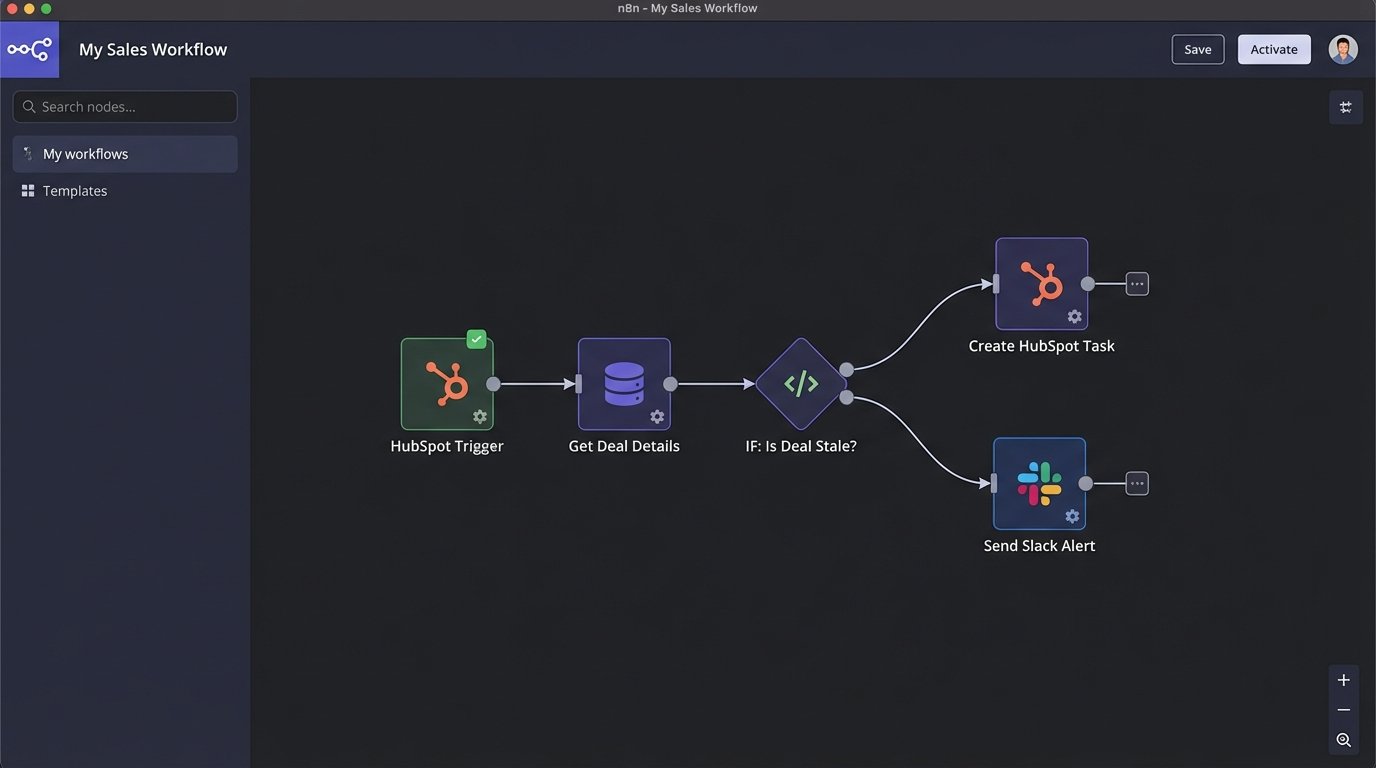
The first instinct is to build a simple scheduled workflow. Run a check every morning, find stale deals, and send a notification. Don’t do this. Polling a database on a schedule is inefficient and resource-heavy, especially if you have thousands of deals. It’s the brute-force approach. We can do better. The correct architecture uses webhooks. The CRM should tell us when something happens, we shouldn’t have to ask it constantly.
The Core Setup: Webhook Trigger and Initial Data Triage
I’m using HubSpot, but this works with any modern CRM that can send a webhook when a record is updated. In n8n, I started with the HubSpot Trigger node. I configured it to watch for updates to Deals. When a deal’s stage changes, HubSpot sends a massive JSON payload to my n8n webhook URL. Most of it is noise. We only care about a few key properties.
This is a stripped-down version of the initial webhook payload. The real one is about 10x longer.
{
  "objectId": 123456789,
  "propertyName": "dealstage",
  "propertyValue": "presentationscheduled",
  "changeSource": "CRM_UI",
  "portalId": 9876543,
  "appId": 112233,
  "occurredAt": 1678886400000,
  "subscriptionType": "deal.propertyChange",
  "attemptNumber": 0
}
The trigger is the easy part. The first real step is a “Get Deal” node. The trigger payload only tells you what changed (the `dealstage`), not the full context of the deal. We need more data, specifically the deal owner, the deal name, and my custom property, `last_contact_date`. I have another workflow that automatically stamps this date field every time an email is logged or a meeting occurs. If you don’t have this, you can use the default “Last Activity Date” property, but I find it less reliable.
The Logic: Is This Deal Actually Stale?
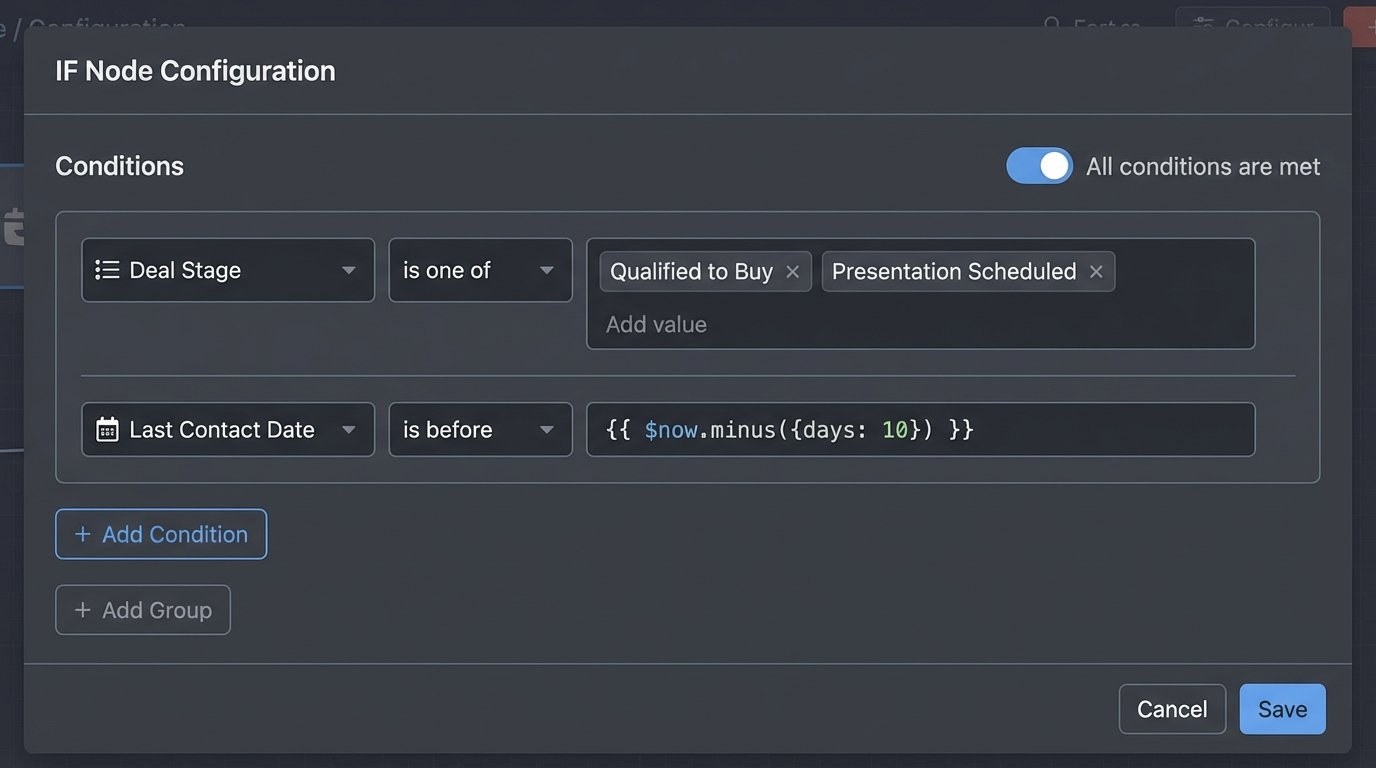
Once I have the full deal object, the real work begins. I don’t want a notification for every single stage change. I need conditional logic. My goal is to only get alerts for deals in specific pipeline stages that haven’t been touched in over 10 days. I added an IF node with a set of rules. It looks something like this:
- Deal Stage is one of [Qualified to Buy, Presentation Scheduled, Proposal Sent]
- AND
- Last Contact Date is before `{{ $now.minus({days: 10}) }}`
This filters out all the noise from deals that are new, closed, or actively being worked on. It’s a simple but effective gate. If a deal passes through this gate, it’s officially ‘stale’ and needs attention. This is way better than some “AI” solutions I’ve seen that try to predict sentiment. This is just a deterministic check against a business rule. It’s ugly, but it works every time.
If you’re not using a platform with nice date comparisons, you have to do it yourself. Here’s a quick Javascript snippet for an n8n Function node to do the same date check. It’s more verbose but gives you more control.
const lastContact = new Date(item.properties.last_contact_date);
const now = new Date();
const tenDaysAgo = new Date(now.setDate(now.getDate() - 10));

item.isStale = lastContact < tenDaysAgo;

return item;
This code adds a boolean field `isStale` to the JSON object. The next IF node can just check if `isStale` is true. It's a cleaner way to separate your data transformation from your routing logic.
The Action: Creating a Task and a Slack Notification
So what happens when a stale deal is identified? An email is too passive. I'll just ignore it. I need something more intrusive. My workflow splits into two actions:
- Create a Task in HubSpot: The first action is an HTTP Request node that hits the HubSpot API to create a new task associated with the stale deal. The task is assigned to the deal owner. The task title is something direct like "Follow up on [Deal Name] - Stalled for 10+ days." This puts the action item directly in the owner's queue inside the CRM.
- Send a Slack Notification: The second action sends a message to a dedicated `#sales-alerts` channel in Slack. This creates public accountability. The message includes the deal name, owner, and a direct link to the deal in HubSpot.
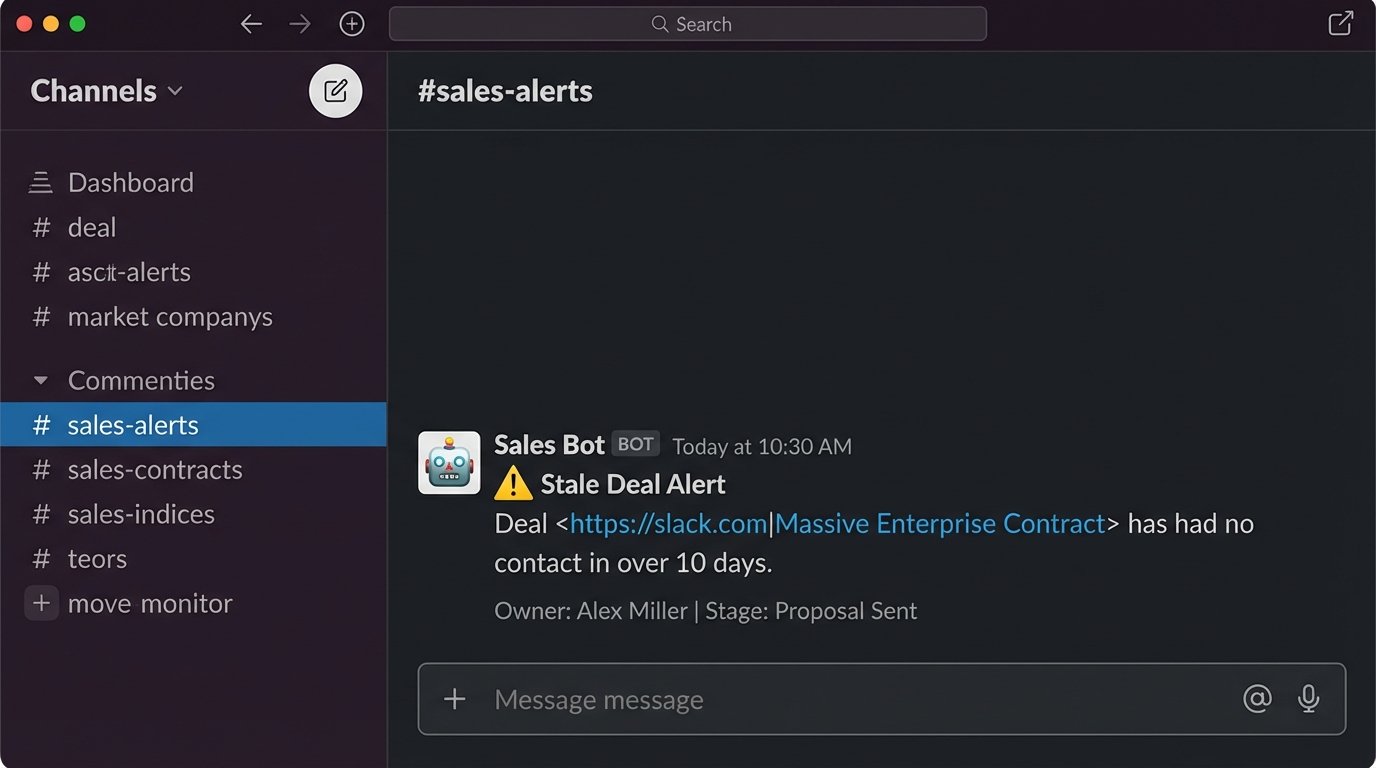
The JSON body for the Slack message is straightforward. I use their Block Kit builder to make it look decent, but a simple text message works too.
{
  "channel": "#sales-alerts",
  "text": "Stale Deal Alert: 'Massive Enterprise Contract' needs a follow-up!",
  "blocks": [
    {
      "type": "section",
      "text": {
        "type": "mrkdwn",
        "text": ":warning: *Stale Deal Alert* \nDeal ** has had no contact in over 10 days."
      }
    },
    {
      "type": "context",
      "elements": [
        {
          "type": "mrkdwn",
          "text": "Owner: *{{ $json.properties.hubspot_owner_id }}* | Stage: *{{ $json.properties.dealstage }}*"
        }
      ]
    }
  ]
}
This entire workflow is a bit hacky, I admit. It depends entirely on the `last_contact_date` property being diligently updated. If my team gets lazy with logging calls or emails, the whole system fails. Garbage in, garbage out. The next iteration will probably involve connecting directly to Gmail and Outlook APIs to scan for recent communication with a contact's domain, removing the manual data entry dependency. But for a few hours of work, this already saved one deal from slipping into the void this morning. That's a win.