Every brokerage has a star agent who closes deals flawlessly and another who leaves a trail of compliance fires. The difference is not talent. It is process discipline. Building shared workflow templates is not about making everyone a star. It is about establishing a baseline of execution that prevents catastrophic failures when a deal goes sideways.
Off-the-shelf SaaS platforms promise push-button solutions. They deliver rigid structures that break the moment your brokerage’s process has a single unique step. The alternative is to build a lightweight, owned system. This is not a weekend project. This is architectural work that pays dividends in reduced errors and predictable timelines.
Prerequisites: Groundwork Before Code
Before writing a single function, you must map the core business processes. Gut the existing manual checklists and interview the operations staff who actually perform the work. Identify the decision points, dependencies, and required artifacts for each stage of a transaction, from client intake to closing. Without this map, you are just automating chaos.
You need a central source of truth for your data. This is typically your CRM. The workflow engine will pull deal-specific data from the CRM and push status updates back. This requires a service account with scoped API permissions. Do not use a person’s credentials. That is how you get a system-wide outage when they change their password or leave the company.
Defining the Template Schema
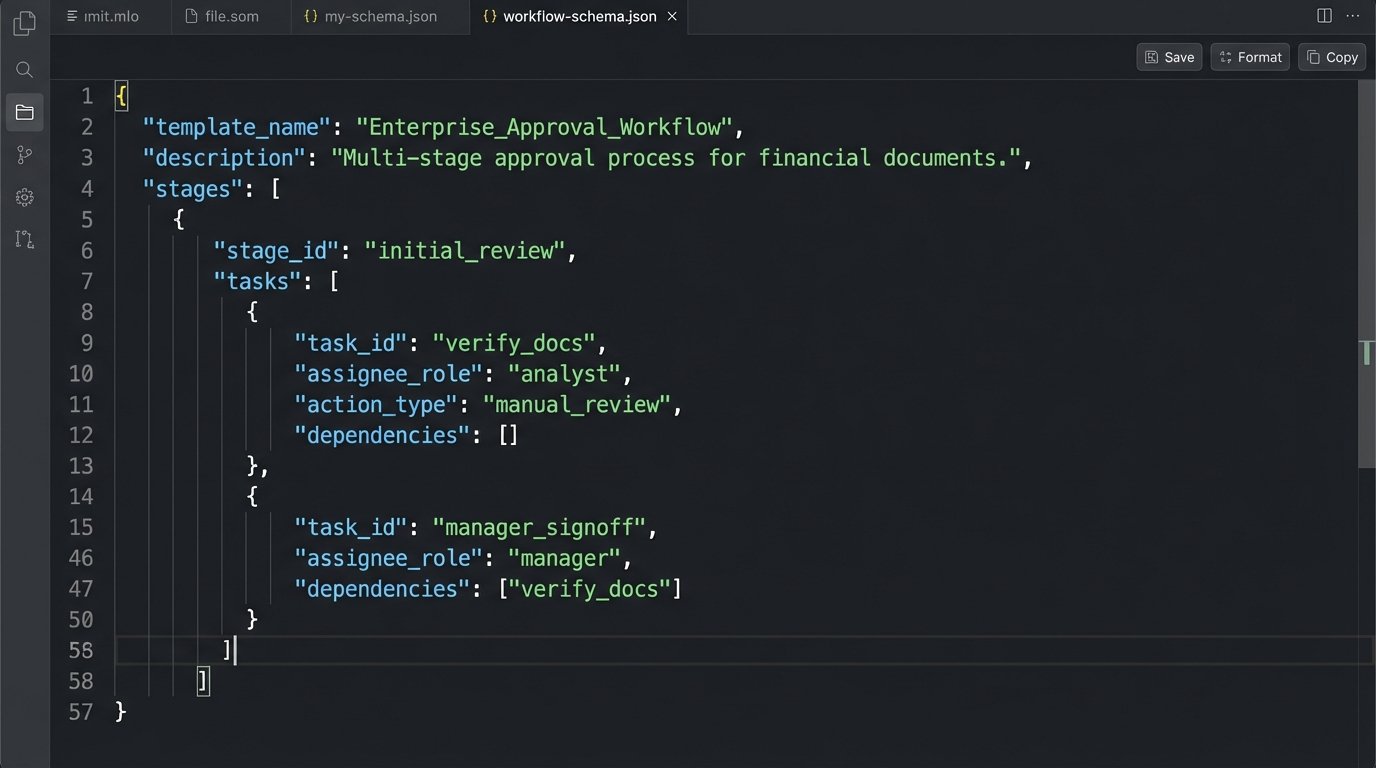
A template is just a structured definition of a process. We use JSON for this because it is machine-readable and easy for engineers to manipulate. The schema should define stages, and within each stage, a list of tasks. Each task needs a type, a responsible party (role-based, not individual), and dependencies.
This structure forces you to think in state machines. A deal can only be in one stage at a time, and tasks must be completed in a specific order. This is the core logic that prevents agents from skipping critical compliance checks.
{

  "template_name": "Standard Residential Purchase v1.2",

  "template_id": "res-purchase-v1.2",

  "version": "1.2",

  "stages": [

    {

      "stage_name": "Intake",

      "stage_id": "s1",

      "tasks": [

        {

          "task_id": "s1-t1",

          "task_name": "Collect Client KYC Documents",

          "assignee_role": "agent",

          "task_type": "document_upload",

          "dependencies": []

        },

        {

          "task_id": "s1-t2",

          "task_name": "Compliance Review KYC",

          "assignee_role": "compliance_officer",

          "task_type": "approval",

          "dependencies": ["s1-t1"]

        }

      ]

    },

    {

      "stage_name": "Underwriting",

      "stage_id": "s2",

      "tasks": [

        {

          "task_id": "s2-t1",

          "task_name": "Submit Application to Lender API",

          "assignee_role": "system",

          "task_type": "api_call",

          "endpoint": "https://api.lender.com/submit",

          "dependencies": ["s1-t2"]

        }

      ]

    }

  ]

}
Notice the `version` and `template_id`. Versioning is non-negotiable. When you update a template, you cannot retroactively change it for in-flight deals. New deals get the new version. Old deals must run to completion on the version they started with.
Step 1: The Orchestration Engine
The orchestrator is the heart of the system. It is a service that ingests a `template_id` and a set of initial data (e.g., `deal_id`, `client_id`). Its job is to create a new instance of the workflow, storing its state in a database. This is not a simple boolean `is_complete` flag. You need to track the state of every single task for every single deal.
A trigger initiates this process. The most common trigger is a webhook from your CRM. When a deal’s status changes to “Active,” the CRM fires a webhook to an endpoint on your orchestration service. That endpoint is responsible for parsing the payload, identifying the correct template, and creating the workflow instance.
State Management is Not Optional
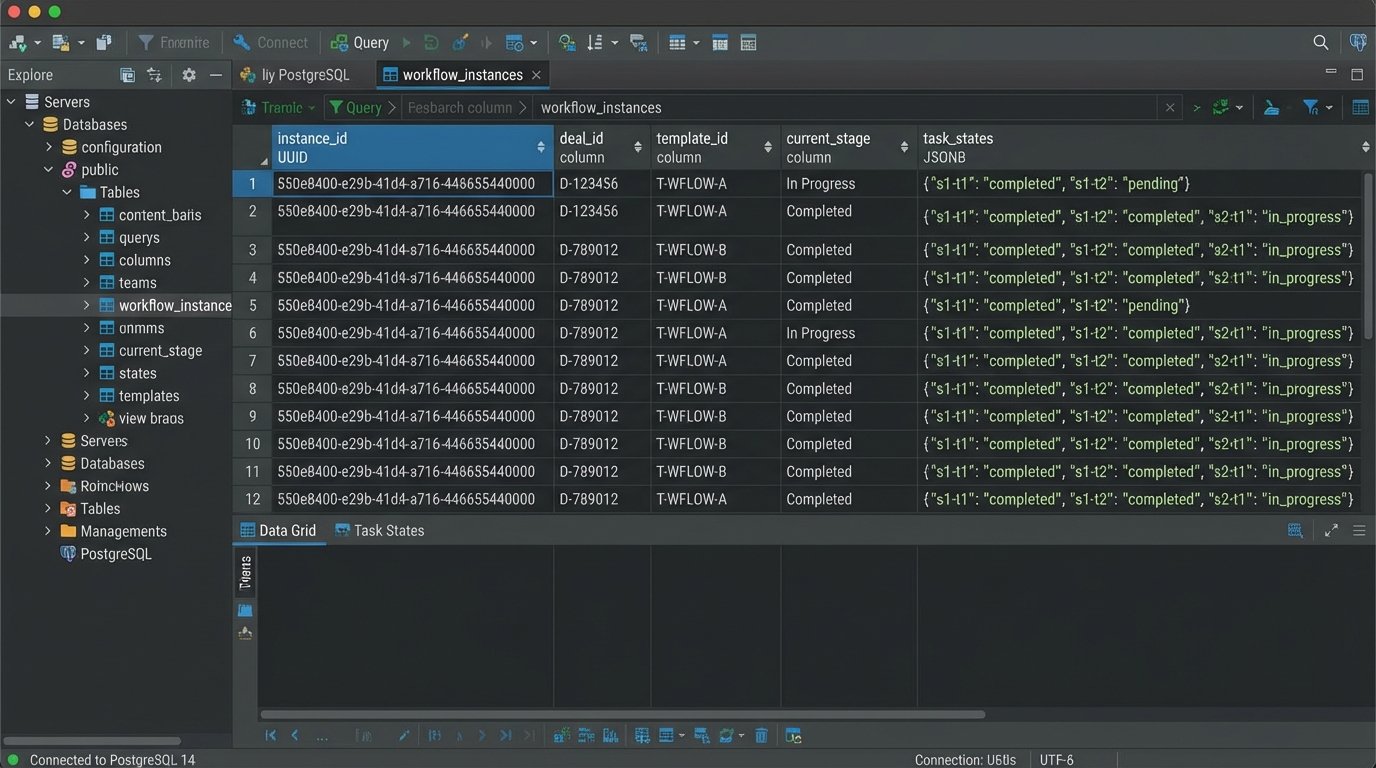
You will need a dedicated table in a database, likely PostgreSQL, to track workflow instances. Each row represents one active deal. The columns would include `instance_id`, `deal_id`, `template_id`, `current_stage`, and a JSONB column named `task_states`. This JSONB object holds the status of every task: `pending`, `in_progress`, `completed`, `failed`.
Trying to manage workflow state without a dedicated database is like tracking inventory on sticky notes during a hurricane. It is a completely unserious approach destined for catastrophic data loss. The state database is your system’s memory. Protect it.
Step 2: Task Execution and Assignment
The system needs to know what to do for each task. We defined `task_type` in our JSON schema for this reason. A `task_type` of `approval` creates a notification and a UI element for a human. A `task_type` of `api_call` means the orchestrator itself executes a system-to-system request.
Human tasks are assigned to roles, not specific people. The orchestrator queries a separate user directory or team service to find who currently fills the `compliance_officer` role, for example. This decouples the process logic from your personnel chart. When a new compliance officer is hired, you update one table, not hundreds of workflow templates.
Bridging System and Human Tasks
An automated task, like calling a lender’s API, is straightforward. The orchestrator makes the request, then handles the response. It might get a success code and mark the task `completed`. It might get a 429 “Rate Limit Exceeded” error, in which case it should log the error and schedule a retry with exponential backoff.
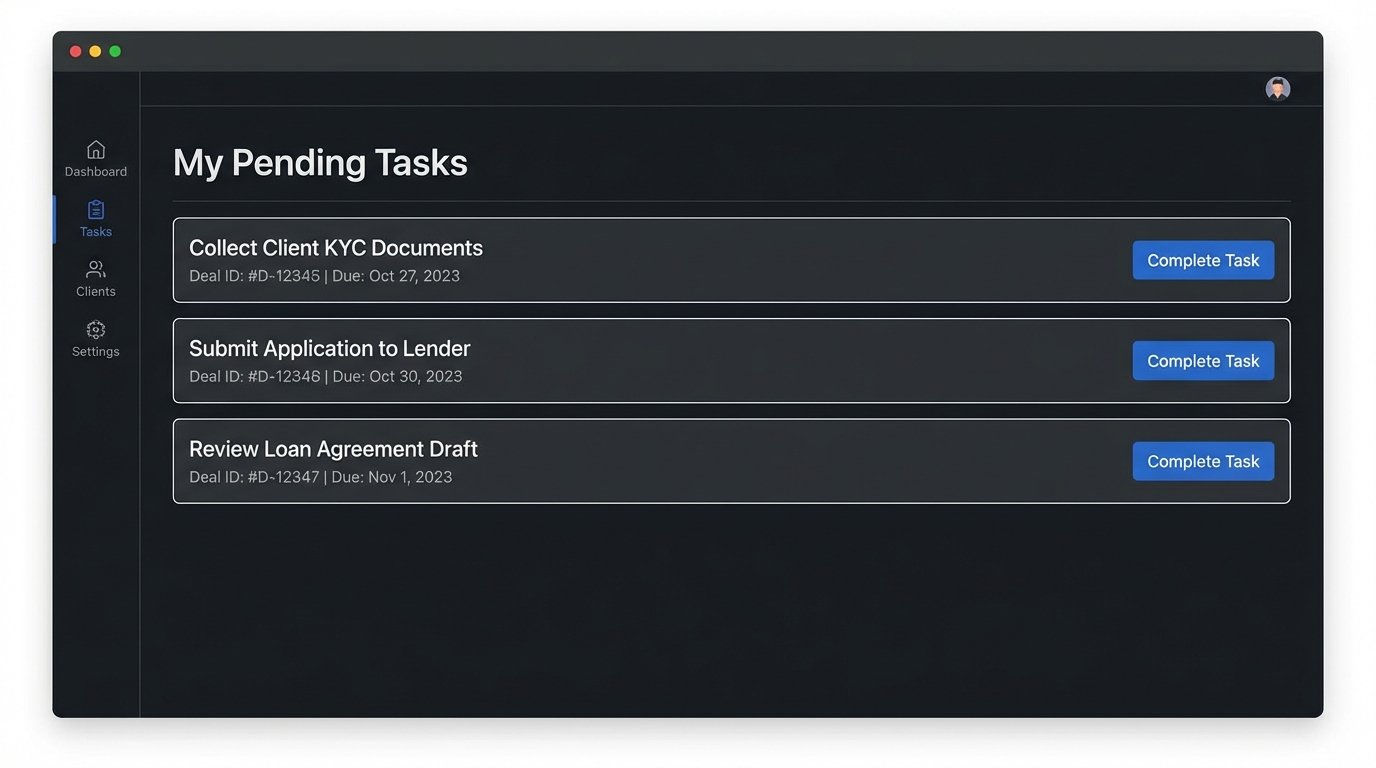
A human task requires a simple API to expose tasks to a front-end application. An agent needs to see a list of their pending tasks. This is a basic `GET /tasks?assignee_id=123` endpoint. When they complete a task, the front-end sends a `POST /tasks/s1-t1/complete` request to the orchestrator, which then updates the state database and checks if the next task in the sequence can be started.
Here is a simplified Python function showing how the orchestrator might advance the workflow state after a task is completed. This logic would live inside the service that handles the `POST /tasks/{task_id}/complete` call.
import json

import db_connector # hypothetical database connection library
def advance_workflow(instance_id, completed_task_id):
# Fetch the current state from the database
workflow_instance = db_connector.get_instance(instance_id)
template = db_connector.get_template(workflow_instance['template_id'])
# Mark the completed task
workflow_instance['task_states'][completed_task_id] = 'completed'
# Find tasks that depended on the completed task
for stage in template['stages']:
for task in stage['tasks']:
if completed_task_id in task['dependencies']:
# Check if all dependencies for this new task are now met
deps = task['dependencies']
deps_met = all(workflow_instance['task_states'].get(d) == 'completed' for d in deps)
if deps_met:
# Trigger the next task
trigger_task(instance_id, task['task_id'])
# Persist the new state
db_connector.update_instance(instance_id, workflow_instance)
def trigger_task(instance_id, task_id):
# Logic to either send a notification for a human task
# or execute an API call for a system task.
print(f"Triggering task {task_id} for instance {instance_id}")
This is a stripped-down example. A production system needs robust error handling and transactional database updates to prevent race conditions. If two tasks complete at the same time, you must not corrupt the state.
Step 3: Building the User Interface
The agents and operations staff will not interact with your API directly. They need a simple, clean user interface that does one thing well: show them what they need to do right now. This is not a full-featured CRM. It is a task list.
The UI should be built on the APIs you have already designed. It authenticates the user, calls the `GET /tasks` endpoint with their ID, and displays the results. Each task should have a clear title, a link to the relevant deal in the CRM, and a button or control to mark it as complete. That control fires the `POST` request back to your orchestrator.
Do not overcomplicate this interface. Every feature you add is another potential point of failure and another thing to train staff on. The goal is to reduce cognitive load, not add to it.
Maintenance and Evolution
Deploying the system is not the end. It is the beginning. Processes in a brokerage change constantly due to new regulations, market shifts, or new technology partners. Your templates will become stale. You must have a process for reviewing and updating templates quarterly.
This system provides the structure. It forces a conversation about the right way to execute a deal and provides a mechanism to enforce it. The code is the easy part. Getting organizational buy-in and maintaining process discipline is the real work.