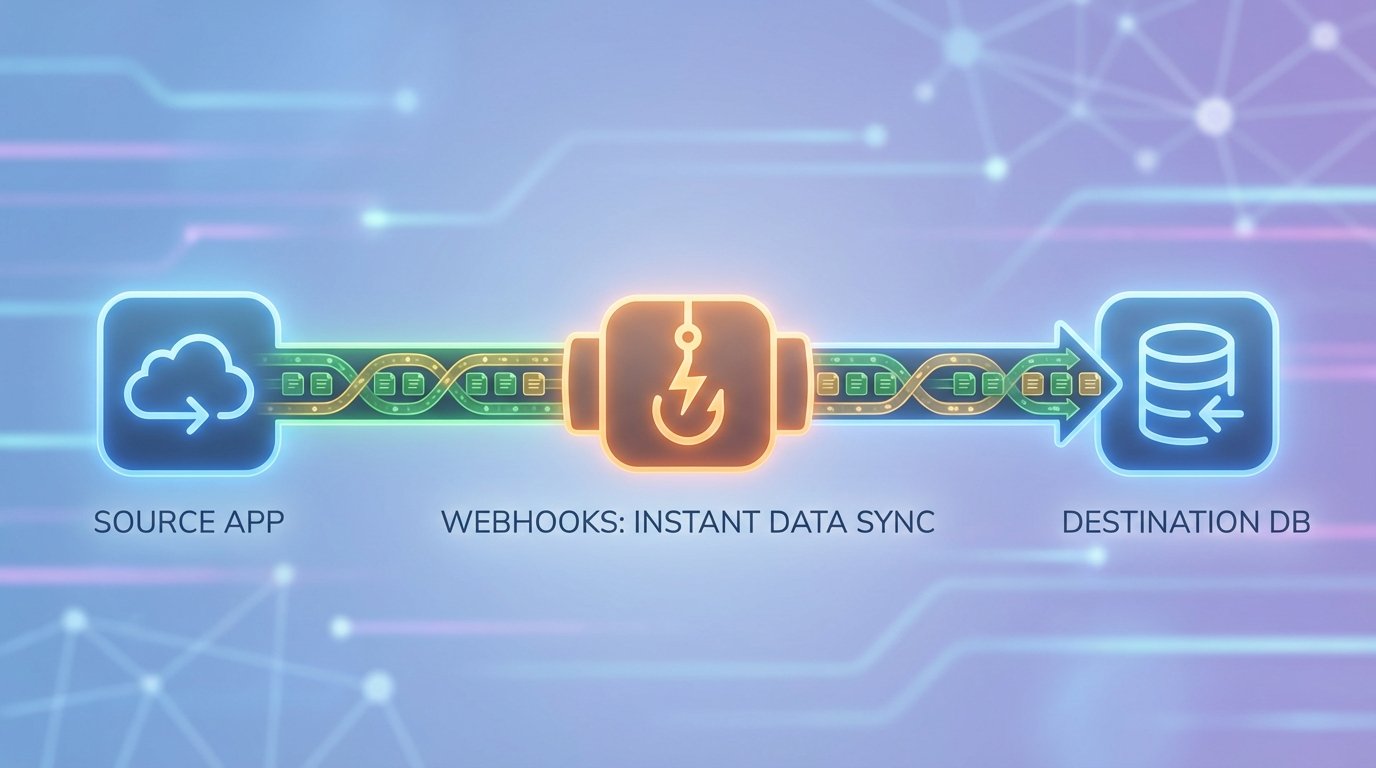
Polling an API endpoint every five minutes is a rookie mistake. It’s a resource-draining, sluggish architecture that introduces unacceptable latency. You are perpetually behind, burning through API rate limits, and processing redundant data. The correct approach is event-driven architecture, and webhooks are the most direct way to get there. They reverse the flow of communication, forcing the source system to notify you the instant an event occurs.
This isn’t a magical fix. A poorly implemented webhook is a security hole and a point of failure waiting to happen. Setting one up correctly means treating it not as a simple URL, but as a hardened, asynchronous ingestion pipeline. Get it wrong, and you’ll be debugging data corruption and service timeouts in the middle of the night.
Prerequisites: Scoping the Battlefield
Before you write a single line of code, you need to conduct reconnaissance. Assumptions here will lead to a complete system rebuild later. Your job is to understand the constraints of the source system and the requirements of your own before you try to bridge them.
The Source System’s Limitations
First, get your hands on the source system’s API documentation for webhooks. Read it. Then, assume half of it is outdated. You need to verify what events they actually support. Can you subscribe to specific events, like `user.created`, or are you stuck with a firehose of every event that happens? Some systems send a massive, nested object for every minor change.
You must know the retry logic. If your endpoint fails to respond, how many times will they retry? Over what period? Aggressive retry policies can hammer a struggling server into the ground. A weak policy means you lose data permanently after a brief network hiccup. Find the answer before it becomes a problem.
The Destination Endpoint (Your Listener)
This is the server-side component you will build. It needs a stable, publicly accessible URL. During development, this is a pain. Use a tool like ngrok to expose your local development server to the public internet temporarily. This allows the source system’s servers to send real events to your local machine for testing.
Do not build your listener on a serverless function just because it sounds easy. While services like AWS Lambda are excellent for this, you must understand their cold start times and execution limits. A webhook that needs to do heavy processing might time out on a basic serverless configuration. Start with a simple, dedicated web server until you’ve profiled the workload.
Data Contract Definition
The “data contract” is the implicit agreement about the structure of the JSON payload sent by the webhook. You need to define what fields you expect, their data types, and which are nullable. Any deviation from this contract on the sender’s end can crash your parser. Your code must be defensive.
Never assume the payload structure is stable. APIs evolve, and staging environments rarely exist for webhook integrations. A developer on the other end might add a new field without telling you, which could be fine, or they could change a data type from an integer to a string, which will break your processing logic instantly.
Core Configuration: Building the Bridge
With the planning done, the actual build involves three distinct phases: creating the endpoint, securing it, and ensuring it responds with extreme prejudice. Failure in any of these phases undermines the entire structure.
Step 1: Generating and Registering the Endpoint URL
Your listener is just a route in a web application that is configured to accept POST requests. Its only job is to catch the data, not process it. Here is a barebones example using Express.js for a Node.js environment. This is the absolute minimum required to receive a request.
const express = require('express');
const app = express();
const port = 3000;

// Use a middleware to parse JSON bodies.
// Crucially, we need the raw body for signature verification later.
app.use(express.json({
  verify: (req, res, buf) => {
    req.rawBody = buf;
  }
}));

app.post('/webhook-listener', (req, res) => {
  console.log('Webhook received!');

  // Log headers and body for initial debugging
  console.log('Headers:', req.headers);
  console.log('Body:', req.body);

  // TODO: Signature validation
  // TODO: Queue for background processing

  // Acknowledge receipt immediately
  res.status(200).send('OK');
});

app.listen(port, () => {
  console.log(`Webhook listener active at http://localhost:${port}/webhook-listener`);
});
Once you have this running, you take the public URL (e.g., from ngrok) and register it in the source system’s admin panel. This tells them where to send the data.

Step 2: Securing the Endpoint
An unsecured public endpoint is not an endpoint; it’s a liability. Anyone on the internet could send fake data to it, creating bogus records or triggering expensive workflows. The standard defense is signature validation. Most competent webhook providers will include a special header, like `X-Signature-256`, with each request.
This signature is a hash (usually HMAC-SHA256) of the request’s raw body, created using a secret key that only you and the source system know. Your listener must perform the exact same hashing operation on the received body and compare the result to the signature in the header. If they do not match, you reject the request with a `403 Forbidden` status. This proves the request came from the legitimate source and that the payload was not tampered with in transit.
Here’s how you might implement the logic to check that signature inside your Express route. This is non-negotiable.
const crypto = require('crypto');

// This secret should be stored securely, not in code.
const WEBHOOK_SECRET = process.env.WEBHOOK_SECRET;

app.post('/webhook-listener', (req, res) => {
  const signature = req.headers['x-hub-signature-256'];
  if (!signature) {
    return res.status(401).send('Signature missing.');
  }

  const hmac = crypto.createHmac('sha256', WEBHOOK_SECRET);
  const digest = 'sha256=' + hmac.update(req.rawBody).digest('hex');

  if (!crypto.timingSafeEqual(Buffer.from(digest), Buffer.from(signature))) {
    return res.status(403).send('Invalid signature.');
  }

  // Signature is valid. Now queue the work.
  console.log('Payload from a trusted source. Queuing for processing.');

  res.status(200).send('OK');
});
Step 3: Acknowledging Receipt Immediately
Notice that in both code examples, the `res.status(200).send(‘OK’)` happens almost immediately. The source system is waiting for this acknowledgement. If it doesn’t get a `2xx` response within a few seconds, it will assume the delivery failed and will try again later. Your listener’s only job is to validate the signature and then hand off the payload to a different process. Any actual data processing must happen asynchronously.
Failing to do this is a common source of bugs. You’ll see duplicate data because your long-running process caused the webhook provider to time out and retry what was actually a successful delivery.
Processing Logic: Handling the Payload
The webhook endpoint itself should do almost no work. Its function is to act as a bouncer at a club: check the ID (the signature), and if it’s valid, let the person (the payload) inside. The actual party happens somewhere else. This separation is key to building a scalable and resilient system.
The Asynchronous Imperative
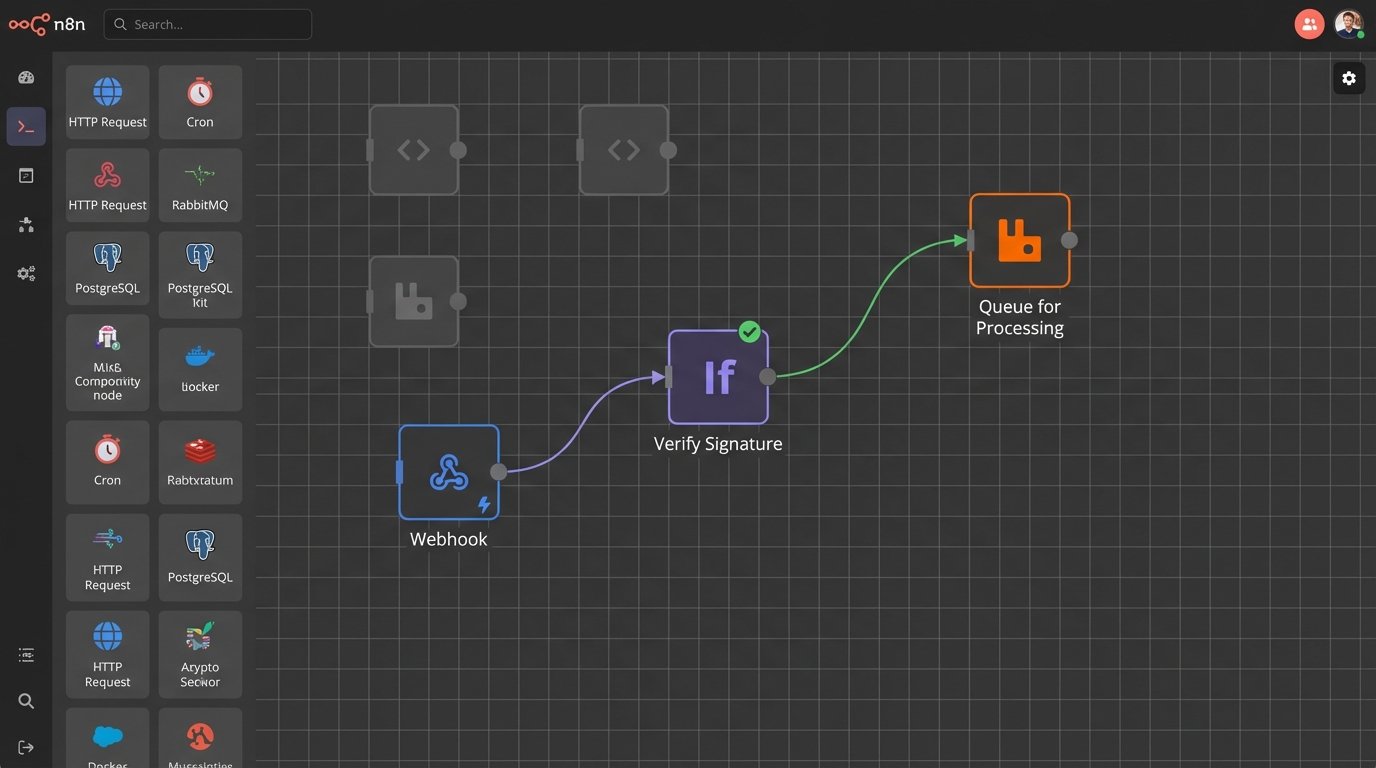
The “somewhere else” is a background job queue. After your listener validates the signature, it should serialize the payload and push it as a job onto a queueing system like RabbitMQ, Redis, or a cloud service like AWS SQS. Separate worker processes, running independently from your web server, will pull jobs from this queue and process them.
This architecture decouples ingestion from processing. It allows you to handle massive spikes in webhook volume without slowing down your endpoint’s response time. If a thousand events fire at once, your endpoint just adds a thousand jobs to the queue in milliseconds. The workers can then chew through that backlog at their own pace. Without this, your web server would fall over.
Idempotency: Avoiding Duplicate Mayhem
Network requests fail. Webhook providers retry. This means you will inevitably receive the same event more than once. If processing an event means creating a user or charging a credit card, duplicates are a disaster. Your processing logic must be idempotent, meaning running the same operation with the same input multiple times has the same effect as running it once.
The standard way to enforce this is to use a unique event ID from the webhook payload. Before processing a job, check your database or a Redis cache to see if you’ve already processed that ID. If you have, you discard the current job and move on. If you haven’t, you process it and then record the ID as completed. Each webhook payload needs to be treated like a sealed evidence bag, tagged with a unique identifier that you check before opening.
Data Transformation and Mapping
The data you receive will almost never be in the exact format you need for your own systems. The `user_created` event from the source might have fields like `first_name` and `last_name`, while your database expects a single `fullName` column. The worker’s job is to perform this transformation.
This is the stage where you strip useless data, remap keys, logic-check values, and enforce data types before attempting to save the record to your database. This transformation logic should be mercilessly defensive, prepared for null values and unexpected formats.
Validation and Monitoring: Trust, But Verify Constantly
Your webhook integration is a black box until you inject logging and monitoring into it. You cannot fix what you cannot see. When something breaks, your logs are the only evidence you have.
Initial Handshake and “Ping” Events
Most webhook providers have a “send test webhook” button. Use it. It’s the first step in debugging. When you receive that first ping, log the entire request object, including all headers and the full body. This allows you to verify your signature validation logic and your JSON parser before real data starts flowing.
Logging Everything
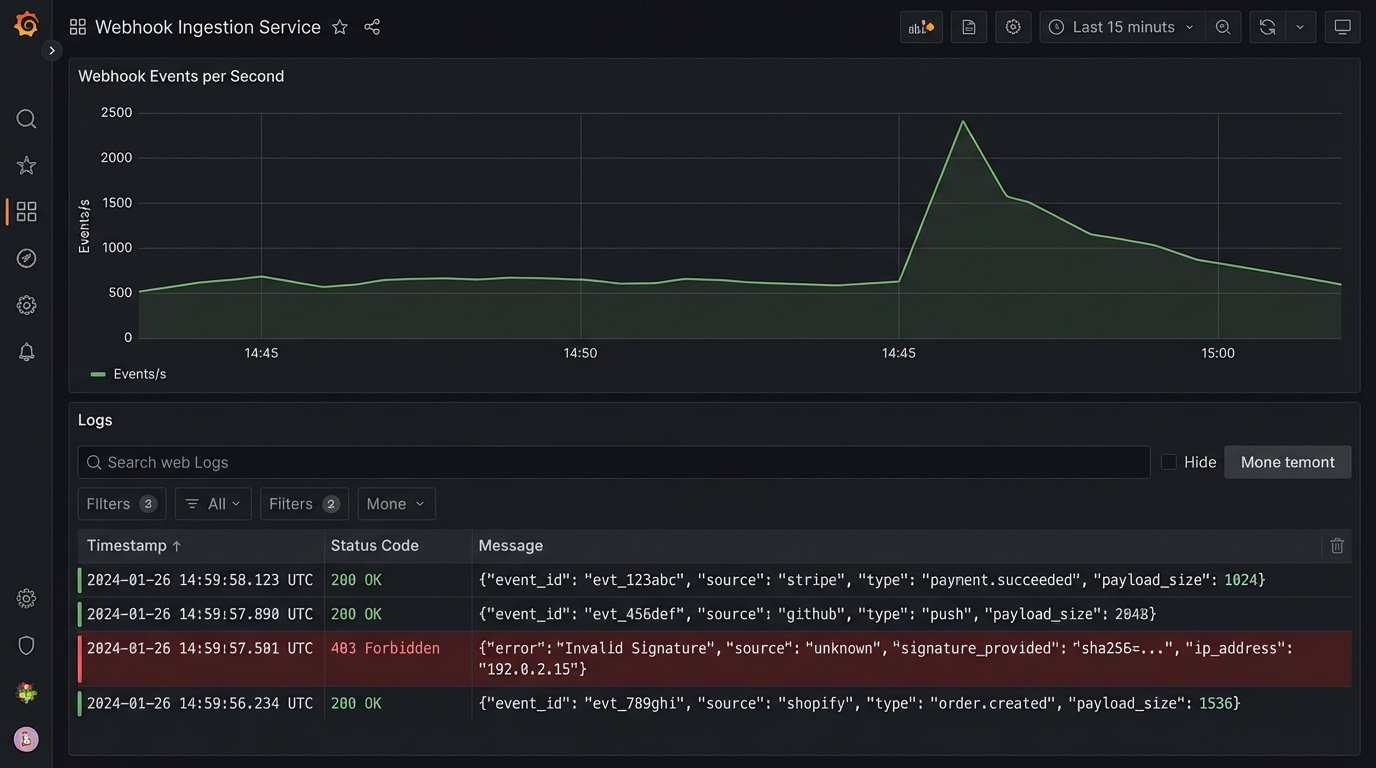
Your listener should log every incoming request. At a minimum, log the result: success, failed signature, or server error. For failures, log the headers (especially the signature) and the body. Be careful about logging sensitive information. Strip PII from the body before writing it to a log file.
Your workers should also log extensively. Log the start and end of processing for each job, and log any errors encountered during data transformation or database insertion. These logs are a flight data recorder for your integration. You don’t look at them until there’s a crash, at which point they become the most valuable asset you have.
Alerting on Anomalies
Passive logging is not enough. You need active alerting. Configure your monitoring system to fire an alert if the rate of `4xx` or `5xx` responses from your webhook listener exceeds a certain threshold. A spike in `403 Forbidden` errors could mean your shared secret is out of sync. A spike in `500 Internal Server Error` means there’s a bug in your listener code.
Also monitor your job queue. A queue that is growing uncontrollably means your workers can’t keep up or are failing. A queue that is suddenly empty when you expect traffic could mean the source system stopped sending webhooks or your listener has crashed entirely.
Failure Modes and Hard Realities
Even a perfectly designed system has to operate in an imperfect world. Understanding the potential failure modes is the final step in building a truly production-ready webhook integration.
Handling “Webhook Storms”
A bulk operation in the source system, like importing 10,000 users, can trigger a “webhook storm.” Your endpoint will be hit with a massive number of requests in a very short period. This is where the async queue architecture is not just a best practice, it is a requirement. Trying to process this volume of data synchronously is like trying to drain a lake with a bucket; the effort is futile and the system will be overwhelmed.
Payload Versioning and Breaking Changes
The source system’s API will change. A good partner will version their webhook payloads, allowing you to opt-in to new versions. Many will not. They will simply add, remove, or rename a field, breaking your parser. Your processing logic should be built to withstand this. Access nested JSON keys safely, check for the existence of fields before using them, and have a dead-letter queue for jobs that fail due to an unrecognizable format.
Without these precautions, a single unannounced change can bring your entire data synchronization process to a halt. Constant vigilance is the price of instant data.