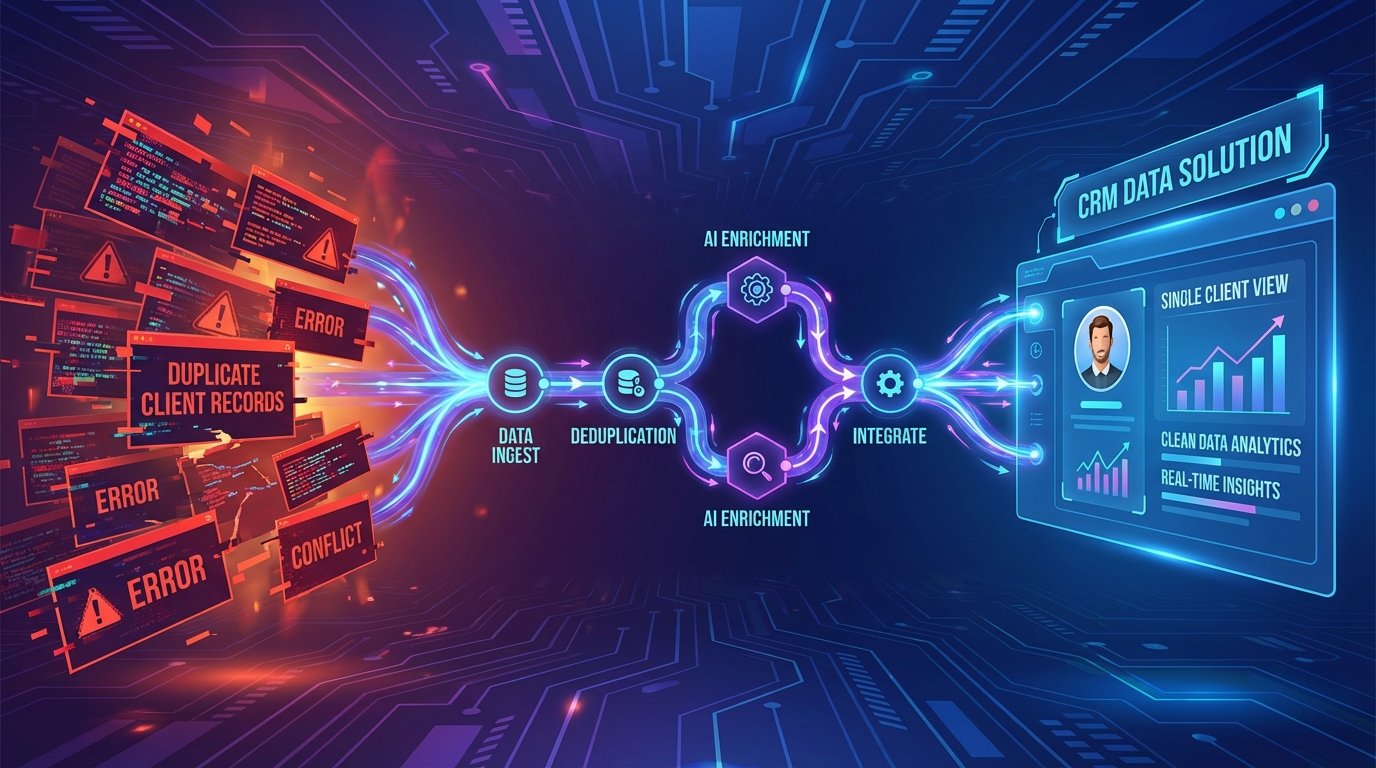
Duplicate records are not a minor housekeeping issue. They are a systemic failure that directly corrupts reporting, skews sales forecasts, and makes a mockery of your personalization campaigns. Every duplicate contact is a potential split conversation, a missed follow-up, or a client receiving two contradictory emails. The root cause is almost never user error. It’s a failure in automation architecture.
We treat CRM sync tools like magic boxes, expecting them to manage complex data relationships with default settings. This is a critical mistake. Most off-the-shelf integration platforms are configured for speed and simplicity, not data integrity. They operate on a lazy “create-first” principle, because checking for existing records costs an extra API call and introduces latency. That’s a trade-off the vendor is happy to make, and one you pay for later.
The Core Architectural Flaw: Create vs. Upsert
The standard workflow for a new lead from a web form, a third-party app, or a list import is dangerously simple. The sync tool receives a payload, maps the fields, and executes a `CREATE` command against your CRM’s API. The tool does its job, a new record appears, and the automation is marked as “successful.” The system is functionally blind to the fact that “Robert Smith” at `r.smith@acmecorp.com` already exists as “Bob Smith” with the same email.
This blind spot creates data forks. The sales team works off the original record, while marketing automation starts a new nurture sequence on the duplicate. Your reporting engine now counts them as two separate leads, inflating your pipeline numbers while providing zero actual value. This problem compounds silently until a sales rep complains that their contact notes are gone, only to find them attached to a record no one has touched in six months.
The Problem of the Non-Existent Search
Most basic sync workflows never perform a `GET` or `SEARCH` request before they `POST`. They don’t ask the CRM, “Does a contact with this email address already exist?” Pinging the API to check for an existing record is the fundamental step that 90% of lazy integrations skip. This isn’t just a configuration issue. It’s a philosophical one. The goal was to move data from A to B, and the job was completed. The collateral damage was not part of the ticket.
Solving this requires you to force a logic check. You have to intercept the data flow and inject a search-before-create mandate. This moves your automation from a simple data-pusher to an intelligent gatekeeper. The tool is no longer just moving bricks. It’s checking the blueprints before it lays one.
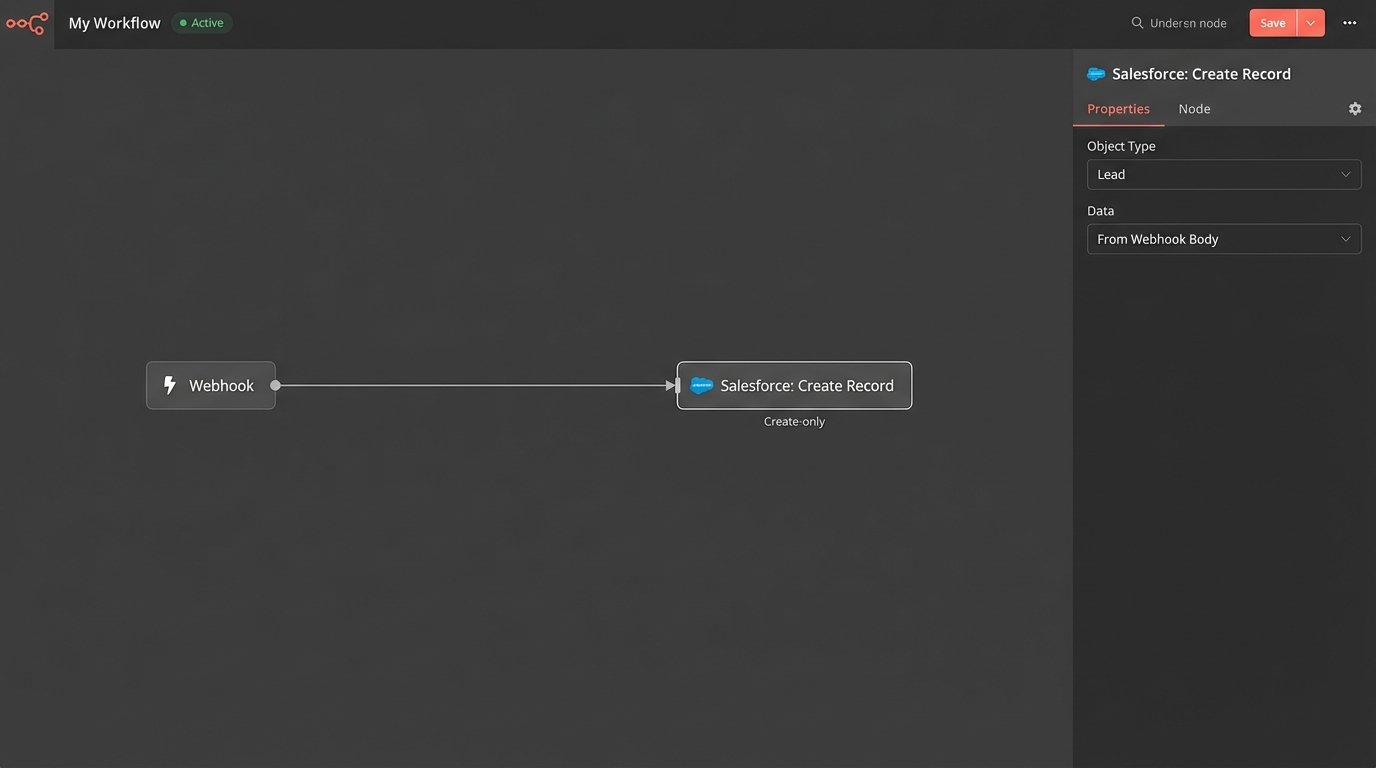
An upsert operation combines `UPDATE` and `INSERT`. The logic first attempts to find a record based on a unique key. If found, it updates the existing record with the new information. If not found, it creates a new record. This is the only sane way to manage data syncs between systems, yet it’s often buried in the “advanced” settings of integration tools or requires a custom script to execute properly.
Architecting a Resilient Sync: The Gatekeeper Protocol
Fixing this mess isn’t about buying a more expensive tool. It’s about implementing a stricter data governance protocol that your tools must follow. You have to stop the bleeding first by redesigning the entry points into your CRM.
Step 1: Define a Master Unique Identifier
The entire gatekeeper model hinges on having a reliable Unique Record Identifier (URI). For most B2B operations, the email address is the default choice. It’s a decent starting point, but it’s fragile. People change jobs, companies get acquired, and typos happen. A truly resilient system uses a hierarchy of identifiers.
Your primary key should be the email address, normalized to lowercase to avoid case-sensitivity issues. Your secondary key could be a combination of `FirstName` + `LastName` + `CompanyName`. This secondary check is a weaker, fuzzier match, but it can catch duplicates where the email is different but the person is clearly the same. The ultimate goal is to have an external ID from a master system, but that’s a luxury most don’t have.
- Primary URI: Email Address (normalized).
- Secondary URI: Phone Number (stripped of special characters).
- Tertiary URI: `FirstName` + `LastName` + `CompanyName` (fuzzy matched).
The logic must check for a match on the primary URI first. If nothing is found, it proceeds to the secondary, and so on. Only if all checks fail should it be allowed to create a new record.
Step 2: Build the Search-Then-Upsert Workflow
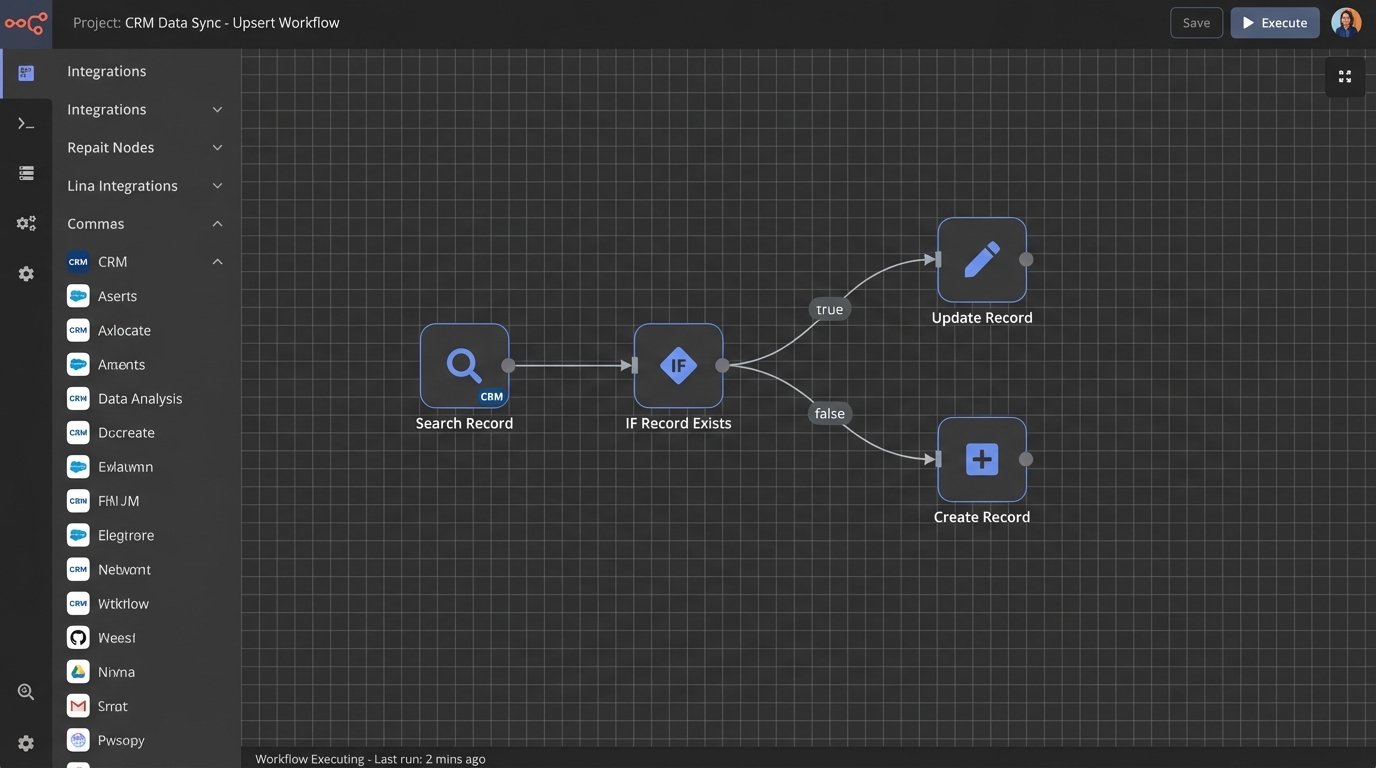
This is where you modify the automation’s control flow. Instead of a direct `Create Record` step, you insert a search step. The workflow looks like this:
1. **Receive Payload:** The automation triggers with new contact data.
2. **Normalize URI:** Strip and standardize the email address and phone number.
3. **Search CRM:** Execute a `GET` request to the CRM API’s contact endpoint, using the normalized email as a filter query. Example: `GET /crm/v3/objects/contacts?properties=email&email=normalized.email@domain.com`.
4. **Evaluate Response:**
* **If record found (HTTP 200 with results):** Extract the existing record’s ID. Proceed to the `UPDATE` step, using the ID to overwrite fields with new data from the payload.
* **If no record found (HTTP 200 with no results):** Proceed to the `CREATE` step, using the original payload to create a new contact.
5. **Log Outcome:** Record whether an update or a create was performed, along with the record ID.
This logic prevents the vast majority of duplicates at the source. It is the bouncer at the club door, checking the ID of every piece of data before it gets in and starts trouble.
Step 3: Establish Data Precedence Rules
When an existing record is found, you face a new problem: data conflicts. The incoming payload says the contact’s title is “Director,” but the CRM says “VP.” Which one is correct? You need to define a source of truth.
Map out your data sources and rank them by reliability. For example, data from your billing system is likely more accurate than data from a webinar signup form. Your update logic should be configured to only overwrite certain fields from lower-priority sources. A webinar lead should be able to update a `Last_Activity_Date` field, but it should never be allowed to overwrite a `Billing_Address` field that was set by your payment processor.
The Purge: Dealing with Your Existing Data Swamp
Implementing a gatekeeper stops future duplicates. It does nothing about the thousands already polluting your CRM. You must perform a one-time purge, which is a delicate and irreversible operation.
Export, Analyze, and Script
You cannot safely merge duplicates within the CRM’s native interface. It’s slow, manual, and designed for one-off fixes. The professional approach is to export all contact records into a CSV or database. From there, you can use a script to identify probable duplicates.
The script should iterate through the records and group them by potential matches. A simple Python script using a library like `pandas` for data manipulation and `fuzzywuzzy` for string comparison can process a large dataset efficiently.
Here is a conceptual Python snippet to show the matching logic:
import pandas as pd

from fuzzywuzzy import fuzz
# Load your CRM export
df = pd.read_csv('contacts_export.csv')
# Normalize email for exact matching
df['email_normalized'] = df['email'].str.lower().str.strip()
# Group by the exact email first
exact_duplicates = df[df.duplicated(['email_normalized'], keep=False)]
print("Found exact email duplicates:")
print(exact_duplicates[['contact_id', 'full_name', 'email']])
# For records without exact email matches, try fuzzy name matching
non_duplicates = df.drop_duplicates(['email_normalized'], keep=False)
# This is computationally heavy. Do not run on millions of records without optimization.
# A more robust approach would use blocking to limit comparisons.
potential_fuzzy_matches = []
for i, row1 in non_duplicates.iterrows():
for j, row2 in non_duplicates.iterrows():
if i >= j:
continue
name_ratio = fuzz.token_sort_ratio(row1['full_name'], row2['full_name'])
company_ratio = fuzz.ratio(row1['company_name'], row2['company_name'])
if name_ratio > 85 and company_ratio > 90:
potential_fuzzy_matches.append((row1['contact_id'], row2['contact_id']))
print("Potential fuzzy matches based on name/company:")
print(potential_fuzzy_matches)
This script won’t merge anything. It generates a list of IDs to investigate. The output is your hit list. You then need a second script that uses the CRM’s API to perform the merge operations, carefully defining which record’s data to keep as the master.
Hardening the System for Production
A sync automation on your local machine is not the same as one in production. Production environments are hostile. APIs have rate limits, networks fail, and data payloads arrive malformed. Your solution must be built to withstand this.
Rate Limiting and Retry Logic
Your “search-before-create” logic just doubled the number of API calls for every new contact. If you import a list of 10,000 leads, you will make 20,000 API calls in a short burst. This will almost certainly trigger your CRM’s rate limit, causing the automation to fail.
You must implement a throttle. Your code should process records in small batches with a delay between them. It also needs exponential backoff logic. If an API call fails with a 429 “Too Many Requests” error, the script should wait for a few seconds and try again, then wait longer for the next failure, and so on.
Dead-Letter Queues for Failed Payloads
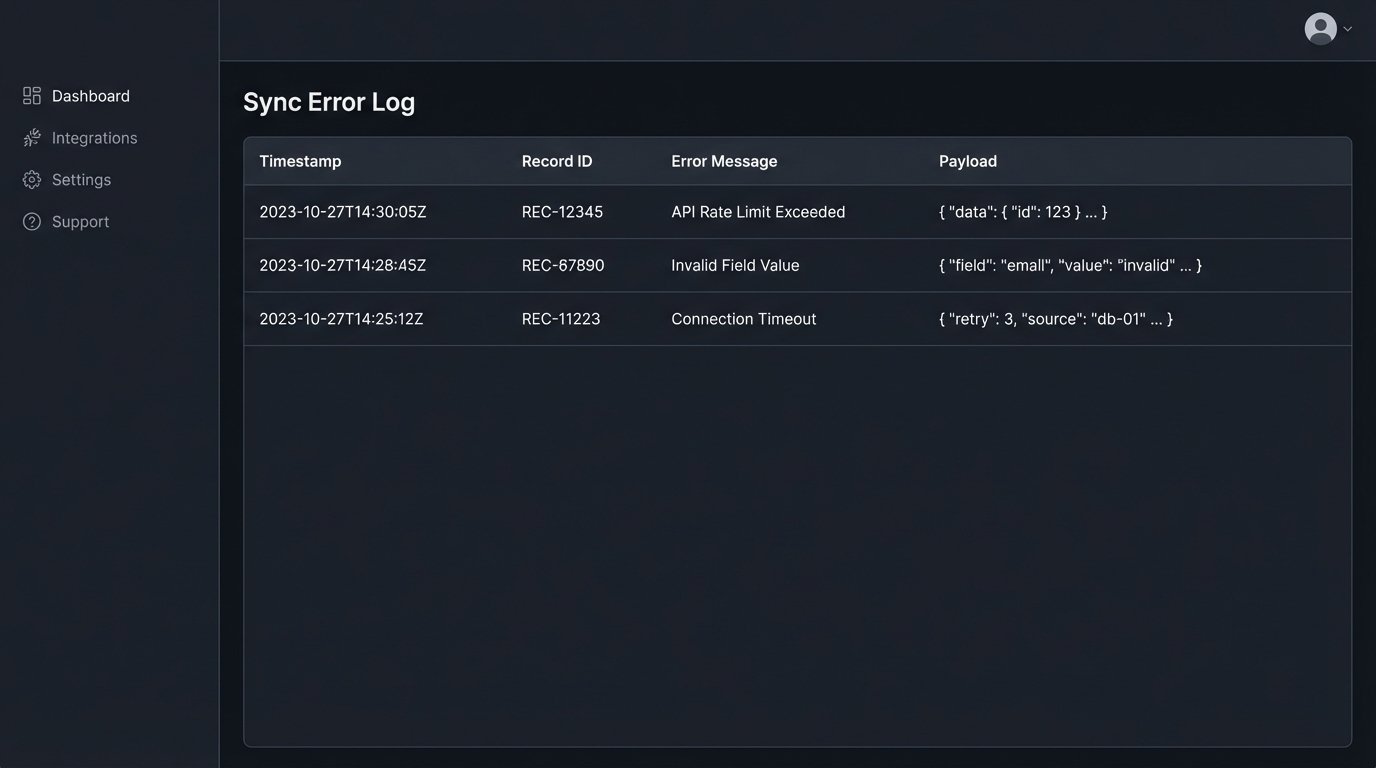
Some syncs will inevitably fail for reasons you can’t predict. A record is locked, a validation rule trips, the API is down. Instead of letting the data disappear, your automation should catch the failed payload and shunt it to a “dead-letter queue.” This could be a simple spreadsheet, a database table, or a dedicated message queue service. This gives you a list of failed jobs that a human can review and re-process manually, ensuring no lead is ever lost.
The Unavoidable Trade-Offs
There is no perfect solution. Implementing a robust de-duplication strategy involves compromises.
Latency vs. Integrity
The gatekeeper protocol is slower. A simple `CREATE` call might take 200ms. A `SEARCH` followed by an `UPDATE` could take 500ms or more. This means the lead from your web form won’t appear in the CRM instantly. You are trading sub-second speed for long-term data integrity. For most business processes, this is the correct trade.
Cost of Complexity
A simple, fire-and-forget sync is cheap to build and maintain. A resilient, stateful sync with search logic, error handling, and logging is more complex. It requires more development time and more sophisticated monitoring. It is a wallet-drainer in the short term, but it prevents the far greater cost of cleaning up a corrupted database and working with bad data for years.