How to Use APIs to Sync Documents Between Your CRM and Transaction System
The marketing deck promised a seamless, unified platform. The reality is a CRM that doesn’t talk to your transaction system. Now you have agents manually downloading PDFs from one system and uploading them to another, creating data silos and compliance risks. Fixing this isn’t about finding the perfect tool. It’s about forcing two stubborn, proprietary systems to communicate through their APIs. This is a plumbing job, not a magic trick.
We are going to build a one-way sync. Documents uploaded to the CRM will be automatically pushed to the transaction system. The same principles apply for a bi-directional sync, but that doubles the complexity and the number of failure points. Start simple. Force it to work. Then add features.
Prerequisites: The Scoping and Authentication Minefield
Before you write a single line of code, you need to read the API documentation for both systems. This is the most critical step. Assume the documentation is outdated or outright wrong in places. Your first task is to authenticate against both APIs using a simple curl command or a tool like Postman. If you can’t get a `200 OK` with a basic `GET` request, stop everything and figure out why.
Most modern systems use OAuth 2.0, which is a multi-step dance to get a temporary access token. You’ll need a client ID and secret, and you’ll have to manage refresh tokens to keep your connection alive. Some older or simpler systems might just use a static API key. Static keys are easier to implement but are a security liability. If one leaks, you have a problem. Store these credentials in a secure vault, not in a config file checked into git.
The next thing to hunt for in the documentation is rate limits. Every API has them. They might limit you to 10 requests per second or 10,000 requests per day. If you design a system that polls for new documents every 5 seconds and you have 500 users, you will hit that limit before lunch. Know your constraints before you design your solution.
Don’t expect vendor support to save you.
Triggering the Sync: Push vs. Pull
You have two fundamental choices for detecting a new document in the CRM: webhooks or polling. A webhook is an event-driven push. When a user uploads a document, the CRM makes an HTTP POST request to an endpoint you control. This is efficient and provides near real-time updates. The downside is you need to build, host, and secure a public-facing API endpoint to receive these events. This means dealing with firewalls and ensuring your service is always available.
Polling is the brute-force alternative. You write a script that runs on a schedule, maybe every five minutes. The script asks the CRM API, “Any new documents since my last check?” This is simpler to implement because it’s all outbound traffic from your server. No need to open up your network. The cost is inefficiency and latency. You are making useless API calls 99% of the time, and there will always be a delay between the document upload and the sync.
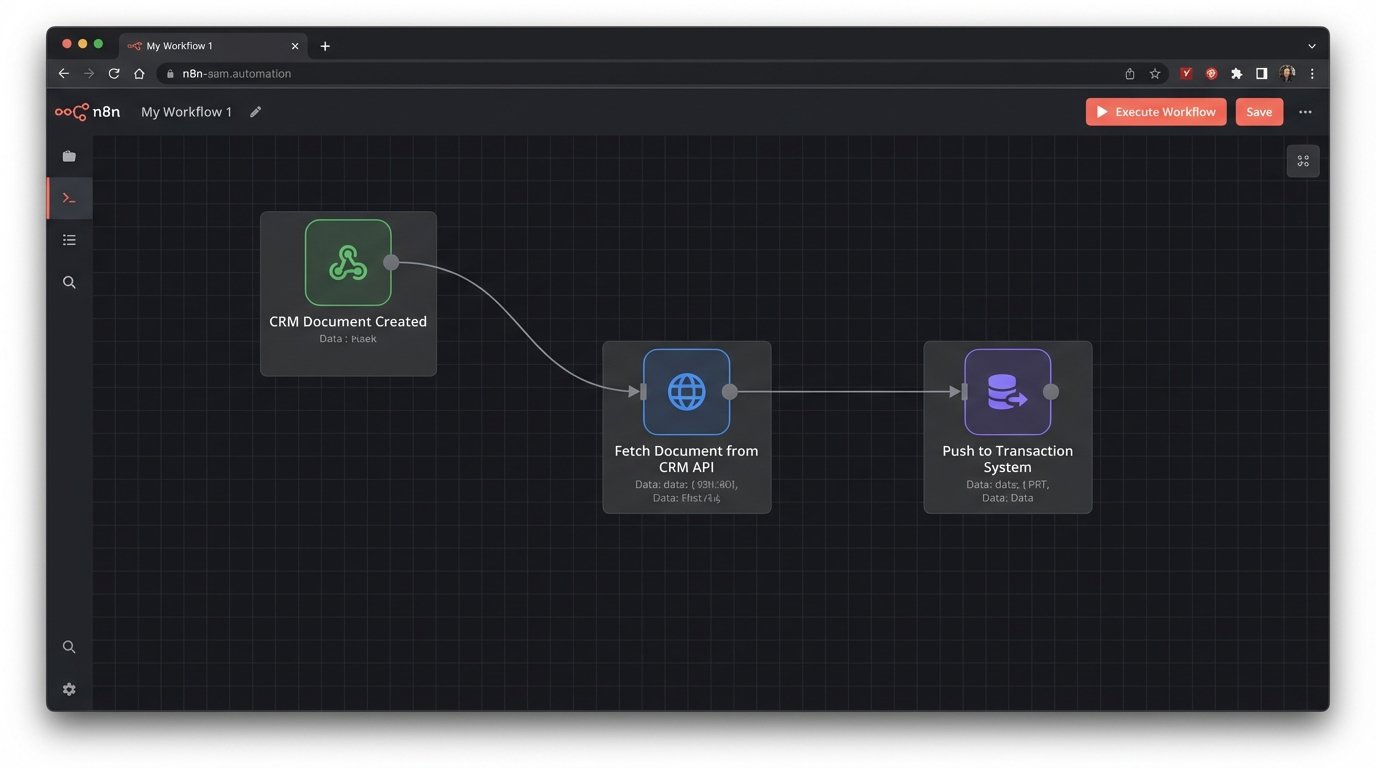
A webhook payload from the source system (the CRM) is the starting gun for the entire process. It will contain metadata about the event, like the user ID, the account ID, and most importantly, the ID of the document that was just created. It will almost never contain the document itself. The payload is just a notification. Your code’s first job is to receive this notification, validate it, and then use the `documentId` to make a follow-up API call back to the CRM to fetch the actual file content.
Here is a stripped-down example of what a webhook payload might look like. Your first logic check should be to confirm the `eventType` is what you expect. Ignore everything else.
{

  "eventType": "DOCUMENT_CREATED",

  "timestamp": "2023-10-27T10:00:00Z",

  "accountId": "acc_12345",

  "userId": "user_67890",

  "payload": {

    "documentId": "doc_abc123",

    "fileName": "PurchaseAgreement_Final.pdf",

    "mimeType": "application/pdf"

  }

}
Building a listener for this is like setting up a target. If your endpoint isn’t ready and waiting, that data is just fired into the void, gone forever.
Data Mapping and Transformation
Getting the document is only half the battle. Now you have to prepare it for the destination system. This starts with mapping identifiers. The `accountId` in the CRM is probably not the same as the `transactionId` in the transaction system. You need a lookup table or a secondary API call to bridge this gap. You must be able to definitively link a CRM record to a transaction record. If this link is ambiguous, your sync will fail or, worse, attach documents to the wrong transaction.
Document metadata is another point of friction. The source system might have a field for `description` while the destination calls it `notes`. One uses timestamps in UTC, the other in ISO 8601. You will need to write transformation logic to remap and reformat this metadata into a structure the destination API will accept. This is tedious, error-prone work that requires careful validation.
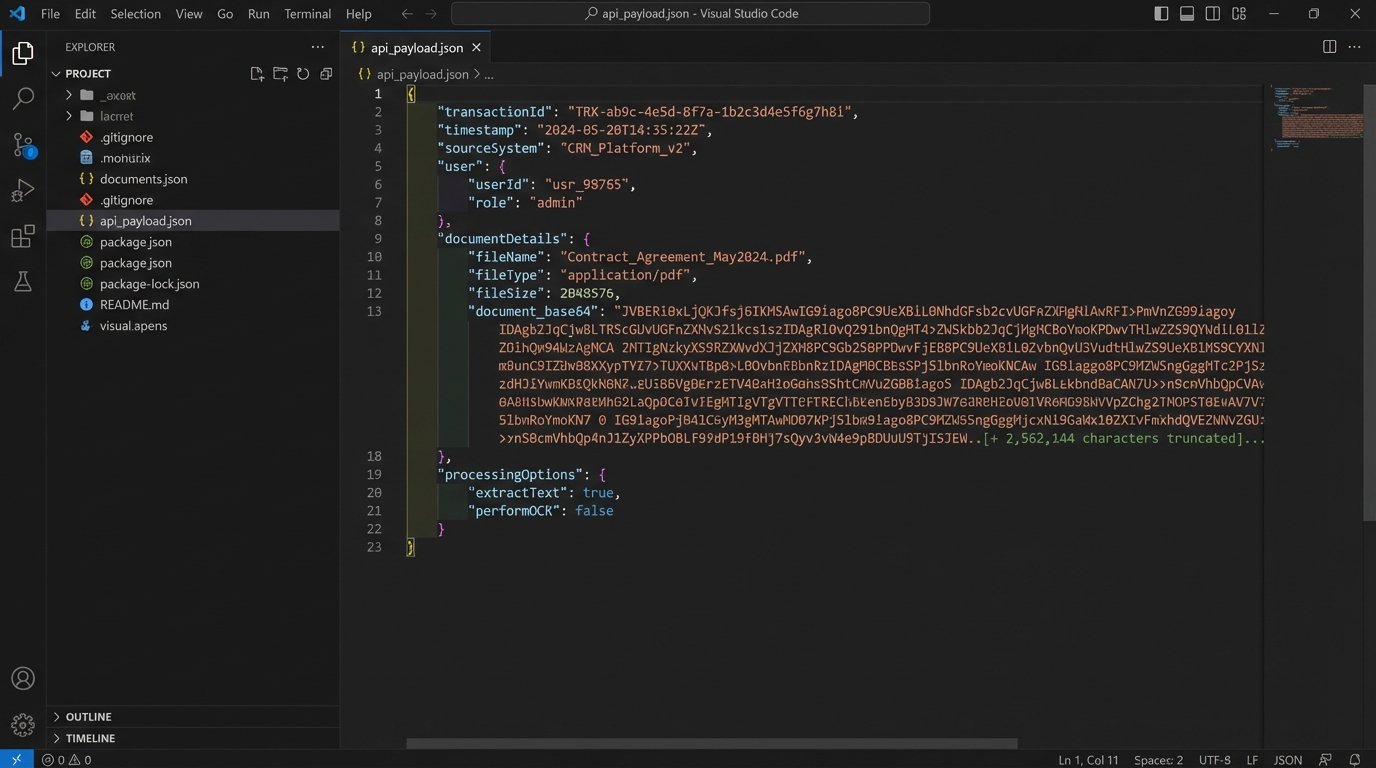
Fetching the document file itself usually involves a `GET` request to an endpoint like `/api/v1/documents/{documentId}/content`. The response body will contain the raw binary data of the file. You cannot just stuff this binary data into a JSON payload to send to the destination. JSON only supports text. The standard practice is to Base64 encode the binary data. This converts the file into a long string of ASCII characters, which can be safely embedded in a JSON object. The destination system will then need to decode this string back into a file.
Sending a 50MB file encoded as a massive JSON string is like shoving a firehose through a needle. It’s a huge, memory-intensive operation for both your script and the receiving API. Check the destination API’s file size limits. Many will reject payloads over a certain size, forcing you to implement a multi-part upload process, which adds another layer of complexity.
Building for Failure: Error Handling and State Management
Your integration will fail. The network will drop, an API will be down for maintenance, or your refresh token will expire. You must plan for this. A robust solution distinguishes between transient errors (like a temporary network timeout) and permanent errors (like an invalid document ID). For transient errors, you should implement a retry mechanism with exponential backoff. Don’t just hammer the API every second. Wait 2 seconds, then 4, then 8, and so on, before giving up.
For permanent errors or jobs that fail after multiple retries, you need a dead-letter queue (DLQ). This is simply a mechanism to park failed jobs for manual inspection. It could be a separate database table, a message queue, or even just a log file. Without a DLQ, failed syncs will be lost, and you will have no visibility into what went wrong. A user will eventually report a missing document, and you’ll have no record of the attempted sync.
State management is also critical to prevent duplicate processing. If your webhook receiver gets the same event twice (which can happen), you don’t want to upload the same document twice. The simplest way to handle this is to record the `documentId` from the webhook in a database or a Redis cache immediately upon receipt. Before processing any new event, check if you have already processed that ID. If you have, simply acknowledge the request with a `200 OK` and do nothing.
This idempotency check is your first line of defense against creating a mess.
Validation and Logging
After you make the API call to upload the document to the destination system, your job is not done. A `201` status code from the server is a good sign, but it isn’t proof. The API could have accepted the request but failed to process it asynchronously. The only way to be certain the sync was successful is to perform a validation step. This involves making another API call, a `GET` request, to the destination system to fetch the metadata of the document you just created. You can then verify that the filename, size, and other attributes match what you sent.
To be absolutely sure the file itself wasn’t corrupted in transit, you can compute a checksum (like MD5 or SHA-256) of the file content before you send it. If the destination API supports returning a checksum for stored files, you can compare the two. If they match, you have cryptographically verified data integrity. Most APIs don’t support this, but it’s the gold standard for validation.
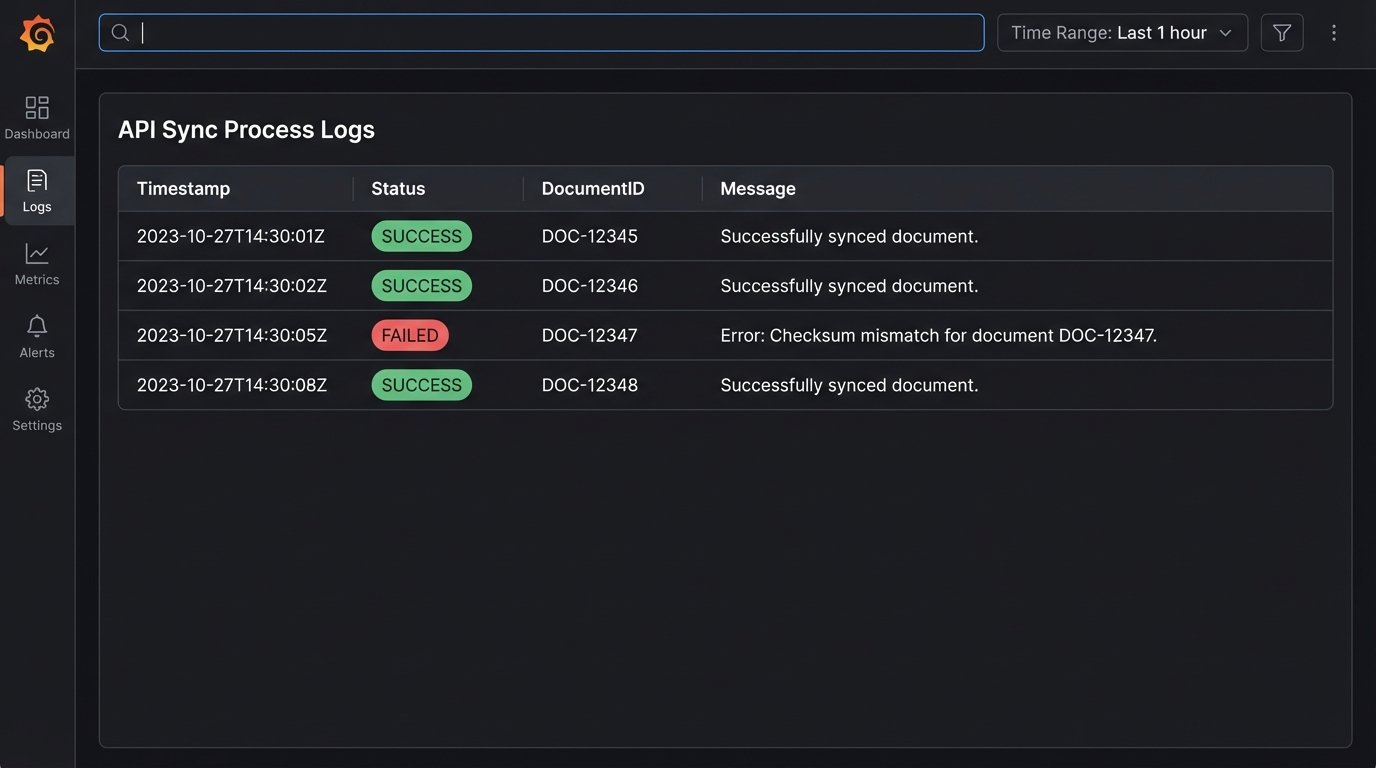
Log everything. When a sync fails at 3 AM, you don’t want to be guessing what happened. Your logs are your only witness. Use structured logging (JSON format) so your logs are machine-readable and easy to query. For every sync attempt, log the source `documentId`, the destination `transactionId`, the status (SUCCESS, FAILED, RETRY), the duration of the operation, and any error messages. This level of detail is not optional. It is the difference between a five-minute debug session and a five-hour one.
Here is a minimal Python example for a validation check after an upload. It’s a simple idea, but it’s what separates a script from a production system.
import requests

import hashlib
def upload_and_verify_document(api_token, transaction_id, file_path):
# Calculate local checksum before upload
local_checksum = hashlib.md5(open(file_path, 'rb').read()).hexdigest()
# Step 1: Upload the file (pseudo-code)
upload_response = perform_upload(api_token, transaction_id, file_path)
if upload_response.status_code != 201:
log_error(f"Upload failed with status: {upload_response.status_code}")
return False
new_document_id = upload_response.json()['id']
# Step 2: Validate the upload
headers = {'Authorization': f'Bearer {api_token}'}
verify_url = f'https://api.transactionsystem.com/v1/documents/{new_document_id}'
try:
verify_response = requests.get(verify_url, headers=headers)
verify_response.raise_for_status() # Raises an exception for 4xx/5xx status codes
remote_metadata = verify_response.json()
remote_checksum = remote_metadata.get('md5Checksum')
if remote_checksum == local_checksum:
log_success(f"Verified document {new_document_id} with checksum.")
return True
else:
log_error(f"Checksum mismatch for document {new_document_id}.")
return False
except requests.exceptions.RequestException as e:
log_error(f"Verification failed for document {new_document_id}: {e}")
return False
This is a Maintenance Liability
This integration is not a one-time project. It is a new piece of infrastructure that you now own. APIs will be deprecated. Authentication methods will change. The data schemas will drift as product teams add new fields. You are responsible for monitoring its health, updating it to handle API changes, and explaining why it broke. This is a permanent commitment.
The alternative is to use an iPaaS (Integration Platform as a Service) product. These platforms provide pre-built connectors and a graphical interface for building these workflows. They handle the boilerplate of authentication, retries, and logging. This can speed up development significantly, but it’s a wallet-drainer. You are trading engineering time and maintenance headaches for a monthly subscription fee. Pick your poison.