Stop Manually Booking Open Houses. It’s Broken.
The process of manually scheduling open house viewings is a fragile chain of emails, spreadsheets, and human memory. It fails constantly. A lead submits a form, an agent misses the notification, the slot is double-booked, and a potential sale evaporates. We are not here to discuss better spreadsheet formatting. We are here to build a machine that removes the human failure point by connecting booking requests directly to a calendar.
This is not a simple Zapier connection. This is about building a durable system that logic-checks availability, manages state, and handles the inevitable API errors. The goal is an automated workflow that creates calendar events from a web form submission, confirms the booking, and provides a clear path for cancellations without human intervention.
The Architectural Groundwork Before You Code
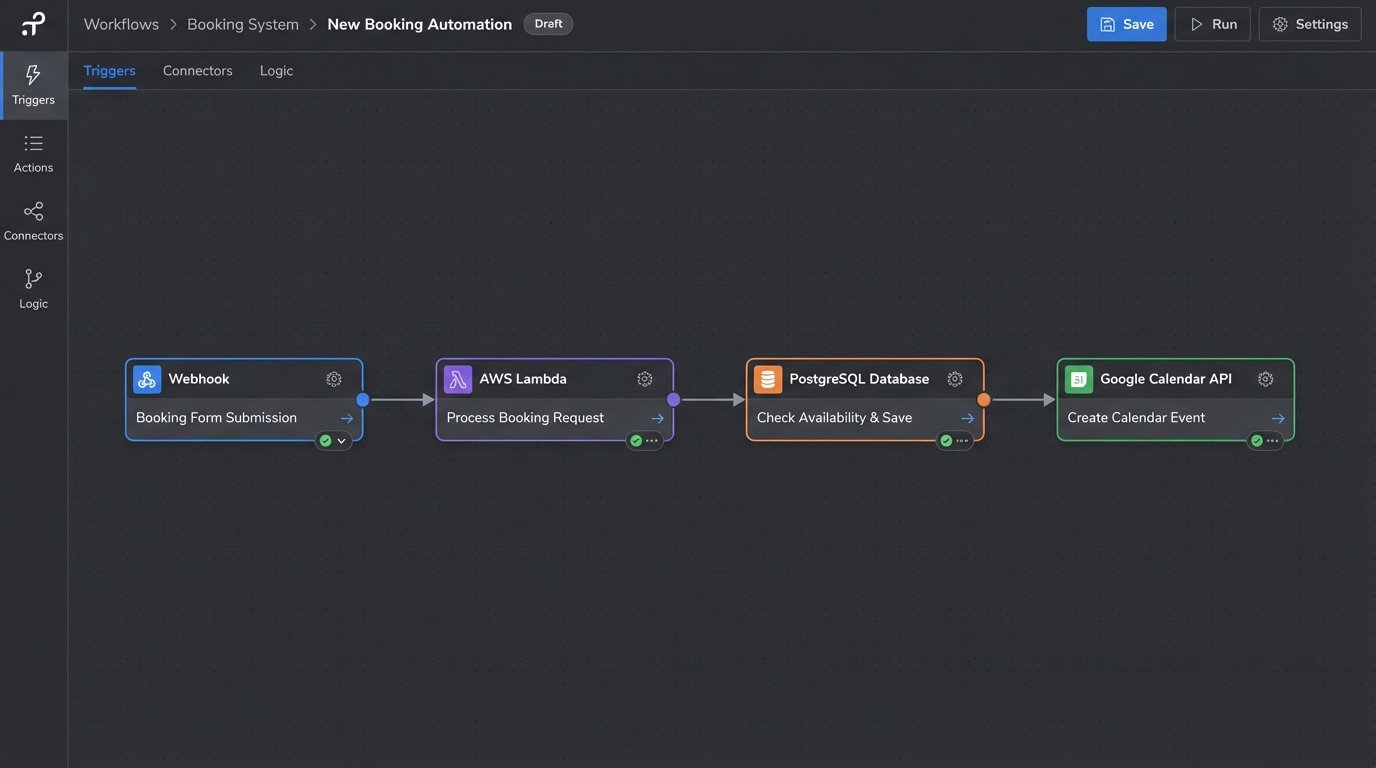
Before writing a line of Python or Node.js, you need to assemble the core components. Skipping this step is how you end up with a brittle script that falls over the first time an API returns a 503 error. This architecture is non-negotiable for a system that needs to function without constant babysitting.
- A Booking Source: This is your trigger. It’s typically a webhook fired from a web form (Gravity Forms, HubSpot, a custom React front-end). The payload must contain the lead’s contact info and their requested time slot.
- An Execution Environment: This is the brain of the operation. A serverless function (AWS Lambda, Google Cloud Functions) is the default choice. It’s cheap and scales to zero. A dedicated Node.js server on a small EC2 instance also works if you need more control or have other tasks for it to run.
- Calendar API Access: You need credentials for the target calendar, almost always Google Calendar or Outlook. This means navigating the OAuth 2.0 consent screen flow to get the necessary access and refresh tokens. This part is a notorious pain point.
- A State Database: Do not use the calendar as your primary database. It is slow, rate-limited, and not designed for transactional integrity. A simple database like PostgreSQL or even DynamoDB is required to store booking states, event IDs, and prevent race conditions. This is your single source of truth.
Relying on the calendar API for state management is like trying to build a house on quicksand. It looks stable for a moment, then the whole thing sinks.
Authentication: The OAuth 2.0 Gauntlet
Connecting to a user’s calendar requires their permission. OAuth 2.0 is the standard protocol for this, and it involves a multi-step token exchange. Your application will redirect the user to an authorization server (Google’s, for instance), where they consent to the requested permissions. After consent, the server sends an authorization code back to your application.
You then exchange this code, along with your client ID and secret, for an access token and a refresh token. The access token is short-lived and used to make API calls. The refresh token is long-lived and used to get a new access token when the old one expires. Securely storing these tokens, especially the refresh token, is critical. Use a proper secrets manager like AWS Secrets Manager or HashiCorp Vault. Do not hardcode them.
The most common production failure in these systems is an expired or revoked refresh token. Google refresh tokens can expire for various reasons, including password changes or explicit user revocation. Your system must have robust logging to detect `invalid_grant` errors and trigger an alert for manual re-authentication. Without this, your automation will silently fail.
The Core Booking Logic: Ingest, Validate, Create
The automation starts when a webhook hits your serverless function’s endpoint. The first job is to parse and sanitize the incoming data payload. Never trust input. Validate email formats, check that the requested timestamp is in the future, and ensure all required fields are present. Reject invalid requests immediately with a 400 Bad Request status code.
Step 1: The Availability Check
The naive approach is to immediately query the Google Calendar API’s free/busy endpoint to check if the requested slot is open. This is slow and wasteful. API calls are high-latency operations and subject to rate limits. A better method is to first query your own internal database. Your database should contain a record of all confirmed bookings. This local check is orders of magnitude faster.
Only if your internal database shows the slot as available do you proceed to a secondary check against the calendar API. This serves as a final guardrail against sync issues or manual events created by the agent. This two-step validation dramatically reduces external API dependency and speeds up the response time. It also prevents the classic race condition where two requests for the same slot arrive almost simultaneously.
Trying to build this without a local database is like shoving a firehose of booking requests through the needle-eye of an API rate limit. The backpressure will eventually cause the system to fail.

Step 2: Creating the Calendar Event
Once availability is confirmed, the next step is to construct the API request to create the calendar event. The payload is typically a JSON object detailing the event’s properties. You must include the attendee’s email so they receive an invitation and the event appears on their calendar. You also need to set a clear summary and description.
Here is a minimalist example of the JSON body for the Google Calendar API using a Node.js context. Note the structure for start and end times, which require a specific ISO 8601 format and a time zone.
const event = {

  'summary': 'Open House Viewing: 123 Main St',

  'description': 'Viewing appointment for John Doe. Contact: john.doe@email.com.',

  'start': {

    'dateTime': '2023-10-27T14:00:00-07:00',

    'timeZone': 'America/Los_Angeles',

  },

  'end': {

    'dateTime': '2023-10-27T14:30:00-07:00',

    'timeZone': 'America/Los_Angeles',

  },

  'attendees': [

    {'email': 'agent.email@realestate.com'},

    {'email': 'john.doe@email.com'}

  ],

  'reminders': {

    'useDefault': false,

    'overrides': [

      {'method': 'email', 'minutes': 24 * 60},

      {'method': 'popup', 'minutes': 60},

    ],

  },

};
One critical detail is idempotency. If the webhook trigger fires twice due to a network glitch, you must not create two events. Inject a unique identifier from the original booking submission (a form entry ID, for example) into the event description or as an extended property. Your logic should first check if an event with that unique ID already exists before attempting to create a new one.
Closing the Loop: Confirmations and State Updates
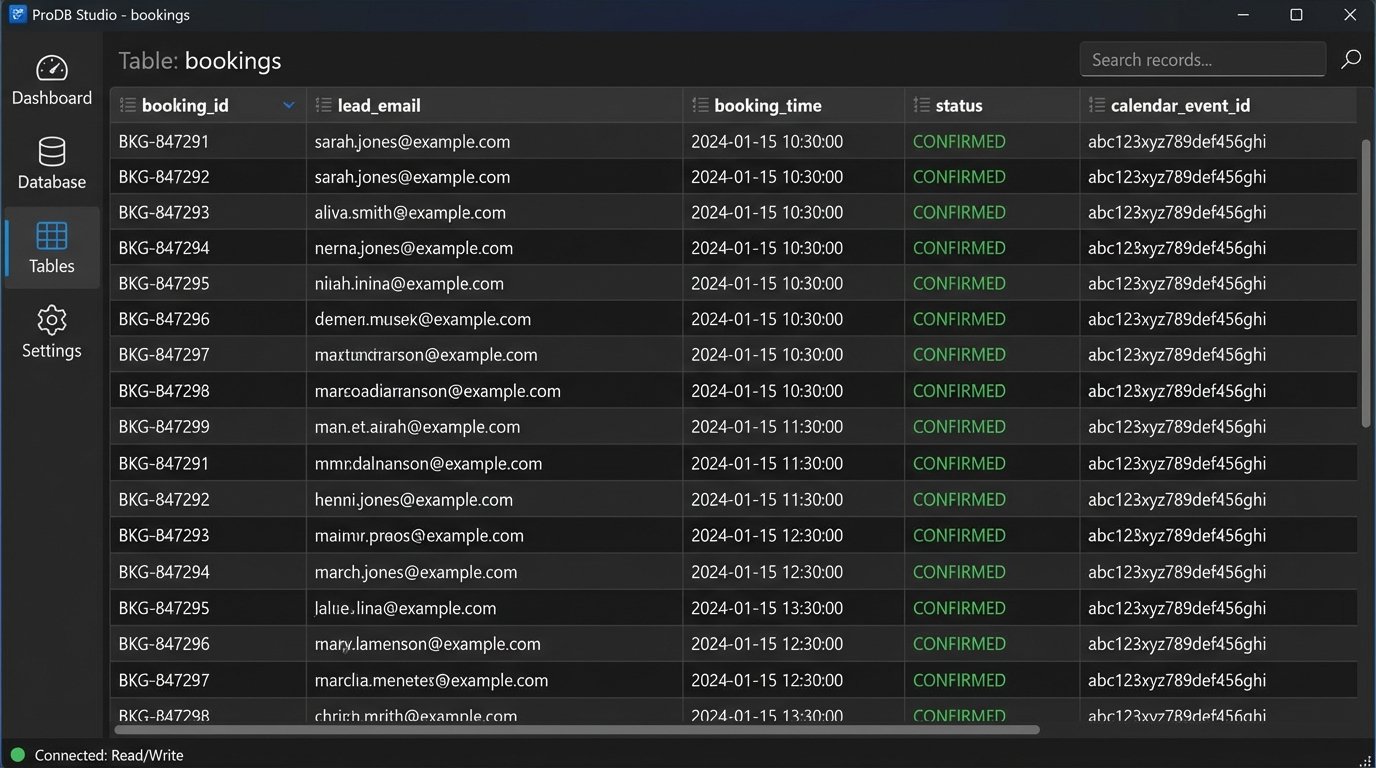
Creating the event is not the final step. The system must confirm success or failure. After receiving a successful 200 OK response from the Calendar API, you get back the newly created event object, which includes a unique `eventId`. This ID is gold. You must immediately save this `eventId` to your internal database, linking it to the original booking record.
This linkage is essential for managing the booking’s lifecycle. If the user needs to cancel, your system will use the stored `eventId` to send a `DELETE` request to the correct calendar event. Without it, you have no programmatic way to find and manage the event later.
The final action is to send a confirmation to the lead. This can be an email or SMS triggered via another API call to a service like SendGrid or Twilio. The confirmation should contain the date, time, and property address, plus a link to cancel or reschedule. This completes the automation loop and provides a professional user experience.
The Inevitable Failures: Logging and Error Handling
Production systems break. The difference between a solid automation and a liability is how it handles failure. Your code must be wrapped in aggressive error handling and detailed logging.
- API Rate Limiting: Google, Microsoft, and every other major platform will throttle your requests if you make too many in a short period. Your HTTP client must implement an exponential backoff strategy. When you receive a 429 (Too Many Requests) or 5xx server error, the code should wait for a progressively longer interval before retrying the request a few times.
- Invalid Authentication: As mentioned, OAuth tokens expire. Your code must catch 401 Unauthorized errors, log them with high severity, and send an immediate alert to an operations channel. The system is dead in the water until it’s re-authenticated.
- Data Mismatches: The API might change, or the data from your form might be malformed. Your validation logic must be strict. Any unexpected data should result in a logged error and a clean failure, not a malformed calendar event.
- Comprehensive Logging: Log every significant step. The incoming webhook payload, the result of the availability check, the payload sent to the Calendar API, the full API response (success or failure), and the status of the confirmation notification. When something breaks at 3 AM, these logs are the only thing that will allow you to debug the problem without losing your mind.
This architecture is not simple, but it is durable. It accounts for the messy realities of third-party APIs and unreliable triggers. Building anything less is just creating a future emergency for yourself.