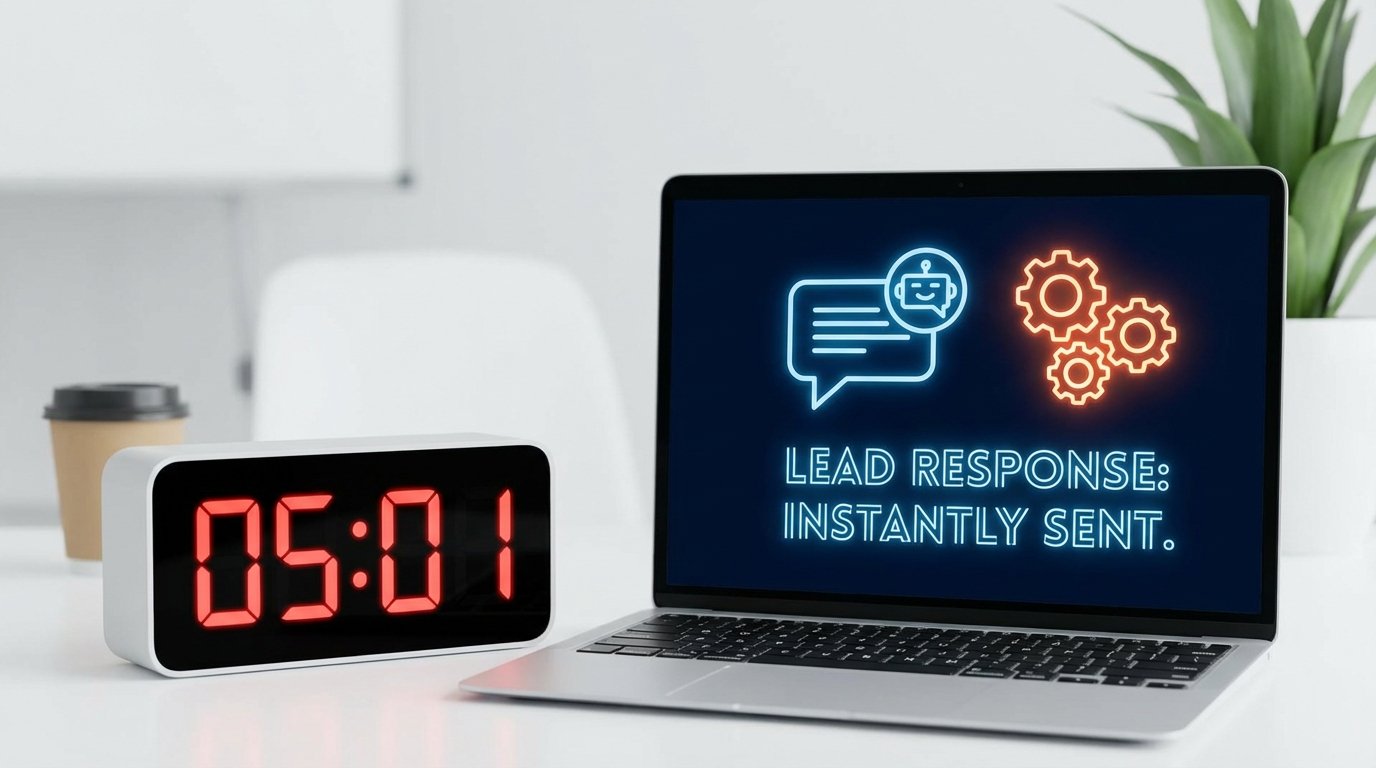
The five-minute lead response window isn’t a marketing goal. It’s a technical benchmark. Hitting it has nothing to do with motivated salespeople and everything to do with the architecture processing the data. If your system relies on batch jobs, manual CSV imports, or a human checking an inbox, you have already failed. The latency is built into the foundation.
The root of this failure is almost always a chain of disconnected systems held together by human intervention. A lead comes in from a web form, gets dumped into a marketing automation platform, sits there until a sync job runs, then finally appears in the CRM hours later. By then, the prospect is cold. This is not a people problem. It’s a data transport problem.
The Anatomy of System-Induced Latency
Before building a solution, you have to diagnose the failure points. Most lead processing pipelines are fundamentally broken in three areas: data ingestion, system handoffs, and the over-reliance on synchronous operations that create choke points. These are not minor issues. They are architectural flaws that guarantee missed opportunities.
Polling: The Slowest Way to Get Data
Many legacy integrations are built on polling. A system asks another system “Anything new?” every five, ten, or sixty minutes. This is fundamentally inefficient. It generates useless API traffic, consumes resources on both ends, and builds a delay into your process by design. The minimum response time is dictated by your polling interval.
Waiting for a scheduled sync is professional negligence.
Synchronous API Chains
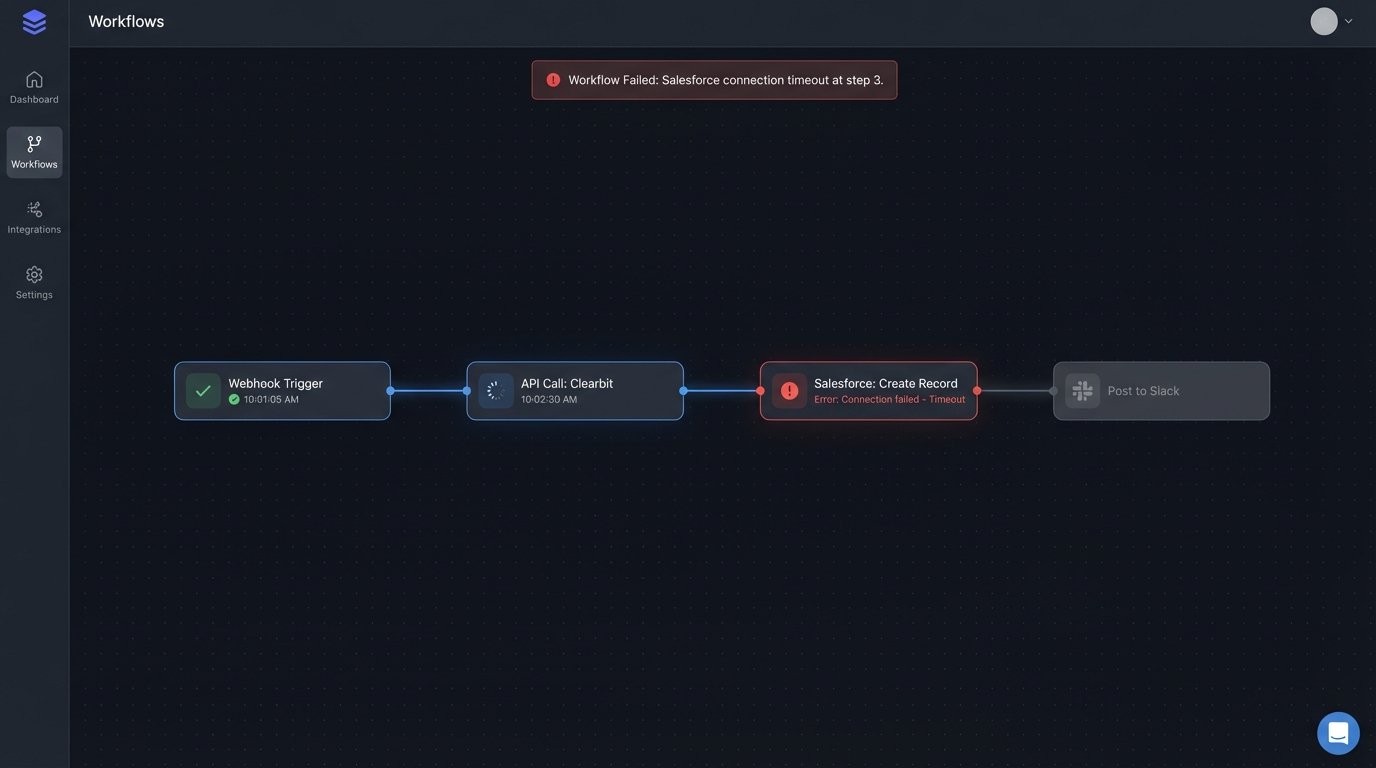
A common anti-pattern is a single script that executes a series of dependent tasks. It receives a lead, calls an enrichment service like Clearbit, waits for a response, then calls the Salesforce API to create a record, waits again, and finally posts a Slack message. If any single one of those API calls is slow or fails, the entire process halts. The lead is stuck in limbo.
This approach chains your system’s performance to the reliability of your least stable third-party vendor. It’s a brittle design.
The Human Queue
The most egregious bottleneck is the “human queue.” This happens when a lead notification is sent to an email inbox or a Slack channel, requiring a person to manually copy and paste the information into the CRM. This process is not just slow. It is inconsistent, prone to error, and completely unscalable.
You cannot automate a business process by making a human the central processing unit.
An Architecture for Sub-Second Response
The fix is to architect a system that is event-driven, asynchronous, and decoupled. The goal is to ingest the lead data instantly, acknowledge receipt, and then hand it off to a series of independent, parallel processes. This isolates failures and eliminates waiting. The lead is always moving forward.
Step 1: The Webhook Ingestion Layer
Your entry point must be a webhook. Any modern form provider, landing page builder, or marketing platform offers them. The webhook sends a JSON payload to a URL you provide the instant a lead is submitted. This is your trigger. The endpoint that receives this data should be incredibly simple and fast. An AWS Lambda function fronted by an API Gateway is a standard, cost-effective setup.
The sole job of this ingestion function is to perform basic validation on the payload and push it into a queue. It does no heavy lifting. It does not call other APIs. Its only task is to accept the data and confirm receipt with a 200 OK status code. This makes your ingestion point resilient and fast, decoupling it from the chaos of downstream systems.
Step 2: The Queue as a Buffer
A message queue, like Amazon SQS or RabbitMQ, is the heart of a durable system. Once the ingestion function drops the lead payload into the queue, the lead is safe. If your CRM API goes down for an hour, the leads simply wait in the queue. When the API comes back online, the system processes the backlog without data loss. The queue acts as a shock absorber for your entire workflow.
Building this is like replacing a hand-to-hand bucket brigade with a firehose connected to a reservoir. It provides a buffer and ensures a consistent flow, even when the destination is temporarily unavailable. Without a queue, you are designing for data loss.
Step 3: The Asynchronous Worker
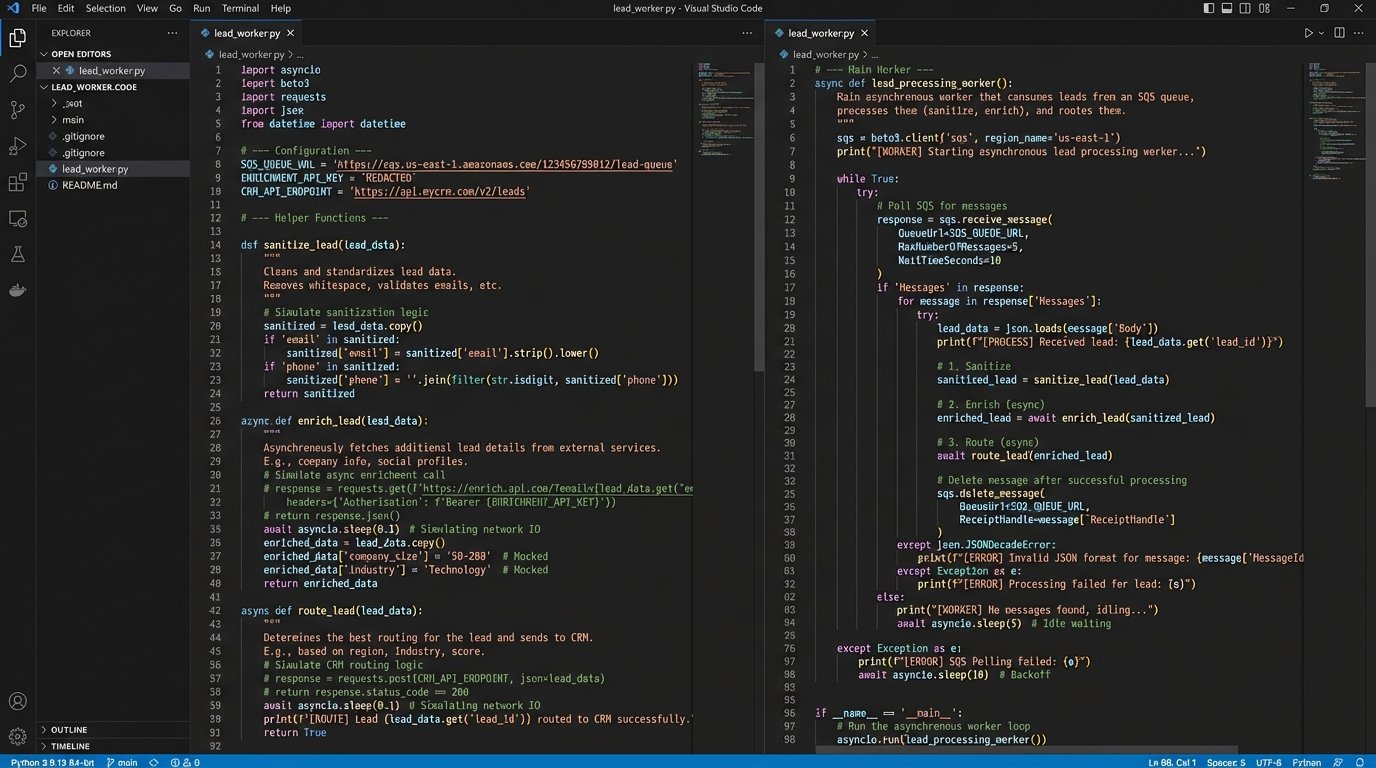
A separate process, the worker, pulls messages from the queue. This worker, often another Lambda function or a containerized service, contains all the business logic. Because it operates independently of the ingestion layer, it can take as long as it needs without slowing down the initial lead capture. This is where you orchestrate the calls to external systems.
The worker’s logic should follow a clear sequence:
- Data Sanitization: Strip whitespace, normalize phone numbers, and check for obviously fake data. Reject and log garbage leads immediately.
- Data Enrichment: Call external services to append firmographic data. These calls must have aggressive timeouts. If an enrichment API is slow, you can’t let it stall the entire process.
- Lead Routing: Apply your business rules. Does the lead’s company size qualify it for the enterprise team? Does the location assign it to a specific territory? This logic should be pulled from a configuration file or database, not hardcoded.
- System Updates: This is the final action. Push the enriched, routed lead into the destination systems. Create the lead in Salesforce. Add the contact to a HubSpot sequence. Post a detailed notification to a specific sales channel in Slack.
Here is a conceptual Python snippet of what a worker function might look like. This is not production code, but it illustrates the flow and error handling.
import json

import boto3

import requests
def lead_processing_worker(event, context):
# Assumes event is a record from an SQS queue
for record in event['Records']:
lead_data = json.loads(record['body'])
lead_id = lead_data.get('email') # Use email as a simple identifier
try:
# Step 1: Sanitize (basic example)
if not is_valid_email(lead_data['email']):
print(f"Invalid email, dropping lead: {lead_id}")
continue # Move to the next record
# Step 2: Enrich
enriched_data = enrich_lead(lead_data)
# Step 3: Route
assignment = get_sales_assignment(enriched_data)
# Step 4: Action - Push to CRM and notify
push_to_crm(assignment['crm_payload'])
send_slack_alert(assignment['slack_message'])
except requests.exceptions.Timeout:
print(f"API timeout processing lead: {lead_id}. Will be retried by SQS.")
# By raising an exception, SQS will handle the retry based on its configuration
raise
except Exception as e:
print(f"Unhandled error for lead {lead_id}: {e}")
# Here you might move the message to a Dead-Letter Queue (DLQ)
# For simplicity, we just log and let it be deleted from the main queue
return {'status': 'success'}
# Dummy functions for illustration
def is_valid_email(email): return "@" in email
def enrich_lead(data):
# Placeholder for a real API call to Clearbit, etc.
data['company_size'] = 150
return data
def get_sales_assignment(data):
# Placeholder for routing logic
return {'crm_payload': data, 'slack_message': f"New Enterprise Lead: {data['email']}"}
def push_to_crm(payload):
# Placeholder for Salesforce/HubSpot API call
print("Pushing to CRM...")
def send_slack_alert(message):
# Placeholder for Slack API call
print(f"Sending Slack alert: {message}")
Real-World Failure Points and How to Handle Them
Building this architecture gets you 90% of the way there. The last 10% is about preparing for failure. Third-party APIs will go down. Webhooks will send malformed data. Your routing logic will hit an edge case you didn’t anticipate. A production-grade system must be built with these realities in mind.
Idempotency is Not Optional
Your queue and worker configuration might cause a message to be processed more than once. This is a common scenario in distributed systems. Your worker logic must be idempotent. This means that processing the same lead five times has the exact same result as processing it once. You can achieve this by checking if a lead with the same email or ID already exists in the CRM before creating a new one. Or you can pass a unique transaction ID with every request.
Without idempotency, you will inevitably create duplicate records in your core systems.
Dead-Letter Queues for Unfixable Errors
What happens when a lead fails processing repeatedly? A malformed payload or a persistent bug in your code could cause the worker to fail, return the message to the queue, and then immediately try again, creating an infinite loop that burns money. To prevent this, you configure a Dead-Letter Queue (DLQ). After a set number of failed processing attempts, SQS will automatically move the poison pill message to the DLQ.
This isolates the problematic message and allows the rest of the leads to process normally. An engineer can then inspect the DLQ to diagnose the failure without bringing the entire system down.
Observability: Logging and Monitoring
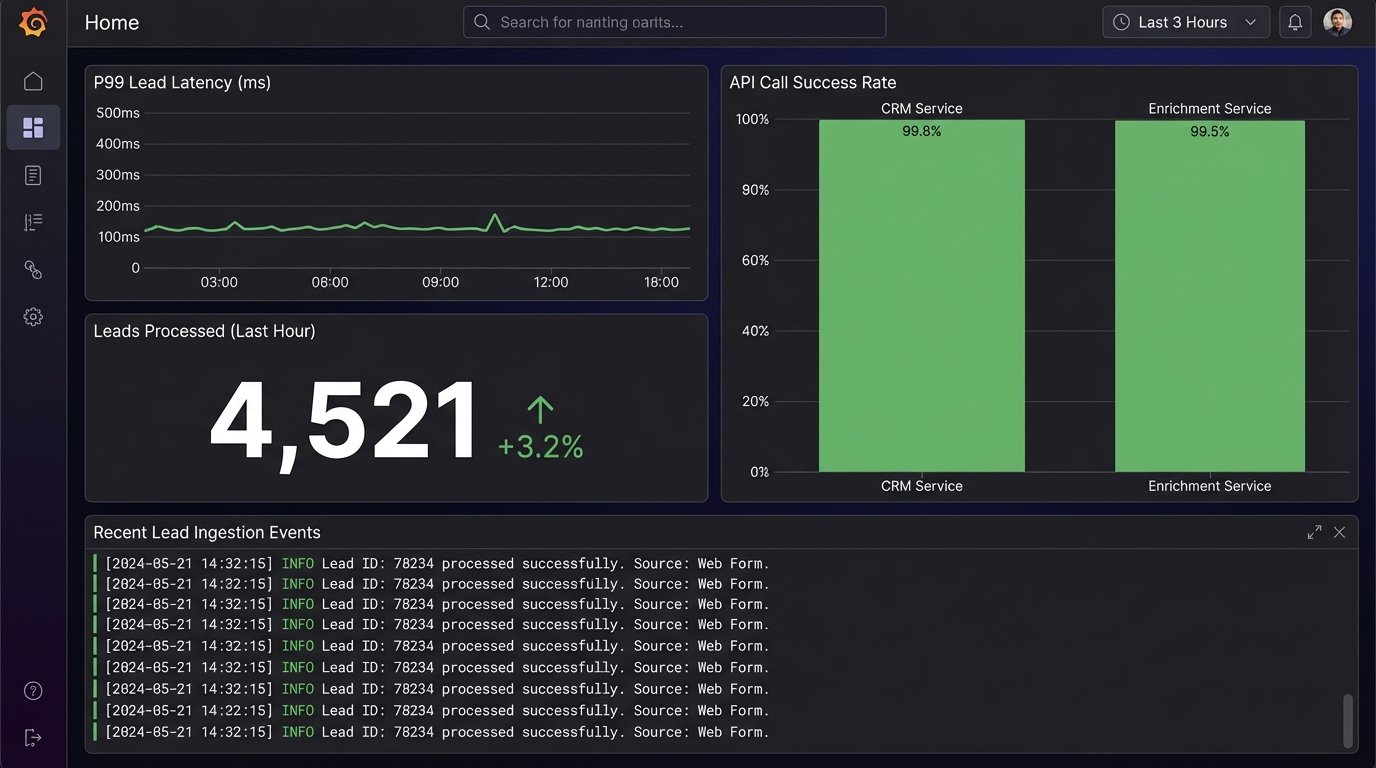
You cannot manage what you do not measure. Your functions and workers must have structured logging. Every log entry should include the lead ID or a unique request ID. This allows you to trace a single lead’s journey through the entire system. You need to track key metrics: end-to-end processing time, the number of successful leads per minute, and the error rates for each external API call.
These metrics, fed into a dashboard in a tool like Datadog or AWS CloudWatch, give you immediate visibility into the health of your pipeline. When a salesperson says “I’m not getting leads,” your dashboard should tell you why in seconds.
Solving the five-minute response problem is an exercise in systems design, not sales management. By replacing slow, manual, and synchronous processes with a decoupled, asynchronous architecture, you remove latency from the equation. The lead moves from submission to the salesperson’s queue at the speed of APIs, not the speed of a human clicking a mouse.
This is not a theoretical model. It is the standard pattern for building high-throughput data processing pipelines. The initial investment in architecture pays for itself by converting leads you are currently losing to system-induced delays.