Delegating to Chatbots Without Getting Burned
Every executive who sees a slick demo thinks they can replace their support staff with a GPT wrapper. They see a magic box. We see a probabilistic text generator that hallucinates under pressure and costs a fortune to run at scale. The gap between the demo and a production-ready system is a minefield of bad assumptions and lazy engineering. Let’s walk through the common explosions.
Mistake 1: Treating the Model as an Oracle
The biggest failure is treating an LLM like a database. It’s not. It doesn’t “know” things; it predicts the next most likely word based on its training data. This means its knowledge is frozen in time, it has zero awareness of your internal APIs, and it will confidently invent answers, a behavior we call hallucination. Blindly trusting its output is architectural malpractice.
Your first job is to build for observability. Log everything. You need the initial user query, the prompt you engineered, the context data you injected, the raw model output, and the final sanitized response you showed the user. Without this full chain, debugging is pure guesswork when the bot inevitably goes off the rails.
This isn’t just about debugging. It’s about containing a system that is fundamentally non-deterministic. If you can’t trace its “reasoning,” you can’t control it.
Mistake 2: Lazy Prompting and Context Starvation
A chatbot’s performance is a direct reflection of your prompt engineering effort. Sending a raw user query to the API endpoint is the laziest possible implementation and guarantees failure. You are not “asking” the bot a question. You are programming it on the fly with a complex set of instructions embedded in a single string.
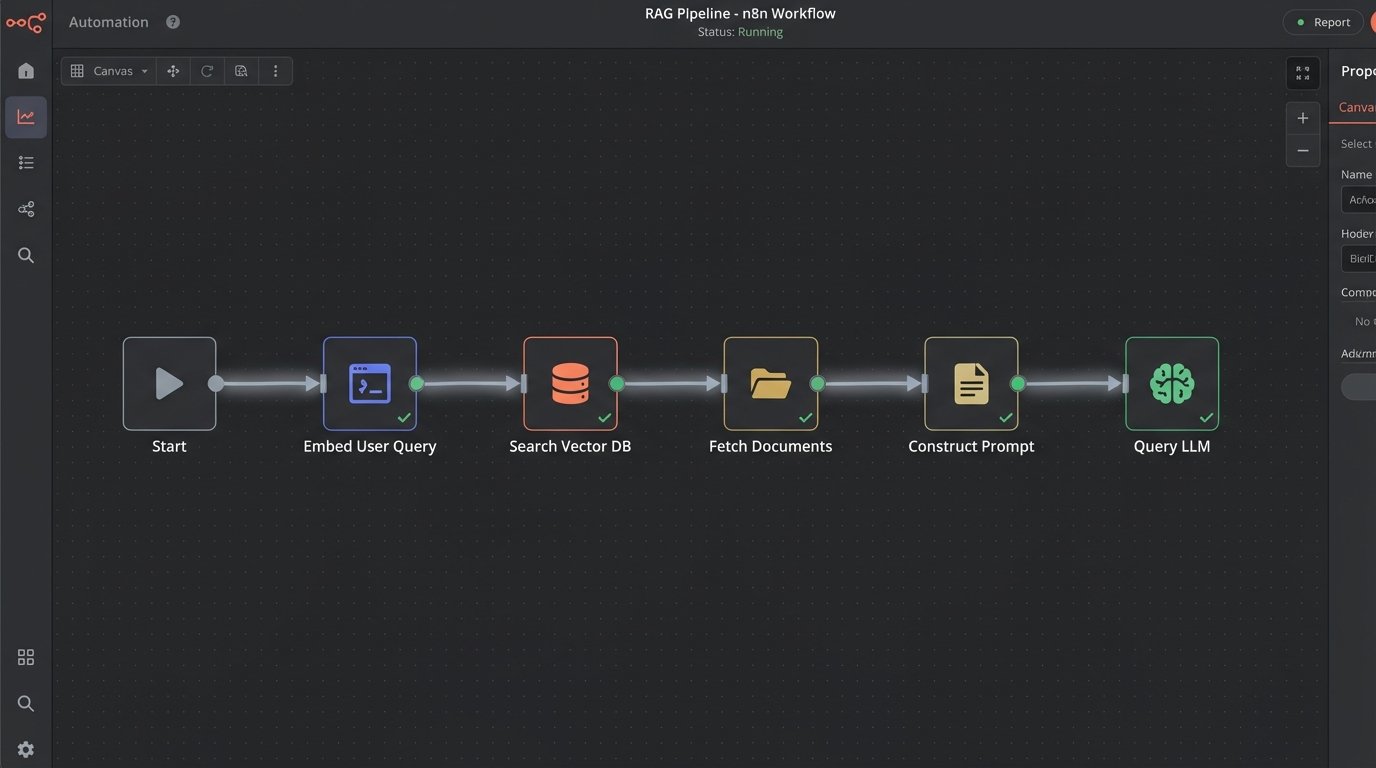
Effective prompts are structured. They assign a role, define the exact output format, provide constraints, and inject ground-truth data. We call this process Retrieval-Augmented Generation (RAG). Before you even call the LLM, your code must fetch relevant information from a reliable source, like a vector database or a standard SQL database, and stuff it into the prompt. The bot then uses this injected text as its source of truth, dramatically reducing hallucinations.
Building this injection pipeline is non-trivial. It involves embedding your documents, setting up a vector store, and writing retrieval logic that pulls the right chunks of text for a given query. It also introduces another point of failure and adds latency to every single call.
Mistake 3: Skipping the Validation and Guardrail Layer
The raw output from an LLM is radioactive. It cannot be allowed to touch any downstream system directly. You must build a validation layer that sits between the model and your application logic. This layer is responsible for parsing, checking, and sanitizing everything the model produces. Blindly trusting a chatbot’s output is like piping `/dev/random` directly into your production database.
If you ask the model for JSON, you need code that verifies the output is, in fact, valid JSON. It should strip unexpected fields and cast values to the correct types. If the model outputs a command to be executed, like `cancel_subscription(user_id=123)`, your guardrails must confirm the user has permission and that the action is appropriate in the current context. You logic-check its intent.
Here is a simplified Python example of a parser that forces the model’s output into a Pydantic schema. If validation fails, you don’t execute, you escalate.
from pydantic import BaseModel, ValidationError
class UserAction(BaseModel):
action: str
user_id: int
reason: str | None = None
# Raw LLM output string (potentially malformed)
raw_output = '{"action": "cancel_subscription", "user_id": "123"}' # Note user_id is a string
try:
# Attempt to parse and validate
parsed_action = UserAction.model_validate_json(raw_output)
print(f"Validation success: {parsed_action.action} for user {parsed_action.user_id}")
# Proceed with application logic here...
except ValidationError as e:
print(f"Validation failed: {e}")
# Escalate to a human or return an error message
This isn’t optional. It’s the bare minimum for building a system that won’t destroy data.
Mistake 4: Fumbling State Management
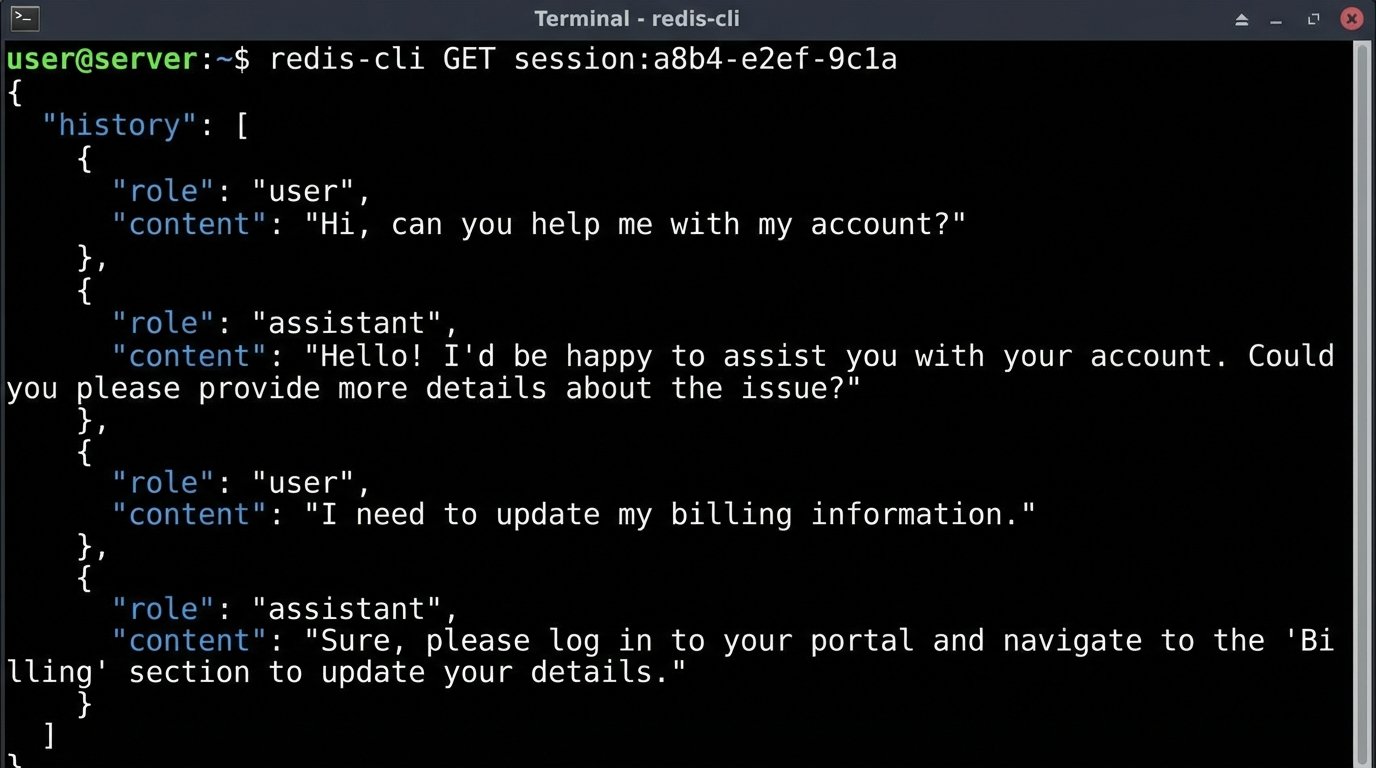
Language models are inherently stateless. Each API call is a completely independent event. The model has no memory of the last three questions the user asked. If you don’t manually manage the conversation history, the user will have a frustrating, repetitive experience.
The naive solution is to pass the entire chat history back to the model with every new query. This works for a few turns, but it’s a wallet-drainer. API costs are based on token count, both input and output. A long conversation history will quickly inflate your input tokens and can easily breach the model’s context window limit, causing an error.
A better, though more complex, approach is to manage state on your server. This could involve storing the history in a fast cache like Redis. For longer conversations, you can use another LLM call to periodically summarize the history and use that summary as context for future turns. This requires more logic and introduces a trade-off: you save on tokens but risk the summary process losing critical details from the conversation. There’s no clean win here, just different shades of compromise.
Mistake 5: Prematurely Jumping to Fine-Tuning
Engineers love complex solutions, and fine-tuning sounds impressive. It’s the process of taking a base model and retraining it on your own dataset to specialize it for a specific task. It’s also expensive, slow, and completely unnecessary for 99% of use cases. Jumping straight to fine-tuning is like rebuilding a car’s engine because you got a flat tire.
Before you even consider a fine-tuning project, you must exhaust all possibilities with prompt engineering and few-shot learning. Few-shot learning is simply providing a few high-quality examples of the desired input and output directly within the prompt. This in-context learning is remarkably effective for guiding the model’s behavior without altering its weights.
Start there. Build a robust RAG system. Perfect your prompts. Use few-shot examples. Only when you have hit a hard ceiling on performance and have a massive, clean, and curated dataset of at least a few thousand examples should you even begin to budget for a fine-tuning experiment.
Mistake 6: Ignoring the Physics of Latency and Cost
These models are not fast. A simple query can take several seconds to process. A complex one with a RAG pipeline that needs to fetch data first can take even longer. A user will not tolerate waiting eight seconds for a chatbot to type a response. This latency kills the user experience and makes the application feel sluggish and broken.
One solution is to stream the response. Instead of waiting for the full output, you open a connection and send the tokens back to the client as they are generated. This improves perceived performance but turns your simple request-response architecture into a more complex, real-time system you now have to build and maintain. It complicates error handling and state management significantly.
The cost is another silent killer. The token cost is obvious, but it’s just the start. You’re also paying for the vector database, the compute for your validation layer, the cache for state management, and the storage for your extensive logs. A project that seems cheap in development can become a financial black hole in production if you haven’t modeled the full, end-to-end cost per conversation.
Mistake 7: Building a Feedback Dead End
Your chatbot will fail. It will misunderstand users. It will provide wrong answers. It will frustrate people. A system designed without a mechanism to capture these failures is a system designed to die. You must provide a simple way for users to flag bad responses.
A “thumbs up/thumbs down” button is the absolute minimum. This feedback cannot be thrown away. It needs to be logged and tied directly to the full conversation context you’re already storing. This user-generated data is gold. It is the raw material you need to identify weaknesses in your prompts and your RAG system.
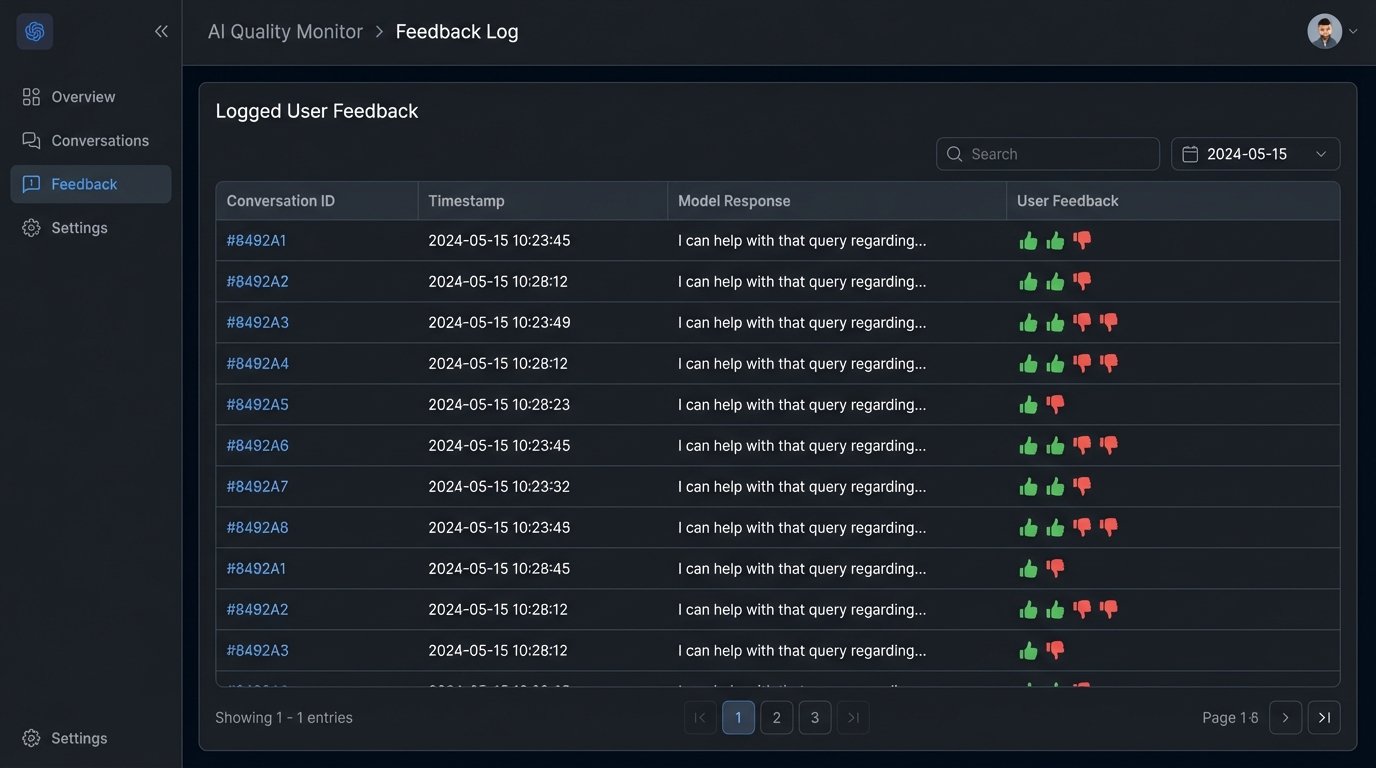
This feedback loop closes the circuit. It turns user complaints into actionable data points. You can use these flagged conversations to create evaluation sets for testing new prompts or to build a high-quality dataset if you eventually decide to take the plunge into fine-tuning. Without this loop, you’re just guessing in the dark.
A chatbot is not a drop-in replacement for a human or a well-designed API. It’s a probabilistic machine you have to cage with deterministic logic. Forget that, and it will burn you.