Stop Calling It a “Game Changer.” It’s Just Engineering.
Let’s gut the marketing premise immediately. Automated lead nurturing in real estate isn’t a “game changer.” It’s a brutal engineering discipline that most agencies and brokerages get spectacularly wrong. They buy an expensive SaaS platform, plug in their Zillow feed, and blast out generic emails until their domain reputation is shot. The result is a high-cost spam cannon, not an intelligent sales pipeline.
The core failure is a fundamental misunderstanding of the problem. The goal isn’t to “automate emails.” The goal is to build a deterministic system that forces a lead through a series of logical states based on their explicit actions. Anything else is just noise. If you’re not thinking about state machines, data sanitation, and API error handling, you’re just playing with expensive toys.
The Data Integrity Dumpster Fire
Every lead nurturing system begins with the data source, and in real estate, that source is usually a toxic mess. Leads arrive from multiple portals, MLS systems, and landing pages, each with its own bizarre formatting. You get phone numbers with country codes, without them, with dashes, with parentheses. You get names in all caps, all lowercase, or split across the wrong fields.
Injecting this raw data directly into a CRM is malpractice. Before any automation can run, you have to build a sanitation layer. This is non-negotiable. We write scripts to strip special characters, standardize phone number formats to E.164, and force-capitalize proper nouns. We also run checks for obviously fake inputs, like “test@test.com” or phone numbers like “555-555-5555,” which will kill your deliverability rates.
Forgetting this step is like trying to build a skyscraper on a foundation of mud.
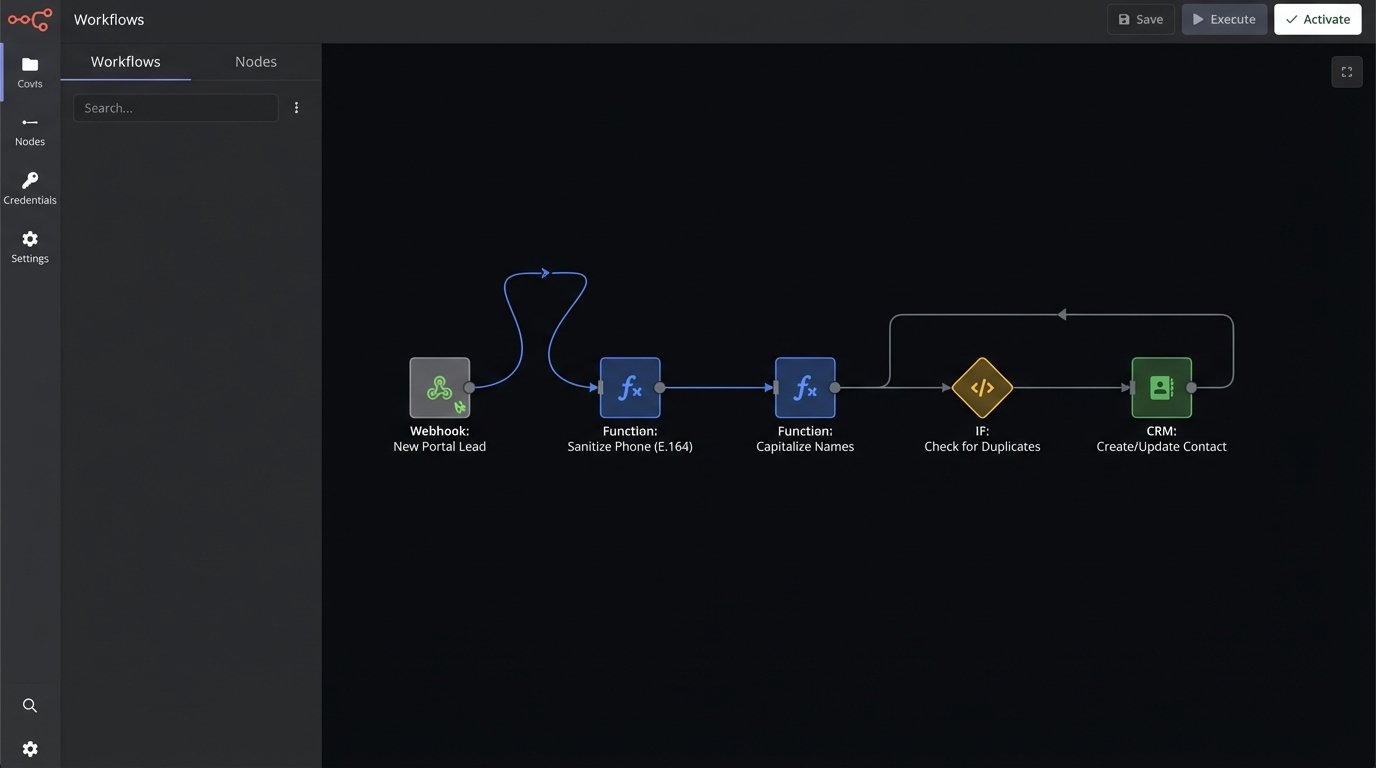
Duplicate leads are another vector for failure. A single prospect might inquire about three different properties on three different portals in one weekend. The default behavior for most systems is to create three separate contacts, triggering three parallel, and slightly different, automation sequences. Now you have three different agents potentially contacting the same person about different things. The entire operation looks incompetent.
A proper ingestion point must de-duplicate on the fly. You query the existing database by email and phone number before creating a new record. If a match exists, you don’t create a new contact; you append the new property inquiry to the existing record and re-evaluate the contact’s current state. This logic isn’t built into most off-the-shelf tools. You have to code it yourself, often through a middleware function that sits between the lead source and your CRM.
Time-Based Sequences Are Obsolete
The standard “drip campaign” is a relic. The logic is brain-dead: “On Day 1, send Email A. On Day 3, send Email B. On Day 7, send SMS C.” This model operates completely blind to the lead’s actual behavior. It assumes every lead is the same and moves at the same pace. It’s a dumb clock, not a responsive system.
A lead who clicks a link, views five properties on your website, and calculates a mortgage payment in a single evening is not the same as a lead who opened one email and did nothing. Yet a time-based sequence treats them identically. This approach wastes the engagement of the hot lead and annoys the cold one.
The entire model needs to be thrown out. Nurturing must be event-driven. An action taken by the lead is an event. That event should trigger a state change. The automation system’s job is to react to that state change, not to check what day it is.
Architecting a Lead State Machine
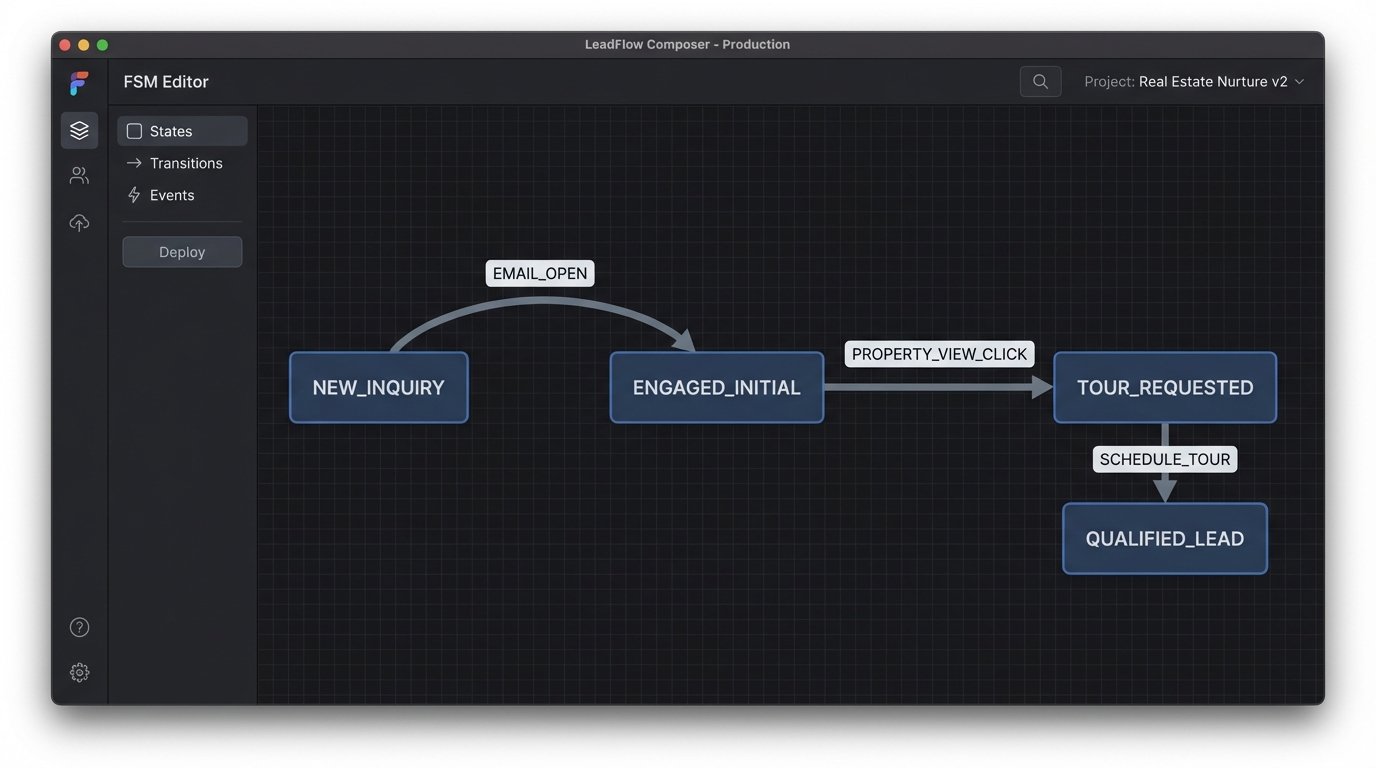
A more resilient architecture treats every lead as an object within a finite state machine (FSM). Each lead can only exist in one state at a time: `NEW_INQUIRY`, `CONTACT_ATTEMPTED`, `APPOINTMENT_SCHEDULED`, `COLD`, `CLOSED_WON`, etc. The system doesn’t do anything until an external trigger forces a transition from one state to another.
A trigger could be anything: the lead opens an email, clicks a link to a specific property, submits a “schedule a tour” form, or replies to an SMS. When the webhook for that event fires, the system first checks the lead’s current state. Then, based on a set of predefined rules, it transitions the lead to a new state and executes the actions associated with that new state. For example, submitting a tour request form might transition a lead from `CONTACT_ATTEMPTED` to `TOUR_REQUESTED` and trigger an immediate high-priority task for the assigned agent.
Building this requires mapping out every possible customer journey and defining the exact trigger that moves a lead from one milestone to the next. It is tedious, front-loaded work. But it produces a system that responds to reality, not a calendar.
This is where the real work happens. You have to think like an engineer, not a marketer. What happens if a lead replies “STOP” to an SMS? That’s an event that should immediately transition them to an `UNSUBSCRIBED` state and terminate all other running sequences. What if a lead who was marked `COLD` two months ago suddenly revisits the site and starts saving properties? That’s an event that should transition them back to `RE_ENGAGED`, notifying an agent.
Building this kind of logic directly inside a standard CRM’s visual workflow builder is often a nightmare. It becomes a tangled mess of boxes and arrows that is impossible to debug. A better approach is to manage the state logic externally in a script or serverless function. The CRM holds the data, but the “brain” of the operation is a piece of code you control.
Here’s a highly simplified Python dictionary to represent a piece of this state logic. It defines possible transitions from a given state.
    lead_fsm = {

        'NEW_INQUIRY': {

            'EMAIL_OPEN': 'ENGAGED_INITIAL',

            'NO_RESPONSE_24H': 'CONTACT_ATTEMPT_2',

            'AGENT_CALL_LOGGED': 'CONTACT_SUCCESSFUL'

        },

        'ENGAGED_INITIAL': {

            'PROPERTY_VIEW_CLICK': 'PROPERTY_INTEREST',

            'INQUIRY_FORM_SUBMIT': 'TOUR_REQUESTED',

            'NO_ACTION_72H': 'NURTURE_SEQUENCE_A'

        },

        'TOUR_REQUESTED': {

            'AGENT_CONFIRMS_APP': 'APPOINTMENT_SCHEDULED',

            'AGENT_REJECTS_APP': 'NEEDS_RESCHEDULE'

        }

    }
def transition_lead_state(current_state, trigger_event):
if current_state in lead_fsm and trigger_event in lead_fsm[current_state]:
return lead_fsm[current_state][trigger_event]
return current_state # No change if trigger is not valid for current state
This code doesn’t do anything on its own. It’s a lookup table. The real work is building the infrastructure to capture the triggers (webhooks from your email service, API calls from your website) and then execute the state change in your CRM.
Beyond Email: Webhooks and Multi-Channel Triggers
Effective nurturing isn’t confined to an inbox. The state machine should integrate with every communication channel. An incoming phone call logged in your VOIP system, an SMS reply captured by Twilio, a new saved search on your IDX website. All of these are events that must feed back into the state machine as triggers.
This requires a web of API integrations. You need to configure webhooks in every tool you use to send a payload to a central endpoint you control. This endpoint acts as a traffic cop, parsing the incoming data from various sources, identifying the contact, and passing the relevant trigger to your state machine logic. This is like trying to force a dozen different-sized pipes into one central drain; it requires custom adapters and a lot of error checking.
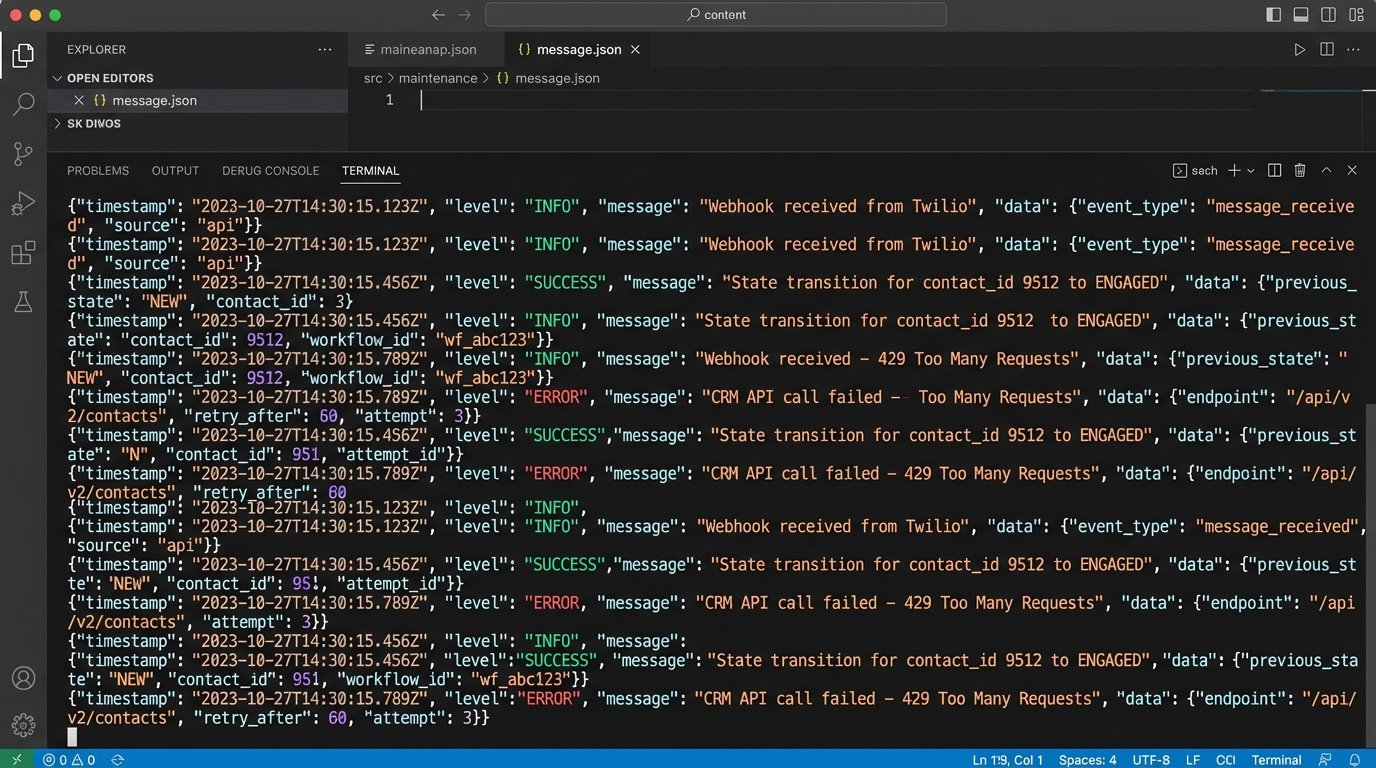
API rate limits become a real problem here. If you have a high volume of leads, you can easily exhaust your daily API call limit to your CRM, causing the entire system to fail silently. You have to implement queuing mechanisms and bulk-update logic to batch your API calls. For example, instead of updating 100 contacts with 100 separate API calls, you buffer the changes and push them in one or two calls via a bulk endpoint, if the CRM’s API is even designed for that.
The Brutal Reality of Maintenance
None of this is “set it and forget it.” An integrated automation system is a fragile, complex machine. APIs change, authentication tokens expire, and third-party services have outages. A change to a field name in your CRM’s contact object can break your entire ingestion script without warning.
Robust logging is not optional. Every time a trigger is received, a state change is attempted, or an API call is made, you must log the outcome. When an agent complains that a “hot lead” never got their follow-up task, you need a log trail to diagnose the failure. Was the webhook from the website formatted incorrectly? Did the CRM’s API return a 500 error? Did the state transition logic fail because of an unhandled edge case?
This is where the real cost of ownership lies. Not in the monthly SaaS subscription, but in the hours of expert monitoring and debugging required to keep the machine running. Without that, your automated system is just a black box that you pray is working correctly.
Ultimately, disciplined lead nurturing automation isn’t a shortcut. It’s the opposite. It replaces the chaos of manual follow-up with the complex but predictable logic of a purpose-built system. It’s not a marketing trick. It’s an engineering solution to a data flow problem.