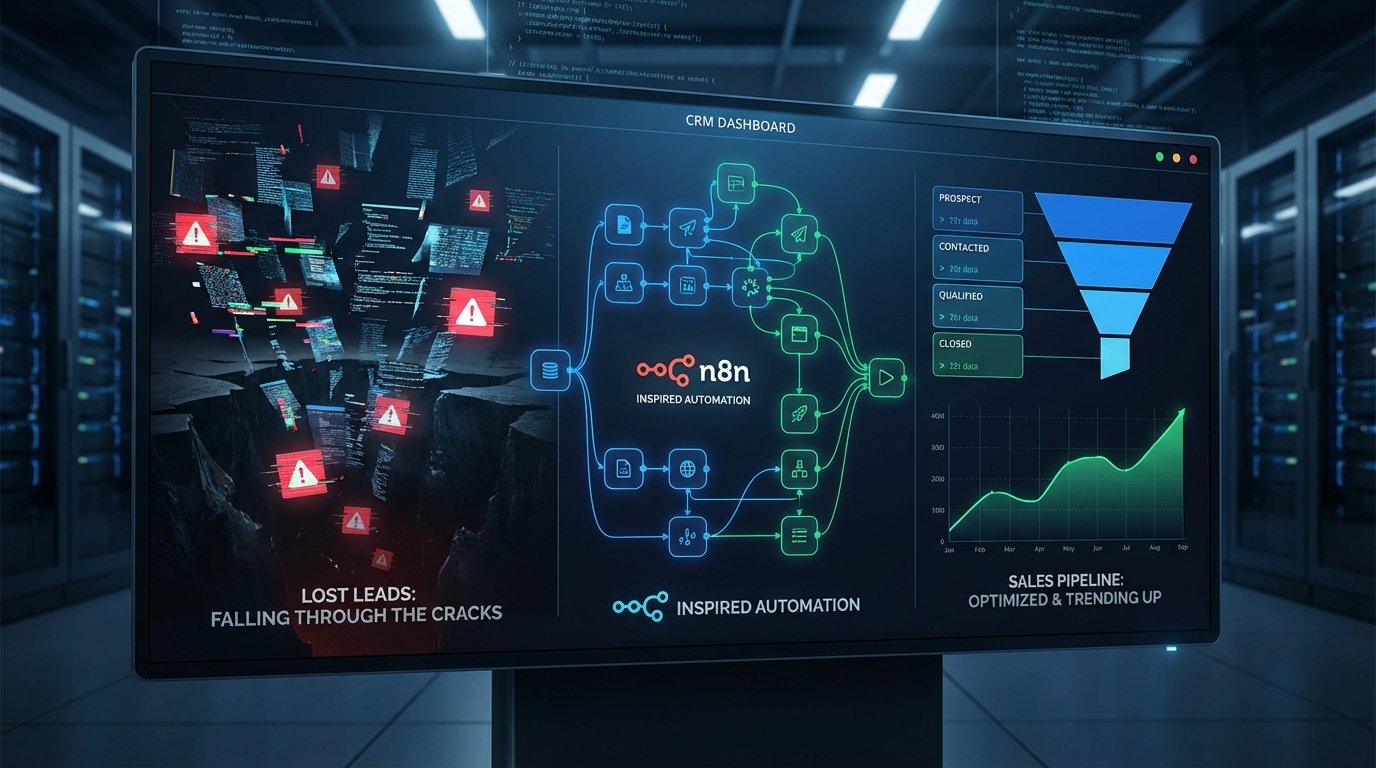
A new lead is just a transient data object. It exists as a JSON payload from a webform, a row in a spreadsheet, or an API call from a third-party service. The belief that its existence guarantees its entry and proper handling in a CRM is a dangerous assumption. The gaps between data generation and CRM ingestion are where potential revenue goes to die, silently and without error logs.
These are not spectacular, system-crashing failures. They are subtle. A dropped webhook connection, a malformed field from a form submission, or an API rate limit that gets hit at 2:59 AM. The user who submitted the form gets a “Thank You” page. The marketing team sees a “conversion” event fire. But the lead record itself is gone, stuck in a retry queue that will never succeed or discarded entirely by a brittle integration.
Diagnosing the Points of Failure
Before architecting a solution, we have to map the failure domains. Most lost leads trace back to one of three systemic weaknesses in the data pipeline. These are not user errors; they are architectural flaws that make failure inevitable at scale.
Failure Mode 1: The Ingestion Choke Point
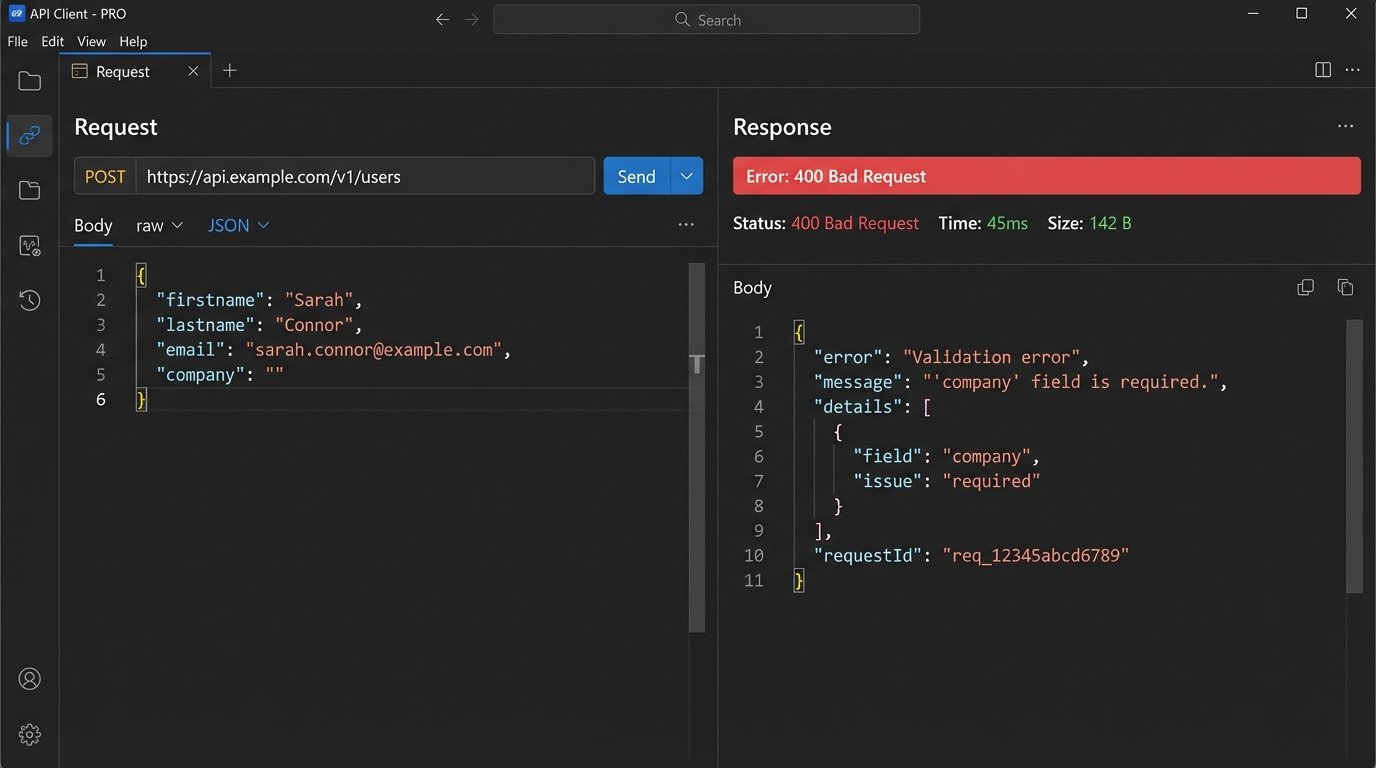
The most common failure is the direct pipe from a public-facing form to a CRM API endpoint. The form handler fires a request to create a new contact or deal. This process is synchronous and fragile. If the CRM’s API is slow, undergoing maintenance, or simply rejects the payload due to a validation error, the data is often lost for good. The front-end has no mechanism to store and retry.
Consider a standard JSON payload from a website form.
{
    "properties": {
        "firstname": "John",
        "lastname": "Doe",
        "email": "john.doe@example.com",
        "company": "Acme Corp",
        "source_url": "/landing/q4-promo",
        "lead_status": "New"
    }
}
A change in the CRM’s validation rules, like making the `company` field mandatory, could cause this payload to be rejected instantly. The form submission process terminates, and the data vanishes. This is the digital equivalent of a fax machine running out of paper.
Failure Mode 2: The Unassigned Queue Black Hole
The lead makes it into the system. This is a partial victory. The record is created, but it lacks an owner. It sits in a default, unassigned queue. This is a logic failure. The system successfully ingested the data but had no instructions for routing it. Every minute that lead sits unassigned, its value decays exponentially.
This happens when assignment rules are too simplistic or contain gaps. For example, routing logic based on zip code fails if the form field is optional and the user omits it. The lead defaults to an unmonitored bucket. The sales team, working from their assigned views, never even knows it exists. It’s a perfectly preserved record of a lost opportunity.
Failure Mode 3: State Transition Stagnation
A lead is successfully ingested and assigned. A sales rep makes initial contact. The lead’s status is correctly updated from “New” to “Contacted.” Then, nothing. The rep gets pulled into another deal, the follow-up reminders are dismissed, and the lead record stagnates. It is not lost, but it is operationally dead.
This is a failure of process enforcement. Without an automated mechanism to detect stagnation, the system relies entirely on human discipline, which is notoriously unreliable under pressure. The CRM becomes a graveyard of “Contacted” or “Nurturing” leads that receive no further interaction. They are technically in the pipeline, but they are not moving through it.
The Fix Architecture: A Decoupled and Monitored Pipeline
The solution is not to find a “better” CRM or a more “reliable” form plugin. The solution is to build a resilient architecture that treats lead ingestion as a multi-stage, asynchronous process. We must decouple the initial capture from the final CRM processing.
Component 1: The Staging Layer
Stop sending data directly from the webform to the CRM. This is non-negotiable. The form’s only job should be to capture the data and drop it into a durable, intermediate storage layer as quickly as possible. This could be a simple SQL database table (like PostgreSQL or MySQL), a NoSQL document store, or a message queue like RabbitMQ or AWS SQS.
This architecture decouples the user experience from the CRM’s availability. The webform POSTs to an endpoint you control, which writes to your staging database and immediately returns a 200 OK. The process takes milliseconds. Now, if the CRM API is down for the next three hours, it does not matter. The lead data is safe in your staging table, waiting to be processed. Trying to write directly to a production CRM API during peak traffic is like shoving a firehose of data through a needle; the backpressure will destroy your data integrity.
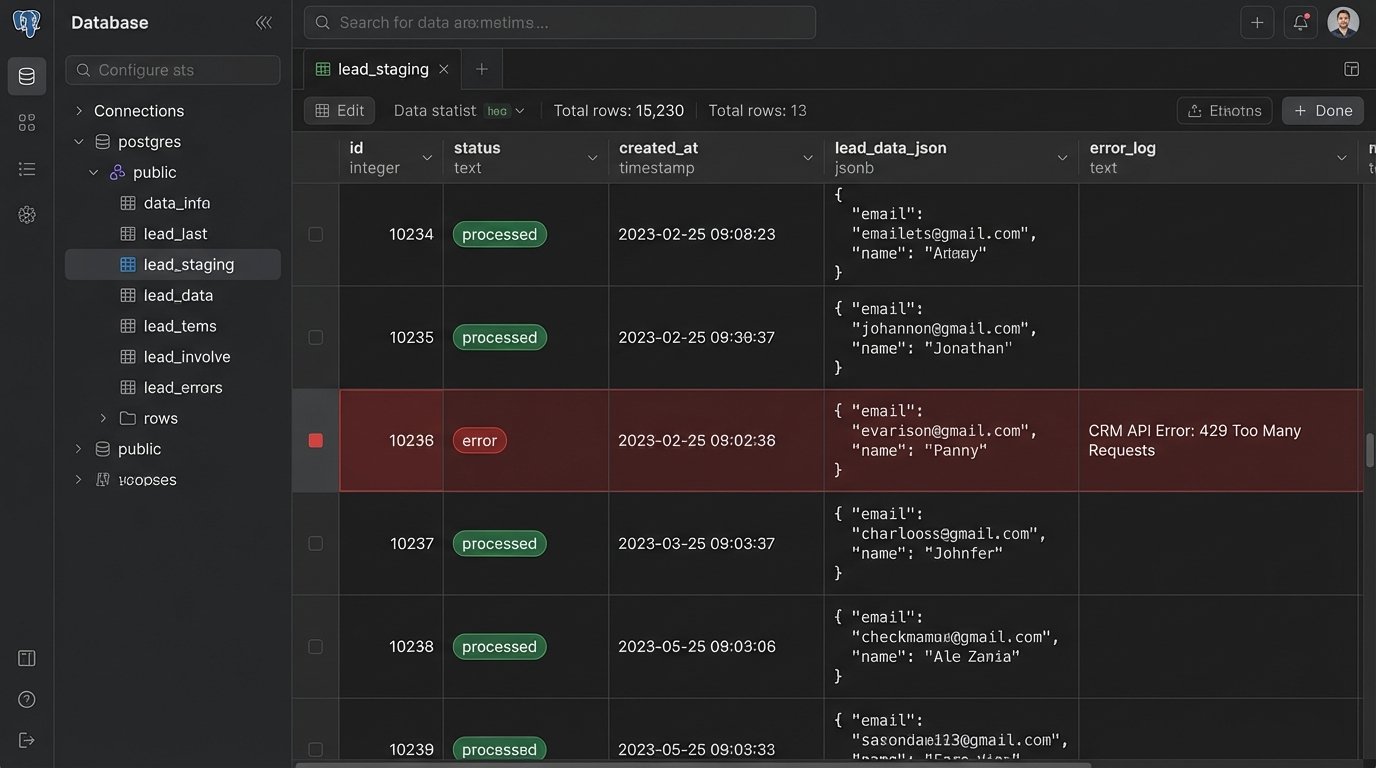
The staging table should be simple, containing the raw lead data, a timestamp, and a processing status (e.g., `pending`, `processed`, `error`).
Component 2: The Asynchronous Processor
A separate, scheduled script or service acts as the processor. Its only job is to query the staging layer for `pending` records, validate and sanitize the data, and then attempt to push it to the CRM API. This script runs on a server you control, isolated from the public-facing web server.
This is where you build resilience. The processor can handle API errors with logic. If it gets a 429 “Too Many Requests” error, it can implement an exponential backoff and retry. If it gets a 400 “Bad Request” due to a validation error, it can update the record’s status to `error` in the staging table and log the CRM’s response for manual review. No data is lost. It is either processed successfully or flagged for inspection.
Here is a stripped-down Python example of a processor pulling a record and pushing it to a hypothetical CRM API.
import requests
import psycopg2
import time

def process_pending_leads():
    conn = psycopg2.connect("dbname=lead_staging user=processor")
    cur = conn.cursor()

    cur.execute("SELECT id, lead_data FROM leads WHERE status = 'pending' LIMIT 10;")
    pending_leads = cur.fetchall()

    for lead_id, lead_data in pending_leads:
        # Basic sanitization
        lead_data['email'] = lead_data.get('email', '').strip().lower()
        if not lead_data.get('company'):
            lead_data['company'] = 'Unknown' # Enforce a default

        api_url = "https://api.crm.com/v1/contacts"
        headers = {"Authorization": "Bearer YOUR_API_KEY"}

        response = requests.post(api_url, json=lead_data, headers=headers)

        if response.status_code == 201:
            # Success
            cur.execute("UPDATE leads SET status = 'processed' WHERE id = %s;", (lead_id,))
        elif response.status_code == 429:
            # Rate limited, do not update status, will retry on next run
            print(f"Rate limited. Will retry lead {lead_id} later.")
            break # Stop processing to wait out the rate limit
        else:
            # Permanent error
            error_message = response.text
            cur.execute("UPDATE leads SET status = 'error', error_log = %s WHERE id = %s;", (error_message, lead_id))

        conn.commit()
        time.sleep(1) # Pace the API calls

    cur.close()
    conn.close()

if __name__ == "__main__":
    process_pending_leads()
This script is brutally simple, but it is infinitely more reliable than a direct form-to-API call.
Automating Assignment and State Management
Once the data is reliably in the CRM, we use internal automation to solve the assignment and stagnation problems. This is done with the CRM’s own workflow engine.
Rule 1: The “No Lead Left Behind” Escalation
This workflow targets the unassigned queue. The trigger is simple: a lead is created, and after a short interval (e.g., 15 minutes), its `Owner` property is still empty. This should not happen if your processor script contains assignment logic, so this workflow acts as a fail-safe.
- Trigger: Record created. Delay for 15 minutes.
- Condition: `Contact Owner` is unknown.
- Action 1: Assign record to a designated “Sales Manager” or a round-robin pool.
- Action 2: Send a notification to a specific Slack or Microsoft Teams channel. Visibility is a powerful forcing function.
The Slack notification payload is just another JSON object sent to a webhook.
{
    "text": "Warning: A new lead was unassigned for 15 minutes.",
    "attachments": [
        {
            "color": "#danger",
            "fields": [
                {
                    "title": "Lead ID",
                    "value": "734021",
                    "short": true
                },
                {
                    "title": "Assigned To",
                    "value": "Sales Manager Fallback",
                    "short": true
                },
                {
                    "title": "CRM Link",
                    "value": "https://app.crm.com/contacts/734021"
                }
            ]
        }
    ]
}
This creates immediate, unavoidable awareness of the logic failure.
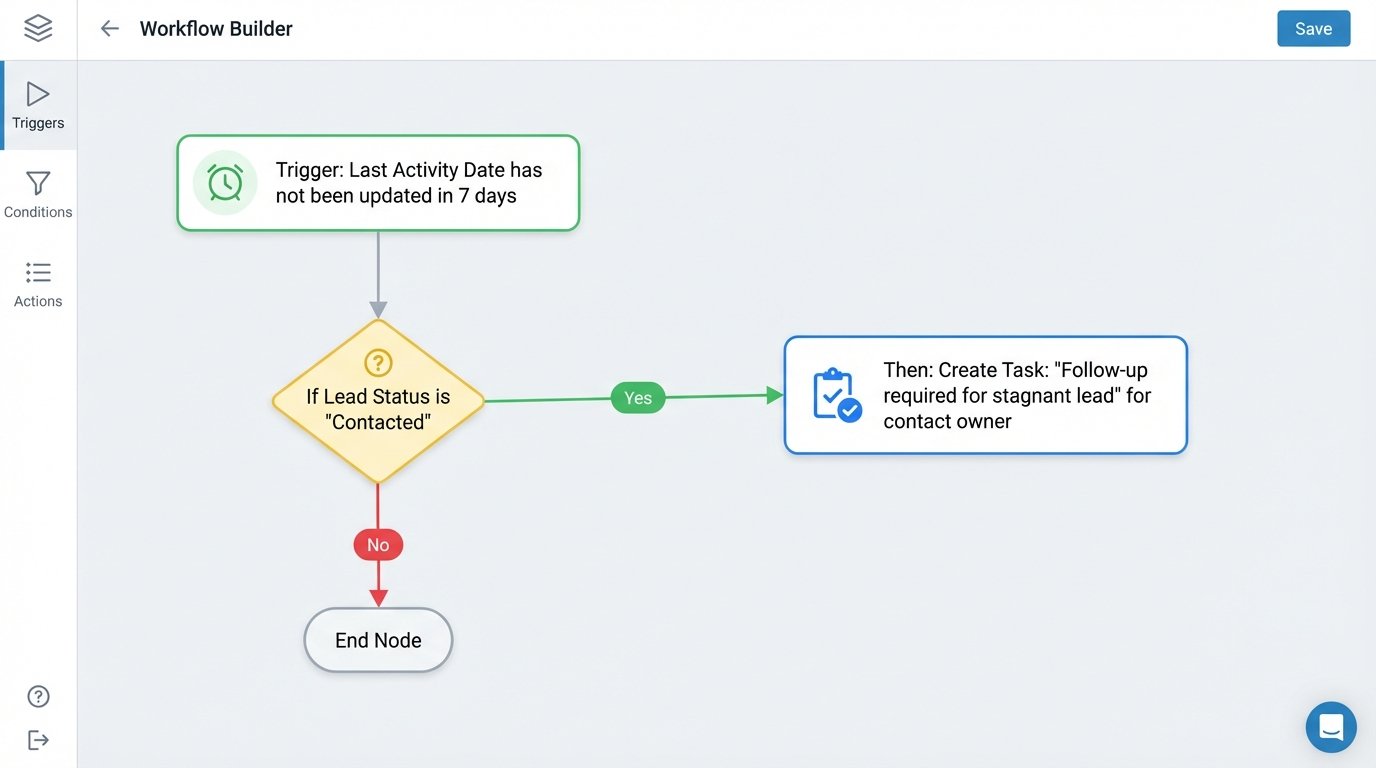
Rule 2: The Stagnation Detector
This workflow attacks state transition failure. It looks for leads that are stuck in an early-stage status for too long without any meaningful interaction.
- Trigger: Record property `Last Activity Date` has not been updated in 7 days.
- Condition 1: `Lead Status` is “New” OR “Contacted” OR “Attempting to Contact”.
- Condition 2: `Deal Stage` is not “Closed Won” or “Closed Lost”.
- Action 1: Create a task for the contact owner with a due date of 24 hours. Task title: “Follow-up required for stagnant lead.”
- Action 2 (if task is not completed): After 24 more hours, re-assign the lead to the owner’s manager and send an email notification explaining the action.
This is not about micromanagement. It is about building a system that self-corrects. The automation acts as an immune response to process decay, identifying and escalating stalled records before they become cold.
Building this architecture requires more initial effort than simply connecting a form plugin to a CRM. It introduces a staging database and a processor script that must be maintained. The trade-off is between upfront complexity and long-term reliability. A simple, direct connection is easy to build but guarantees data loss. A decoupled system is harder to build but prevents it.
This setup will not fix a broken sales strategy or a poor product. It will, however, stop the infrastructure from actively sabotaging a functional one by ensuring every single lead is captured, assigned, and tracked with mechanical persistence.