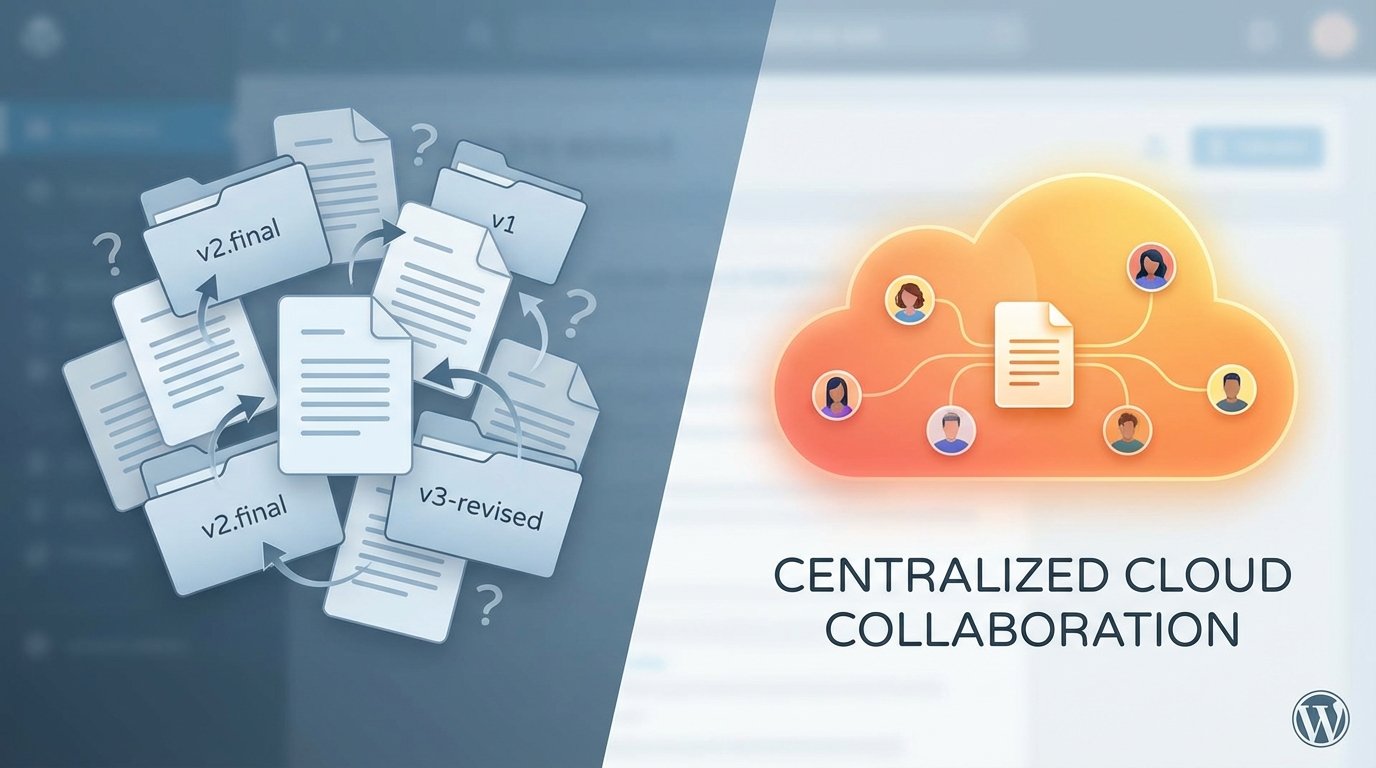
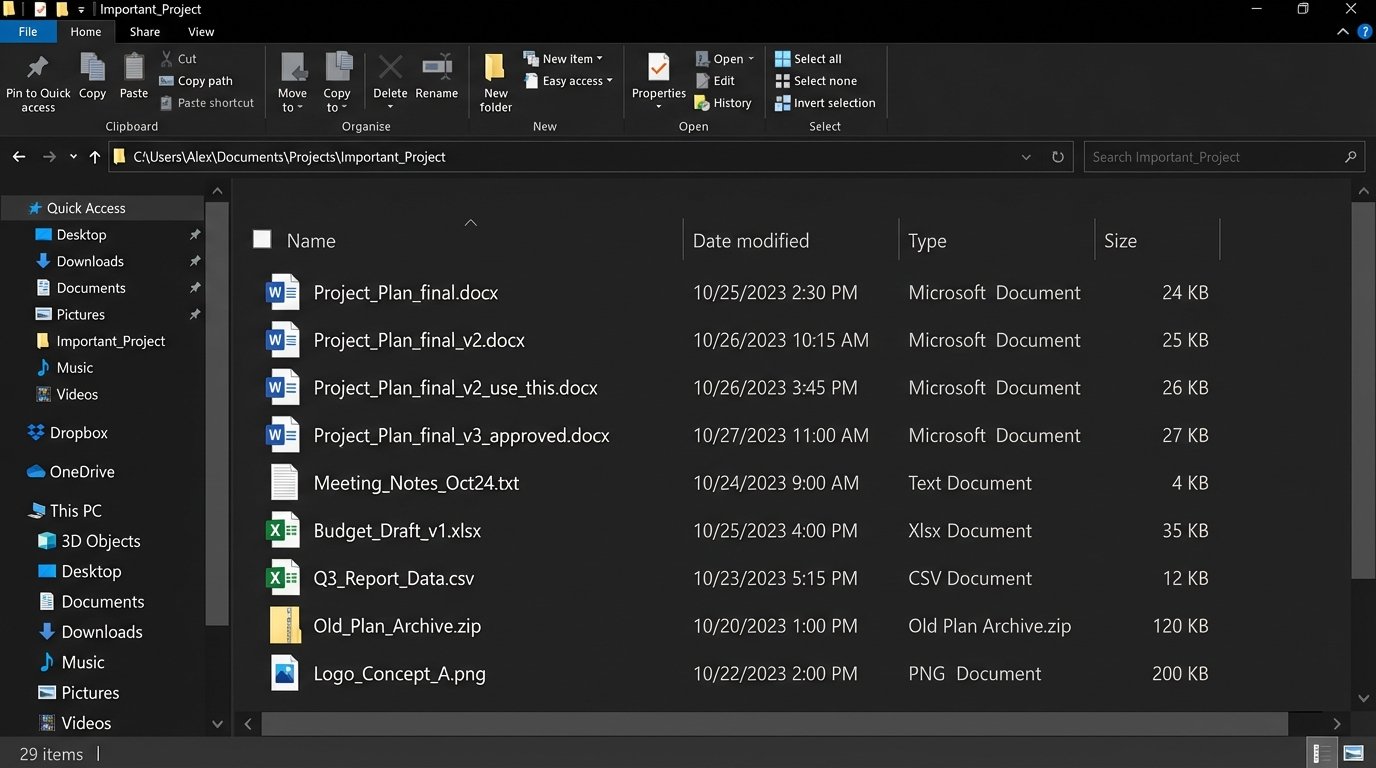
Every team has a graveyard of files named `Project_Plan_final_v3_use_this_one.docx`. We treat this as a joke, a quirky failure of human discipline. It is not. It’s a critical failure of system design, and the punchline is a production error traced back to an outdated requirements document nobody could find.
The root cause is not user error. It is a direct result of decentralized, state-agnostic file handling. When the system of record is a user’s local hard drive and the transport layer is email, you have engineered a perfect machine for generating chaos. There is no central lock, no atomic commit, and no verifiable source of truth.
The Anatomy of Versioning Hell
The problem begins when a document is treated like a primitive data type, passed by value across a network. Each email attachment, each download, creates a new, forked reality of the document’s state. The metadata, context, and history are stripped away with every `Ctrl+C`, `Ctrl+V` into a new email draft. This is the technical debt of workflow, and it compounds silently.
Your document workflow is effectively treating critical assets like UDP packets: fire-and-forget with no guarantee of ordering or receipt. It’s a race condition played out by humans.
Email as a Corrupted Transport Layer
Email was designed for asynchronous messages, not for state management. Forcing it into this role is a disaster. Attaching a document to an email creates a detached, time-stamped snapshot with zero forward-linking. If Person A emails a doc to Person B and Person C simultaneously, two independent timelines are born. Any changes made by B are invisible to C, and a merge conflict is now inevitable. The system offers no mechanism to resolve this fork.
It’s an unmanaged, multi-master replication model with no consistency protocol.
The Local-First Fallacy
Saving files locally seems fast and reliable. It is neither. A local drive is an information silo, a black box to the rest of the team. That `final_v2.docx` on a project manager’s laptop might as well be on the moon when an engineer in a different timezone needs to logic-check a feature spec at 2 AM. Backups are inconsistent, discovery is impossible without direct human intervention, and a single hard drive failure can wipe out the canonical version of a project’s entire history.
The workflow defaults to the lowest common denominator of availability, which is zero.
Architecting a Single Source of Truth
The solution is not another memo about file naming conventions. The solution is architectural. We must force all operations through a centralized system that maintains state, provides atomic operations, and exposes its logic via an API. This isn’t about buying a Dropbox or Google Drive subscription. It’s about fundamentally changing how your team interacts with shared assets, moving from a file-system-and-email model to an API-first model.
The goal is to make the “wrong” way of sharing a document impossible, or at least measurably more difficult than the “right” way. We need to build guardrails that are enforced by code, not by convention.
Beyond Glorified FTP: APIs and Webhooks
A shared cloud folder is just a network drive with better marketing. The real power is in the API. Services like Microsoft Graph, Google Workspace, and the Box API transform a simple file repository into a programmable platform. Instead of humans emailing files, scripts and applications can now directly manipulate them, read their metadata, and subscribe to events. This is the foundation of any real solution.
We can build a system where a document’s status change from “Draft” to “Approved” is not just a change in its filename. It is an event. This event triggers a webhook that notifies other systems, archives the previous version to cold storage, and locks the approved version from further edits. The human is no longer in the loop for version control. The system handles it.
Forcing Compliance with Automated Checks
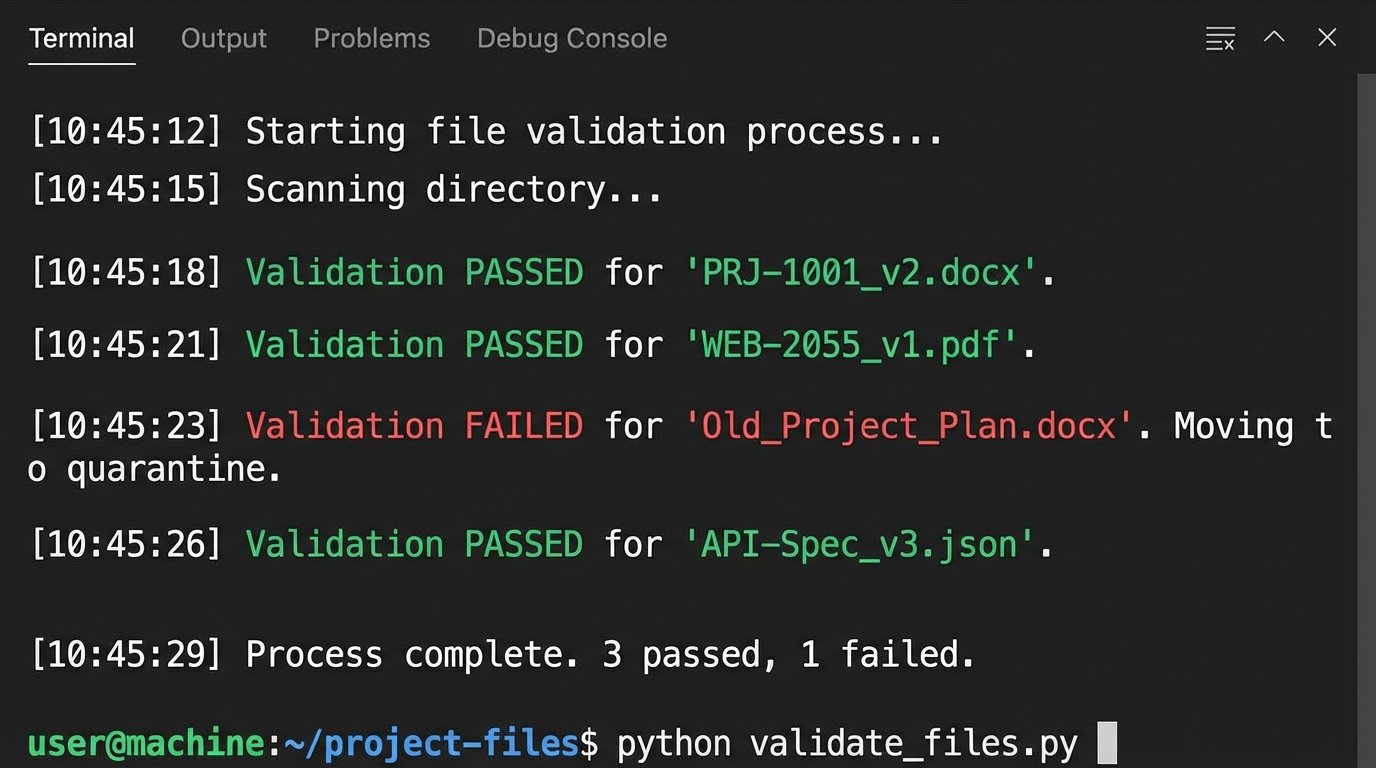
We can write simple automation scripts that act as gatekeepers. For example, a Python script running on a schedule can scan a specific “Incoming Documents” folder. It checks each file against a set of rules: Does the filename match the required regex? Does the file’s metadata contain a project ID? Is the user who uploaded it part of the correct permissions group? Files that fail the validation are automatically quarantined into a “Requires_Review” folder, and a notification is fired to a Slack channel.
This is like shoving a firehose of documents through the needle of a validation function. It’s brutal, but it stops bad data at the entry point.
The script doesn’t need to be complex. A basic check using the Google Drive API in Python might look something like this. This is not production-ready code. It is a proof of concept to show how you can programmatically gut-check files instead of relying on hope.
import google.auth
from googleapiclient.discovery import build
from googleapiclient.errors import HttpError
import re

# Configuration
FOLDER_ID = 'your_target_folder_id_here'
QUARANTINE_FOLDER_ID = 'your_quarantine_folder_id_here'
FILENAME_REGEX = r'^[A-Z]{3}-\d{4}_[vV]\d+\.\w+$' # e.g., PRJ-1001_v1.docx

def validate_and_sort_files():
    """Scans a Google Drive folder and moves non-compliant files."""
    try:
        creds, _ = google.auth.default()
        service = build('drive', 'v3', credentials=creds)

        # Find files in the target folder
        query = f"'{FOLDER_ID}' in parents"
        results = service.files().list(q=query, fields="nextPageToken, files(id, name)").execute()
        items = results.get('files', [])

        if not items:
            print('No files found.')
            return

        for item in items:
            file_id = item.get('id')
            file_name = item.get('name')

            if not re.match(FILENAME_REGEX, file_name):
                print(f"Validation FAILED for '{file_name}'. Moving to quarantine.")

                # Get the file's original parent to remove it later
                file = service.files().get(fileId=file_id, fields='parents').execute()
                previous_parents = ",".join(file.get('parents'))

                # Move the file
                service.files().update(
                    fileId=file_id,
                    addParents=QUARANTINE_FOLDER_ID,
                    removeParents=previous_parents,
                    fields='id, parents'
                ).execute()
            else:
                print(f"Validation PASSED for '{file_name}'.")

    except HttpError as error:
        print(f"An error occurred: {error}")

if __name__ == '__main__':
    validate_and_sort_files()
This small piece of logic enforces a standard that no amount of training documents ever could. It makes compliance the path of least resistance. The system, not a person, becomes the authority on versioning.
The Inescapable Trade-Offs of Centralization
This architecture is not a free lunch. Moving from a chaotic, decentralized model to a structured, centralized one introduces new failure modes and performance bottlenecks. Ignoring them is negligent. Every engineer knows that solving one problem often creates another, less chaotic one.
You are trading flexibility for control. For some teams, this is a wallet-drainer in terms of implementation cost and a drag on perceived speed. The benefits must clearly outweigh the operational overhead.
Performance Hits and API Rate Limiting
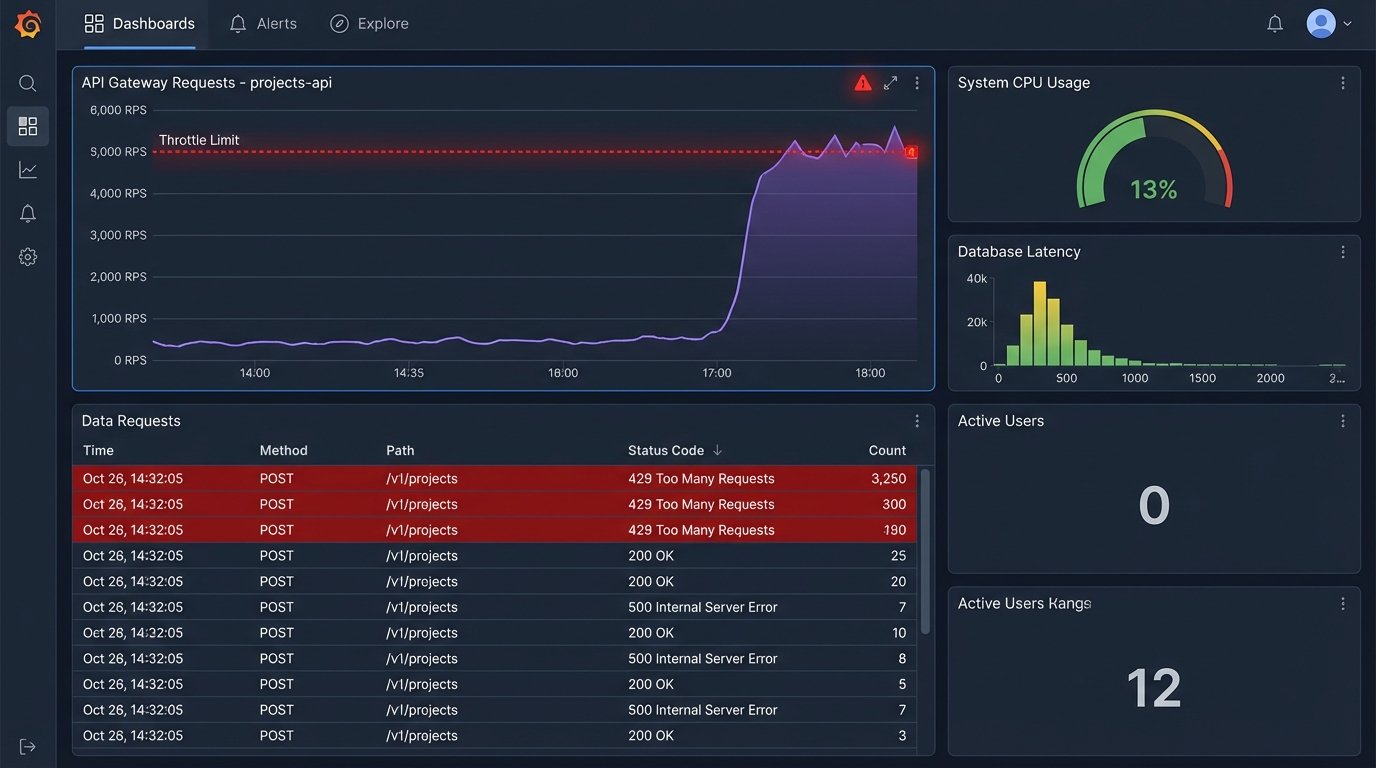
Every automated check, every webhook, is an API call. These calls have latency. They also have quotas. A script that aggressively polls a folder for changes can quickly exhaust your API rate limit for the hour, effectively shutting down all document-related automation for your organization. This can halt a critical release process because a marketing team member uploaded 50 images at once.
Your beautiful automation becomes a denial-of-service weapon against yourself. Proper design requires careful use of webhooks instead of polling, batching operations, and implementing exponential backoff for error handling. You must budget for and monitor your API consumption as if it were a critical cloud resource.
- Latency: A user uploading a file now has to wait for the validation script to run before they get confirmation. This adds seconds to a previously instantaneous action.
- Cost: Some platforms bill per API call. A high volume of file operations can translate directly into a higher monthly bill.
- Throttling: Aggressive scripts will get throttled. Your code must be built to handle `429 Too Many Requests` errors gracefully, not just crash.
The Single Point of Failure Reality
Centralization creates a single point of failure. When email is your transport, an outage at Google or Microsoft is a major problem, but people can still work on their local copies. When your entire workflow is piped through a central API, an outage in that API’s `files.update` endpoint brings everything to a grinding halt. You have no fallback. You have no local-first alternative because you architected it away for the sake of consistency.
Your team’s ability to function is now tied directly to the uptime of a third-party service whose SLA you cannot control. This is a risk that must be accepted and planned for, with clear downtime procedures. What does the team do when the system is down? If the answer is “nothing,” you have a problem.
The choice is not between a perfect system and a broken one. It is between a predictably broken system that you control and an unpredictably broken one that you do not. A centralized, API-driven approach provides a mechanism for enforcement and auditability that is impossible with loose files and email. It forces the chaos into a structured, observable process. It’s more work to build and maintain, but it stops you from debugging production failures caused by a document named `final_v2_final_approved_for_real_this_time.docx`.