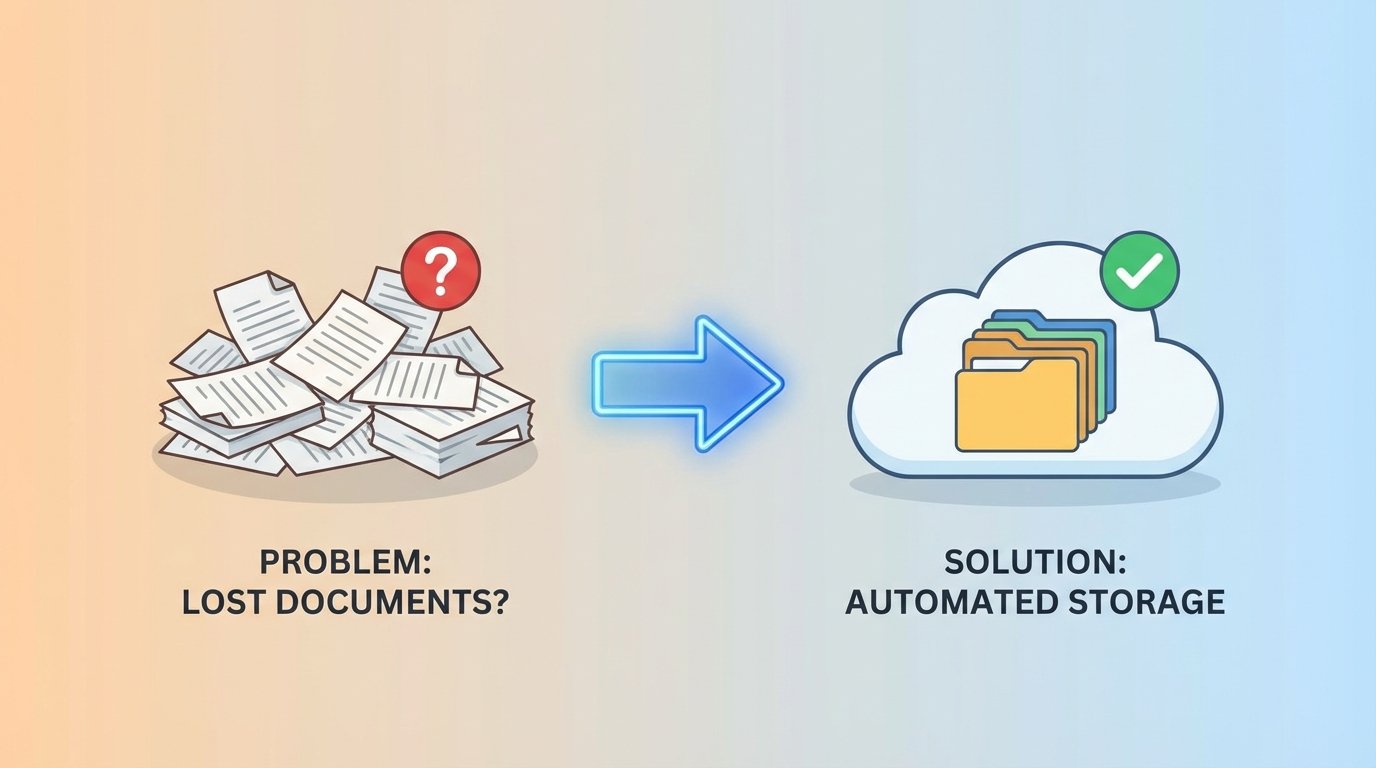
The Digital Black Hole
A transaction hits the ledger. The payment is confirmed, the inventory is updated, and the client receives a confirmation email. Days later, accounting asks for the associated purchase order. No one can find it. The file was supposed to be saved to a shared drive, but it’s gone. This isn’t a hypothetical. It’s a recurring failure state in systems that bolt on document handling as an afterthought.
The root cause is almost always a broken chain of custody. Manual processes rely on a human operator to download a file, rename it according to a convention that changes every six months, and then drag it into a labyrinth of network folders. This process is fragile. A distraction, a misclick, or a simple moment of forgetfulness breaks the entire record. The document is either misfiled, never saved, or overwritten.
Architecting a Resilient Ingestion Point
The first step is to stop relying on humans to move files. You need to build an automated ingestion point that acts as a universal receiver for documents, regardless of their origin. This isn’t just about watching an SFTP directory. A proper ingestion layer is multi-modal. It needs listeners for API endpoints, subscribers for message queues like RabbitMQ or Kafka, and dedicated parsers for monitored email inboxes.
Each source presents its own garbage. An API might send a clean JSON payload with a Base64-encoded PDF. An email will arrive as a multipart MIME message that you have to crack open to find the attachment. An SFTP drop might be a zip file containing a dozen poorly named JPEGs. The ingestion logic must be able to handle all of it, normalize the input, and stage the raw document for the next step. This initial capture and staging is like setting up a decontamination chamber; nothing gets into the core system until it’s been identified and prepped.
The goal is to immediately create a record of receipt. The moment a document hits any of these entry points, it gets a unique identifier and its raw form is dumped into a temporary storage bucket. A corresponding entry is logged with a timestamp and source information. Now, if anything fails downstream, you have an audit trail. You can prove the document arrived. You’ve plugged the initial leak.
The Processing Core: Metadata Extraction
Once a document is captured, it’s just a binary blob with a filename. To make it useful, you have to strip it for intelligence. This is the processing core, where the system extracts the critical metadata that makes the document discoverable and gives it context. This process is a pipeline of sequential operations: classification, data extraction, and validation.
Classification determines what the document *is*. Is it an invoice, a contract, a proof of delivery, or something else? You can start with simple filename regex, but this is brittle. A more durable approach involves inspecting the document’s content. For text-based PDFs, you can search for keywords like “Invoice” or “Purchase Order.” For scanned images, you’re forced to use Optical Character Recognition (OCR) first. The output of this stage is a document type tag.
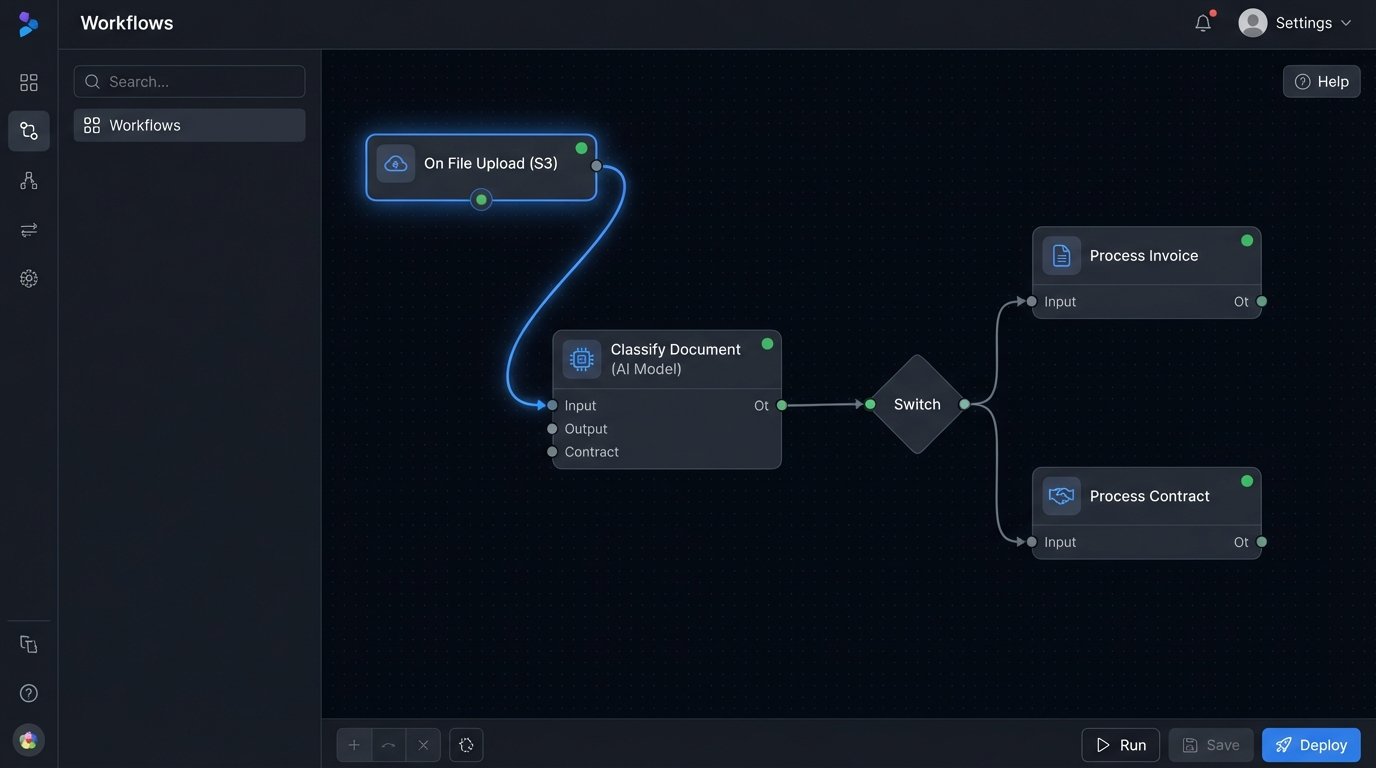
Data extraction pulls out the key-value pairs. For an invoice, this means finding the invoice number, date, total amount, and customer ID. For a contract, it’s the effective date, termination date, and signatory names. Again, for digital-native documents, regex or positional text parsing can work. For scanned documents, you’re back in OCR territory, trying to identify and parse fields from a noisy image. This is the most error-prone part of the entire system.
A Python script using a library like `PyPDF2` for text extraction and `re` for regex is a common starting point for digital PDFs. It’s fast and doesn’t require external APIs.
import re

import PyPDF2
def extract_invoice_metadata(pdf_path):
metadata = {}
try:
with open(pdf_path, 'rb') as file:
reader = PyPDF2.PdfReader(file)
text = ""
for page in reader.pages:
text += page.extract_text()
# Simple regex patterns - these will need serious hardening
invoice_num_pattern = re.compile(r'Invoice No[:\s]+(\w+)', re.IGNORECASE)
customer_id_pattern = re.compile(r'Customer ID[:\s]+(\d+)', re.IGNORECASE)
total_amount_pattern = re.compile(r'Total Amount[:\s]+\$?([\d,]+\.\d{2})', re.IGNORECASE)
invoice_match = invoice_num_pattern.search(text)
if invoice_match:
metadata['invoice_number'] = invoice_match.group(1)
customer_match = customer_id_pattern.search(text)
if customer_match:
metadata['customer_id'] = customer_match.group(1)
total_match = total_amount_pattern.search(text)
if total_match:
# Clean up the amount string
metadata['total_amount'] = float(total_match.group(1).replace(',', ''))
return metadata
except Exception as e:
# Log the specific error
print(f"Failed to process {pdf_path}: {e}")
return None
# Example usage:
# extracted_data = extract_invoice_metadata('path/to/invoice.pdf')
# print(extracted_data)
The final step is validation. The extracted data must be logic-checked against a system of record, like your ERP or CRM. Does the extracted `customer_id` actually exist? Does the `total_amount` on the invoice match the `transaction_amount` in the sales database? A mismatch flags the document for manual review. This validation step is non-negotiable. It prevents polluted data from corrupting your records.
Intelligent Storage and Indexing
Storing the file is not a `mv` command. The storage location itself must be part of the data model. A common and effective strategy is to build a directory structure from the extracted metadata. For example, a file might be stored in an object store like S3 with a key like:
s3://company-docs/invoices/client_id=12345/year=2023/month=11/transaction_id=ABC-987.pdf
This structure is human-readable and allows for some level of direct browsing. More importantly, it partitions the data logically, which can optimize query performance in certain data lake tools. Before writing the file to its final destination, generate a checksum (MD5 or SHA256). Store this hash alongside the metadata. It is your guarantee of file integrity. You can use it later to detect duplicates or corruption.
The document itself is now stored, but it’s not yet discoverable. The final architectural component is the index. All the extracted metadata, the document type, the storage path, and the checksum must be pushed into a search engine like Elasticsearch or a dedicated table in a relational database. This index is what your applications will query.
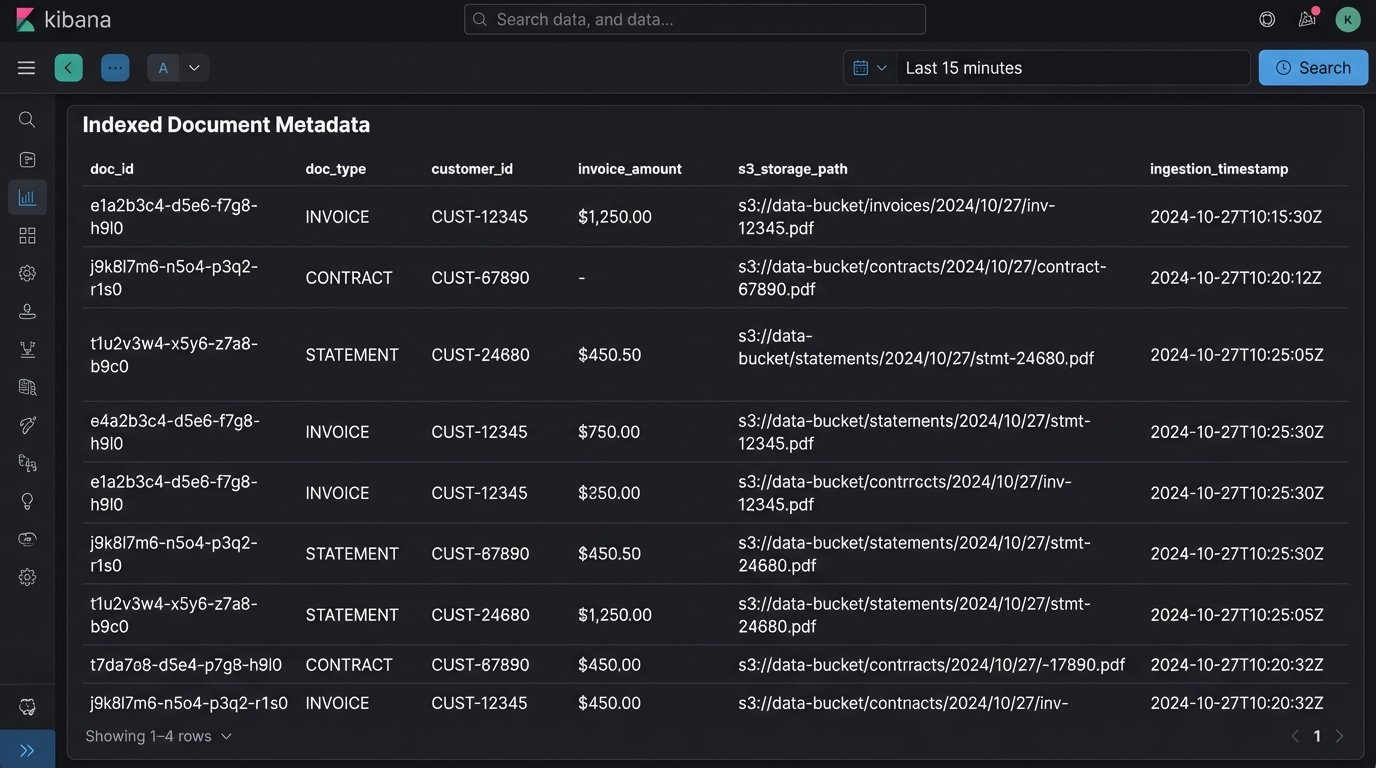
When a user searches for “all invoices for customer 12345 in November,” the system queries the index, not the file system. The query returns a list of matching records, each containing a direct link to the document in the object store. This decouples the search functionality from the storage mechanism, which is critical for performance and scalability. Trying to run `grep` across a million files in a network share is a recipe for timeouts and misery.
The Unavoidable Problems
This architecture sounds clean on a whiteboard. In production, it’s messy. The most significant point of failure is OCR. Service providers claim high accuracy, but that applies to clean, machine-printed text. A creased, scanned, coffee-stained document will yield garbage. Your system must handle this by analyzing the OCR engine’s confidence scores. If a key field has a low score, the document must be shunted to a human-in-the-loop queue for manual verification. Don’t assume the OCR is correct.
Another killer is schema drift. The finance department in another business unit might decide to change the invoice template. Suddenly, your regex for finding the invoice number stops working. Your parsers break, and documents start piling up in the failure queue. The only defense is monitoring and alerting. If the rate of successful metadata extraction drops, an alarm needs to go off immediately. Contract testing with upstream teams helps, but you have to assume they will forget to tell you about changes.
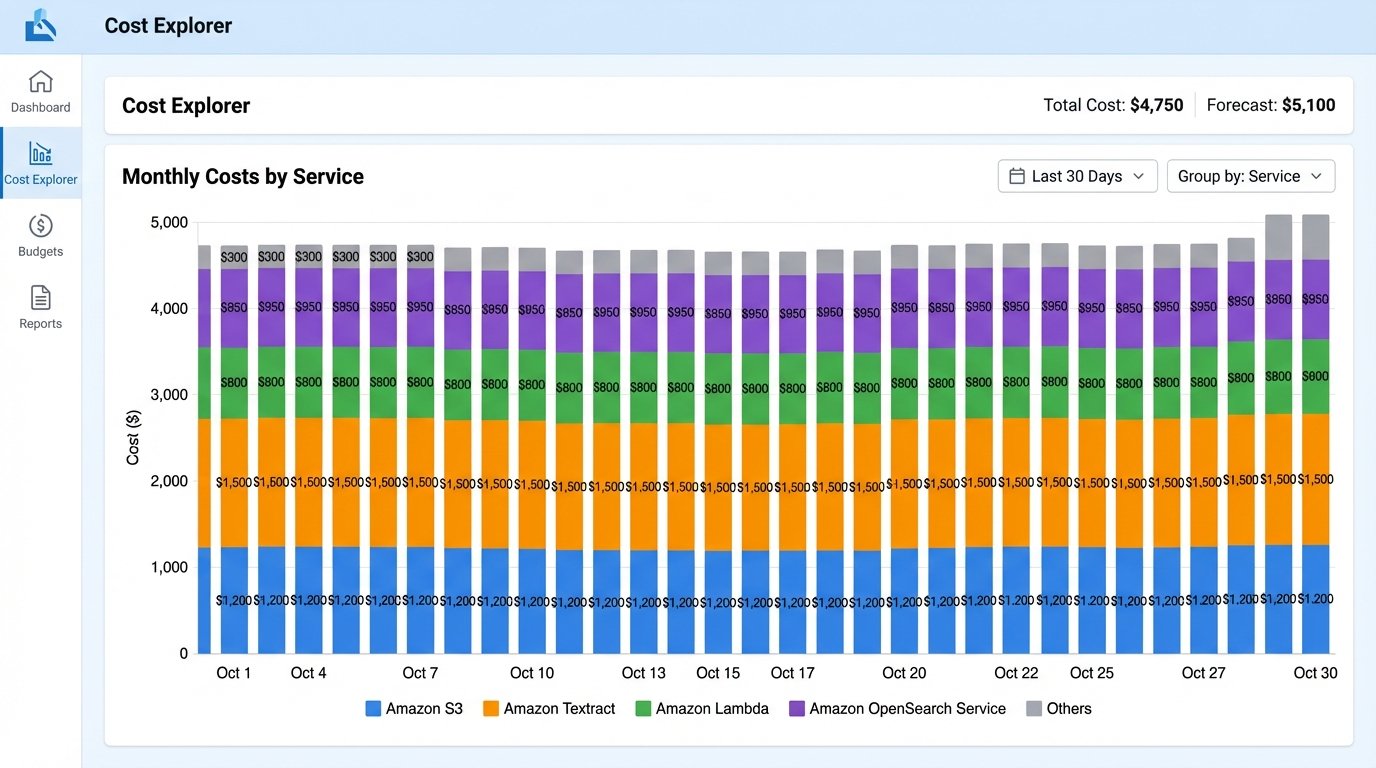
Finally, watch the costs. Cloud services are wallet-drainers if you are not careful. Every OCR page scan, every GB of storage, every data egress operation, and every hour your Elasticsearch cluster is running costs money. The architecture must include budget controls and cost monitoring from day one. Implement lifecycle policies to move older, less frequently accessed documents to cheaper, archival storage tiers like S3 Glacier. Otherwise, you’ll build a perfect system that gets shut down because it costs too much.
Building an automated document storage system is not about buying a single piece of software. It is about designing a fault-tolerant pipeline that treats documents as structured data. The system must be built with the explicit understanding that inputs will be messy, external systems will change without notice, and components will fail. The goal isn’t to prevent all errors, which is impossible. The goal is to contain them, log them, and route them for correction without losing a single document.