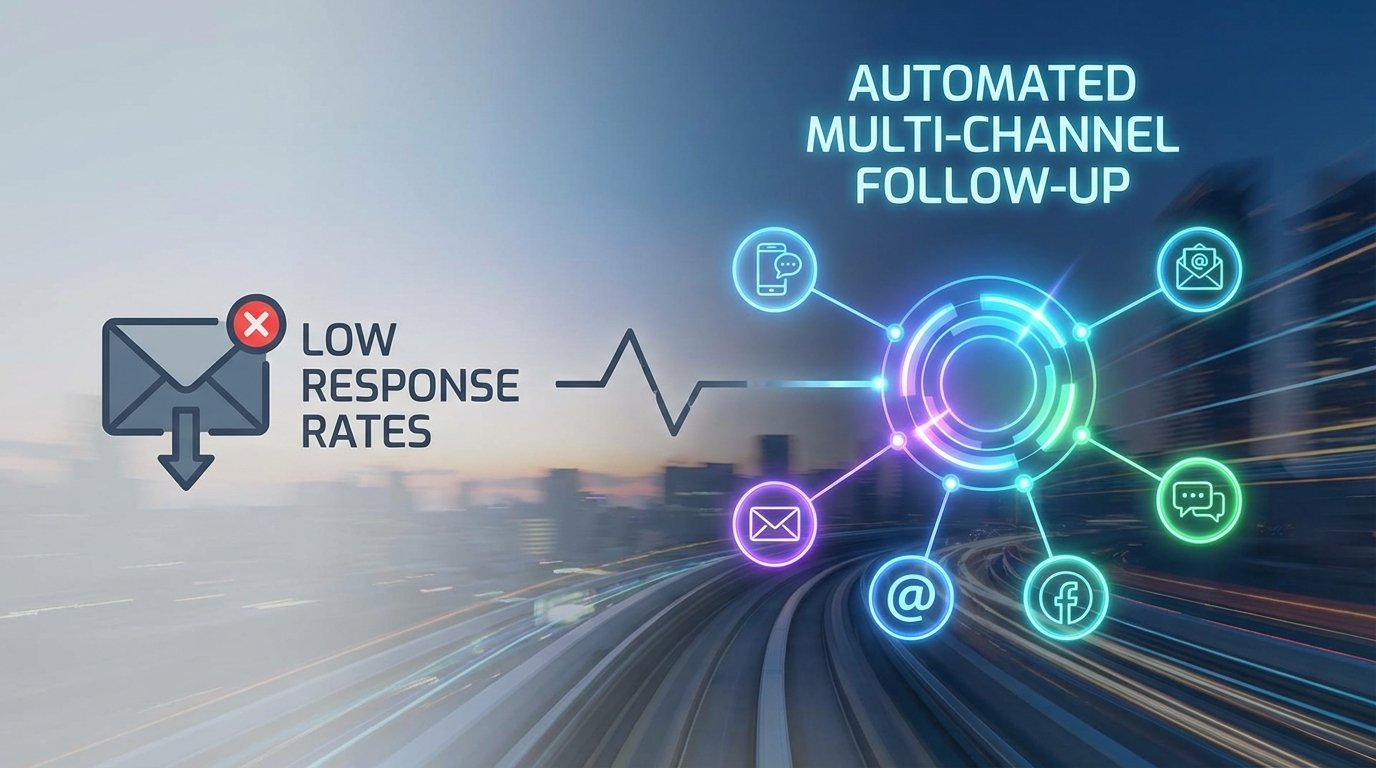
The standard marketing automation sequence is broken. It fires an email, waits two days, and fires another. This single-channel dependency creates a brittle system. If the initial email lands in a promotion tab or is ignored, the lead is effectively dead. Doubling the email volume does not fix the underlying architectural flaw; it just burns your domain reputation faster.
Response rates are not a content problem. They are a system design problem. A prospect’s inbox is a high-noise environment. Expecting a single channel to consistently penetrate that noise is illogical. The fix is not more volume on one channel. The fix is a state-aware, multi-channel orchestration system that reacts to non-engagement by escalating contact through different mediums.
The Diagnostic: Single-Channel Failure
Most automation platforms operate on a linear, time-based sequence. This model is fundamentally flawed because it fails to account for user behavior or channel preference. It assumes every lead consumes information through email and responds on your schedule. This assumption is wrong and costs money.
A typical failure looks like this: A lead is generated via a webhook from a form submission. The CRM injects it into an email sequence. The first email is sent. The system waits 72 hours. No open is detected. A second email is sent. This repeats until the sequence ends. The system reports the lead as “unresponsive” without ever checking if the provided phone number or LinkedIn profile could have yielded a different outcome.
From Linear Sequence to State Machine
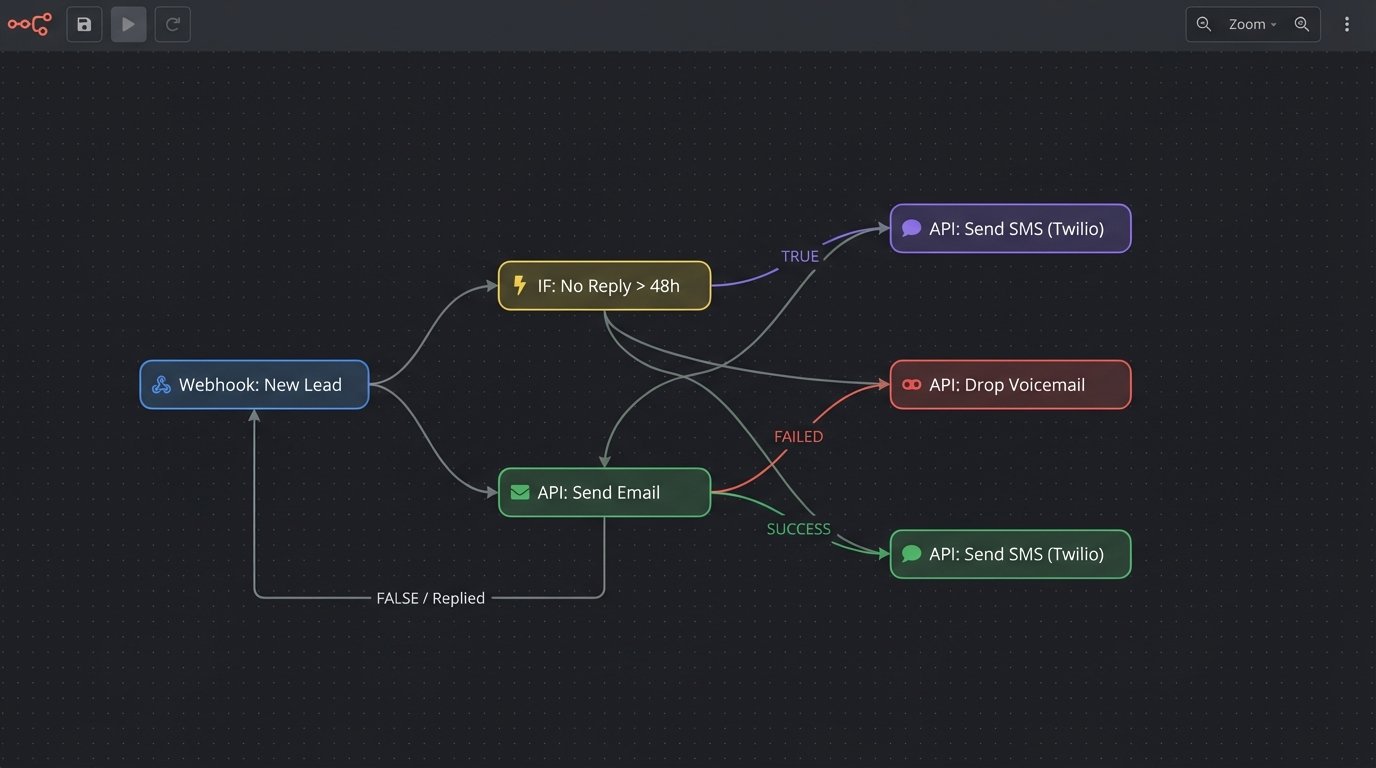
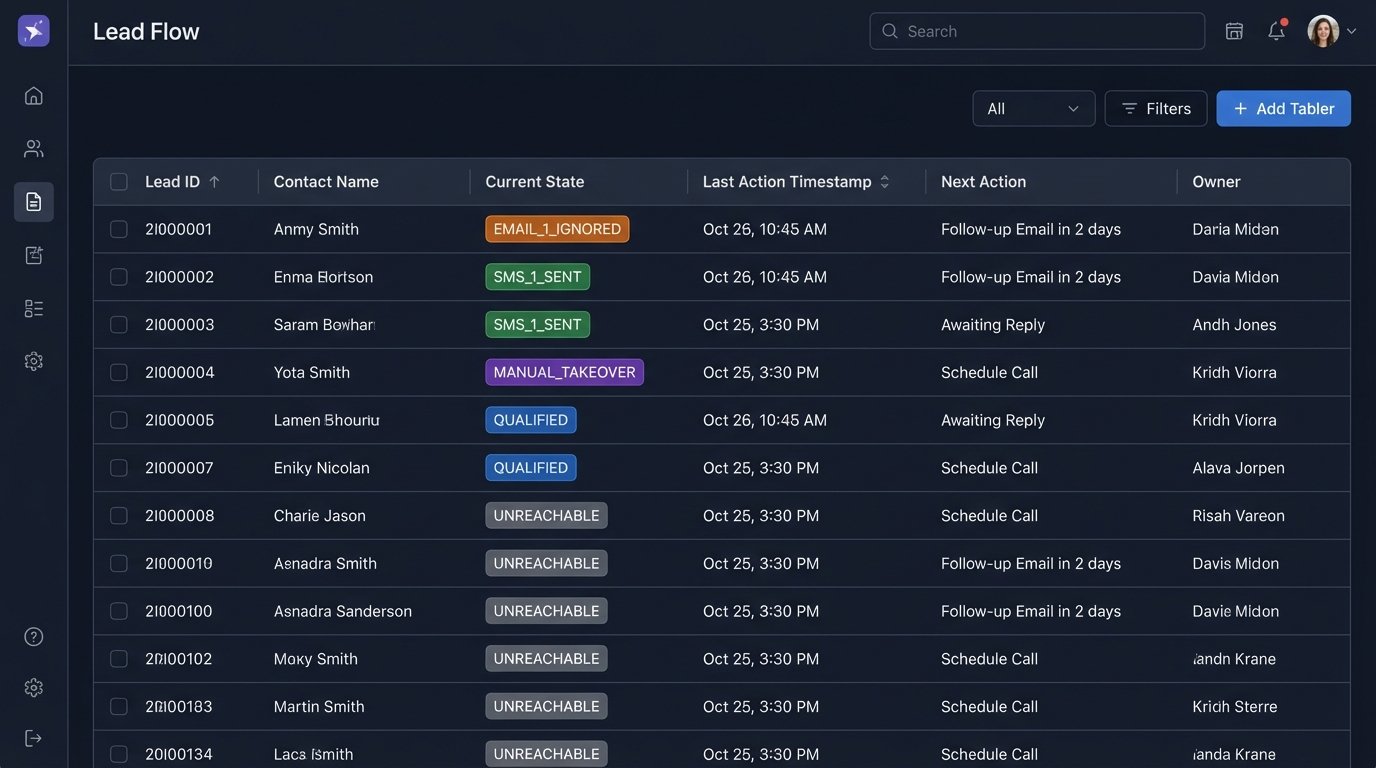
The solution is to gut the linear sequencer and replace it with a state machine. Each lead exists in a specific state within your system: `NEW_LEAD`, `EMAIL_1_SENT`, `EMAIL_1_OPENED`, `SMS_1_SENT`, `VOICEMAIL_DROPPED`. The system’s job is to transition the lead between states based on a set of logical rules, not just the passage of time. A lack of response becomes a trigger for channel escalation, not just another email.
This approach forces you to stop thinking in terms of campaigns and start thinking in terms of system logic. The central brain of this operation is typically a serverless function, like AWS Lambda or an Azure Function, that is triggered by events and makes decisions. It’s cheap, scales instantly, and avoids the overhead of a dedicated server polling a database.
Building the Orchestration Engine
The core of this system requires four components: a trigger mechanism, a logic controller, a state database, and channel-specific API connectors. Anything less is an incomplete build that will fail under load.
1. The Trigger: Webhooks Over Polling
Your entry point is the CRM. The correct way to ingest new leads is with a webhook. When a lead’s status changes in Salesforce or HubSpot, it should fire a POST request with the lead’s data to your controller’s API endpoint. This is event-driven and efficient.
The alternative, polling the CRM’s API every five minutes to ask “anything new?”, is a resource hog and a wallet-drainer. You pay for every API call, and most of those calls will return nothing. It’s a brute-force method that doesn’t scale and puts you at risk of hitting API rate limits. If your CRM doesn’t support outbound webhooks for the events you need, you have a CRM problem, not an automation problem.
2. The Controller: Serverless Functions
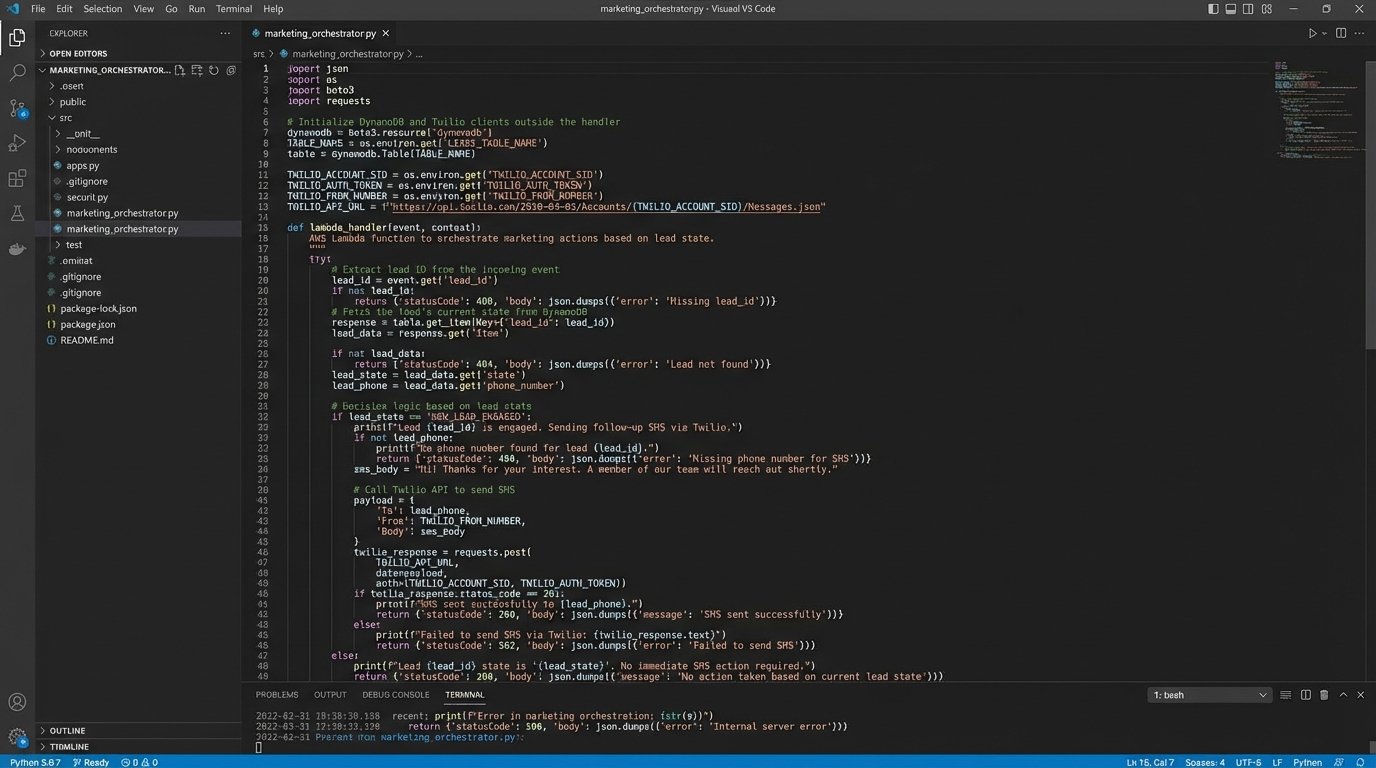
The webhook payload hits your controller. This is where the logic lives. A Python or Node.js function running on AWS Lambda is the standard for this. It receives the lead data, checks the lead’s current state from the database, and decides the next action. This entire operation should execute in milliseconds.
The function’s logic is a decision tree. IF lead state is `NEW_LEAD`, THEN call email API and update state to `EMAIL_1_SENT`. IF a webhook from your email provider signals an `open` event for this lead, the controller updates the state to `EMAIL_1_OPENED` and halts further action. If no `open` event arrives after 48 hours (checked by a scheduled trigger), the controller escalates. It might check for a valid phone number and, if present, call the SMS API and update the state to `SMS_1_SENT`.
This orchestration of different services and conditional logic is complex. Trying to manage this flow feels like trying to shove a firehose of asynchronous events through the needle of a single, synchronous process. You need a robust state management system to avoid losing track of where each lead is in the process.
3. The State Database: Key-Value Store
You need a fast, simple database to track the state of every lead in your system. A relational database is overkill. A key-value store like Amazon DynamoDB or Redis is built for this job. The lead’s unique ID is the key, and the value is a JSON object containing their current state, the timestamp of the last action, and any relevant metadata.
A typical state object might look like this:
{

  "leadId": "SFDC-00a1B00000xYz9wQAC",

  "currentState": "SMS_1_SENT",

  "lastActionTimestamp": 1678886400,

  "sequenceId": "tech_decision_maker_q1",

  "contact": {

    "email": "jane.doe@example.com",

    "phone": "+15551234567",

    "linkedinUrl": "https://linkedin.com/in/janedoe"

  },

  "history": [

    { "state": "NEW_LEAD", "timestamp": 1678713600 },

    { "state": "EMAIL_1_SENT", "timestamp": 1678713605 },

    { "state": "EMAIL_1_IGNORED_48H", "timestamp": 1678886398 }

  ]

}
Before any action is taken, the controller fetches this object. After an action is completed, it updates it. This record is the single source of truth for each lead’s journey. It prevents duplicate messages and ensures logical consistency.
4. The Channel Connectors: API Integrations
The controller executes actions by calling external APIs. Each channel requires its own connector and its own error-handling logic.
- Email: Use a transactional email service like SendGrid or Postmark, not your CRM’s bulk mailer. Their APIs provide detailed feedback on delivery, bounces, and opens via webhooks. You must configure these webhooks to feed data back into your controller to update the lead’s state.
- SMS: Twilio is the dominant player. Its API is straightforward. Sending an SMS is a single POST request. The complexity here is not technical, it is regulatory. You must handle A2P 10DLC registration in the US to avoid carrier filtering. SMS messages must also be concise and provide an opt-out mechanism.
- LinkedIn: This is the most effective and most fragile channel. LinkedIn’s official API is useless for sales outreach. The effective solutions use browser automation tools like Playwright or Puppeteer to script a headless browser that logs into a real LinkedIn account to send connection requests and messages. This is explicitly against LinkedIn’s terms of service. It can get your account suspended, and the selectors you use to script the UI will break every time LinkedIn redesigns its front end. This channel carries significant technical debt but can produce results no other channel can match.
- Ringless Voicemail: Services like Slybroadcast have APIs that allow you to drop a pre-recorded audio file directly into a person’s voicemail box without their phone ringing. This is a powerful pattern interrupt. It feels personal but is completely automated. It is effective when used sparingly as a high-escalation step for high-value leads.
Failure Points and Required Safeguards
Building this system creates new, more complex failure modes. A robust system anticipates and mitigates these. If you do not account for them, you will end up spamming your most valuable prospects.
The “Stop” Signal
The most critical safeguard is a universal stop trigger. When a lead replies to an email, answers a call, or sends a message on LinkedIn, all automated follow-ups for that lead must cease immediately. Failure to implement this makes your company look incompetent.
This requires an inbound integration. For email, you can use a service that parses replies and fires a webhook. For sales calls, a salesperson must be able to click a button in the CRM to manually change the lead’s status, which should trigger a webhook to your controller to update the lead’s state to `MANUAL_TAKEOVER` and halt all automation.
Data Integrity and Enrichment
The system is only as good as the input data. An SMS step is useless if you do not have a validated mobile number. A LinkedIn step is impossible without a correct profile URL. Before initiating a sequence, you must run a data validation and enrichment step. Use services like Clearbit or ZoomInfo to check phone number validity and find LinkedIn profiles. This adds cost per lead but prevents the system from executing useless actions.
Rate Limiting and Retries
Every API you call will have rate limits. Your controller must be built with exponential backoff and retry logic. If a call to the Twilio API fails with a `429 Too Many Requests` error, the function should not just fail. It should wait for a progressively longer interval and try again a few times before marking the action as failed and moving to an error state.
Failing to respect rate limits is the fastest way to get your API keys temporarily or permanently suspended. Hammering a third-party service is amateur hour.
Attribution Complexity
When a lead finally responds, which channel gets the credit? This becomes a difficult data-stitching problem. If you sent an email on Monday, an SMS on Wednesday, and they finally replied to the email on Thursday, the SMS likely prompted them to check their email. Simple “last-touch” attribution will incorrectly assign all credit to the email.
To get a clearer picture, you need to log every action for a lead in your CRM as a separate activity. When a deal is closed, you can analyze the activity history of successful leads to identify patterns. This requires disciplined data logging and a willingness to analyze complex historical data. There is no simple dashboard that will give you this answer.