
Every manual CSV upload is a potential point of failure. The process is a holdover from an era before APIs were table stakes. Relying on humans to shuttle data between systems introduces unacceptable latency and error rates. The report you’re showing to leadership is not a snapshot of reality. It’s an old photograph of what reality used to be, blurred by transcription errors.
This isn’t a workflow problem solved with a better spreadsheet template. It’s an architectural deficiency. The entire chain of custody for the data is broken from the start. We need to stop patching the leak and replace the plumbing entirely.
The Anatomy of a Manual Failure
The core issue with manual data handling is its fragility. Someone downloads a file from one platform, maybe opens it in Excel to “clean it up,” then uploads it to another. Each step injects risk. A single misplaced comma in a CSV can corrupt an entire data load. A filter applied incorrectly in a spreadsheet permanently skews the source data before it ever reaches the reporting environment.
Version control is a fantasy in this model. You end up with a shared drive full of files named `sales_report_final_v2.csv` and `sales_report_final_v3_JOHNS_EDITS.csv`. Nobody knows which one is the source of truth. This chaos doesn’t just slow things down. It erodes trust in the data itself. When two dashboards show different numbers for the same metric, the underlying cause is often two different source files uploaded by two different people on two different days.
This manual process is like trying to build a car by having parts delivered one by one via carrier pigeon. The parts might be correct, but they arrive out of order, late, and sometimes they just get lost. You can’t build a coherent machine that way.
The Architectural Fix: Direct Data Injection
The solution is to build a durable, automated pipeline that moves data from its source to its destination without human intervention. This pipeline removes the possibility of manual error and dramatically reduces data latency. Instead of reports that are days or weeks old, you get data that is minutes old. The architecture for this is straightforward and consists of three fundamental stages: Extraction, Transformation, and Loading.
Each stage has its own set of technical challenges and decisions. The goal is to create a system that can be monitored, validated, and trusted to run independently. This isn’t about buying a single piece of software. It’s about composing a system from specific components that fit the exact data sources and business logic required.
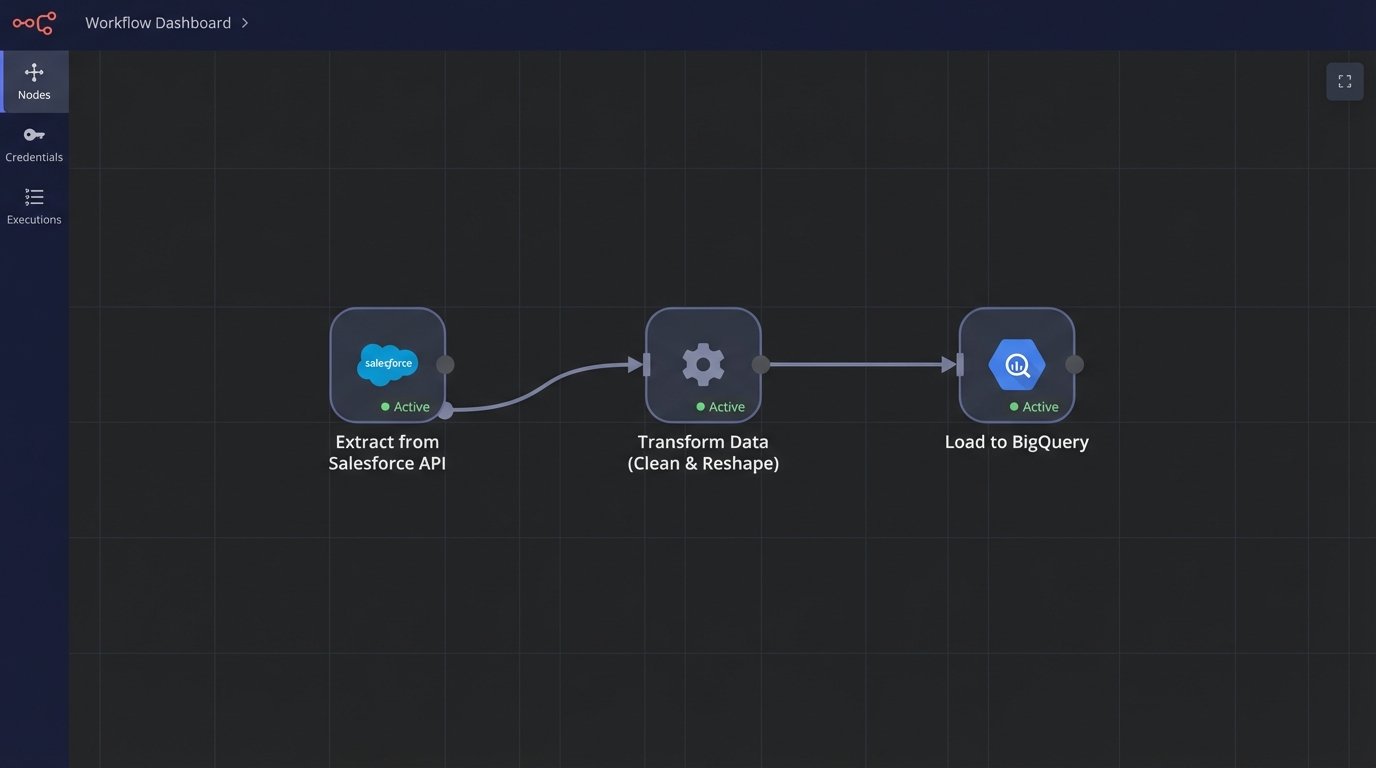
Stage 1: Extraction via API
Extraction is the process of pulling raw data from source systems. In almost every modern context, this means interacting with an API. The first barrier is usually authentication. Wrestling with OAuth 2.0 flows, managing refresh tokens, and securely storing API keys is the price of admission. Documenting these credential management processes is not optional. It’s critical for maintenance and security.
APIs are not infinite resources. They impose rate limits, returning `429 Too Many Requests` if you query them too aggressively. A naive script that pulls data in a tight loop will get throttled and fail. Production-grade extraction logic must respect these limits, incorporating backoff-and-retry mechanisms. You have to query the endpoint, check the response headers for rate limit information, and pause your script accordingly.
A basic extraction might look like this Python snippet. It’s simple, but it handles the bare essentials of setting a header and checking the status code. A real script would need more robust error handling.
import requests

import json

import os
API_KEY = os.environ.get("MY_API_KEY")
API_ENDPOINT = "https://api.example.com/v1/data"
headers = {
"Authorization": f"Bearer {API_KEY}",
"Content-Type": "application/json"
}
try:
response = requests.get(API_ENDPOINT, headers=headers)
# Force a failure for non-200 responses.
response.raise_for_status()
data = response.json()
print("Successfully extracted data.")
# Next step: pass `data` to the transformation stage.
except requests.exceptions.HTTPError as http_err:
print(f"HTTP error occurred: {http_err}")
except Exception as err:
print(f"An error occurred: {err}")
Data can be extracted on a schedule (polling) or triggered by an event (webhooks). Polling is simple to implement with a cron job. You run your script every five minutes. Webhooks are more efficient. The source system sends a payload to an endpoint you control the moment new data is available. If the source API supports webhooks, use them. It avoids pointless requests and provides lower latency.
Stage 2: The Transformation Battleground
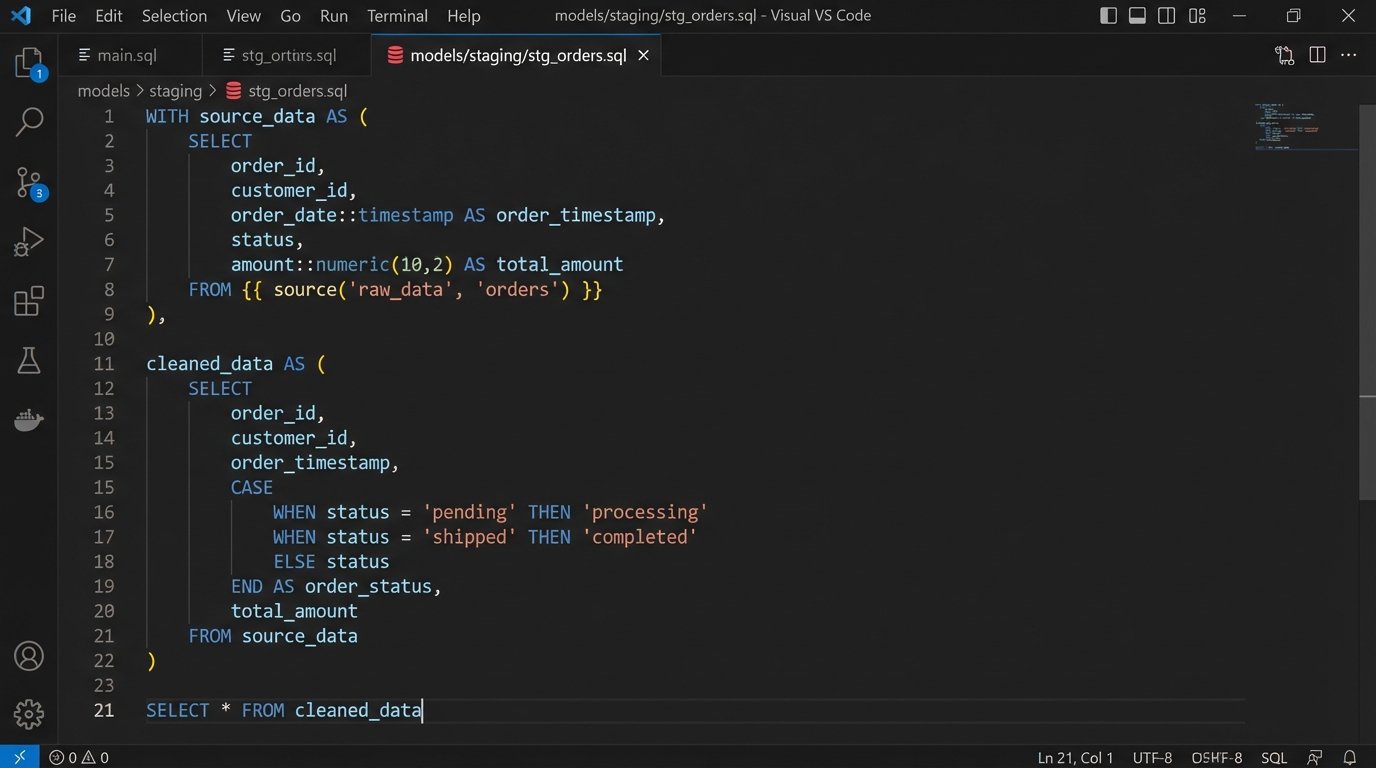
Once you have the raw data, it’s almost never in the right format. You need to clean it, reshape it, join it with other data, and apply business logic. This is the transformation stage. The primary debate here is between two models: ETL and ELT.
- ETL (Extract, Transform, Load): You extract the data, transform it in memory or on a staging server using code (like a Python script with Pandas), and then load the finished, clean data into your data warehouse or reporting tool. This is good for enforcing data quality early and for stripping sensitive information before it ever touches the final database.
- ELT (Extract, Load, Transform): You extract the data and immediately load the raw, untouched JSON or records into your data warehouse. All transformation logic is then executed inside the warehouse using SQL. Tools like dbt are built for this workflow. This preserves the original source data and provides more flexibility for analysts to re-run transformations later.
Choosing ELT means your data warehouse needs to be powerful enough to handle these transformations, which can increase compute costs. An ETL pipeline without proper error handling is a digital Rube Goldberg machine waiting to jam, where a failure in one complex script brings the entire process to a halt. ELT is generally preferred for modern cloud data warehouses like BigQuery or Snowflake because it leverages their processing power and separates the loading from the complex transformation logic.
Tooling the Pipeline: Buy vs. Build
You have two paths for building this pipeline. You can buy a managed service, or you can build it yourself using open-source components. Neither path is perfect.
Commercial platforms like Fivetran, Stitch, or Airbyte Cloud offer pre-built connectors for hundreds of common data sources. You can configure a pipeline from Salesforce to Snowflake in an afternoon without writing much code. The primary advantage is speed. The disadvantage is cost and opacity. These services are wallet-drainers, charging based on data volume. When something breaks inside their connector, you are left waiting on their support team to fix a black box.
The build-it-yourself path gives you absolute control. You use an orchestrator like Apache Airflow or Prefect to define your pipelines as code. You write the exact extraction and transformation logic your system requires. This approach is cheaper in terms of licensing but far more expensive in terms of engineering hours. You are responsible for the infrastructure, maintenance, and debugging sessions when a DAG fails at 3 AM. This is the correct path for unique data sources or when transformation logic is highly proprietary.
The “Real-time” Misnomer
The term “real-time” is used carelessly. For most analytics and reporting, true real-time streaming is overkill. Sub-second data latency is critical for financial trading algorithms or fraud detection systems, not for a quarterly marketing dashboard. Those use cases require a different class of tools, like Apache Kafka or AWS Kinesis, and represent a massive jump in complexity.
What most teams actually need is “near-real-time” data, refreshed on a predictable schedule. Running a data pipeline every hour, or every 15 minutes, is often sufficient. This is easily achieved with a scheduler. A simple cron job on a Linux server or a cloud-native scheduler like Google Cloud Scheduler or AWS EventBridge can trigger your pipeline reliably. This gives you fresh data without the engineering overhead of a full streaming architecture.
Logic-Checking and Failure Modes
An automated pipeline is useless if its output is wrong. The most dangerous state for a pipeline is to fail silently, reporting success while loading corrupted or incomplete data. You must build validation steps directly into the process. This means checking for null values where they shouldn’t exist, validating data types, and ensuring row counts are within an expected range.
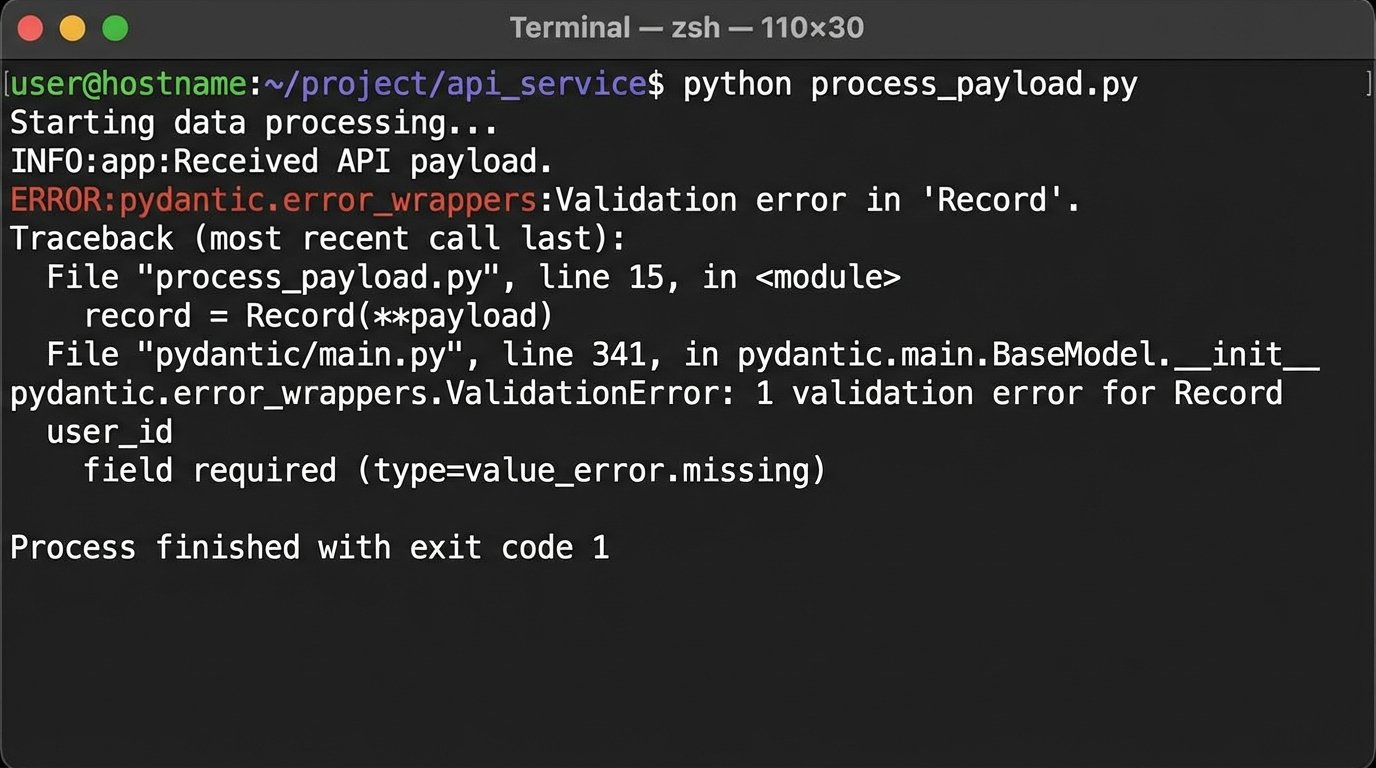
Relying on a poorly documented third-party API is like building a house on a foundation you can’t inspect. An upstream team can add a new field or change a data type in the API response without warning, breaking your transformation code. This is where data contracts become essential. You can use a library like Pydantic in Python to define the expected schema of the incoming data. If the API payload doesn’t match the schema, the pipeline fails immediately and sends an alert, preventing bad data from contaminating your warehouse.
Monitoring the Machine
A pipeline is a production system and must be monitored as such. You need comprehensive logging at every stage. If the pipeline fails, the logs should tell you exactly where and why. Don’t just print success messages. Log key metrics like the number of records extracted, the time taken for each stage, and the number of records loaded.
This log data should be shipped to a centralized logging platform like Datadog or Grafana Loki. From there, you can build dashboards to visualize the health of your pipelines over time. You also need to configure alerting. A pipeline failure or a data validation error should trigger an immediate alert to the on-call engineer via a service like PagerDuty or Opsgenie. The system cannot be trusted if it isn’t being watched.
Stop applying manual patches to a systemic problem. The constant cycle of exporting, cleaning, and uploading data is a tax on your technical talent and a drag on the business. Building a direct data integration pipeline isn’t a luxury project. It is the baseline for any organization that claims to be data-driven.