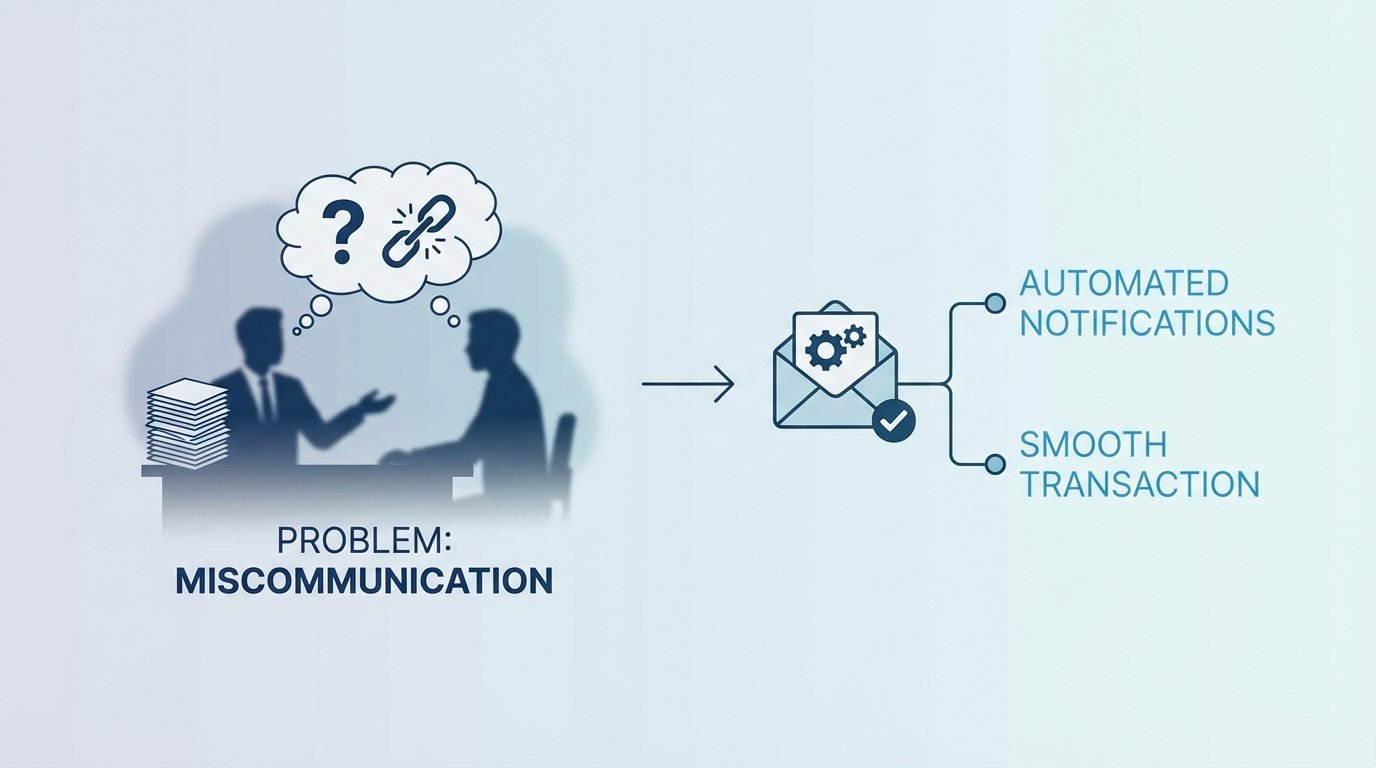
The Failure Point Is Not Human. It Is Architectural.
Every transaction closing process that relies on a human to copy-paste a status update into an email is a ticking time bomb. The failure is inevitable. The “miscommunication” that gets blamed in the post-mortem is just a symptom of a systemic data integrity issue. The root cause is a set of disconnected data silos, where the state of a transaction in one system is not programmatically reflected in another. This creates a data lag, a window of time where stakeholders operate on stale information.
This is not a people problem. It is a data synchronization problem. The core issue is that the trigger event, the change in transaction status, is decoupled from the notification action. A human acts as the lossy, high-latency bridge between the two. We are tasked with building a better bridge, one that is automated, deterministic, and logs its failures instead of making excuses.
Anatomy of a Transaction Data Catastrophe
Let’s map the typical failure path. The transaction management system (TMS) is the source of truth. A document gets e-signed, a contingency is waived, or funds are confirmed. This status change is recorded instantly in the TMS database. The transaction coordinator, however, might be working on three other files. Thirty minutes later, they see the update, manually draft an email to the client, agent, and lender, and hit send. In that thirty-minute gap, the agent may have called the client with outdated information.
This manual process creates a chain of dependencies built on human attention, which is a finite and unreliable resource. The data passes through multiple hands, a digital game of telephone where context is stripped and errors are injected. The result is a client who receives conflicting information, eroding trust at the most critical stage of a deal. This is not theoretical. It happens every day when systems are not forced to talk to each other directly.
Source of Truth vs. Source of Action
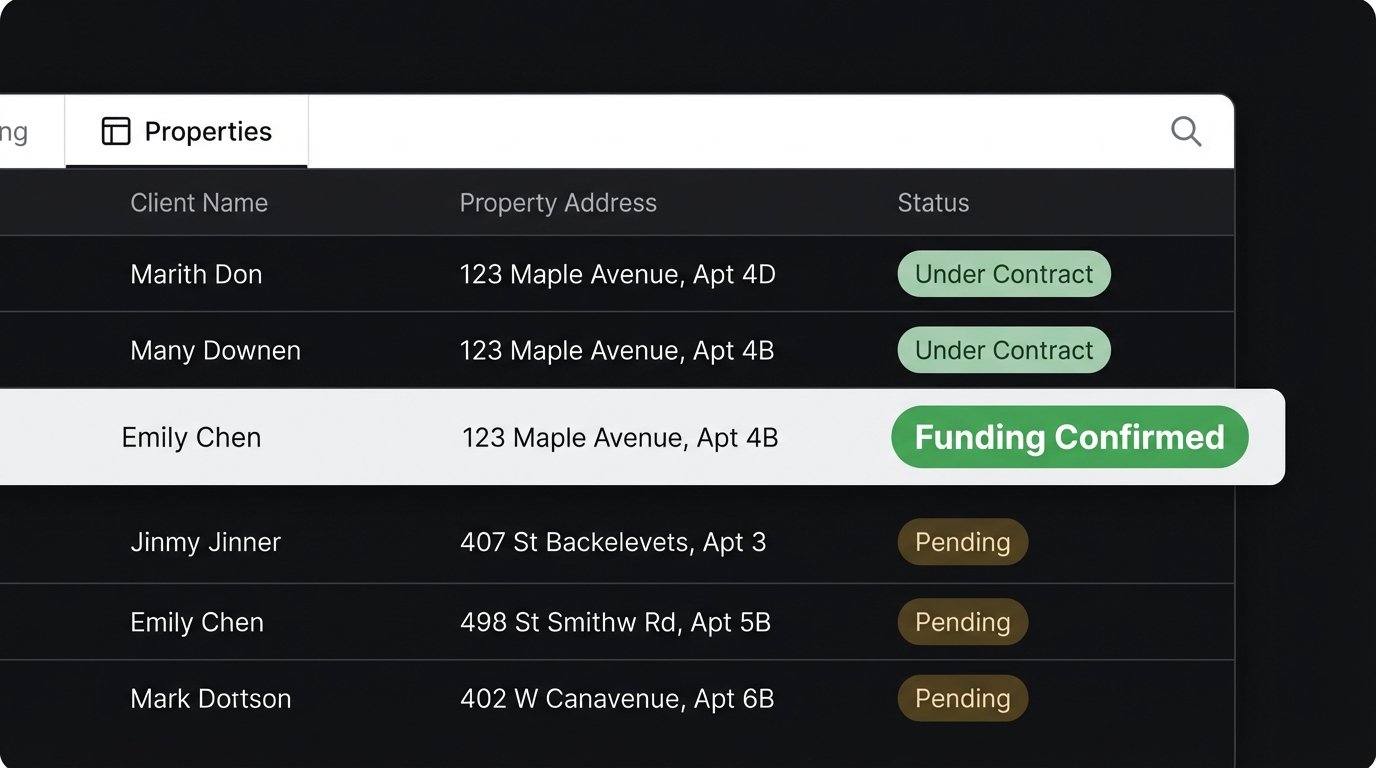
The primary architectural flaw is the separation between the system that records the state (the TMS or CRM) and the system that executes the communication (the email client). One system holds the fact, “FundingApproved: TRUE,” while the other holds the template for the notification. A human reading one screen and typing into another is the API. This is unacceptable from an engineering standpoint.
We must treat every manual data transfer as a potential point of corruption. The goal is to shorten the distance between the data source and the action engine until they are connected by a single, instantaneous API call or event message. Anything less is just architectural scar tissue, a workaround waiting to fail under pressure.
The Fix: Architecting Event-Driven Notifications
The solution is to forge a direct, programmatic link between a status change and the notification dispatch. We remove the human from the data transport layer. When a specific field in the TMS database flips from `pending` to `complete`, it must trigger a machine-driven process that builds and sends a templated email. There are several ways to build this bridge, ranging from clumsy to correct.
Approach 1: The Brute-Force Polling Script
The most common first attempt is a polling mechanism. A script, typically running on a cron schedule, wakes up every five minutes, queries the transaction database for records with a recently changed status, and fires off emails for each one it finds. This is simple to implement but fundamentally inefficient and slow. It puts constant, unnecessary load on the database with thousands of queries that return nothing.
This method is also prone to missing events. If the system goes down and misses a polling window, those updates are lost unless you build complex state-management logic to check for historical gaps. It functions, but it is a sluggish and fragile solution that treats the database like a cheap resource. It’s the equivalent of repeatedly asking “Are we there yet?” on a road trip.
# WARNING: Pseudocode for illustrative purposes. Do not use in production.

import smtplib

import time

from database_connector import query_db
def poll_for_updates():
# This is a bad idea. The query gets more expensive as the table grows.
sql = "SELECT id, status, client_email FROM transactions WHERE status_changed_at > NOW() - INTERVAL '5 minutes' AND notification_sent = FALSE"
updated_transactions = query_db(sql)
for txn in updated_transactions:
send_email_notification(txn)
# Now you have to write back to the DB to prevent double-sending.
mark_notification_as_sent(txn['id'])
while True:
poll_for_updates()
# This introduces a minimum 5-minute delay on every notification.
time.sleep(300)
The biggest issue is the built-in latency. A five-minute polling interval means that, at best, your notification is sent instantly, and at worst, it is delayed by four minutes and fifty-nine seconds. This is an eternity in a time-sensitive transaction.
Approach 2: The Webhook-Triggered Service
A far better architecture uses webhooks. A webhook is a “user-defined HTTP callback,” a fancy term for a URL you provide to a source system. When a specific event occurs in that source system, like a status update, it automatically sends an HTTP POST request with a payload of data to your URL. This turns the communication model on its head. Instead of our service constantly asking the TMS for updates, the TMS tells our service about updates the moment they happen.
This is a reactive, event-driven model. Our job is to build a small, lightweight web service with a single endpoint that listens for these incoming webhooks. When it receives a request, it parses the JSON payload, validates the data, maps it to an email template, and injects it into an email delivery API like SendGrid or Mailgun. This is a digital tripwire. The event happens, the wire is tripped, and the action executes instantly.
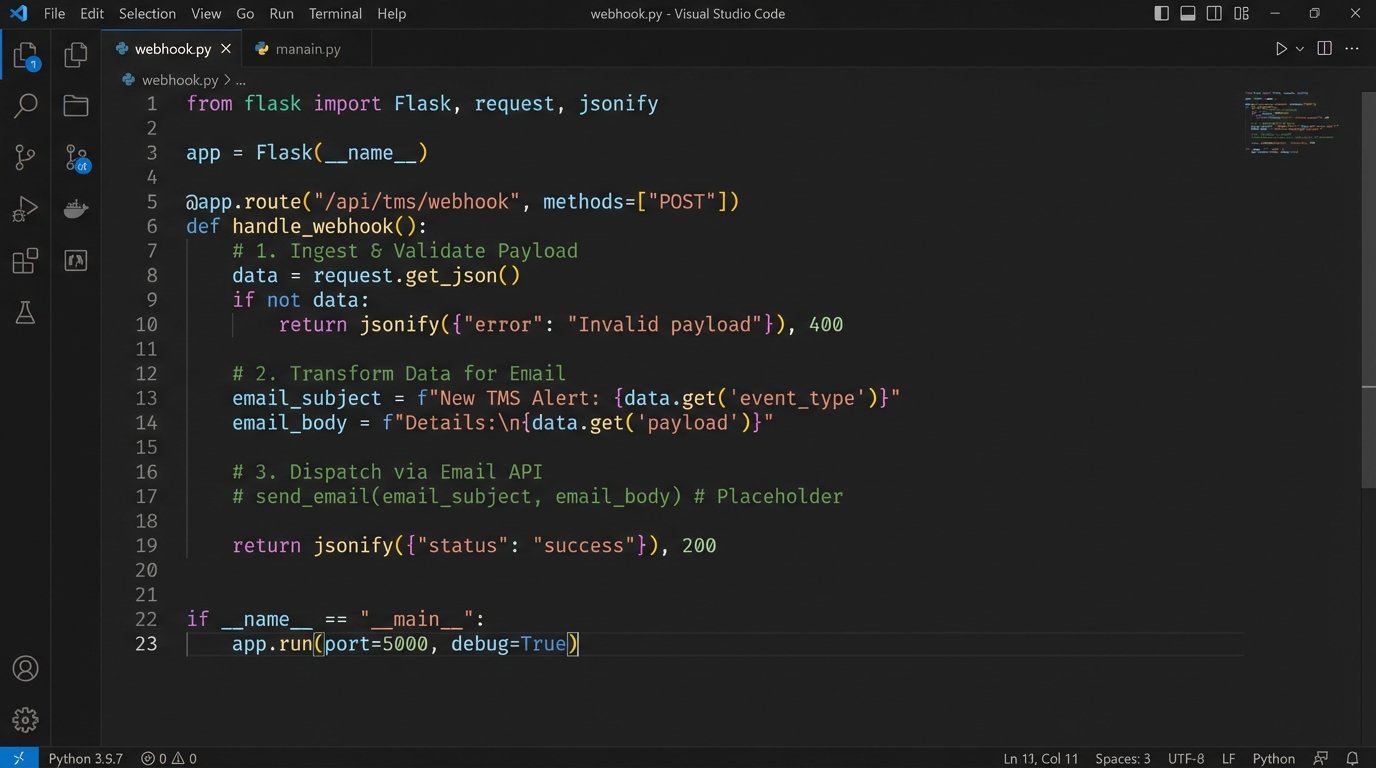
The implementation requires a simple API server using a framework like Flask for Python or Express for Node.js. The endpoint’s logic is straightforward:
- Ingest: Receive the raw JSON payload from the TMS webhook.
- Validate: Logic-check the payload to confirm it has the required fields and maybe a security token to prevent spoofing.
- Transform: Map the incoming data fields (e.g., `closing_date`, `client_name`) to variables in a pre-defined email template.
- Dispatch: Make a final API call to your transactional email provider to send the rendered email.
This approach is faster, more efficient, and infinitely more scalable than polling. The server only does work when there is work to be done. It’s not burning CPU cycles checking for nothing.
Approach 3: The Decoupled, Message-Queued Architecture
For high-volume environments or systems requiring maximum reliability, we need to introduce a buffer between the webhook receiver and the email dispatcher. What happens if your email API is down for a minute? With the direct webhook-to-API model, that notification fails and might be lost forever unless the source system has a robust retry mechanism. Most do not.
The solution is a message queue, like RabbitMQ or a cloud service like AWS SQS. The webhook endpoint’s only job is to receive the payload and immediately publish it as a message to the queue. That’s it. The request ends in milliseconds. A separate, independent “worker” process subscribes to this queue. Its only job is to pull messages from the queue, one by one, and process them by calling the email API.
This architecture decouples the systems completely. If the email API is down, messages simply pile up in the queue. When the API comes back online, the worker starts processing the backlog automatically. The queue acts as a shock absorber for data bursts or downstream failures, guaranteeing that no event is ever lost. This is how you build for resilience.
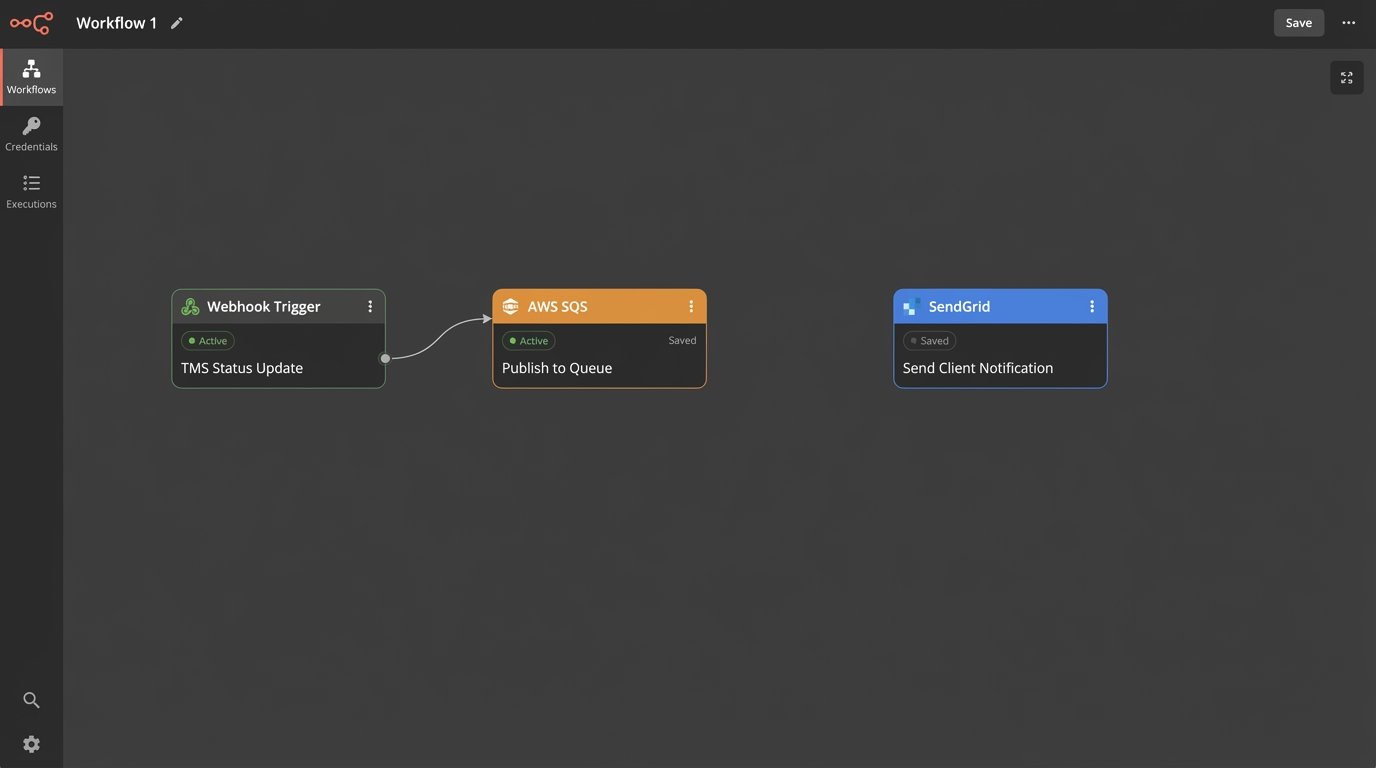
This is not overkill for any business-critical process. It provides durability. The webhook ingestion service can handle a massive influx of events without getting bogged down by the latency of the email dispatch process. It’s like trying to shove a firehose of data through the needle of a slow, third-party API. The queue holds the pressure, letting you process it at a controlled rate.
Implementation Gotchas and Logging
No matter which architecture you choose, logging is not optional. You must log every step: the incoming payload, the result of the validation, the transformed data before templating, and the response from the email API. When a client claims they never got an email, you need to be able to pull up a log entry with a message ID from SendGrid that proves it was delivered to their mail server. Without logs, you are debugging in the dark.
Also, consider your templating engine. Hard-coding email HTML into your application logic is a maintenance nightmare. Use a proper templating library like Jinja2 or Handlebars. This allows non-technical team members to edit email copy without requiring a full code deployment. Your templates should be stored outside the main application code, pulled in as needed. This forces a clean separation of presentation and logic.
Finally, monitor the entire pipeline. Set up alerts for a high failure rate from your email API. Monitor the depth of your message queue. If messages are piling up faster than your worker can process them, you have a bottleneck that needs immediate attention. An automated system without monitoring is just a different kind of blind spot.