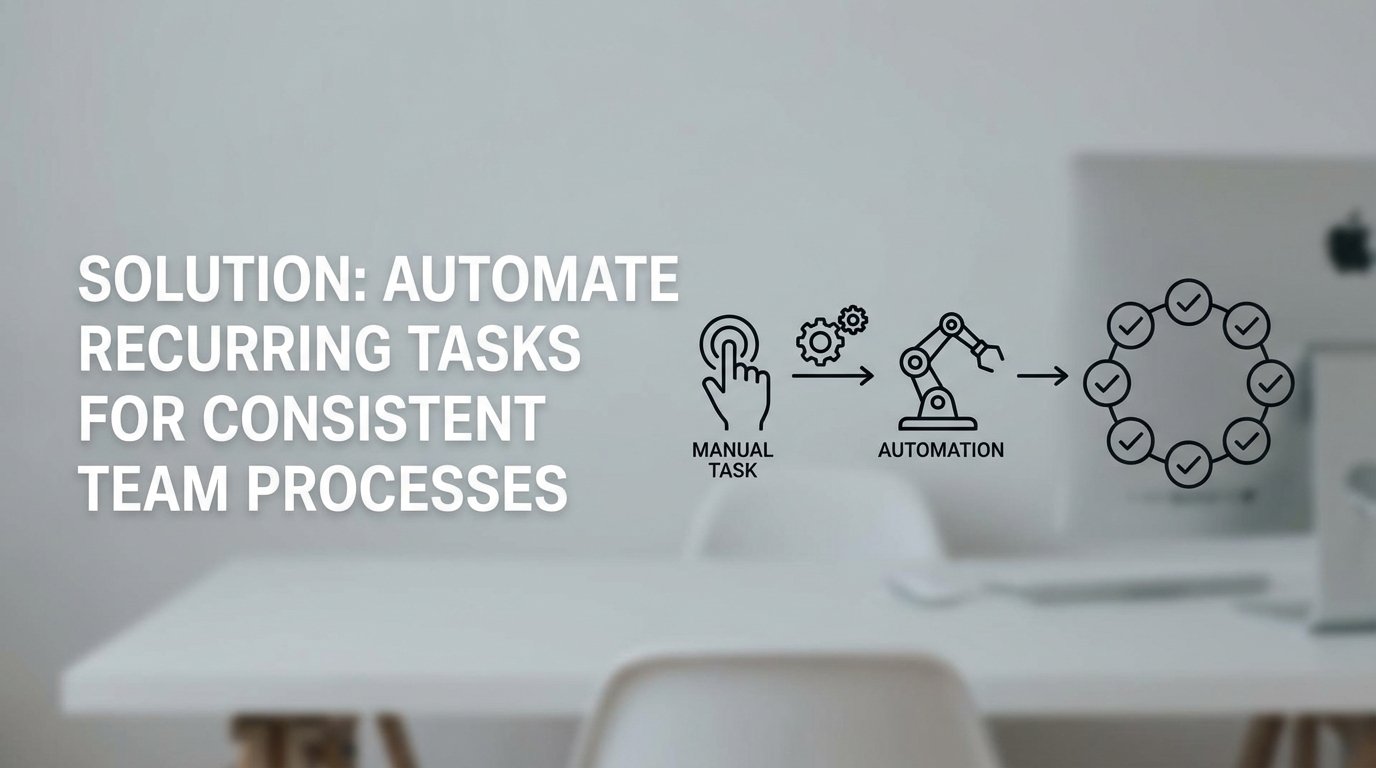
Manual processes do not just fail; they decay. Every recurring task performed by a human is an invitation for entropy. A well-documented, ten-step deployment checklist eventually becomes a nine-step process when someone discovers a “shortcut,” then an eight-step process when a key engineer is on vacation. This is process drift, and it injects subtle, untraceable inconsistencies into your operations.
The result is not just wasted time. It is a production environment that behaves differently from staging for reasons no one can identify. It is data integrity holes that surface months later. We are not automating tasks to save a few minutes. We are automating to enforce a single, deterministic, and version-controlled definition of “done.” Anything less is just a documented suggestion.
Diagnosing the Core of Process Failure
The root cause is not incompetence. It is cognitive load and environmental variance. A human operator, no matter how skilled, is not a state machine. Executing a checklist during a high-pressure incident requires perfect recall and execution, a standard that is functionally impossible. Each manual step is a branching point where a small deviation can occur, compounding over time.
This is amplified by environmental differences. A manual configuration applied to a development server will never be perfectly replicated in production. Small discrepancies in library versions, environment variables, or permissions create a constant stream of “it worked on my machine” failures. The feedback loop for these manual errors is dangerously long. A mistake made configuring a user’s permissions on Monday might not manifest until that user tries to access a critical system during an outage on Friday.
The Architecture of Enforcement: Event-Driven Automation
The fix is to remove human interpretation from the execution path. We build a system based on a simple, rigid architecture: Triggers, Actions, and State. This is not about buying a specific piece of software. It is about architecting a workflow that is machine-driven and observable from end to end. The goal is to make the correct process the only possible process.
A trigger is a specific, observable event. It could be a commit to a specific branch in a Git repository, a webhook from a CRM when a new customer is signed, or a message in a Slack channel matching a specific regex pattern. The trigger is the non-negotiable entry point. The action is the sequence of logic that executes in response. This is where we strip out the ambiguity of a manual checklist and replace it with code. An action calls an API, runs a script, or modifies a database. It is a precise, repeatable operation.
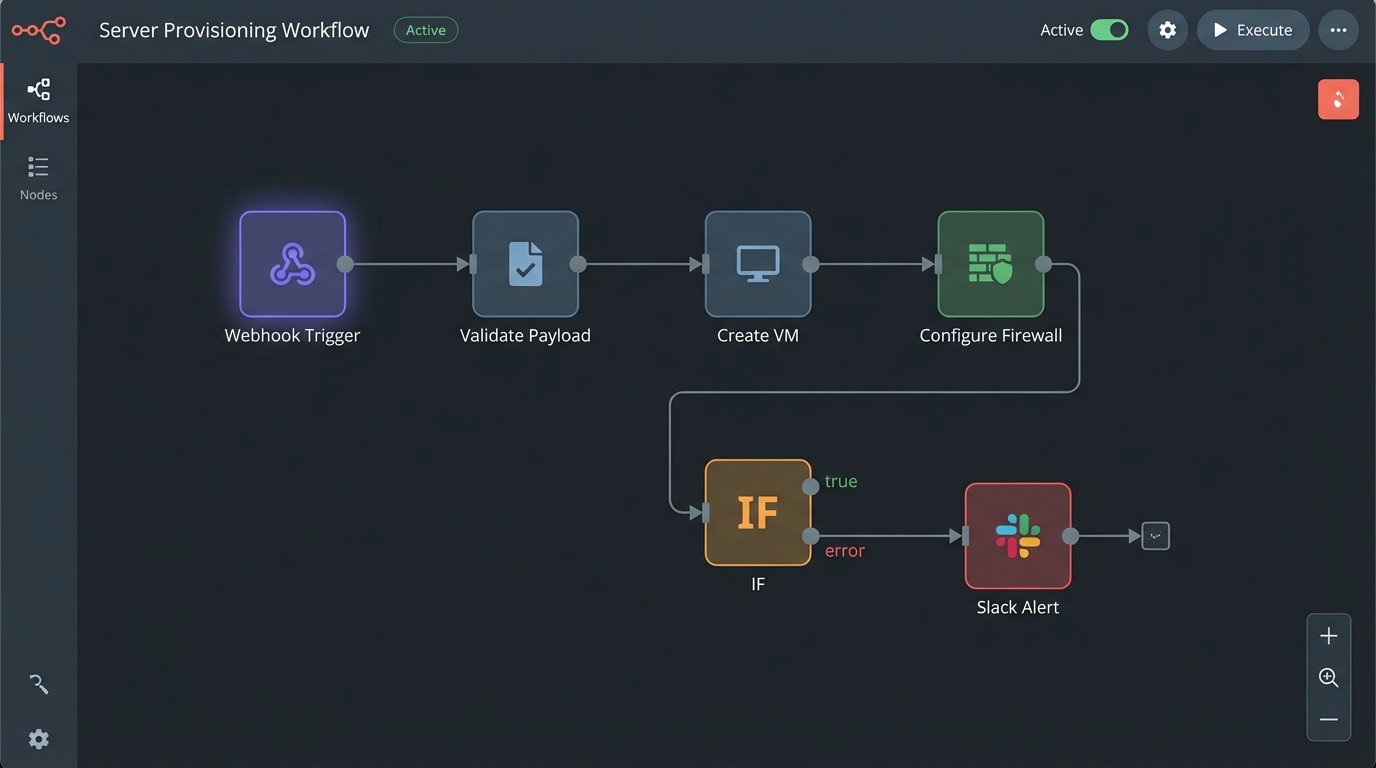
State management is the component that separates trivial automation from a reliable system. A stateless webhook that fires and forgets is fine for simple notifications. For a multi-step process like provisioning a new server, you need to track state. Did step one complete successfully before step two began? If it failed, what is the retry logic? Trying to orchestrate a complex deployment with stateless calls is like shoving a firehose through a needle. You will get a lot of pressure and very little predictable output.
Practical Orchestration: Deconstructing Developer Onboarding
Consider the process of onboarding a new developer. The manual checklist is a classic failure point: create GitHub account, add to correct teams, provision AWS IAM user, grant console access, assign to Jira projects, send welcome email with setup instructions. This process is slow, prone to error, and results in inconsistent permission levels. We can gut this entire manual workflow and replace it with a single, event-driven pipeline.
The trigger is a webhook from the HR system (like Workday or BambooHR) indicating a new employee has been finalized. This webhook is the single source of truth. It contains the new hire’s name, email, and role. This single event kicks off the entire chain of actions without any human intervention.
The Automated Onboarding Flow
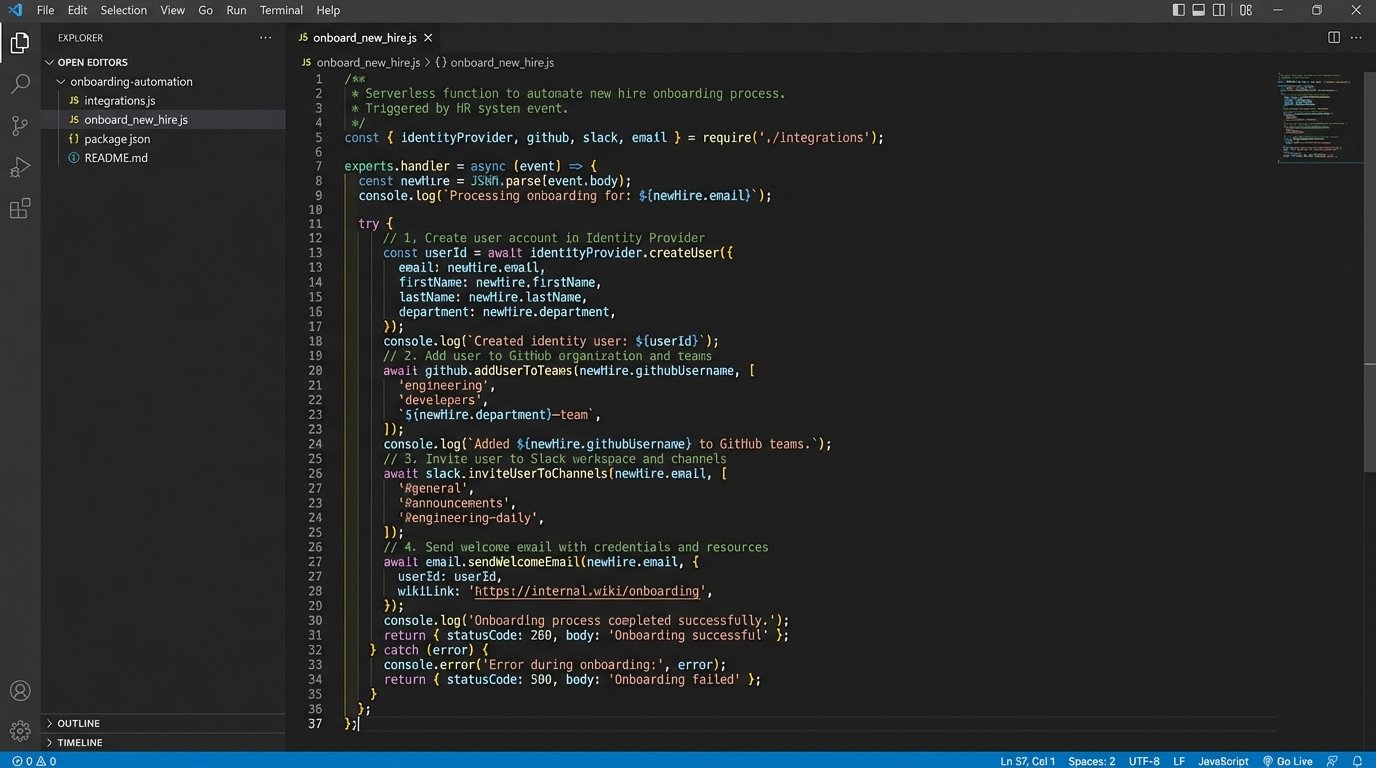
The HR webhook is sent to a dedicated API endpoint, typically a serverless function like AWS Lambda or a Google Cloud Function. This function acts as the central orchestrator. It receives the payload, validates it, and then begins executing a sequence of API calls. It is not a single, monolithic script but a series of discrete, testable steps.
- Identity Creation: The orchestrator first calls the identity provider’s API (Okta, Azure AD) to create the primary user account. This ensures a single identity is used across all systems. Upon success, the API returns the new unique user ID.
- Permission Granting: Using the new user ID and the role from the webhook payload, the function calls other APIs. It adds the GitHub user to predefined teams using the GitHub API. It creates an IAM user in AWS and attaches policies based on their role using the AWS SDK. Access is granted via code, not clicks.
- Environment Setup: An automated, personalized email is sent via an API like SendGrid. This email does not contain a list of instructions. It contains a link to a self-service script that the new developer runs. This script clones the necessary repositories, runs `npm install` or `pip install`, and executes a local validation check to confirm their machine is correctly configured.
- Confirmation and Logging: The final step is to post a message to a private engineering Slack channel, tagging the team lead and confirming that the new developer has been fully provisioned. Every step of this process is logged to a system like Datadog or CloudWatch for auditing and debugging.
The logic inside the orchestrator is not complicated. It is a clear, sequential process that removes all guesswork.
// Simplified pseudocode for a serverless orchestrator function
function handleNewHireWebhook(request) {
  const { name, email, role } = request.body;

  if (!name || !email || !role) {
    logError("Invalid webhook payload received.");
    return { statusCode: 400 };
  }

  try {
    const identity = identityProvider.createUser(email, name);
    logInfo(`Created identity for ${email}.`);

    const permissionMap = getPermissionsForRole(role);
    github.addUserToTeams(identity.githubUsername, permissionMap.githubTeams);
    aws.assignUserPolicies(identity.awsUsername, permissionMap.awsPolicies);
    logInfo(`Provisioned access for ${email}.`);

    emailService.sendOnboardingScript(email);
    logInfo(`Sent setup email to ${email}.`);

    slack.postMessage("#eng-onboarding", `${name} has been provisioned.`);
    return { statusCode: 200 };

  } catch (error) {
    logError(`Onboarding failed for ${email}: ${error.message}`);
    slack.postAlert("#eng-alerts", `Failed to onboard ${email}. Manual intervention required.`);
    return { statusCode: 500 };
  }
}
This approach transforms a two-hour manual task into a two-minute automated process that is consistent every single time. The code becomes the documentation for the process.
Evaluating the Toolchain: Moving Beyond Simple Connectors
The tools you use directly impact the reliability and scalability of your automations. Simple platforms like Zapier are useful for connecting two SaaS applications with a simple A-to-B logic. They are black boxes. When a Zap fails, debugging is limited to looking at a basic log. They are not built for conditional logic, version control, or robust error handling. They are a starting point, not an enterprise solution.
Native CI/CD tools like GitHub Actions or GitLab CI provide more power. They are excellent for code-related workflows: running tests, building artifacts, and deploying applications. Their limitation is context. They are tightly bound to a repository. Using them for business-logic automation that spans multiple departments and systems can feel like forcing a square peg into a round hole. The trigger is always tied to the repository, not the business event itself.
Orchestration Platforms and Serverless Architectures
This is where dedicated orchestration platforms like n8n, Windmill, or Pipedream come in. They provide a visual interface for building complex workflows with branching logic, loops, and error handling. Critically, many can be self-hosted, giving you control over security and data residency. You are no longer just connecting apps; you are building stateful, observable workflows. The cost is that you now own the maintenance of that platform.
The most powerful and flexible approach is a custom serverless architecture using services like AWS Lambda, Step Functions, and EventBridge. This gives you absolute control. You write the code, define the triggers, and manage the execution environment. This is the solution for high-volume, mission-critical automations. The complexity is higher, and it requires engineers who can write clean, testable, and resilient code. Mismanage your function’s memory or execution time, and it quickly becomes a wallet-drainer.
The Inevitable Failure Modes and Maintenance Tax
Automation is not a one-time setup. It is a system that must be maintained. The most dangerous assumption is that a working automation will work forever. APIs change, authentication methods are deprecated, and upstream services have outages. Your automation code requires the same discipline as your production application code: version control, monitoring, and regular maintenance.
Silent failures are the most significant risk. An automation can execute without throwing an error but produce an incorrect outcome. For example, a change in an API response silently sets a user’s permission to “read-only” instead of “admin.” The automation reports success, but the user cannot do their job. This demands aggressive validation and monitoring. Do not just check for a `200 OK` status code. Logic-check the output to verify the automation produced the expected result.
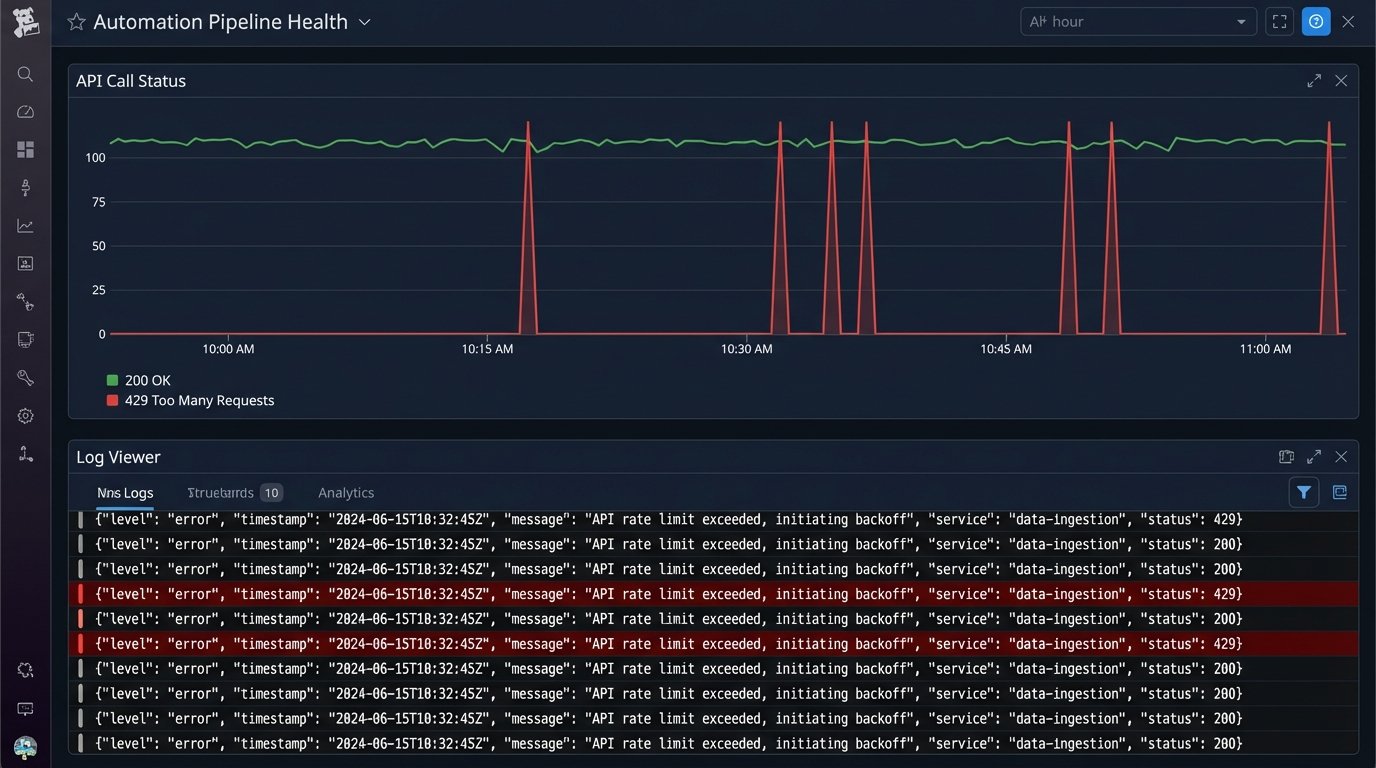
Finally, you must architect for scale and external constraints. An API call that works perfectly once might fail spectacularly when your automation runs it 500 times in a minute. API rate limits are a hard reality. Your code must handle `429 Too Many Requests` errors gracefully with exponential backoff and retry logic. Without this, a sudden burst of activity, like a mass import of users, will bring your automation pipeline to a halt.
The objective here is not to replace every human task. The objective is to codify your critical processes. By turning a wiki page checklist into an executable, version-controlled function, you create a single source of truth that resists process drift. This frees up engineers from mind-numbing repetition to solve problems that actually require human intelligence. That is the only defensible reason to build these systems.