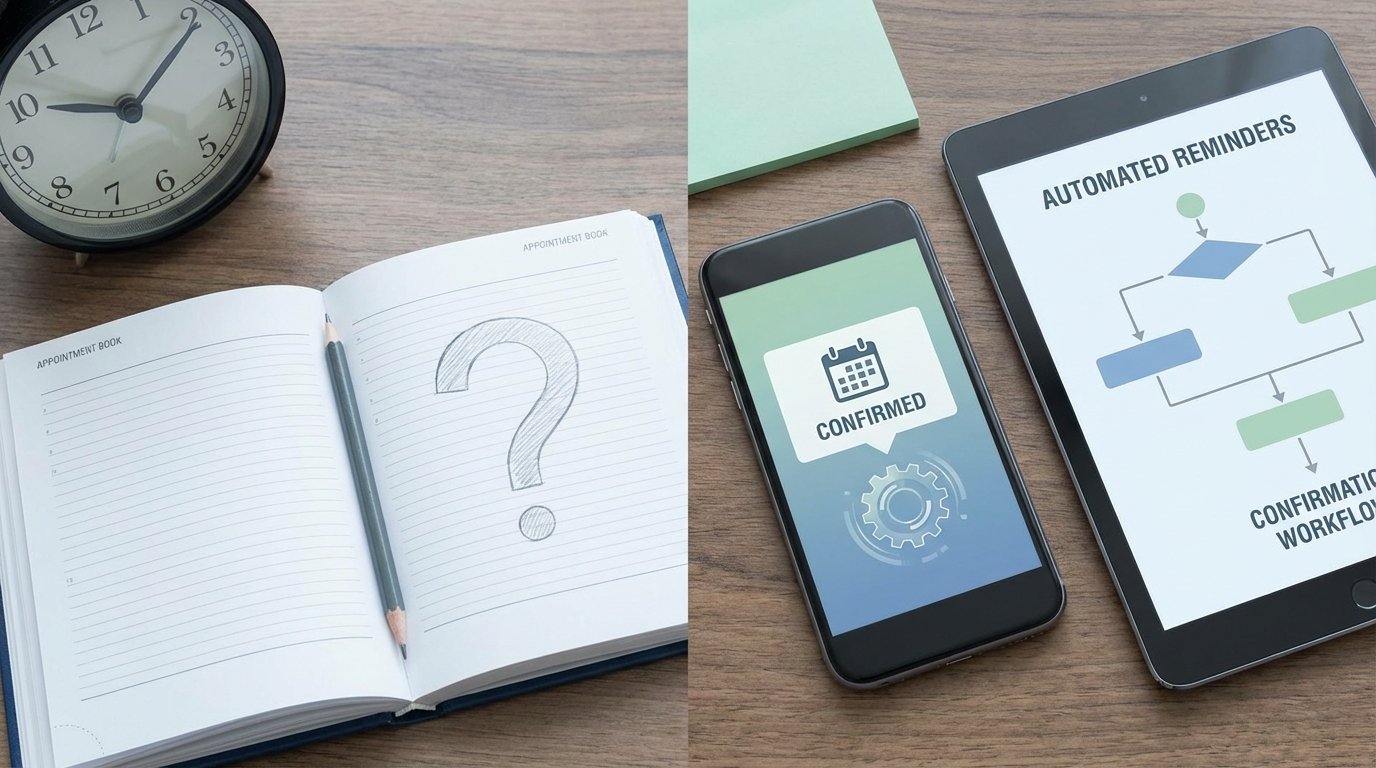
No-Shows Are a Data Pipeline Failure
A no-show is not a personnel problem. It is a predictable, quantifiable failure in your data and communication pipeline. Each missed appointment represents a resource allocated to a null event, a direct leak of potential revenue. The standard fix, having staff make manual confirmation calls, is a brute-force patch on a logic problem. It doesn’t scale, introduces human error, and burns payroll on a task that a simple state machine handles with precision.
The root cause is rarely malice. It is a combination of client forgetfulness, incorrect contact data captured at booking, and a communication flow that lacks event-driven triggers. When a booking is made, the system of record, be it a CRM or a simple database table, gains a new entry. This event must be the genesis of an automated, multi-channel workflow designed to shepherd that appointment from creation to completion, or to a clearly-defined ‘cancelled’ or ‘rescheduled’ state.
Architecting the Fix: A State-Driven Workflow
The solution is not a single tool but an architecture. It consists of a trigger, a data validation layer, a sequence of timed communications, and response handlers. The entire system is built around managing the state of a single appointment record: `pending`, `confirmed`, `cancelled`, `completed`, or `no-show`. The goal is to move the appointment record through these states with minimal human intervention, using automation to force a resolution before the scheduled time.
The Ingestion Point and Data Validation
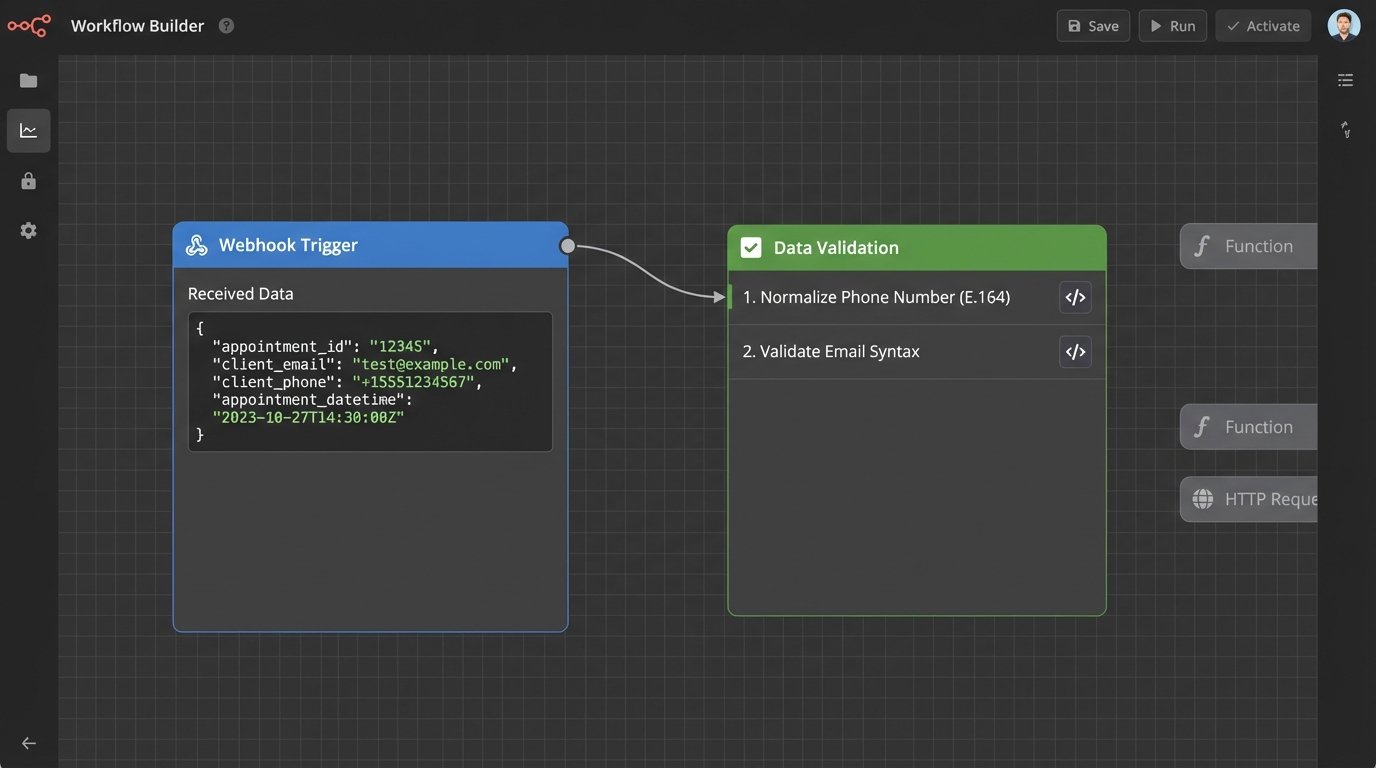
Everything starts when the appointment is created. This event must fire a webhook or an API call to your automation layer. The payload must contain the minimum required data: a unique appointment ID, the client’s contact information (email, phone), and the appointment timestamp. The very first step is to aggressively validate this data. An email address must be checked for syntactical correctness, and a phone number must be normalized to E.164 format to ensure deliverability across SMS gateways.
Failure to sanitize data here poisons the entire workflow. Sending an SMS to a malformed number isn’t just a failed delivery; it’s a wasted API call that costs money and clogs your logs with useless error messages. You must strip bad data at the door.
A critical point on timestamps: the `appointment_datetime` field must be stored in UTC. All subsequent reminder logic, like sending a message 24 hours prior, must be calculated against this UTC baseline, factoring in the client’s local timezone. Storing naive timestamps is a foundational error that guarantees reminders are sent at the wrong time, likely in the middle of the night. This mistake erodes trust instantly.
The Initial Confirmation: Firing on Event
Within seconds of a successful booking, the first communication must be sent. This is the “Confirmation” event. It serves two purposes: it confirms the booking details for the client and it tests the validity of the contact channels. A hard bounce on the email or a failure code from the SMS provider gives you an immediate signal that your contact data is bad, allowing for a manual correction hours or days before it becomes a problem.
This initial message should not be passive. It must contain explicit actions for the client: links or instructions to confirm, cancel, or reschedule. These are not simple hyperlinks. They should be unique URLs containing the appointment ID, which, when clicked, call an API endpoint to update the appointment’s state in your database. For example, a click on the cancel link triggers a `PATCH` request to `/api/appointments/{id}` with a payload of `{“status”: “cancelled”}`.
Building the Reminder Sequence
The core of the no-show reduction logic lives in the timed reminder sequence. This is not a simple cron job. It is a series of checks and messages, with exit conditions at every stage. If an appointment’s status changes to `cancelled`, it must be immediately ejected from all subsequent reminder flows. This state management acts as a series of circuit breakers. A ‘cancel’ event must trip the breaker for all subsequent reminder workflows for that appointment ID. Failure to do so is like leaving the power on while you are fixing the wiring.
A proven, effective sequence is as follows:
- T-72 Hours (Email): A detailed reminder. It re-states the value of the appointment, includes all relevant details, and provides the reschedule/cancel links again. This is a low-urgency, high-information touchpoint.
- T-24 Hours (Email and SMS): A direct, clear confirmation request. The SMS can be as simple as, “Your appointment with [Business] is tomorrow at [Time]. Reply YES to confirm or call us to reschedule.” This multi-channel approach increases the probability of a response.
- T-1 Hour (SMS Only): A final, high-urgency nudge. “Your appointment is in 60 minutes at [Address/URL].” This message is purely logistical and serves to combat last-minute forgetfulness. It should not contain complex options.
Parsing Responses and Closing the Loop
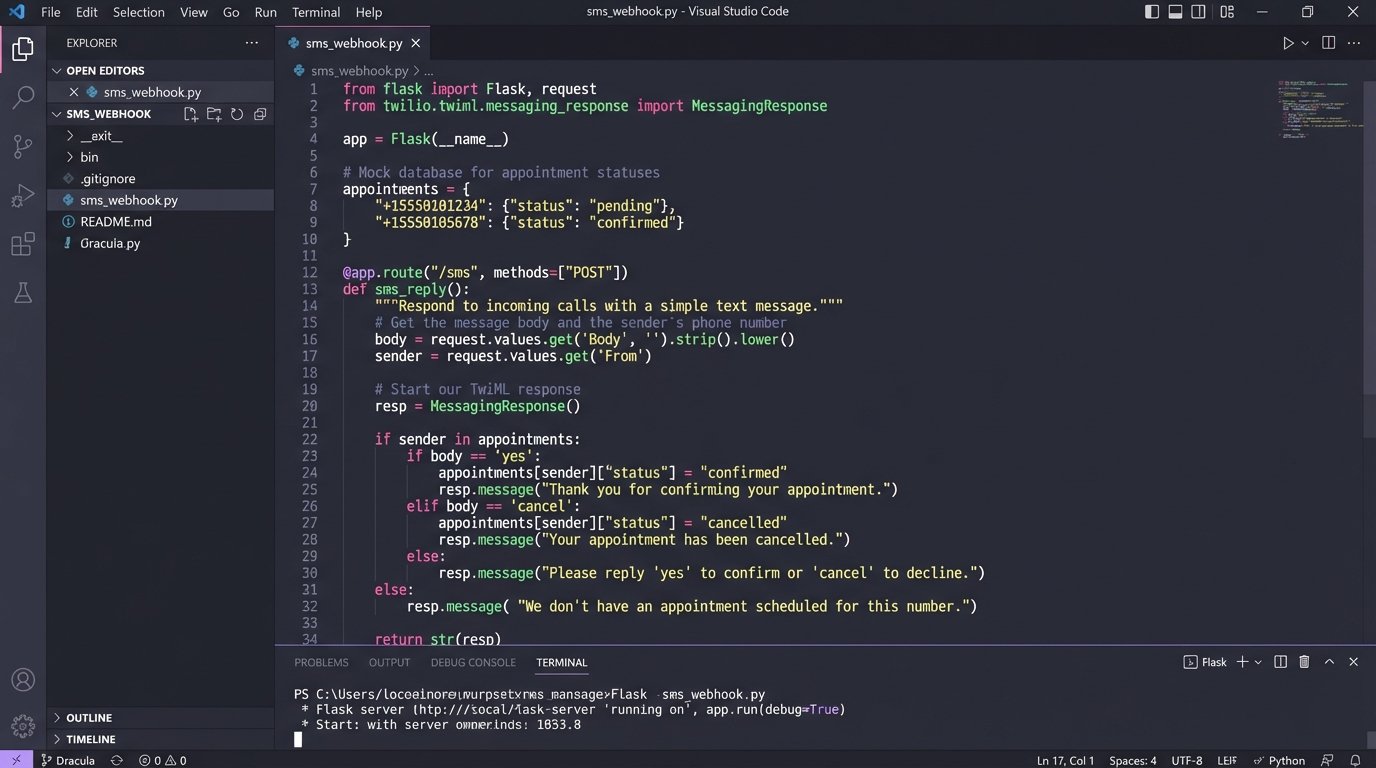
One-way communication is a failure. You need to process replies. For SMS, this means configuring your gateway (like Twilio or Vonage) to forward incoming messages to a webhook you control. This endpoint is a simple web server that listens for `POST` requests from the SMS provider.
The handler script needs to do three things: parse the sender’s phone number to identify the client, parse the message body for keywords (`YES`, `CONFIRM`, `NO`, `CANCEL`), and then update the appointment record accordingly. This requires careful string normalization, converting all input to a consistent case and trimming whitespace before checking for keywords.
Here is a bare-bones Python example of a Flask endpoint for handling inbound SMS from Twilio:
from flask import Flask, request, Response

from twilio.twiml.messaging_response import MessagingResponse

import database_connector # Your custom module to talk to your DB
app = Flask(__name__)
@app.route("/sms-webhook", methods=['POST'])
def sms_reply():
"""Handle incoming SMS and update appointment status."""
inbound_number = request.values.get('From', None)
inbound_message = request.values.get('Body', '').lower().strip()
# Find the appointment associated with this phone number
appointment_id = database_connector.find_appointment_by_phone(inbound_number)
if not appointment_id:
# No active appointment found for this number. Do nothing.
return Response(status=204)
# Basic keyword parsing
if 'yes' in inbound_message or 'confirm' in inbound_message:
database_connector.update_appointment_status(appointment_id, 'confirmed')
# Optionally send a confirmation back
# resp = MessagingResponse()
# resp.message("Your appointment is confirmed. Thank you.")
# return str(resp)
elif 'no' in inbound_message or 'cancel' in inbound_message:
database_connector.update_appointment_status(appointment_id, 'cancelled')
# Notify staff of cancellation
# notify_staff("Cancellation from " + inbound_number)
return Response(status=200)
if __name__ == "__main__":
app.run(debug=True)
This logic must be idempotent. If a client texts “YES” five times, the status should be set to `confirmed` on the first message, and subsequent identical messages should result in no state change. This prevents redundant database writes and downstream triggers.
Post-Appointment Automation
The workflow does not end at the appointment time. The final status (`completed` or `no-show`) is itself a trigger for a new sequence. This status must be set by staff or an integrated system that knows if the client actually showed up.
- If `status` becomes `completed`: Trigger a thank you message one hour after the appointment end time. This is an ideal moment to request a review, provide follow-up documentation, or schedule the next engagement.
- If `status` remains `confirmed` but is manually flagged as a `no-show`: Trigger a “we missed you” sequence. This attempts to salvage the lead by immediately offering a link to reschedule. Automating this recovery attempt captures revenue that would otherwise be lost.
Implementation Gotchas and Reality Checks
Building this system is not trivial. Several factors will break a poorly planned implementation.
API Rate Limits: If your business schedules hundreds of appointments per hour, you will hit API rate limits on your CRM, email provider, and SMS gateway. Firing one API call per event is not sustainable. You need to implement a queuing system (like RabbitMQ or AWS SQS) to batch requests and a retry mechanism with exponential backoff to handle transient API failures.
Cost Management: SMS messages are not free. Neither are the services of platforms like Zapier or Make if your volume is high. A self-hosted solution using tools like n8n or custom code running on a cheap VPS or serverless functions can gut these operational costs, but requires more engineering overhead to set up and maintain. This is a direct trade-off between convenience and cost.
Carrier Filtering: Mobile carriers are increasingly aggressive in filtering what they perceive as spam SMS. Using shared short codes or sending identical messages repeatedly can get your number blocked. Using toll-free numbers, A2P 10DLC registration, and message personalization (including the client’s name) are necessary tactics to maintain high deliverability.
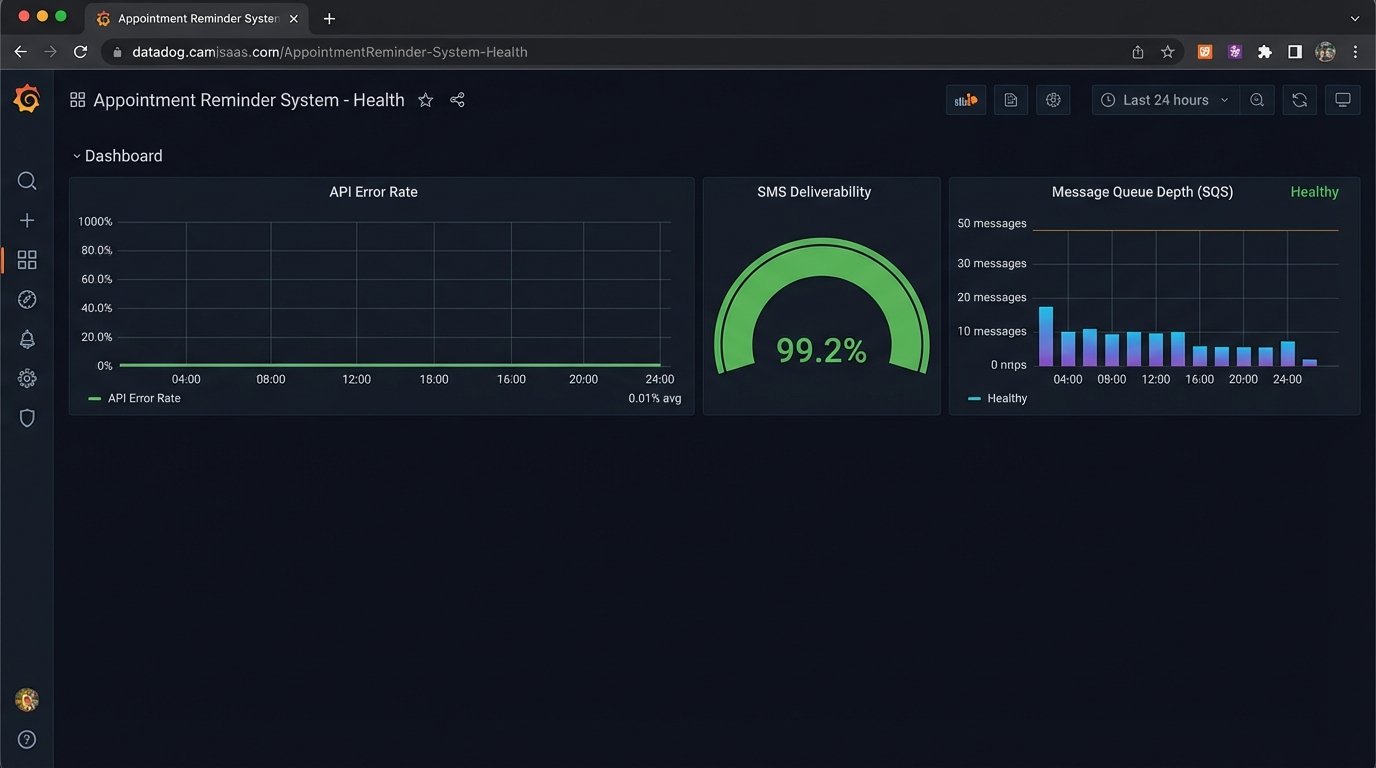
This automated system, once built, does more than just reduce no-shows. It creates a complete, auditable log of every communication touchpoint for every appointment. It provides clean data on which channels are most effective and which clients are chronic no-shows. It transforms the appointment book from a static list of names and times into a dynamic system that actively manages client engagement and protects revenue.
Do not mistake this for a set-it-and-forget-it solution. API schemas change without warning, authentication tokens expire, and consent laws get rewritten. The system requires monitoring, specifically on delivery rates and error logs. Without active oversight, this finely tuned machine will eventually seize up and fail silently.