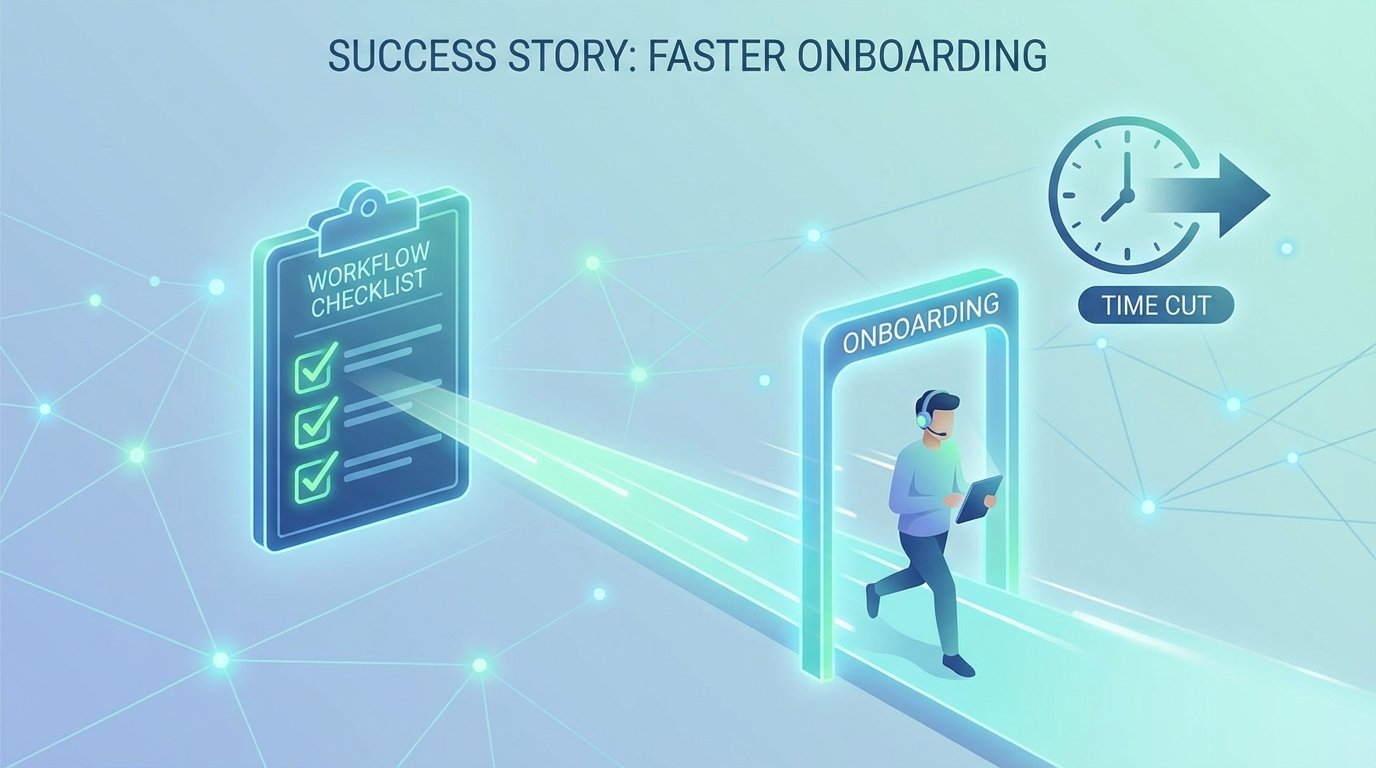
The agent onboarding process was a documented disaster. We tracked Time to First Resolution, a key metric for agent effectiveness, and new hires were clocking in at an average of 22 days. This meant three weeks of salary burned before an agent could independently handle a basic support ticket. The root cause was a mess of tribal knowledge, outdated PDFs, and shoulder-taps that pulled senior engineers off high-priority incidents.
Every new agent was a unique drain on resources. One manager might remember to request Salesforce access on day one, another would forget until day five. The result was a chaotic, non-standard ramp-up period where new agents spent more time waiting for credentials than learning the product. This inconsistency made forecasting support capacity impossible and turned every new hiring batch into a high-stakes gamble.
The Initial State: A Manual Process Bleeding Money
Our baseline analysis painted a grim picture. We measured two primary KPIs: Agent Ramp-Up Time (time from start date to closing 10 tickets without assistance) and Senior Agent Interruption Frequency (number of times a senior agent was pulled to answer a new hire’s process or access question). Ramp-Up Time averaged 22 business days. The interruption frequency was over 15 per day, per new agent. The cost was obvious and painful.
The process was documented in a 40-page Word document that was last updated two years prior. It referenced systems we no longer used and contacts who had left the company. Onboarding was essentially an oral tradition, passed down with varying degrees of accuracy. It was fragile, unscalable, and actively costing us money in lost productivity. We weren’t just slow, we were teaching bad habits from day one.
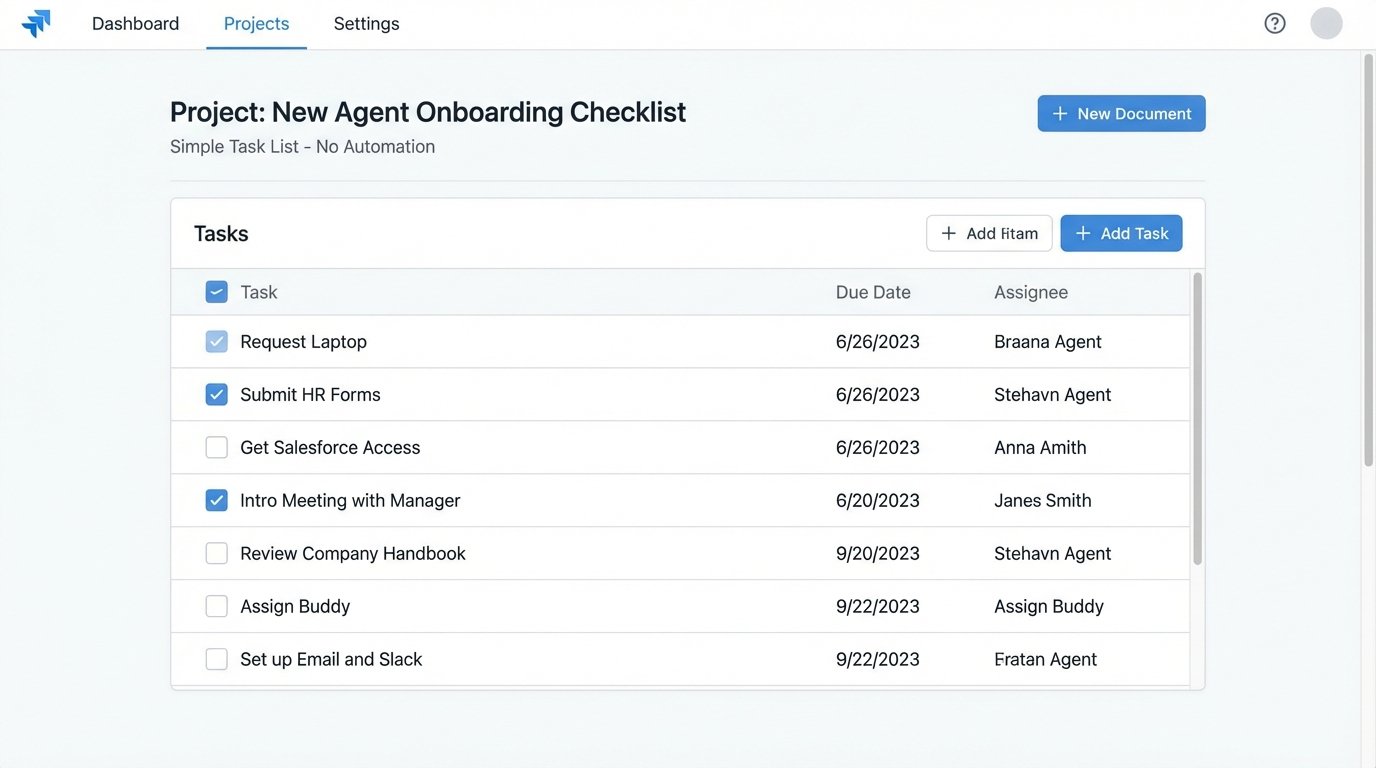
We had to force a single source of truth. The first attempt was a simple, static checklist in our project management tool. It listed every task, from “Request laptop” to “Complete security training.” This was a marginal improvement. It created a visible list, but it had no enforcement mechanism. It was a digital version of a paper list, easily ignored or pencil-whipped. We saw a negligible drop in ramp-up time to 20 days because the core problem, the manual execution and dependency hell, remained unsolved.
The Fix: An Orchestrated, State-Driven Workflow
A static list was useless. We needed a system that didn’t just track tasks but actively executed them. The goal was to build a workflow that would guide, provision, and validate an agent’s onboarding process with minimal human intervention. We decided to build this orchestration layer directly within our existing Jira instance, leveraging its API and automation plugins. This avoided the cost of a new platform and kept the work inside a system our teams already used daily.
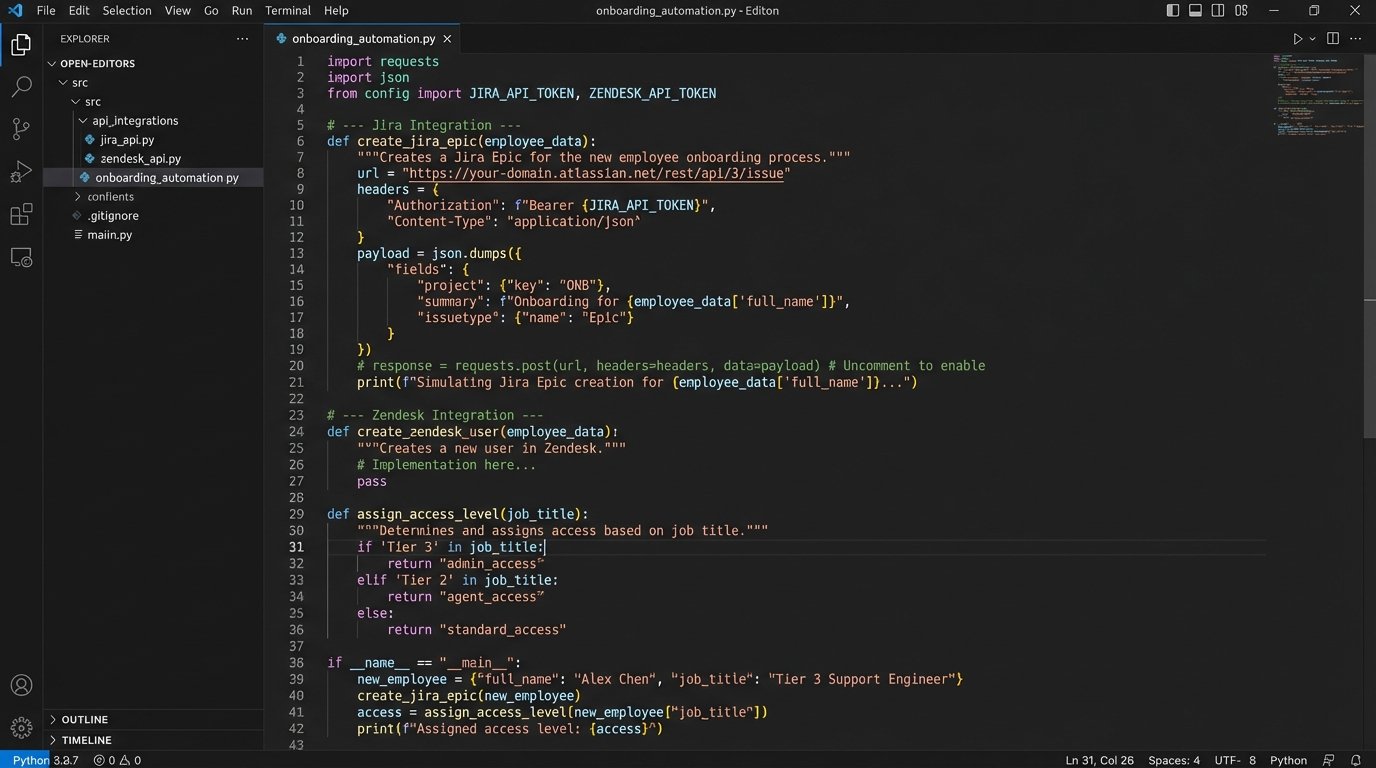
The architecture is a basic state machine. When HR creates a new employee profile in our HRIS, a webhook fires. Our listener, a small Python script running on a cron, catches this event. It then uses the Jira API to create a master “Onboarding Epic” for the new agent, pre-populated with a series of linked tasks. Each task represents a specific step, like “Provision Zendesk Account” or “Add to ‘Support’ Slack Group.”
Automating Provisioning with API Calls
This is where the real work happens. Many of these Jira tasks were no longer manual instructions for a manager. They became triggers for automated actions. The “Provision Zendesk Account” task, for example, triggers an automation rule that calls a custom script. This script connects to the Zendesk API, creates the user with a default role, and then posts a private comment back on the Jira ticket with the new user ID.
We built out these API integrations for all core systems: Active Directory for network access, Google Workspace for email, and Slack for communications. Each script was designed to be idempotent. Running it ten times would have the same result as running it once, preventing duplicate accounts if a webhook fired multiple times. Error handling was critical. If an API call failed, maybe due to a temporary network issue or a bad response, the script would update the Jira ticket with a “FAILED” status and tag the IT Ops group for manual intervention. This prevented silent failures.
This part of the build felt like trying to connect mismatched plumbing under a sink. Each system’s API had its own authentication method, rate limits, and bizarre error codes. The Okta API was clean and well-documented. The API for our legacy internal tool, however, was a nightmare that required screen-scraping logic as a fallback. Building this integration layer was a front-loaded effort that paid for itself almost immediately by killing the need for manual ticket creation.
Conditional Logic for Role-Specific Onboarding
Not all agents are the same. A Tier 1 agent needs a different toolset and knowledge base than a Tier 3 technical specialist. The static checklist failed here spectacularly. Our new system uses conditional logic based on the agent’s role, which is pulled from the initial HRIS webhook payload. When the onboarding epic is created, the system logic-checks the “job_title” field.
If `job_title` contains “Tier 3”, the workflow automatically adds tasks for advanced database access, read-only credentials for production monitoring tools, and enrollment in our advanced troubleshooting training module. A Tier 1 agent’s workflow bypasses these steps entirely. This is managed by Jira’s automation rules, which can show or hide specific sub-tasks based on a field value in the parent epic.
Here’s a simplified pseudo-code example of the logic our webhook listener uses to generate the initial task list:
function generate_task_list(employee_data):

    tasks = ['Request Laptop', 'Setup Email', 'HR Paperwork']
if employee_data['department'] == 'Support':
tasks.append('Provision Zendesk Account')
tasks.append('Add to Support Slack Channels')
if 'Tier 3' in employee_data['job_title']:
tasks.append('Request Read-Only DB Access')
tasks.append('Enroll in Advanced Diagnostics Course')
return tasks
# This list of tasks is then used to populate the Jira epic.
This logic ensures every agent gets a tailored onboarding path without a manager having to remember dozens of role-specific requirements. It removes the guesswork and standardizes the experience.
Validation and Checkpoints
Provisioning accounts is only half the battle. We needed to validate that the agent was actually learning something. We built checkpoints into the workflow. For example, after the “Complete Product Knowledge Base Training” task, a new task is created: “Complete Knowledge Check Quiz.” This task links to a Google Form quiz. An automation watches the linked Google Sheet for a new submission. Once the agent passes with a score of 80% or higher, the automation script marks the Jira task as “Done.”
If the agent fails, the task remains open and their manager is notified. This creates a closed-loop system. We aren’t just giving them a list, we’re forcing them to prove they’ve completed and understood each critical stage before the next set of permissions or tasks is unlocked. It stops agents from just clicking through a checklist to get it over with.
The Results: Hard Numbers and Ongoing Costs
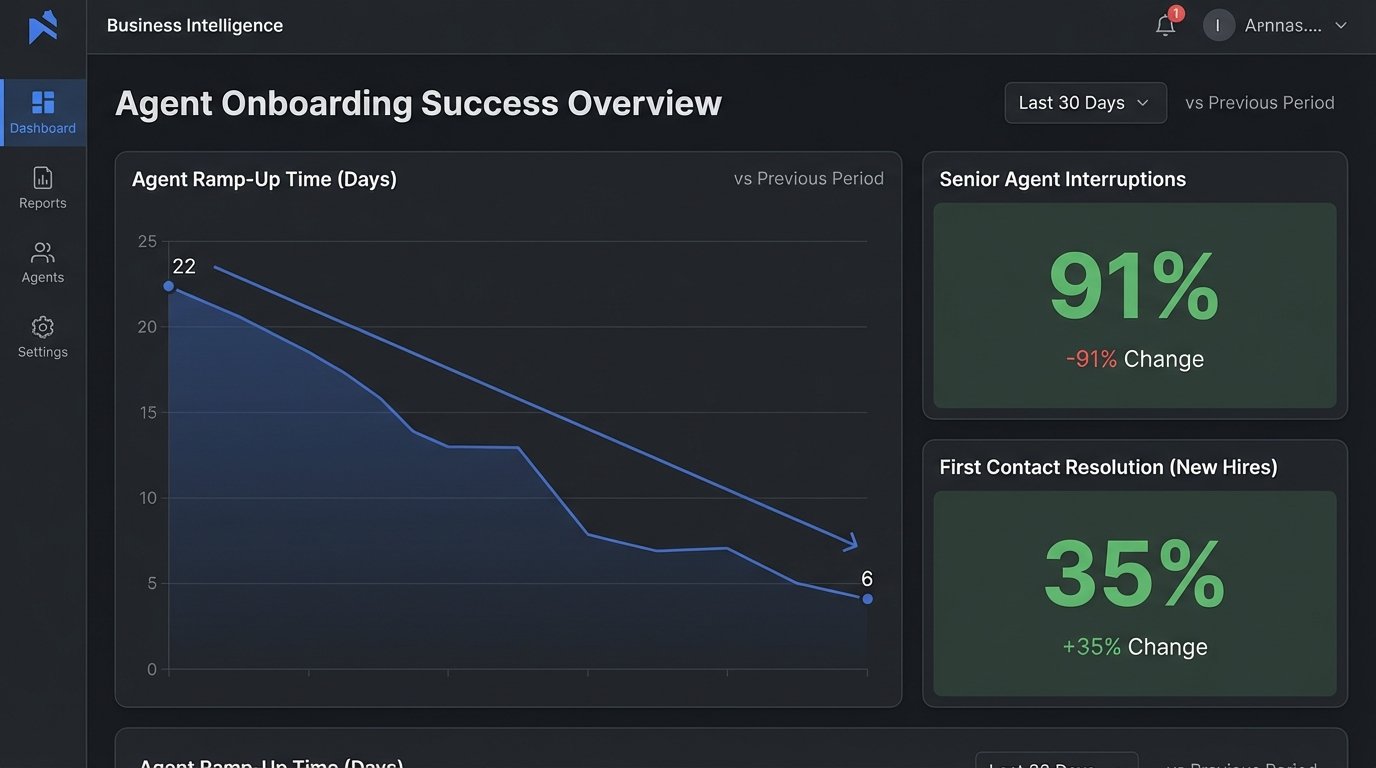
The impact was immediate and measurable. We tracked the same KPIs for the first three hiring cohorts after the new system went live. The results were stark.
- Agent Ramp-Up Time: Dropped from 22 days to an average of 6 days. Agents were closing their tenth unaided ticket within their first week.
- Senior Agent Interruption Frequency: Plummeted by over 90%. Senior agents were almost completely insulated from basic onboarding questions, freeing them up for actual escalation work.
- First Contact Resolution Rate (New Agents): Increased by 35% in their first month, because they were consistently and correctly trained on the right tools from day one.
These metrics translated directly to ROI. By getting agents productive 16 days sooner, we recouped thousands in salary for each new hire. The reduction in senior agent interruptions represented an even larger productivity gain, though it’s harder to quantify precisely. The primary benefit was focus. Our best people could now focus on our hardest problems.
This system isn’t free to maintain. The initial build took about 120 engineering hours. We budget approximately 5 hours per month for maintenance. This usually involves updating an API endpoint after a service changes its authentication method or tweaking the conditional logic when a new job role is created. It’s a non-zero cost, but it’s a fraction of the cost we were incurring from the old manual process.
The system forced us to confront our own procedural rot. By codifying the onboarding process, we exposed every outdated step and broken link. The project was as much about process cleanup as it was about automation. The result is a predictable, auditable, and efficient onboarding machine that treats new hires as assets to be enabled, not problems to be managed.