The sales demo for a real estate platform always shows the perfect workflow. A lead comes in, an agent is assigned, and a drip campaign starts, all in a seamless ballet of automation. What they don’t show you is the brittle architecture underneath that collapses at 2 AM on a Saturday because their API hit a mysterious, undocumented rate limit. Your job isn’t to be impressed by the demo. Your job is to find the breaking points before you sign the contract.
We are not evaluating features on a checklist. We are pressure-testing the foundation. A platform’s true automation capability is defined by its resilience to failure, its data model flexibility, and its transparency when things inevitably go wrong. Everything else is just marketing.
1. Interrogate the API Endpoints and Rate Limits
An API is the central nervous system of any automation strategy. The vendor’s documentation will promise stability and speed. Trust none of it. Your first step is to get sandbox credentials and start hitting the endpoints yourself. Look for the discrepancies between the documentation and the actual responses. Is that `last_updated` timestamp in ISO 8601 format as promised, or is it some bizarre epoch variant?
This is where you find the skeletons.
Rate limiting is the silent killer of batch operations. The platform might advertise an API, but if it only allows 60 calls per minute, your plan to sync 10,000 contacts will take nearly three hours. This isn’t a sync. It’s a slow-motion data transfer that will likely time out and fail partway through. Force the sales engineer to provide hard numbers on rate limits, both for the sandbox and production environments. Ask about their scaling policies and the cost to increase those limits.
A mature API will return a `429 Too Many Requests` status code and include headers like `X-RateLimit-Limit`, `X-RateLimit-Remaining`, and `X-RateLimit-Reset` to tell you exactly where you stand. A primitive one will just return a generic `500 Internal Server Error`, leaving you blind. This distinction is critical for building resilient error handling.
import requests

import time
# A basic check for rate limit headers
url = 'https://api.realestateplatform.com/v1/leads/123'
headers = {'Authorization': 'Bearer YOUR_API_KEY'}
response = requests.get(url, headers=headers)
if response.status_code == 429:
print("Rate limit hit.")
# Check for a Retry-After header to wait intelligently
retry_after = int(response.headers.get('Retry-After', 60))
print(f"Waiting for {retry_after} seconds.")
time.sleep(retry_after)
else:
# Logic-check other headers
remaining = response.headers.get('X-RateLimit-Remaining')
print(f"API calls remaining in this window: {remaining}")
2. Stress-Test the Data Model Rigidity
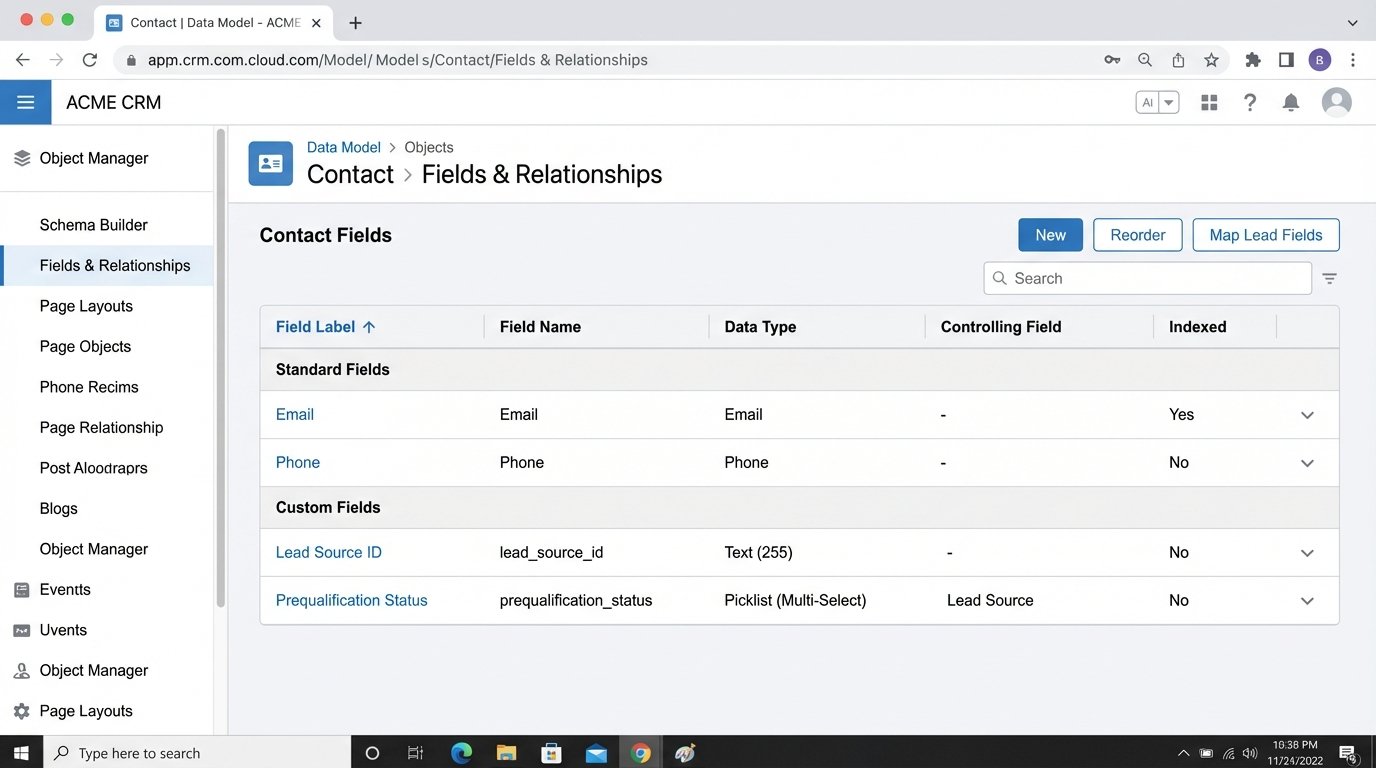
Many platforms are built with a rigid data model that reflects the vendor’s narrow view of the real estate world. They have fields for `first_name`, `last_name`, and `email`. What happens when your lead generation system provides a `lead_source_id` or a `prequalification_status`? If the platform doesn’t have native support for custom fields, your automation journey ends before it begins.
The common, ugly workaround is to stuff this critical data into a generic “notes” or “description” field. This corrupts your data integrity. You can no longer reliably filter, report on, or trigger workflows based on that information. You are forced to write fragile string-parsing logic to extract structured data from an unstructured text blob. It’s a technical debt nightmare.
Demand a platform with a flexible data model. You need the ability to add custom fields with specific data types like string, number, date, or picklist. Without this, you are constantly fighting the system. You are trying to shove a firehose of modern marketing data through the pinhole of a decade-old database schema.
This is not a feature you can bolt on later. It’s fundamental to the architecture.
3. Audit the Webhook Implementation
Webhooks are the foundation of real-time automation. They are supposed to push data to your systems the moment an event happens, like a new lead being created or a deal status changing. The difference between a good and a bad webhook system is the difference between immediate action and hoping a nightly batch job eventually catches the update.
A solid webhook system has several key attributes:
- Guaranteed Delivery: It should have a retry mechanism with exponential backoff. If your listening endpoint is down for a minute, the webhook shouldn’t just fail and disappear. It should try again.
- Specific Event Subscriptions: You should be able to subscribe to granular events (`lead.created`, `deal.closed`) instead of a single, noisy firehose of all activity.
- Consistent Payloads: The JSON payload for a given event type must have a stable structure. If the vendor adds new fields, they should be additive and not break your existing parsing logic.
- Security: It must support a signing secret. This lets you verify that the webhook request genuinely came from the platform and not a malicious actor.
Ask to see the webhook logs within the platform’s UI. Can you see a history of delivery attempts, status codes, and payloads? A platform without transparent webhook logs is a black box. When an event is missed, you’ll have no way to diagnose if the platform failed to send it or your system failed to receive it.
4. Examine the Authentication Mechanism
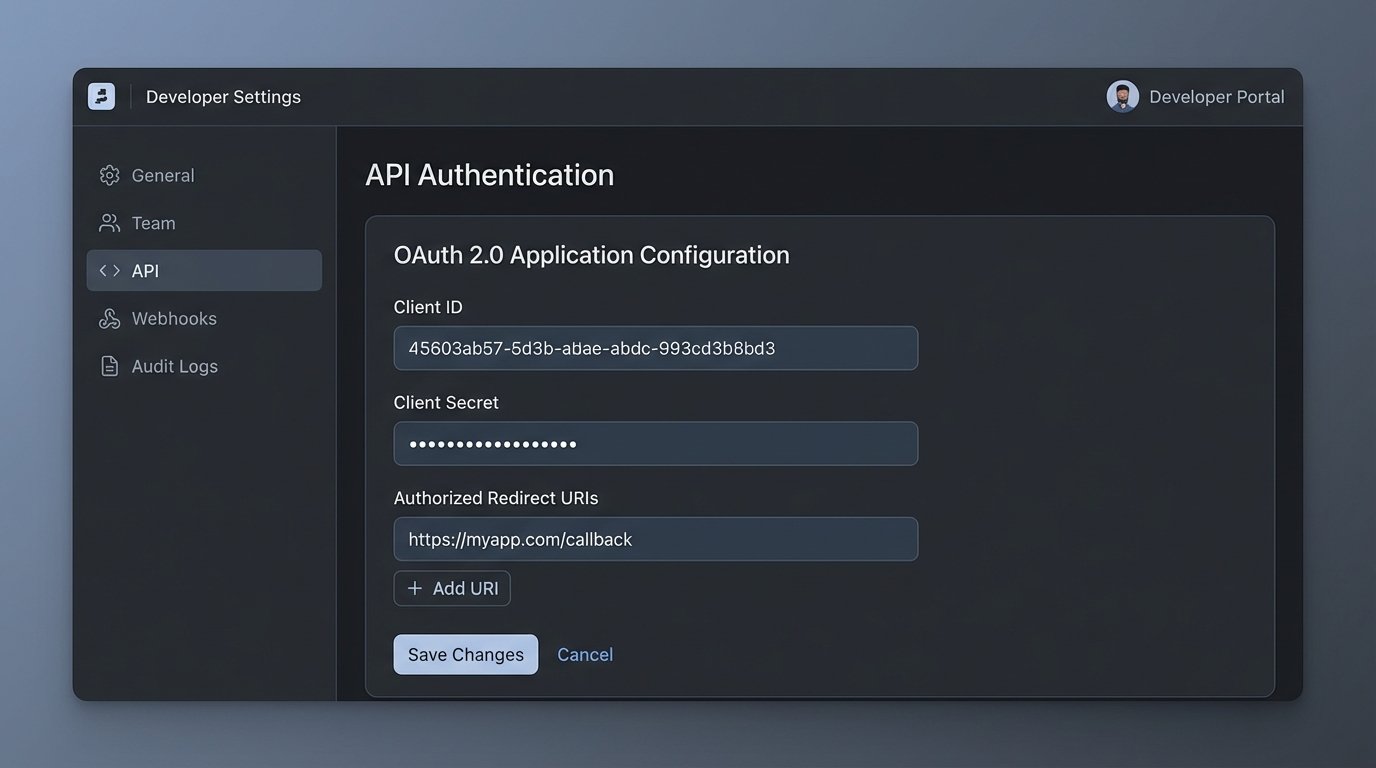
If the vendor’s answer to API authentication is a single, static API key that never expires, run. This is a massive security risk and a sign of a dated architecture. A compromised key gives an attacker permanent, god-mode access to your data. There’s no way to rotate credentials without breaking every integration you’ve built.
A modern platform should use a protocol like OAuth 2.0. This provides short-lived access tokens and long-lived refresh tokens. Your automation scripts can use the refresh token to programmatically request a new access token when the old one expires. This process drastically reduces the window of opportunity for an attacker if a token is ever exposed.
The implementation details matter. How is the token refresh handled? Is the process well-documented with clear error responses for invalid grants or expired refresh tokens? A flimsy token refresh mechanism can cause your entire automation stack to fail simultaneously when a token expires, and it will happen at the worst possible time.
This is a non-negotiable security and reliability standard.
5. Verify the Sandbox Environment Fidelity
A “sandbox” is not a marketing term. It is a critical engineering tool. Many vendors offer a “demo account” that they call a sandbox. It is not the same thing. A real sandbox is a full-fidelity, isolated copy of the production environment. It runs the same code, has the same API endpoints, and mirrors the same configuration limitations.
The sandbox is where you test destructive operations, performance-test bulk data loads, and validate your code against upcoming API changes. If the sandbox environment behaves differently from production, your testing is worthless. A common problem is a sandbox with no rate limits, which gives you a false sense of security. You build an integration that works perfectly in testing, only to have it collapse under production rate limits.
You must confirm that you can provision a sandbox that is identical to your eventual production setup. Can you load it with a representative data set? Does it reflect the user permissions and roles you will have in production? A low-fidelity sandbox is a development trap that leads to production surprises.
Without a proper sandbox, your production environment becomes your testing environment.
6. Scrutinize Bulk Operation Capabilities
Any serious data integration involves moving large volumes of data. This includes initial data migrations, backfilling historical records, or performing large-scale updates. A platform designed for enterprise automation must provide true bulk endpoints, not just single-record create, read, update, and delete (CRUD) operations.
Consider the task of updating 20,000 contact records. With a single-record API, you must make 20,000 separate `PUT` or `PATCH` requests. Factoring in network latency and rate limits, this operation could take hours and has a high probability of failure. A proper bulk endpoint allows you to send an array of 20,000 contact objects in a single API call.
The difference is staggering. It’s the contrast between carrying your team’s equipment to the field one helmet at a time versus using a gear cart. The former is exhausting and impractical. The latter is efficient. The absence of bulk endpoints tells you the platform was not designed for large-scale data management. It was designed for a user clicking buttons in a UI.
Ask for the maximum payload size and the maximum number of records per bulk request. These numbers will define the upper limits of your data throughput.
7. Demand Accessible Debugging and Logging
Automation breaks. An integration will fail. The critical question is: how quickly can you diagnose the root cause? If the platform provides no visibility into what happened, you are debugging in the dark. You need access to detailed logs.
A well-architected platform provides a searchable log of every API request made against your account. This log should include the timestamp, the endpoint hit, the HTTP method, the response status code, and ideally, the request and response bodies. Without this, troubleshooting becomes a painful exercise of pointing fingers between your code and their platform.
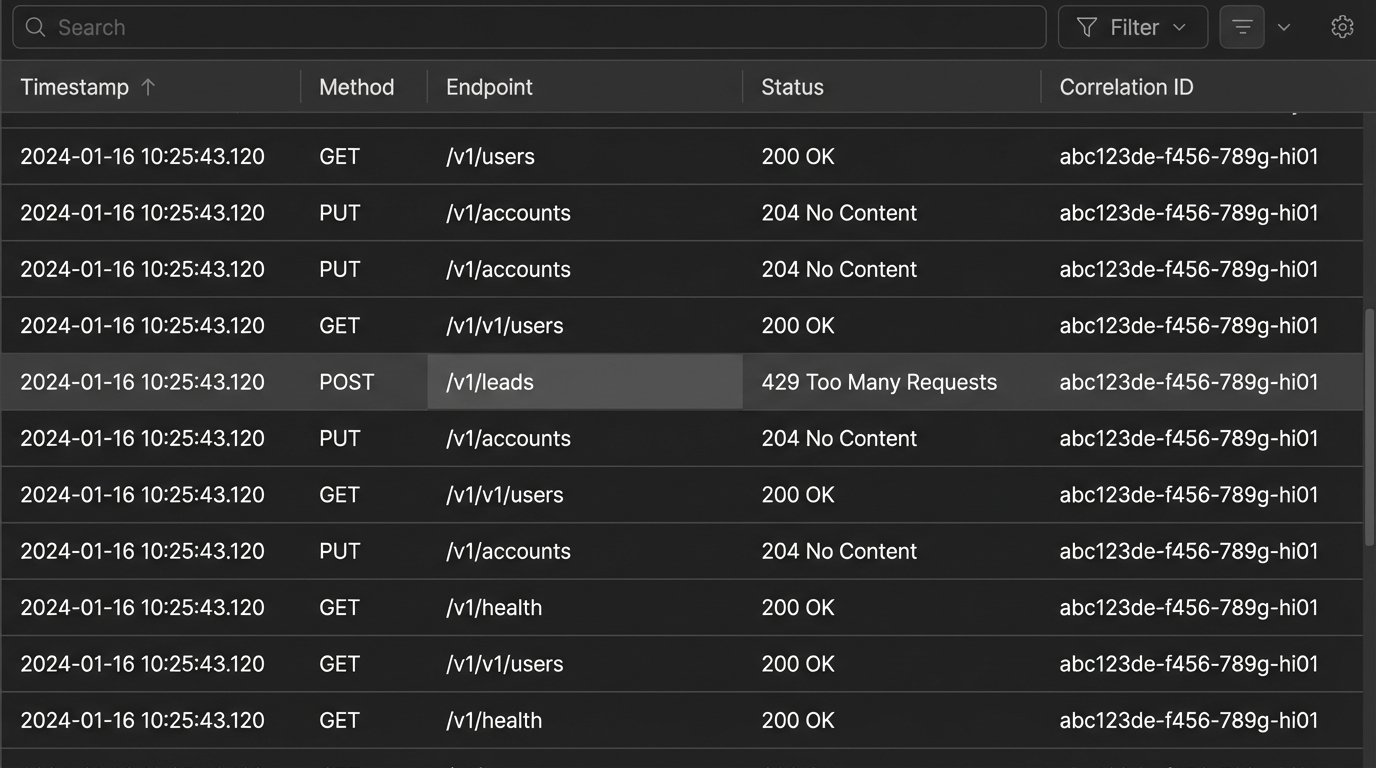
Look for support for correlation IDs. This is a unique identifier that you can inject into your initial API request header. The platform should then attach this ID to any subsequent internal processes or outbound webhooks related to that transaction. This allows you to trace a single logical operation across multiple distributed systems, which is invaluable for debugging complex, multi-step workflows.
A platform without accessible logs treats its backend as a protected secret. That is not a partnership. It’s a liability.