Stop Wasting Tokens on Ambiguous Prompts
Every malformed prompt sent to a large language model is a sunk cost. It burns API credits, consumes compute cycles, and returns low-grade output that requires manual correction. The core failure is treating the prompt as a simple question instead of a configuration spec for a non-deterministic program. Engineering a prompt is about injecting structure and constraints into a system designed for linguistic chaos.
The goal is to reduce the model’s “creative freedom” to near zero for analytical tasks. You must force the model down a specific logical path. Effective prompting is a defensive discipline, aimed at preventing hallucinations, format deviations, and context leakage. The quality of the output is a direct reflection of the constraints defined in the input.
Tip 1: Force a Persona with Explicit Role Priming
A generic prompt invites a generic, web-scraped answer. The first step in any serious prompt architecture is to assign a specific role to the model. This is not about conversational flair. It is about loading a specific subset of the model’s weights and biases relevant to a domain. You are forcing the model to filter its potential responses through the lens of an expert persona.
A bad prompt asks, “How can I improve my website’s loading speed?” A better prompt commands, “Act as a senior performance engineer specializing in front-end web optimization. Your client has a large e-commerce site built on React with heavy image assets. Provide a prioritized list of five technical recommendations to reduce Largest Contentful Paint (LCP).” The second prompt frames the problem, defines the persona, and specifies the output format.
This initial instruction block is the system-level directive. It sets the ground rules for the entire interaction. Failing to do this means the model defaults to its most generalized, and often useless, state.
Tip 2: Isolate Instructions with Delimiters
Never mix your instructions with the data you want the model to process in a single, unstructured block of text. This is a direct path to context bleeding, where the model confuses instructions for input data. Use delimiters to create clear, machine-readable boundaries within your prompt. Triple backticks, XML tags, or any character sequence that will not appear in the input data is effective.
This technique is critical for security and accuracy. It is the primary defense against indirect prompt injection, where user-supplied data might contain malicious instructions intended to hijack the model’s original purpose. By fencing off user input, you tell the model exactly what to process and what to ignore as a potential instruction.
Failing to use delimiters is like sending raw user input from a web form directly to a SQL database. You are simply asking for an injection attack.
<prompt>

<system_instruction>

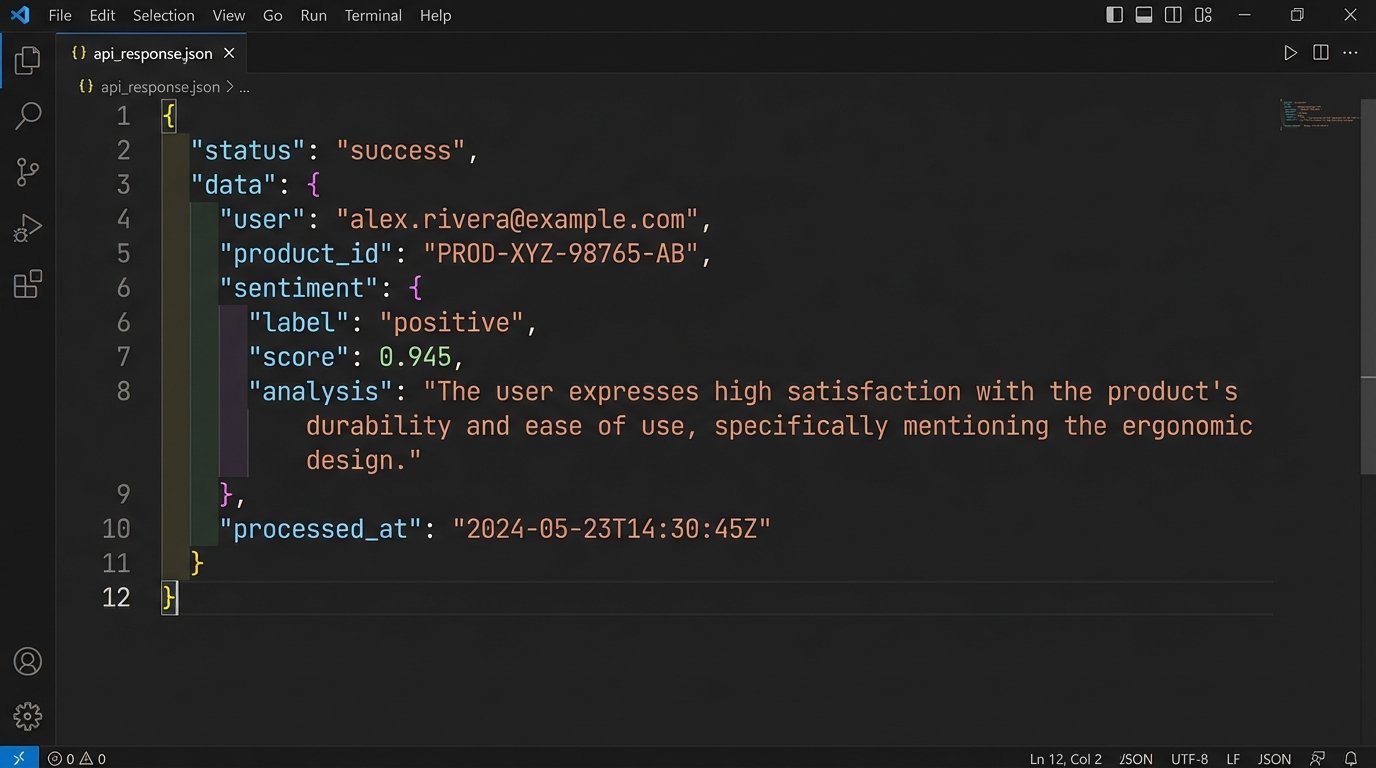
You are a JSON generation service. Extract the user, product ID, and sentiment from the following customer review.

The sentiment must be one of the following strings: "positive", "negative", "neutral".

Do not add any commentary or explanation. Output only the JSON object.

</system_instruction>
<user_review>
I can't believe how slow the shipping was for product 483-B. The item itself is great, but I wouldn't order from this company again.
</user_review>
</prompt>
The XML tags create a logical separation that the model can parse reliably. This is not a suggestion. It is a structural requirement for predictable output.
Tip 3: Apply Explicit Output Constraints
Models are optimized to follow the path of least resistance, which often means verbose, conversational answers. You must explicitly constrain the output format. If you need JSON, specify “Output a valid JSON object” and provide the schema or an example. If you need a bulleted list, state “Provide the answer as a Markdown formatted unordered list.”
Negative constraints are just as important. These are instructions that specify what the model should *not* do. For example, when asking for a summary of a technical document, you might add the constraint: “Do not include any information from the introduction or conclusion sections. Focus only on the methodology.” This forces the model to perform more targeted information retrieval instead of a superficial summary.
Without these guardrails, you are at the mercy of the model’s training data, which is a grab bag of internet content of wildly varying quality. You are engineering a result, not having a conversation.
- Format Specification: “The output must be a CSV with two columns: ‘IssueID’ and ‘Summary’.”
- Length Control: “The summary must be no more than 50 words.”
- Content Exclusion: “Exclude any mention of pricing or commercial terms.”
- Style Enforcement: “Write in a formal, academic tone. Avoid contractions and first-person pronouns.”
These are not polite requests. They are directives that significantly narrow the solution space and increase the probability of a correct output on the first attempt.
Tip 4: Mandate Step-by-Step Reasoning
For complex tasks involving logic, calculation, or multi-step analysis, do not ask for the final answer directly. Instead, instruct the model to “think step-by-step” or to provide a “chain of thought” before giving its conclusion. This forces the model to serialize its internal reasoning process into the context window. The practical benefit is twofold.
First, it dramatically increases accuracy. By breaking down a problem, the model is less likely to make logical leaps or calculation errors. Second, it makes the output auditable. When the model provides a wrong answer, its flawed reasoning is laid bare, making it much easier to debug the prompt. You can identify exactly where the logic failed and inject a clarifying instruction.
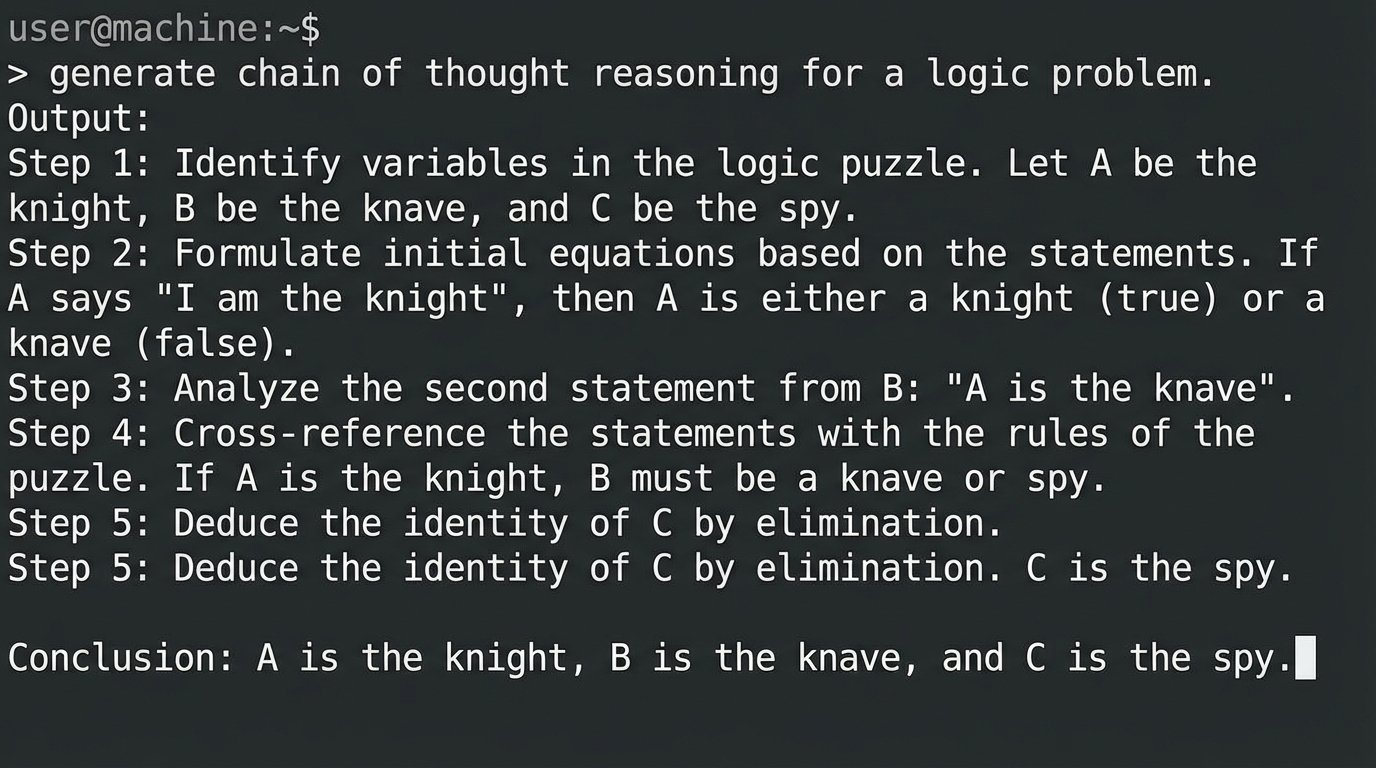
Forcing a step-by-step process is like running a debugger with breakpoints. You get to inspect the internal state before the final, and often broken, result is returned. A prompt for a math problem might end with: “First, identify the variables. Second, write down the equation. Third, solve the equation step by step. Finally, state the final answer.” This methodical approach prevents the model from guessing.
Tip 5: Use Few-Shot Prompting for Pattern Matching
Describing a desired format or pattern is less effective than showing it. Few-shot prompting is the practice of including one or more complete examples of the task in the prompt itself. This gives the model a concrete template to follow. For classification, summarization, or style-transfer tasks, this is the most direct way to get reliable results.
Zero-shot prompting relies entirely on the model’s pre-existing knowledge. One-shot prompting provides a single example. Few-shot (usually 2-5 examples) provides a stronger pattern signal. The examples prime the model to execute a specific task, bypassing the need for it to interpret complex natural language instructions from scratch.
Instruction: Classify the user's intent. The available classes are "Account Inquiry", "Order Status", "Technical Support".
Text: "My screen is frozen."
Intent: "Technical Support"
Text: "Where is my package?"
Intent: "Order Status"
Text: "I can't log into my dashboard."
Intent: "Technical Support"
Text: "What is my current balance?"
Intent:
The model will almost certainly fill in “Account Inquiry”. You provided a clear input-output pattern. This is far more efficient than trying to describe the semantic differences between the three categories in a long paragraph.
The downside is token consumption. Examples make your prompt significantly longer and more expensive to run. It’s a direct cost for a direct increase in accuracy.
Tip 6: Control Generation with API Parameters
The prompt text is only half of the input. The API parameters that control the generation process, like `temperature` and `top_p`, are equally important. Ignoring them is like writing code and not caring what compiler flags are used. These settings dictate the randomness and creativity of the model’s output.
Temperature: This parameter controls the randomness of the output. A high temperature (e.g., 0.8) makes the output more diverse and creative by increasing the probability of lower-weight tokens. A low temperature (e.g., 0.1) makes it more deterministic and focused, as the model will almost always pick the highest-probability token. For factual recall, code generation, or classification, you want a low temperature.
Top-p (Nucleus Sampling): This parameter provides another way to control randomness. It tells the model to consider only the tokens that make up a certain cumulative probability mass. For example, `top_p=0.1` means the model only considers the most likely tokens that add up to 10% of the probability distribution. This is often better than temperature for preventing the model from using bizarre or off-topic words, as it cuts off the long tail of improbable tokens completely.
Tuning these parameters requires experimentation. For a system that needs to extract specific data from a document, you might set `temperature` to 0 and `top_p` to 1.0. For a chatbot meant to generate creative marketing copy, a `temperature` of 0.7 and a `top_p` of 0.9 might be more appropriate.
Tip 7: Implement an Iterative Testing Framework
A prompt is not a static artifact. It is code that must be versioned, tested, and maintained. The first version of your prompt will have flaws. The only way to improve it is through systematic testing. Create a validation suite of test cases, each with a known-good expected output.
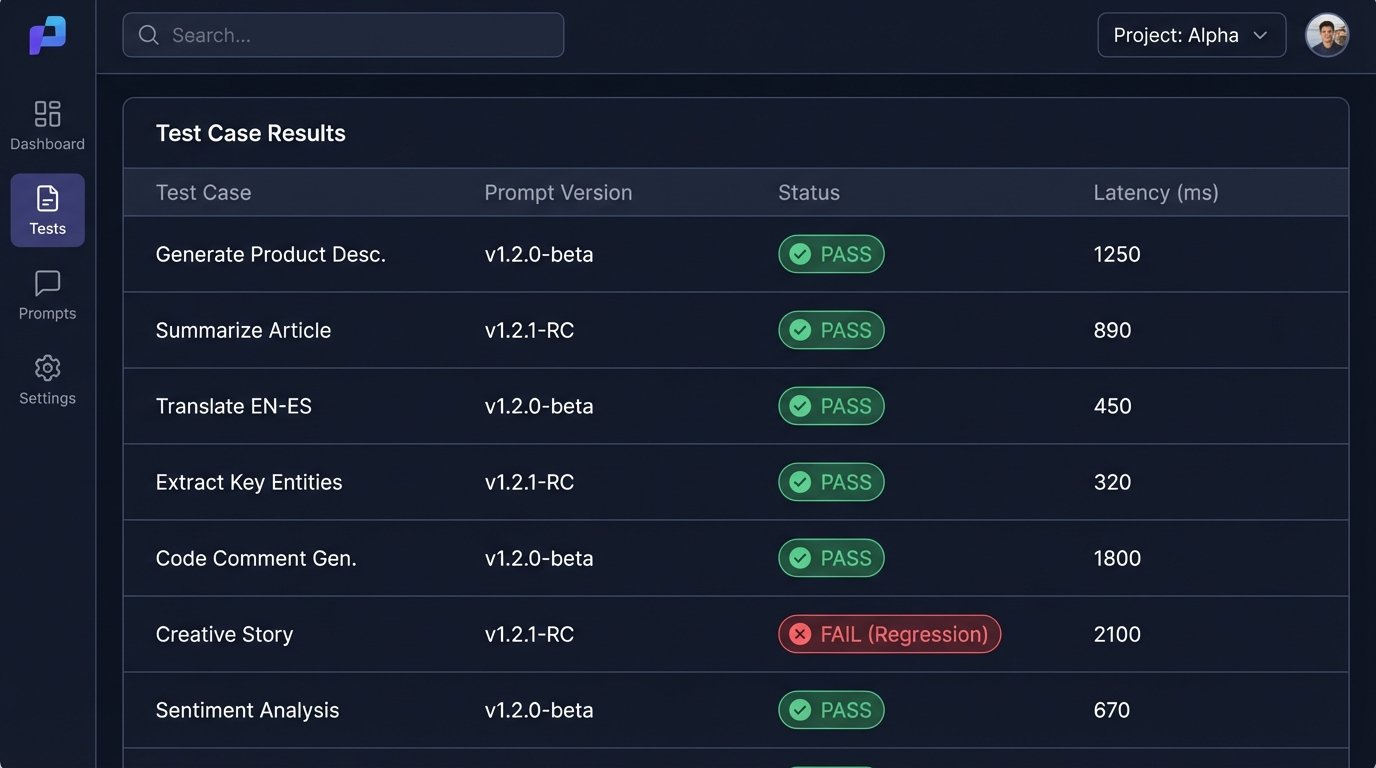
When you modify a prompt, run it against your entire test suite to check for regressions. A change that improves the output for one case might break it for five others. Log all production inputs and outputs. When you encounter a failure in the wild, turn it into a new test case. This feedback loop is the core process of hardening a prompt-based application.
Treat your prompt library like any other codebase. Use version control. Document changes. Do not deploy a new prompt to production until it has passed a rigorous set of automated checks. The idea of “just writing a better prompt” is a fantasy held by people who have never had to support one at scale.