
Using AI to Automatically Create and Schedule Social Media Posts
The marketing team’s content pipeline is clogged. It’s a series of Google Docs, manual copy-pasting, and a prayer that the intern remembers to click “schedule” on three different platforms. The default solution is to buy some overpriced SaaS product that wraps an API call in a pretty UI and charges you per seat. We are not going to do that.
This is a blueprint for building your own content generation and scheduling engine. It gives you absolute control over the logic, the prompts, and the error handling. It also forces you to confront the reality that AI content generation is not magic. It’s a tool that produces inconsistent, often bland output without rigorous specification and validation.
The Architecture and The Stack
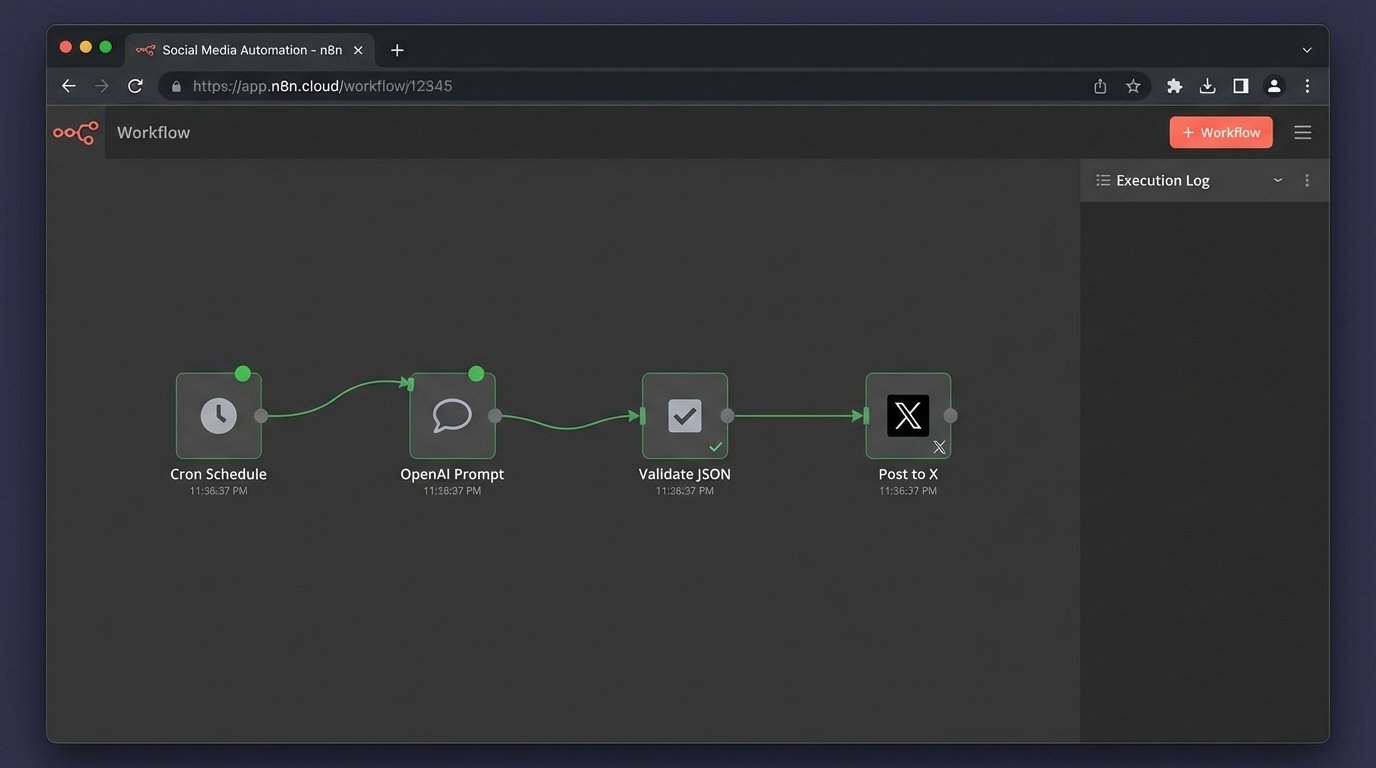
We are building a simple, robust system with Python. Forget microservices or complicated message queues. We need a script that can be run on a schedule to generate text, validate it, and then push it to a social media API. The goal is reliability, not architectural elegance that looks good on a whiteboard.
Our stack is minimal and effective:
- Language: Python 3.9+
- AI Content Generation: OpenAI’s API (specifically, the `gpt-4o` model for a better cost-to-performance ratio).
- Social Media API Interface: The X (formerly Twitter) API v2, accessed via a library like `tweepy`. We use X as the example because its rate limits are a perfect introduction to real-world API pain.
- Scheduling: A basic cron job or, for more control within the application, Python’s `APScheduler` library.
- Secret Management: Environment variables. Hardcoding API keys is grounds for immediate dismissal.
The core trade-off here is control versus convenience. A commercial tool gets you started in five minutes. This approach takes a few hours but saves you from vendor lock-in and monthly fees that drain your budget. It also means when it breaks, you have the source code, not just a support ticket number.
Prerequisites and API Key Collection
First, you need to collect the keys to the kingdom. This part is pure administrative toil. You will need developer accounts for both OpenAI and the social media platform you intend to target. Get your API keys and access tokens ready. Store them as environment variables in your system or in a `.env` file that your script can load.
Create a project directory and a virtual environment. Then, install the necessary packages. Your `requirements.txt` file should look something like this:
openai==1.30.1

tweepy==4.14.0

APScheduler==3.10.4

python-dotenv==1.0.1
Run `pip install -r requirements.txt` inside your activated virtual environment. Now create your main Python file, let’s call it `auto_poster.py`, and set up the initial configuration to load your secrets. This step prevents your credentials from ever touching your version control history.
import os

import openai

import tweepy

from dotenv import load_dotenv
# Load environment variables from .env file
load_dotenv()
# API Configuration
OPENAI_API_KEY = os.getenv("OPENAI_API_KEY")
X_API_KEY = os.getenv("X_API_KEY")
X_API_SECRET_KEY = os.getenv("X_API_SECRET_KEY")
X_ACCESS_TOKEN = os.getenv("X_ACCESS_TOKEN")
X_ACCESS_TOKEN_SECRET = os.getenv("X_ACCESS_TOKEN_SECRET")
# Check if all keys are present
if not all([OPENAI_API_KEY, X_API_KEY, X_API_SECRET_KEY, X_ACCESS_TOKEN, X_ACCESS_TOKEN_SECRET]):
raise ValueError("One or more API keys are missing from the environment variables.")
# Initialize OpenAI client
openai.api_key = OPENAI_API_KEY
# Authenticate with X API v2
client = tweepy.Client(
consumer_key=X_API_KEY,
consumer_secret=X_API_SECRET_KEY,
access_token=X_ACCESS_TOKEN,
access_token_secret=X_ACCESS_TOKEN_SECRET
)
This script does nothing but load configuration and authenticate. If it runs without errors, your keys are correct and the foundational connections are solid. This is your smoke test.
The Content Generation Engine
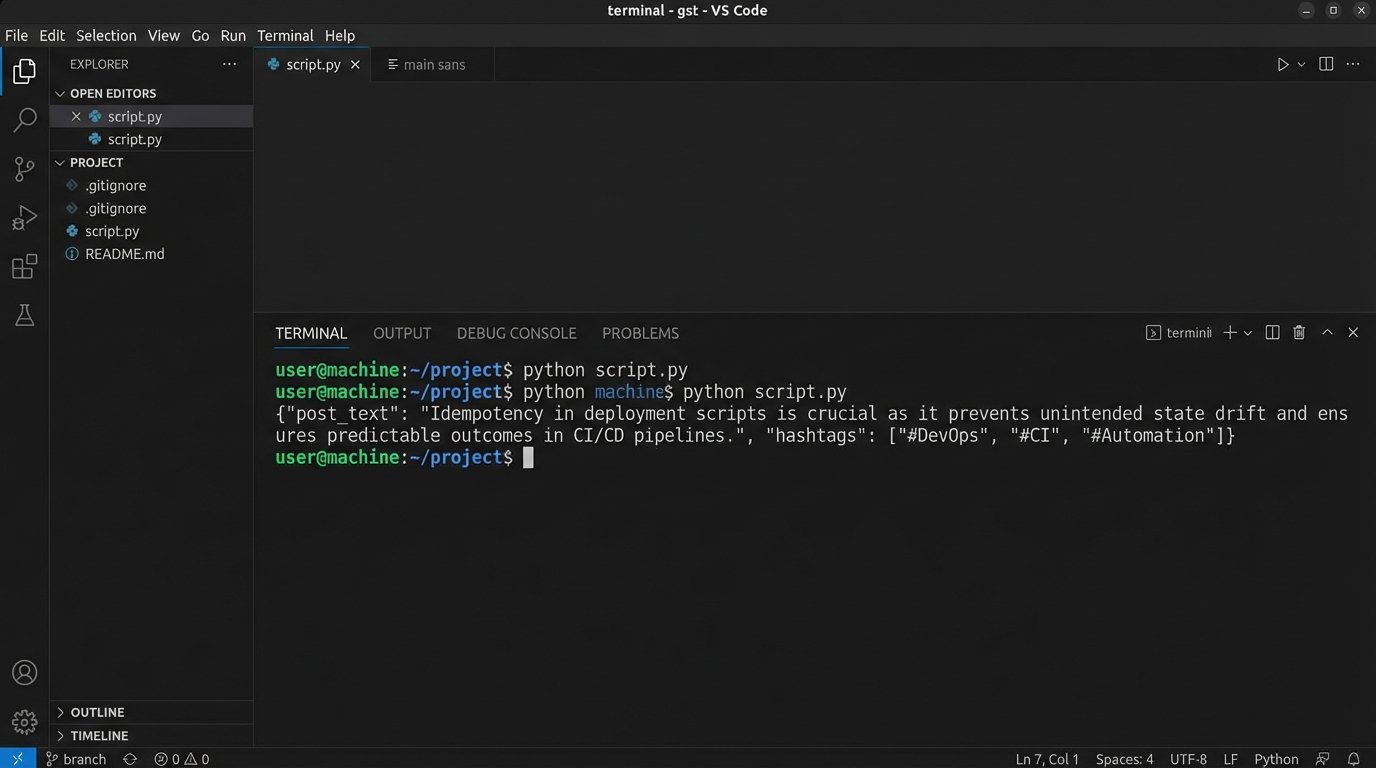
The core of this system is the prompt. Sending a lazy, one-line request to the OpenAI API will give you generic, unusable marketing copy. You have to engineer the prompt to force the model into a structure you can parse and validate. We are not asking it for a post. We are commanding it to fill a data structure.
Trying to get consistent JSON out of a large language model with a weak prompt is like asking a tidal wave to fill an ice cube tray. You get the water, but not the structure.
The prompt must be specific. It should define the tone, the topic, the target audience, constraints like character count, and the exact output format. Requesting JSON is a good strategy because it gives you a predictable object to work with, minimizing the need for brittle string parsing.
Here is a function that takes a topic and injects it into a structured prompt.
import json
def generate_post_content(topic: str) -> dict:
"""
Generates a social media post using OpenAI's API with a structured prompt.
Returns a dictionary with 'post_text' and 'hashtags' or None on failure.
"""
system_prompt = """
You are an AI assistant for a B2B tech company that specializes in cloud infrastructure automation.
Your tone is technical, direct, and for an expert audience of DevOps engineers and SREs.
Do not use marketing fluff.
Generate a short post for the X platform (formerly Twitter).
"""
user_prompt = f"""
Topic: {topic}
Constraints:
1. The main text must be under 260 characters to leave room for hashtags.
2. Provide exactly 3 relevant, technical hashtags.
3. Do not use emojis.
Return your response as a single, minified JSON object with two keys: "post_text" and "hashtags".
Example format: {{"post_text": "Your content here.", "hashtags": ["#example1", "#example2", "#example3"]}}
"""
try:
completion = openai.chat.completions.create(
model="gpt-4o",
messages=[
{"role": "system", "content": system_prompt},
{"role": "user", "content": user_prompt}
],
temperature=0.7,
response_format={"type": "json_object"}
)
response_content = completion.choices[0].message.content
data = json.loads(response_content)
# Basic validation of the returned structure
if "post_text" in data and "hashtags" in data and isinstance(data["hashtags"], list):
return data
else:
print("Error: AI response missing required JSON keys.")
return None
except Exception as e:
print(f"An error occurred during AI content generation: {e}")
return None
# Example usage:
# topic = "The importance of idempotent scripts in CI/CD pipelines."
# generated_content = generate_post_content(topic)
# if generated_content:
# print(generated_content)
Notice the `response_format` parameter. This is a newer feature that instructs the model to guarantee the output is valid JSON. It is not foolproof, but it heavily reduces the chances of getting back a malformed string that breaks your `json.loads()` call. We still logic-check the keys anyway. Trust nothing.
Pushing Content Through The API
With generated content in hand, the next step is to push it to the social media platform. This part seems simple, but it is riddled with potential failure points. The API might be down, your request might be malformed, or you might hit a rate limit you did not know existed. The official X API documentation is more of a historical document than a technical guide, so expect surprises.
The function to post to X must assemble the final text from our JSON object and include robust error handling.
def post_to_x(content: dict):

    """

    Posts the generated content to the X platform.

    """

    if not content or "post_text" not in content or "hashtags" not in content:

        print("Invalid content object provided.")

        return False
try:
full_post = f"{content['post_text']} {' '.join(content['hashtags'])}"
# Final length check before posting
if len(full_post) > 280:
print(f"Error: Generated content exceeds 280 characters. Length: {len(full_post)}")
return False
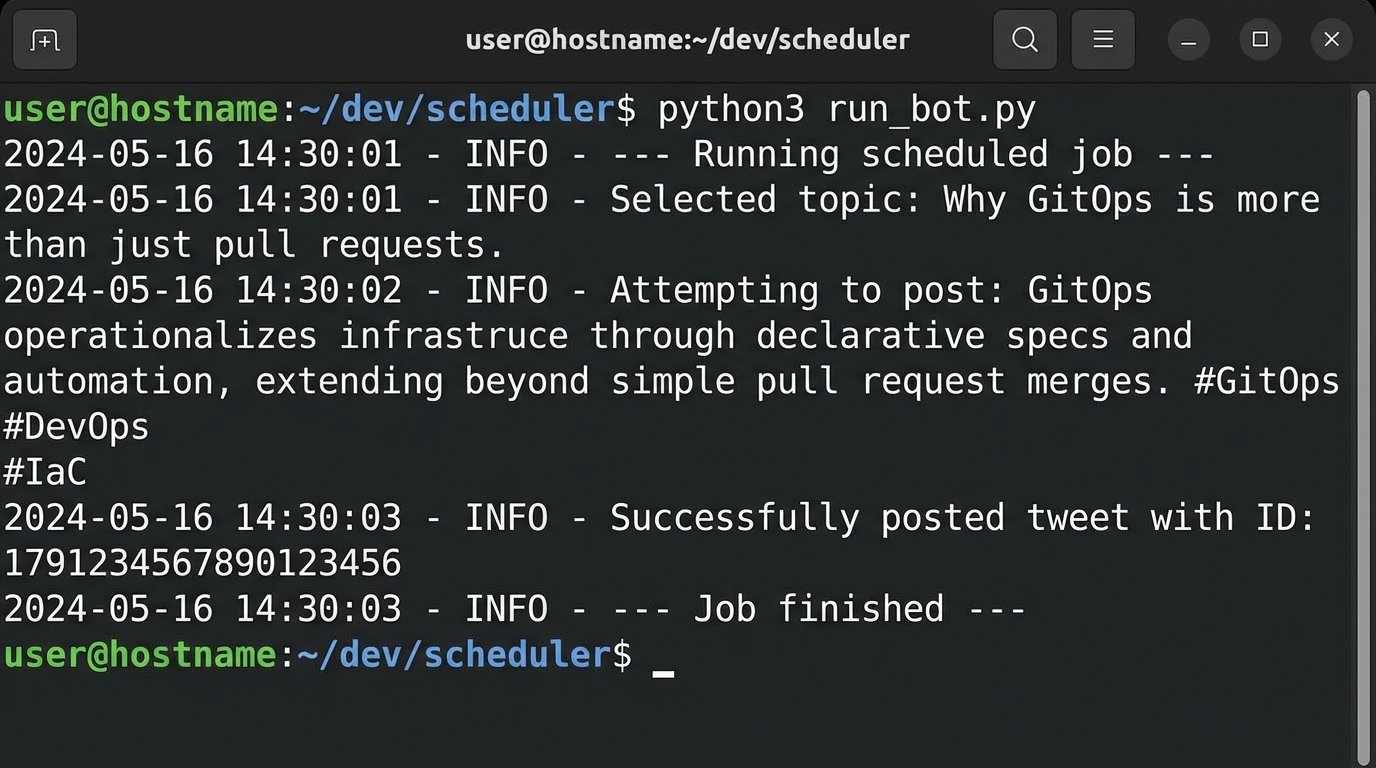
print(f"Attempting to post: {full_post}")
response = client.create_tweet(text=full_post)
# The response object contains the ID of the new tweet
print(f"Successfully posted tweet with ID: {response.data['id']}")
return True
except tweepy.errors.TweepyException as e:
print(f"An error occurred while posting to X: {e}")
return False
except Exception as e:
print(f"An unexpected error occurred: {e}")
return False
# Example usage:
# generated_content = {"post_text": "Idempotency in deployment scripts prevents state drift.", "hashtags": ["#DevOps", "#CI", "#Automation"]}
# success = post_to_x(generated_content)
# print(f"Post successful: {success}")
This code performs a final character count check. You cannot trust the AI to always respect the character limit, even when you specify it in the prompt. Validate every constraint on your end before making the API call. This saves you from wasting API calls that are guaranteed to fail.
Scheduling and State Management
Automating a single post is useless. The value comes from scheduling a continuous flow of content. A simple cron job that executes your Python script is the most battle-tested solution. For example, `0 9,15 * * 1-5 /usr/bin/python3 /path/to/your/auto_poster.py` would run the script at 9 AM and 3 PM every weekday.
An alternative is to build the scheduler into the application itself using a library like `APScheduler`. This approach turns your script into a long-running service, which might be overly complex for this use case but offers finer control over job execution and timing from within Python.
Here is a basic structure for an `APScheduler` implementation.
from apscheduler.schedulers.blocking import BlockingScheduler

import random
def job():
"""The complete job to be scheduled."""
print("--- Running scheduled job ---")
# We need a source of topics
topics = [
"The hidden costs of serverless architecture.",
"Comparing Terraform and Pulumi for infrastructure as code.",
"Best practices for managing secrets in Kubernetes.",
"Why GitOps is more than just pull requests.",
"The impact of eBPF on network observability."
]
# Pick a random topic to avoid posting the same thing
selected_topic = random.choice(topics)
print(f"Selected topic: {selected_topic}")
content = generate_post_content(selected_topic)
if content:
post_to_x(content)
else:
print("Job failed: Could not generate content.")
print("--- Job finished ---")
if __name__ == "__main__":
scheduler = BlockingScheduler()
# Schedule job to run every 4 hours
scheduler.add_job(job, 'interval', hours=4)
print("Scheduler started. Press Ctrl+C to exit.")
try:
scheduler.start()
except (KeyboardInterrupt, SystemExit):
pass
This example uses a hardcoded list of topics. A real system would need to pull these from a database, a file, or another API to prevent repetition. You must implement state management. After a topic is used, mark it as used in a SQLite database or even a simple text file. Without this, your automation will just post the same five things over and over again.
The Non-Negotiable Need for Validation
This entire system is fragile without a validation layer. The AI can and will produce garbage. It might generate a post that is factually incorrect, tonally inappropriate, or just nonsensical. It might return a JSON object that is syntactically valid but logically empty. Your code must anticipate these failures.
Your validation logic should check for several things before ever calling the `post_to_x` function:
- Key Existence: Does the returned object have the `post_text` and `hashtags` keys?
- Content Sanity: Is the `post_text` string longer than a minimum threshold? Is it not empty?
- Constraint Adherence: Is the character count within limits?
- Keyword Filtering: Does the content contain banned words or phrases? You might want to build a simple filter to prevent brand-damaging output.
This automation is not a replacement for human oversight. It is a force multiplier. It handles the drudgery of drafting and scheduling, but the strategy, topic selection, and periodic review of the output still require a human brain. The system trades the manual work of writing posts for the technical work of maintaining a bot. That is the real deal.